
TP-LINK
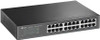
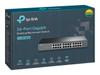
TP-LINK (TL-SG1024D) 24-Port Gigabit Unmanaged Desktop/Rackmount Switch, Steel Case
- SKU:
- TL-SG1024D
- UPC:
- 6935364020620
- MPN:
- TL-SG1024D
- Availability:
- Free Click & Collect in Peterborough. UK delivery also available



Description
TP-Link TL-SG1024D 24-Port Gigabit Unmanaged Desktop/Rackmount Switch – Steel Case
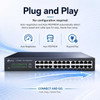
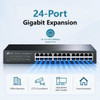
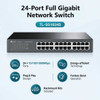
The TP-Link TL-SG1024D is a reliable 24-port Gigabit unmanaged network switch designed to expand wired network capacity for homes, offices, small businesses, schools, CCTV systems, workgroups and rack cabinet installations. With 24 × 10/100/1000Mbps RJ45 ports, a 48Gbps switching capacity, plug-and-play setup, fanless operation and a durable desktop/rackmount design, it is a practical solution for connecting PCs, printers, access points, NAS drives, servers, IP cameras and other wired devices.
This TP-Link TL-SG1024D 24-port Gigabit switch is ideal for customers searching for a 24 port Gigabit switch, unmanaged rackmount switch, desktop network switch, Gigabit Ethernet switch for office, rackmount LAN switch, fanless network switch, or a simple wired network expansion switch for reliable 1000Mbps Ethernet connectivity.
Key Features of the TP-Link TL-SG1024D
- 24 × 10/100/1000Mbps RJ45 ports for expanding a wired network
- Gigabit Ethernet performance for PCs, servers, NAS drives, printers and access points
- 48Gbps switching capacity for high-throughput network traffic
- 35.7Mpps packet forwarding rate for efficient data forwarding
- 10KB jumbo frame support to improve large file transfer performance
- 8K MAC address table for handling multiple connected devices
- Unmanaged plug-and-play setup with no software configuration required
- Auto negotiation and Auto MDI/MDIX on all ports
- Fanless design for quiet operation in offices and workspaces
- Desktop or rackmount installation with rackmount kit and rubber feet included
- Green Technology helps reduce power consumption based on link status
- Store-and-forward switching for reliable packet transmission
- IEEE 802.3x flow control for full-duplex traffic management
24 Gigabit Ports for Wired Network Expansion
The TL-SG1024D provides 24 Gigabit RJ45 ports, making it suitable for expanding a wired LAN in offices, homes, workshops, classrooms, small business networks and comms cabinets. It can connect multiple wired devices at the same time, including desktop PCs, laptops with Ethernet adapters, printers, NAS storage, IP cameras, smart TVs, VoIP equipment and wireless access points.
Compatible with 10Mbps, 100Mbps and 1000Mbps Devices
Each port supports 10/100/1000Mbps auto negotiation, so the switch can work with older Fast Ethernet devices as well as modern Gigabit Ethernet equipment. This helps businesses upgrade to Gigabit speeds while still keeping existing network hardware in use.
Unmanaged Plug-and-Play Setup
The TP-Link TL-SG1024D is an unmanaged switch, which means it is designed for simple installation without complex configuration. Connect the power cable, plug in your Ethernet cables, and the switch will automatically detect connected devices and link speeds.
Auto MDI/MDIX Cable Detection
Auto MDI/MDIX support removes the need to worry about crossover cables. The switch automatically adjusts the connection type on each port, making installation easier for home users, small businesses and IT installers.
Fast Switching Performance for Large File Transfers
With a 48Gbps switching capacity and 35.7Mpps packet forwarding rate, the TL-SG1024D is designed to forward network traffic efficiently across all 24 ports. This makes it useful for file sharing, NAS access, backup tasks, office data transfer, media files and local network applications.
10KB Jumbo Frame Support
The switch supports 10KB jumbo frames, which can help improve large file transfer performance between compatible devices. This is useful for users moving large multimedia files, backups, design files, video assets or other bandwidth-heavy data across a local network.
Quiet Fanless Design
The fanless design allows the TP-Link TL-SG1024D to run quietly, making it suitable for desks, offices, classrooms, reception areas and small comms rooms where fan noise could be distracting.
Desktop or Rackmount Installation
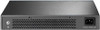
The switch can be used on a desktop with the included rubber feet or installed in a rack using the included rackmount kit. This makes it flexible for home network cupboards, wall cabinets, office racks and small server cabinets.
Energy-Saving Green Technology
TP-Link’s Green Technology helps the TL-SG1024D reduce power consumption by automatically adjusting power use according to link status. This helps improve efficiency for networks where not every port is active all the time.
Who Is the TP-Link TL-SG1024D Best For?
- Small offices needing more wired network ports
- Home networks with multiple Ethernet devices
- Schools, shops, workshops and reception areas
- CCTV and IP camera network installations where PoE is not required
- NAS, server and backup network environments
- Rack cabinet and comms room installations
- Users wanting a simple unmanaged Gigabit switch with no setup
TP-Link TL-SG1024D Specifications
- Brand: TP-Link
- Model: TL-SG1024D
- Product Type: 24-port Gigabit unmanaged desktop/rackmount switch
- Ports: 24 × 10/100/1000Mbps RJ45 ports
- Port Features: Auto negotiation and Auto MDI/MDIX
- Standards: IEEE 802.3i, IEEE 802.3u, IEEE 802.3ab and IEEE 802.3x
- Switching Capacity: 48Gbps
- Packet Forwarding Rate: 35.7Mpps
- MAC Address Table: 8K
- Jumbo Frame: 10KB
- Transfer Method: Store-and-forward
- Fan Quantity: Fanless
- Mounting: Desktop or rackmount
- Power Supply: 100–240V AC, 50/60Hz
- Maximum Power Consumption: 13.08W at 220V/50Hz
- Maximum Heat Dissipation: 44.63BTU/h
- Dimensions: 294 × 180 × 44mm
- Certifications: FCC, CE and RoHS
- Package Contents: TL-SG1024D switch, power cord, installation guide, rackmount kit and rubber feet
Buying Advice
Before ordering, please note that the TP-Link TL-SG1024D is an unmanaged non-PoE switch. It provides wired Gigabit Ethernet connectivity but does not supply power to PoE access points, IP cameras or VoIP phones. If you need to power devices over Ethernet, choose a suitable PoE switch instead.
Why Buy the TP-Link TL-SG1024D 24-Port Gigabit Switch?
The TP-Link TL-SG1024D 24-Port Gigabit Unmanaged Desktop/Rackmount Switch is a strong choice for simple, reliable wired network expansion. With 24 Gigabit ports, plug-and-play installation, fanless operation, rackmount support, 48Gbps switching capacity, 10KB jumbo frame support and energy-saving Green Technology, it is ideal for homes, offices, small businesses and rack cabinet installations needing stable wired Ethernet connectivity.
Specification
TP-Link TL-SG1024D 24-Port Gigabit Unmanaged Switch Specifications
| Product Type | 24-Port Gigabit Unmanaged Ethernet Switch |
| Brand | TP-Link |
| Model | TL-SG1024D |
| Switch Type | Unmanaged |
| Installation Type | Desktop or Rackmount |
| Network Ports | 24 × 10/100/1000Mbps RJ45 Ports |
| Port Features | Auto Negotiation and Auto MDI/MDIX |
| Network Standards | IEEE 802.3i, IEEE 802.3u, IEEE 802.3ab and IEEE 802.3x |
| Network Media | 10BASE-T: UTP Cat 3/4/5 up to 100m; 100BASE-TX / 1000BASE-T: UTP Cat 5 or Above up to 100m |
| Switching Capacity | 48Gbps |
| Packet Forwarding Rate | 35.7Mpps |
| MAC Address Table | 8K |
| Jumbo Frame | 10KB |
| Transmission Method | Store-and-Forward |
| Flow Control | IEEE 802.3x Flow Control |
| Green Technology | Yes, Energy-Saving Ethernet Technology |
| Fan Quantity | Fanless |
| Power Supply | 100–240V AC, 50/60Hz |
| Maximum Power Consumption | 13.08W at 220V / 50Hz |
| Maximum Heat Dissipation | 44.63BTU/h |
| Housing | Steel Case |
| Dimensions | 294 × 180 × 44mm |
| Certifications | FCC, CE and RoHS |
| Package Contents | TL-SG1024D Switch, Power Cord, Installation Guide, Rackmount Kit and Rubber Feet |
PoE Notice
This is a non-PoE unmanaged switch. It provides wired Gigabit Ethernet connectivity but does not supply power to PoE cameras, access points, VoIP phones or other PoE-powered devices.
Management Notice
The TL-SG1024D is an unmanaged plug-and-play switch. It does not provide managed switch features such as VLAN configuration, web management, SNMP monitoring or advanced traffic control.
Rackmount Notice
The switch can be used on a desktop with the included rubber feet or installed in a compatible rack using the included rackmount kit. Please check cabinet depth, airflow and cable clearance before installation.
Performance Notice
The listed 48Gbps switching capacity and 35.7Mpps forwarding rate are maximum hardware specifications. Real-world network speed depends on connected devices, cable quality, network traffic and router/uplink performance.
Return
FAQ: Frequenlty Asked Questions
TP-Link TL-SG1024D 24-Port Gigabit Unmanaged Switch FAQ
The TP-Link TL-SG1024D is a 24-port Gigabit unmanaged Ethernet switch designed for homes, offices, workgroups, CCTV networks, small businesses and rackmount network setups that need more wired LAN ports. It offers 24 x 10/100/1000Mbps RJ45 ports, plug-and-play installation, Auto MDI/MDIX, auto-negotiation, fanless quiet operation, rackmount support, a steel case, 48Gbps switching capacity, 10KB jumbo frame support and energy-efficient technology. Below are the most common questions buyers ask before choosing this TP-Link TL-SG1024D 24-Port Gigabit Desktop/Rackmount Switch, including setup, PoE, VLANs, rack mounting, gaming, CCTV, NAS, home office networks, cable compatibility, speed, fan noise and who this unmanaged switch is best suited for.
1. What is the TP-Link TL-SG1024D?
The TP-Link TL-SG1024D is a 24-port Gigabit Ethernet switch designed to expand a wired network. It lets you connect multiple wired devices such as PCs, printers, NAS drives, access points, CCTV equipment, smart TVs and office devices to the same network.
2. What is the TP-Link TL-SG1024D best used for?
The TP-Link TL-SG1024D is best used for home networks, small offices, shops, workshops, CCTV networks, home labs, media rooms, gaming rooms, schools, workgroups and businesses that need many reliable wired Gigabit Ethernet ports.
3. How many ports does the TP-Link TL-SG1024D have?
The TP-Link TL-SG1024D has 24 RJ45 Ethernet ports. Each port supports 10Mbps, 100Mbps and 1000Mbps Gigabit Ethernet speeds, depending on the connected device and cable.
4. Is the TP-Link TL-SG1024D a Gigabit switch?
Yes. All 24 ports on the TP-Link TL-SG1024D support Gigabit Ethernet, also known as 1000Mbps. This makes it suitable for faster file transfers, NAS access, office networks and wired device connections.
5. Is the TP-Link TL-SG1024D managed or unmanaged?
The TP-Link TL-SG1024D is an unmanaged switch. It does not need configuration and is designed for simple plug-and-play network expansion.
6. What does unmanaged switch mean?
An unmanaged switch works automatically without manual configuration. You plug in your Ethernet cables and the switch forwards network traffic between connected devices. It is ideal for users who do not need VLANs, advanced monitoring or complex network controls.
7. Does the TP-Link TL-SG1024D need configuration?
No. The TP-Link TL-SG1024D is plug and play. It does not require a web interface, app, controller or software setup for normal use.
8. Does the TP-Link TL-SG1024D work with any router?
Yes. It works with most routers that have an Ethernet LAN port. Connect one port of the switch to your router, then connect wired devices to the remaining switch ports.
9. Can I use the TP-Link TL-SG1024D at home?
Yes. It is suitable for larger home networks where you need more wired connections for PCs, consoles, smart TVs, NAS drives, Wi-Fi access points, printers and home office equipment.
10. Is the TP-Link TL-SG1024D good for small business?
Yes. The TL-SG1024D is a practical choice for small businesses that need a simple wired network with many Gigabit ports, especially where advanced managed-switch features are not required.
11. Is the TP-Link TL-SG1024D suitable for office networks?
Yes. It is suitable for office PCs, VoIP equipment, printers, network storage, access points and wired desks, provided you do not require PoE power or managed features such as VLAN control.
12. Does the TP-Link TL-SG1024D support PoE?
No. The TP-Link TL-SG1024D is not a PoE switch. It does not power devices through Ethernet cables. If you need to power PoE cameras, access points or VoIP phones, choose a PoE switch instead.
13. Can I connect PoE devices to the TP-Link TL-SG1024D?
You can connect PoE-capable devices for data, but the switch will not provide power to them. PoE devices will need their own power supply, PoE injector or a separate PoE switch.
14. Is the TP-Link TL-SG1024D suitable for CCTV systems?
Yes, it can be used for CCTV systems where cameras or NVRs need wired network data connections. However, it does not provide PoE power, so PoE cameras need a separate PoE switch, PoE injector or individual power supply.
15. Can I use the TP-Link TL-SG1024D with IP cameras?
Yes. IP cameras can connect to the switch for network data if they are powered separately. For a cleaner camera installation with one cable carrying power and data, a PoE switch is usually better.
16. Is the TP-Link TL-SG1024D good for NAS storage?
Yes. The Gigabit ports and 48Gbps switching capacity make it suitable for NAS access, shared files, backups and media streaming on a wired network. For advanced NAS setups using link aggregation or VLANs, a managed switch may be required.
17. Can I use this switch for gaming?
Yes. A wired Gigabit switch is a good choice for gaming PCs and consoles because Ethernet is usually more stable than Wi-Fi. The switch itself should not noticeably increase gaming latency in normal use.
18. Will this switch reduce my internet speed?
No, not if your network is set up correctly and your internet speed is below or around Gigabit speeds. The switch supports Gigabit ports, but your actual speed depends on your broadband, router, cables and connected devices.
19. Can the TP-Link TL-SG1024D give each device 1Gbps?
Each port can connect at up to 1Gbps, but shared network performance depends on traffic direction, router speed, NAS speed, internet speed and how many devices are transferring data at the same time.
20. What is the switching capacity of the TP-Link TL-SG1024D?
The TP-Link TL-SG1024D has a switching capacity of 48Gbps. This is designed to support full-duplex Gigabit traffic across the 24 ports.
21. What is the packet forwarding rate?
The TL-SG1024D has a packet forwarding rate of 35.7Mpps. This helps the switch handle network traffic efficiently across many connected wired devices.
22. Does the TP-Link TL-SG1024D support jumbo frames?
Yes. TP-Link lists 10KB jumbo frame support. Jumbo frames can improve large file transfer efficiency on compatible networks, but all connected devices in that path must support the chosen jumbo frame setting.
23. What is a jumbo frame?
A jumbo frame is a larger Ethernet frame used to transfer more data per packet. It can help with large file transfers, especially between computers and NAS devices, but only when the network devices are configured to support it.
24. Does the TP-Link TL-SG1024D support Auto MDI/MDIX?
Yes. Auto MDI/MDIX means you do not need to worry about crossover cables. Standard Ethernet cables can be used and the switch automatically handles the connection type.
25. What is auto-negotiation?
Auto-negotiation allows each port to automatically detect whether the connected device supports 10Mbps, 100Mbps or 1000Mbps and then choose the best compatible speed.
26. Does the TP-Link TL-SG1024D work with older 10/100 devices?
Yes. The switch is backward compatible with 10Mbps and 100Mbps Ethernet devices. Those devices will connect at their supported speed, while Gigabit devices can connect at up to 1000Mbps.
27. What Ethernet cable should I use with this switch?
For Gigabit Ethernet, use Cat5e or better cable. Cat6 is also a good choice, especially for newer installations, longer cable runs or cleaner structured cabling.
28. What is the maximum Ethernet cable length?
For standard Ethernet, the maximum cable length is normally up to 100 metres per run when using suitable twisted-pair Ethernet cable such as Cat5e or Cat6.
29. Is the TP-Link TL-SG1024D rackmountable?
Yes. The TP-Link TL-SG1024D is rackmountable and includes rackmount kit accessories in the package. It can also be used on a desk or shelf with the supplied rubber feet.
30. Is the TP-Link TL-SG1024D suitable for a 19-inch rack?
Yes. It is designed as a desktop/rackmount switch. Use the included rackmount brackets to install it in a suitable network cabinet or 19-inch rack space.
31. Can I use the TP-Link TL-SG1024D on a desk?
Yes. It can be used on a desk, shelf or cabinet using the included rubber feet. Make sure there is enough space around the unit for ventilation.
32. Is the TP-Link TL-SG1024D fanless?
Yes. TP-Link lists the TL-SG1024D as fanless. This makes it suitable for offices, home networks and quiet rooms where fan noise would be unwanted.
33. Is the TP-Link TL-SG1024D silent?
Yes, it should be silent in normal use because it has no cooling fan. Like most network equipment, it should still be kept in a ventilated area to avoid heat build-up.
34. Does the TP-Link TL-SG1024D get hot?
It can become warm during normal use, especially when many ports are active, but this is expected for network switches. Keep it in a ventilated area and avoid covering the metal case or blocking airflow.
35. What power supply does the TP-Link TL-SG1024D use?
The TP-Link TL-SG1024D uses an internal AC power supply with 100–240V AC input, 50/60Hz. It uses a standard power cord rather than a small external power adapter.
36. How much power does the TP-Link TL-SG1024D use?
TP-Link lists maximum power consumption around 13W depending on version and voltage conditions. The switch also includes energy-efficient technology that adjusts power use based on link status and cable length.
37. Does the TP-Link TL-SG1024D support energy saving?
Yes. TP-Link lists green technology and energy-efficient features that can adjust power consumption based on port link status and cable length, helping reduce unnecessary power use.
38. Does the TP-Link TL-SG1024D support VLANs?
No. The TL-SG1024D is an unmanaged switch and does not provide configurable VLAN features. If you need VLANs for guest networks, CCTV separation or business segmentation, choose a managed or smart switch.
39. Does the TP-Link TL-SG1024D support QoS?
This model is designed as an unmanaged plug-and-play switch and does not provide user-configurable QoS settings. For advanced traffic control, prioritisation or business network rules, a managed switch is more suitable.
40. Does the TP-Link TL-SG1024D support link aggregation?
No. Link aggregation is a managed switch feature and is not available on this unmanaged model. If you need LACP or link aggregation for a NAS or server, choose a managed switch that supports it.
41. Does the TP-Link TL-SG1024D support loop prevention?
Some TP-Link regional specifications mention loop prevention on selected versions, but features can vary by hardware version and region. For best results, avoid creating network loops and check the exact version information if loop prevention is important.
42. What happens if I connect two ports together by mistake?
Connecting switch ports in a loop can cause network problems such as broadcast storms, slow speeds or network dropouts. Avoid connecting both ends of the same cable to the switch unless you are using managed switching features designed for that purpose.
43. Can I connect another switch to the TP-Link TL-SG1024D?
Yes. You can connect another switch to the TL-SG1024D using an Ethernet cable. This is useful for expanding a network, but avoid creating loops and remember that all traffic between switches shares the uplink bandwidth.
44. Can I use this switch with Wi-Fi access points?
Yes. You can connect Wi-Fi access points to the switch for network data. If the access points require PoE power, they will need a PoE injector, separate power adapter or PoE switch.
45. Can I use this switch with TP-Link Omada access points?
Yes, Omada access points can connect for data, but the TL-SG1024D is not an Omada managed switch and does not provide PoE. For Omada networks needing central management, VLANs or PoE, an Omada managed PoE switch may be better.
46. What are the dimensions of the TP-Link TL-SG1024D?
TP-Link lists the dimensions as 294 x 180 x 44mm. This makes it suitable for desktop use or rackmount installation in a network cabinet.
47. What is included in the box?
TP-Link lists package contents including the 24-port Gigabit desktop/rackmount switch, power cord, installation guide, rackmount kits and rubber feet. Package contents can vary slightly by region or version.
48. What should I check before buying the TP-Link TL-SG1024D?
Check whether you need 24 Gigabit ports, whether you need PoE, VLANs or managed features, whether you have rack space, whether your cables are Cat5e or better, and whether a fanless unmanaged switch is suitable for your network setup.
49. Who should NOT buy the TP-Link TL-SG1024D?
The TP-Link TL-SG1024D is not ideal for users who need PoE power, VLAN configuration, link aggregation, managed monitoring, advanced QoS, 2.5GbE or 10GbE speeds. It is best for users who need a simple, quiet, rackmountable 24-port Gigabit unmanaged switch.
50. Why buy the TP-Link TL-SG1024D from Memox?
Buying the TP-Link TL-SG1024D 24-Port Gigabit Unmanaged Desktop/Rackmount Switch from Memox is a practical choice if you want a simple, reliable wired network upgrade for home, office, CCTV, NAS, gaming or small business use. Memox offers network switches, routers, access points, Ethernet cables, storage, PC components and computer accessories for UK customers.