
TP-LINK
TP-Link RE315 AC1200 Mesh Wi-Fi Range Extender – Dual Band, EasyMesh & Ethernet
- SKU:
- NPTPL-RE315
- UPC:
- 1210002613965
- MPN:
- RE315
- Availability:
- Free Click & Collect in Peterborough. UK delivery also available



Description
TP-Link RE315 AC1200 EasyMesh Wi-Fi Range Extender – Dual Band & Ethernet
The TP-Link RE315 AC1200 Mesh Wi-Fi Range Extender is designed to improve wireless coverage in areas where your existing router's signal becomes weak or unreliable. It plugs directly into a mains socket and extends your existing 2.4GHz and 5GHz Wi-Fi network into bedrooms, home offices, upstairs rooms and other difficult-to-cover areas.
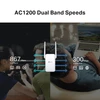
The RE315 provides dual-band Wi-Fi 5 / 802.11ac connectivity with wireless link rates of up to 867Mbps on 5GHz and 300Mbps on 2.4GHz. TP-Link's Adaptive Path Selection automatically chooses an efficient wireless path back to the router, while the Smart Signal Indicator helps you position the extender where it can receive a suitable signal.
For compatible networks, TP-Link EasyMesh support allows the RE315 to become part of a unified mesh Wi-Fi network with compatible EasyMesh routers. The RE315 also includes Access Point mode, two external antennas, WPS setup, TP-Link Tether app management and a 10/100Mbps Fast Ethernet port for a wired device or compatible wired-backhaul configuration.
Model: RE315 | Wi-Fi Class: AC1200 | 5GHz: Up to 867Mbps | 2.4GHz: Up to 300Mbps | Ethernet: 10/100Mbps RJ45
Key Features of the TP-Link RE315
- AC1200 dual-band Wi-Fi range extender
- Wi-Fi 5 / IEEE 802.11ac technology
- 867Mbps maximum link rate on 5GHz
- 300Mbps maximum link rate on 2.4GHz
- Simultaneous 2.4GHz and 5GHz operation
- EasyMesh compatible
- Listed by TP-Link as a OneMesh-compatible range extender
- Smart Roaming with compatible mesh equipment and client devices
- One Wi-Fi name when configured as part of a compatible mesh system
- Adaptive Path Selection
- Smart Signal Indicator
- Range Extender mode
- Access Point mode
- 2 x external antennas
- 2x2 MIMO dual-band Access Point functionality
- 1 x 10/100Mbps Fast Ethernet RJ45 port
- Easy WPS setup
- TP-Link Tether app management
- Web-browser management
- Works with standard Wi-Fi routers and wireless access points
- Maximum power consumption approximately 9.5W
- Compact wall-plug design
- 3-year TP-Link UK SOHO product warranty
Extend Wi-Fi into Weak-Signal Areas
A single wireless router can struggle to provide consistent coverage throughout an entire home, particularly where the signal needs to travel through multiple walls, floors or other building materials.
The TP-Link RE315 connects to your existing Wi-Fi network and retransmits that signal into areas where the router alone has difficulty reaching.
Possible uses include improving connectivity in:
- Bedrooms
- Upstairs rooms
- Home offices
- Kitchens
- Loft rooms
- Utility rooms
- Rooms at the opposite end of the house from the router
- Areas separated by several internal walls
Can the RE315 Fix a Wi-Fi Dead Zone?
It can help where there is still a usable Wi-Fi signal for the extender to receive.
A range extender cannot create a strong connection from a location where the original router signal is already effectively absent. The RE315 should therefore be positioned between the router and the weak-coverage area rather than directly inside the worst dead zone.
Smart Signal Indicator Helps Find the Best Position
The built-in Smart Signal Indicator helps you choose a more effective location for the extender.
TP-Link uses the indicator to show whether the RE315 is receiving a suitable signal from the main router:
- White: strong connection to the router
- Red: weak router signal / extender positioned too far away
Where Should I Put the TP-Link RE315?
For best results, place the extender in a location that still receives a reasonably strong wireless signal from the main router but is closer to the room or area where additional coverage is required.
Placing a range extender at the extreme edge of an already weak connection can limit the performance available to devices connected through it.
AC1200 Dual-Band Wi-Fi
The RE315 operates simultaneously across the 2.4GHz and 5GHz wireless bands.
TP-Link specifies maximum wireless link rates of:
- 5GHz: up to 867Mbps
- 2.4GHz: up to 300Mbps
What Does AC1200 Mean?
AC1200 is a Wi-Fi performance class, not a guaranteed 1,200Mbps internet connection.
The classification is based on the theoretical wireless link rates available across the two frequency bands. The RE315 provides up to 867Mbps on 5GHz plus up to 300Mbps on 2.4GHz.
These figures should not be added together and interpreted as the speed available to one individual device.
Will One Device Get 1200Mbps?
No.
A client connects through an individual wireless link rather than receiving the combined theoretical capacity of both bands as a single 1.2Gbps connection.
Actual throughput will also be lower than the advertised wireless link rate because of Wi-Fi protocol overhead, interference, distance, building materials, client capability and the quality of the connection between the extender and main router.
5GHz Wi-Fi up to 867Mbps
The 5GHz band provides a theoretical wireless signal rate of up to 867Mbps.
5GHz is useful for applications that can benefit from greater wireless bandwidth, such as:
- HD and 4K streaming
- Large downloads
- Cloud applications
- Video calls
- Online gaming
- General high-bandwidth home networking
Does 5GHz Have the Same Range as 2.4GHz?
No. Higher-frequency 5GHz signals generally have more difficulty travelling through walls and over long distances than 2.4GHz.
The ideal band therefore depends on distance, interference, connected device and building layout rather than simply choosing the band with the higher headline speed.
2.4GHz Wi-Fi up to 300Mbps
The 2.4GHz band provides a theoretical wireless signal rate of up to 300Mbps.
Its longer-range characteristics can make it useful for:
- Web browsing
- Smart-home devices
- Phones and tablets further from the extender
- Devices where maximum throughput is less important than coverage
Wi-Fi 5 / 802.11ac Technology
The RE315 is a Wi-Fi 5 range extender.
Its supported wireless standards include:
- IEEE 802.11ac – 5GHz
- IEEE 802.11n – 2.4GHz and 5GHz as applicable
- IEEE 802.11a – 5GHz
- IEEE 802.11b/g – 2.4GHz
Is the TP-Link RE315 Wi-Fi 6?
No.
The RE315 is an AC1200 Wi-Fi 5 / 802.11ac range extender.
If Wi-Fi 6 / 802.11ax is specifically required, choose a TP-Link AX-series range extender instead.
EasyMesh Compatible
TP-Link's current RE315 product page identifies the extender as EasyMesh compatible.
When paired with compatible EasyMesh equipment, the RE315 can participate in a mesh network designed to provide more seamless wireless coverage around the home.
What Is the Advantage of EasyMesh?
A traditional range extender may create a separate extended Wi-Fi network. With compatible EasyMesh equipment, the router and extender can instead cooperate as part of a mesh system.
Potential benefits include:
- One unified Wi-Fi name
- Simpler movement around the home
- Smart roaming with compatible devices
- Easier expansion with additional compatible EasyMesh nodes
Smart Roaming
When used as part of a compatible mesh network, the RE315 supports TP-Link's mesh roaming functionality.
This allows compatible client devices to move between mesh nodes while the network attempts to maintain the most appropriate connection.
Is Roaming Completely Seamless on Every Phone or Laptop?
Client support matters.
TP-Link notes that Smart Roaming is designed for client devices supporting technologies such as 802.11k/v.
The behaviour of an individual phone, laptop, tablet or other Wi-Fi device can therefore affect how quickly it moves between access points.
RE315 EasyMesh and OneMesh Compatibility
TP-Link's current UK RE315 product page primarily markets the device as EasyMesh compatible. TP-Link's current OneMesh compatibility list also includes the RE315.
TP-Link treats EasyMesh, OneMesh and Deco as different mesh technologies, so customers should check the exact router model and supported mesh technology before purchasing specifically for a mesh configuration.
Will the RE315 Work with Any Router?
As a normal Wi-Fi range extender, TP-Link states that the RE315 works with standard Wi-Fi routers and wireless access points.
Mesh-specific functions are different: EasyMesh and OneMesh functionality requires appropriately compatible equipment and firmware.
TP-Link also notes that compatibility may be affected by routers running modified, open-source, non-standard or outdated firmware.
EasyMesh Features May Depend on Firmware
RE315 EasyMesh support has been expanded through TP-Link firmware updates.
For example, TP-Link's UK firmware history for RE315 V1 shows that EasyMesh support was added through a firmware update, with a later update adding EasyMesh Ethernet Backhaul.
Should I Update the RE315 Firmware?
Yes, particularly if EasyMesh functionality is important to your setup.
Use the TP-Link UK support page and select the exact hardware version printed on your RE315 before downloading firmware.
Hardware versions can differ, so firmware intended for one hardware revision should not be installed on another unless TP-Link specifically instructs you to do so.
EasyMesh Ethernet Backhaul Support
TP-Link supports Ethernet Backhaul for compatible RE315 EasyMesh configurations on supported hardware and firmware.
Instead of using Wi-Fi for the connection between the main EasyMesh router and extender, Ethernet backhaul can use a physical network cable.
Why Use Ethernet Backhaul?
A wired connection between mesh nodes can avoid the signal loss and interference that may affect a wireless backhaul.
However, the RE315's physical Ethernet interface is limited to 10/100Mbps Fast Ethernet, so the wired connection itself is not Gigabit Ethernet.
What Is Required for EasyMesh Ethernet Backhaul?
Both the main router and the RE315 must support EasyMesh Ethernet Backhaul, and the appropriate firmware must be installed.
TP-Link states that once a valid Ethernet backhaul is established, the wireless backhaul disconnects automatically. If the Ethernet connection is removed, compatible devices can rebuild the mesh using wireless backhaul.
10/100Mbps Fast Ethernet Port
The RE315 includes one RJ45 Ethernet port.
The port operates at:
10/100Mbps Fast Ethernet
It can be useful for connecting compatible wired devices such as:
- Desktop PCs
- Smart TVs
- Games consoles
- Printers
- Media players
- Other Ethernet-equipped devices
Does the TP-Link RE315 Have Gigabit Ethernet?
No.
The Ethernet socket is a 10/100Mbps Fast Ethernet port, not a 1Gbps Gigabit Ethernet port.
This distinction is important for customers expecting wired speeds above 100Mbps.
Why Can Wi-Fi Be Rated Faster Than the Ethernet Port?
The wireless side of the RE315 and its physical Ethernet port have different interface specifications.
The Wi-Fi radio can negotiate wireless link rates above 100Mbps, while any device connected through the Ethernet port remains constrained by the 100Mbps Fast Ethernet interface and normal network overhead.
Built-In Access Point Mode
The TP-Link RE315 can operate as more than a wireless repeater.
In Access Point mode, a wired Ethernet network connection can be converted into a dual-band wireless network.
TP-Link describes this mode as a 2x2 MIMO dual-band wireless access point.
Range Extender Mode vs Access Point Mode
Range Extender mode: the RE315 receives your existing router's network wirelessly and extends it to another area.
Access Point mode: the RE315 receives network access through Ethernet and creates a new wireless access point.
Access Point mode can be particularly useful in rooms where Ethernet cabling is already available.
Adaptive Path Selection
Adaptive Path Selection allows the RE315 to automatically select an efficient wireless path back to the main router.
In a dual-band environment this helps the extender choose between available paths rather than relying permanently on a poorly performing link.
Two External Antennas
The RE315 uses two external antennas to support its dual-band wireless coverage.
Antenna position and extender placement can influence the connection quality, so the unit should be kept away from large metal objects, enclosed cabinets and other sources of significant wireless obstruction where possible.
WPS One-Touch Setup
For routers that support WPS, the RE315 can be paired without manually entering configuration details through a browser.
- Press the WPS button on the existing router.
- Within approximately two minutes, press the WPS button on the RE315.
- Allow the devices to establish the connection.
- Move the extender to a suitable location while keeping it within usable range of the router.
What If My Router Does Not Support WPS?
The extender can also be configured using the TP-Link Tether app or its web-based management interface.
TP-Link Tether App Management
The TP-Link Tether app provides smartphone-based setup and management for supported TP-Link networking products.
The app is available for compatible Android and iOS devices and can be used to configure and manage the RE315.
Can I Configure the RE315 Without the App?
Yes.
TP-Link also provides a browser-based Web UI, so the extender does not require the mobile app for every configuration method.
Maximum Power Consumption of 9.5W
TP-Link specifies a maximum power consumption of approximately 9.5W.
The RE315 connects directly to mains power and supports a wide 100–240V AC, 50/60Hz input range.
Compact Wall-Plug Design
The RE315 plugs directly into a wall socket rather than requiring a separate desktop power adapter.
Its dimensions are approximately:
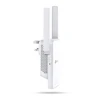
- Width: 89mm
- Depth: 35mm
- Height: 124.1mm
Does the RE315 Have a Mains Pass-Through Socket?
No.
The RE315 occupies the electrical socket into which it is installed and does not provide an integrated AC pass-through outlet.
Wireless Security
TP-Link's current UK specification lists support for:
- 64/128-bit WEP
- WPA-PSK
- WPA2-PSK
Does the RE315 Support WPA3?
WPA3 is not listed in TP-Link's current official RE315 wireless-security specification.
If WPA3 support is an essential requirement, select a newer extender that explicitly lists WPA3 compatibility.
Wireless Transmission Power
TP-Link's current UK specification lists maximum transmission power of:
- 2.4GHz: ≤20dBm
- 5GHz: ≤30dBm
Actual wireless coverage is still affected by building materials, interference, router placement and regulatory settings.
Real-World Wi-Fi Speed Will Be Lower Than the Advertised Link Rate
The advertised 867Mbps and 300Mbps figures are theoretical physical wireless link rates based on IEEE Wi-Fi standards.
TP-Link itself notes that real throughput and coverage vary according to factors including:
- Walls and floors
- Building materials
- Distance from the router
- Local wireless interference
- Number of active devices
- Network traffic
- Client Wi-Fi capability
- Router capability
- Network overhead
Will the RE315 Make My Broadband Faster?
It cannot increase the speed supplied by your internet provider.
The purpose of a range extender is to improve wireless coverage and connectivity in areas where your router signal is weak.
If the broadband connection itself is slow at the main router, adding an extender cannot create additional internet bandwidth.
Does a Range Extender Reduce Wi-Fi Speed?
A conventional wireless extender must communicate both with the main router and with connected client devices.
Depending on placement, wireless conditions and traffic, real throughput through an extender can therefore be lower than when connecting directly to the router at close range.
Good positioning is critical: the extender should receive a strong enough router signal before attempting to extend it further.
Suitable for Streaming
TP-Link positions the higher-bandwidth 5GHz connection for activities such as HD video streaming.
Streaming quality still depends on your broadband speed, service provider, Wi-Fi conditions and the connection between the extender and main router.
Suitable for Gaming?
The RE315 can improve connectivity to a gaming device located in an area with poor router coverage, and a games console or PC can also connect through its Ethernet port.
However, a range extender does not guarantee lower latency. Competitive online gaming is normally best served by a direct Ethernet connection to the main router where practical.
Useful for Smart TVs and Media Players
The combination of dual-band wireless coverage and an Ethernet socket can be useful where a smart TV or streaming box is located away from the main router.
A wired device connected to the RE315 Ethernet socket should still be considered limited by the extender's 100Mbps Fast Ethernet interface.
Useful for Home Offices
The RE315 can extend coverage into a home office where the router's existing signal is weak.
Typical connected devices might include:
- Laptops
- Desktop PCs
- Printers
- VoIP devices
- Phones
- Tablets
Operating Environment
TP-Link specifies:
- Operating temperature: 0°C to 40°C
- Storage temperature: -40°C to 70°C
- Operating humidity: 10% to 90% non-condensing
- Storage humidity: 5% to 90% non-condensing
The RE315 is designed as an indoor networking device and should be kept away from moisture and unsuitable outdoor conditions.
CE and RoHS Compliance
TP-Link's current UK specification lists the RE315 as CE and RoHS compliant.
Three-Year TP-Link UK Warranty
The RE315 falls within TP-Link's SOHO networking product category, for which TP-Link UK currently provides a 3-year warranty, subject to TP-Link's warranty terms and registration / proof-of-purchase requirements.
Important Things to Know Before Buying
- The exact model is TP-Link RE315.
- This is an AC1200 Wi-Fi 5 extender, not Wi-Fi 6.
- 5GHz wireless link rate is up to 867Mbps.
- 2.4GHz wireless link rate is up to 300Mbps.
- AC1200 does not mean one device receives 1,200Mbps.
- Actual Wi-Fi throughput will be lower than theoretical wireless link rates.
- The RE315 supports EasyMesh with compatible equipment and firmware.
- TP-Link also currently lists RE315 as a OneMesh-compatible range extender.
- Mesh functions require compatible routers / devices.
- EasyMesh functionality may depend on hardware revision and firmware version.
- EasyMesh Ethernet Backhaul is supported on compatible RE315 configurations / firmware.
- The Ethernet port is 10/100Mbps Fast Ethernet.
- The Ethernet port is not Gigabit Ethernet.
- The RE315 supports both Range Extender and Access Point modes.
- There are two external antennas.
- WPS, Tether app and Web UI setup methods are available.
- Smart Signal Indicator helps identify a suitable installation position.
- The current official security specification does not list WPA3.
- Maximum power consumption is 9.5W.
- The unit does not provide a mains pass-through socket.
- The RE315 is designed for indoor use.
- TP-Link UK provides a 3-year SOHO product warranty, subject to warranty terms.
TP-Link RE315 Technical Highlights
- Brand: TP-Link
- Model / MPN: RE315
- Memox SKU: NPTPL-RE315
- Memox Feed GTIN / UPC: 1210002613965
- Common UK Retail EAN: 6935364072452
- Product Type: Mesh-capable Wi-Fi range extender / access point
- Wi-Fi Class: AC1200
- Wi-Fi Generation: Wi-Fi 5 / 802.11ac
- Frequency Bands: 2.4GHz + 5GHz
- 5GHz Signal Rate: Up to 867Mbps
- 2.4GHz Signal Rate: Up to 300Mbps
- 5GHz Standards: IEEE 802.11a/n/ac
- 2.4GHz Standards: IEEE 802.11b/g/n
- Antennas: 2 external
- Working Modes: Range Extender / Access Point
- Mesh: EasyMesh compatible
- OneMesh: RE315 currently appears on TP-Link's OneMesh compatibility list
- Adaptive Path Selection: Yes
- Smart Signal Indicator: Yes
- Smart Roaming: Yes with compatible mesh and client devices
- Ethernet: 1 x 10/100Mbps RJ45
- Gigabit Ethernet: No
- WPS Button: Yes
- Reset Button: Yes
- Mobile Management: TP-Link Tether for compatible Android / iOS devices
- Web Management: Yes
- Maximum Power Consumption: 9.5W
- Input Power: 100–240V AC, 50/60Hz
- Dimensions: 89 x 35 x 124.1mm
- Operating Temperature: 0°C to 40°C
- Storage Temperature: -40°C to 70°C
- Operating Humidity: 10–90% non-condensing
- Storage Humidity: 5–90% non-condensing
- Certification: CE, RoHS
- TP-Link UK Warranty: 3 years
What's Included?
- 1 x TP-Link RE315 AC1200 Wi-Fi Range Extender
- 1 x Quick Installation Guide
Why Choose the TP-Link RE315 AC1200 Wi-Fi Extender?
The TP-Link RE315 provides a practical way to improve Wi-Fi coverage without replacing an existing router or installing new wireless infrastructure throughout the home.
Its dual-band 867Mbps 5GHz and 300Mbps 2.4GHz Wi-Fi gives connected devices a choice between higher-bandwidth and longer-range wireless connections, while Adaptive Path Selection helps the extender maintain an efficient path back to the main router.
The built-in Smart Signal Indicator makes correct placement easier, and TP-Link Tether, WPS and browser-based configuration provide several straightforward setup options.
For homes using compatible equipment, EasyMesh support adds the option of a unified mesh Wi-Fi network with features such as one network name and smarter roaming between nodes. Compatible firmware can also provide EasyMesh Ethernet Backhaul where both the router and extender support it.
The RE315 is also more versatile than a basic wireless repeater because its Access Point mode and Ethernet port allow it to turn a wired network connection into dual-band Wi-Fi or provide connectivity for an Ethernet-equipped device.
For users looking for an affordable AC1200 dual-band Wi-Fi extender with EasyMesh, two external antennas, Access Point mode, Fast Ethernet and TP-Link Tether management, the RE315 offers a flexible solution for reducing weak Wi-Fi areas around the home.
Specification
TP-Link RE315 AC1200 Mesh Wi-Fi Range Extender Specifications
The TP-Link RE315 is an AC1200 dual-band Wi-Fi 5 range extender with EasyMesh support, Range Extender and Access Point operating modes, two external antennas and one 10/100Mbps Fast Ethernet port. It provides wireless link rates of up to 867Mbps on 5GHz and 300Mbps on 2.4GHz.
General Information
| Brand | TP-Link |
| Model | RE315 |
| Manufacturer Part Number | RE315 |
| Memox SKU | NPTPL-RE315 |
| Memox / Supplier UPC-EAN | 1210002613965 |
| Common UK Retail EAN | 6935364072452 |
| Product Type | Dual-band Wi-Fi range extender / wireless access point |
| Colour | White |
Wi-Fi Class & Technology
| Wi-Fi Class | AC1200 |
| Wi-Fi Generation | Wi-Fi 5 / IEEE 802.11ac |
| Frequency Bands | Dual band – 2.4GHz + 5GHz |
| Simultaneous Dual Band | Yes |
| Wi-Fi 6 / 802.11ax | No |
Wireless Standards
| 5GHz Standards | IEEE 802.11a / 802.11n / 802.11ac |
| 2.4GHz Standards | IEEE 802.11b / 802.11g / 802.11n |
Wireless Signal Rates
| 5GHz Maximum Wireless Link Rate | Up to 867Mbps |
| 2.4GHz Maximum Wireless Link Rate | Up to 300Mbps |
| AC1200 Rating | 867Mbps 5GHz + 300Mbps 2.4GHz theoretical wireless link rates |
Operating Modes
| Range Extender Mode | Yes |
| Access Point Mode | Yes |
| Access Point Wireless Configuration | 2×2 MIMO dual-band wireless access point |
EasyMesh & Mesh Features
| EasyMesh Compatible | Yes |
| OneMesh Compatibility | Yes – RE315 is currently listed by TP-Link as a OneMesh-compatible range extender |
| Smart Roaming | Supported with compatible mesh equipment and compatible client devices |
| One Wi-Fi Name | Available as part of a compatible mesh configuration |
| Adaptive Path Selection | Yes |
| EasyMesh Ethernet Backhaul | Supported on compatible RE315 hardware / firmware configurations; verify the exact hardware revision and install current TP-Link UK firmware |
Ethernet Interface
| Ethernet Ports | 1 x RJ45 |
| Ethernet Speed | 10/100Mbps Fast Ethernet |
| Gigabit Ethernet | No |
| Ethernet Uses | Wired client connection, Access Point mode and supported EasyMesh Ethernet Backhaul configurations |
Antenna Specifications
| Antenna Quantity | 2 |
| Antenna Type | External antennas |
Wireless Transmission Power
| 2.4GHz Transmission Power | ≤20dBm |
| 5GHz Transmission Power | ≤30dBm |
Wireless Reception Sensitivity
| 5GHz – 802.11a 6Mbps | -94dBm |
| 5GHz – 802.11a 54Mbps | -77dBm |
| 5GHz – 802.11ac HT20 MCS0 | -94dBm |
| 5GHz – 802.11ac HT20 MCS8 | -71dBm |
| 5GHz – 802.11ac HT40 MCS0 | -92dBm |
| 5GHz – 802.11ac HT40 MCS9 | -66dBm |
| 5GHz – 802.11ac HT80 MCS0 | -87dBm |
| 5GHz – 802.11ac HT80 MCS9 | -62dBm |
| 2.4GHz – 802.11g 54Mbps | -78dBm |
| 2.4GHz – 802.11n HT20 MCS7 | -76dBm |
| 2.4GHz – 802.11n HT40 MCS7 | -74dBm |
Wireless Functions
| Adaptive Path Selection | Yes |
| Smart Signal Indicator | Yes |
| Wireless Radio Enable / Disable | Yes |
| Wireless Statistics | Yes |
Smart Signal Indicator
| White Indicator | Strong connection to the main router |
| Red Indicator | Weak signal – extender is too far from the main router |
Wireless Security
| WEP | 64 / 128-bit |
| WPA | Supported |
| WPA-PSK | Supported |
| WPA2 / WPA2-PSK | Supported |
| WPA3 | Not listed in TP-Link's current official RE315 security specification |
Buttons & Controls
| WPS Button | Yes |
| Reset Button | Yes |
Setup & Management
| WPS Setup | Yes, with compatible WPS router |
| Mobile App | TP-Link Tether |
| Mobile Platforms | Compatible Android and iOS devices |
| Web Management | Yes – Web UI via HTTP / HTTPS |
Default Network Services
| Web Management | TCP ports 80 / 443 |
| DHCP | UDP port 67 |
| App Management | TCP 20001 / UDP 20002 |
Power Specifications
| Input Voltage | 100–240V AC |
| Input Frequency | 50 / 60Hz |
| Maximum Power Consumption | 9.5W |
| Installation Type | Direct wall-plug installation |
| AC Power Pass-Through Socket | No |
Physical Specifications
| Width | 89mm / 3.5in |
| Depth | 35mm / 1.4in |
| Height | 124.1mm / 4.9in |
| Dimensions | 89 x 35 x 124.1mm (W x D x H) |
| Product Weight | Approx. 170g – current UK retail specification |
Environmental Specifications
| Operating Temperature | 0°C to 40°C |
| Storage Temperature | -40°C to 70°C |
| Operating Humidity | 10% to 90%, non-condensing |
| Storage Humidity | 5% to 90%, non-condensing |
| Use Location | Indoor |
Compliance
| CE | Yes |
| RoHS | Yes |
Hardware Revision & Firmware
| Current UK Hardware Versions Listed by TP-Link | V1 and V1.40 |
| Hardware Revision Supplied | May vary by production batch / stock – check the product label |
| Firmware Updates | Use firmware from the TP-Link UK support page matching the exact hardware revision |
Package Contents
| TP-Link RE315 Wi-Fi Range Extender | 1 |
| Quick Installation Guide | Included |
Manufacturer Warranty
| TP-Link UK Warranty | 3 years for TP-Link SOHO products |
| Warranty Conditions | Subject to TP-Link UK warranty terms, proof of purchase and applicable UK consumer rights |
Important AC1200 Speed Note
AC1200 does not mean that one connected device can receive a 1,200Mbps connection.
The rating combines theoretical wireless link rates of up to 867Mbps on 5GHz and 300Mbps on 2.4GHz.
Actual wireless throughput is lower and depends on distance, walls, interference, router performance, connected devices, network traffic and protocol overhead.
Important Wi-Fi 5 Note
The TP-Link RE315 is a Wi-Fi 5 / IEEE 802.11ac range extender.
It is not a Wi-Fi 6 / 802.11ax product. Customers specifically requiring Wi-Fi 6 should choose a compatible AX-series extender.
Important Fast Ethernet Note
The RE315 has one 10/100Mbps Fast Ethernet port.
It does not have Gigabit Ethernet. A wired PC, television, games console or other device connected through this socket is therefore limited by the 100Mbps Ethernet interface and normal network overhead.
Important EasyMesh Note
TP-Link currently lists the RE315 as EasyMesh compatible.
EasyMesh operation requires compatible equipment and appropriate firmware. TP-Link also notes that EasyMesh interoperability between different manufacturers can be affected by firmware differences.
Important Ethernet Backhaul Note
TP-Link added EasyMesh Ethernet Backhaul support to RE315 UK V1 through firmware.
Because TP-Link currently lists multiple RE315 hardware revisions, customers intending specifically to use Ethernet Backhaul should check the hardware-version label and install the latest appropriate TP-Link UK firmware for that exact revision.
Ethernet Backhaul does not make the physical Ethernet socket Gigabit; the RE315 remains limited to its 10/100Mbps Ethernet interface.
Important OneMesh Note
TP-Link's current UK OneMesh compatibility list also includes the RE315.
EasyMesh, OneMesh and Deco are different TP-Link mesh technologies. TP-Link states that compatible EasyMesh and OneMesh equipment can form certain mixed mesh configurations, but Deco devices cannot simply be treated as interchangeable RE315 mesh nodes.
Important Smart Roaming Note
TP-Link states that Smart Roaming is designed for client devices supporting standards such as 802.11k/v.
The roaming behaviour of a specific phone, tablet, laptop or other Wi-Fi client can therefore affect how smoothly that device moves between mesh nodes.
Important Router Compatibility Note
The RE315 can operate as a conventional range extender with standard Wi-Fi routers and wireless access points.
TP-Link notes that compatibility may be affected by routers or gateways using modified, open-source, non-standard or outdated firmware.
Important Extender Placement Note
A Wi-Fi extender should be installed where it can still receive a usable signal from the main router.
The RE315's Smart Signal Indicator shows white for a strong connection and red when the extender is positioned too far from the router.
Installing the extender directly inside a location where the original Wi-Fi signal is already extremely weak can significantly limit performance.
Important WPA3 Note
TP-Link's current official RE315 specification lists WEP, WPA and WPA2 security but does not currently list WPA3.
Customers requiring WPA3 as a specific feature should choose a model whose current manufacturer specification explicitly confirms WPA3 support.
Important GTIN / EAN Note
The current Memox supplier feed identifies this stock as 1210002613965, while the RE315 is also widely distributed in the UK under EAN 6935364072452.
Because packaging identifiers can vary by regional or distribution version, Memox should retain the identifier that matches the physical stock / supplier feed rather than automatically replacing it solely because another UK retailer uses a different EAN.
Return
FAQ: Frequenlty Asked Questions
TP-Link RE315 AC1200 Mesh Wi-Fi Range Extender FAQ
The TP-Link RE315 is an AC1200 dual-band Wi-Fi 5 range extender designed to improve wireless coverage in rooms where your main router signal is weak. It supports up to 300Mbps on 2.4GHz and 867Mbps on 5GHz, EasyMesh, Access Point mode, Adaptive Path Selection, TP-Link Tether management and one 10/100Mbps Ethernet port.
Below are answers to the most common questions buyers ask about TP-Link RE315 setup, EasyMesh and OneMesh, Ethernet backhaul, Access Point mode, Wi-Fi speed, 2.4GHz vs 5GHz, BT and ISP router compatibility, gaming, streaming, smart-home devices, placement, firmware updates and troubleshooting weak or unstable connections.
1. What is the TP-Link RE315?
The TP-Link RE315 is an AC1200 dual-band Wi-Fi 5 range extender that expands coverage from an existing wireless router or access point. It can also operate as a wired access point and can join a compatible EasyMesh network for more seamless whole-home Wi-Fi.
2. What is the exact model number?
The exact model number is RE315. The current Memox product SKU is NPTPL-RE315.
3. Is the TP-Link RE315 a Wi-Fi 5 or Wi-Fi 6 extender?
The RE315 is a Wi-Fi 5 (802.11ac) range extender. It supports IEEE 802.11a/n/ac on 5GHz and 802.11b/g/n on 2.4GHz. It does not provide Wi-Fi 6 (802.11ax).
4. What does AC1200 mean on the RE315?
AC1200 is the combined wireless class: up to 867Mbps on 5GHz plus up to 300Mbps on 2.4GHz. These are theoretical wireless link rates, not a promise that one device will download at 1,200Mbps.
5. What is the maximum 2.4GHz speed?
TP-Link specifies up to 300Mbps on the 2.4GHz band.
6. What is the maximum 5GHz speed?
TP-Link specifies up to 867Mbps on the 5GHz band.
7. Can one device get 1,200Mbps through the RE315?
No. The AC1200 figure combines the maximum theoretical rates of both bands. A single client connects using one band at a time, and real throughput is lower because of wireless overhead, signal quality and the extender backhaul.
8. Why is the RE315 slower than my main router?
In wireless range-extender mode, the RE315 must receive traffic from the router and retransmit it to the client. This shared wireless airtime, plus normal protocol overhead and signal loss, means throughput is usually lower than when connected directly to the router.
9. Does the RE315 support dual-band Wi-Fi?
Yes. It operates on both 2.4GHz and 5GHz. The 2.4GHz band generally reaches farther and passes through obstacles better, while 5GHz can provide higher speeds at shorter distances.
10. Does the RE315 support 2x2 MIMO?
Yes. TP-Link describes the RE315 access-point function as 2x2 MIMO dual-band Wi-Fi.
11. How many antennas does the RE315 have?
It has two external antennas.
12. Will the RE315 work with any Wi-Fi router?
For normal range-extender operation, TP-Link states that the RE315 works with any Wi-Fi router or wireless access point. EasyMesh features require compatible EasyMesh equipment.
13. Does the RE315 work with a BT Smart Hub?
Yes for normal Wi-Fi extending. TP-Link has stated there is no known general incompatibility with BT routers such as the Smart Hub 2. EasyMesh operation is separate and depends on whether the router itself supports compatible EasyMesh features.
14. Can I use the RE315 with Sky, Virgin Media, EE or another ISP router?
Yes for standard range-extender mode, provided the router broadcasts a compatible 2.4GHz or 5GHz Wi-Fi network. Mesh integration depends on the router's EasyMesh compatibility, not simply the ISP brand.
15. Can I use the RE315 with Starlink?
Yes. The RE315 can extend a compatible Starlink router's Wi-Fi in normal extender mode, or it can operate as an access point when a suitable wired Ethernet connection is available. Exact cabling can depend on the Starlink router generation and adapters in use.
16. Does the RE315 support EasyMesh?
Yes. TP-Link's current UK product information lists the RE315 as EasyMesh-compatible. With a compatible EasyMesh router it can become part of a unified mesh network with one Wi-Fi name and supported roaming features.
17. Does the RE315 support OneMesh?
Older RE315 packaging, retailer listings and firmware documentation may refer to TP-Link OneMesh. TP-Link's current UK product page promotes EasyMesh. Because mesh support can depend on hardware and firmware version, use the latest firmware for your exact UK hardware revision.
18. What is the difference between EasyMesh and ordinary extender mode?
Ordinary extender mode repeats an existing Wi-Fi network but the router and extender remain independently managed access points. With compatible EasyMesh equipment, the devices cooperate as a mesh system and can share network settings and support more seamless roaming.
19. Will EasyMesh give me one Wi-Fi name?
Yes, when the RE315 is correctly added as a satellite to a compatible EasyMesh network, the mesh can use one Wi-Fi name and password across compatible nodes.
20. Does EasyMesh provide seamless roaming?
EasyMesh is designed to help compatible client devices move between mesh nodes with less manual switching. The final roaming decision is also influenced by the phone, laptop or other client device.
21. Do I need a TP-Link router to use the RE315?
No. A TP-Link router is not required for ordinary range-extender or access-point operation. A compatible EasyMesh controller is required if you want the RE315 to participate in an EasyMesh network.
22. Can EasyMesh work between different brands?
EasyMesh is an industry standard intended to allow compatible devices from different vendors to work together. TP-Link notes that cross-vendor interoperability can still be affected by firmware differences, so compatibility should be checked for the specific router and firmware.
23. Can I set up the RE315 with WPS?
Yes. Press the WPS button on the main router and then press the RE315 WPS button for about one second within the setup window. If the router does not support WPS, use the Tether app or web interface instead.
24. Can I set up the RE315 with the TP-Link Tether app?
Yes. TP-Link Tether for iOS and Android can guide you through setup and provides management for supported TP-Link routers and range extenders.
25. Can I configure the RE315 through a web browser?
Yes. After connecting to the extender, you can access its web interface using the TP-Link repeater management address and log in to change settings.
26. What should I do if my router has no WPS button?
Use the TP-Link Tether app or the RE315 web interface. WPS is only a convenience and is not required to configure the extender.
27. Where should I place the RE315?
Place it between the main router and the Wi-Fi dead zone, but still inside a location where it receives a strong signal from the router. Putting it directly in a dead zone usually produces poor performance because the extender has little useful signal to repeat.
28. What does a white Signal LED mean?
In range-extender mode, a solid white Signal LED indicates that the RE315 is connected to the router and is in a suitable location.
29. What does a red Signal LED mean?
A solid red Signal LED means the signal from the main router is weak. Move the RE315 closer to the router for a stronger backhaul connection.
30. What does it mean if the 2.4GHz or 5GHz LED is off?
It means the RE315 is not currently connected to the corresponding wireless band of the router. Check the host Wi-Fi settings, password, range and extender configuration.
31. Can the RE315 extend Wi-Fi through thick walls or between floors?
It can improve coverage, but brick, concrete, foil-backed insulation, metal, underfloor heating and multiple floors can weaken Wi-Fi significantly. The best location is usually before the signal becomes weak, not at the far edge of the dead zone.
32. Can I use the RE315 in a garden office, garage or shed?
Yes if the RE315 itself is kept indoors in a dry location and can receive a usable wireless signal, or if you can provide Ethernet and use Access Point or supported EasyMesh Ethernet-backhaul operation. It is not an outdoor weatherproof device.
33. Is the RE315 weatherproof for outdoor use?
No. TP-Link specifies an indoor operating environment. It should not be exposed to rain, condensation or outdoor weather.
34. Does the RE315 have Access Point mode?
Yes. In Access Point mode, connect the RE315 to the router or network by Ethernet and it creates dual-band Wi-Fi from that wired connection.
35. When should I use Access Point mode instead of extender mode?
Use Access Point mode when you can run Ethernet to the location where Wi-Fi is needed. A wired uplink avoids the wireless repeater backhaul and can give more consistent latency and throughput, although the RE315's Ethernet port is limited to 100Mbps.
36. What speed is the Ethernet port on the RE315?
The RE315 has one 10/100Mbps Fast Ethernet RJ45 port. It is not a Gigabit Ethernet port.
37. Does the RE315 have Gigabit Ethernet?
No. The single Ethernet port is limited to 100Mbps Fast Ethernet.
38. Can I connect a PC, TV, games console or printer to the Ethernet port?
Yes. In range-extender mode the Ethernet port can provide a wired network connection to a compatible device such as a PC, smart TV, games console or printer. The wired link is limited by the 100Mbps Ethernet interface and the quality of the extender's wireless backhaul.
39. Can I use the RE315 Ethernet port with a Nintendo Switch, PlayStation or Xbox?
Yes. A console can use the RE315's Ethernet port for network access. This can be useful when the console's own Wi-Fi reception is weak, but the RE315 still depends on a stable connection back to the main router unless Ethernet backhaul is being used.
40. Does the RE315 support EasyMesh Ethernet backhaul?
Yes on compatible RE315 hardware and firmware. TP-Link added EasyMesh Ethernet Backhaul support to RE315 V1 firmware, allowing a compatible EasyMesh network to use Ethernet between the controller and RE315 instead of wireless backhaul. Update to the latest firmware for your exact hardware revision.
41. What is the difference between EasyMesh Ethernet backhaul and Access Point mode?
Access Point mode creates Wi-Fi from a wired connection but is managed as an access point rather than as an EasyMesh satellite. EasyMesh Ethernet backhaul keeps the RE315 within a compatible EasyMesh system while using Ethernet for the backhaul link.
42. Will Ethernet backhaul give more than 100Mbps?
No. The RE315's Ethernet port is 10/100Mbps, so wired backhaul and Access Point traffic through that port are limited to Fast Ethernet speeds, with real throughput normally below the 100Mbps signalling rate.
43. Is the RE315 suitable for a 500Mbps or 1Gbps broadband connection?
It can extend coverage on those connections, but it cannot deliver the full broadband speed through its 100Mbps Ethernet port and real wireless-extender throughput will also be below the theoretical AC1200 link rates. Choose a Wi-Fi 6 extender with Gigabit Ethernet if retaining several hundred megabits per second is important.
44. Does the Ethernet port supply PoE?
No. The RE315 Ethernet port is for network data and does not provide Power over Ethernet.
45. Can I connect an Ethernet switch to the RE315?
A normal Ethernet switch can be connected if you need to attach multiple wired devices, but all traffic still shares the RE315's single 100Mbps Ethernet link and, in wireless extender mode, its wireless backhaul.
46. Is the RE315 good for online gaming?
It can improve gaming connectivity in a location with poor Wi-Fi coverage, but an Ethernet cable directly to the main router or a wired access point is preferable for the lowest and most consistent latency. Extender mode adds another wireless hop.
47. Is the RE315 suitable for 4K streaming?
Yes for many compressed 4K streaming services when the backhaul signal is strong enough. Actual performance depends on broadband speed, Wi-Fi conditions, client capability and other network traffic.
48. Is the RE315 good for video calls and working from home?
Yes when it is positioned with a strong link to the main router. For important video calls or large file transfers, Access Point mode or EasyMesh Ethernet backhaul can provide a more predictable connection if Ethernet is available.
49. Can the RE315 help smart-home devices on 2.4GHz?
Yes. Its 2.4GHz Wi-Fi can extend coverage for many smart plugs, sensors, cameras and other 2.4GHz devices. Device compatibility still depends on the smart product's own Wi-Fi and security requirements.
50. Can I use the RE315 with Wi-Fi cameras?
Yes, provided the cameras use compatible 2.4GHz or 5GHz Wi-Fi and the extender has a strong connection back to the router. For continuous video, avoid placing the extender where its Signal LED shows a weak connection.
51. Does the RE315 automatically choose the best path to the router?
Yes. TP-Link's Adaptive Path Selection feature is designed to choose the fastest available connection path to the router to improve stability and performance.
52. Can I use only 2.4GHz or only 5GHz?
The RE315 can be configured to work with the host network bands available to it, and extended network settings can be managed through Tether or the web interface. Which band is best depends on range, interference and required speed.
53. Which is better on the RE315: 2.4GHz or 5GHz?
Use 2.4GHz when range and wall penetration are the priority. Use 5GHz when the extender and client are close enough for a strong signal and higher throughput is more important.
54. Can the RE315 increase my internet speed?
It is designed to improve coverage, not increase the speed supplied by your broadband provider. In a weak-signal room it can improve usable speed compared with a poor direct router connection, but it cannot make the internet connection faster than the router's broadband service.
55. Why does the RE315 show full Wi-Fi bars but still feel slow?
The device may have a strong connection to the extender while the extender itself has a weak or congested backhaul to the router. Check the RE315 Signal LED, placement, band selection, interference and whether other devices are using the network heavily.
56. Why did the RE315 _EXT network disappear after EasyMesh setup?
This can be normal. When the RE315 joins a compatible EasyMesh network, it can use the same Wi-Fi name and password as the main mesh network, so a separate _EXT SSID may no longer appear.
57. Can I give the RE315 the same Wi-Fi name as my main router in Access Point mode?
You can configure matching SSID, password and security settings, but two independent access points using the same name do not automatically become a coordinated mesh. Client roaming behaviour can be less predictable than with a properly configured EasyMesh system.
58. Will devices connected to the RE315 be on the same home network?
In normal extender or access-point operation behind the same main router, connected devices normally remain on the same local IP network and receive addressing from the main router, allowing normal local-network communication unless other isolation settings are enabled.
59. Why can I connect to the RE315 but have no internet?
First confirm that the main router itself has internet access. Then check the RE315 Signal and band LEDs, move the extender closer to the router, restart both devices, verify the router Wi-Fi password, update firmware and check whether router access-control or MAC-filtering settings are blocking the extender or client.
60. What should I do if the RE315 keeps disconnecting?
Check that the main router is stable, move the extender closer if the signal is weak, update both router and extender firmware, test a less congested Wi-Fi channel and temporarily disable advanced router features such as access control or band steering if troubleshooting requires it.
61. What should I do if the RE315 has a red Signal LED?
Move it closer to the main router. A red Signal LED indicates that the router-to-extender link is too weak for ideal operation.
62. What should I do if WPS setup fails?
Move the RE315 close to the router, confirm WPS is enabled on the router and retry the correct button sequence. If it still fails, reset the extender if necessary and configure it using TP-Link Tether or the web interface.
63. How do I factory-reset the RE315?
With the extender powered on, press the recessed Reset button with a pin for about one second as described in TP-Link's current setup guide, then allow it to restart before configuring it again.
64. Can I change settings after setup?
Yes. Connect to the extender or router network and use the TP-Link Tether app or the web interface to view and change supported settings.
65. Can the RE315 firmware be updated?
Yes. TP-Link publishes firmware for the RE315 on its regional support site. Use firmware intended for the exact hardware version and region shown on your device label.
66. Why is updating the RE315 firmware important?
Firmware updates can improve security, stability and mesh compatibility. TP-Link has also added features such as EasyMesh and Ethernet backhaul through firmware on supported RE315 hardware revisions.
67. Does the RE315 support WPA3?
TP-Link's current UK RE315 specification lists WEP and WPA/WPA2-PSK security rather than WPA3. If WPA3 is a requirement, choose a newer extender whose official specification explicitly includes WPA3 support.
68. Does the RE315 have a power pass-through socket?
No. The RE315 plugs into a mains socket but does not provide an integrated pass-through power outlet.
69. What is the maximum power consumption of the RE315?
TP-Link specifies a maximum power consumption of approximately 9.5W.
70. What input power does the RE315 support?
TP-Link specifies 100-240V AC at 50/60Hz, making the product electronics suitable for the voltage range used in the UK when supplied with the correct regional plug version.
71. What are the dimensions of the RE315?
The RE315 measures approximately 89 x 35 x 124.1mm (width x depth x height).
72. What is the operating temperature range?
TP-Link specifies an operating temperature range of 0°C to 40°C.
73. What humidity range is supported?
TP-Link specifies 10% to 90% non-condensing operating humidity and 5% to 90% non-condensing storage humidity.
74. How many RE315 extenders can I use?
Multiple compatible extenders can be used where needed, especially within a supported EasyMesh design. Avoid placing ordinary wireless extenders in a long daisy chain because every additional wireless hop can reduce throughput and increase latency.
75. Should I connect one extender to another extender?
It can sometimes work, but it is usually better for each extender or mesh node to have a strong direct connection to the main router or a wired backhaul. Chaining repeaters can compound wireless performance loss.
76. RE315 vs a Wi-Fi 6 extender – which should I choose?
Choose the RE315 when AC1200 Wi-Fi 5 coverage, EasyMesh support and a 100Mbps Ethernet port meet your needs. Choose a newer Wi-Fi 6 extender with Gigabit Ethernet if you have faster broadband, newer Wi-Fi 6 devices or want higher wired and wireless performance.
77. Who is the TP-Link RE315 NOT suitable for?
The RE315 is not ideal if you need Wi-Fi 6 or Wi-Fi 7, a Gigabit Ethernet port, several hundred megabits per second over wired backhaul, an outdoor weatherproof access point, PoE, or the performance and capacity of a dedicated tri-band mesh system.
78. What comes in the TP-Link RE315 box?
TP-Link lists the package contents as the RE315 Wi-Fi Range Extender and a Quick Installation Guide.
79. What warranty does the TP-Link RE315 have on Memox?
The current Memox product page lists a 3-year warranty for the TP-Link RE315.