
TP-LINK
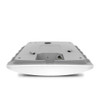
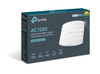
TP-LINK EAP225 Omada AC1350 (867+450) Dual Band Wireless Ceiling Mount Access Point, PoE, GB LAN, Clusterable, MU-MIMO, Free Software
- SKU:
- NPTPL-EAP225
- UPC:
- 6935364096922
- MPN:
- EAP225
- Availability:
- Free Click & Collect in Peterborough. UK delivery also available.







Description
TP-Link Omada EAP225 AC1350 Ceiling Mount WiFi Access Point – PoE, MU-MIMO and Omada SDN
The TP-Link Omada EAP225 is a business-class AC1350 ceiling mount wireless access point designed for homes, offices, shops, cafés, clinics, classrooms, hotels and small business networks that need reliable dual-band WiFi coverage. With 867Mbps on 5GHz, 450Mbps on 2.4GHz, Gigabit Ethernet, PoE support, MU-MIMO, Beamforming and Omada SDN management, it is a practical upgrade from basic router WiFi or older access points.
This access point is ideal for customers searching for a TP-Link EAP225 access point, Omada AC1350 ceiling AP, PoE wireless access point, business WiFi access point, or a reliable dual-band WiFi solution for managed networks. It supports 802.3af PoE and 24V Passive PoE, with the PoE adapter included for flexible installation. TP-Link lists the EAP225 with simultaneous 450Mbps on 2.4GHz and 867Mbps on 5GHz, giving a combined AC1350-class wireless speed.
Key Features of the TP-Link Omada EAP225
- AC1350 dual-band WiFi for reliable business and home network coverage
- Up to 867Mbps on 5GHz and 450Mbps on 2.4GHz
- 1 x Gigabit Ethernet RJ45 port for wired network connection
- 802.3af PoE and 24V Passive PoE support for flexible installation
- PoE adapter included for easier deployment
- MU-MIMO technology for better performance with multiple compatible devices
- Beamforming helps focus signal towards connected devices
- Band Steering helps move compatible devices to the faster 5GHz band
- Airtime Fairness and Load Balance help improve wireless efficiency
- Omada SDN support for centralised management and cloud access
- Omada Mesh support for flexible wireless expansion with an Omada controller
- Seamless Roaming support for smoother movement between Omada access points
- Up to 16 SSIDs, with 8 SSIDs per wireless band
- Secure guest network support with captive portal and multiple authentication options
- Ceiling and wall mounting kits included
- Physical security lock support
Reliable AC1350 WiFi for Homes and Small Businesses
The TP-Link EAP225 delivers dual-band wireless coverage using 802.11ac Wave 2 technology. It is suitable for everyday wireless tasks such as web browsing, cloud apps, video calls, card terminals, guest WiFi, streaming, VoIP, laptops, smartphones, tablets and smart devices.
The 5GHz band offers speeds up to 867Mbps for faster compatible devices, while the 2.4GHz band offers up to 450Mbps for wider compatibility and longer-range connections. This makes the EAP225 useful for mixed environments where newer and older devices connect to the same network.
Good for Offices, Shops, Cafés and Home Networks
The EAP225 can be used as a single access point or as part of a larger Omada-managed wireless network. It is a strong option for small businesses, home offices, retail spaces, waiting rooms, classrooms and hospitality areas where stable WiFi coverage is important.
Omada SDN Management and Cloud Control
The EAP225 is part of the TP-Link Omada SDN ecosystem, allowing centralised management through an Omada hardware controller, software controller or cloud-based controller. This makes it useful for users managing multiple access points, guest networks, VLANs and business WiFi settings from one platform.
With Omada management, administrators can configure SSIDs, guest WiFi, captive portal, wireless schedules, access control, load balancing, band steering, firmware updates, reboot schedules and network monitoring. Features such as Omada Mesh, Seamless Roaming and Captive Portal normally require an Omada SDN controller for full functionality.
Useful Omada Features
- Centralised controller management
- Cloud access and Omada app support
- Omada Mesh support
- Seamless Roaming support
- Captive portal authentication
- Guest network control
- Multiple SSIDs
- Band Steering
- Load Balance
- Airtime Fairness
- Wireless schedule
- Reboot schedule
PoE Installation with Adapter Included
The TP-Link EAP225 supports both standard 802.3af PoE and 24V Passive PoE. This allows power and data to run through a single Ethernet cable, helping create a cleaner installation on ceilings or walls without needing a nearby plug socket.
TP-Link lists the PoE adapter as included, making deployment easier for users who do not already have a PoE switch. The access point can also be powered from a compatible 802.3af PoE switch, depending on your network setup.
Important Power Note
Use the supplied PoE adapter or a compatible PoE switch. Always follow TP-Link’s power requirements and do not connect unsupported passive PoE equipment, as incorrect PoE voltage or wiring can damage network devices.
MU-MIMO, Beamforming and Band Steering
The EAP225 includes MU-MIMO, allowing the access point to communicate with multiple compatible devices more efficiently. This helps improve performance in busy networks with several users connected at the same time.
Beamforming helps focus WiFi signal towards connected devices, while Band Steering helps compatible dual-band devices move to the faster 5GHz band. These features help improve wireless performance compared with older basic access points.
Guest WiFi and Business Security Features
The TP-Link Omada EAP225 supports secure guest networking, captive portal options, multiple SSIDs, VLAN support, access control, MAC filtering, rogue AP detection and WPA/WPA2 security options. This makes it useful for businesses that need to separate staff and guest WiFi.
Guest WiFi can be useful for shops, offices, salons, cafés and customer-facing locations where visitors need internet access without joining the main private network.
Ceiling and Wall Mount Installation
The EAP225 is designed for ceiling or wall mounting and includes mounting kits. Ceiling placement usually gives better room-wide wireless coverage, while wall mounting can be useful where ceiling installation is not possible.
For best performance, install the access point in a central and open location, away from large metal objects, thick walls, cabinets and heavy sources of wireless interference.
Who Is the TP-Link Omada EAP225 Best For?
- Small businesses needing reliable managed WiFi
- Offices replacing weak router WiFi
- Shops, cafés, salons, clinics and reception areas
- Classrooms and guest WiFi environments
- Home offices and larger homes needing ceiling WiFi coverage
- Installers building TP-Link Omada networks
- Users who want PoE installation with an included adapter
- Networks that do not need WiFi 6, WiFi 6E or WiFi 7
Who Is This Access Point Not For?
The EAP225 is not the best choice if you specifically need WiFi 6, WiFi 6E, WiFi 7, 6GHz wireless, 2.5GbE Ethernet, outdoor weatherproof installation, or a plug-and-play consumer mesh kit. It is an indoor AC1350 WiFi 5 access point with a Gigabit Ethernet port and Omada business management features.
Technical Specifications
- Brand: TP-Link Omada
- Model: EAP225
- Product Type: Ceiling Mount Wireless Access Point
- Wireless Class: AC1350
- Wireless Standard: WiFi 5 / IEEE 802.11ac Wave 2
- Wireless Standards: IEEE 802.11ac/n/g/b/a
- Wireless Bands: Dual-band 2.4GHz and 5GHz
- 2.4GHz Speed: Up to 450Mbps
- 5GHz Speed: Up to 867Mbps
- Combined Wireless Speed: Up to 1317Mbps theoretical rate
- Ethernet Interface: 1 x Gigabit Ethernet RJ45 port
- PoE Support: 802.3af PoE and 24V Passive PoE
- PoE Adapter: Included
- Maximum Power Consumption: EU: 10.5W / US: 12.6W
- Antennas: 3 internal omni antennas
- Antenna Gain: 2.4GHz 4dBi, 5GHz 5dBi
- Wireless Features: MU-MIMO, Beamforming, Band Steering, Airtime Fairness, Load Balance, Omada Mesh, Seamless Roaming
- Multiple SSIDs: Up to 16 SSIDs, 8 per band
- Management: Omada app, web management, Omada hardware controller, software controller and cloud-based controller support
- Security Features: Guest network, captive portal, VLAN, MAC filtering, access control and rogue AP detection
- Button: Reset button
- Physical Security Lock: Yes
- Mounting: Ceiling or wall mounting
- Mounting Kits: Included
- Dimensions: 205.5 x 181.5 x 37.1mm
- Operating Temperature: 0°C to 40°C
- Storage Temperature: -40°C to 70°C
- Operating Humidity: 10% to 90% RH, non-condensing
- Storage Humidity: 5% to 90% RH, non-condensing
- Certifications: CE, FCC, RoHS
- Package Contents: EAP225 access point, PoE adapter, power cord, mounting kits and installation guide
Important Performance Note
Maximum wireless speeds are theoretical physical rates. Actual speed, range and capacity will vary depending on broadband speed, Ethernet uplink, PoE power, client device capability, channel width, walls, interference, AP placement and network traffic.
Important Omada Feature Note
Some Omada features, including Mesh, Seamless Roaming, Captive Portal and centralised cloud management, require an Omada SDN controller such as an Omada hardware controller, software controller or compatible cloud-based controller.
Why Buy the TP-Link Omada EAP225 AC1350 Access Point?
The TP-Link Omada EAP225 is a reliable and affordable business-class ceiling access point for users who want managed dual-band WiFi, PoE installation, guest network control and Omada SDN features. With AC1350 WiFi, Gigabit Ethernet, MU-MIMO, Beamforming, Band Steering, PoE adapter included and ceiling/wall mounting kits, it is a practical option for small businesses, homes and managed wireless networks.
Choose the EAP225 if you need a dependable indoor WiFi 5 access point with Omada management and PoE flexibility, without paying for newer WiFi 6 or WiFi 7 hardware.
Specification
TP-Link Omada EAP225 AC1350 Ceiling Access Point Specifications
The TP-Link Omada EAP225 is an indoor AC1350 wireless ceiling mount access point designed for homes, offices, shops, cafés, classrooms, hospitality spaces and small business networks. It supports dual-band WiFi 5, Gigabit Ethernet, PoE installation, MU-MIMO, Beamforming, Omada SDN management, Omada Mesh and Seamless Roaming.
General Information
| Brand | TP-Link |
| Product Family | Omada |
| Model | EAP225 |
| Hardware Version | V3 / V3 variants, depending on stock |
| Product Name | TP-Link Omada EAP225 AC1350 Wireless MU-MIMO Gigabit Ceiling Mount Access Point |
| Product Type | Indoor Ceiling Mount Wireless Access Point |
| Wireless Class | AC1350 |
| Recommended Use | Homes, offices, shops, cafés, classrooms, hospitality spaces, small businesses, guest WiFi and Omada managed networks |
Wireless Performance
| WiFi Standard | WiFi 5 / IEEE 802.11ac Wave 2 |
| Supported Wireless Standards | IEEE 802.11ac/n/g/b/a |
| Wireless Bands | Dual-band 2.4GHz and 5GHz |
| 2.4GHz Maximum Signal Rate | Up to 450Mbps |
| 5GHz Maximum Signal Rate | Up to 867Mbps |
| Combined Theoretical Wireless Speed | Up to 1317Mbps / AC1350 class |
| 6GHz Band Support | No |
| WiFi 6 / WiFi 7 Support | No, this is a WiFi 5 / 802.11ac access point |
| Multiple SSIDs | Up to 16 SSIDs, 8 per band |
Antenna and Radio Details
| Antenna Type | 3 internal omni antennas |
| 2.4GHz Antenna Gain | 4dBi |
| 5GHz Antenna Gain | 5dBi |
| Transmission Power - CE 2.4GHz | ≤20dBm EIRP |
| Transmission Power - CE 5GHz | ≤23dBm EIRP |
Networking and Power
| Ethernet Interface | 1 x Gigabit Ethernet RJ45 port |
| PoE Support | IEEE 802.3af/at PoE and 24V Passive PoE |
| Passive PoE Pinout | 24V Passive PoE, +4,5 pins and -7,8 pins |
| PoE Adapter Included | Yes |
| Power Supply Method | 802.3af/at PoE or 24V Passive PoE using compatible equipment |
| Maximum Power Consumption | EU: 10.5W / US: 12.6W |
| Button | Reset button |
| Hardware Watchdog | Supported |
Wireless Features
| MU-MIMO | Supported |
| Beamforming | Supported |
| Band Steering | Supported |
| Load Balance | Supported |
| Airtime Fairness | Supported |
| QoS | WMM supported |
| Rate Limit | Supported |
| Automatic Channel Assignment | Supported |
| Transmit Power Control | Supported |
| Wireless Schedule | Supported |
| Reboot Schedule | Supported |
| Wireless Statistics | Supported by SSID, access point and client |
Omada Management Features
| Management Platform | TP-Link Omada SDN |
| Omada App | Supported |
| Web-Based Management | HTTP / HTTPS |
| Omada Hardware Controller Support | OC200 and OC300 supported |
| Omada Software Controller Support | Supported |
| Omada Cloud-Based Controller Support | Supported by EAP225 V3.0, V4.0 and above; TP-Link notes it is not supported by EAP225 V3.20 |
| Cloud Access | Supported through compatible Omada controller options |
| Omada Mesh | Supported when used with an Omada SDN controller |
| Seamless Roaming | Supported when used with an Omada SDN controller and compatible clients |
| Captive Portal | Supported when used with an Omada SDN controller |
| SNMP | SNMP v1 / v2c |
| SSH / Telnet | Supported |
| L3 Management | Supported |
| Management VLAN | Supported |
| Multi-Site Management | Supported |
Wireless Security
| Captive Portal Authentication | Supported |
| Access Control | Supported |
| Wireless MAC Address Filtering | Supported |
| Wireless Isolation Between Clients | Supported |
| SSID to VLAN Mapping | Supported |
| Rogue AP Detection | Supported |
| 802.1X Support | Supported |
Physical Specifications
| Dimensions | 205.5 x 181.5 x 37.1mm / 8.1 x 7.1 x 1.5in |
| Width | 205.5mm |
| Depth | 181.5mm |
| Height | 37.1mm |
| Mounting | Ceiling or wall mounting |
| Mounting Kits Included | Yes |
| Physical Security Lock | Supported |
Environmental Specifications
| Operating Temperature | 0°C to 40°C |
| Storage Temperature | -40°C to 70°C |
| Operating Humidity | 10% to 90% RH, non-condensing |
| Storage Humidity | 5% to 90% RH, non-condensing |
Certifications and Compliance
| Certifications | CE, FCC, RoHS |
| Indoor / Outdoor Use | Indoor use |
| Weatherproof Rating | Not listed as weatherproof |
System Requirements
| Supported Management Systems | Microsoft Windows XP, Vista, Windows 7, Windows 8, Windows 10 and Linux listed by TP-Link for controller/software requirements |
Package Contents
| Access Point | 1 x TP-Link Omada EAP225 AC1350 Access Point |
| PoE Adapter | Included |
| Power Cord | Included |
| Mounting Kits | Included |
| Installation Guide | Included |
Important Compatibility Notes
Please check your network equipment before purchase. The TP-Link Omada EAP225 supports 802.3af/at PoE and 24V Passive PoE, and the PoE adapter is included. Use compatible PoE equipment only. Incorrect passive PoE voltage or wiring can damage network devices.
Important Omada Feature Note
Some Omada features, including Omada Mesh, Seamless Roaming, Captive Portal, cloud access and centralised multi-site management, require a compatible Omada SDN controller. TP-Link notes that Omada Cloud-Based Controller support applies to EAP225 V3.0, V4.0 and above, but not EAP225 V3.20.
Important Product Notes
The EAP225 is an indoor dual-band WiFi 5 access point. It is not WiFi 6, WiFi 6E, WiFi 7, does not support 6GHz, does not have a 2.5GbE port, and is not listed as weatherproof. It has 1 x Gigabit Ethernet RJ45 port.
Important Performance Note
Maximum wireless speeds are theoretical physical rates. Actual speed, range, roaming behaviour and client capacity will vary depending on broadband speed, Ethernet uplink, PoE power, client device capability, walls, interference, AP placement and network traffic.
Return
FAQ: Frequently Asked Question
TP-Link Omada EAP225 AC1350 Ceiling Mount Access Point FAQ
The TP-Link Omada EAP225 AC1350 Ceiling Mount Access Point is a business-class dual-band Wi-Fi 5 access point designed for homes, offices, shops, cafés, guest Wi-Fi, small businesses, clinics, classrooms, warehouses, and managed network installations. It supports AC1350 dual-band Wi-Fi, 802.3af PoE, Passive PoE, Gigabit Ethernet, MU-MIMO, Omada SDN management, guest networks, and ceiling or wall mounting. Below are the most common questions buyers ask before choosing this TP-Link EAP225 Omada AC1350 PoE access point, including setup, router compatibility, PoE power, standalone mode, Omada Controller use, mesh, roaming, VLANs, guest Wi-Fi, and whether it is right for home or business use.
1. What is the TP-Link Omada EAP225?
The TP-Link Omada EAP225 is an AC1350 dual-band ceiling mount wireless access point. It is designed to add or improve Wi-Fi coverage using a wired Ethernet connection, making it suitable for homes, offices, shops, cafés, small businesses, schools, and managed Omada networks.
2. Is the EAP225 a router?
No. The EAP225 is an access point, not a full router. It provides Wi-Fi, but it normally needs to connect to an existing router, firewall, gateway, or network switch that handles internet routing, DHCP, and network security.
3. Can the EAP225 replace my router?
No. The EAP225 does not replace your router by itself. It should be connected to your router or network switch to extend or improve Wi-Fi coverage. If you need routing, firewall, or broadband connection control, you still need a router or Omada gateway.
4. What Wi-Fi speed does the TP-Link EAP225 support?
The EAP225 supports AC1350 dual-band Wi-Fi, with up to 450Mbps on 2.4GHz and up to 867Mbps on 5GHz. These are maximum wireless link rates, not guaranteed real-world internet speeds.
5. Why does AC1350 not mean 1350Mbps on one device?
AC1350 combines the maximum 2.4GHz and 5GHz wireless link rates. A single device connects to one band at a time, so it will not receive 1350Mbps on one connection. Real-world speeds also depend on distance, walls, interference, client device capability, and internet speed.
6. Is the EAP225 Wi-Fi 5 or Wi-Fi 6?
The TP-Link EAP225 is a Wi-Fi 5 access point using 802.11ac technology. It is not a Wi-Fi 6 access point. Buyers who need Wi-Fi 6 features should consider models such as the Omada EAP610, EAP650, EAP653, or similar Wi-Fi 6 Omada access points.
7. Does the EAP225 support 2.4GHz and 5GHz?
Yes. The EAP225 is dual-band and supports both 2.4GHz and 5GHz Wi-Fi. The 2.4GHz band offers longer range and better wall penetration, while the 5GHz band usually offers faster speeds and lower interference at shorter distances.
8. Does the EAP225 have a Gigabit Ethernet port?
Yes. The EAP225 includes 1 × Gigabit Ethernet port. This is used for network data and, when using PoE, can also provide power to the access point through the same Ethernet cable.
9. Does the TP-Link EAP225 support PoE?
Yes. The EAP225 supports 802.3af PoE and Passive PoE. This allows the access point to be powered over an Ethernet cable, which is useful for ceiling installation where a normal power socket may not be available.
10. Does the EAP225 come with a PoE adapter?
Many EAP225 versions are supplied with a passive PoE adapter, but package contents can vary by version, region, and seller. Check the product box contents or listing if the PoE injector is important for your installation.
11. Can I power the EAP225 from a PoE switch?
Yes. The EAP225 can be powered by a compatible 802.3af PoE switch. This is usually the cleanest setup for business and multi-access-point installations because both power and data run through one Ethernet cable.
12. What is the difference between 802.3af PoE and Passive PoE?
802.3af PoE is a standard that negotiates power safely between the switch/injector and device. Passive PoE sends power without the same negotiation. Use the correct power method listed for your exact EAP225 version and avoid mixing incompatible PoE equipment.
13. Can I use the EAP225 without PoE?
The EAP225 is normally designed to be powered by PoE or the included PoE injector. It does not usually use a normal plug-in DC power adapter in the same way as many home routers. For simple setup, use a PoE switch or the supplied compatible PoE adapter.
14. Does the EAP225 need Ethernet cable?
For the best and most reliable performance, yes. The EAP225 is designed to connect back to your router or switch using Ethernet. Omada Mesh may allow wireless uplink in supported setups, but wired Ethernet is normally faster, more stable, and better for business Wi-Fi.
15. Can I use the EAP225 in standalone mode?
Yes. The EAP225 can be configured in standalone mode using the web interface or Omada app. Standalone mode is suitable for simple installations with one access point where you do not need centralised Omada Controller features.
16. Do I need an Omada Controller for the EAP225?
No, not for basic standalone Wi-Fi. However, an Omada Controller is recommended if you want centralised management, multiple access points, seamless roaming, mesh management, voucher guest portals, monitoring, alerts, firmware control, and cloud access.
17. What is Omada SDN?
Omada SDN is TP-Link’s software-defined networking platform for managing Omada access points, switches, and gateways. It allows centralised configuration, monitoring, guest network control, cloud management, and easier multi-site network management.
18. Can I manage the EAP225 from the cloud?
Yes, cloud management is available when the EAP225 is used with the Omada SDN platform and compatible controller setup. For standalone use, management is more local and limited compared with a full controller-based Omada network.
19. Can I use the EAP225 with the Omada app?
Yes. The Omada app can be used for setup and management depending on standalone or controller mode. It is useful for basic access point setup, checking status, and managing supported Omada devices from a mobile phone.
20. Does the EAP225 support Omada Mesh?
Yes, supported EAP225 hardware and firmware versions can support Omada Mesh. Mesh allows compatible Omada access points to connect wirelessly when Ethernet backhaul is not available. For best performance, wired Ethernet is still recommended where possible.
21. Do I need the Omada Controller running for Mesh?
Omada Mesh setup and advanced mesh management normally require an Omada Controller. User discussions often focus on whether mesh continues if the controller goes offline. In many cases, basic mesh may continue after setup, but advanced features, changes, fast roaming, failover, and monitoring rely on the controller being available. For business use, keep the controller online.
22. Is wired backhaul better than mesh for the EAP225?
Yes. Wired Ethernet backhaul is usually better than wireless mesh because it gives more stable performance, lower latency, and better speeds. Use mesh only where running Ethernet cable is not practical.
23. Does the EAP225 support seamless roaming?
Yes, the EAP225 supports seamless roaming when used in a suitable Omada Controller-managed setup with compatible Omada access points. Seamless roaming helps devices move between access points more smoothly, which is useful for offices, shops, hotels, and larger homes.
24. Will seamless roaming work with only one EAP225?
No. Roaming is only relevant when you have multiple access points. With one EAP225, devices simply connect to that one Wi-Fi signal. Seamless roaming becomes useful when two or more Omada access points cover different areas.
25. Can I use several EAP225 access points together?
Yes. Multiple EAP225 access points can be used together to cover a larger home, office, shop, warehouse, or building. For easier management and better roaming features, use them with an Omada Controller and a planned channel/power setup.
26. Can I use the same Wi-Fi name on multiple EAP225 units?
Yes. You can use the same SSID and password on multiple access points. For the best experience, especially in larger spaces, manage them through Omada Controller so channel, power, roaming, and client behaviour can be controlled more effectively.
27. Is the EAP225 good for home use?
Yes. Although it is marketed as a business access point, the EAP225 can be a strong home Wi-Fi upgrade if you can run Ethernet to the ceiling or wall location. It is especially useful for larger homes, garden rooms, home offices, and users who want more reliable Wi-Fi than a basic router.
28. Is the EAP225 good for small businesses?
Yes. The EAP225 is well suited to small businesses, cafés, shops, offices, clinics, salons, classrooms, and guest Wi-Fi installations. Omada management, guest networks, PoE installation, and ceiling mounting make it more suitable for business use than many basic home Wi-Fi extenders.
29. Is the EAP225 suitable for cafés and guest Wi-Fi?
Yes. The EAP225 supports guest network features and can be managed through Omada for more advanced guest Wi-Fi options such as portal-style access, vouchers, authentication options, and separate guest SSIDs depending on controller setup.
30. Does the EAP225 support VLANs?
Yes. The EAP225 can be used with VLANs in compatible network setups, especially when managed through Omada. VLANs are useful for separating guest Wi-Fi, staff devices, CCTV, VoIP, and business systems. You also need VLAN-capable switches/router settings for VLANs to work correctly.
31. Can I create a separate guest Wi-Fi network?
Yes. You can create a separate guest SSID, and with the right Omada setup you can isolate guest users from your main business or home network. This is useful for shops, cafés, offices, hotels, and shared spaces.
32. Does the EAP225 support MU-MIMO?
Yes. The EAP225 supports MU-MIMO technology, which helps improve performance when multiple compatible devices are connected at the same time. It is useful in busy environments with phones, tablets, laptops, and other Wi-Fi clients.
33. What is Band Steering on the EAP225?
Band Steering encourages compatible devices to use the 5GHz band when appropriate. This can reduce congestion on 2.4GHz and improve performance for devices that are close enough to benefit from faster 5GHz Wi-Fi.
34. What is Airtime Fairness?
Airtime Fairness helps prevent slower devices from using too much wireless airtime and slowing down the rest of the network. This can improve performance in environments with a mix of old and new Wi-Fi devices.
35. What is Beamforming on the EAP225?
Beamforming helps focus wireless signal towards compatible connected devices rather than broadcasting equally in all directions. This can improve connection quality and stability for supported clients.
36. Can I ceiling mount the EAP225?
Yes. The EAP225 is designed as a ceiling mount access point and includes a ceiling-style design for discreet installation. It can also be wall mounted in many installations, but ceiling placement usually gives better room coverage.
37. Where should I place the EAP225?
Place it centrally in the area you want to cover, ideally on the ceiling and away from thick walls, metal objects, large appliances, and sources of interference. For best performance, run Ethernet to the access point and avoid hiding it inside cabinets or behind metal structures.
38. Can I install the EAP225 on a wall?
Yes, wall mounting is possible in many cases. However, because the EAP225 is designed mainly for ceiling coverage, wall placement may change the signal pattern. For most rooms, ceiling mounting gives the cleanest coverage.
39. Is the EAP225 suitable for outdoor use?
No. This ceiling-mount EAP225 is intended for indoor use. If you need outdoor Wi-Fi, choose an outdoor-rated Omada model such as an EAP225-Outdoor or another weather-resistant access point designed for external installation.
40. How many devices can connect to the EAP225?
The EAP225 can support many connected clients, but the best number depends on usage type, bandwidth, interference, signal strength, and network design. For busy offices or guest Wi-Fi, multiple access points and proper Omada management are recommended.
41. Can the EAP225 improve Wi-Fi coverage compared with a router?
Yes, if it is placed correctly and connected by Ethernet. A ceiling-mounted access point can often provide better coverage than a router hidden in a corner, cupboard, or under a desk. For larger properties, multiple access points may be needed.
42. Is the EAP225 better than a Wi-Fi extender?
In most cases, yes. A wired access point like the EAP225 is usually faster and more stable than a basic wireless extender because it uses Ethernet backhaul instead of repeating an already weaker Wi-Fi signal.
43. Can I use the EAP225 with any router?
Yes. The EAP225 can work with most routers because it connects by Ethernet. For advanced Omada features, VLANs, centralised management, or full business network control, using Omada-compatible gateways and switches can provide a more integrated setup.
44. Can I use the EAP225 with a BT, Virgin, Sky, or TalkTalk router?
Yes. It can be connected to most UK ISP routers using Ethernet, either directly or through a switch. For best results, you may want to disable or separate the router’s built-in Wi-Fi to avoid interference and confusing duplicate networks.
45. Can I turn off the LED light?
Yes, the LED can usually be controlled through the device settings or Omada management options. This is useful for bedrooms, offices, meeting rooms, and public spaces where a visible LED may be distracting.
46. Why is my EAP225 slower than expected?
Common causes include using 2.4GHz instead of 5GHz, weak signal, channel interference, old client devices, slow internet, poor Ethernet cable, 100Mbps link negotiation, congested Wi-Fi, bad placement, or too many users on one access point. Check Ethernet link speed, channels, firmware, and placement.
47. Why does my EAP225 show only 100Mbps?
If the Ethernet link shows 100Mbps instead of Gigabit, check the Ethernet cable, RJ45 terminations, switch/router port, PoE injector, and cable quality. A damaged or poorly terminated cable can make the access point negotiate at 100Mbps instead of 1000Mbps.
48. Why is my device not roaming to the nearest EAP225?
Client devices make many roaming decisions themselves. If a phone or laptop clings to a weak signal, reduce access point transmit power, adjust placement, use Omada seamless roaming features, and avoid excessive overlap between access points.
49. Does the EAP225 need firmware updates?
Yes, it is a good idea to keep firmware updated for security, stability, Omada compatibility, and feature improvements. Always use the correct firmware for the exact hardware version printed on the device label.
50. How do I check the hardware version of the EAP225?
Check the label on the access point or the device information page in the Omada interface. TP-Link firmware and features can depend on hardware version, so always match downloads and setup guidance to your exact version.
51. TP-Link EAP225 vs EAP245 — which should I choose?
Choose the EAP225 if you want a good-value AC1350 access point for normal home, office, and small business use. Choose the EAP245 if you want a higher Wi-Fi 5 class access point with stronger performance for busier environments, depending on availability and budget.
52. TP-Link EAP225 vs Wi-Fi 6 EAP models — which is better?
Choose the EAP225 if you want a cost-effective Wi-Fi 5 Omada access point for everyday coverage. Choose a Wi-Fi 6 Omada model if you have many modern devices, need better performance in busy environments, want newer wireless technology, or are building a longer-term network upgrade.
53. Who is the TP-Link EAP225 best for?
The EAP225 is best for users who want a reliable ceiling-mount PoE access point for home, office, shop, café, guest Wi-Fi, small business, or Omada-managed networks. It is especially useful where Ethernet cabling and ceiling placement are available.
54. Who is the TP-Link EAP225 not for?
The EAP225 is not the best choice if you need Wi-Fi 6 or Wi-Fi 7, outdoor waterproof installation, a router replacement, multi-gigabit Ethernet, USB ports, or a simple plug-in Wi-Fi extender with no Ethernet cabling required.
55. What should I check before buying the TP-Link EAP225?
Before buying, check whether you have Ethernet cabling to the installation point, whether you will use a PoE switch or PoE injector, whether you need standalone or Omada Controller management, whether Wi-Fi 5 is enough for your users, and whether the access point is for indoor use only.
