
TOSHIBA
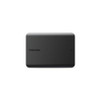
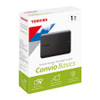
Toshiba Canvio Basics 1TB Portable External Hard Drive – USB 3.2, Black
- SKU:
- 380955
- UPC:
- 4260557512340
- MPN:
- HDTB510EK3AA




Description
Toshiba Canvio Basics 1TB Portable External Hard Drive – USB 3.2, Black
The Toshiba Canvio Basics 1TB Portable External Hard Drive is a compact, reliable and easy-to-use external HDD designed for everyday file storage, backup, photos, videos, music, documents and portable data transfer. With 1TB storage capacity, USB 3.2 Gen 1 connectivity, USB bus-powered operation and a simple plug-and-play design for Windows, it is a practical storage solution for home users, students, office users, small businesses and anyone who needs extra portable storage.
This Toshiba Canvio Basics 1TB black external hard drive is ideal for customers searching for a 1TB portable hard drive, Toshiba Canvio Basics portable hard drive, Toshiba Canvio Basics 1TB, USB 3.2 external HDD, portable external hard drive for Windows, external hard drive for photos and videos, USB backup drive, 2.5-inch external hard drive, black portable HDD, or a simple external storage drive for laptops and desktop PCs.
Key Features of the Toshiba Canvio Basics 1TB
- 1TB storage capacity for documents, photos, videos, music and backups
- 2.5-inch portable external hard drive for easy carrying and storage
- USB 3.2 Gen 1 interface with USB 2.0 compatibility
- Up to 5.0Gbit/s interface transfer rate, device and system dependent
- USB bus-powered, so no separate power adapter is required
- Ready to use with Microsoft Windows with no software installation required
- NTFS file system for Windows; reformatting required for macOS
- Compact matt black casing with a simple, professional design
- Lightweight 149g design for portable storage on the go
- USB Type-A to Micro-B cable included
- 2-year Toshiba warranty
1TB Portable Storage for Everyday Files
The Toshiba Canvio Basics 1TB gives users a useful amount of extra storage for everyday digital files. It is suitable for saving work documents, product images, family photos, video files, music, PDFs, school work, business files and backup copies from a compatible laptop or desktop PC.
Good for Home, Office and Student Use
With 1TB capacity, this portable hard drive offers a practical balance of storage space, portability and value. It is ideal for users who need more storage than a USB flash drive but still want a small external drive that can fit easily in a bag, drawer or laptop case.
USB 3.2 Gen 1 with USB 2.0 Compatibility
The Canvio Basics uses a USB 3.2 Gen 1 interface and is also compatible with USB 2.0 devices. This makes it suitable for many modern and older laptops, desktop PCs and compatible devices with USB-A ports.
Fast Interface for File Transfers
Toshiba lists the maximum interface transfer rate at approximately 5.0Gbit/s. Actual file transfer speed depends on the computer, USB port, cable, file size, operating system, drive condition and workload.
Simple Plug-and-Play Operation for Windows
The Toshiba Canvio Basics is designed for simple use with Microsoft Windows. It is supplied formatted as NTFS for Windows and requires no software installation, allowing users to drag and drop files quickly from a PC or laptop.
Mac Users May Need to Reformat
For macOS use, the drive may need to be reformatted into a Mac-compatible file system. Reformatting will erase all files on the drive, so important data should be backed up before changing the format.
USB Bus-Powered Design
The Canvio Basics is USB bus-powered, meaning it receives power through the USB connection. This makes it more convenient than larger desktop external drives that require a separate power adapter.
No Separate Power Supply Required
Simply connect the included USB cable to a compatible computer or device. For best stability, connect directly to a powered USB port rather than an unpowered hub, especially when transferring large files.
Compact Matt Black Design
The Toshiba Canvio Basics has a compact, timeless matt black casing. It is designed to be easy to carry and simple to store, whether used at a desk, in a home office, at university or while travelling.
Lightweight and Portable
The 1TB model measures approximately 78 × 109 × 14mm and weighs around 149g, making it suitable for users who need portable storage without carrying a bulky drive.
Reliable Storage from Toshiba
Toshiba is a long-established storage brand, and the Canvio Basics range is designed for everyday external storage. It is a good choice for users who want a simple external HDD without complicated software, subscriptions or cloud-only storage requirements.
Keep a Backup Strategy
An external hard drive is useful for backup and storage, but important files should not be kept in only one place. For valuable data, keep at least one additional backup on another drive, cloud service or separate computer.
Ideal Uses for the Toshiba Canvio Basics 1TB
- Backing up documents, photos and videos from a laptop or desktop PC
- Storing work files, invoices, PDFs and business documents
- Moving files between compatible Windows computers
- Creating extra storage for home office or student work
- Saving product images, media folders and project files
- Keeping a portable copy of important personal files
- Expanding storage where internal drive space is limited
Toshiba Canvio Basics 1TB Specifications
- Brand: Toshiba
- Series: Canvio Basics
- Part Number: HDTB510EK3AA
- Product Type: Portable external hard drive / external HDD
- Capacity: 1TB
- Drive Type: 2.5-inch external hard drive
- Colour: Black
- Enclosure Finish: Matt finish
- Interface: USB 3.2 Gen 1
- Backward Compatibility: USB 2.0 compatible
- Maximum Interface Transfer Rate: Approximately 5.0Gbit/s
- Connector on Drive: Micro-USB 3.2 Type-B
- Included Cable: USB Type-A to Micro-USB Type-B cable
- Power: USB bus power, max. 900mA
- File System: NTFS for Microsoft Windows
- macOS Use: Requires reformatting for Mac OS / macOS
- System Requirement: One free USB 3.2 Gen 1 or USB 2.0 port
- Dimensions: 78 × 109 × 14mm
- Weight: Approximately 149g
- Box Contents: Canvio Basics drive, USB 3.2 Gen 1 Type-A to Micro-B cable and user manual pre-installed on the drive
- Recommended Use: Everyday file storage, portable backup, documents, photos, videos, music and data transfer
- Warranty: 2 years
Buying Advice
Before ordering, check that your computer or device has a compatible USB-A port. The included cable connects from USB Type-A to the drive’s Micro-USB Type-B port. If your laptop only has USB-C ports, you may need a suitable USB-C to USB-A adapter or hub.
Compatibility Advice
This drive is supplied formatted as NTFS for Microsoft Windows. It can be used with Windows systems straight away, but Mac users may need to reformat the drive before use. Some TVs, game consoles, routers, CCTV systems or media players may also require a specific format, so always check the device manual first.
Important HDD Usage Notice
This is a portable external hard drive, not an SSD. Avoid dropping, knocking or moving the drive during file transfers. For important files, keep more than one backup copy, because any hard drive can fail, be damaged or be accidentally erased.
Why Buy the Toshiba Canvio Basics 1TB?
The Toshiba Canvio Basics 1TB Portable External Hard Drive is a simple and reliable storage upgrade for everyday users. With 1TB capacity, USB 3.2 Gen 1 connectivity, USB 2.0 compatibility, USB bus-powered operation, compact matt black design, plug-and-play Windows setup and 2-year warranty, it is ideal for documents, photos, videos, music, portable backups and extra storage for compatible laptops and desktop PCs.
Specification
Toshiba Canvio Basics 1TB Portable External Hard Drive Specifications
| Product Type | Portable External Hard Drive / External HDD |
| Brand | Toshiba |
| Series | Canvio Basics |
| Model / Part Number | HDTB510EK3AA |
| Capacity | 1TB |
| Drive Type | 2.5-inch Portable External Hard Drive |
| Storage Technology | HDD / Mechanical Hard Drive |
| Interface | USB 3.2 Gen 1 |
| Backward Compatibility | USB 2.0 Compatible |
| Maximum Interface Transfer Rate | Approximately 5.0Gbit/s |
| Drive Connector | Micro-USB 3.2 Type-B / Micro-B |
| Included Cable | USB 3.2 Gen 1 Type-A to Micro-B Cable |
| Power Source | USB Bus Power |
| Maximum Power Requirement | Max. 900mA via USB |
| External Power Adapter Required | No |
| File System | NTFS for Microsoft Windows |
| Windows Compatibility | Formatted for Microsoft Windows 11; also commonly used with compatible Windows PCs with a free USB port |
| Mac Compatibility | Requires Reformatting for macOS |
| System Requirement | One Free USB 3.2 Gen 1 or USB 2.0 Port |
| Software Installation Required | No Software Installation Required for Basic Windows Use |
| Enclosure Finish | Matt Finish |
| Colour | Black |
| Dimensions | 78 × 109 × 14mm |
| Weight | Approximately 149g |
| Box Contents | Toshiba Canvio Basics Drive, USB 3.2 Gen 1 Type-A to Micro-B Cable, User Manual Pre-Installed on the Hard Drive |
| Box Dimensions | 111 × 38 × 141mm |
| Box Weight | Approximately 250g |
| Recommended Use | Everyday File Storage, Portable Backup, Documents, Photos, Videos, Music and Data Transfer |
| Warranty | 2 Years |
HDD Notice
This product is a portable external hard drive / HDD, not an SSD. Avoid dropping, knocking or moving the drive during file transfers, as mechanical hard drives can be damaged by impact.
USB Cable Notice
The included cable is a USB Type-A to Micro-B cable. If your laptop or desktop only has USB-C ports, you may need a suitable USB-C to USB-A adapter or hub.
Transfer Speed Notice
Toshiba lists the interface transfer rate as approximately 5.0Gbit/s for USB 3.2 Gen 1. Actual file transfer speed depends on the computer, USB port, cable, file size, operating system and drive workload.
Windows Format Notice
The drive is supplied formatted as NTFS for Microsoft Windows. It is designed for plug-and-play use with compatible Windows systems without extra software installation.
Mac Format Notice
For macOS use, the drive may need to be reformatted into a Mac-compatible file system. Reformatting will erase existing files, so back up any important data before changing the format.
Capacity Notice
Some of the listed storage capacity is used for formatting and system files, so the usable capacity shown by your computer may be lower than 1TB. This is normal for storage drives.
Power Notice
The Canvio Basics is USB bus-powered and does not require a separate power adapter. For best stability, connect it directly to a powered USB port rather than an unpowered hub.
Device Compatibility Notice
Some TVs, games consoles, routers, CCTV systems, media players or other devices may require a specific file system or formatting process. Always check the device manual before use.
Backup Notice
For important files, keep more than one backup copy. An external hard drive should not be the only location for valuable personal, business or customer data.
Return
FAQ: Frequently Asked Questions
Toshiba Canvio Basics 1TB Portable External Hard Drive FAQ
The Toshiba Canvio Basics 1TB Portable External Hard Drive is a compact external HDD designed for everyday file storage, backups, photos, videos, music, documents, student work, office files and portable data transfer. This model is listed as HDTB510EK3AA and features 1TB capacity, a 2.5-inch portable hard drive, USB 3.2 Gen 1 interface, USB 2.0 backward compatibility, maximum interface transfer rate of approximately 5.0Gbit/s, USB bus-powered operation with no separate power adapter required, NTFS format for Microsoft Windows, Mac use with reformatting, USB Type-A to Micro-B cable included, compact 78 × 109 × 14mm dimensions, lightweight 149g design, matt black finish and a 2-year warranty. Below are the most common questions buyers ask before choosing the Toshiba Canvio Basics 1TB USB 3.2 portable external HDD, including Windows and Mac compatibility, USB-C laptop use, TV and console compatibility, backup safety, HDD vs SSD, transfer speed, formatting, Time Machine, file recovery, noise, vibration, cable issues and who this external hard drive is best suited for.
1. What is the Toshiba Canvio Basics 1TB?
The Toshiba Canvio Basics 1TB is a portable external hard drive designed to store and transfer documents, photos, videos, music, backups and everyday files using a compatible USB connection.
2. What is the exact model number of this Toshiba Canvio Basics drive?
The exact model number is HDTB510EK3AA. This is useful when checking compatibility, warranty, product specifications or matching the drive with Toshiba’s official Canvio Basics range.
3. What is this Toshiba Canvio Basics 1TB best used for?
It is best used for everyday file storage, laptop backups, desktop backups, photos, videos, music, work documents, school files, business files and moving data between compatible Windows PCs.
4. How much storage does the Toshiba Canvio Basics 1TB provide?
This model provides 1TB of listed storage capacity. The usable capacity shown by Windows or macOS will be slightly lower because of formatting, system files and the way operating systems calculate storage.
5. Why does my 1TB external hard drive show less than 1TB?
This is normal. Manufacturers list storage using decimal capacity, while computers often display storage differently. Some space is also used for formatting and file system information.
6. Is the Toshiba Canvio Basics 1TB an HDD or SSD?
It is a portable external HDD, not an SSD. It uses mechanical hard drive storage, so it offers good value for everyday storage but should be protected from drops, knocks and movement during file transfers.
7. What is the difference between this HDD and an external SSD?
An external SSD is usually faster, more shock-resistant and better for heavy editing or frequent travel, but it costs more per gigabyte. This Toshiba Canvio Basics HDD is better for affordable everyday storage and backups.
8. Is this drive suitable for professional video editing?
It can store video files, but it is not the best choice for editing directly from the drive. For heavy 4K editing, high-bitrate footage or professional workflows, an external SSD is usually faster and more suitable.
9. Does the Toshiba Canvio Basics 1TB use USB 3.2?
Yes. This model uses USB 3.2 Gen 1. It is also backward compatible with USB 2.0, although transfer speed will be slower when connected to a USB 2.0 port.
10. Is USB 3.2 Gen 1 the same as USB 3.0?
USB naming has changed over time. USB 3.2 Gen 1 is commonly associated with the 5Gbps class previously known as USB 3.0 or USB 3.1 Gen 1. Real transfer speed depends on the drive, cable, files and computer.
11. What is the maximum interface transfer rate?
Toshiba lists the maximum interface transfer rate as approximately 5.0Gbit/s for USB 3.2 Gen 1. This is the interface rating, not a guaranteed real-world file transfer speed.
12. Why is my Toshiba Canvio Basics transferring files slowly?
Common causes include using a USB 2.0 port, copying many small files, copying from a slow source drive, antivirus scanning, a nearly full drive, background tasks, cable problems or normal HDD speed limitations.
13. Will this drive work with USB 2.0 ports?
Yes. The drive is USB 2.0 compatible, but transfer speeds will be limited by the slower USB 2.0 connection. For better performance, connect it to a USB 3.x port where possible.
14. What cable is included with the Toshiba Canvio Basics 1TB?
The box includes a USB 3.2 Gen 1 Type-A to Micro-B cable. The Type-A end connects to your computer, and the Micro-B end connects to the hard drive.
15. Is this a USB-C external hard drive?
No. This version uses a USB Type-A to Micro-B cable, not a native USB-C cable. If your laptop only has USB-C ports, you may need a suitable USB-C to USB-A adapter or hub.
16. Does this drive need a separate power adapter?
No. The Toshiba Canvio Basics is USB bus-powered, so it receives power from the USB port. It does not require a separate mains power supply.
17. Should I connect it directly to the computer or through a hub?
For best stability, connect the drive directly to a powered USB port on your computer. Unpowered USB hubs can sometimes cause disconnections or recognition problems, especially during large transfers.
18. Does the Toshiba Canvio Basics work with Windows?
Yes. The drive is supplied formatted as NTFS for Microsoft Windows and is designed for plug-and-play use with compatible Windows systems without extra software installation.
19. Does the Toshiba Canvio Basics work with Windows 11?
Yes. Toshiba lists the drive as formatted for Microsoft Windows 11. It can also be used with compatible Windows PCs that have a free USB 3.2 Gen 1 or USB 2.0 port.
20. Does the Toshiba Canvio Basics work with Mac?
Yes, but it may need reformatting for macOS. The drive is supplied in NTFS format for Windows, so Mac users should choose the correct file system before storing important files.
21. Why can my Mac read the drive but not write to it?
This usually happens because the drive is formatted as NTFS. macOS can often read NTFS drives but may not write to them by default. Reformatting to exFAT or a Mac file system can solve this, but formatting erases the drive.
22. Should I format the drive as NTFS, exFAT, APFS or Mac OS Extended?
Use NTFS mainly for Windows-only use. Use exFAT if you want to move files between Windows and Mac. Use APFS or Mac OS Extended if the drive will be used mainly with macOS or Time Machine, depending on your Mac version.
23. Will formatting the Toshiba Canvio Basics erase my files?
Yes. Formatting erases the data on the drive. Always copy important files somewhere else before formatting, reformatting or changing the file system.
24. Can I use this drive for Time Machine backups?
Yes, it can be used for Time Machine after formatting it correctly for macOS. If you want to use the same drive for Time Machine and normal file storage, you may need to partition it carefully.
25. Can I use the same drive for both Windows and Mac?
Yes, but you should format it as exFAT if you want easy read and write access on both Windows and Mac. Remember that formatting will erase the drive, so back up files first.
26. Is this drive good for backups?
Yes. It is suitable for simple backups of documents, photos, videos, music and work files. For important data, do not rely on one drive only; keep at least one additional backup elsewhere.
27. Should this external hard drive be my only backup?
No. Important files should not be stored in only one place. A good backup plan includes at least one extra copy on another drive, computer, NAS or cloud service.
28. Is this drive good for storing photos and videos?
Yes. The 1TB capacity is useful for storing family photos, phone backups, camera files, video clips and media folders. For irreplaceable photos or business files, keep another backup copy as well.
29. Is this drive suitable for students?
Yes. It is suitable for coursework, assignments, research files, PDFs, presentations, photos, videos and laptop backup copies. Students should still keep important work backed up in more than one place.
30. Is this drive suitable for office or business use?
Yes. It can be used for documents, invoices, spreadsheets, product images, customer files, scanned documents and office backups. Sensitive business data should be encrypted and backed up securely.
31. Does the Toshiba Canvio Basics include backup software?
No. The Canvio Basics range is designed for simple plug-and-play storage without extra backup software. You can drag and drop files or use Windows Backup, File History, macOS Time Machine or other backup software.
32. Can I password-protect or encrypt this drive?
The drive itself is not listed as a hardware-encrypted drive. If you need to protect sensitive files, use suitable software encryption such as BitLocker, FileVault-compatible workflows or another trusted encryption tool.
33. Can I use this drive with a smart TV?
It may work with smart TVs that support USB external hard drives, but compatibility depends on the TV model, supported capacity, USB power, file system and media file formats. Some TVs may ask to format the drive.
34. Why does my TV not recognise the Toshiba Canvio Basics?
Common reasons include unsupported NTFS format, the TV requiring FAT32 or exFAT, insufficient USB power, unsupported 1TB capacity, wrong USB port, unsupported media files or the TV needing to format the drive itself.
35. Can I use this external hard drive with PlayStation?
It may work with compatible PlayStation consoles for supported external USB storage uses, but console rules vary by model. Current-generation games may have restrictions, so check your console’s official storage requirements before use.
36. Can I use this external hard drive with Xbox?
It may work with compatible Xbox consoles for supported external USB storage uses, media files or backward-compatible games, depending on the console model. Current-generation game storage and play rules may require specific storage types.
37. Can I use this drive with a router or NAS?
It may work with routers or NAS devices that support USB hard drives, but compatibility depends on the device, USB power output, file system and maximum supported drive size. Check your router or NAS manual first.
38. Can I use this drive for CCTV or security recording?
It may work with some DVR or NVR systems, but this is a portable external HDD, not a dedicated surveillance hard drive. For continuous 24/7 CCTV recording, use storage recommended by the CCTV manufacturer.
39. Can I use this drive in a car stereo?
It may work with some car stereos, but many car systems are designed for USB flash drives rather than portable HDDs. Compatibility depends on USB power, supported file system, capacity limits and media format support.
40. Is the Toshiba Canvio Basics shockproof or rugged?
No. It is a standard portable HDD, not a rugged or shockproof drive. Avoid dropping, knocking or moving it during file transfers because mechanical hard drives can be damaged by impact.
41. Is the Toshiba Canvio Basics waterproof?
No. This drive is not listed as waterproof. Keep it away from liquids, damp areas, rain, extreme heat and dusty environments.
42. Does the drive make noise or vibrate?
Some low-level spinning, clicking during access or light vibration can be normal for a mechanical hard drive. Loud grinding, repeated clicking, disconnections or failure to detect may indicate a problem.
43. Why does the drive get warm?
External HDDs can become warm during long transfers or backups. Mild warmth is usually normal, but make sure the drive has ventilation and stop using it if it becomes extremely hot or behaves abnormally.
44. Can I move the drive while files are transferring?
No. Avoid moving, shaking or unplugging the drive during file transfers. Mechanical hard drives are more vulnerable to movement while spinning, and sudden removal can corrupt files.
45. How do I safely unplug the Toshiba Canvio Basics?
Use the safely remove or eject option in Windows or macOS before unplugging the cable. This helps prevent file corruption, especially after copying, deleting or moving files.
46. What should I do if the drive is not recognised?
Try another USB port, avoid unpowered hubs, test another cable if available, restart the computer, check Disk Management or Disk Utility, and confirm the drive format is supported. Do not format the drive if it contains important files you need to recover.
47. Can deleted files be recovered from this drive?
Sometimes, but recovery is not guaranteed. If important files are deleted or the drive becomes corrupted, stop using it immediately and seek data recovery advice before writing new data to the drive.
48. What is included in the box?
The box includes the Toshiba Canvio Basics portable hard drive, a USB 3.2 Gen 1 Type-A to Micro-B cable and a user manual pre-installed on the hard drive.
49. Who should NOT buy the Toshiba Canvio Basics 1TB?
This drive is not ideal for users who need SSD-level speed, rugged shockproof protection, waterproof storage, hardware encryption, USB-C without an adapter, professional video editing directly from the drive, 24/7 surveillance recording, or a single long-term archive with no other backup. It is best for users who need affordable 1TB portable HDD storage for everyday files, backups and data transfer.
50. Why buy the Toshiba Canvio Basics 1TB from Memox?
Buying the Toshiba Canvio Basics 1TB Portable External Hard Drive from Memox is a practical choice if you need affordable portable storage for documents, photos, videos, music, backups, school work, office files or everyday data transfer. Memox offers external hard drives, SSDs, USB flash drives, memory cards, RAM, cables, adapters, docking stations, networking products, PC components and computer accessories for UK customers.