
TEAM
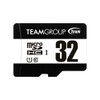
Team 32GB Micro SDHC Class 10 UHS-I Flash Card with Adapter
- SKU:
- TUSDH32GCL10U03
- UPC:
- 0765441038233
- MPN:
- TUSDH32GCL10U03
- Availability:
- Free Click & Collect in Peterborough. UK delivery also available.





Description
TEAMGROUP 32GB microSDHC UHS-I U1 Class 10 Memory Card with SD Adapter
The TEAMGROUP 32GB microSDHC UHS-I U1 Class 10 Memory Card is a compact and affordable removable storage card for smartphones, tablets, cameras, dash cams, car recorders, security cameras, card readers and other compatible devices that support 32GB microSDHC memory cards. With 32GB capacity, UHS-I U1 Class 10 performance and an included SD adapter, it is a practical choice for photos, Full HD video, documents, music, downloads and everyday file storage.
This card is ideal for customers searching for a TEAMGROUP 32GB microSD card, 32GB microSDHC card with adapter, UHS-I U1 Class 10 memory card, microSD card for phone, microSD card for tablet, or a simple storage upgrade for compatible cameras, dash cams and portable devices. TEAMGROUP lists this card as UHS-I U1 Class 10, making it suitable for everyday storage and Full HD recording on compatible devices.
Key Features of the TEAMGROUP 32GB microSDHC Card
- 32GB storage capacity for photos, videos, documents, music and portable files
- microSDHC format for compatible phones, tablets, cameras and portable devices
- UHS-I U1 Class 10 rating for everyday storage and Full HD video use
- Up to 100MB/s read speed, based on TEAMGROUP and retailer product data
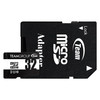
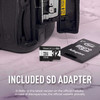
- SD adapter included for use with full-size SD card slots
- Suitable for Full HD video, photos and general file storage
- Shockproof, temperature-proof, waterproof, magnetic-proof and X-ray-proof protection listed by TEAMGROUP
- 2.7–3.6V operating voltage
- Compact 15 x 11 x 1mm card size
- Part Number: TUSDH32GCL10U03
32GB Storage for Everyday Devices
The TEAMGROUP 32GB microSDHC card gives useful extra storage for everyday digital files. It can be used for photos, Full HD videos, music, documents, downloads, app data and backup files on compatible devices. The included SD adapter also makes it easier to transfer files to laptops, desktops, cameras and card readers with a full-size SD slot.
For customers upgrading from a smaller 4GB, 8GB or 16GB card, the 32GB capacity offers more storage while staying widely compatible with many older and newer devices that support microSDHC cards.
Good for Phones, Tablets, Cameras and Car Recorders
This card is suitable for many devices that support microSDHC storage, including Android phones, tablets, compact cameras, action cameras, car recorders, dash cams, security cameras, media players and handheld devices. Always check your device’s maximum supported card capacity and required speed class before purchase.
UHS-I U1 Class 10 Performance
The TEAMGROUP 32GB card is rated UHS-I U1 Class 10. Class 10 and U1 ratings are commonly used for everyday Full HD video recording, photo storage and general file transfer. This makes it a good option for daily use, but it should not be confused with faster U3, V30, A1 or A2 cards designed for 4K recording, high-speed burst photography or app-heavy smartphone use.
Important Speed Class Note
This is a U1 Class 10 card. If your device specifically requires U3, V30, A1, A2 or high-endurance recording, choose a card with those ratings instead. Some 4K cameras, dash cams and security cameras may require a faster or endurance-rated card.
SD Adapter Included for Flexible Use
The included SD adapter allows the microSD card to be used in compatible full-size SD card slots. This is useful for transferring photos from cameras, moving files to laptops, using desktop card readers, or copying files between different devices.
The adapter does not change the card’s speed class or capacity. Performance still depends on the microSD card, host device and card reader used.
All-Round Protection for Portable Storage
TEAMGROUP lists this memory card with all-round protection, including resistance to shock, temperature, water, magnets and X-rays. This helps protect your files during normal portable use, travel and day-to-day handling.
As with any memory card, important files should still be backed up regularly. Removable flash memory is convenient, but it should not be the only copy of valuable photos, videos or business data.
Compatibility Guide
This TEAMGROUP card uses the microSDHC format with 32GB capacity. It is a good option for many devices that support microSDHC cards, but buyers should still check their device manual before ordering.
Before You Buy, Check These Points
- Your device supports microSDHC memory cards
- Your device supports 32GB capacity
- Your device does not require a higher rating such as U3, V30, A1 or A2
- Your device supports the file system used on the card
- For cameras, dash cams and CCTV devices, check the manufacturer’s recommended card type
- For full-size SD slots, use the included SD adapter
Who Is This TEAMGROUP 32GB microSDHC Card Best For?
- Users needing extra phone or tablet storage
- Customers storing photos, music, videos and documents
- Full HD video recording on compatible devices
- Compact cameras, car recorders and basic security cameras
- Students and home users moving files between devices
- Older devices that support microSDHC but not larger microSDXC capacities
- Anyone needing a 32GB microSD card with SD adapter included
Who Is This Card Not For?
This card is not the best choice if your device requires 4K video recording with V30/U3 speeds, high-endurance continuous recording, professional burst photography, fast app performance ratings such as A1/A2, or storage above 32GB. For those uses, choose a higher-rated or higher-capacity card designed for the device.
Technical Specifications
- Brand: TEAMGROUP
- Product Type: microSDHC memory card with SD adapter
- Part Number: TUSDH32GCL10U03
- Capacity: 32GB
- Card Format: microSDHC
- Interface: UHS-I
- Speed Class: Class 10
- UHS Speed Class: U1
- Read Speed: Up to 100MB/s, based on current product and retailer data
- Voltage: 2.7–3.6V
- Dimensions: 15 x 11 x 1mm
- Operating Temperature: 0°C to 70°C
- Storage Temperature: -40°C to 85°C
- Adapter: 1 x SD adapter included
- Protection: Shockproof, temperature-proof, waterproof, magnetic-proof and X-ray-proof
- Recommended Use: Full HD video, photos, smartphones, tablets, cameras, car recorders and general file storage
Important Performance Note
Maximum read speed is based on manufacturer and retailer product data and may vary depending on host device, card reader, file size, operating system, formatting and test conditions. To reach the best transfer speeds, use a compatible UHS-I card reader or device.
Important Compatibility Note
This is a 32GB microSDHC card. Devices that only support older microSD capacities may not recognise it, while devices requiring microSDXC, U3, V30, A1, A2 or high-endurance cards may need a different model. Always check your device manual before ordering.
Why Buy the TEAMGROUP 32GB microSDHC UHS-I Card?
The TEAMGROUP 32GB microSDHC UHS-I U1 Class 10 Memory Card is a good everyday storage choice for compatible phones, tablets, cameras and portable devices. It offers 32GB capacity, an included SD adapter, U1 Class 10 performance and all-round protection against common handling and environmental risks.
Choose this card if you need affordable 32GB removable storage for Full HD video, photos, music, documents and general device storage.
Specification
TEAMGROUP 32GB microSDHC UHS-I U1 Class 10 Memory Card Specifications
The TEAMGROUP 32GB microSDHC UHS-I U1 Class 10 Memory Card is a compact removable flash card supplied with an SD adapter for compatible smartphones, tablets, cameras, dash cams, car recorders, card readers and portable devices. It offers 32GB capacity, UHS-I U1 Class 10 performance and all-round protection for everyday photos, Full HD video and general file storage.
General Information
| Brand | TEAMGROUP |
| Product Name | TEAMGROUP 32GB microSDHC UHS-I U1 Class 10 Memory Card with Adapter |
| Manufacturer Part Number | TUSDH32GCL10U03 |
| EAN | 0765441038233 |
| Product Type | microSDHC memory card with SD adapter |
| Capacity | 32GB |
| Recommended Use | Photos, Full HD video, documents, music, smartphones, tablets, cameras, car recorders and general removable storage |
Card Type and Speed Class
| Card Format | microSDHC |
| Interface | UHS-I |
| Speed Class | Class 10 |
| UHS Speed Class | U1 |
| Video Speed Class | Not listed as V30, V60 or V90 |
| Application Performance Class | Not listed as A1 or A2 |
| High Endurance Rating | Not listed as a high-endurance surveillance or dash cam card |
Performance
| Read Speed | Up to 100MB/s, based on current TEAMGROUP/retailer product data |
| Write Speed | Not safely confirmed as a single current official value for this exact listing; older reseller data may show up to 15MB/s |
| Performance Note | Actual speed may vary depending on host device, card reader, file size, operating system, formatting and test conditions |
Compatibility
| microSDHC Device Compatibility | Compatible with devices that support 32GB microSDHC memory cards |
| SD Adapter Included | Yes, 1 x SD adapter included |
| Full-Size SD Slot Use | Use the included SD adapter with compatible SD card readers, cameras, laptops and desktop card readers |
| Device Compatibility Note | Always check your device manual for maximum supported card capacity and required speed class |
Protection Features
| Shockproof | Yes, listed by TEAMGROUP |
| Temperature-Proof | Yes, listed by TEAMGROUP |
| Waterproof | Yes, listed by TEAMGROUP |
| Magnetic-Proof | Yes, listed by TEAMGROUP |
| X-Ray-Proof | Yes, listed by TEAMGROUP |
Electrical and Physical Specifications
| Operating Voltage | 2.7–3.6V |
| Dimensions | 15 x 11 x 1mm |
| Length | 15mm |
| Width | 11mm |
| Height | 1mm |
| Card Weight | Approximately 1g, based on TEAMGROUP card specifications for this range |
Environmental Specifications
| Operating Temperature | 0°C to 70°C |
| Storage Temperature | -40°C to 85°C |
Package Contents
| Memory Card | 1 x TEAMGROUP 32GB microSDHC UHS-I U1 Class 10 card |
| Adapter | 1 x SD adapter included |
Warranty
| Warranty | Check Memox warranty terms / supplier warranty for final coverage |
Important Compatibility Notes
This is a 32GB microSDHC card. Please check your phone, tablet, camera, dash cam, CCTV camera or card reader manual before purchase to confirm 32GB microSDHC support.
Important Speed Class Note
This card is rated UHS-I U1 Class 10. It is not listed as U3, V30, A1, A2 or high endurance. If your device specifically requires 4K video recording, app performance ratings or continuous surveillance recording, choose a card with the required rating.
Important Performance Note
Maximum read speed is based on manufacturer and retailer product data. Actual performance can vary depending on device, card reader, USB interface, file size, operating system, formatting and workload. To achieve the best transfer speed, use a compatible UHS-I device or card reader.
Important Capacity Note
Usable capacity may be lower than 32GB because some capacity is used for formatting and because operating systems calculate storage capacity differently.
Return
FAQ: Frequenlty Asked Questions
TEAMGROUP 32GB microSDHC UHS-I Class 10 Memory Card FAQ
The TEAMGROUP 32GB microSDHC Class 10 UHS-I Flash Card with Adapter is a compact memory card designed for everyday storage, Full HD video recording, photos, music, documents, car audio, older devices, cameras, tablets, handheld consoles, CCTV cameras, dash cams, and devices that support 32GB microSDHC cards. Below are the most common questions buyers ask before choosing this TEAM 32GB microSDHC UHS-I U1 Class 10 memory card, including compatibility, SDHC vs SDXC, speed class, adapter use, FAT32 formatting, camera setup, dash cam use, phone support, and troubleshooting if the card is not detected.
1. What is the TEAMGROUP 32GB microSDHC UHS-I Class 10 card?
The TEAMGROUP 32GB microSDHC UHS-I Class 10 card is a small removable memory card used for storing photos, videos, music, documents, downloads, camera recordings, game files, and general device data. It is suitable for many compatible phones, tablets, cameras, dash cams, CCTV cameras, music players, car stereos, laptops, and other microSDHC-supported devices.
2. What capacity is this TEAMGROUP microSD card?
This model has a storage capacity of 32GB. It is a practical size for everyday files, photos, Full HD video clips, music, documents, car audio, older devices, and cameras that support 32GB microSDHC cards.
3. Why does 32GB show as less space on my device?
This is normal. Storage manufacturers use decimal capacity, while phones, cameras, Windows, macOS, and other systems display capacity differently. Formatting, file system structure, and device folders can also reduce the visible usable space slightly.
4. Is this card microSDHC or microSDXC?
This 32GB card is a microSDHC card. That is useful because many older devices support microSDHC up to 32GB but may not support larger microSDXC cards such as 64GB, 128GB, or 256GB.
5. What is the difference between microSDHC and microSDXC?
microSDHC usually covers cards from 4GB to 32GB, while microSDXC covers larger capacities from 64GB upwards. Older devices may support microSDHC but not microSDXC, so a 32GB microSDHC card is often a safer choice for older cameras, car stereos, tablets, and security devices.
6. What does UHS-I mean?
UHS-I is the bus interface used by the card for faster transfer than older non-UHS cards. To benefit from UHS-I performance, your device or card reader should also support UHS-I.
7. What does Class 10 mean?
Class 10 means the card is rated for a minimum sustained write speed suitable for many Full HD recording and everyday storage tasks. It is a common speed class for cameras, phones, tablets, dash cams, and general file use.
8. What does U1 mean on this card?
U1 means the card is rated for UHS Speed Class 1, designed for a minimum sustained write speed of 10MB/s under suitable conditions. This is suitable for many Full HD video and general storage uses.
9. What speed does this TEAMGROUP 32GB card offer?
This model is listed as a UHS-I U1 Class 10 microSDHC card. Real-world speed can vary depending on the device, card reader, file size, formatting, free space, and workload. Large video files usually transfer faster than many small files.
10. Why is my microSD card slower than expected?
Real-world speed can be lower because of older card readers, USB 2.0 ports, small file transfers, phone limitations, camera limitations, low battery, background tasks, or device firmware restrictions. To get the best speed, use a good UHS-I card reader and a compatible USB 3.x port.
11. Is this card suitable for Full HD video recording?
Yes. The UHS-I U1 and Class 10 rating makes this card suitable for many Full HD video recording tasks in compatible cameras, phones, dash cams, CCTV cameras, and other devices. For 4K video or high-bitrate recording, a faster U3/V30 card is usually better.
12. Is this card suitable for 4K video recording?
This card is not the best choice for reliable 4K recording. For 4K cameras, action cameras, drones, and high-bitrate video, choose a microSD card rated U3, V30, or higher if your device recommends it.
13. Can I use this card in an Android phone?
Yes, if your Android phone has a microSD slot and supports 32GB microSDHC cards. Many phones support 32GB cards, but some newer phones no longer include expandable storage, so check your exact phone model before buying.
14. Can I use this card in a Samsung Galaxy phone?
Yes, many Samsung Galaxy phones with a microSD slot support 32GB microSDHC cards. However, not all Galaxy models have a microSD slot, especially many newer premium models, so always check the exact phone model first.
15. Can I use this card in a tablet?
Yes, if the tablet has a microSD slot and supports microSDHC cards. It can be used for photos, videos, documents, downloads, offline media, and general storage. Some tablets may ask to format the card before first use.
16. Can I use this card in a Nintendo Switch?
The Nintendo Switch supports microSDHC cards, including 32GB cards. However, 32GB fills quickly with modern games, so this card is better for light use, screenshots, smaller downloads, or users with only a few games. For larger game libraries, 128GB, 256GB, or larger is more practical.
17. Can I use this card in a Steam Deck?
The Steam Deck supports microSD cards, but 32GB is small for modern PC games. This card can be used for light storage or smaller files, but a larger and faster A1/A2 U3/V30 card is usually better for game storage and loading performance.
18. Can I use this card in a digital camera?
Yes, if the camera supports microSDHC cards or full-size SDHC cards using the included adapter. It is suitable for photos and many Full HD video tasks, but professional cameras, 4K video, burst shooting, or RAW workflows may need a faster card.
19. Does this card include an SD adapter?
Yes. This product includes an SD adapter, allowing the microSD card to be used in full-size SD card slots on compatible cameras, laptops, card readers, printers, and other devices.
20. Does the SD adapter increase the speed?
No. The SD adapter only changes the physical size so the microSD card can fit into a full-size SD slot. Speed depends on the card, device, and card reader, not the adapter itself.
21. Can I use this card in a dash cam?
It may work in dash cams that support 32GB microSDHC cards, but dash cams write continuously and often benefit from high-endurance cards. For occasional or light use it may be suitable, but for daily loop recording, parking mode, or critical footage, a dedicated high-endurance card is usually better.
22. Can I use this card in a CCTV or security camera?
Yes, if the camera supports 32GB microSDHC cards and Class 10/U1 speed. For continuous recording, loop recording, outdoor cameras, or high-use surveillance, a high-endurance card is normally recommended because it is designed for repeated write cycles.
23. Is this card good for Tapo, Eufy, Reolink, EZVIZ or other security cameras?
It may work if the camera supports 32GB microSDHC cards. Always check the camera’s maximum card capacity and speed recommendation. For security cameras that record continuously, choose a high-endurance card if the manufacturer recommends one, and format the card inside the camera app after inserting it.
24. Why does my dash cam or camera show “card error”?
Common causes include wrong format, unsupported capacity, card corruption, using a non-endurance card for heavy loop recording, poor contact, or a device firmware issue. Try formatting the card inside the camera first. If that fails, use the SD Association formatter on a computer, then format again inside the device.
25. Should I format the card in the camera or on a computer?
For cameras, dash cams, drones, and CCTV cameras, it is usually best to format the card inside the device that will use it. This helps the device create the correct file system, folders, and recording structure.
26. What file system should I use for this 32GB microSDHC card?
A 32GB microSDHC card is commonly formatted as FAT32. FAT32 is widely supported by older cameras, car stereos, dash cams, tablets, printers, and media devices. For best compatibility, format the card inside the device you plan to use.
27. Should I use FAT32 or exFAT?
For a 32GB microSDHC card, FAT32 is usually the safest choice for broad compatibility. exFAT is more common on larger microSDXC cards above 32GB. If your device manual recommends a specific format, follow the device manual.
28. Can I use this card in older devices?
Yes, this is one of the advantages of a 32GB microSDHC card. Many older devices support microSDHC up to 32GB but do not support larger microSDXC cards. Always check the device manual for maximum card capacity.
29. Can I use this card in a drone?
It may work in drones that support 32GB microSDHC cards and U1/Class 10 speed, but many modern drones recording 4K video recommend faster U3 or V30 cards. Check your drone manual before using it for important footage.
30. Can I use this card in an action camera?
It may work for Full HD recording in compatible action cameras. For 4K, high frame rate, or high-bitrate action camera footage, a faster U3/V30 card is recommended to reduce the risk of recording errors.
31. Can I use this card in a GoPro?
Some GoPro models require faster cards than U1/Class 10, especially for 4K and high-frame-rate modes. Check your GoPro’s recommended card list before buying. For many GoPro users, a U3/V30 card is the safer choice.
32. Can I use this card for music in a car stereo?
Yes, if your car stereo supports microSD or SD cards through the included adapter and accepts 32GB capacity. 32GB microSDHC cards are often a good choice for car stereos because many older car systems support FAT32 and 32GB cards more reliably than larger cards.
33. Can I use this card in a smart TV or media player?
Yes, if the TV or media player supports microSD or SD storage and the file system used. Some TVs and media players may only support FAT32, specific video formats, or smaller storage capacities, so check the device manual.
34. Is this card waterproof?
TEAMGROUP lists this card series as waterproof as part of its all-around protection features. However, the card should still be dried fully before use and protected from unnecessary water exposure, especially before inserting it into electronics.
35. Is this card shockproof?
Yes. TEAMGROUP lists the card series as shockproof, helping protect the card during normal handling and transport. This does not mean the card is indestructible, so it should still be handled carefully.
36. Is this card temperature-proof?
TEAMGROUP lists the card series as temperature-proof. This helps in everyday environments, but extreme heat inside cars, dash cams, or outdoor cameras can still reduce memory card lifespan over time.
37. Is this card magnetic-proof and X-ray-proof?
Yes. TEAMGROUP lists magnetic-proof and X-ray-proof protection for this card series. This is useful for travel, airport scanning, and everyday storage, but important files should still be backed up in more than one location.
38. Can I store apps on this microSD card?
Some Android devices allow apps or app data to be moved to a microSD card, but performance can vary. This card is not listed as A1 or A2 app-performance rated, so for heavy app storage a card with A1 or A2 marking may be better.
39. Is this card A1 or A2 rated?
This model is listed as UHS-I U1 Class 10, not as an A1 or A2 app-performance card. It is suitable for many storage and Full HD recording uses, but users wanting better Android app performance should look for a card with A1 or A2 marking.
40. Is this card V30 rated?
No. This card is U1/Class 10, not V30. If your device requires V30 for 4K video, high-bitrate recording, drones, or action cameras, choose a V30-rated microSD card instead.
41. Why is my phone or camera not detecting the card?
Common causes include unsupported capacity, wrong file system, dirty contacts, poor insertion, corrupted partition, old firmware, or a faulty card reader. Try reinserting the card, formatting it in the device, testing it in another device, and checking your device’s supported capacity.
42. What should I do if the card says it needs formatting?
If the card is new and empty, format it in the device you plan to use. If the card contains important files, do not format it before copying or recovering the data, because formatting can make recovery harder.
43. Can I recover files from a corrupted microSD card?
Sometimes, yes. Stop using the card immediately to avoid overwriting data. Try reading it with a reliable card reader and use trusted recovery software if needed. If the data is very important, consider professional data recovery before formatting.
44. How can I check if the card capacity is genuine?
You can test the card with trusted capacity-checking tools such as H2testw on Windows or F3 on macOS/Linux. These tools write and verify data across the card to help identify fake, faulty, or incorrectly reporting capacity cards.
45. Why do fake microSD cards exist?
Fake microSD cards exist because low-capacity cards can sometimes be reprogrammed to report a larger size. To reduce risk, buy from a trusted retailer and test the card if the price seems unusually low or if the card behaves strangely.
46. Can I leave the card in my device all the time?
Yes, you can leave the card installed in a phone, camera, tablet, dash cam, CCTV camera, car stereo, or console. For devices that write constantly, such as dash cams and security cameras, card wear will happen faster than in normal storage use.
47. How long does a microSD card last?
Lifespan depends on write cycles, heat, device type, recording mode, and usage. A card used occasionally for photos may last much longer than one used for constant dash cam or CCTV loop recording. Important files should always be backed up.
48. Is this card good for long-term backup storage?
It can store files, but microSD cards are best for portable storage and device expansion, not as the only long-term backup. For important data, keep another copy on a computer, external drive, NAS, cloud storage, or another memory card.
49. Should I safely eject the card before removing it?
Yes. Always safely eject or unmount the card before removing it from a phone, computer, camera, tablet, or card reader. Removing the card while files are being written can cause corruption or data loss.
50. Can I use this card with a USB card reader?
Yes. You can use the microSD card with a compatible USB card reader, or use the included SD adapter with a full-size SD card reader. For best transfer speeds, use a UHS-I compatible USB 3.x card reader.
51. Why are many small files slower to copy than one large file?
Copying many small files creates more overhead than copying one large file. This is normal for flash storage. Photos, folders, app files, and many tiny documents can transfer more slowly than a single video file of the same total size.
52. TEAMGROUP 32GB microSDHC vs 64GB microSDXC — which should I choose?
Choose 32GB microSDHC if you need better compatibility with older devices, FAT32 formatting, car stereos, older cameras, or devices that support up to 32GB only. Choose 64GB or larger microSDXC if your device supports it and you need more storage space.
53. TEAMGROUP 32GB U1 vs U3 card — which should I choose?
Choose this U1/Class 10 card for everyday storage, Full HD video, photos, music, documents, and older devices. Choose a U3 or V30 card if you need faster sustained write speed for 4K video, drones, action cameras, or high-bitrate recording.
54. Who is the TEAMGROUP 32GB microSDHC card best for?
This card is best for users who need affordable 32GB storage for phones, tablets, cameras, car stereos, Full HD video, documents, photos, music, school files, older devices, and everyday file transfer using the included SD adapter.
55. Who is this card not for?
This card is not the best choice if your device requires microSDXC above 32GB, U3, V30, A1, A2, high-endurance recording, 4K high-bitrate video support, professional camera performance, or guaranteed continuous dash cam/CCTV recording durability.
56. What should I check before buying this TEAMGROUP 32GB microSD card?
Before buying, check that your device supports 32GB microSDHC cards, confirm whether it needs FAT32 formatting, check whether it requires U3/V30/A1/A2 or high-endurance ratings, and format the card inside the device after installation for the best compatibility.
Related Products
Related Products
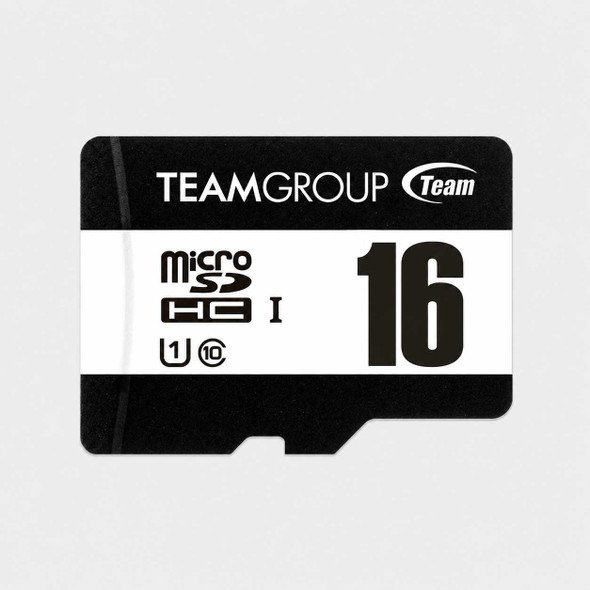
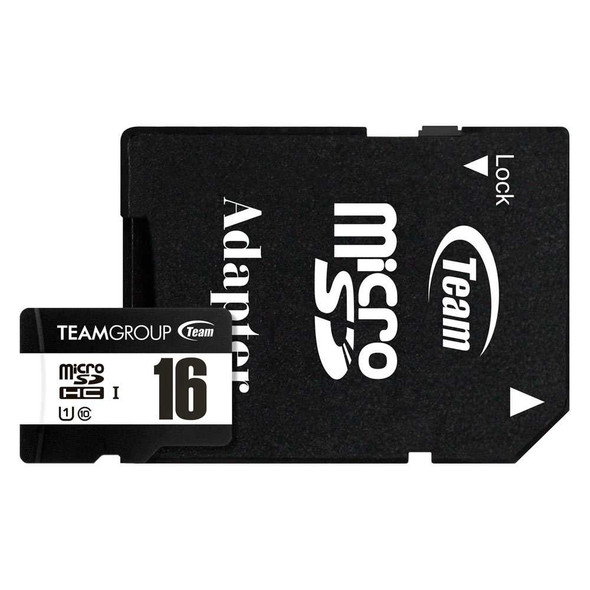
TEAMGROUP 16GB microSDHC Card – UHS-I Class 10, 80MB/s, SD Adapter
TEAM

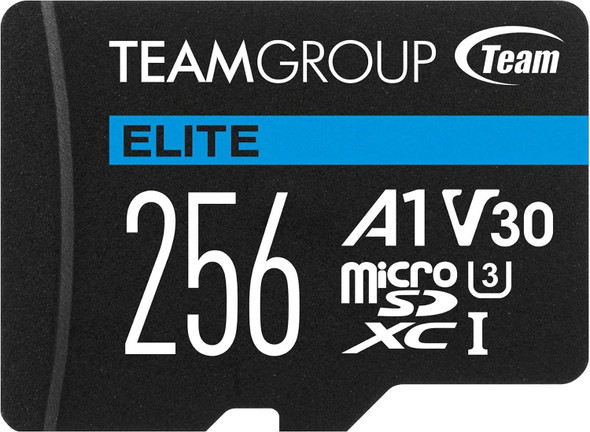
Team Elite A1 256GB Micro SDXC UHS-1 Flash Card with Adapter (for Android & 4K)
TEAM