
TEAM
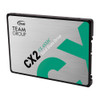
Team 256GB CX2 SSD, 2.5", SATA3, SLC Caching, R/W 520/430 MB/s, 7mm
- SKU:
- T253X6256G0C101
- UPC:
- 765441051928
- MPN:
- T253X6256G0C101
- Availability:
- Free Click & Collect in Peterborough. UK delivery also available.




Description
TEAMGROUP CX2 256GB 2.5-inch SATA III SSD – 7mm Internal Solid State Drive, Up to 520MB/s Read
The TEAMGROUP CX2 256GB SSD is a reliable and affordable 2.5-inch SATA III internal solid state drive designed to upgrade laptops, desktops, mini PCs and older systems from a traditional hard drive to faster flash storage. With up to 520MB/s read and up to 430MB/s write speeds, SLC caching, a slim 7mm 2.5-inch form factor and the widely supported SATA III 6Gb/s interface, it is a practical choice for improving boot times, application loading and everyday system responsiveness.
This TEAMGROUP CX2 256GB 2.5-inch SSD is ideal for customers searching for a 256GB SATA SSD, 2.5-inch laptop SSD, 7mm internal SSD, SATA III SSD upgrade, TEAMGROUP CX2 SSD, solid state drive for desktop PC, or a cost-effective replacement for a slow mechanical hard drive.
Key Features of the TEAMGROUP CX2 256GB SSD
- 256GB storage capacity for Windows, applications, documents, photos and everyday files
- 2.5-inch internal SSD form factor for compatible laptops and desktops
- 7mm slim design suitable for many notebook and compact PC upgrades
- SATA III 6Gb/s interface, backwards compatible with SATA II where supported
- Read speeds up to 520MB/s for faster boot and file access
- Write speeds up to 430MB/s for everyday storage tasks
- SLC caching technology to improve transfer performance during common workloads
- 3D NAND flash for reliable solid state storage
- TRIM support to help maintain SSD performance over time
- S.M.A.R.T. monitoring for drive health reporting on supported systems
- Wear levelling and ECC-related reliability features for data integrity and endurance
- 80TBW endurance rating for the 256GB model
- 3-year limited warranty from TEAMGROUP
Fast SATA SSD Upgrade for Laptops and Desktops
The TEAMGROUP CX2 256GB is designed as a simple upgrade for systems that use a standard 2.5-inch SATA drive bay. Replacing an older hard drive with a SATA SSD can make a noticeable difference to boot time, application loading, file access and general system responsiveness.
Ideal Replacement for Mechanical Hard Drives
Traditional hard drives use moving parts, while SSDs use flash memory. This makes the CX2 quieter, more shock-resistant and generally more responsive than an older 2.5-inch mechanical hard drive. It is a practical upgrade for everyday PCs used for browsing, office work, study, media playback and basic productivity.
Up to 520MB/s Read and 430MB/s Write Performance
The TEAMGROUP CX2 256GB is rated for sequential speeds of up to 520MB/s read and up to 430MB/s write. These speeds are well suited to everyday computing tasks such as starting Windows, opening software, loading files, transferring documents and running standard applications.
SATA III 6Gb/s Interface
This drive uses the SATA III 6Gb/s interface, making it compatible with many laptops, desktop PCs, all-in-one systems and small form factor computers that support 2.5-inch SATA drives. It can also work in some SATA II systems at reduced speeds, depending on the device.
SLC Caching for Improved Everyday Transfers
The CX2 range uses SLC caching technology to improve read and write performance during common workloads. This helps the drive feel faster during everyday file transfers and normal system use compared with older storage devices.
Performance Notice
Actual speed can vary depending on your computer, SATA controller, operating system, file size, available free space, workload and whether the drive is connected to a SATA III or older SATA port.
Reliable 3D NAND Storage with SSD Health Features
The TEAMGROUP CX2 is built with 3D NAND flash and includes common SSD support features such as S.M.A.R.T., TRIM, wear levelling and error-correction-related reliability functions. These features help monitor drive health, maintain performance and support long-term everyday use.
80TBW Endurance Rating
TEAMGROUP lists the 256GB CX2 model with an endurance rating of 80TBW. This makes it suitable for normal home, office and everyday desktop use. Heavy write workloads such as constant video recording, server caching or surveillance recording may require a higher-endurance SSD.
Compact 7mm 2.5-Inch Design
The slim 7mm height makes this SSD suitable for many modern laptops and compact systems that require a thin 2.5-inch SATA drive. It can also be installed in many desktop PCs using a suitable 2.5-inch bay, mounting bracket or adapter depending on the case.
Who Is the TEAMGROUP CX2 256GB Best For?
- Users upgrading an older laptop from a hard drive to an SSD
- Desktop PC users needing a budget SATA SSD
- Students and home users wanting faster everyday performance
- Office PCs used for browsing, documents, email and productivity software
- Mini PCs and small systems with a 2.5-inch SATA bay
- Customers needing a secondary SSD for files, apps or light storage
- PC repair jobs where a reliable 256GB replacement drive is required
TEAMGROUP CX2 256GB SSD Specifications
- Brand: TEAMGROUP
- Series: CX2
- Model / Part Number: T253X6256G0C101
- Capacity: 256GB
- Form Factor: 2.5-inch internal SSD
- Drive Height: 7mm
- Interface: SATA III 6Gb/s
- NAND Type: 3D NAND flash
- Sequential Read Speed: Up to 520MB/s
- Sequential Write Speed: Up to 430MB/s
- Endurance: 80TBW
- Features: SLC caching, S.M.A.R.T., TRIM, wear levelling and ECC-related reliability support
- Shock Resistance: 1500G / 0.5ms
- Operating Temperature: 0°C to 70°C
- Storage Temperature: -40°C to 85°C
- Voltage: DC +5V
- Warranty: 3-year limited warranty
Buying Advice
Before ordering, please check that your laptop, desktop or mini PC supports a 2.5-inch SATA SSD. This is a SATA drive, not an M.2 NVMe SSD, so it will not fit an M.2 slot. For best performance, connect it to a SATA III 6Gb/s port and use a suitable SATA data cable and SATA power connection where required.
Why Buy the TEAMGROUP CX2 256GB SATA SSD?
The TEAMGROUP CX2 256GB 2.5-inch SATA III SSD is a practical and affordable upgrade for users who want faster everyday PC performance without moving to a more expensive NVMe drive. With up to 520MB/s read speed, up to 430MB/s write speed, SLC caching, 3D NAND, 80TBW endurance, 7mm slim design and a 3-year warranty, it is a reliable choice for laptop upgrades, desktop repairs, office PCs and everyday storage.
Specification
TEAMGROUP CX2 256GB 2.5-Inch SATA III SSD Specifications
| Product Type | Internal 2.5-Inch SATA Solid State Drive / SSD |
| Brand | TEAMGROUP |
| Series | CX2 |
| Model / Part Number | T253X6256G0C101 |
| Capacity | 256GB |
| Form Factor | 2.5-Inch Internal SSD |
| Drive Height | 7mm |
| Interface | SATA III 6Gb/s |
| Backward Compatibility | Compatible with SATA II at Reduced Speeds, Device Dependent |
| NAND Type | 3D NAND Flash |
| Sequential Read Speed | Up to 520MB/s |
| Sequential Write Speed | Up to 430MB/s |
| Cache Technology | SLC Caching |
| SSD Features | S.M.A.R.T., TRIM, Wear Levelling and ECC-Related Reliability Support |
| Shock Resistance | 1500G / 0.5ms |
| Operating Voltage | DC +5V |
| Operating Temperature | 0°C to 70°C |
| Storage Temperature | -40°C to 85°C |
| Recommended Use | Laptop Upgrades, Desktop PC Storage, Office PCs, Home Systems and 2.5-Inch SATA Drive Replacements |
| Warranty | 3-Year Limited Manufacturer Warranty |
SATA Compatibility Notice
This is a 2.5-inch SATA III SSD. It is not an M.2 NVMe SSD and will not fit an M.2 slot. Please check that your laptop, desktop or mini PC has a compatible 2.5-inch SATA drive bay or mounting option.
Performance Notice
The listed speeds of up to 520MB/s read and up to 430MB/s write are maximum sequential figures. Real-world speed depends on the SATA controller, system hardware, operating system, file size, workload and available free space.
Upgrade Notice
This SSD is a practical upgrade for replacing an older mechanical hard drive in compatible systems. For best performance, connect it to a SATA III 6Gb/s port using a suitable SATA data cable and SATA power connection.
Capacity Notice
Formatted capacity shown in Windows or other operating systems may be lower than 256GB because of formatting, system calculation methods and reserved space.
Return
FAQ: Frequenlty Asked Questions
TEAMGROUP CX2 256GB 2.5" SATA III SSD FAQ
The TEAMGROUP CX2 256GB SSD is a compact 2.5-inch SATA III internal solid state drive designed as a practical upgrade for laptops, desktop PCs, older systems and compatible games consoles that still use 2.5-inch SATA storage. With 256GB capacity, SATA III 6Gb/s interface, 7mm slim form factor, SLC caching, read speeds up to 520MB/s and write speeds up to 430MB/s, it is a useful replacement for a slow mechanical hard drive. Below are the most common questions buyers ask before choosing this Team 256GB CX2 2.5 SATA SSD, including laptop compatibility, desktop installation, Windows cloning, SATA vs NVMe, PS4 and Xbox use, DRAMless SSD performance, storage capacity, speed, endurance and who this SSD is best suited for.
1. What is the TEAMGROUP CX2 256GB SSD?
The TEAMGROUP CX2 256GB is a 2.5-inch internal SATA III solid state drive designed to replace or upgrade a traditional hard drive in compatible laptops, desktops and other SATA-based devices. It offers faster boot times, quicker file access and better responsiveness than a mechanical HDD.
2. What is this Team CX2 256GB SSD best used for?
This SSD is best used for upgrading older laptops, desktop PCs, office computers, student PCs, home systems, boot drives, basic gaming storage, PS4-style console upgrades and general everyday storage where a reliable 2.5-inch SATA SSD is needed.
3. Is the TEAMGROUP CX2 256GB an internal or external SSD?
The TEAMGROUP CX2 256GB is an internal SSD. It is designed to be installed inside a laptop or desktop using a 2.5-inch SATA drive bay or mounting bracket. It can also be used externally with a suitable 2.5-inch SATA USB enclosure or adapter.
4. What form factor is the TEAMGROUP CX2 256GB?
The TEAMGROUP CX2 256GB uses the standard 2.5-inch SSD form factor with a slim 7mm height. This makes it suitable for many laptops, small PCs and desktop cases that support 2.5-inch SATA drives.
5. Is this SSD 7mm thick?
Yes. The TEAMGROUP CX2 256GB is listed as 100 x 69.9 x 7mm. The 7mm height is useful for slim laptops and standard 2.5-inch SATA drive bays.
6. What interface does the TEAMGROUP CX2 256GB use?
The TEAMGROUP CX2 256GB uses SATA III 6Gb/s. It connects using the standard SATA data and SATA power connectors found in many desktops and older or upgradeable laptops.
7. Is SATA III the same as SATA 6Gb/s?
Yes. SATA III is commonly referred to as SATA 6Gb/s. It is the third-generation SATA interface and is the normal connection used by 2.5-inch SATA SSDs like the TEAMGROUP CX2.
8. Is the TEAMGROUP CX2 256GB compatible with SATA II?
Yes. SATA III SSDs are usually backward compatible with SATA II ports, but the drive will run at the lower SATA II speed limit. It can still feel much faster than a mechanical hard drive in older systems.
9. Is this SSD compatible with laptops?
Yes. It is compatible with many laptops that use a 2.5-inch SATA drive. Check your laptop manual to confirm it supports a 2.5-inch SATA drive and that the drive bay accepts a 7mm SSD.
10. Is this SSD compatible with desktop PCs?
Yes. It can be installed in desktop PCs with SATA ports. You may need a 2.5-inch mounting point, 2.5-to-3.5-inch adapter bracket, SATA data cable and SATA power connector from the power supply.
11. Can I use the TEAMGROUP CX2 256GB as a Windows boot drive?
Yes. The TEAMGROUP CX2 256GB can be used as a Windows boot drive for everyday PCs. It will usually make Windows start faster and feel more responsive than a traditional hard drive.
12. Is 256GB enough for Windows 11?
Yes, 256GB is enough for Windows 11, basic programs, documents and light use. However, it may fill quickly if you install many large games, store lots of videos or keep large photo libraries on the same drive.
13. Is 256GB enough for Windows 10?
Yes. 256GB is enough for Windows 10 and everyday use, especially for web browsing, office work, school work and light programs. For heavy gaming or media storage, a larger SSD may be better.
14. Can I install games on the TEAMGROUP CX2 256GB?
Yes. You can install games on this SSD, and load times will usually be much faster than on a hard drive. The main limitation is capacity, as many modern games are very large and can quickly fill a 256GB drive.
15. Is the TEAMGROUP CX2 256GB good for gaming?
It is good for improving game loading times compared with a mechanical hard drive. It will not increase FPS like a graphics card upgrade, but it can make game launches, level loading and system responsiveness faster.
16. Can I use this SSD in a PS4?
Yes. A 2.5-inch SATA SSD like the TEAMGROUP CX2 can be used in a PS4 as an internal replacement drive, provided the console storage requirements are met. It can improve loading times compared with the original PS4 hard drive.
17. Can I use this SSD in a PS4 Pro?
Yes. The PS4 Pro supports 2.5-inch SATA drives, and this SSD can be used as a replacement or upgrade. The PS4 Pro can benefit from faster SATA storage, especially for loading screens and menu responsiveness.
18. Can I use this SSD in a PS5?
This SSD can be used externally with a USB enclosure for PS4 game storage on PS5, but it cannot be used as the internal expansion drive for PS5 games. PS5 games require a compatible M.2 NVMe SSD for internal expansion.
19. Can I use this SSD in Xbox One?
Yes, it can be used with Xbox One through a suitable external USB enclosure or adapter. It may improve loading times compared with a mechanical external hard drive, but capacity is limited to 256GB.
20. Can I use this SSD in Xbox Series X or Series S?
It can be used externally for storing and playing compatible Xbox One, Xbox 360 and original Xbox games. Xbox Series X/S optimised games normally need the internal SSD or official expansion storage to play.
21. What read and write speeds does the TEAMGROUP CX2 256GB offer?
The TEAMGROUP CX2 256GB is listed with sequential read speeds up to 520MB/s and sequential write speeds up to 430MB/s. Actual speed depends on your system, SATA port, file size, drive condition and testing software.
22. Will I always get 520MB/s read and 430MB/s write speeds?
No. The listed speeds are maximum reference figures under ideal test conditions. Real-world speeds can vary depending on the computer, SATA controller, operating system, file size, free space and whether the workload is short or sustained.
23. Is this SSD faster than a hard drive?
Yes. The TEAMGROUP CX2 SSD is much faster than a traditional mechanical hard drive for booting Windows, opening programs, loading files and general system response. It is one of the easiest upgrades for an older PC or laptop.
24. Is this SSD faster than an NVMe SSD?
No. NVMe SSDs are usually much faster than SATA SSDs. The TEAMGROUP CX2 is a SATA SSD, so it is ideal for systems with 2.5-inch SATA support, but it will not reach the speeds of modern PCIe NVMe drives.
25. Should I choose SATA SSD or NVMe SSD?
Choose this SATA SSD if your laptop or desktop only supports 2.5-inch SATA storage, or if you want an affordable upgrade from a hard drive. Choose NVMe if your motherboard has an M.2 NVMe slot and you need higher speed.
26. Does the TEAMGROUP CX2 256GB have DRAM cache?
No. TEAMGROUP lists the CX2 256GB as having no DRAM cache. It uses SLC caching and controller features to improve everyday performance, but it is still a DRAMless SATA SSD.
27. Is a DRAMless SSD bad?
No, a DRAMless SSD is not automatically bad. It can be a good affordable upgrade for everyday use, booting Windows, office work and light gaming. However, DRAMless drives can slow down more during heavy sustained writes or when nearly full compared with higher-end SSDs with DRAM cache.
28. What is SLC caching on this SSD?
SLC caching is a technology that uses part of the flash memory in a faster mode to improve write performance for common tasks. It helps the drive feel quicker during normal use, but very large file transfers can slow down once the cache is filled.
29. Why does the SSD slow down during large file transfers?
Large file transfers can fill the SLC cache, especially on lower-capacity SSDs. Once the cache is full, write speed may drop. This is normal behaviour for many budget SATA SSDs and is more noticeable when copying very large files.
30. Is the TEAMGROUP CX2 256GB good for video editing?
It can be used for light editing and storing small projects, but it is not ideal for heavy 4K video editing, large scratch files or professional workloads. For editing, a larger SSD or NVMe SSD is usually a better choice.
31. Is this SSD good for office and school work?
Yes. It is a good upgrade for office PCs and student laptops because it improves boot time, app loading, document access and general responsiveness compared with a hard drive.
32. Is this SSD good for old laptops?
Yes. The TEAMGROUP CX2 256GB is a strong upgrade for many older laptops that use 2.5-inch SATA hard drives. It can make an old laptop feel much faster for browsing, documents, email and basic everyday use.
33. Can I clone my old hard drive to this SSD?
Yes. You can clone an old hard drive to this SSD using suitable cloning software and a USB-to-SATA adapter or enclosure. The used space on the old drive must be smaller than the available capacity on the new 256GB SSD.
34. Can I install Windows fresh on this SSD?
Yes. You can install Windows fresh on the TEAMGROUP CX2 256GB using a bootable Windows USB installer. A fresh install is often the cleanest option when upgrading an old system.
35. Does this SSD come with cloning software?
The SSD itself is normally supplied as a drive only. If cloning software is required, use trusted SSD cloning software or the tools recommended by your PC manufacturer. Check the package contents before ordering if software is essential.
36. Do I need a SATA cable for desktop installation?
Yes, for most desktop PCs you need a SATA data cable and a SATA power connector from the power supply. Many SSDs are sold without a SATA data cable, so check whether you already have one available.
37. Do I need a bracket to install this SSD in a desktop?
It depends on the case. Many modern PC cases include 2.5-inch SSD mounting points. Older cases may need a 2.5-inch to 3.5-inch adapter bracket to mount the SSD securely.
38. Does this SSD need a heatsink?
No. A 2.5-inch SATA SSD like the TEAMGROUP CX2 does not normally need a heatsink. It produces much less heat than many high-speed NVMe drives.
39. Is the TEAMGROUP CX2 256GB silent?
Yes. Because it is a solid state drive with no moving parts, it is silent during operation. This is one advantage over mechanical hard drives, which can make spinning and clicking noises.
40. Is the TEAMGROUP CX2 256GB shock resistant?
Yes. TEAMGROUP lists the CX2 SSD with 1,500G shock resistance. Because it has no moving parts, it is more resistant to bumps and drops than a mechanical hard drive, but it should still be handled carefully.
41. What is the endurance rating of the TEAMGROUP CX2 256GB?
TEAMGROUP lists the 256GB CX2 model with an endurance rating of 80TBW. TBW means terabytes written and is a measure of how much data can be written to the drive under warranty conditions.
42. What warranty does the TEAMGROUP CX2 256GB have?
TEAMGROUP lists the CX2 series with a 3-year limited warranty, subject to the warranty period or TBW limit, whichever comes first. Warranty terms can vary by region and supplier, so keep proof of purchase.
43. What operating systems support this SSD?
TEAMGROUP lists support for Windows 11, Windows 10, Windows 8.1, Windows 8, Windows 7, Mac OS 10.4 or later, and Linux 2.6.33 or later. The system must also support SATA storage and the correct formatting.
44. Can I use this SSD with Mac?
Yes, it can work with compatible Mac systems that support SATA 2.5-inch drives or with a USB SATA enclosure. You may need to format the SSD as APFS, Mac OS Extended or exFAT depending on how you plan to use it.
45. Can I use this SSD with Linux?
Yes. The SSD can work with Linux systems that support SATA storage. Linux users can format it with a suitable file system such as ext4, depending on the intended use.
46. Why is my SSD not showing in Windows?
If the SSD is new, it may need to be initialised, partitioned and formatted in Windows Disk Management. Also check SATA data cable, SATA power cable, BIOS storage settings and whether the SATA port is enabled.
47. Why is my SSD showing less than 256GB?
This is normal. Storage manufacturers use decimal capacity, while Windows and other systems display usable capacity differently. Formatting, partitions and system files can also reduce the available space shown.
48. What should I check before buying the TEAMGROUP CX2 256GB SSD?
Check that your device supports 2.5-inch SATA drives, that 256GB is enough capacity, that you have a SATA cable and mounting option for desktops, and whether you need a budget SATA SSD or a faster NVMe SSD. Also check that your laptop drive bay supports a 7mm SSD.
49. Who should NOT buy the TEAMGROUP CX2 256GB SSD?
This SSD is not ideal for users who need very large storage, professional video editing performance, heavy sustained write workloads, high-end gaming libraries, NVMe speeds, or a premium SSD with DRAM cache. It is best for users who want an affordable SATA SSD upgrade for everyday use, booting Windows, replacing a hard drive or improving an older PC or laptop.
50. Why buy the TEAMGROUP CX2 256GB SSD from Memox?
Buying the TEAMGROUP CX2 256GB 2.5-inch SATA III SSD from Memox is a practical choice if you want an affordable storage upgrade for a compatible laptop, desktop PC or SATA-based system. Memox offers SSDs, hard drives, RAM, processors, motherboards, power supplies, PC cases, networking products and computer accessories for UK customers building or upgrading computers.