
TEAM
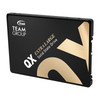
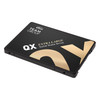
Team 1TB QX SSD, 2.5", SATA3, 3D QLC NAND, R/W 560/500 MB/s, 7mm
- SKU:
- HDTEA-1TB-QX2
- UPC:
- 765441065628
- MPN:
- T253X7001T0C101
- Availability:
- Free Click & Collect in Peterborough. UK delivery also available.



Description
TEAMGROUP QX 1TB 2.5" SATA SSD – 560/500MB/s, 3D QLC NAND, SLC Cache
The TEAMGROUP QX 1TB 2.5-inch SATA SSD is a high-capacity internal solid-state drive designed to upgrade compatible desktop PCs and laptops from slower mechanical hard drives or provide additional SATA storage for an existing system. Using 3D QLC NAND flash, SATA III 6Gb/s and SLC caching technology, this 1TB QX SSD delivers manufacturer-rated sequential speeds of up to 560MB/s read and 500MB/s write.
With no moving mechanical parts, the QX provides silent operation, low power consumption and strong shock resistance compared with a traditional hard disk drive. Its standard 2.5-inch, 7mm-thick form factor makes it suitable for many compatible desktop computers, laptops and other systems that accept a 2.5-inch SATA drive.
The exact 1TB model, T253X7001T0C101, is rated for 200TBW endurance and uses a DRAM-less architecture with SLC Cache to accelerate everyday read and write operations. It also incorporates TEAMGROUP technologies including LDPC error correction, Garbage Collection and End-to-End Data Protection.
The exact product supplied by Memox is the TEAMGROUP QX 1TB SSD, Memox SKU HDTEA-1TB-QX2, manufacturer part number T253X7001T0C101, UPC 765441065628.
Key Features of the TEAMGROUP QX 1TB SATA SSD
- 1TB storage capacity
- 2.5-inch internal SSD form factor
- 7mm slim drive thickness
- SATA III 6Gb/s interface
- 3D QLC NAND flash memory
- Up to 560MB/s sequential read speed
- Up to 500MB/s sequential write speed
- SLC caching technology
- DRAM-less design
- 200TBW endurance rating
- LDPC technology
- Garbage Collection
- End-to-End Data Protection
- 1,500,000-hour MTBF
- 1500G shock resistance
- 20G non-operating vibration resistance
- 0°C to 70°C operating-temperature range
- Silent solid-state operation
- Low power consumption compared with mechanical storage
- Suitable for compatible desktops and laptops
- Windows, macOS and Linux support
- 3-year limited TEAMGROUP warranty, subject to TBW and warranty terms
What Is the TEAMGROUP QX 1TB SSD?
The TEAMGROUP QX is a consumer 2.5-inch SATA solid-state drive designed to provide large-capacity flash storage at an accessible price.
It uses NAND flash memory rather than rotating magnetic platters, so there are no mechanical read/write heads or spinning disks inside the drive.
What Can the QX 1TB SSD Be Used For?
The 1TB QX can be used as:
- A Windows boot drive
- A laptop HDD replacement
- A desktop HDD replacement
- A secondary internal storage drive
- Application storage
- Game storage
- Photo storage
- Video storage
- Document and general file storage
- A SATA SSD upgrade for an older compatible computer
1TB of Solid-State Storage
The QX provides 1TB of advertised flash-storage capacity, giving users substantial room for an operating system, software, games and personal files.
A 1TB SSD can be particularly useful for users who want to combine their operating system and frequently accessed files on a single solid-state drive rather than splitting everyday storage between a small SSD and a mechanical hard drive.
What Can You Store on 1TB?
The QX can store combinations of:
- Windows or another compatible operating system
- Office applications
- Web browsers
- Photo libraries
- Video collections
- Music
- Documents
- Games
- Downloaded media
- General application data
The exact amount of content depends on individual file and application sizes.
Up to 560MB/s Sequential Read Speed
TEAMGROUP rates the 1TB QX at up to 560MB/s sequential read.
Sequential read speed is particularly relevant when the SSD accesses large continuous files.
Fast read performance can help with:
- Operating-system startup
- Opening applications
- Loading games
- Reading large media files
- Copying large files from the SSD
560MB/s Is a Maximum Performance Rating
The 560MB/s figure is a manufacturer-rated maximum rather than a guaranteed speed under every workload.
Actual SSD performance can vary according to:
- Computer hardware
- SATA controller
- Processor
- Motherboard
- Operating system
- BIOS configuration
- File type
- Queue depth
- Drive utilisation
- Amount of free space
- Temperature
- Read/write workload
Up to 500MB/s Sequential Write Speed
The 1TB QX is rated for sequential write speeds of up to 500MB/s under TEAMGROUP's specified test conditions.
This can improve responsiveness when installing software, saving large files and copying data compared with traditional mechanical storage.
Maximum Write Speed Is Not the Same as Sustained Write Speed
The quoted 500MB/s is the drive's maximum sequential write specification.
The QX uses SLC caching, meaning that short and moderate write workloads can take advantage of a faster cache area. During sufficiently long sustained write operations, performance can change after the available SLC cache has been consumed.
This behaviour is important when comparing a value-focused QLC SSD with higher-end SSDs designed specifically for heavy professional sustained-write workloads.
SATA III 6Gb/s Interface
The TEAMGROUP QX connects through a standard SATA III 6Gb/s interface.
This makes it suitable for computers with a compatible 2.5-inch SATA storage connection.
SATA III 6Gb/s Does Not Mean 6GB/s File Transfers
The interface specification is expressed in gigabits per second, whereas SSD transfer speeds are normally advertised in megabytes per second.
The actual QX 1TB drive is rated at up to:
- 560MB/s sequential read
- 500MB/s sequential write
2.5-Inch SATA Form Factor
The QX uses the established 2.5-inch SATA SSD form factor.
This makes it a direct storage upgrade for many computers originally designed for a 2.5-inch SATA hard drive or SSD.
7mm Slim Drive Height
The drive measures approximately:
- 100mm long
- 69.9mm wide
- 7mm high
The slim 7mm profile is commonly used in modern 2.5-inch laptop and desktop SSDs.
Compatible Laptop Upgrade
The TEAMGROUP QX can be used to replace a compatible 2.5-inch SATA laptop hard drive.
Before purchase, check that the laptop:
- Uses a 2.5-inch SATA storage bay
- Accepts a 7mm-thick SSD
- Provides the required SATA data and power connection
- Supports the chosen 1TB capacity
Not Every Laptop Uses 2.5-Inch SATA
Many newer laptops use M.2 SSDs instead of 2.5-inch SATA drives.
Always check the laptop's service manual or storage specification before purchasing.
Compatible Desktop PC Upgrade
The QX can also be installed in compatible desktop computers.
A typical desktop installation requires:
- A SATA data connection on the motherboard
- A SATA power connection from the power supply
- A suitable 2.5-inch mounting position or appropriate mounting arrangement
Important: This Is Not an M.2 SSD
The TEAMGROUP QX is a 2.5-inch SATA SSD.
It is not an:
- M.2 SATA SSD
- M.2 NVMe SSD
- PCIe NVMe SSD
A motherboard having an M.2 slot does not automatically mean that this 2.5-inch QX SSD can plug directly into that slot.
Important: This Is Not an NVMe SSD
The QX uses the SATA interface rather than PCI Express/NVMe.
Modern NVMe SSDs can provide substantially higher headline transfer speeds, but a SATA SSD remains useful for computers that do not support NVMe or when upgrading an existing SATA drive.
3D QLC NAND Flash
The QX uses 3D QLC NAND flash memory.
QLC stands for Quad-Level Cell, meaning each flash-memory cell stores four bits of information.
Why Use QLC NAND?
QLC technology provides greater data density than NAND types that store fewer bits per cell.
This makes QLC particularly useful for producing high-capacity consumer SSDs at attractive capacity-per-pound pricing.
Who Is QLC Storage Best Suited To?
QLC SSDs such as the QX are particularly suitable for:
- Everyday home computing
- Office use
- Large consumer storage
- Game libraries
- Photo and media libraries
- Replacing mechanical hard drives
- General application storage
SLC Caching Technology
The TEAMGROUP QX incorporates SLC Cache to accelerate normal read and write workloads.
A portion of NAND flash can be operated as a faster SLC-style cache area so incoming data can initially be written more quickly before it is managed into the drive's normal QLC storage.
Why SLC Cache Matters
SLC caching helps deliver responsive performance during common operations including:
- Installing applications
- Downloading files
- Saving documents
- Moving everyday files
- Operating-system activity
What Happens During Very Large Writes?
SLC cache is finite.
During a sufficiently large continuous write, the cache can fill and the SSD then has to write data using the underlying NAND's normal behaviour. At that point, sustained performance can be lower than the headline cached write speed.
For ordinary desktop and laptop workloads this may be less noticeable than in professional applications that continuously write hundreds of gigabytes of data.
DRAM-Less SSD Design
The exact 1TB QX T253X7001T0C101 does not contain a dedicated DRAM cache.
This is important because DRAM Cache and SLC Cache are different technologies.
SLC Cache Is Not DRAM Cache
The QX uses:
- SLC Cache: Yes
- Dedicated DRAM Cache: No
SLC caching uses NAND storage in a faster caching mode, while a DRAM-equipped SSD contains a separate DRAM memory component for drive-management workloads.
Why Use a DRAM-Less Design?
A DRAM-less architecture can help reduce manufacturing cost and allows the QX to focus on providing large SATA SSD capacity at a value-oriented price.
Users needing very heavy workstation workloads may prefer to compare the QX with higher-tier SSDs specifically designed for demanding sustained write and professional workloads.
200TBW Endurance Rating
The exact 1TB QX is rated for 200TBW.
TBW means Terabytes Written and indicates the manufacturer's rated total write endurance for warranty purposes.
What Does 200TBW Mean?
A 200TBW rating means the SSD is rated for up to approximately 200 terabytes of host writes under the manufacturer's endurance specification.
This does not mean the SSD automatically stops working immediately after the TBW figure is reached. It is an endurance and warranty rating rather than a countdown to an exact failure point.
QX Capacity-Specific Endurance
TEAMGROUP publishes different TBW ratings across the QX range because endurance varies with capacity.
The exact 1TB T253X7001T0C101 model is rated at:
- 200TBW
Do not copy the 400TBW or 800TBW figures from higher-capacity 2TB and 4TB QX models onto this 1TB product page.
LDPC Technology
TEAMGROUP lists LDPC as a feature of the QX range.
LDPC stands for Low-Density Parity-Check and is an error-correction technology used to help maintain data reliability as information is written to and read from NAND flash.
End-to-End Data Protection
TEAMGROUP also lists End-to-End / E2E Data Protection for the QX SSD.
This technology is intended to help protect data integrity as information moves through the SSD's internal data path.
Garbage Collection
The QX supports Garbage Collection.
Garbage Collection is an SSD management process that reorganises valid and invalid flash-memory data internally so storage blocks can be prepared for future write operations.
This is part of the background management required for NAND-based solid-state storage.
No Moving Parts
Unlike a mechanical hard drive, the QX SSD contains no spinning magnetic platters and no moving read/write head.
Benefits of Solid-State Storage
This provides several advantages compared with a traditional HDD:
- Silent storage operation
- No mechanical seek noise
- Much faster access to data
- Greater resistance to shock
- Lower power consumption
- No motor or moving drive mechanism
Upgrade a Slow Mechanical Hard Drive
One of the most noticeable upgrades for an older PC can be replacing its mechanical boot drive with a solid-state drive.
A SATA SSD can improve perceived responsiveness in tasks such as:
- Starting Windows
- Launching software
- Opening files
- Searching folders
- Loading applications
- Multitasking
The exact improvement depends on the original storage drive and the rest of the computer.
Suitable as a Windows Boot Drive
The QX can be used as a system drive in a compatible computer.
TEAMGROUP currently lists support for:
- Windows 11
- Windows 10
- Windows 8.1
- Windows 8
- Windows 7
Hardware compatibility and current operating-system support requirements should still be checked separately.
macOS and Linux Compatibility
TEAMGROUP also lists compatibility with:
- macOS 10.4 or later
- Linux kernel 2.6.33 or later
The host computer must still provide a compatible SATA connection and appropriate drive support.
Suitable for Game Storage
The QX 1TB can provide additional game storage in a compatible SATA-based PC.
Compared with a mechanical hard disk, solid-state storage can reduce storage-related delays when:
- Starting games
- Loading levels
- Reading game assets
- Installing updates
Game FPS Is Mainly Determined by Other Hardware
Installing an SSD does not normally produce a major increase in rendering frame rate by itself.
Gaming FPS depends primarily on components such as the graphics card, processor, memory and game settings.
The SSD mainly affects storage-related loading and responsiveness.
Suitable for Photos, Video and Media Libraries
A 1TB QX can also be useful as a secondary drive for:
- Photographs
- Music
- Movies
- Downloaded media
- General video files
- Project files
The silent solid-state design can be particularly attractive in home and office PCs where mechanical drive noise is undesirable.
Is the QX Suitable for Professional Video Editing?
The QX can store video files and can handle many normal consumer workloads, but it is primarily positioned as a consumer/value SATA SSD.
Professionals who regularly perform extremely large sustained writes, high-resolution production work or demanding scratch-disk operations may benefit from comparing it with a higher-end TLC, DRAM-equipped or NVMe SSD designed specifically for those workloads.
1,500,000-Hour MTBF
TEAMGROUP publishes a Mean Time Between Failures / MTBF rating of 1,500,000 hours for the QX SSD.
MTBF Is Not a Personal Drive-Life Guarantee
MTBF is a statistical reliability measure used across a population of products.
It does not mean that an individual QX SSD is guaranteed to run continuously for 1.5 million hours.
For the exact 1TB model, the more practical endurance and warranty limits to consider are:
- 200TBW
- 3-year limited warranty
1500G Shock Resistance
TEAMGROUP rates the QX for up to 1500G shock resistance under its specified test conditions.
Because an SSD has no moving drive heads or rotating platters, it is generally more resistant to physical shock than mechanical hard-disk storage.
20G Non-Operating Vibration Resistance
The QX is specified for 20G vibration resistance while non-operating.
This manufacturer rating should not be interpreted as permission to deliberately subject the SSD or computer to severe physical impacts.
Operating Temperature
TEAMGROUP specifies an SSD operating-temperature range of:
- 0°C to 70°C
Storage Temperature
The specified non-operating storage-temperature range is:
- -40°C to 85°C
Operating Humidity
TEAMGROUP's specification lists 5% to 95% relative humidity, non-condensing under its stated environmental test conditions.
Condensation, liquid exposure and excessive humidity should always be avoided around computer hardware.
5V DC Power
The QX operates from DC +5V supplied through its SATA power connection.
In a desktop PC, power is normally provided by a compatible SATA power cable from the computer's power supply.
How to Install the TEAMGROUP QX in a Desktop PC
1. Switch Off the Computer
Shut down the PC completely, switch off the power supply where applicable and disconnect mains electricity before working inside the system.
2. Mount the SSD
Install the QX in a compatible 2.5-inch drive position.
3. Connect SATA Data
Connect the SSD to a suitable SATA port on the motherboard using a compatible SATA data cable.
4. Connect SATA Power
Connect a compatible SATA power connector from the PC power supply.
5. Check BIOS or UEFI Detection
Power on the computer and confirm that the SSD is recognised correctly.
6. Initialise or Install the Operating System
A new blank drive may need to be initialised and formatted before it appears as usable storage, or an operating system can be installed directly onto it.
How to Install the QX in a Laptop
Installation varies considerably between laptop models.
Before opening the laptop:
- Check the manufacturer's service documentation
- Confirm that a 2.5-inch SATA bay is present
- Confirm that a 7mm SSD is supported
- Back up existing data
- Follow the manufacturer's battery and disassembly precautions
Clone an Existing Hard Drive to the QX
If replacing an existing drive, users may choose to clone the original operating-system installation to the new SSD rather than reinstalling everything from scratch.
Before cloning:
- Back up important data
- Make sure the used data fits on the new SSD
- Use suitable cloning software
- Verify the clone before erasing the original drive
Or Perform a Clean Operating-System Installation
A clean installation can be preferable when upgrading an older PC with years of accumulated software or operating-system problems.
Back up personal files before replacing or formatting any storage drive.
Why Doesn't Windows Show the Full 1TB?
TEAMGROUP defines storage capacity using decimal measurement:
- 1TB = 1,000,000,000,000 bytes
Operating systems may calculate and display storage capacity differently, and some space is also used for formatting and system functions.
The formatted capacity shown by Windows may therefore appear lower than the advertised 1TB. This is normal and does not mean that storage is missing.
QX 1TB vs a Mechanical Hard Drive
TEAMGROUP QX SSD
- No moving parts
- Up to 560MB/s sequential read
- Up to 500MB/s sequential write
- Silent storage operation
- Low power consumption
- 1500G shock rating
Traditional Mechanical HDD
- Uses rotating magnetic platters
- Uses a mechanical read/write head
- Higher access latency
- Produces mechanical sound
- More vulnerable to movement and shock while operating
For users upgrading an older computer, moving the operating system from a mechanical hard drive to a SATA SSD can significantly improve everyday storage responsiveness.
QX SATA SSD vs NVMe SSD
QX 2.5-Inch SATA
- SATA III 6Gb/s
- 2.5-inch form factor
- Up to 560/500MB/s
- Ideal for compatible SATA upgrades
- Useful where no M.2 NVMe slot is available
NVMe SSD
- Uses PCI Express rather than SATA
- Usually uses an M.2 form factor in consumer PCs
- Can provide substantially higher transfer rates
- Requires a compatible NVMe-capable host
If your computer supports both technologies, choose according to performance requirements, available slots, storage capacity and budget.
QX 1TB vs QX 2TB
The 2TB QX offers twice the nominal capacity of this 1TB version and also carries a higher manufacturer endurance rating.
QX 1TB
- 1TB capacity
- Up to 560MB/s read
- Up to 500MB/s write
- 200TBW
QX 2TB
- 2TB capacity
- Up to 560MB/s read
- Up to 500MB/s write
- 400TBW
The 1TB model is a practical choice when 1TB provides sufficient capacity and a lower purchase cost is preferred.
QX 1TB vs QX 512GB
The 1TB model provides approximately twice the advertised storage capacity of the 512GB QX.
It also has a higher published endurance rating:
- 512GB QX: 120TBW
- 1TB QX: 200TBW
Who Is the TEAMGROUP QX 1TB Best For?
- Users upgrading an older HDD-based laptop
- Users upgrading an HDD-based desktop PC
- Home computers
- Office computers
- General-purpose PCs
- Budget PC builds
- Game libraries
- Media libraries
- Secondary SATA storage
- Users wanting silent solid-state storage
- Systems without an available M.2 NVMe slot
Who May Need a Different SSD?
Consider another SSD if your system or workload specifically requires:
- M.2 form factor
- NVMe / PCIe storage
- Multi-gigabyte-per-second transfer speeds
- A dedicated DRAM cache
- Very high sustained-write performance
- Higher write endurance for professional workloads
- More than 1TB capacity
TEAMGROUP QX 1TB Technical Summary
- Brand: TEAMGROUP
- Series: QX
- Product: QX 1TB 2.5-inch SATA SSD
- Manufacturer Part Number: T253X7001T0C101
- Memox SKU: HDTEA-1TB-QX2
- UPC: 765441065628
- Capacity: 1TB
- Drive Type: Internal solid-state drive
- Form Factor: 2.5-inch
- Drive Height: 7mm
- Interface: SATA III 6Gb/s
- NAND: 3D QLC NAND Flash
- SLC Cache: Yes
- Dedicated DRAM Cache: No
- Sequential Read: Up to 560MB/s
- Sequential Write: Up to 500MB/s
- Endurance: 200TBW
- Voltage: DC +5V
- LDPC: Yes
- Garbage Collection: Yes
- E2E Data Protection: Yes
- Shock Resistance: 1500G
- Vibration: 20G non-operating
- MTBF: 1,500,000 hours
- Operating Temperature: 0°C to 70°C
- Storage Temperature: -40°C to 85°C
- Relative Humidity: 5% to 95% non-condensing under TEAMGROUP's specified conditions
- Dimensions: 100 × 69.9 × 7mm
- Windows: Windows 11 / 10 / 8.1 / 8 / 7
- macOS: 10.4 or later
- Linux: Kernel 2.6.33 or later
- Warranty: 3-year limited warranty or applicable TBW limit, whichever is reached first under TEAMGROUP terms
Important 560/500MB/s Performance Note
The 560MB/s read and 500MB/s write values are maximum sequential performance figures obtained under TEAMGROUP test conditions.
TEAMGROUP states that performance can vary according to test hardware, software and system configuration.
Do not describe 560MB/s or 500MB/s as guaranteed minimum speeds.
Important SLC Cache Note
The QX uses SLC caching to accelerate normal storage operations.
SLC cache capacity is finite. During sufficiently large sustained writes, performance can decrease after the cache has been filled.
This is normal behaviour for cache-assisted NAND storage and does not by itself indicate a faulty SSD.
Important DRAM Cache Note
The exact T253X7001T0C101 1TB model is DRAM-less.
Do not advertise this product as having DRAM Cache.
SLC Cache and DRAM Cache are different technologies: the QX provides SLC caching but does not contain a dedicated DRAM cache according to TEAMGROUP's current specification.
Important QLC NAND Note
The QX uses 3D QLC NAND, which is designed to provide high storage density and attractive capacity for consumer storage.
For workloads involving exceptionally heavy continuous writes, compare the QX with higher-end TLC, DRAM-equipped or professional SSD models whose endurance and sustained-write characteristics better match that usage.
Important 200TBW Note
The exact 1TB QX model is rated for 200TBW.
Do not copy the endurance figures from other QX capacities. The 2TB and 4TB versions have different TBW specifications.
Important Warranty Note
TEAMGROUP specifies a 3-year limited warranty for the QX.
TEAMGROUP states that its SSD warranty is subject to the applicable warranty period or TBW limit, whichever is reached first.
For this exact 1TB model, the published endurance figure is 200TBW.
Important SATA Compatibility Note
This is a 2.5-inch SATA III SSD.
Before purchase, check that the computer provides a compatible 2.5-inch SATA connection and sufficient physical space for a 100 × 69.9 × 7mm drive.
This SSD does not plug directly into an M.2 slot.
Important Capacity Note
TEAMGROUP defines 1TB as 1,000,000,000,000 bytes.
The usable capacity shown by an operating system will be lower after formatting and because operating systems may calculate storage capacity differently.
This is normal for SSDs and does not indicate missing storage.
Important Data Backup Note
No SSD should contain the only copy of irreplaceable files.
Solid-state drives can fail unexpectedly just like any other storage device, so important documents, photographs and other data should be maintained in at least one separate backup location.
Why Choose the TEAMGROUP QX 1TB SSD?
The TEAMGROUP QX 1TB is a practical option for users who need a large, affordable 2.5-inch SATA SSD for everyday computing, upgrading an older hard-drive-based system or adding additional internal solid-state storage.
Its combination of 1TB capacity, SATA III 6Gb/s connectivity, 3D QLC NAND and SLC caching provides up to 560MB/s read and 500MB/s write performance, offering substantially faster storage responsiveness than a conventional mechanical hard drive in compatible systems.
The slim 7mm 2.5-inch format makes it suitable for many laptops and desktops, while solid-state construction provides silent operation, low power consumption and 1500G shock resistance.
The exact 1TB model carries a 200TBW endurance rating and incorporates LDPC, Garbage Collection and End-to-End Data Protection. TEAMGROUP also backs the QX with a three-year limited warranty, subject to the applicable TBW and warranty conditions.
Choose the TEAMGROUP QX 1TB T253X7001T0C101 when you need a 1TB 2.5-inch SATA III SSD with up to 560MB/s read, 500MB/s write, 3D QLC NAND, SLC caching and a slim 7mm design for a compatible desktop or laptop PC.
Specification
TEAMGROUP QX 1TB 2.5" SATA SSD Specifications
The TEAMGROUP QX 1TB is a consumer-grade 2.5-inch SATA III solid-state drive designed for compatible desktop PCs and laptops. It combines 3D QLC NAND flash with SLC caching to provide manufacturer-rated sequential speeds of up to 560MB/s read and 500MB/s write.
The exact model is T253X7001T0C101, with 1TB capacity, a slim 7mm form factor, no dedicated DRAM cache and a manufacturer-rated endurance of 200TBW.
General Information
| Brand | TEAMGROUP |
|---|---|
| Product Series | QX |
| Product Name | TEAMGROUP QX 1TB 2.5" SATA SSD |
| Manufacturer Part Number | T253X7001T0C101 |
| Memox SKU | T253X7001T0C101 |
| UPC | 765441065628 |
| Product Type | Internal Solid-State Drive / SSD |
| Product Class | Consumer-grade SATA SSD |
| Capacity | 1TB |
Form Factor
| Drive Form Factor | 2.5-inch |
|---|---|
| Drive Thickness | 7mm |
| Internal Drive | Yes |
| M.2 Form Factor | No |
| NVMe Form Factor | No |
Storage Capacity
| Advertised Capacity | 1TB |
|---|---|
| Manufacturer Capacity Definition | 1TB = 1,000,000,000,000 bytes |
| Displayed Usable Capacity | Lower than the advertised 1TB after formatting and operating-system capacity calculation |
| Capacity Family | QX range also includes other capacities; specifications vary by capacity |
Interface
| Interface | SATA III 6Gb/s |
|---|---|
| Connection Type | 2.5-inch SATA |
| PCI Express | No |
| NVMe | No |
| M.2 | No |
| Host Requirement | Compatible SATA interface and suitable 2.5-inch drive mounting provision |
NAND Flash
| NAND Type | 3D QLC NAND Flash |
|---|---|
| QLC Meaning | Quad-Level Cell |
| Solid-State Storage | Yes |
| Mechanical Moving Parts | No |
Sequential Performance
| Maximum Sequential Read | Up to 560MB/s |
|---|---|
| Maximum Sequential Write | Up to 500MB/s |
| Performance Test Method | CrystalDiskMark under TEAMGROUP test conditions |
| 560MB/s Guaranteed in Every System | No |
| 500MB/s Guaranteed in Every Workload | No |
| Actual Performance | Varies according to hardware, software, SATA controller, BIOS, drive condition and workload |
SLC Cache
| SLC Caching | Yes |
|---|---|
| Cache Technology | SLC Cache |
| Purpose | Helps accelerate normal read/write workloads |
| Cache Size | Not specified by TEAMGROUP for this exact model |
| Sustained Write Performance After Cache | Not specified as a fixed value by TEAMGROUP |
DRAM Cache
| Dedicated DRAM Cache | No |
|---|---|
| DRAM-Less Design | Yes |
| SLC Cache Present | Yes |
| SLC Cache Same as DRAM Cache | No |
Endurance
| Terabytes Written / TBW | 200TBW |
|---|---|
| TBW Standard | TEAMGROUP states TBW definition and calculation follow JEDEC standards |
| Endurance Capacity Specific | Yes – 200TBW applies to this exact 1TB model |
| Higher-Capacity QX TBW Values Apply to 1TB Model | No |
Reliability Features
| LDPC | Yes |
|---|---|
| Garbage Collection | Yes |
| End-to-End Data Protection | Yes |
| E2E Data Protection | Yes |
| Dedicated DRAM Cache | No |
SMART and TRIM
| S.M.A.R.T. Monitoring | Not explicitly listed in TEAMGROUP's current public QX product specification |
|---|---|
| TRIM | Not explicitly listed in TEAMGROUP's current public QX product specification |
| Recommended Listing Practice | Do not add SMART or TRIM claims unless confirmed for the supplied revision |
MTBF Reliability
| MTBF | 1,500,000 hours |
|---|---|
| MTBF Meaning | Mean Time Between Failures statistical reliability rating |
| Individual Drive Life Guaranteed for 1.5 Million Hours | No |
Shock Resistance
| Shock Resistance | 1,500G |
|---|---|
| Mechanical Moving Parts | No |
| Shock Rating Conditions | Subject to TEAMGROUP test conditions |
Vibration Resistance
| Vibration Rating | 20G |
|---|---|
| Vibration Condition | Non-operating |
| 20G Rating Applies While Drive Is Operating | No – TEAMGROUP specifies this as non-operating |
Power Requirements
| Operating Voltage | DC +5V |
|---|---|
| Power Connection | Standard compatible SATA power connection |
| Separate External Power Adapter | No for normal internal PC installation |
| Power Consumption | Not published as a specific wattage in TEAMGROUP's current QX specification |
Operating Temperature
| Operating Temperature | 0°C to 70°C |
|---|---|
| Minimum Operating Temperature | 0°C |
| Maximum Operating Temperature | 70°C |
Storage Temperature
| Storage Temperature | -40°C to 85°C |
|---|---|
| Minimum Storage Temperature | -40°C |
| Maximum Storage Temperature | 85°C |
Humidity
| Published Relative Humidity | 5% to 95% RH, non-condensing |
|---|---|
| Associated TEAMGROUP Environmental Condition | Published alongside 0°C to 55°C |
| Condensation Allowed | No |
Physical Dimensions
| Length | 100mm |
|---|---|
| Width | 69.9mm |
| Height / Thickness | 7mm |
| Dimensions | 100 × 69.9 × 7mm |
| Form Factor | 2.5-inch |
| Weight | Not specified in TEAMGROUP's current official QX specification |
Desktop PC Compatibility
| Desktop PC Use | Supported where the system provides a compatible SATA interface |
|---|---|
| SATA Data Connection Required | Yes |
| SATA Power Connection Required | Yes |
| 2.5-inch Mount Required | Yes, or a suitable compatible mounting adapter/bracket |
| Direct M.2 Slot Installation | No |
Laptop Compatibility
| Laptop Use | Supported where the laptop accepts a 2.5-inch SATA SSD |
|---|---|
| Drive Height | 7mm |
| 2.5-inch SATA Bay Required | Yes |
| Compatible with Every Laptop | No |
| M.2-Only Laptop Compatibility | No direct compatibility |
Operating System Compatibility
| Windows 11 | Supported |
|---|---|
| Windows 10 | Supported |
| Windows 8.1 | Supported |
| Windows 8 | Supported |
| Windows 7 | Supported according to TEAMGROUP's published system requirements |
| macOS | macOS 10.4 or later according to TEAMGROUP |
| Linux | Linux kernel 2.6.33 or later according to TEAMGROUP |
Typical Applications
| Operating System / Boot Drive | Suitable in compatible systems |
|---|---|
| Desktop PC Upgrade | Suitable |
| Laptop HDD Replacement | Suitable where a 7mm 2.5-inch SATA drive is supported |
| Secondary Storage | Suitable |
| Game Storage | Suitable for compatible PC storage |
| Photo / Video Storage | Suitable for general consumer storage |
| Heavy Professional Sustained-Write Workloads | Higher-end SSDs may be more appropriate depending on workload requirements |
SSD Technology Comparison
| Mechanical Hard Drive | No – solid-state NAND storage |
|---|---|
| 2.5-inch SATA SSD | Yes |
| M.2 SATA SSD | No |
| NVMe SSD | No |
| PCIe SSD | No |
Acoustic Characteristics
| Moving Parts | No |
|---|---|
| Mechanical Drive Noise | No |
| Spinning Platters | No |
| Read / Write Head | No |
Capacity-Specific QX Comparison
| 256GB QX | Up to 520MB/s read, 450MB/s write, 80TBW |
|---|---|
| 512GB QX | Up to 560MB/s read, 500MB/s write, 120TBW |
| 1TB QX | Up to 560MB/s read, 500MB/s write, 200TBW |
| 2TB QX | Up to 560MB/s read, 500MB/s write, 400TBW |
| 4TB QX | Up to 500MB/s read, 460MB/s write, 800TBW |
Warranty
| TEAMGROUP Manufacturer Warranty | 3-year limited warranty |
|---|---|
| QX Warranty Category | 3-year limited warranty |
| TBW Warranty Limit | 200TBW for the exact 1TB model |
| Warranty Expiry Rule | Limited warranty period or TBW limit, whichever occurs first |
| TEAM SMART TOOL | TEAMGROUP states its SMART Tool is used for official TBW judgement where third-party values differ |
| Product Labels / Serial Labels | Should not be removed, as missing or moved labels may affect warranty eligibility |
| UK Statutory Rights | Manufacturer warranty is additional to applicable UK statutory consumer rights |
Important Exact Model Note
This specification applies specifically to the TEAMGROUP QX 1TB T253X7001T0C101.
Do not automatically copy specifications from other QX capacities because read/write performance and TBW endurance vary across the range.
Important Memox SKU Correction
The current Memox product page lists both the SKU and MPN as T253X7001T0C101, with UPC 765441065628.
Use T253X7001T0C101 as the SKU in this specification tab so it matches the live BigCommerce product data.
Important 560/500MB/s Performance Note
The up to 560MB/s sequential read and up to 500MB/s sequential write specifications are maximum manufacturer performance figures.
TEAMGROUP states that performance varies depending on testing hardware, software, system configuration and operating conditions.
General I/O performance is measured using CrystalDiskMark on a new and unused SSD under TEAMGROUP test conditions.
Important SATA III Note
SATA III is rated at 6Gb/s, which refers to the interface signalling rate and should not be confused with 6GB/s of usable file-transfer performance.
The QX 1TB itself is manufacturer-rated at up to 560MB/s read and 500MB/s write.
Important DRAM-Less Note
The exact 1TB T253X7001T0C101 is DRAM-less.
TEAMGROUP's current capacity table explicitly lists DRAM Cache: NO for this model.
Do not advertise the QX 1TB as having dedicated DRAM cache.
Important SLC Cache Note
The QX supports SLC Caching technology, even though it does not contain dedicated DRAM cache.
SLC Cache and DRAM Cache are different technologies.
The SLC cache is designed to accelerate normal storage operations, but TEAMGROUP does not publish a fixed cache size or a guaranteed post-cache sustained write speed for this exact 1TB model.
Important QLC NAND Note
The QX uses 3D QLC NAND flash.
QLC is designed to provide high storage density and strong value for consumer storage, but very write-intensive professional workloads may be better served by an SSD specifically designed for higher sustained-write performance and endurance.
Important 200TBW Note
The exact 1TB QX carries a manufacturer-rated endurance of 200TBW.
TEAMGROUP states that TBW is calculated according to JEDEC standards.
The 400TBW and 800TBW ratings found on larger QX models must not be applied to this 1TB SKU.
Important Warranty / TBW Note
TEAMGROUP currently lists the QX under its 3-year limited SSD warranty.
TEAMGROUP states that SSD warranty coverage is governed by the limited warranty period or the applicable TBW limit, whichever occurs first.
For this 1TB model, the relevant endurance limit is 200TBW.
Important SMART / TRIM Note
TEAMGROUP's current public QX product specification does not explicitly list S.M.A.R.T. monitoring or TRIM support.
For manufacturer-backed accuracy, these features should not be added as confirmed specifications unless TEAMGROUP publishes them for the exact supplied revision.
Important Humidity Specification Note
TEAMGROUP's current QX specification publishes 5% to 95% RH, non-condensing alongside an environmental temperature condition of 0°C to 55°C.
This is separate from the SSD's main published 0°C to 70°C operating-temperature range.
Important 20G Vibration Note
The published 20G vibration rating applies to non-operating conditions.
Do not describe the SSD as rated for 20G vibration while actively operating.
Important MTBF Note
The published 1,500,000-hour MTBF is a statistical reliability measurement across a product population.
It does not mean that an individual SSD is guaranteed to operate continuously for 1.5 million hours.
Important Compatibility Note
Before purchasing, confirm that the desktop or laptop supports a 2.5-inch SATA SSD.
This drive does not install directly into an M.2-only storage slot and it is not an NVMe SSD.
TEAMGROUP also recommends checking motherboard, processor and BIOS compatibility and keeping system firmware up to date where necessary.
Important Capacity Note
TEAMGROUP defines 1TB as 1,000,000,000,000 bytes.
The capacity shown by Windows, macOS or Linux will be lower after formatting and because operating systems may calculate capacity differently.
This is normal and does not indicate missing storage.
Important Formatting Note
A newly installed SSD may need to be initialised, partitioned and formatted before it appears as usable storage.
Formatting can erase existing data, so back up important files before formatting or reinstalling an operating system.
Important Data Backup Note
No SSD should contain the only copy of important or irreplaceable files.
Maintain independent backups of important documents, photographs, business files and other critical data.
Return
FAQ: Frequenlty Asked Questions
TEAMGROUP QX 1TB 2.5-inch SATA SSD FAQ
The TEAMGROUP QX 1TB SSD (T253X7001T0C101) is a consumer-grade 2.5-inch SATA III solid-state drive built with 3D QLC NAND and SLC caching. The exact 1TB model is rated for up to 560MB/s sequential read and 500MB/s sequential write, 200TBW endurance, a 7mm profile and a 3-year limited warranty. TEAMGROUP's current specification explicitly lists no dedicated DRAM cache for this 1TB version.
Below are the most common questions buyers ask before choosing the QX 1TB, including QLC vs TLC, SLC cache vs DRAM, sustained-write slowdown, SATA vs NVMe, Windows cloning and installation, laptop compatibility, PS4/PS5 use, gaming, S.M.A.R.T./TRIM, 200TBW endurance, health monitoring, large-file performance, troubleshooting and who this SSD is—and is not—best suited for.
1. What is the TEAMGROUP QX 1TB SSD?
The TEAMGROUP QX 1TB is a consumer-grade 2.5-inch SATA III solid-state drive using 3D QLC NAND flash and SLC caching. The exact 1TB model is rated up to 560MB/s sequential read and 500MB/s sequential write.
2. What is the exact manufacturer part number?
The exact TEAMGROUP part number is T253X7001T0C101.
3. What is the Memox SKU?
The Memox SKU is T253X7001T0C101.
4. What is the UPC / EAN?
The UPC listed on the Memox product page is 765441065628.
5. How much storage capacity does it have?
It has 1TB of advertised storage capacity.
6. Why does a 1TB SSD show less than 1TB in Windows?
Storage manufacturers define 1TB as 1,000,000,000,000 bytes, while operating systems may report capacity using binary-style units and formatting also uses some space. Seeing roughly 931GiB before additional formatting/system use is normal.
7. Is the QX 1TB a 2.5-inch SSD?
Yes. It uses the standard 2.5-inch SATA form factor.
8. How thick is the QX 1TB?
It is 7mm thick.
9. What are the physical dimensions?
TEAMGROUP specifies approximately 100 x 69.9 x 7mm.
10. What interface does it use?
It uses SATA III / SATA 6Gb/s.
11. Is it an NVMe SSD?
No. It is a SATA/AHCI 2.5-inch SSD, not an M.2 NVMe drive.
12. Is it an M.2 SSD?
No. It uses a 2.5-inch SATA enclosure with separate SATA data and power connectors.
13. What is the maximum sequential read speed?
TEAMGROUP rates the 1TB QX at up to 560MB/s sequential read.
14. What is the maximum sequential write speed?
TEAMGROUP rates the 1TB QX at up to 500MB/s sequential write.
15. Are 560/500MB/s speeds guaranteed in every PC?
No. They are maximum reference figures measured under specific test conditions. The SATA controller, chipset, cable, workload, free space, operating system and SSD condition can affect results.
16. What NAND type does the 1TB QX use?
TEAMGROUP specifies 3D QLC NAND flash.
17. What does QLC NAND mean?
QLC stores four bits per NAND cell. It allows higher capacity at lower cost, but native write performance and write endurance are generally lower than comparable TLC NAND, so caching is important for everyday responsiveness.
18. Does the QX 1TB have SLC caching?
Yes. TEAMGROUP explicitly lists SLC Caching technology.
19. Does the QX 1TB have dedicated DRAM cache?
No. TEAMGROUP's current exact 1TB specification explicitly lists DRAM Cache: NO.
20. What is the QX 1TB endurance rating?
TEAMGROUP rates the exact 1TB model at 200TBW.
21. What does 200TBW mean?
TBW means terabytes written. A 200TBW rating means the warranty/endurance specification allows up to 200 terabytes of host writes under the manufacturer's terms.
22. What is the MTBF rating?
TEAMGROUP lists 1,500,000 hours MTBF.
23. Does 1.5 million-hour MTBF mean my individual SSD will last 171 years?
No. MTBF is a statistical reliability metric for a population of devices, not a prediction of one drive's lifespan.
24. What warranty does TEAMGROUP provide?
The QX 1TB has a 3-year limited warranty, subject to TEAMGROUP's warranty terms and TBW limit.
25. Can the TBW limit end the warranty before three years?
Yes. TEAMGROUP states its SSD warranty is limited by the warranty period or the applicable TBW limit, whichever is reached first.
26. What operating temperature is specified?
TEAMGROUP specifies 0°C to 70°C operating temperature.
27. What storage temperature is specified?
TEAMGROUP specifies -40°C to 85°C storage temperature.
28. What shock resistance is specified?
TEAMGROUP lists shock resistance up to 1,500G.
29. What vibration resistance is specified?
TEAMGROUP lists 20G non-operating vibration resistance.
30. What supply voltage does it use?
It uses +5V DC through the SATA power connector.
31. Is the QX silent?
Yes in normal operation. It has no moving parts, so it does not produce the motor or seek noise of a mechanical hard drive.
32. Does the QX need a cooling fan?
Normally no. A 2.5-inch SATA SSD typically runs without a dedicated fan, but normal case airflow and operating-temperature limits still matter.
33. What does SLC cache do on a QLC SSD?
The controller temporarily writes incoming data to a faster SLC-style cache area before consolidating it into QLC NAND, which improves responsiveness for common bursts of writes.
34. Is SLC cache the same as DRAM cache?
No. SLC cache is NAND flash operated in a faster single-bit mode. DRAM cache is separate volatile memory often used for mapping/metadata. The QX 1TB has SLC caching but no dedicated DRAM cache.
35. Why does the old QX marketing phrase 'Smart Dual Cache' cause confusion?
Some older QX marketing used 'Smart Dual Cache' around higher-capacity versions. TEAMGROUP's current exact 1TB table says DRAM Cache: NO, so buyers should not interpret the phrase as proof that this 1TB model has a DRAM buffer.
36. Can write speed fall during a very large file transfer?
Yes. QLC drives can slow after their fast SLC cache is exhausted. TEAMGROUP does not publish a guaranteed post-cache write speed for this exact 1TB model, so sustained long-write performance can be much lower than the 500MB/s headline maximum.
37. Why does a QLC SSD slow down after the cache fills?
Once the SLC cache is full, the controller must write more directly to denser QLC flash and perform background management, which is slower than short cached writes.
38. Does the cache size stay the same all the time?
Not necessarily. Many consumer SSDs use dynamic caching that can depend on free capacity and firmware behaviour. TEAMGROUP does not publish a fixed SLC-cache size for the QX 1TB.
39. Can a nearly full QX SSD be slower?
Yes. Less free NAND can reduce the space available for caching and garbage collection, so sustained write performance can decline as the drive fills.
40. How much free space should I leave?
There is no TEAMGROUP-mandated percentage, but leaving roughly 10–20% free is a sensible general practice for a consumer SSD used heavily for writes.
41. Is the QX 1TB good for copying huge files every day?
It can do the job, but it is not the ideal choice for repeated very large sustained writes because it uses QLC NAND and has no DRAM cache. TLC or higher-end SSDs are better for heavy write workloads.
42. Is the QX 1TB good for normal web, office and home use?
Yes. Short burst workloads, booting, application launches and everyday file access are well suited to a SATA SSD with SLC caching.
43. Is it good for a game library?
Yes. A SATA SSD is far faster than a hard drive for game loading and QLC is generally well suited to read-heavy game-library use.
44. Is it good as a secondary storage SSD?
Yes. This is one of the QX's strongest uses: large, silent, fast secondary storage for games, photos, videos and general files.
45. Is it good as a Windows boot drive?
It can be used as a Windows boot drive and will feel much faster than a hard drive. For a new high-performance system, a TLC/NVMe drive can provide stronger sustained write and random-workload performance.
46. Is QLC bad for an operating-system drive?
Not automatically. A QLC SSD can run an OS successfully; the trade-off is mainly lower write endurance and weaker sustained writes compared with better TLC drives.
47. Does lack of DRAM make it unusable as a boot drive?
No. DRAMless SATA SSDs can still be used as boot drives. The difference is more noticeable in sustained, random and heavily mixed workloads.
48. Is the QX faster than a mechanical HDD?
Yes for random access, boot time, application loading, latency, noise and shock resistance. TEAMGROUP specifically positions QX as an HDD replacement.
49. How much faster is SATA SSD latency than HDD latency?
An SSD has no mechanical seek or rotational delay, so random access is dramatically faster even when sequential MB/s does not look many times higher.
50. Is QX faster than an NVMe SSD?
No. Modern PCIe NVMe SSDs can deliver several times the sequential bandwidth of SATA, although everyday light-use differences can be smaller than benchmark numbers suggest.
51. Why is SATA limited to around 550MB/s in practice?
SATA III has a 6Gb/s raw interface rate, and protocol encoding/overhead means practical SSD throughput typically tops out in the mid-500MB/s range.
52. Will moving QX from SATA II to SATA III improve speed?
Yes if the system currently uses SATA II. SATA II can bottleneck a modern SATA SSD to roughly half the bandwidth of SATA III.
53. Can the QX work on SATA II?
Yes in many systems because SATA is backward compatible, but the drive will be limited by the older interface speed.
54. Can the QX work on SATA I?
Potentially in compatible legacy systems, but it would be heavily speed-limited and old BIOS/controller compatibility should be checked.
55. Does a faster SATA cable increase speed?
Use a good SATA cable rated for SATA 6Gb/s. Once the link is stable at SATA III, a more expensive cable does not make the SSD exceed the SATA interface limit.
56. Can a bad SATA cable reduce performance?
Yes. Poor or damaged cables can cause link errors, renegotiation, CRC errors, disconnects or slower negotiated speeds.
57. Can a motherboard port limit the QX to SATA II speeds?
Yes. Some older boards have a mixture of SATA II and SATA III ports; use a SATA III 6Gb/s port where available.
58. Does RAID make one QX faster?
A single drive is not RAID. Multiple drives can be combined in RAID on compatible controllers, but RAID changes reliability and data-loss risks and does not make each individual SSD faster.
59. Is QX suitable for RAID 0?
Technically possible on a compatible controller, but RAID 0 increases failure risk because loss of either drive loses the array. It is not a substitute for backup.
60. Is QX suitable for RAID 1?
Technically yes for consumer read-oriented use, but QLC endurance and consumer-grade design should be considered before using it for write-heavy always-on storage.
61. Is it suitable for ZFS cache or heavy NAS writes?
It is not the ideal choice. The QX is explicitly consumer-grade QLC with 200TBW at 1TB; TLC enterprise/NAS SSDs are better suited to sustained write-heavy ZFS or server workloads.
62. Does the QX support S.M.A.R.T.?
Yes. TEAMGROUP states that all TEAMGROUP SSDs support S.M.A.R.T. health monitoring.
63. What is S.M.A.R.T.?
Self-Monitoring, Analysis and Reporting Technology exposes health and usage information that diagnostic tools can use to help identify drive problems.
64. Does TEAMGROUP provide an SSD health tool?
Yes. TEAMGROUP currently provides its SSD S.M.A.R.T. Tool from the official support download centre.
65. Can TEAMGROUP's S.M.A.R.T. Tool show TBW information?
TEAMGROUP uses its S.M.A.R.T. Tool as the reference for SSD TBW/warranty determination where third-party readings differ.
66. Does the QX support garbage collection?
Yes. TEAMGROUP lists Garbage Collection as a QX feature.
67. What does garbage collection do?
It reorganises valid and invalid flash pages in the background so blocks can be prepared for future writes.
68. Does the QX support end-to-end data protection?
Yes. TEAMGROUP lists E2E Data Protection.
69. What is end-to-end data protection?
It is a controller/data-path protection mechanism intended to help detect or prevent corruption as data moves internally through the SSD.
70. Does the QX use LDPC error correction?
Yes. TEAMGROUP lists LDPC for the QX.
71. What is LDPC?
Low-Density Parity-Check error correction helps the SSD controller correct bit errors in NAND flash as the cells age.
72. Does the QX support TRIM?
TEAMGROUP documents TRIM as the operating-system command used by its SSD ecosystem to inform the drive about blocks no longer in use. Modern Windows/Linux/macOS systems normally manage TRIM automatically on supported SATA SSDs.
73. What does TRIM do?
TRIM tells the SSD which deleted blocks are no longer needed so background maintenance can prepare them for future writes more efficiently.
74. Should I manually run TRIM every day?
No. Modern operating systems normally schedule SSD optimisation/TRIM automatically.
75. Should I defragment the QX like a hard drive?
No. Traditional defragmentation creates unnecessary writes on flash storage. Use the operating system's SSD optimisation/TRIM function instead.
76. Does wear levelling matter?
Yes. Wear levelling spreads writes across NAND cells to avoid wearing the same blocks repeatedly.
77. Can S.M.A.R.T. guarantee that an SSD will not fail suddenly?
No. Health monitoring is useful but cannot predict every electronic or NAND failure. Keep backups of important data.
78. Does 200TBW mean the drive stops working exactly at 200TB?
No. TBW is a warranty/endurance rating, not a programmed shutdown point. A drive may work beyond it, but the applicable warranty limit can be reached.
79. How much is 200TBW per day over three years?
It averages about 183GB of writes per day over three years, which is far above the write volume of many ordinary home users.
80. Is 200TBW enough for gaming?
Yes for most read-heavy gaming use, where game installations and updates create far fewer writes than professional scratch/cache workloads.
81. Is 200TBW enough for normal office use?
Usually yes. Typical office workloads are far below hundreds of gigabytes of writes every day.
82. Is 200TBW enough for video editing?
It depends on the workflow. Frequent ingest, proxies, caches and exports can consume write endurance quickly, so a higher-endurance TLC/NVMe drive is preferable for heavy professional editing.
83. Can high temperature reduce SSD lifespan?
Yes. Persistent high temperature can accelerate component wear. Keep the SSD within TEAMGROUP's 0–70°C operating range.
84. What temperature is too high?
A sustained temperature approaching or exceeding the 70°C specified operating maximum should be investigated.
85. Does a SATA SSD normally run cooler than a fast NVMe SSD?
Often yes because SATA SSD controllers operate at lower throughput, though case airflow and workload still matter.
86. Can a SATA SSD fail without warning?
Yes. Any storage device can fail unexpectedly, so important data should exist in more than one place.
87. Does the 3-year warranty replace the need for backups?
No. Warranty can replace qualifying hardware but does not recreate lost files.
88. What do I need to install the QX in a desktop PC?
You need a free 2.5-inch mounting position or adapter, one SATA data cable to the motherboard and one SATA power connector from the PSU.
89. Does the SSD come with a SATA data cable?
TEAMGROUP's current QX product page does not list a SATA data cable as part of the SSD itself, so plan to use a cable supplied with the motherboard/case or purchase one separately.
90. Does it need a SATA power cable?
Yes. A desktop PSU must provide a standard SATA power connector.
91. Can I install it in a 3.5-inch drive bay?
Yes with a suitable 2.5-to-3.5-inch mounting bracket or tray if the case does not have native 2.5-inch mounts.
92. Can I leave a 2.5-inch SSD loose in the case?
It may work because there are no moving parts, but it is better to mount it securely to avoid cable strain and physical damage.
93. Can I install it behind the motherboard tray?
Yes if the case provides a suitable 2.5-inch SSD mount and cable clearance.
94. Can I install it in a laptop?
Yes if the laptop has a standard 2.5-inch SATA bay and supports a 7mm drive.
95. Will it fit a 9.5mm laptop bay?
A 7mm SSD can often be used in a 9.5mm bay, but some laptops need the original caddy/spacer to hold it securely.
96. Will it fit an ultrabook that only has M.2 storage?
No. A 2.5-inch SATA SSD requires a physical 2.5-inch SATA bay and connectors.
97. Can I replace a laptop HDD with this SSD?
Yes if the laptop uses a standard 2.5-inch SATA HDD. The 7mm SSD is thinner than many older laptop HDDs and normally fits with the original caddy.
98. Will replacing an HDD with QX make an old laptop faster?
Usually dramatically. Booting, program launches and general responsiveness benefit from SSD latency even on an older SATA controller.
99. Does the laptop BIOS need to support 1TB?
Yes. Most modern SATA laptops do, but very old systems can have capacity or controller limitations.
100. Should I update the BIOS before installing the SSD?
TEAMGROUP recommends keeping motherboard/laptop BIOS current when troubleshooting compatibility or performance.
101. Should SATA mode be AHCI?
For normal modern Windows SATA SSD use, AHCI is generally the preferred non-RAID mode. Do not change an existing boot system's SATA mode blindly because Windows may fail to boot if the controller mode changes without preparation.
102. Can I use the QX with a desktop motherboard from Intel or AMD?
Yes if the board provides a compatible SATA port. Very old chipsets/BIOS versions should be checked for compatibility.
103. Can I use the QX on a server SATA backplane?
Possibly if the backplane/controller supports SATA drives, but QX is a consumer-grade SSD rather than an enterprise drive.
104. Can I use it with a SAS controller?
Some SAS HBAs/controllers support SATA drives, but compatibility depends on the controller/backplane. A SATA drive cannot directly use SAS-only features.
105. Can I use the QX in a hot-swap bay?
Yes if the bay/controller supports standard 2.5-inch SATA drives. The QX itself is not marketed as an enterprise hot-swap SSD.
106. Can I connect it externally over USB?
Yes with a compatible 2.5-inch SATA-to-USB enclosure or adapter.
107. What USB enclosure should I use?
Use a USB 3.x SATA enclosure/adapter that supports 2.5-inch SATA SSDs and UASP if possible. USB 2.0 would heavily bottleneck performance.
108. Can USB 3.0 carry the full SATA SSD speed?
USB 3.0/USB 3.2 Gen 1 can approach SATA SSD performance with a good UASP bridge, although real throughput is usually below direct SATA.
109. Can USB 2.0 bottleneck the QX?
Yes. USB 2.0 is much slower than the SSD and would limit transfers to a small fraction of its capability.
110. Can I use it with a Mac?
TEAMGROUP lists macOS 10.4 or later compatibility, provided the Mac has a compatible SATA bay or you use an external SATA-to-USB enclosure.
111. Can I install it internally in a modern Apple Silicon Mac?
No. Modern Apple Silicon Macs do not provide a user-accessible 2.5-inch SATA drive bay; use an external enclosure instead.
112. Can I use it with Linux?
Yes. TEAMGROUP lists Linux 2.6.33 or later.
113. Can I use it with Windows 11?
Yes.
114. Can I use it with Windows 10?
Yes.
115. Can I use it with older Windows versions?
TEAMGROUP lists Windows 8.1, 8 and 7 as supported in its current QX specification, though older Windows versions are no longer secure for normal internet use.
116. Will the SSD appear automatically in File Explorer after installation?
Not always. A new blank SSD may need to be initialised, partitioned, formatted and assigned a drive letter in Windows Disk Management.
117. Why does BIOS see the SSD but Windows Explorer does not?
The drive may be uninitialised, unpartitioned, unformatted or missing a drive letter. Check Disk Management.
118. Should I initialise the QX as GPT or MBR?
GPT is the normal choice for modern UEFI Windows 10/11 systems. MBR is mainly for legacy compatibility.
119. What file system should I use for Windows?
NTFS is the standard choice for an internal Windows system or data drive.
120. What file system should I use for Windows and Mac sharing?
exFAT is useful for cross-platform removable/external storage, but it lacks some NTFS/macOS filesystem features and is not normally the preferred Windows boot format.
121. Can I store files larger than 4GB?
Yes when using NTFS, exFAT or another filesystem that supports large files. FAT32 has a roughly 4GB single-file limit.
122. Can I clone my old HDD to the QX?
Yes if the used data fits within the QX's usable capacity and you use suitable cloning software or a disk-imaging process.
123. Does TEAMGROUP currently provide dedicated cloning software for QX?
TEAMGROUP's current download centre lists SSD S.M.A.R.T. Tool and selected firmware utilities, but does not list a QX-specific disk-cloning utility.
124. Should I clone or clean-install Windows?
Cloning is convenient when the existing system is healthy; a clean install can eliminate old software, driver and partition problems. Both are valid.
125. Can I clone a 2TB HDD to a 1TB SSD?
Yes only if the actual used data and partitions can be reduced to fit within the SSD's usable capacity.
126. Can I clone a 500GB SSD to this 1TB QX?
Yes. After cloning, you may need to expand the main partition to use the remaining capacity.
127. Should I back up before cloning?
Yes. Cloning and partition operations can destroy data if the wrong source/destination is selected.
128. Can I use QX as a second drive without reinstalling Windows?
Yes. Install it, initialise/format it, then use it for games, applications or files.
129. Can I move my Steam library to QX?
Yes. Steam supports adding a library folder on another drive and moving installed games through its storage settings.
130. Can I move Epic Games or other game libraries to it?
Yes, though each launcher has its own move/reinstall procedure.
131. Can I use it for OneDrive or cloud-sync folders?
Yes, provided the sync software supports the selected folder location and you keep enough free space.
132. Can I encrypt the QX with BitLocker?
Yes on supported Windows editions. Keep recovery keys safely backed up.
133. Can I use VeraCrypt or other software encryption?
Yes. Software encryption works like on other SATA SSDs, although it can add CPU/performance overhead.
134. Can I secure-erase the QX before selling it?
Use a proper SSD secure-erase/sanitisation method supported by the controller/tooling rather than repeatedly overwriting the whole drive.
135. Is a quick format a secure erase?
No. Quick formatting mainly recreates filesystem structures and does not guarantee that old data is unrecoverable.
136. Should I partition a 1TB QX into C: and D:?
You can, but it is optional. Separate partitions do not improve SSD speed or protect data from a physical drive failure.
137. Can I dual-boot Windows and Linux from it?
Yes if the bootloader, partitions and firmware mode are configured correctly.
138. Can I use it as a bootable Linux drive?
Yes.
139. Can I use it as a scratch disk?
Yes for light/moderate workloads, but frequent heavy scratch writes are better suited to a higher-endurance TLC/NVMe SSD.
140. Is the QX 1TB good for PC gaming?
Yes. Game loading is read-heavy and a SATA SSD is much faster than an HDD. It is especially useful as a secondary game library when M.2 slots are limited.
141. Will it increase FPS?
Usually no. An SSD mainly improves loading, installation, patching and asset-streaming delays; average frame rate is mostly determined by CPU/GPU.
142. Can it reduce game loading times compared with HDD?
Yes, often substantially.
143. Can it reduce open-world texture pop-in compared with HDD?
It can help when storage latency is the bottleneck, though engine design, RAM and CPU/GPU also matter.
144. Is SATA SSD fast enough for most PC games?
Yes for most current PC games, although some newer titles increasingly recommend or require SSD storage and can benefit further from NVMe.
145. Should I choose NVMe instead if my PC has a free M.2 slot?
Usually yes if a similarly priced NVMe drive is compatible and speed matters. Choose QX when you specifically need 2.5-inch SATA, have no free M.2 slot or want easy additional storage.
146. Can I install QX in a PlayStation 4?
Yes in principle. PS4 and PS4 Pro support replacement 2.5-inch SATA drives up to 9.5mm thick, and the QX is 7mm.
147. Will the 7mm QX fit a PS4 drive bay?
Yes. It is thinner than the 9.5mm maximum specified by Sony.
148. Do I need to reinstall PS4 system software after replacing the internal drive?
Yes. Replacing the PS4 internal system drive requires the console's supported backup/reinstallation procedure.
149. Will QX make PS4 games load faster than the original hard drive?
Yes, an SSD can reduce loading and menu delays compared with the original mechanical drive, though PS4's SATA/controller limits mean it will not use the full potential of newer NVMe-class storage.
150. Can I install this 2.5-inch SATA SSD internally in a PS5?
No. PS5 internal expansion uses a compatible M.2 NVMe SSD, not a 2.5-inch SATA drive.
151. Can I use the QX externally with PS5?
Yes with a suitable SuperSpeed USB SATA enclosure/adapter that meets Sony's USB extended-storage requirements.
152. Can I play PS4 games directly from QX when connected externally to PS5?
Yes. Sony allows PS4 games to be played directly from compatible USB extended storage.
153. Can I play PS5 games directly from an external QX SATA SSD?
No. PS5 games stored on USB extended storage must be copied back to internal console storage or compatible M.2 SSD before playing.
154. Can I store PS5 games on an external QX to avoid redownloading?
Yes. Sony allows PS5 games to be stored on compatible USB extended storage, then copied back when you want to play them.
155. Can I use it externally on PS4?
Yes with a compatible USB 3.x SATA enclosure that meets PlayStation extended-storage requirements.
156. Can I use it in an Xbox as external storage?
Potentially through a compatible USB enclosure, but Xbox game-generation rules differ by title. Check the exact console's current external-storage requirements before purchase.
157. Is QX a good game archive drive?
Yes. Its 1TB capacity, silent operation and strong read speed make it well suited to storing game libraries where sustained write performance is less important.
158. Is 1TB enough for a game library?
It depends on game sizes. Modern AAA games can exceed 100GB, so 1TB may hold only several very large titles plus smaller games.
159. Can I use the QX for emulator ROM libraries?
Yes. It is more than fast enough for typical ROM and disc-image storage.
160. Is the QX suitable for photo storage?
Yes. It is a good fast secondary drive for large photo libraries, but important photos still need backup.
161. Is it suitable for Lightroom catalogues?
It can be used, but a faster TLC/NVMe SSD is preferable for very large catalogues, previews and heavy editing workloads.
162. Is it suitable for video storage?
Yes for storing finished video files and general media libraries.
163. Is it suitable for 4K video editing?
It can handle some compressed 4K workflows, but sustained high-bitrate multicam/cache workloads are better placed on a faster TLC/NVMe SSD.
164. Is it suitable for 8K video editing?
It is not the ideal choice. 8K workflows often need far higher sustained bandwidth and endurance.
165. Is it suitable for Adobe Premiere cache/scratch?
It can work, but repeated heavy scratch writes are not the QX's strongest use case because of QLC NAND and 200TBW endurance.
166. Is it suitable for a Plex media library?
Yes for media-file storage, assuming 1TB is enough capacity.
167. Is it suitable for a home media server?
Yes for read-heavy media serving; consider HDDs or larger SSDs if capacity per pound is more important.
168. Is it suitable for CCTV continuous recording?
Not ideal. Continuous surveillance writes can consume QLC endurance quickly; surveillance/high-endurance storage is a better fit.
169. Is it suitable for a database server?
Not ideal for write-heavy production databases. Use enterprise/TLC SSDs with stronger endurance and power-loss characteristics.
170. Does the QX have enterprise power-loss protection?
TEAMGROUP does not list enterprise capacitor-backed power-loss protection for this consumer QX model.
171. Is it suitable for a workstation boot drive?
It can run a workstation OS, but professionals with heavy write/compile/render workloads should prefer a higher-endurance TLC/NVMe drive.
172. Is it suitable for a school or office PC upgrade?
Yes. Replacing a hard drive with a SATA SSD is one of the most noticeable upgrades for older office PCs.
173. Is it suitable for a refurbished laptop?
Yes if the laptop has a compatible 2.5-inch SATA bay.
174. Is it suitable for a small form factor PC?
Yes if the case provides a 2.5-inch SATA mount and power/data connections.
175. Is it suitable for a silent PC build?
Yes. The SSD itself is silent and produces no vibration.
176. Is it suitable for always-on light home-server use?
It can be used for read-heavy/light-write services, but it is still a consumer QLC SSD rather than an enterprise 24/7 write-optimised drive.
177. Can I use it for backups?
Yes as one backup destination, but no single SSD should be the only backup copy of important data.
178. Is it good for cold archival storage disconnected for years?
Flash SSDs are not ideal as the only long-term offline archive. Retention depends on NAND wear and storage conditions; keep multiple verified copies.
179. Can I use it in a USB dock for temporary backups?
Yes with a good SATA-to-USB dock/enclosure.
180. Why is my new QX not detected in BIOS?
Check SATA data and power connections, try another SATA port/cable, ensure the controller is enabled and update the motherboard BIOS if needed.
181. Why is it detected in BIOS but not Windows?
Open Disk Management. A new blank drive may need to be initialised, partitioned, formatted and assigned a drive letter.
182. Why does Windows ask me to initialise the disk?
A new drive has no partition table, so Windows asks whether to initialise it before creating volumes.
183. Why does the SSD show 0 bytes or the wrong size?
This can indicate partition corruption, adapter/controller issues or a drive fault. Check Disk Management, another SATA port/PC and TEAMGROUP S.M.A.R.T. data before formatting important data.
184. Why is the QX only benchmarking around 270MB/s?
The drive may be connected to a SATA II 3Gb/s port or through another bottleneck.
185. Why is the QX only benchmarking around 100MB/s?
Check for SATA I/USB 2.0 bottlenecks, a failing cable/link, background workloads, a full drive or a benchmark using tiny/random files rather than sequential transfers.
186. Why do I get 500MB/s at first and then much slower writes?
That pattern is consistent with SLC cache exhaustion on a QLC SSD. After the cache fills, the drive has to write to slower QLC flash and perform background management.
187. Is post-cache slowdown a defect?
Not necessarily. It is a normal characteristic of many QLC/cache-based SSDs. If ordinary short writes are also abnormally slow, investigate health, free space and interface issues.
188. Why does the SSD slow down when it is almost full?
With less free NAND, the controller has less room for SLC caching, garbage collection and wear management.
189. Why is CrystalDiskMark lower than TEAMGROUP's number?
TEAMGROUP notes that maximum performance varies with hardware/software conditions and their reference measurements use a new unused drive. Controller, free space and test settings can lower results.
190. Should I benchmark the SSD while other programs are running?
No. Background downloads, antivirus, indexing and updates can distort benchmark results.
191. Why does Task Manager show 100% disk active time at low MB/s?
Random small I/O, paging or a stalled application can saturate command latency without producing high sequential throughput.
192. Can Windows Search indexing make a new SSD busy?
Yes. Indexing, antivirus scans and cloud-sync applications can create high initial activity.
193. Why does the SSD disappear randomly?
Check SATA data cable, power connector, PSU stability, motherboard port and S.M.A.R.T. health. Intermittent SATA CRC errors often point to cabling.
194. What S.M.A.R.T. value can indicate SATA cable errors?
Many tools expose a UDMA CRC Error Count or similar attribute. Rising CRC errors often indicate the SATA data path rather than worn NAND.
195. Should I replace the SATA cable if CRC errors rise?
Yes. Use a known-good cable and another motherboard port, then monitor whether the count stops increasing.
196. Why does my PC freeze when accessing the SSD?
Possible causes include a failing drive, bad SATA cable, controller/driver issues, filesystem corruption or heavy cache/QLC write saturation. Check health data and back up important files first.
197. What should I do if S.M.A.R.T. reports warnings?
Back up important data immediately, verify with TEAMGROUP's S.M.A.R.T. Tool and contact support if the drive is within warranty.
198. Can CHKDSK fix a physically failing SSD?
No. CHKDSK can repair some filesystem problems but cannot repair failing NAND or controller hardware.
199. Can formatting fix bad NAND?
No. Formatting can fix some logical partition/filesystem issues but not physical flash/controller defects.
200. Why can Windows installation fail to see the SSD?
Check SATA controller mode, RAID/VMD drivers, BIOS configuration, SATA connections and whether the installer needs a storage driver for the platform.
201. Why does Windows fail to boot after changing SATA mode?
The installed operating system may not have been prepared for the new controller mode. Restore the previous mode or follow the OS-specific conversion procedure.
202. Why does the SSD show as removable?
Some SATA controllers, hot-swap ports or drivers expose SATA devices as removable. This is usually a controller/BIOS behaviour rather than an SSD defect.
203. Why is TRIM reported as disabled?
Check operating-system settings, filesystem, controller mode and driver. Some RAID/USB bridges do not pass TRIM correctly.
204. Does TRIM work through every USB enclosure?
No. The USB-to-SATA bridge and driver must support the relevant command pass-through.
205. Why does an external enclosure run slower than direct SATA?
USB bridge overhead, USB generation, UASP support and host-controller performance can reduce throughput.
206. Why does the SSD get hot in a sealed USB enclosure?
The enclosure traps heat. Use a better ventilated/metal enclosure and avoid sustained writes in hot environments.
207. What should I do if the drive is accidentally unplugged during a write?
Reconnect it, allow the OS to check the filesystem and verify important files. Sudden removal can corrupt data or metadata.
208. Can a power cut corrupt an SSD?
Yes. Consumer SSDs without enterprise power-loss protection can lose in-flight data or filesystem metadata during unexpected power loss.
209. Can a UPS help protect the QX?
Yes. A UPS can reduce abrupt shutdowns of a desktop system, though backups are still necessary.
210. Why does cloning finish but Windows will not boot?
Possible causes include wrong boot mode, missing EFI/system partitions, incorrect boot order or a cloning process that did not copy boot metadata correctly.
211. Why is the cloned 1TB drive still showing only the old smaller partition?
Cloning often preserves the original partition size. Expand the partition into unallocated space after verifying the clone.
212. Why is my old laptop slower after cloning despite the SSD?
Check that the SATA link negotiated correctly, AHCI/controller drivers are suitable, the system is not thermal throttling and the clone did not bring over software problems.
213. Why does the SSD have low free-space performance after cloning a nearly full HDD?
A nearly full SSD has less room for cache and background maintenance. Delete/move data and allow idle time for TRIM/garbage collection.
214. Should I return the SSD if it does not reach exactly 560MB/s?
Not solely for that reason. TEAMGROUP explicitly states that system/environment limits can prevent maximum advertised speed and this is not automatically a product defect.
215. QX 1TB vs HDD: which should I choose?
Choose QX for speed, silence, shock resistance and responsiveness. Choose an HDD when the lowest cost per terabyte and very large capacity matter more than latency.
216. QX 1TB vs NVMe SSD: which should I choose?
Choose NVMe when your system has a compatible free M.2 slot and you want maximum speed. Choose QX for 2.5-inch SATA compatibility or additional storage when M.2 slots are occupied.
217. QX 1TB vs TEAMGROUP GX2 1TB: which is faster on paper?
TEAMGROUP rates QX 1TB at 560/500MB/s and GX2 1TB at 530/480MB/s. Both are DRAMless SATA SSDs with a 200TBW rating, but the exact NAND/workload behaviour differs.
218. QX 1TB vs T-FORCE VULCAN Z 1TB: which is faster on paper?
TEAMGROUP rates QX 1TB at 560/500MB/s and VULCAN Z 1TB at up to 550/500MB/s. Both current 1TB tables show 200TBW and no dedicated DRAM cache.
219. Is QX better than VULCAN Z for every use?
No. Headline SATA speeds are similar, while NAND generation, workload tuning, pricing and use case matter. QX is explicitly a QLC consumer-capacity product.
220. Should I choose a TLC SATA SSD instead of QX?
Choose TLC when sustained writes, endurance and system-drive performance are higher priorities. Choose QX when value, capacity and read-heavy everyday storage are more important.
221. Should I choose QX or a hard drive for a Steam library?
QX gives much faster loading, silent operation and no vibration; an HDD offers more capacity per pound.
222. Should I choose QX or NVMe for a game library?
Both are good. NVMe is faster in benchmarks and some modern titles; SATA QX is useful when you have no free M.2 slots and still want SSD-class loading.
223. Is QX a good replacement for a 1TB laptop HDD?
Yes. That is one of its strongest use cases if the laptop has a 2.5-inch SATA bay.
224. Is QX a good replacement for an old 120GB or 240GB SATA SSD?
Yes if you need more capacity; performance gains may be smaller than when upgrading from an HDD because both are already SATA SSDs.
225. Will QX be noticeably faster than a premium SATA SSD with DRAM?
Not always in light tasks. A premium DRAM/TLC SATA drive can be stronger in sustained and random workloads even if headline sequential speeds look similar.
226. Why do two SATA SSDs with similar 550MB/s ratings feel different under heavy writes?
NAND type, controller, DRAM, cache size, firmware, free space and thermal behaviour determine sustained performance after the simple sequential benchmark ends.
227. Is QLC automatically unreliable?
No. QLC is widely used in consumer SSDs. Its main trade-offs are lower native write speed and lower endurance than TLC, which should be matched to the workload.
228. Is QX good value when SATA and NVMe cost the same?
If your system supports NVMe, NVMe often offers more performance for similar money. QX remains useful where only SATA is available or all M.2 slots are occupied.
229. Should I buy 1TB or 2TB QX?
Choose 1TB for lower cost and moderate storage needs. Choose 2TB if your game/media library is growing and your budget allows; the 2TB model is currently rated 400TBW.
230. Does the 2TB QX have more endurance than 1TB?
Yes. TEAMGROUP's current table lists 400TBW for 2TB versus 200TBW for 1TB.
231. Does the 4TB QX have more endurance than 1TB?
Yes. TEAMGROUP currently lists 800TBW for 4TB versus 200TBW for 1TB.
232. Are all QX capacities equally fast?
No. Current TEAMGROUP data lists 1TB and 2TB at 560/500MB/s, while 4TB is listed at 500/460MB/s and smaller capacities vary too.
233. Are all QX capacities DRAMless?
TEAMGROUP's current 256GB, 512GB, 1TB, 2TB and 4TB QX table lists DRAM Cache: NO for each of those current models.
234. Does the old 15.3TB QX information apply to this 1TB drive?
No. Older articles about the 15.3TB QX discussed different hardware and DRAM caching. Use the exact T253X7001T0C101 specification for this 1TB product.
235. Who is the TEAMGROUP QX 1TB best for?
It is best for users upgrading an HDD, adding affordable SATA SSD game/media storage, refurbishing a laptop or desktop, or needing a quiet 2.5-inch drive when M.2 slots are unavailable.
236. Who is the TEAMGROUP QX 1TB NOT ideal for?
It is not ideal for write-heavy databases, professional scratch/cache workloads, enterprise servers, heavy ZFS/NAS writes or buyers who can use a similarly priced high-quality NVMe/TLC drive and want maximum performance.
237. What are the main strengths of the QX 1TB?
Its strengths are SATA compatibility, 560/500MB/s maximum speeds, 1TB capacity, 7mm fit, SLC caching, silent operation, 200TBW endurance, S.M.A.R.T. support and a 3-year limited warranty.
238. What are the main limitations?
Its main limitations are QLC NAND, no dedicated DRAM cache, SATA's ~550MB/s practical ceiling and possible large-write slowdown after SLC cache is exhausted.
239. What should I check before buying?
Confirm your PC/laptop has a 2.5-inch SATA bay/port, check whether you need a mounting bracket/caddy and cables, and decide whether your workload is read-heavy everyday storage or sustained write-heavy professional use.
240. What is the most important QLC warning?
The headline 500MB/s write figure is a cached maximum, not a guarantee of the same speed throughout very large continuous writes.
241. What is the most important DRAM warning?
The exact 1TB QX has no dedicated DRAM cache, despite older QX marketing around other capacities sometimes mentioning dual cache/DRAM.
242. What is the most important endurance warning?
The 1TB model is rated 200TBW and the limited warranty is subject to the warranty period or TBW limit, whichever occurs first.
243. What is the most important compatibility warning?
This is a 2.5-inch SATA drive, not an M.2/NVMe SSD. It needs SATA data/power or a SATA-to-USB enclosure.
244. What is the most important PlayStation warning?
It can replace a PS4 2.5-inch drive, but it cannot be installed in the PS5 internal M.2 expansion slot.
245. What is the safest one-sentence buying advice for QX 1TB?
Choose it for affordable, read-heavy 2.5-inch SATA storage and HDD upgrades; choose a TLC or NVMe SSD for heavy sustained writes, enterprise use or maximum modern performance.
246. Is the TEAMGROUP QX 1TB still useful in 2026?
Yes. Many desktops, older laptops, mini PCs and game systems still use 2.5-inch SATA, and the QX remains a practical SSD upgrade when NVMe is unavailable or additional SATA storage is needed.
