
ASUS
SUS ZenWiFi BD4 WiFi 7 Dual-Band Mesh Router – 3600Mbps White Single Pack
- SKU:
- 90IG0960-MO3C00
- UPC:
- 4711387534496
- MPN:
- 90IG0960-MO3C00
- Availability:
- Free Click & Collect in Peterborough. UK delivery also available.


Description
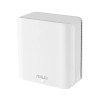
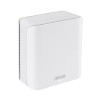
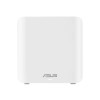
ASUS ZenWiFi BD4 WiFi 7 Dual-Band Mesh Router – Up to 3600Mbps, White Single Pack
The ASUS ZenWiFi BD4 White Single Pack is a modern WiFi 7 dual-band mesh router designed to deliver faster, smoother and more reliable wireless coverage for homes, flats, home offices and smart device setups. It supports the latest WiFi 7 / 802.11be standard, with combined wireless speeds of up to 3600Mbps, made up of up to 2882Mbps on 5GHz and up to 688Mbps on 2.4GHz.
This ASUS ZenWiFi BD4 single pack is ideal for customers searching for a WiFi 7 mesh router, ASUS dual-band mesh router, 3600Mbps WiFi router, white mesh WiFi router, AiMesh compatible router, 2.5G WAN/LAN router, or a next-generation home WiFi upgrade for streaming, gaming, video calls, smart home devices and everyday internet use.
Key Features of the ASUS ZenWiFi BD4 Single Pack
- WiFi 7 / 802.11be support for next-generation wireless connectivity
- Dual-band wireless speeds up to 3600Mbps
- 5GHz speed up to 2882Mbps for faster streaming, downloads and low-latency tasks
- 2.4GHz speed up to 688Mbps for wider coverage and smart home devices
- Multi-Link Operation / MLO support for compatible WiFi 7 devices
- 4K-QAM and 160MHz bandwidth support for improved speed and wireless efficiency
- ASUS AiMesh support for expandable whole-home mesh WiFi
- 4 internal antennas and high-power front-end modules for improved coverage
- 1.5GHz quad-core processor with 512MB RAM and 128MB flash memory
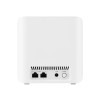
- 2 × 2.5G WAN/LAN auto-detecting ports for fast wired connectivity
- AiProtection Pro with commercial-grade network security features
- Parental controls, VPN features and Smart Home Master SSIDs
- White single-pack / 1-pack design for clean home and office setups
WiFi 7 Speed for Modern Home Networks
The ASUS ZenWiFi BD4 is built for users who want to upgrade from older WiFi routers to a newer WiFi 7 platform. With dual-band speeds of up to 3600Mbps, it is designed for everyday home networking, 4K streaming, online gaming, smart TVs, video calls, cloud storage, downloads and multi-device households.
3600Mbps Speed Explained
The 3600Mbps speed is a combined theoretical wireless speed across both bands. ASUS lists the ZenWiFi BD4 at up to 2882Mbps on 5GHz plus up to 688Mbps on 2.4GHz. Real-world speed depends on your broadband package, device capability, distance from the router, walls, interference, firmware, and network traffic.
Dual-Band WiFi 7 with MLO, 4K-QAM and 160MHz Channels
The ASUS ZenWiFi BD4 supports important WiFi 7 technologies including Multi-Link Operation, 4096-QAM / 4K-QAM and 160MHz bandwidth. These features help compatible devices use wireless capacity more efficiently and can improve speed, stability and responsiveness on busy home networks.
Backward Compatible with Older WiFi Devices
Although the ASUS ZenWiFi BD4 is a WiFi 7 router, it also supports earlier standards including WiFi 6 / 802.11ax, WiFi 5 / 802.11ac, WiFi 4 / 802.11n and older 802.11 standards. This makes it suitable for homes with a mix of new WiFi 7 devices and older laptops, phones, tablets, smart TVs, printers, consoles and IoT devices.
ASUS AiMesh Expandable Mesh WiFi
The AiMesh feature allows the ASUS ZenWiFi BD4 to work with compatible ASUS routers and mesh nodes to create or extend a single whole-home WiFi network. This is useful for reducing weak signal areas and improving coverage in rooms where one router may not be enough.
Single Pack for Smaller Homes or Mesh Expansion
This product is the white single-pack / 1-pack ASUS ZenWiFi BD4. It can be used as a standalone router for smaller homes, flats and home offices, or as an additional AiMesh node in a compatible ASUS mesh setup. Larger homes may need a 2-pack, 3-pack or extra AiMesh nodes for better whole-home coverage.
Dual 2.5G Ports for Fast Wired Connections
The ASUS ZenWiFi BD4 includes 2 × 2.5G WAN/LAN auto-detecting Ethernet ports. These ports are useful for high-speed broadband, wired backhaul, desktop PCs, network switches, NAS devices, gaming consoles and other wired devices that can benefit from faster-than-gigabit connectivity.
Router, Access Point and AiMesh Node Modes
ASUS lists the ZenWiFi BD4 with wireless router mode, access point mode and AiMesh node mode. This gives flexibility for different home network setups, depending on whether you want to replace your existing router, extend your network or add it to an ASUS AiMesh system.
Network Security, Parental Controls and Smart Home Features
The ASUS ZenWiFi BD4 includes AiProtection Pro, parental controls, VPN features and Smart Home Master SSIDs. These features help families manage connected devices, create separate networks for guests or IoT devices, and improve security across the home network.
Smart Home Master SSIDs
Smart Home Master SSIDs make it easier to create separate network profiles for different uses, such as guest WiFi, IoT devices and VPN-connected devices. This can be useful for homes with smart plugs, cameras, speakers, TVs, phones, tablets and other connected devices.
Who Is the ASUS ZenWiFi BD4 Best For?
- Home users upgrading to a WiFi 7 router
- Customers wanting a white mesh WiFi router for a clean setup
- Small homes, flats and home offices needing a single router
- Users expanding an existing ASUS AiMesh network
- Families needing parental controls and guest WiFi features
- Smart homes with IoT devices, phones, tablets and streaming devices
- Customers with fast broadband or wired devices that can use 2.5G Ethernet
ASUS ZenWiFi BD4 White Single Pack Specifications
- Brand: ASUS
- Model: ZenWiFi BD4
- Model Name: BD4(W-1-PK)
- Pack Type: Single Pack / 1-Pack
- Product Type: WiFi 7 dual-band mesh router
- WiFi Standard: WiFi 7 / 802.11be
- Backward Compatibility: WiFi 6, WiFi 5, WiFi 4 and earlier 802.11 standards
- Wireless Bands: Dual-band 2.4GHz and 5GHz
- 2.4GHz WiFi Speed: Up to 688Mbps
- 5GHz WiFi Speed: Up to 2882Mbps
- Combined Wireless Speed: Up to 3600Mbps
- Wireless Features: MLO, OFDMA, beamforming, 4K-QAM and 160MHz bandwidth support
- Mesh Technology: ASUS AiMesh
- Transmit / Receive: 2.4GHz 2×2, 5GHz 2×2
- Antennas: 4 internal antennas
- Processor: 1.5GHz quad-core processor
- Memory: 512MB RAM, 128MB flash
- Ethernet Ports: 2 × 2.5G WAN/LAN auto-detecting ports
- Operating Modes: Wireless router mode, access point mode and AiMesh node mode
- Security Features: AiProtection Pro, parental controls and VPN features
- Buttons: WPS button, reset button and power switch
- LED Indicator: Power LED
- Power Supply: 12V DC, maximum 1.5A output
- Product Dimensions: 140 × 70 × 140mm
- Colour: White
Buying Advice
Before ordering, please remember that this is a router / mesh WiFi unit, not a modem. It normally connects to your broadband modem, ONT or existing ISP router depending on your internet setup. To get the best WiFi 7 performance, your phones, laptops or tablets must also support WiFi 7, and real-world speed will depend on your broadband speed, home layout, walls, interference and connected devices.
Why Buy the ASUS ZenWiFi BD4 White Single Pack?
The ASUS ZenWiFi BD4 WiFi 7 Dual-Band Mesh Router is a strong choice for users who want a clean, modern and expandable home WiFi upgrade. With speeds up to 3600Mbps, WiFi 7 support, MLO, 4K-QAM, 160MHz channels, AiMesh compatibility, dual 2.5G ports, AiProtection Pro, parental controls and Smart Home Master SSIDs, it offers a future-ready router platform for streaming, gaming, smart homes, video calls and everyday internet use.
Specification
ASUS ZenWiFi BD4 White Single Pack Specifications
| Product Type | WiFi 7 Dual-Band Mesh Router |
| Brand | ASUS |
| Series | ZenWiFi |
| Model | ZenWiFi BD4 |
| Model Name | BD4(W-1-PK) |
| Pack Type | Single Pack / 1-Pack |
| Colour | White |
| WiFi Standard | WiFi 7 / 802.11be |
| Backward Compatibility | WiFi 6 / 802.11ax, WiFi 5 / 802.11ac, WiFi 4 / 802.11n, IEEE 802.11a/b/g |
| Wireless Bands | Dual-Band 2.4GHz and 5GHz |
| 2.4GHz WiFi Data Rate | Up to 688Mbps |
| 5GHz WiFi Data Rate | Up to 2882Mbps |
| Combined Wireless Speed | Up to 3600Mbps / 3.6Gbps |
| Transmit / Receive | 2.4GHz 2×2, 5GHz 2×2 |
| Antennas | 4 Internal Antennas |
| WiFi 7 Features | Multi-Link Operation / MLO, 4096-QAM / 4K-QAM, OFDMA, Beamforming and 160MHz Bandwidth Support |
| Mesh Technology | ASUS AiMesh |
| AiMesh Roles | Primary AiMesh Router and AiMesh Node |
| Processor | 1.5GHz Quad-Core Processor |
| Memory | 512MB RAM, 128MB Flash |
| Ethernet Ports | 2 × 2.5G WAN/LAN Auto-Detecting Ports |
| Operating Modes | Wireless Router Mode, Access Point Mode, AiMesh Node Mode |
| Network Standards | IPv4 and IPv6 |
| Security Features | AiProtection Pro, Parental Controls, Guest Network and VPN Features |
| Smart Home Features | Smart Home Master SSIDs for IoT, Guest and VPN Network Setup |
| Buttons | WPS Button, Reset Button, Power Switch |
| LED Indicator | Power LED × 1 |
| Power Input | AC 110V–240V, 50/60Hz |
| Power Output | DC 12V, Maximum 1.5A |
| Package Contents | ZenWiFi BD4, RJ45 Cable, Power Adapter, Warranty Card and Quick Start Guide |
| Product Dimensions | 140 × 70 × 140mm |
Speed Notice
ASUS UK lists the ZenWiFi BD4 with dual-band WiFi 7 speeds of up to 3600Mbps, made up of up to 2882Mbps on 5GHz and up to 688Mbps on 2.4GHz. Real-world speed depends on your broadband connection, client device, distance, walls, interference, firmware and network traffic.
Single-Pack Notice
This product is the BD4(W-1-PK) white single pack. It can be used as a standalone router, access point or AiMesh node, but larger homes may need additional compatible AiMesh units for wider coverage.
Router / Modem Notice
The ASUS ZenWiFi BD4 is a router / mesh WiFi unit, not a modem. It normally connects to your broadband modem, ONT or existing ISP router depending on your internet setup.
WiFi 7 Compatibility Notice
To benefit from WiFi 7 features such as MLO, 4K-QAM and 160MHz bandwidth, your phone, laptop, tablet or desktop WiFi adapter must also support the relevant WiFi 7 features.
Return
FAQ: Frequently Asked Questions
ASUS ZenWiFi BD4 WiFi 7 Mesh Router FAQ
The ASUS ZenWiFi BD4 WiFi 7 Dual-Band Mesh Router is a white WiFi 7 mesh router designed for faster home WiFi, smoother streaming, gaming, smart home devices, video calls and whole-home network expansion through ASUS AiMesh. This product is the single-pack ASUS ZenWiFi BD4, ideal for users who want one WiFi 7 router node or want to expand an existing compatible ASUS AiMesh network. Below are the most common questions buyers ask before choosing this ASUS ZenWiFi BD4 BE3600 dual-band WiFi 7 mesh router, including WiFi 7 compatibility, single-pack coverage, 3600Mbps speed, MLO, 2.5G Ethernet, Ethernet backhaul, router mode, access point mode, parental controls, VPN, smart home networks and who this router is best suited for.
1. What is the ASUS ZenWiFi BD4?
The ASUS ZenWiFi BD4 is a dual-band WiFi 7 mesh router designed to provide fast wireless coverage for homes, offices and smart device setups. It supports ASUS AiMesh, so it can work as a standalone router or as part of a wider ASUS mesh WiFi system.
2. What is the ASUS ZenWiFi BD4 best used for?
The ASUS ZenWiFi BD4 is best used for home WiFi upgrades, small office networks, streaming, online gaming, video calls, smart home devices, WiFi 7 device support and expanding an existing ASUS AiMesh network with an additional mesh node.
3. Is this product a single pack?
Yes. This product page is for the single-pack ASUS ZenWiFi BD4. A single pack gives you one router/node. For larger homes or stronger whole-home coverage, you may need two or three units depending on property size, wall thickness and layout.
4. Can one ASUS ZenWiFi BD4 cover my whole home?
One ASUS ZenWiFi BD4 may be enough for a flat, small house, office room or open-plan area. Larger homes, thick walls, multiple floors or garden office setups may need additional AiMesh nodes for stronger coverage.
5. What does BE3600 mean on the ASUS ZenWiFi BD4?
BE3600 refers to the combined theoretical WiFi speed class of the router. The ZenWiFi BD4 is listed with up to 2882Mbps on 5GHz and up to 688Mbps on 2.4GHz, giving a combined speed class of around 3600Mbps under ideal conditions.
6. Is the ASUS ZenWiFi BD4 a WiFi 7 router?
Yes. The ASUS ZenWiFi BD4 supports WiFi 7, also known as 802.11be. WiFi 7 can improve speed, efficiency and latency when used with compatible devices, while still supporting older WiFi 6, WiFi 5 and WiFi 4 devices.
7. Is the ASUS ZenWiFi BD4 dual-band or tri-band?
The ASUS ZenWiFi BD4 is a dual-band router. It uses 2.4GHz and 5GHz bands. It does not include a separate 6GHz band, so users who specifically want WiFi 6E or tri-band 6GHz WiFi should choose a different model.
8. Does the ASUS ZenWiFi BD4 have 6GHz WiFi?
No. The ASUS ZenWiFi BD4 is a dual-band WiFi 7 router using 2.4GHz and 5GHz. It does not have a 6GHz band. It still supports WiFi 7 features such as MLO and 4K-QAM within its dual-band design.
9. Is WiFi 7 still useful without 6GHz?
Yes. WiFi 7 can still provide benefits on 2.4GHz and 5GHz, including improved efficiency, 4K-QAM, MLO support and better handling of modern devices. However, users who specifically need 6GHz capacity should choose a tri-band WiFi 7 router instead.
10. What WiFi speeds does the ASUS ZenWiFi BD4 support?
The ASUS ZenWiFi BD4 is listed with WiFi 7 speeds up to 2882Mbps on 5GHz and up to 688Mbps on 2.4GHz. Real-world speeds will be lower and depend on your broadband, device, distance, interference, walls and network setup.
11. Will I get the full 3600Mbps speed?
No, 3600Mbps is a combined theoretical wireless speed class, not the speed one device will normally receive. Actual speed depends on the client device, WiFi band, distance, signal quality, router placement, interference and internet package speed.
12. Does the ASUS ZenWiFi BD4 support older WiFi devices?
Yes. The ASUS ZenWiFi BD4 supports older WiFi standards including WiFi 6, WiFi 5, WiFi 4 and earlier 802.11 standards. Older devices can connect, but they will run at their own supported WiFi speed rather than WiFi 7 speeds.
13. Do I need WiFi 7 devices to use the ASUS ZenWiFi BD4?
No. You can use the ASUS ZenWiFi BD4 with older phones, laptops, tablets, smart TVs and smart home devices. WiFi 7 devices will benefit most from the newest features, but older devices can still connect normally.
14. What is MLO on the ASUS ZenWiFi BD4?
MLO stands for Multi-Link Operation. It is a WiFi 7 feature that can allow compatible devices to use or switch between bands more efficiently, helping improve stability, latency and performance in suitable network conditions.
15. Do all devices support MLO?
No. MLO requires WiFi 7 support on the router and the client device. Older WiFi 6, WiFi 5 and WiFi 4 devices can still connect, but they will not use WiFi 7 MLO features.
16. What is 4K-QAM on the ASUS ZenWiFi BD4?
4K-QAM is a WiFi 7 modulation feature that can help transmit more data within the wireless signal under good signal conditions. It can improve wireless efficiency, but the real benefit depends on device compatibility and signal quality.
17. Does the ASUS ZenWiFi BD4 support 160MHz channels?
Yes. The ASUS ZenWiFi BD4 supports 160MHz channel bandwidth on the 5GHz band. This can help improve wireless speed for compatible devices when the local WiFi environment has enough clean channel space.
18. Is the ASUS ZenWiFi BD4 good for gaming?
Yes, the ASUS ZenWiFi BD4 can be good for gaming, especially when placed correctly and used with a strong broadband connection. For the lowest latency, wired Ethernet is still best, but WiFi 7 features can help improve wireless gaming performance on compatible devices.
19. Is the ASUS ZenWiFi BD4 good for streaming?
Yes. The ASUS ZenWiFi BD4 is suitable for streaming services such as Netflix, YouTube, Disney+, Prime Video and IPTV apps, provided your broadband speed and WiFi signal are strong enough for the video quality you want.
20. Is the ASUS ZenWiFi BD4 good for 4K streaming?
Yes. It can support 4K streaming on compatible devices if your broadband connection is fast enough and the router is positioned well. For best results, place the router centrally and avoid hiding it behind furniture or inside cabinets.
21. Is the ASUS ZenWiFi BD4 good for video calls?
Yes. The ASUS ZenWiFi BD4 can improve video calls by providing stronger and more stable WiFi coverage compared with many older routers. Good placement, low interference and sufficient broadband upload speed are important for reliable calls.
22. Is the ASUS ZenWiFi BD4 good for smart homes?
Yes. The ASUS ZenWiFi BD4 is suitable for smart home devices such as cameras, plugs, bulbs, speakers, thermostats and doorbells. ASUS Smart Home Master SSIDs can help create separate networks for IoT devices, VPN devices or children’s devices.
23. Does the ASUS ZenWiFi BD4 support ASUS AiMesh?
Yes. The ASUS ZenWiFi BD4 supports ASUS AiMesh, allowing it to work with compatible ASUS routers and mesh nodes. This makes it useful as a single router or as an extra node in a larger ASUS mesh system.
24. Can I add another ASUS ZenWiFi BD4 later?
Yes. You can add another compatible ASUS AiMesh router or ZenWiFi BD4 unit later to increase coverage. This is useful if you start with a single pack and later need stronger WiFi upstairs, in an extension or in a home office.
25. Can I use the ASUS ZenWiFi BD4 with other ASUS routers?
Yes, if the other ASUS router supports AiMesh. Compatibility and features can vary by model and firmware version, so update firmware and check ASUS AiMesh support before pairing different models.
26. Does the ASUS ZenWiFi BD4 support Ethernet backhaul?
Yes. The ASUS ZenWiFi BD4 can use wired Ethernet backhaul when connected to another compatible AiMesh node by Ethernet. Wired backhaul is often more stable than wireless backhaul, especially in homes with thick walls or multiple floors.
27. What is Ethernet backhaul?
Ethernet backhaul means mesh nodes communicate with each other using a network cable instead of relying only on wireless communication. This can improve speed, stability and latency between mesh units.
28. Is Ethernet backhaul better than wireless mesh?
In many homes, yes. Ethernet backhaul is usually more stable and faster because walls, floors and wireless interference do not affect the connection between mesh nodes. Wireless mesh is easier to install but can lose speed through obstacles.
29. Does the ASUS ZenWiFi BD4 have 2.5G Ethernet ports?
Yes. ASUS lists the ZenWiFi BD4 with dual 2.5G ports. This is useful for faster wired devices, high-speed broadband connections, NAS devices, wired backhaul and future network upgrades.
30. Can I use the ASUS ZenWiFi BD4 with full fibre broadband?
Yes. The ASUS ZenWiFi BD4 can be used with many full fibre broadband setups by connecting it to the ONT or existing modem/router, depending on your provider. Some ISPs may require specific settings such as PPPoE, VLAN or modem bridge mode.
31. Can the ASUS ZenWiFi BD4 replace my ISP router?
It may replace your ISP router if your broadband provider allows third-party routers and you have the required login or connection settings. In some cases, you may need to keep the ISP router and use the ZenWiFi BD4 in access point mode.
32. Can I use the ASUS ZenWiFi BD4 in access point mode?
Yes. The ASUS ZenWiFi BD4 can be used in access point mode, which is useful when you want to keep your existing ISP router but use the ASUS system to improve WiFi coverage and performance.
33. What is the difference between router mode and access point mode?
Router mode lets the ASUS ZenWiFi BD4 manage routing, WiFi, DHCP and network features. Access point mode lets another router manage the network while the ASUS unit mainly provides WiFi coverage. Access point mode can help avoid double NAT issues.
34. Does the ASUS ZenWiFi BD4 support VPN?
Yes. ASUS lists advanced VPN features for the ZenWiFi BD4. This can be useful for users who want easier VPN setup for selected devices, secure remote access or privacy-focused network configurations.
35. Does the ASUS ZenWiFi BD4 include AiProtection Pro?
Yes. ASUS lists AiProtection Pro for the ZenWiFi BD4, offering network security features designed to help protect connected devices and home network traffic. Feature availability can depend on firmware and region.
36. Does the ASUS ZenWiFi BD4 have parental controls?
Yes. The ASUS ZenWiFi BD4 supports parental control features through the ASUS router software/app. This can help manage children’s internet access, create family profiles and apply content or schedule controls.
37. What are Smart Home Master SSIDs?
Smart Home Master SSIDs allow you to create separate WiFi network names for different use cases, such as IoT devices, VPN-connected devices or children’s devices. This can make home network management simpler and more organised.
38. Can I create a separate guest network?
Yes. ASUS routers normally support guest network features. A guest network lets visitors use WiFi without giving them access to your main private network devices, depending on the settings you choose.
39. Is the ASUS ZenWiFi BD4 good for thick walls?
It can improve WiFi coverage compared with older routers, but thick walls, foil insulation, brick, concrete and multiple floors can still reduce signal strength. For difficult homes, adding extra AiMesh nodes or using Ethernet backhaul is recommended.
40. Where should I place the ASUS ZenWiFi BD4?
Place it in an open, central location away from thick walls, metal objects, large appliances and enclosed cabinets. For mesh setups, place nodes where they still receive a strong signal from the main router, not at the edge of poor coverage.
41. Why is my mesh WiFi slower than expected?
Mesh speed can be affected by distance between nodes, thick walls, wireless interference, old client devices, slow broadband, poor router placement, using wireless backhaul and crowded WiFi channels. Wired Ethernet backhaul usually gives the best mesh performance.
42. Why does my device connect to 2.4GHz instead of 5GHz?
Devices may choose 2.4GHz when the 5GHz signal is weaker, when the device is far from the router, or when band steering decides 2.4GHz is more stable. 2.4GHz has longer range, while 5GHz is usually faster at shorter distances.
43. Can I separate the 2.4GHz and 5GHz network names?
Yes, ASUS routers usually allow you to configure wireless bands and SSIDs. Some users prefer one combined network name for convenience, while others separate 2.4GHz and 5GHz for more manual control over device connections.
44. Is the ASUS ZenWiFi BD4 suitable for many connected devices?
Yes. The ZenWiFi BD4 is designed for modern homes with phones, laptops, TVs, consoles, smart speakers, cameras, smart plugs and tablets. Performance depends on the number of active devices, traffic type and coverage quality.
45. Does the ASUS ZenWiFi BD4 work with Alexa or smart speakers?
Yes. Smart speakers and voice assistants can connect to the ASUS ZenWiFi BD4 like normal WiFi devices. For best smart home reliability, keep IoT devices on a stable 2.4GHz or dedicated smart home SSID where appropriate.
46. Does the ASUS ZenWiFi BD4 need a subscription?
The router itself does not require a subscription for normal WiFi use. Some cloud, security or third-party services may have their own terms, but ASUS lists AiProtection Pro and key router features as part of the product offering.
47. How do I set up the ASUS ZenWiFi BD4?
Connect the ZenWiFi BD4 to your modem or existing router, power it on, then follow the ASUS Router app or web interface setup steps. You can create a WiFi name and password, update firmware, choose router or access point mode and add AiMesh nodes if needed.
48. What should I check before buying the ASUS ZenWiFi BD4 single pack?
Check your home size, wall thickness, broadband speed, whether you need one node or multiple nodes, whether your ISP allows third-party routers, whether you need 6GHz WiFi, and whether you want wired Ethernet backhaul or AiMesh expansion later.
49. Who should NOT buy the ASUS ZenWiFi BD4?
The ASUS ZenWiFi BD4 is not ideal for users who specifically need tri-band WiFi 7 with 6GHz, users with very large homes needing a full multi-pack from day one, or buyers who want only a basic cheap router with no mesh or advanced features. It is best for users who want affordable WiFi 7, AiMesh support and strong dual-band performance.
50. Why buy the ASUS ZenWiFi BD4 WiFi 7 Mesh Router from Memox?
Buying the ASUS ZenWiFi BD4 WiFi 7 Dual-Band Mesh Router from Memox is a practical choice if you want a white single-pack WiFi 7 mesh router for faster home WiFi, AiMesh expansion, streaming, gaming, smart home devices and modern broadband connections. Memox offers routers, networking products, PC components, storage, memory and computer accessories for UK customers.
