
STARTECH
StarTech 25U 4-Post Open Frame Server Rack – Adjustable 22–40in, Mobile
- SKU:
- 4672710
- UPC:
- 0065030858519
- MPN:
- 4POSTRACK25U
- Availability:
- Free Click & Collect in Peterborough. UK delivery also available







Description
StarTech 25U 4-Post Open Frame Server Rack – 22–40in Adjustable Depth, 1200lb Capacity and Casters
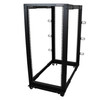
The StarTech.com 4POSTRACK25U 25U 4-Post Open Frame Server Rack is a heavy-duty, adjustable-depth 19-inch equipment rack designed for servers, network switches, patch panels, UPS systems, KVM equipment, storage hardware, AV equipment and other rackmount devices.
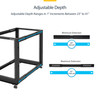
Its four-post steel construction provides significantly more support for deep and heavy equipment than a basic two-post network rack, while the mounting depth can be adjusted from 22 inches to 40 inches (56cm to 101.7cm). This flexibility makes the rack suitable for a wide range of server and networking equipment with different chassis and rail depths.
The rack provides 25U of usable rack space and supports a maximum stationary load of approximately 544.2kg / 1200lb. When configured as a mobile rack using the four included casters, StarTech specifies a maximum rolling capacity of 300kg / 661.5lb.
Three installation options are supplied. The rack can be placed on the included casters for mobility, installed on the supplied levelling feet for a stable freestanding installation, or secured directly to the floor using the pre-drilled base plates where additional stability is required.
The open-frame design provides unrestricted airflow around installed equipment and easy access to cables, ports and rack rails. Twelve included cable-management hooks help organise network, power and data cabling, while clearly marked rack-unit and depth indicators simplify installation and equipment alignment.
The exact model is StarTech.com 4POSTRACK25U, with Memox SKU 4672710 and UPC 0065030858519. It is a practical solution for server rooms, network closets, home labs, offices, AV installations and IT environments where ventilation, accessibility and adjustable rack depth are more important than the physical security of an enclosed cabinet.
Key Features of the StarTech 25U Open Frame Server Rack
- 25U rack height for servers, switches, patch panels, UPS systems and AV equipment
- Standard 19-inch rack equipment compatibility
- Four-post open-frame construction for increased support and stability
- Adjustable mounting depth from 22 to 40 inches
- 56cm to 101.7cm adjustable rail depth
- Up to 544.2kg / 1200lb stationary load capacity
- Up to 300kg / 661.5lb rolling load capacity when using the included casters
- Four casters included for mobile installation
- Four levelling feet included for stable freestanding use
- Pre-drilled floor-anchoring holes for fixed installation
- Heavy-duty steel construction
- Open-frame design for unrestricted ventilation
- Square mounting holes for standard cage nuts
- 32 M6 cage nuts and mounting screws included
- 12 cable-management hooks included
- Clearly marked rack-unit positions
- Clearly marked mounting-depth adjustment points
- Grounding wires included
- Assembly tools included
- Flat-pack design for easier transportation before assembly
- EIA/ECA-310-E compliant rack format
- 2-year StarTech.com warranty
- Free lifetime StarTech.com technical support
25U of Rack Space for Servers and Network Equipment
The rack provides 25 rack units, or 25U, of vertical mounting space.
A rack unit is the standard measurement used for 19-inch rack equipment. One rack unit, commonly written as 1U, is approximately 44.45mm or 1.75 inches high.
What Can Fit in a 25U Server Rack?
The exact equipment combination depends on the height of each installed device, but a 25U rack could accommodate equipment such as:
- 1U and 2U network switches
- 1U, 2U, 3U or 4U rackmount servers
- Patch panels
- Rackmount firewalls and routers
- Rackmount NAS and storage systems
- UPS units
- KVM switches
- Power distribution units
- Rack shelves
- Audio and video equipment
- Cable-management panels
- Blanking panels
For example, installing ten 2U devices would use 20U, leaving 5U for networking, power or cable-management equipment.
Adjustable 22–40in Mounting Depth
One of the main advantages of the 4POSTRACK25U is its wide adjustable mounting depth.
- Minimum mounting depth: 22 inches / 56cm
- Maximum mounting depth: 40 inches / 101.7cm
The front and rear vertical mounting rails can be positioned to suit different equipment depths. Clearly marked adjustment points make it easier to keep both sides of the rack aligned during assembly.
Why Adjustable Rack Depth Matters
Server and network equipment can vary considerably in depth. A shallow network switch may require very little rear support, while enterprise servers and rackmount UPS systems can extend much further into the rack.
Adjustable depth helps accommodate:
- Short-depth network equipment
- Full-depth rackmount servers
- Sliding server rails
- Rackmount UPS systems
- Storage arrays
- AV equipment
- Rackmount workstations
Check Rail Depth – Not Only Equipment Chassis Depth
When checking compatibility, do not use only the overall depth of the server or device.
Many rackmount servers use sliding rails that attach to the front and rear vertical posts. The required front-to-rear mounting distance of the rail kit must fall within the rack's adjustable 56–101.7cm range.
Always check the server or rail manufacturer's installation specification before ordering.
Standard 19-Inch Rack Compatibility
The StarTech 4POSTRACK25U is designed for standard 19-inch rackmount equipment.
This is the common rack width used for professional IT, networking, telecommunications and AV equipment.
EIA/ECA-310-E Compliant Design
The rack is officially listed as compliant with the EIA/ECA-310-E rack standard.
StarTech also describes the rack as being designed for compatibility with standard rack equipment covered by commonly used rack standards including EIA/ECA-310, IEC 60297 and DIN 41494.
Standardisation helps ensure compatibility with equipment from many server, networking and IT manufacturers, provided the equipment's mounting depth, weight and other installation requirements are also suitable.
Heavy-Duty 544kg Stationary Load Capacity
When the rack is installed in a stationary configuration, StarTech specifies a maximum load capacity of approximately:
- 544.2kg
- 1200lb
This allows the rack to support multiple heavy servers, UPS systems, storage equipment and other professional rackmount hardware when assembled and installed correctly.
Stationary Capacity Is Not the Same as Mobile Capacity
The 544.2kg / 1200lb rating applies to the rack in a stationary configuration.
When the rack is used on its casters, StarTech specifies a lower maximum rolling load of:
- 300kg
- 661.5lb
This distinction is important when building a mobile server rack.
Do Not Exceed the Rated Load
The total load includes all equipment installed in the rack.
When calculating rack weight, include:
- Servers
- UPS systems and batteries
- Network switches
- Storage arrays
- Rack shelves
- Power distribution equipment
- AV equipment
- Other rack-mounted accessories
Heavy equipment should generally be installed towards the bottom of the rack to improve stability.
Three Installation Options Included
The rack can be configured in three different ways depending on the installation environment.
1. Mobile Installation Using Casters
Four casters are included, allowing the assembled rack to be repositioned for maintenance, cable access or laboratory use.
A mobile configuration can be particularly useful for:
- Home labs
- Test environments
- Workshops
- IT repair centres
- Temporary installations
- Equipment that requires regular rear access
The maximum rated rolling load is 300kg / 661.5lb.
2. Freestanding Installation with Levelling Feet
Four levelling feet are also included. These can provide a stable stationary installation on floors that are not perfectly level.
The feet allow small adjustments so that the rack can stand evenly without relying on the casters.
3. Floor-Anchored Installation
The rack's base plates include pre-drilled holes that allow the structure to be secured to a suitable floor.
Floor anchoring can provide additional stability for installations containing heavy servers or equipment with sliding rails.
Floor anchors must be selected according to the floor construction and installation environment and are not necessarily supplied with the rack.
Open-Frame Design for Maximum Airflow
The 4POSTRACK25U uses an open-frame design rather than an enclosed cabinet with doors and side panels.
This allows air to move freely around installed equipment and reduces restrictions around server and switch ventilation paths.
Benefits of an Open Server Rack
- Excellent natural airflow
- Easy access to front and rear ports
- Simple cable installation
- Easier maintenance and hardware replacement
- Reduced risk of heat being trapped inside an enclosed cabinet
- Lower rack weight than many enclosed cabinets
- Easy access to server rails
Open Racks Do Not Provide Physical Security
An open-frame rack does not have lockable doors or side panels.
It is therefore best suited to secure server rooms, offices, home labs, studios and technical environments where unauthorised physical access is already controlled.
If the rack will be installed in a public or unsecured location, an enclosed lockable server cabinet may be more appropriate.
Open Rack vs Enclosed Server Cabinet
Choose an Open Rack When You Prioritise:
- Airflow
- Easy maintenance
- Rear equipment access
- Flexible cable routing
- Lower enclosure complexity
Choose an Enclosed Cabinet When You Need:
- Lockable physical security
- Protection against accidental contact
- Side panels
- Front and rear doors
- More controlled cable access
- Better separation from surrounding equipment
Excellent Access for Server Maintenance
Because there are no side panels or doors, technicians can easily reach installed equipment from the front, rear and sides.
This can simplify:
- Replacing network cables
- Installing server rails
- Changing power connections
- Replacing drives
- Installing additional rack equipment
- Troubleshooting connections
- Managing patch panels
Included Cable-Management Hooks
The rack includes 12 cable-management hooks and the screws required to attach them.
The hooks can help guide network and power cables around the rack frame and reduce loose cable bundles around equipment.
Benefits of Good Rack Cable Management
- Easier hardware maintenance
- Improved airflow
- Reduced cable strain
- Cleaner rack appearance
- Easier tracing of network connections
- Less risk of accidentally disconnecting equipment
Square Mounting Holes with M6 Cage Nuts
The mounting rails use standard square mounting holes designed for cage nuts.
The package includes:
- 32 × M6 cage nuts
- 32 × M6 Phillips-head mounting screws
- 32 × PVC cup washers
This provides mounting hardware for several rack devices immediately after assembly.
Additional cage nuts and screws may be required when filling a larger proportion of the 25U rack.
L-Shaped Four-Post Mounting Rails
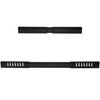
The rack uses four vertical L-shaped mounting rails, providing front and rear mounting points for compatible equipment.
A four-post design is especially important for heavier and deeper equipment because the device or rail kit can be supported at both the front and rear.
Why Four Posts Are Better for Servers
Many rackmount servers are too deep and heavy to be supported safely by a basic two-post communications rack.
Four-post support is commonly required for:
- Rackmount servers
- Sliding server rail systems
- UPS units
- Storage arrays
- Deep rack shelves
Clearly Marked Rack Units
The vertical rails include rack-unit markings to help installers identify where each piece of equipment should be positioned.
This makes it easier to plan the rack layout and align equipment across all four rails.
Plan the Rack Before Installing Equipment
For better stability and accessibility:
- Install heavy UPS systems and servers towards the bottom
- Keep frequently accessed equipment at a comfortable height
- Allow space for cable-management accessories
- Leave appropriate ventilation gaps where equipment manufacturers require them
- Plan power distribution before installing all hardware
Steel Construction
The 4POSTRACK25U is manufactured from durable steel and finished in black.
The heavy-duty structure is designed to provide the strength required for professional IT equipment while maintaining the accessibility of an open rack.
Product Weight
StarTech's current technical specification lists the assembled rack weight as approximately:
- 33kg
- 72.8lb
This should be considered when transporting, assembling or positioning the rack.
Rack Dimensions
StarTech currently lists the approximate assembled dimensions as:
- Width: 60cm / 23.6in
- Height without casters: approximately 1.2m / 48in
- Height with casters: approximately 128.8cm / 50.7in
- Adjustable mounting depth: 56cm to 101.7cm / 22–40in
- Maximum overall product length: approximately 1.1m / 3.7ft depending on configuration
Because the rack is depth-adjustable, its front-to-back footprint changes according to the mounting-depth configuration.
Measure the Installation Area Before Ordering
Allow additional space around the rack for:
- Rear server cables
- Power connectors
- Network patch leads
- Airflow
- Opening server rails
- Technician access
- Moving the rack when casters are installed
Grounding Support
The rack includes four grounding wires and grounding points to assist with electrically bonding the rack structure.
Correct grounding can be an important part of professional rack and network installation, particularly where shielded cabling, power distribution equipment or multiple metal rack components are present.
Grounding should be completed according to applicable electrical and building regulations.
Flat-Pack Design for Easier Transportation
The rack is supplied flat-packed and requires assembly.
A flat-pack design can simplify transport through:
- Doorways
- Staircases
- Office corridors
- Lifts
- Restricted-access server rooms
It can then be assembled close to its final installation position.
Assembly Tools Are Included
StarTech includes the main tools required for rack assembly:
- M8 / 13mm wrench
- M6 / 10mm wrench
- Phillips screwdriver
Additional tools may still be required if the rack is being anchored to the building floor.
Suitable for Rackmount Servers
The adjustable four-post architecture makes the rack suitable for many rackmount server platforms when their rail requirements fall within the 22–40in mounting-depth range.
Potential equipment includes compatible:
- Dell PowerEdge servers
- HPE ProLiant servers
- Lenovo ThinkSystem servers
- Supermicro rackmount systems
- Rackmount storage servers
- Custom 19-inch server chassis
Compatibility is determined by the exact server and rail kit rather than the server brand alone. Always compare the rail mounting-depth requirement with the rack's 56–101.7cm adjustment range.
Suitable for Network Equipment
The rack can also be used for professional network infrastructure including:
- Ethernet switches
- PoE switches
- Routers
- Firewalls
- Patch panels
- Fibre panels
- Network video recorders
- Rackmount NAS systems
- Power distribution units
Suitable for Home Lab Installations
The 25U capacity provides substantial space for a home lab without requiring a full-height 42U enterprise rack.
A typical home-lab installation might contain:
- Internet router or gateway
- Patch panel
- UniFi or other managed switches
- Rackmount server
- NAS
- UPS
- Rack shelf
- Mini PCs
- Home automation equipment
The included casters can be particularly useful in a home lab because the rack can be moved away from a wall when rear access is required.
Suitable for Audio and Video Equipment
The rack's standard 19-inch format can also accommodate compatible professional AV equipment.
Possible uses include:
- Broadcast equipment
- Studio processors
- Audio interfaces
- Amplifiers
- Video distribution equipment
- AV-over-IP equipment
- Signal processors
Who Is the StarTech 4POSTRACK25U Best For?
- Businesses installing rackmount servers
- IT departments expanding a server or network room
- Home-lab users wanting more than a small wall cabinet
- Network engineers requiring easy cable access
- Installations with equipment of different mounting depths
- Users who need a mobile rack on casters
- Users who need a permanently floor-mounted rack
- Server installations requiring front and rear rail support
- AV and broadcast environments
- Workshops and IT testing laboratories
Who May Need a Different Rack?
The 4POSTRACK25U may not be suitable for customers who require:
- A lockable enclosed cabinet
- Physical protection from unauthorised access
- Side panels or front and rear doors
- Protection against dust
- Noise reduction from installed servers
- A wall-mounted rack
- More than 25U of rack space
- Equipment requiring more than 40in / 101.7cm mounting depth
- A rack with integrated active cooling fans
Is This Rack Wall Mountable?
No. The StarTech 4POSTRACK25U is a floor-standing four-post rack and is officially listed as not wall mountable.
Customers requiring a wall-mounted rack should choose a cabinet or frame specifically engineered and rated for wall installation.
Does the Rack Include Cooling Fans?
No cooling fans are included because the open-frame design provides unrestricted natural airflow around installed equipment.
Individual servers, switches and other rack equipment continue to use their own cooling systems.
Does the Rack Include a Door or Lock?
No. The rack has an open-frame design without front or rear doors, side panels or a key lock.
This provides excellent access and airflow but does not provide equipment-level physical security.
Can the Rack Be Bolted to the Floor?
Yes. The base includes pre-drilled floor-anchoring holes.
Anchoring can improve stability, particularly when heavy servers are extended on sliding rails.
Use fixings appropriate for the building floor and installation requirements.
Can the Rack Be Moved After Equipment Is Installed?
Yes, when the four included casters are installed and the total load remains within the manufacturer's 300kg / 661.5lb rolling limit.
Move a loaded rack slowly and only across a suitable smooth and level floor.
Do not attempt to roll a heavily loaded rack across steps, thresholds or uneven flooring without assessing the risk first.
How to Check Equipment Compatibility Before Ordering
- Confirm that the equipment is designed for a standard 19-inch rack.
- Check the number of rack units required.
- Add the total U requirement of all planned equipment.
- Confirm that the equipment or rail kit supports a 22–40in mounting depth.
- Calculate the total installed equipment weight.
- Use the 544.2kg limit for stationary installation.
- Use the lower 300kg limit if the rack will be moved on casters.
- Check that the installation area has sufficient width, height and adjustable depth.
- Allow additional clearance for cables and server-rail extension.
- Decide whether casters, levelling feet or floor anchoring will be used.
Recommended Rack Layout
For improved stability, heavier equipment should normally be positioned towards the bottom of the rack.
Typical Bottom Section
- UPS systems
- Large battery packs
- Heavy storage arrays
- Deep rackmount servers
Typical Middle Section
- Servers
- NAS units
- KVM equipment
- Rack shelves
Typical Upper Section
- Patch panels
- Network switches
- Routers
- Firewalls
- Cable-management panels
The correct layout depends on equipment weight, cable routing, cooling requirements and maintenance access.
Basic Assembly Overview
- Choose the required mounting depth before final tightening.
- Assemble the base and corner sections.
- Install the centre frame sections.
- Attach the top brackets.
- Install the left and right vertical mounting rails.
- Check that the front and rear rails are parallel.
- Verify the selected rack depth using the marked adjustment points.
- Install casters or levelling feet as required.
- Install the grounding wires.
- Attach the cable-management hooks where required.
- Check all frame bolts before loading equipment.
- Install the heaviest rack equipment first, starting near the bottom.
StarTech 4POSTRACK25U Technical Specifications
- Brand: StarTech.com
- Model: 4POSTRACK25U
- Manufacturer Part Number: 4POSTRACK25U
- Memox SKU: 4672710
- UPC: 0065030858519
- Product Type: Open-frame server and network rack
- Rack Type: 4-post
- Rack Width Standard: 19-inch
- Rack Height: 25U
- Frame Type: Open frame
- Construction Material: Steel
- Colour: Black
- Mounting Rail Profile: L-shaped
- Mounting Hole Type: Square, for cage nuts
- Minimum Mounting Depth: 56cm / 22in
- Maximum Mounting Depth: 101.7cm / 40in
- Stationary Weight Capacity: 544.2kg / 1200lb
- Rolling Weight Capacity: 300kg / 661.5lb
- Product Width: Approximately 60cm / 23.6in
- Product Height: Approximately 1.2m / 48in without casters
- Height with Casters: Approximately 128.8cm / 50.7in
- Maximum Product Length: Approximately 1.1m / 3.7ft depending on depth configuration
- Product Weight: Approximately 33kg / 72.8lb
- Casters: 4 included
- Levelling Feet: 4 included
- Floor Anchoring: Supported through pre-drilled base plates
- Cable Management: 12 cable-management hooks included
- Cage Nuts: 32 × M6 included
- Rack Unit Markings: Yes
- Depth Markings: Yes
- Grounding Support: Yes, 4 grounding wires included
- Wall Mountable: No
- Fans Included: No
- Front Door: No
- Side Panels: No
- Key Lock: No
- Flat Pack: Yes – assembly required
- Industry Standard: EIA/ECA-310-E
- TAA Compliant: Yes
- Manufacturer Warranty: 2 years
- Technical Support: Free lifetime StarTech.com technical support
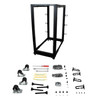
What Is Included?
- 2 × Left vertical rails
- 2 × Right vertical rails
- 2 × Base brackets
- 8 × Corner sections
- 4 × Centre sections
- 2 × Top brackets
- 48 × M8 bolts
- 48 × M8 washers
- 1 × M8 / 13mm wrench
- 1 × M6 / 10mm wrench
- 1 × Phillips screwdriver
- 32 × M6 cage nuts
- 32 × PVC cup washers
- 32 × M6 Phillips-head screws
- 12 × Cable-management hooks
- 12 × Hook-mounting screws
- 4 × Casters
- 4 × Levelling feet
- 16 × M6 screws
- 16 × M6 flat washers
- 16 × M6 flange nuts
- 4 × Grounding wires
Servers, network equipment, rack shelves, PDUs, UPS systems, floor anchors and other rackmount hardware not specifically listed above are not included.
Important Weight-Capacity Information
The rack supports up to 544.2kg / 1200lb when stationary. When installed on the supplied casters and moved, the maximum rated load is 300kg / 661.5lb.
Do not use the 544kg stationary figure as the mobile rolling capacity.
Important Product-Weight Information
StarTech's current technical specification lists the product weight at approximately 33kg / 72.8lb. This is the figure that should be used instead of the older 20kg value currently shown in some distributor data.
Important Depth Compatibility Information
The mounting rails adjust from 56cm to 101.7cm / 22–40in. Check the required front-to-rear mounting distance of the equipment's rail kit rather than relying only on the equipment's overall chassis depth.
Important Open-Frame Information
The rack provides excellent airflow and unrestricted equipment access but has no doors, side panels or lock. It does not provide the physical security or dust isolation of an enclosed rack cabinet.
Important Stability Information
Heavy equipment should be installed towards the bottom of the rack. When sliding servers or other equipment out of the rack, additional forward leverage can be created.
For heavy permanent installations, use the levelling feet or appropriately anchor the rack to the floor according to the building structure and installation requirements.
Why Choose the StarTech 4POSTRACK25U?
The StarTech.com 4POSTRACK25U 25U Open Frame Server Rack combines heavy-duty four-post construction with a highly flexible 22–40in adjustable mounting depth, making it suitable for a broad range of modern servers, switches, storage systems and other 19-inch rack equipment.
Its 544.2kg stationary capacity supports substantial server and infrastructure loads, while the included casters provide the option of a mobile rack with a still-generous 300kg rolling capacity. Levelling feet and floor-anchoring capability provide alternative installation options for permanent server-room deployments.
The open structure helps maximise airflow and makes cabling, maintenance and equipment changes straightforward. Rack-unit markings, depth markings, included cage nuts, cable-management hooks, grounding wires and assembly tools further simplify installation.
Choose the StarTech 4POSTRACK25U when you need a 25U 19-inch four-post server rack with adjustable 22–40in depth, heavy-duty server support, casters and flexible floor installation without the cost and restricted access of a fully enclosed cabinet.
Specification
StarTech 4POSTRACK25U 25U Open Frame Server Rack Specifications
The StarTech.com 4POSTRACK25U is a heavy-duty 25U, four-post, open-frame server and network rack designed for standard 19-inch rackmount equipment. Its adjustable front-to-rear mounting depth ranges from 22 to 40 inches (56 to 101.7cm), allowing it to support a wide variety of servers, network switches, UPS systems, storage devices and AV equipment.
The rack can be configured as a stationary freestanding rack using the included levelling feet, as a mobile rack using the supplied casters, or secured to a suitable floor using its pre-drilled base plates. StarTech specifies a maximum stationary load of 544.2kg / 1200.1lb and a lower 300kg / 661.5lb maximum load when the rack is moved on its casters.
General Information
| Brand | StarTech.com |
|---|---|
| Product Name | StarTech.com 25U 4-Post Open Frame Server Rack |
| Model | 4POSTRACK25U |
| Manufacturer Part Number | 4POSTRACK25U |
| Memox SKU | 4672710 |
| UPC | 065030858519 |
| EAN-13 Format | 0065030858519 |
| Product Type | Open-frame server and network equipment rack |
| Rack Type | 4-post |
| Frame Type | Open frame |
| Rack Width Standard | 19-inch equipment rack |
| Rack Height | 25U |
| Colour | Black |
Rack Capacity and Format
| Usable Rack Height | 25U |
|---|---|
| Number of Vertical Rails | 4 |
| Mounting Rail Profile | L-shaped |
| Mounting Hole Type | Square holes for cage nuts |
| Rack Unit Markings | Yes |
| Depth Adjustment Markings | Yes |
| Industry Standard | EIA/ECA-310-E |
Adjustable Mounting Depth
| Minimum Mounting Depth | 56cm / 22in |
|---|---|
| Maximum Mounting Depth | 101.7cm / 40in |
| Mounting Depth Adjustable | Yes |
| Adjustment Range | Approximately 45.7cm / 18in between minimum and maximum settings |
| Suitable for Sliding Server Rails | Yes, where the server rail kit supports a front-to-rear mounting distance within the 22–40in range |
Weight Capacity
| Maximum Stationary Load | 544.2kg / 1200.1lb |
|---|---|
| Maximum Rolling Load | 300kg / 661.5lb |
| Stationary Capacity Applies When | The rack is correctly assembled and used in an appropriate stationary configuration |
| Rolling Capacity Applies When | The rack is fitted with the supplied casters and is being used or moved as a mobile rack |
Installation Options
| Freestanding Installation | Yes |
|---|---|
| Mobile Installation | Yes, using the four supplied casters |
| Levelling Feet | 4 included |
| Casters | 4 included |
| Floor Anchoring | Supported through pre-drilled holes in the base plates |
| Floor Anchors Included | No; suitable anchors should be selected for the installation surface |
| Wall Mountable | No |
Construction
| Construction Material | Steel |
|---|---|
| Frame Construction | Heavy-duty four-post open steel frame |
| Product Colour | Black |
| Front Door | No |
| Rear Door | No |
| Side Panels | No |
| Key Lock | No |
| Enclosed Cabinet | No |
Cooling and Ventilation
| Rack Cooling Design | Open-frame natural ventilation |
|---|---|
| Cooling Fans Included | No |
| Front Airflow Obstruction | No rack door is fitted |
| Rear Airflow Obstruction | No rack door is fitted |
| Side Access | Open and unrestricted |
Cable Management
| Built-In Cable Management | Yes |
|---|---|
| Cable-Management Hooks | 12 included |
| Hook Mounting Screws | 12 included |
| Open Rear Cable Access | Yes |
| Open Side Cable Access | Yes |
Grounding
| Grounding Support | Yes |
|---|---|
| Grounding Wires Included | 4 |
| Grounding Lugs / Points | Supported as part of the rack design |
| Installation Requirement | Grounding should be completed in accordance with applicable electrical and installation requirements |
Included Equipment Mounting Hardware
| M6 Cage Nuts | 32 |
|---|---|
| M6 Phillips-Head Rack Screws | 32 |
| PVC Cup Washers | 32 |
| Additional Rack Hardware Required | Additional cage nuts and screws may be required when installing more equipment than the supplied hardware can accommodate |
Assembly Hardware
| M8 Bolts | 48 |
|---|---|
| M8 Washers | 48 |
| M6 Screws | 16 |
| M6 Flat Washers | 16 |
| M6 Flange Nuts | 16 |
Included Assembly Tools
| M8 / 13mm Wrench | 1 included |
|---|---|
| M6 / 10mm Wrench | 1 included |
| Phillips Screwdriver | 1 included |
| Additional Tools | May be required for floor anchoring or site-specific installation |
Product Dimensions
| Product Width | 60cm / 23.6in |
|---|---|
| Product Height | Approximately 1.2m / 48in without casters |
| Product Height with Casters | 128.8cm / 50.7in |
| Manufacturer-Listed Product Length | Approximately 1.1m / 3.7ft |
| Minimum Equipment Mounting Depth | 56cm / 22in |
| Maximum Equipment Mounting Depth | 101.7cm / 40in |
| Depth Adjustable | Yes; overall front-to-back rack size changes according to configuration |
Product Weight
| Current Manufacturer-Listed Product Weight | 33kg / 72.8lb |
|---|---|
| Legacy Manual Weight | An older StarTech assembly manual lists 20kg; the current StarTech product page and current datasheet list 33kg |
| Recommended Published Figure | 33kg / 72.8lb, based on StarTech's current product specification |
Packaging
| Packaging Type | Flat pack |
|---|---|
| Assembly Required | Yes |
| Package Quantity | 1 rack kit |
| Flat-Pack Benefit | Can simplify transportation through doorways, corridors, lifts and restricted-access installation areas before assembly |
Equipment Compatibility
| Standard Rack Equipment Width | 19-inch |
|---|---|
| Rackmount Servers | Compatible where the equipment and rail kit meet the rack's dimensional and weight requirements |
| Network Switches | Compatible with suitable 19-inch rackmount models |
| Patch Panels | Compatible with suitable 19-inch rackmount models |
| Rackmount UPS Systems | Compatible where dimensions and weight remain within specification |
| KVM Equipment | Compatible with suitable 19-inch rackmount models |
| Rackmount NAS / Storage | Compatible where dimensions and rail requirements are suitable |
| AV Equipment | Compatible with suitable 19-inch rackmount equipment |
Server Rail Compatibility
| Front and Rear Rail Support | Yes |
|---|---|
| Sliding Rail Compatibility | Depends on the exact server rail kit |
| Required Rail Depth | The rail kit's front-to-rear mounting requirement must fall within 22–40in / 56–101.7cm |
| Brand-Specific Compatibility | Check the exact server and rail-kit specification; compatibility cannot be guaranteed from manufacturer name alone |
Mobility
| Mobile Rack Configuration | Yes |
|---|---|
| Number of Casters | 4 |
| Maximum Load While Rolling | 300kg / 661.5lb |
| Recommended Surface | Smooth, level and structurally suitable flooring |
| Mobile Use with 544.2kg Load | No – 544.2kg is the stationary rating, not the rolling rating |
Stationary Installation
| Levelling Feet Included | Yes – 4 |
|---|---|
| Floor Anchoring Supported | Yes |
| Base Plates Pre-Drilled | Yes |
| Maximum Stationary Load | 544.2kg / 1200.1lb |
Compliance and Standards
| EIA/ECA-310-E | Compliant |
|---|---|
| TAA Compliant | Yes |
| RoHS / REACH Documentation | Available from StarTech.com |
| CE Documentation | Available from StarTech.com |
Package Contents
| Left Vertical Rails | 2 |
|---|---|
| Right Vertical Rails | 2 |
| Base Brackets | 2 |
| Corner Sections | 8 |
| Centre Sections | 4 |
| Top Brackets | 2 |
| M8 Bolts | 48 |
| M8 Washers | 48 |
| M8 / 13mm Wrench | 1 |
| M6 / 10mm Wrench | 1 |
| Phillips Screwdriver | 1 |
| M6 Cage Nuts | 32 |
| PVC Cup Washers | 32 |
| M6 Phillips-Head Rack Screws | 32 |
| Cable-Management Hooks | 12 |
| Hook-Mounting Screws | 12 |
| Casters | 4 |
| Levelling Feet | 4 |
| M6 Screws | 16 |
| M6 Flat Washers | 16 |
| M6 Flange Nuts | 16 |
| Grounding Wires | 4 |
Items Not Included
| Servers | Not included |
|---|---|
| Network Switches | Not included |
| UPS Systems | Not included |
| Rack Shelves | Not included unless purchased separately |
| Power Distribution Units | Not included |
| Additional Rack Screws / Cage Nuts | Not included beyond the supplied quantities |
| Floor Anchors | Not included |
Warranty and Technical Support
| Manufacturer Warranty | 2 years |
|---|---|
| Warranty Provider | StarTech.com, subject to the manufacturer's applicable warranty terms |
| Technical Support | Free lifetime StarTech.com technical assistance |
| Support Availability | StarTech currently advertises multilingual 24/5 technical assistance |
| Proof of Purchase | May be required for warranty service |
Important Product Weight Note
StarTech's current product page and current product datasheet list the rack weight as 33kg / 72.8lb. An older StarTech assembly manual lists 20kg.
For current product-page data, the newer 33kg figure should be used. The 20kg value should be treated as legacy documentation unless StarTech confirms otherwise for a specific hardware revision.
Important Stationary vs Rolling Load Note
The two load ratings must not be confused. The rack supports up to 544.2kg / 1200.1lb when stationary, but the manufacturer reduces the maximum load to 300kg / 661.5lb when the rack is used or moved on the supplied casters.
Do not advertise 544.2kg as the mobile or rolling capacity.
Important Server Rail Compatibility Note
Check the required front-to-rear mounting distance of the server's rail kit rather than using only the overall chassis depth.
The rail kit must support a mounting distance within the rack's adjustable 22–40in / 56–101.7cm range.
Important Stability Note
Install heavy equipment such as UPS systems, storage arrays and large servers towards the bottom of the rack wherever practical. This helps maintain a lower centre of gravity.
Sliding a heavy server out on its rails changes the rack's centre of gravity and can increase the risk of tipping. For heavy permanent installations, appropriate floor anchoring should be considered.
Important Open-Frame Note
The open-frame construction provides excellent ventilation and unrestricted maintenance access, but the rack does not provide doors, side panels, dust isolation or lockable physical security.
For public or unsecured areas, a lockable enclosed server cabinet may be more appropriate.
Important Floor-Anchoring Note
The base plates are pre-drilled for floor anchoring, but suitable building fixings are not included. Anchors must be selected according to the floor material, rack load and applicable building requirements.
Important Rack Capacity Note
The rack provides 25U of usable equipment space. Calculate the total rack-unit requirement of all equipment before installation and allow additional space where required for cable management, ventilation, blanking panels and future expansion.
Return
FAQ: Frequenlty Asked Questions
StarTech 4POSTRACK25U 25U Open Frame Server Rack FAQ
The StarTech 4POSTRACK25U is a 25U four-post open-frame 19-inch server and network rack with adjustable 22-to-40-inch mounting depth. It is designed for compatible rackmount servers, switches, patch panels, UPS systems, storage equipment, KVM hardware and AV devices, and can be configured with the supplied casters, levelling feet or floor-anchoring points.
Below are the most common questions buyers ask before choosing this StarTech 25U rack, including server-rail compatibility, Dell PowerEdge and HPE ProLiant fit, depth adjustment, cage nuts, shelves, UPS installation, casters, load capacity, grounding, cable management, assembly, home-lab use and the differences between an open rack and an enclosed cabinet.
1. What is the StarTech 4POSTRACK25U?
The StarTech 4POSTRACK25U is a 25U, four-post, open-frame 19-inch server and network rack with adjustable front-to-rear mounting depth. It is designed for rackmount servers, switches, patch panels, UPS systems, storage hardware, KVM equipment and AV devices in home labs, offices, workshops and IT rooms.
2. What is the exact manufacturer part number?
The manufacturer part number is 4POSTRACK25U. The UPC/EAN shown for this model is 0065030858519. Checking the exact part number is useful because StarTech sells several similar 12U, 25U and 42U racks with different depth ranges and load ratings.
3. What does 25U mean?
Rack height is measured in rack units, abbreviated U. One rack unit is 1.75 inches or 44.45mm high, so a 25U rack provides 25 standard rack-unit positions for compatible 19-inch equipment.
4. How much usable rack height does 25U provide?
Twenty-five rack units equal 43.75 inches or about 1.11 metres of nominal equipment mounting height. The complete frame is taller because the base, top structure, levelling feet or casters sit outside the usable U-space.
5. Is this a standard 19-inch server rack?
Yes. The rack follows the standard 19-inch rack format and StarTech lists EIA/ECA-310-E compliance. The 19-inch figure refers to the rack equipment mounting standard, not the rack's outside width.
6. What is a four-post server rack?
A four-post rack has front and rear vertical mounting rails. That makes it better suited than a two-post rack to heavy or deep devices such as servers, UPS systems and storage chassis that use front-and-rear rails.
7. What is an open-frame rack?
An open-frame rack has no front door, rear door or side panels. This gives excellent airflow and easy cable access, but it provides less physical security, dust isolation and noise containment than an enclosed server cabinet.
8. What mounting depth range does the 4POSTRACK25U support?
The front-to-rear mounting depth adjusts from 22 inches to 40 inches, approximately 56cm to 101.7cm. This wide range is one of the rack's main advantages because it can accommodate both shorter network equipment and full-depth servers.
9. Can the depth be adjusted in one-inch steps?
Yes. StarTech's mounting-depth chart provides settings from 22 through 40 inches in one-inch increments, allowing the front and rear posts to be positioned to match compatible server rails and rack equipment.
10. What is the minimum mounting depth?
The minimum front-to-rear mounting depth is 22 inches, approximately 56cm.
11. What is the maximum mounting depth?
The maximum front-to-rear mounting depth is 40 inches, approximately 101.7cm.
12. Is mounting depth the same as the total outside depth of the rack?
No. Mounting depth is the distance between the equipment mounting planes, not necessarily the full outside footprint. The rack's overall depth changes as the frame is adjusted, so use the rail-depth requirement of your equipment and allow extra room for cables and connectors.
13. How do I choose the correct rack depth for my equipment?
Check the installation range specified for each server rail, shelf or four-post accessory and choose a rack depth inside that range. Also leave enough rear clearance for power cables, network connectors, cable-management arms and airflow.
14. Should I set the rack to the deepest 40-inch position even if my equipment is shorter?
Not automatically. A deeper setting provides more cable and upgrade space but increases the floor footprint. Choose a depth that fits your longest rail kit while leaving sensible rear clearance and room for future equipment.
15. Can I change the rack depth after it has been assembled?
The frame is adjustable, but changing the depth after equipment is installed is not a simple live adjustment. Remove or safely support mounted equipment, follow the StarTech assembly procedure and ensure all frame sections are aligned and tightened before reloading the rack.
16. Is the StarTech 25U rack suitable for full-depth servers?
Yes, when the server's rail kit supports a mounting depth between 22 and 40 inches. Full-depth server compatibility depends on the rail kit as well as the chassis depth, so always check the server manufacturer's rail specifications.
17. Will it fit Dell PowerEdge servers?
Many Dell PowerEdge rack servers can be installed because the rack is a standard four-post 19-inch design with up to 40 inches of mounting depth. Compatibility is not universal: verify the exact PowerEdge model and the minimum and maximum depth supported by its Dell rail kit.
18. Will it fit an HP or HPE ProLiant server?
Many HPE ProLiant rack servers can fit, provided their rail kits support the rack's 22-to-40-inch post spacing. Check the exact ProLiant generation and rail part number before purchase.
19. Will it fit Lenovo ThinkSystem or ThinkServer rack servers?
It can support many Lenovo rack servers when the Lenovo rail kit is compatible with standard square-hole four-post racks and with a post spacing between 22 and 40 inches. Verify the rail-kit specification for the exact server.
20. Will it fit Supermicro rackmount servers?
Many Supermicro chassis and rail kits use standard 19-inch four-post racks, but the required rail depth varies. Check the exact Supermicro chassis and rail kit to confirm that its supported post spacing overlaps the rack's 22-to-40-inch range.
21. Can I install a short-depth server in this rack?
Yes, if its mounting system works with a 22-inch or greater post spacing. Some very short chassis mount only from the front or need a shelf rather than standard sliding rails.
22. Can I install a desktop tower PC in this rack?
A normal tower PC is not directly rackmountable. You can place suitable non-rack equipment on a properly rated rack shelf, provided the shelf, rack and overall load remain within their limits.
23. Can I install a NAS in the rack?
Yes. Rackmount NAS appliances can mount directly when their rail or ear system is compatible. Desktop NAS units can be placed on a suitably rated rack shelf.
24. Can I mount a UniFi switch or other network switch?
Yes. Standard 19-inch rackmount network switches, including many UniFi, Cisco, TP-Link, Netgear, Aruba and MikroTik models, can be mounted at the front of the rack using the appropriate ears and screws.
25. Can I install patch panels?
Yes. Standard 19-inch patch panels are well suited to this rack. Most shallow patch panels mount only to the front rails and do not require the rear posts.
26. Can I install a rackmount UPS?
Yes, provided the UPS rail kit supports the selected rack depth and the weight is within the rack and rail limits. Heavy UPS units are best installed near the bottom to keep the centre of gravity low.
27. Can I install a rack PDU?
Yes. Horizontal 19-inch PDUs can use rack units like other equipment. Vertical or zero-U PDUs may also be possible with suitable mounting hardware, but confirm the accessory's mounting method and available clearance.
28. Can I install a KVM console or rack drawer?
Yes, if the KVM or drawer uses compatible 19-inch rails and its supported depth range matches the selected rack setting. Sliding KVM equipment should be supported at both front and rear when the manufacturer requires it.
29. Can I use the rack for audio and video equipment?
Yes. StarTech lists rack-mounting AV equipment as a supported application. Use appropriate shelves or rack ears and confirm depth, ventilation and weight requirements for the equipment.
30. Can I install 1U, 2U, 3U and 4U equipment?
Yes. Any standard rackmount height can be used as long as the total occupied space does not exceed 25U and the equipment is otherwise compatible with the rack width, depth and load limits.
31. Does the rack use square mounting holes?
Yes. The vertical rails use square holes designed for cage nuts. This is a common data-centre style because cage nuts can be replaced if a thread is damaged and different compatible nut sizes can be used when required.
32. What cage nuts are supplied?
StarTech lists 32 M6 cage nuts, 32 M6 Phillips screws and 32 PVC cup washers in the current package contents. Additional mounting hardware may be required for a fully populated 25U rack.
33. Are 32 cage nuts enough to fill the whole rack?
No. The included hardware is a starter quantity. Equipment that uses four front screws per rack unit can quickly use the supplied cage nuts, and four-post shelves or rails may require additional hardware. Plan extra M6 cage nuts and screws if installing many devices.
34. Can I use M5 cage nuts instead of M6?
The rack's square holes can accept appropriate cage-nut hardware, but the supplied hardware is M6. Use the screw and cage-nut size specified by the equipment or rail manufacturer and never mix incompatible screw threads.
35. Do I need sliding rails for servers?
Heavy servers are normally safest and easiest to service with the manufacturer's compatible sliding or static rail kit. Do not rely only on front rack ears to support a deep, heavy server unless the server manufacturer specifically permits it.
36. Will Dell ReadyRails fit this rack?
Many Dell ReadyRails kits are designed for standard square-hole four-post racks, but each rail kit has a specific supported post-spacing range. Confirm the exact Dell rail part number against the 22-to-40-inch rack depth before purchase.
37. What if my server rails are shorter than the rack depth?
Set the rack to a depth within the rail kit's supported range whenever possible. If the rail cannot reach the rear posts, do not improvise support for a heavy server; use the correct rail kit, a compatible rack-depth adapter or a properly rated shelf.
38. Can equipment hang past the rear posts?
The chassis body may extend beyond the rear posts if its approved mounting system is properly supported, but the rails themselves must be installed according to the equipment manufacturer's instructions. Leave clearance for cables and airflow.
39. Can shallow network equipment mount only to the front posts?
Yes. Many switches, patch panels and lightweight network appliances are designed for front-ear mounting. Confirm the device's own mounting instructions and weight limits.
40. What is the stationary weight capacity?
StarTech's current datasheet rates the rack for approximately 1,200lb or 544kg when stationary and correctly configured.
41. What is the rolling weight capacity on the casters?
StarTech's current datasheet separately rates the rack for approximately 661.5lb or 300kg when rolling on the supplied casters.
42. Why is the rolling load rating lower than the stationary rating?
Moving a loaded rack adds dynamic forces and places additional stress on the casters and frame. For this reason StarTech specifies about 300kg rolling capacity versus about 544kg stationary capacity.
43. Can I move the rack while it is fully loaded to 544kg?
No. The current rolling capacity is approximately 300kg, so a rack loaded near the 544kg stationary limit should not be rolled in that condition. Reduce the load before moving it and move slowly over a smooth, level surface.
44. Should heavy equipment be mounted at the bottom?
Yes. UPS systems, storage arrays and heavy servers should generally be placed low in the rack to reduce the centre of gravity and improve stability. Lighter switches and patch panels can normally be installed higher.
45. Can I put the heaviest server at the top?
It is not recommended. A top-heavy rack is easier to tip, especially while moving. Load heavy equipment from the bottom upward and keep the weight distribution balanced.
46. Are casters included?
Yes. Four casters are included in the current package contents, allowing the rack to be configured as a mobile rack within the specified rolling load limit.
47. Are levelling feet included?
Yes. Four levelling feet are included. They are useful when the rack will remain in one location and the floor is slightly uneven.
48. Can I use both casters and levelling feet?
The rack includes both installation options, but follow StarTech's assembly instructions for the configuration you intend to use. Do not assume the levellers are intended to act as brakes for the casters.
49. Can the rack be bolted to the floor?
Yes. StarTech states that the base is pre-drilled with floor-anchoring holes, giving a third installation option for greater stability in a permanent installation. Use anchors suitable for the floor construction.
50. Which is best: casters, levelling feet or floor anchoring?
Use casters when regular repositioning is genuinely required and the rolling load stays within 300kg. Use levelling feet for a stationary but non-permanent setup. Floor anchoring offers the greatest stability for a permanent installation where the building structure permits it.
51. Does the rack have locking doors?
No. This is an open-frame rack with no front or rear doors or side panels. It should be used in an area where rack-level physical security is not required.
52. Can I add doors or side panels later?
This model is designed as an open-frame rack and StarTech does not describe it as a convertible enclosed cabinet. If lockable doors or removable side panels are required, choose an enclosed rack designed for those features.
53. Does an open-frame rack provide better airflow than an enclosed cabinet?
It generally provides very unrestricted natural airflow and easy access around equipment. However, actual cooling still depends on the servers' fan design, room temperature, air circulation and avoiding cable obstructions.
54. Will an open-frame rack reduce server noise?
No. Because there are no doors or acoustic panels, the rack does not contain server or fan noise. If noise reduction is important, location and equipment acoustics matter more, or an appropriate enclosed acoustic solution may be needed.
55. Does the rack protect equipment from dust?
No. The open frame leaves equipment exposed to room dust. Install it in a reasonably clean environment and maintain server, switch and UPS filters according to their manufacturers' instructions.
56. Is the rack suitable for a living room or bedroom?
Physically it can be used wherever the floor can safely support it and there is adequate clearance, but open-frame racks do not reduce server noise or hide cables. A dedicated office, utility room, workshop or IT area is usually more practical.
57. Is this rack suitable for a home lab?
Yes. The adjustable depth, 25U capacity, included casters and open access make it popular for home-lab servers, switches, NAS units, UPS systems and patch panels. Reddit homelab users frequently discuss this exact model for compact but expandable setups.
58. Is 25U enough for a home lab?
For many home labs it is a useful middle size: much more capacity than a small wall cabinet while shorter than a 42U data-centre rack. Add up the U-height of your current equipment and leave spare space for a UPS, shelves, cable management and future upgrades.
59. How much spare rack space should I leave for future upgrades?
There is no fixed rule, but leaving several free rack units is sensible if you expect to add storage, networking, a UPS or more servers. Also reserve space where airflow, cable bend radius or sliding-rail service access requires it.
60. Can I place a monitor on top of the rack?
The rack does not include a top shelf or tabletop. Some home-lab users add a suitable separately supported surface, but do not treat the top frame as a rated equipment shelf unless an accessory is specifically designed and safely mounted for that purpose.
61. Can I add rack shelves?
Yes. Standard 19-inch shelves can be used if their mounting method and depth are compatible. Four-post shelves are preferable for heavier devices, while front-mounted cantilever shelves are better suited to lighter loads.
62. How do I know whether a StarTech shelf is compatible?
StarTech states that shelves listed under the Accessories section of a specific rack product page have been validated for that rack model. You can also verify the shelf's mounting-depth range and load capacity independently.
63. Can I install non-rackmount routers, hubs or small PCs?
Yes, by placing them on a properly rated rack shelf. Secure small devices so they cannot slide off when cables are moved or the rack is repositioned.
64. Does the rack include cable-management accessories?
Yes. StarTech lists 12 cable-management hooks and 12 hook mounting screws in the package. The hooks mount along the rear area of the frame to help route network and power cables.
65. Can I add more cable-management rings or vertical managers?
Yes, compatible accessories can be added where the mounting method fits the rack. Community users also use frame holes for additional vertical cable-management solutions, but check mechanical compatibility before loading them.
66. Can I mount a zero-U PDU vertically?
It may be possible with a PDU mounting system that fits the frame, but zero-U mounting is not guaranteed for every PDU. Check the PDU's mounting-hole pattern, rack clearance and cable orientation.
67. Should network and power cables be routed separately?
Where practical, route power and data cables in separate bundles to make maintenance easier and reduce congestion. Maintain the bend radius specified for fibre and copper cables and avoid blocking server exhaust paths.
68. Does the rack have grounding points?
Yes. StarTech includes grounding wires and provides grounding points in the frame. The manual instructs connecting the grounding wire from the rack frame to an appropriate earth-ground connection.
69. Do I need to ground the server rack?
A metal equipment rack should be bonded and grounded according to the electrical and telecommunications standards that apply to your installation. StarTech provides grounding hardware, but a qualified installer should determine the correct earth connection for commercial or regulated environments.
70. How many grounding wires are included?
The current package list includes four grounding wires. Follow the StarTech manual for their intended installation and local electrical requirements.
71. Does the rack arrive assembled?
No. It is shipped flat-packed and requires assembly. Flat packing makes the large rack easier to transport through doors and into the room where it will be used.
72. Are assembly tools included?
Yes. The current package contents list an M8 wrench, an M6 wrench and a Phillips screwdriver in addition to the required frame hardware.
73. How difficult is the rack to assemble?
The rack is designed for user assembly and has labelled depth markings, but it is a large steel structure. Careful alignment is important, and community users often recommend having a second person available to hold frame sections during assembly.
74. Does StarTech recommend two people for handling the rack?
Yes. The user manual specifically states that two people are required when repositioning the rack during caster and levelling-foot installation. Two-person handling is also sensible once the assembled frame becomes awkward or heavy.
75. What should I check before assembling the rack?
Choose the final location, confirm the rack can pass through doors if it will later be moved, unpack and count all components, choose the required rail depth and read the StarTech manual before tightening the frame.
76. Should I fully tighten every bolt immediately during assembly?
Follow the manual sequence. In general, align the frame and depth correctly before final tightening, then recheck that the rack is square, level and stable. Do not over-tighten bolts or strip threads.
77. How do the depth markings work?
The horizontal frame sections have numbered reference marks. StarTech's chart pairs the marks to create each depth from 22 to 40 inches; for example, matching the appropriate marks on both sides sets the same front-to-rear spacing.
78. What setting gives a 30-inch mounting depth?
StarTech's mounting-depth chart shows 30 inches using the reference marks 4 and 4. Ensure both sides of the rack use the same correct setting before tightening the frame.
79. What setting gives a 34-inch mounting depth?
The StarTech manual shows 34 inches by aligning the relevant cut-outs with reference 6 and 6.
80. What setting gives a 40-inch mounting depth?
The maximum 40-inch mounting depth uses reference marks 9 and 9 according to StarTech's depth chart.
81. Can I assemble the rack at 22 inches for network equipment and expand it later for servers?
Yes, the design is adjustable, but resizing should be treated as a rebuild operation. Remove equipment first, support the frame safely and follow the manual rather than trying to extend a loaded rack.
82. What is the rack's outside width?
StarTech's current datasheet lists the rack at approximately 23.6 inches or 60cm wide. This outside width is larger than the 19-inch equipment mounting standard.
83. How tall is the rack without casters?
StarTech's current datasheet lists the rack at about 4.0 feet or 1.2 metres high without the caster height added.
84. How tall is the rack with casters?
StarTech lists approximately 50.7 to 50.8 inches, around 128.8 to 129cm, with the supplied casters installed.
85. How much does the rack itself weigh?
StarTech's current datasheet lists the product at approximately 72.8lb or 33kg. An older StarTech manual and some older distributor data list 44.09lb or 20kg, so buyers for whom exact lifting weight matters should use the latest StarTech datasheet for the current hardware revision.
86. Why do some listings show 20kg while the current StarTech datasheet shows 33kg?
StarTech's older 2019 manual lists 20kg, while the current datasheet lists 33kg. This appears to be a revision or source-data difference rather than a simple unit conversion. The latest manufacturer datasheet should be preferred for current stock unless StarTech confirms otherwise.
87. What overall depth should I allow on the floor?
The frame depth changes with the selected mounting depth and equipment may project beyond the rails. StarTech's current datasheet lists product length around 1.1m in its published configuration, so measure the planned rail setting and add space for rear cabling, airflow and access.
88. Will the rack fit through a normal doorway?
The flat-packed rack is much easier to carry through doors before assembly. Once assembled, doorway fit depends on the selected depth, casters and local door dimensions. StarTech specifically advises checking doors and hallways before building if you expect to move the rack later.
89. Can I assemble the rack inside the room where it will stay?
Yes, and this is often the easiest approach because the rack ships flat-packed. Confirm there is enough clear floor area to lay out and assemble the frame safely.
90. Can the rack be wall mounted?
No. StarTech lists the 4POSTRACK25U as not wallmountable. It is a floor-standing four-post rack.
91. Can I place the rack on carpet?
It can physically stand on a suitable floor, but carpet can make casters harder to move and may reduce stability. Ensure the floor can safely carry the combined rack and equipment weight and that ventilation openings in mounted devices are not obstructed.
92. Can I use the casters on an uneven floor?
Use caution. Casters are intended for reasonably smooth, level surfaces. For a permanent installation on an uneven floor, the supplied levelling feet are generally more appropriate, provided the floor can support the load.
93. Can the rack be moved across thresholds with equipment installed?
Avoid abrupt thresholds or steps with a heavily loaded rack. Dynamic forces can exceed the caster rating or cause tipping. Reduce the load where practical and use appropriate moving equipment and personnel.
94. What is the safest way to move the rack?
Keep the load below the 300kg rolling limit, place heavy equipment low, secure loose cables and shelves, use multiple people where required and move slowly over a clear, level route. Never pull a heavily loaded rack from high on the frame.
95. Does the 544kg rating include the weight of the rack?
StarTech describes the figure as equipment weight capacity for the rack. When planning floor loading, however, include the rack's own mass as well as all installed equipment, shelves, PDUs and cabling.
96. Do I need to consider floor loading?
Yes, especially with heavy UPS systems and servers. A fully loaded rack can create a large concentrated load over a small floor area. In commercial buildings or upper floors, confirm the floor structure can support the total weight.
97. Can I install equipment heavier than the included cage nuts can support?
The rack's overall load rating does not override the rating of individual rails, shelves, screws or cage nuts. Heavy equipment must use the mounting hardware and rail system specified by its manufacturer.
98. Can I install a heavy UPS using only front screws?
No unless the UPS manufacturer explicitly designs it for front-only mounting. Heavy rack UPS units normally require four-post rails or a properly rated shelf.
99. Is the rack suitable for a data centre?
It can be suitable for open-rack installations where 25U capacity, up to 40-inch rail depth and rack-level security are appropriate. Data-centre installations must also consider grounding, aisle layout, power distribution, airflow, floor loading and site standards.
100. Is the rack suitable for a small business server room?
Yes. It is well suited to small server rooms that need open access to servers, switches, patch panels and UPS equipment without the cost or bulk of a full enclosed cabinet.
101. Is it suitable for a workshop or repair centre?
Yes. StarTech specifically lists technology shops and repair environments among the practical use cases for open-frame racks because equipment can be reached from all sides.
102. Is it suitable for a recording studio or AV installation?
Yes. StarTech lists radio, television and AV equipment as supported applications. Check each device's rack ears, depth and ventilation needs.
103. Does the rack comply with EIA/ECA-310-E?
Yes. StarTech lists EIA/ECA-310-E compliance, which is the key standard supporting compatibility with standard 19-inch rack equipment.
104. Does StarTech also reference IEC 60297 and DIN 41494/40494-style rack standards?
StarTech product literature references additional international rack standards alongside EIA/ECA-310. The most important buying checks remain 19-inch width, rack-unit height, mounting-hole type and rail depth.
105. Is the rack TAA compliant?
StarTech lists the 4POSTRACK25U as TAA compliant. This can matter for certain US government purchasing requirements but does not change normal UK home or business use.
106. What is included in the box?
The package includes the steel frame sections, four casters, four levelling feet, 12 cable-management hooks, grounding wires, 32 M6 cage nuts with screws and washers, frame bolts and washers, mounting hardware, wrenches and a Phillips screwdriver. Check the current StarTech package list when receiving the shipment.
107. Are rack shelves included?
No rack shelf is listed in the standard package. Shelves are optional accessories and must be chosen according to the equipment size, required depth and load.
108. Is a rack PDU included?
No. Power distribution units are purchased separately.
109. Are server sliding rails included?
No. Server rail kits are specific to the server chassis and are normally supplied or purchased from the server manufacturer or a compatible rail supplier.
110. Is a top panel included?
No enclosed top panel or worktop is listed because this is an open-frame rack.
111. Can I buy replacement cage nuts and screws?
Yes. Standard compatible rack cage nuts and screws are widely available. Match the nut and screw thread size and use hardware appropriate for the equipment weight.
112. What if I lose a structural rack part?
Structural frame parts are model-specific and may be harder to source than standard cage nuts. Community posts from owners show that replacement corner or top sections can be difficult to find separately, so keep unused structural hardware and contact StarTech support for current options.
113. Does the rack come with a warranty?
Yes. StarTech's current datasheet lists a two-year manufacturer warranty for the 4POSTRACK25U.
114. Does StarTech provide technical support?
Yes. StarTech advertises free lifetime technical assistance for this rack in addition to the two-year product warranty.
115. Can the rack be used outdoors?
No outdoor or weatherproof rating is specified. Use it in a dry indoor environment and keep the steel frame and installed IT equipment away from rain, condensation and corrosive conditions.
116. Will the rack rust in a damp garage?
The rack is painted steel but is not sold as an outdoor or corrosion-proof enclosure. Damp, condensation or chemical exposure can damage the rack and the electronics inside it, so control the environment if using a garage or outbuilding.
117. How much ventilation space should I leave around the rack?
Follow the airflow requirements of the installed equipment. Keep front intakes and rear exhausts clear, avoid pressing the rack against a wall if rear service access is required, and leave enough room to remove servers on sliding rails.
118. Should the back of the rack be against a wall?
Only if all equipment can be cabled and serviced with the remaining clearance. Full-depth servers, power leads and cable-management arms often need substantial rear space, so planning service access is important.
119. Can I put the rack in a closet?
Yes if the closet has enough floor space, ventilation, electrical capacity and service clearance. Servers can release significant heat, and an open rack does not solve inadequate room ventilation.
120. Does the rack include cooling fans?
No. The open-frame design relies on the cooling systems built into the installed equipment and on room airflow. Separate rack fans are normally unnecessary unless the surrounding room or equipment requires them.
121. Does the rack have cable-entry holes like an enclosed cabinet?
It has an open frame rather than enclosed top and bottom cable-entry panels. Cables can be routed freely through the frame and organised with the included rear cable hooks.
122. Can I install fibre patch panels and network cabling?
Yes. Standard 19-inch fibre and copper patch panels can be installed. Maintain the bend radius required by the cable manufacturer and use suitable strain relief and cable management.
123. Can I use the rack for CCTV NVR equipment?
Yes. Rackmount NVRs, switches and patch panels can mount directly, while desktop NVRs can use a suitable shelf. Check depth and heat output before choosing the rack location.
124. Can I use the rack for a homelab with Proxmox or TrueNAS servers?
Yes. The rack is hardware-agnostic, so it can hold rackmount systems running Proxmox, TrueNAS, VMware, Linux or other software as long as the physical rack requirements are met.
125. How should I arrange equipment in the rack?
A common layout places patch panels and switches higher, servers through the middle and heavy UPS or storage devices near the bottom. Exact placement should prioritise weight distribution, airflow, cable routing and service access.
126. Should I leave empty U-spaces between servers for cooling?
Not necessarily. Most rack servers are designed for front-to-back airflow and can be installed directly adjacent when their specifications permit it. Empty gaps can sometimes allow hot exhaust to recirculate in managed data-centre airflow, so follow the equipment manufacturer's guidance.
127. Can I mount equipment facing both directions?
It is mechanically possible for some devices, but airflow, cable access and rail orientation must be considered carefully. Keep server airflow consistent and avoid having one device exhaust hot air directly into another device's intake.
128. How do I confirm a rail kit will fit before ordering?
Find the rail kit's minimum and maximum supported rack depth, confirm it supports square-hole four-post racks and compare that range with 22 to 40 inches. Do not rely only on the server chassis depth or a generic statement such as 'fits 19-inch racks'.
129. What is the difference between chassis depth and rail mounting depth?
Chassis depth is the physical length of the server body. Rail mounting depth is the allowed distance between front and rear rack posts. They are related but not identical, which is why checking the rail kit specification is essential.
130. Why do homelab users often choose around 30 inches of rack depth?
Community discussions show that users with mixed short-depth equipment often choose an intermediate setting such as 30 inches to balance floor space, rail compatibility and room behind devices for cabling. It is a practical example, not a universal recommended depth.
131. Can I set the rack to 40 inches even if the server itself is only 30 inches deep?
Yes if the server rail kit supports that post spacing, but many rail kits have a maximum mounting depth. A 40-inch rack setting can therefore be too deep for some rails even when the chassis itself would physically fit.
132. Can a server rail kit be too long for this rack?
Yes. If a rail requires more than 40 inches between mounting planes, it is outside this rack's supported range. Check the exact rail specification before purchase.
133. Can a rail kit be too short for this rack?
Yes. The rack cannot be set below 22 inches. A rail system whose maximum supported post spacing is less than 22 inches will not fit without a specifically approved adapter or different mounting solution.
134. Is a four-post rack better than a two-post rack for servers?
Generally yes. Four-post racks support the front and rear of server rails and are better suited to deep, heavy servers, storage arrays and UPS systems. Two-post racks are more commonly used for telecom and lighter network equipment.
135. What are the main advantages of this open rack over an enclosed cabinet?
The main advantages are lower obstruction to airflow, easy access from all sides, adjustable depth, easier cable routing and typically lower cost and weight than a comparable enclosed cabinet.
136. What are the main disadvantages of this open rack compared with an enclosed cabinet?
It has no lockable doors, no side-panel security, no dust isolation, no acoustic containment and no concealed cable space. Equipment is more exposed to people and the room environment.
137. Who should buy the StarTech 4POSTRACK25U?
It is a strong choice for home-lab users, small businesses, IT technicians and AV installers who need a sturdy 25U standard 19-inch four-post rack with adjustable 22-to-40-inch depth, mobile or stationary mounting options and good access to equipment.
138. Who is the StarTech 4POSTRACK25U not suitable for?
It is not ideal for buyers who need lockable physical security, an enclosed dust-controlled cabinet, acoustic noise reduction, wall mounting, weather resistance, more than 25U of capacity or a rail depth outside 22 to 40 inches.
139. What are the most important checks before buying this rack?
Confirm your equipment's total U-height, each server rail's supported depth, the 544kg stationary and 300kg rolling limits, floor strength, doorway and room clearance, whether you need an open or lockable enclosure, and how power, grounding, cooling and cable management will be handled.
Related Products
Related Products
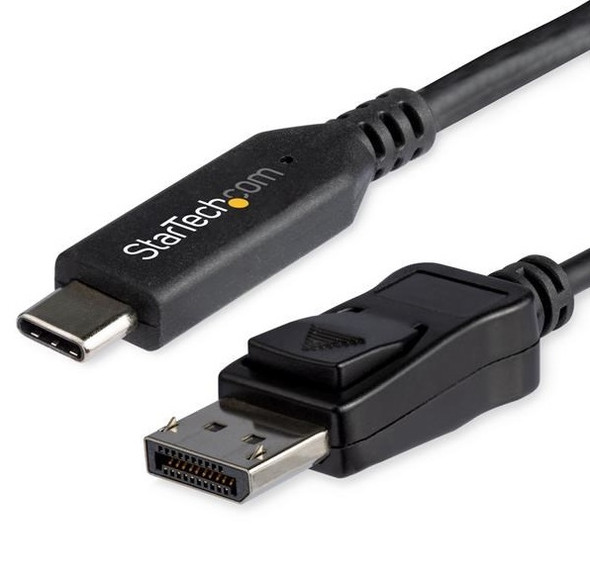
StarTech USB-C to DisplayPort 1.4 Cable 1.8m 8K 60Hz HBR3 HDR DSC
STARTECH