
Satechi
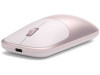
Satechi Slim EX Wireless Mouse – Bluetooth 5.3, USB-C Receiver, Blush
- SKU:
- 517016
- UPC:
- 810086364602
- MPN:
- ST-MEXP
- Availability:
- Free Click & Collect in Peterborough. UK delivery also available




Description
Satechi Slim EX Wireless Mouse – Bluetooth 5.3, USB-C Receiver & Multi-Device Control
The Satechi Slim EX Wireless Mouse in Blush is a premium rechargeable wireless mouse designed for modern Mac, iPad and Windows workflows. Combining dual Bluetooth 5.3 connections with an included 2.4GHz USB-C wireless receiver, it can keep up to three devices ready for easy switching – ideal for users working between a MacBook, desktop computer, Windows laptop or compatible tablet.
Its slim anodized aluminium design complements modern Apple hardware, while quiet-click switches, a precision-machined scroll wheel and a 1200 DPI PixArt optical sensor provide smooth, accurate everyday control. USB-C recharging removes the need for disposable batteries, while the removable rechargeable battery is designed for long-term everyday use.
The Satechi Slim EX Wireless Mouse ST-MEXP is particularly well suited to MacBook Pro, MacBook Air, MacBook Neo, iMac, Mac mini, Mac Studio and compatible iPad models, while also supporting Windows PCs, Android and ChromeOS devices.
Model: Satechi Slim EX Wireless Mouse | Colour: Blush | MPN: ST-MEXP | UPC: 810086364602
Key Features of the Satechi Slim EX Wireless Mouse
- 3-in-1 multi-device wireless connectivity
- Bluetooth 5.3 wireless connection
- Pair with up to two Bluetooth devices
- Connect a third device using the included 2.4GHz USB-C wireless receiver
- Quickly switch between paired devices without repeatedly pairing the mouse
- 1200 DPI PixArt PAW3212 optical sensor for accurate everyday tracking
- Quiet-click switches for reduced clicking noise
- Precision scroll wheel for smooth navigation
- Three programmable buttons
- Premium anodized aluminium construction
- USB-C rechargeable design
- Removable rechargeable battery
- Up to approximately 3 months of continuous use under manufacturer-rated conditions
- Over 1 year in sleep mode under manufacturer-rated conditions
- Automatic sleep after approximately 10 minutes of inactivity
- Compact design measuring approximately 11.03 x 6.12 x 2.85cm
- Lightweight 90g design suitable for desk or travel use
- Compatible with macOS, Windows, iPadOS, Android and ChromeOS
- Includes USB-C receiver and USB-C charging cable
Connect Up to Three Devices
One of the main advantages of the Satechi Slim EX Wireless Mouse is its flexible multi-device connectivity. The mouse provides two Bluetooth pairing channels plus one dedicated 2.4GHz wireless connection.
This allows you to keep up to three devices ready:
- Bluetooth Device 1
- Bluetooth Device 2
- 2.4GHz USB-C Receiver Device
You can switch between connection slots using the controls on the underside of the mouse, reducing the need to repeatedly remove and re-pair the mouse when moving between computers or tablets.
Can the Satechi Slim EX Mouse Connect to Three Devices?
Yes. The mouse can pair with up to two devices through Bluetooth 5.3 and connect to a third device using the supplied 2.4GHz USB-C receiver.
Only one connection is actively controlling a device at a time, but you can switch between the saved connection slots when moving between devices.
Bluetooth 5.3 – No Receiver Required
Bluetooth mode allows the Satechi Slim EX Wireless Mouse to connect directly to a compatible computer or tablet without using a USB receiver.
This is particularly useful with modern MacBooks and tablets because it keeps USB-C ports available for charging, displays, storage, docks and other accessories.
Do I Need to Use the USB-C Receiver?
No. The USB-C receiver is only required when you want to use the mouse's dedicated 2.4GHz wireless mode.
For Bluetooth operation, simply pair the mouse directly through the Bluetooth settings on your Mac, Windows PC, iPad or other compatible device.
2.4GHz Wireless with Included USB-C Receiver
The included 2.4GHz USB-C receiver provides an alternative to Bluetooth and is useful for a dedicated wireless connection to a desktop or laptop with an available USB-C port.
The compact receiver can be stored inside the mouse when not in use, helping reduce the chance of losing it while travelling.
When the 2.4GHz connection slot is selected, the mouse can automatically reconnect to the receiver after it has been paired.
Can the Receiver Be Used with a USB-A Port?
The supplied wireless receiver uses a USB-C connector. A computer therefore needs an available USB-C port for direct connection.
If using Bluetooth instead, no USB receiver or USB port is required.
Designed for MacBook, Mac and iPad Workflows
The Satechi Slim EX Wireless Mouse is designed to complement modern Apple setups and is compatible with a broad range of MacBook, Mac and iPad devices.
Its Bluetooth connection is particularly useful for MacBook users because the mouse does not need to occupy a USB-C port. This leaves available connections free for external displays, SSDs, charging cables, hubs and other accessories.
MacBook Neo Compatibility
Satechi lists the Slim EX Wireless Mouse as compatible with:
- MacBook Neo 13-inch (2026)
Bluetooth mode is particularly convenient with MacBook Neo because the mouse can operate without occupying one of the computer's physical USB-C connections.
MacBook Pro Compatibility
Satechi lists compatibility across a wide range of recent MacBook Pro generations, including:
- MacBook Pro M5 Max 14-inch and 16-inch (2026)
- MacBook Pro M5 Pro 14-inch and 16-inch (2026)
- MacBook Pro M5 14-inch (2025)
- MacBook Pro M4 Pro / M4 Max 14-inch and 16-inch (2024)
- MacBook Pro M4 14-inch (2024)
- MacBook Pro M3 Pro / M3 Max 14-inch and 16-inch (2023)
- MacBook Pro M3 14-inch (2023)
- MacBook Pro M2 Pro / M2 Max 14-inch and 16-inch (2023)
- MacBook Pro M2 13-inch (2022)
- MacBook Pro M1 Pro / M1 Max 14-inch and 16-inch (2021)
- MacBook Pro M1 13-inch (2020)
- Compatible Intel-based MacBook Pro models within Satechi's supported model range
Does the Satechi Slim EX Work with Apple Silicon MacBooks?
Yes. Satechi lists compatibility across multiple Apple Silicon generations including M1, M2, M3, M4 and M5 MacBook models, subject to the operating system and connection requirements of the device.
MacBook Air Compatibility
The Slim EX Wireless Mouse is also compatible with supported MacBook Air models, including:
- MacBook Air M5 13-inch and 15-inch (2026)
- MacBook Air M4 13-inch and 15-inch (2025)
- MacBook Air M3 13-inch and 15-inch (2024)
- MacBook Air M2 15-inch (2023)
- MacBook Air M2 13-inch (2022)
- MacBook Air M1 13-inch (2020)
- MacBook Air Retina 13-inch (2018–2020)
iMac, Mac mini & Mac Studio Compatibility
Compatible iMac Models
Satechi's support information lists compatibility with supported iMac models including:
- iMac 24-inch models from 2021–2024
- iMac 21.5-inch models from 2017–2021
- iMac 27-inch models within Satechi's supported 2017–2020 range
- iMac Pro (2017)
Compatible Mac mini Models
- Mac mini M4 / M4 Pro (2024)
- Mac mini M2 / M2 Pro (2023)
- Mac mini M1
- Mac mini 2018 and newer models within Satechi's supported range
Compatible Mac Studio Models
- Mac Studio (2025)
- Mac Studio (2023)
- Mac Studio (2022)
iPad Pro Compatibility
The Satechi Slim EX Wireless Mouse can be used with compatible iPad Pro models through Bluetooth and, where supported, through the USB-C receiver.
Compatible models listed by Satechi include:
- iPad Pro M5 13-inch (2025)
- iPad Pro M5 11-inch (2025)
- iPad Pro M4 13-inch (2024)
- iPad Pro M4 11-inch (2024)
- iPad Pro 12.9-inch models within the supported USB-C generation
- iPad Pro 11-inch models from 2018 onward within Satechi's supported range
iPad Air Compatibility
Satechi lists support for modern USB-C iPad Air generations including:
- iPad Air M4 11-inch and 13-inch (2026)
- iPad Air M3 11-inch and 13-inch (2025)
- iPad Air M2 11-inch and 13-inch (2024)
- iPad Air 5th Generation (2022)
- iPad Air 4th Generation (2020)
Other Compatible iPad Models
Satechi's broader compatibility documentation also lists supported USB-C models of:
- Standard iPad models from the supported USB-C generations
- iPad mini USB-C models within Satechi's supported range
Windows PC Compatibility
The Slim EX Wireless Mouse is not limited to Apple products. Satechi confirms compatibility with Windows 10 and Windows 11 through either Bluetooth or the included 2.4GHz USB-C receiver.
Examples of supported Windows systems listed by Satechi include:
- Microsoft Surface Pro 9
- Microsoft Surface Pro 10
- Microsoft Surface Laptop
- Microsoft Surface Laptop Studio
- Lenovo ThinkPad X1
- Compatible Lenovo ThinkPad models
- Compatible Dell XPS systems
- Compatible HP Spectre systems
- Other Bluetooth or USB-C Windows PCs meeting the required operating-system and connection specifications
Does the Satechi Slim EX Mouse Work with Windows 11?
Yes. Satechi confirms that the Slim EX Wireless Mouse works with Windows 11 and Windows 10.
It can connect using either Bluetooth or the supplied 2.4GHz USB-C receiver.
Android and ChromeOS Compatibility
The Satechi Slim EX Wireless Mouse also supports compatible Android and ChromeOS devices, making it useful in mixed-device environments where users may work between Mac, Windows, Chromebook and tablet hardware.
Compatibility depends on the device supporting a suitable Bluetooth mouse connection or the supplied USB-C receiver.
1200 DPI PixArt Optical Sensor
The Slim EX uses a 1200 DPI PixArt PAW3212 optical sensor designed to provide accurate, responsive pointer movement for everyday productivity.
The 1200 DPI setting is well suited to common tasks such as:
- Web browsing
- Office applications
- Spreadsheets
- Document editing
- Presentation work
- General creative workflows
- Remote working
- Everyday Mac and Windows navigation
Is the DPI Adjustable?
Satechi specifies the optical sensor at 1200 DPI. It is designed primarily as a premium productivity and everyday-use mouse rather than as a high-DPI gaming mouse.
Quiet Clicks for Offices, Calls & Shared Spaces
The Satechi Slim EX incorporates quiet-click switches, helping reduce distracting mouse noise during everyday work.
This can be especially useful when working:
- In shared offices
- During video calls and online meetings
- In libraries or study environments
- At home around other people
- While travelling
The precision scroll wheel is designed to complement the quiet switches with smooth navigation through documents, webpages and application interfaces.
Three Programmable Buttons
Satechi specifies the Slim EX Wireless Mouse with three programmable buttons, allowing supported controls to be adapted for frequently used actions and everyday workflows.
This provides additional flexibility for productivity users who want commonly used functions within easy reach.
Premium Anodized Aluminium Design
The Slim EX uses a premium anodized aluminium construction, giving the mouse a clean, modern appearance that complements MacBook, iMac, Mac mini and Mac Studio setups.
The Blush finish offers a distinctive colour option while retaining the minimalist design associated with Satechi's Mac and desktop accessories.
At approximately 90g and just over 11cm long, it remains compact enough for laptop bags, backpacks and mobile work setups while providing a full everyday mouse experience.
USB-C Rechargeable Battery
Instead of disposable AA or AAA batteries, the Satechi Slim EX includes a rechargeable removable battery that charges through USB-C.
Satechi rates battery performance at up to approximately:
- 3 months of continuous use under rated usage conditions
- More than one year in sleep mode
Actual battery life varies depending on usage patterns, connection type, sleep time and other operating conditions.
Automatic Sleep Mode
To conserve battery power, the mouse automatically enters sleep mode after approximately 10 minutes of inactivity.
Moving the mouse or clicking a button wakes it for continued use.
Can You Replace the Battery?
The Slim EX is designed with a removable rechargeable battery, supporting longer-term use compared with a permanently sealed battery design.
USB-C Charging – Important Information
The mouse includes a USB-C charging connection and a USB-C to USB-C charging cable.
However, the USB-C port on the mouse is provided for charging only.
Can the Satechi Slim EX Mouse Be Used as a Wired Mouse?
No. The Slim EX is a wireless-only mouse. Connecting its USB-C charging cable does not turn it into a wired USB mouse.
The mouse continues to communicate wirelessly through Bluetooth or the 2.4GHz receiver while charging.
Share One Receiver with Compatible Satechi EX Accessories
Satechi also supports multi-device sync with compatible EX-series keyboards, allowing a compatible Satechi EX keyboard and Slim EX Wireless Mouse to share the supplied 2.4GHz USB-C receiver on one computer.
This can help reduce the number of occupied USB-C ports in a desktop setup.
Designed for Everyday Durability
Along with its anodized aluminium body, Satechi states that the Slim EX design has been tested for more than 3 million mouse clicks and approximately 100,000 scroll-wheel cycles.
This makes it designed for frequent everyday productivity use at home, in the office or while travelling.
Who Is the Satechi Slim EX Wireless Mouse Best For?
- MacBook users who want a mouse without permanently occupying a USB-C port
- MacBook Neo users wanting Bluetooth connectivity
- MacBook Pro and MacBook Air users
- iMac, Mac mini and Mac Studio users
- iPad users who prefer mouse-based navigation
- Windows laptop and Surface users
- People working across multiple computers or tablets
- Hybrid and remote workers
- Users who prefer quieter mouse clicks
- Users wanting a USB-C rechargeable mouse rather than disposable batteries
- People looking for a compact premium mouse for travel
- Users with mixed macOS, Windows, iPadOS, Android or ChromeOS environments
Important Things to Know Before Buying
- The mouse supports up to two Bluetooth connections plus one 2.4GHz USB-C receiver connection.
- Only one paired device is actively controlled at a time.
- The included 2.4GHz receiver uses USB-C, not USB-A.
- Bluetooth operation does not require the receiver.
- The mouse is wireless only; the charging cable does not provide wired mouse operation.
- The USB-C port on the mouse is for charging only.
- Satechi specifies a 1200 DPI optical sensor.
- The mouse is designed primarily for productivity and everyday computer use rather than specialist high-DPI gaming.
- Battery percentage is not reported directly in macOS for this mouse; this is normal behaviour rather than a fault.
- The mouse uses an LED indicator for battery and connection information.
- Compatibility can depend on operating-system version and the host device's Bluetooth or USB-C capabilities.
Satechi Slim EX Wireless Mouse Technical Highlights
- Brand: Satechi
- Product: Slim EX Wireless Mouse
- Colour: Blush
- Manufacturer Part Number: ST-MEXP
- UPC: 810086364602
- Model Number: MN25STH07
- Connection Type: Wireless
- Bluetooth: Bluetooth 5.3
- Bluetooth Device Slots: 2
- 2.4GHz Wireless: Yes
- 2.4GHz Receiver: USB-C receiver included
- Total Ready Connections: Up to 3 devices
- Sensor: PixArt PAW3212 optical sensor
- Sensor Resolution: 1200 DPI
- Buttons: 3 programmable buttons
- Click Type: Quiet click
- Scroll Wheel: Precision scroll wheel
- Construction: Anodized aluminium
- Charging: USB-C
- USB-C Data / Wired Mouse Mode: No – charging only
- Battery: Rechargeable and removable
- Rated Battery Life: Up to approximately 3 months continuous use / over 1 year in sleep mode
- Automatic Sleep: Approximately 10 minutes of inactivity
- Length: Approximately 11.03cm
- Width: Approximately 6.12cm
- Height: Approximately 2.85cm
- Weight: Approximately 90g
- Supported Platforms: macOS, Windows, iPadOS, Android and ChromeOS on compatible devices
What's Included?
- 1 x Satechi Slim EX Wireless Mouse – Blush
- 1 x 2.4GHz USB-C wireless receiver
- 1 x USB-C to USB-C charging cable
- 1 x User documentation / manual
Why Choose the Satechi Slim EX Wireless Mouse?
The Satechi Slim EX Wireless Mouse combines the flexibility of dual Bluetooth 5.3 connections with the option of a dedicated 2.4GHz USB-C receiver, making it especially useful for people who work across multiple devices.
Its 1200 DPI PixArt optical sensor, quiet-click switches, precision scroll wheel and programmable buttons provide the control needed for everyday productivity, while the anodized aluminium body and compact Blush design complement modern Apple and premium desktop setups.
For MacBook, iPad and Windows users who want a rechargeable multi-device Bluetooth mouse with USB-C connectivity, the Slim EX offers a versatile combination of wireless flexibility, quiet operation, portability and premium construction.
Specification
Satechi Slim EX Wireless Mouse Blush Specifications
The Satechi Slim EX Wireless Mouse in Blush is a rechargeable multi-device wireless mouse with Bluetooth 5.3, dual Bluetooth pairing, an included 2.4GHz USB-C wireless receiver, quiet-click switches and USB-C charging. These specifications apply specifically to the Blush ST-MEXP version.
General Information
| Brand | Satechi |
| Product Name | Satechi Slim EX Wireless Mouse |
| Manufacturer Part Number | ST-MEXP |
| Model Number | MN25STH07 |
| UPC | 810086364602 |
| Product Type | Rechargeable wireless computer mouse |
| Colour | Blush |
| Construction | Anodized aluminium design |
| Recommended Use | Everyday productivity, office, home, travel and multi-device workflows |
Wireless Connectivity
| Connection Type | Wireless |
| Bluetooth Version | Bluetooth 5.3 |
| Bluetooth Device Connections | Up to 2 paired Bluetooth devices |
| 2.4GHz Wireless | Yes |
| 2.4GHz Connection | 1 device via included USB-C receiver |
| Total Stored / Ready Connections | Up to 3 devices – 2 Bluetooth + 1 receiver connection |
| Simultaneous Active Control | 1 device at a time |
| Wireless Receiver Type | 2.4GHz USB-C receiver |
| Receiver Included | Yes |
| Receiver Storage | Stored inside the mouse battery compartment |
Mouse Controls & Operation
| Tracking Technology | Optical sensor |
| Left Click | Yes |
| Right Click | Yes |
| Scroll Wheel | Yes, precision scroll wheel |
| Quiet Click Switches | Yes |
| Power Switch | Yes |
| Pairing Control | Dedicated pairing control inside the battery compartment |
| Status Indicators | LED indicators for charging, full charge, low battery and pairing status |
Battery & Charging
| Battery Type | Rechargeable battery |
| Battery Removable | Yes |
| Charging Connector | USB-C |
| Approximate Full Charge Time | Approximately 2–3 hours |
| Use While Charging | Yes, the mouse continues to operate wirelessly while charging |
| Wired Mouse Mode | No |
| USB-C Port Function | Charging only; does not provide wired mouse data |
| Automatic Sleep Mode | Yes |
| Sleep Activation | Approximately 10 minutes of inactivity |
LED Status Indicators
| Blue LED | Mouse is charging |
| Green LED | Battery fully charged |
| Red LED | Low battery / charging required |
| Flashing White Pairing LED | Mouse is in Bluetooth pairing mode |
| macOS Battery Percentage Display | Not supported; battery status is indicated by the mouse LEDs |
Dimensions & Weight
| Length | 11.03cm / 4.34in |
| Width | 6.12cm / 2.41in |
| Height | 2.85cm / 1.12in |
| Dimensions | 11.03 x 6.12 x 2.85cm |
| Weight | 90g / 3.17oz |
Apple Mac Compatibility
| MacBook Neo | MacBook Neo 13-inch (2026) |
| MacBook Pro 16-inch | Supported models within Satechi's 2019–2024 compatibility range and newer specifically listed compatible models |
| MacBook Pro 14-inch | 2021–2025 supported range, plus compatible newer models listed by Satechi |
| MacBook Pro 13-inch | 2016–2023 supported range |
| MacBook Pro 15-inch | 2016–2019 supported range |
| MacBook Air 15-inch | 2022–2025 supported range, plus compatible newer models listed by Satechi |
| MacBook Air 13-inch | 2018–2025 supported range, plus compatible newer models listed by Satechi |
| iMac 24-inch | 2021–2024 supported models |
| iMac 21.5-inch | 2017–2021 supported models |
| iMac 27-inch | Supported 2017–2020 models |
| iMac Pro | 2017 |
| Mac mini | 2018–2024 supported models |
| Mac Studio | 2022–2025 supported models |
Apple iPad Compatibility
| iPad Pro 12.9-inch | Supported USB-C models within Satechi's 2021–2025 compatibility range |
| iPad Pro 11-inch | Supported USB-C models within Satechi's 2018–2025 compatibility range |
| iPad Air | Supported USB-C models within Satechi's 2020–2025 compatibility range |
| Standard iPad | Supported USB-C models within Satechi's 2022–2025 compatibility range |
| iPad mini | Supported USB-C models within Satechi's 2021–2024 compatibility range |
Windows Device Compatibility
| Windows Support | Windows 10 and Windows 11 confirmed by Satechi |
| Microsoft Surface Pro | Surface Pro 4, 5, 6, 7, 8 and 9 listed by Satechi; newer compatible Bluetooth/USB-C Surface devices may also work |
| Microsoft Surface Laptop Studio | Compatible |
| Lenovo ThinkPad | Selected models including ThinkPad X13 Gen 2 and X1 Carbon |
| Dell | Selected compatible systems including Dell XPS models |
| HP | Selected compatible systems including HP Spectre and other compatible USB-C/Bluetooth devices |
Operating-System Compatibility
| macOS | Compatible supported macOS devices |
| Windows | Windows 10 / Windows 11 |
| iPadOS | Compatible supported iPad devices |
| ChromeOS | Supported by Satechi compatibility documentation |
| Linux | Supported versions listed by Satechi compatibility documentation |
Package Contents
| Wireless Mouse | 1 x Satechi Slim EX Wireless Mouse – Blush |
| Wireless Receiver | 1 x 2.4GHz USB-C receiver |
| Charging Cable | 1 x USB-C to USB-C cable, approximately 0.8m / 2.6ft |
| User Manual | Included |
Warranty
| Manufacturer Warranty | 2 years, subject to Satechi warranty terms and regional conditions |
Important Multi-Device Note
The Satechi Slim EX Wireless Mouse can store connections for up to three devices: two through Bluetooth 5.3 and one through the included 2.4GHz USB-C receiver. The mouse controls one device at a time; users switch between the saved connection modes as required.
Important USB-C Receiver Note
The supplied 2.4GHz wireless receiver uses a USB-C connector. It can be stored inside the mouse's battery compartment when not in use. Bluetooth operation does not require the receiver.
Important Charging Note
The USB-C port on the Slim EX Wireless Mouse is used for charging only. Connecting the USB-C cable does not convert the mouse into a wired USB mouse. The mouse continues to communicate wirelessly while charging.
Important macOS Battery Note
Satechi states that the Slim EX Wireless Mouse does not report an exact battery percentage in macOS. This is expected behaviour and is not a fault. The mouse's LED indicator should be used to check charging and low-battery status.
Important Compatibility Note
Compatibility depends on the host device, operating system, Bluetooth support and available USB-C connectivity. For the 2.4GHz mode, the host computer must have a compatible USB-C port for the supplied receiver. Bluetooth mode does not require a USB-C port.
For Apple devices, Satechi's current compatibility documentation should be used as the primary reference. Compatibility ranges can expand as new devices are released, so model and operating-system support should be checked where a customer's device is not explicitly listed.
Important Older Mac Note
Satechi advises that the Slim EX Wireless Mouse is not recommended for 2011 and older Mac devices.
Return
FAQ: Frequenlty Asked Questions
Satechi Slim EX Wireless Mouse Blush FAQ
The Satechi Slim EX Wireless Mouse in Blush (ST-MEXP) is a slim rechargeable multi-device mouse designed for MacBook, iPad, Windows PCs and other compatible Bluetooth or USB-C devices. It combines Bluetooth 5.3 with an included 2.4GHz USB-C receiver, allowing up to three device connections, while quiet clicks, an aluminium body and a compact 90g design make it suitable for office, study and travel use.
Below are answers to the most common questions buyers ask about the Satechi Slim EX, including Bluetooth pairing, multi-device switching, MacBook and iPad compatibility, USB-C receiver operation, battery charging, macOS battery reporting, quiet clicks, DPI, travel use, Windows support and comparisons with the Apple Magic Mouse and Satechi M1.
1. What is the Satechi Slim EX Wireless Mouse?
The Satechi Slim EX is a slim rechargeable wireless mouse designed for everyday productivity across Mac, iPad, Windows and other compatible devices. It can connect through Bluetooth 5.3 or through the included 2.4GHz USB-C wireless receiver.
2. What is the exact model number and UPC of the Blush version?
The Blush version sold on this page is ST-MEXP. Its UPC is 810086364602 and the Memox SKU is 517016.
3. What are the main specifications of the Satechi Slim EX?
Key specifications include Bluetooth 5.3, two Bluetooth connection slots, one 2.4GHz connection through an included USB-C receiver, USB-C rechargeable power, removable battery, quiet-click buttons, precision scroll wheel, optical tracking, aluminium construction and approximately 90g weight.
4. Is Blush a different mouse from the Silver or Space Black Slim EX?
No. Blush is a colour variant of the same Slim EX mouse platform. The Blush version has its own SKU and UPC, but the core connectivity and functional features are the same as the other Slim EX colour options.
5. What are the dimensions of the Satechi Slim EX?
The mouse measures approximately 110.3mm long × 61.2mm wide × 28.5mm high, making it considerably slimmer than many full-height desktop and gaming mice.
6. How much does the Slim EX weigh?
Satechi specifies a weight of approximately 90g.
7. What material is the Satechi Slim EX made from?
Satechi uses an anodised aluminium design to provide a clean appearance and durable finish suitable for matching modern MacBook and desktop setups.
8. Is the Satechi Slim EX suitable for left-handed users?
Its low-profile, symmetrical shape makes it suitable for both left- and right-handed everyday use. However, it does not use the sculpted thumb support found on specialist ergonomic right- or left-handed mice.
9. Does the Satechi Slim EX have quiet clicks?
Yes. Satechi specifically uses quiet-click switches, making the mouse suitable for offices, libraries, meetings, classrooms, shared workspaces and late-night working where loud mouse clicks can be distracting.
10. Does it have a physical scroll wheel?
Yes. The Slim EX uses a precision physical scroll wheel between the left and right mouse buttons rather than the touch-sensitive scrolling surface used by Apple's Magic Mouse.
11. What DPI does the Satechi Slim EX use?
Current Satechi regional product specifications list a 1200 DPI PixArt optical sensor. This is a productivity-focused sensitivity intended for normal desktop, laptop and tablet navigation rather than extreme high-DPI gaming.
12. Can I change the DPI on the Slim EX?
Current Satechi product information describes the optical sensor as 1200 DPI rather than advertising multiple user-selectable DPI stages. Buyers wanting extensive sensitivity adjustment should consider a mouse specifically designed with dedicated DPI controls.
13. Is the Satechi Slim EX a gaming mouse?
It can be used for casual gaming, but it is primarily a productivity and travel mouse. Competitive gamers may prefer a gaming mouse with a higher-performance sensor, adjustable DPI, higher polling rate, additional buttons and gaming-specific software.
14. What Bluetooth version does the Slim EX use?
The mouse uses Bluetooth 5.3 for its Bluetooth wireless connections.
15. Does it also support 2.4GHz wireless?
Yes. A dedicated 2.4GHz USB-C receiver is included in the box, giving you an alternative to Bluetooth.
16. Bluetooth vs 2.4GHz receiver – which should I use?
Use Bluetooth when you want to keep USB-C ports free or connect easily to an iPad or laptop. Use the 2.4GHz receiver when you prefer a dedicated wireless connection or when Bluetooth is unavailable or inconvenient on the computer.
17. Is the USB-C receiver required to use the mouse?
No. The USB-C receiver is required only for 2.4GHz wireless mode. Bluetooth connections work without the receiver.
18. Is the included wireless receiver USB-C or USB-A?
The included 2.4GHz receiver uses USB-C, making it particularly convenient for modern MacBooks, USB-C laptops and other current computers.
19. Where can I store the USB-C receiver when travelling?
The receiver has a dedicated storage position inside the mouse's underside battery compartment, helping reduce the risk of losing the small dongle while travelling.
20. How many devices can the Satechi Slim EX connect to?
The mouse can keep up to three device connections ready: two devices through Bluetooth 5.3 plus one device through the 2.4GHz USB-C receiver.
21. Can it connect to two Bluetooth devices?
Yes. The Slim EX has two separate Bluetooth pairing slots, allowing you to pair it with two Bluetooth devices and switch between them without deleting and recreating the pairing each time.
22. Can I use the mouse on three computers at the same time?
You can keep three connections paired or ready, but the mouse controls one selected device at a time. Switching connection channels changes which computer or tablet receives the mouse input.
23. How do I switch between connected devices?
Use the pairing/device button on the underside of the mouse to cycle between the stored Bluetooth channels and the 2.4GHz receiver connection.
24. Do I have to pair the mouse again every time I change devices?
No. Once your devices are stored in the available connection slots, you can normally switch between them without repeating the complete Bluetooth pairing process.
25. Can the Slim EX share a USB-C receiver with a Satechi EX keyboard?
Yes. Satechi states that the Slim EX supports multi-device synchronisation with compatible Satechi EX-series keyboards so the mouse and keyboard can share the same 2.4GHz USB-C receiver on one computer.
26. Is the Satechi Slim EX compatible with MacBook Air?
Yes. Satechi officially lists a wide range of MacBook Air models from 2018 onward as compatible. Bluetooth is normally the simplest connection because it leaves the MacBook's USB-C ports available for charging, storage and displays.
27. Is the Slim EX compatible with MacBook Pro?
Yes. It supports a wide range of Intel and Apple Silicon MacBook Pro systems through Bluetooth, with the included USB-C receiver providing an additional connection option.
28. Is the Blush Slim EX designed to match the MacBook Neo?
Yes. Satechi specifically introduced Blush alongside its colour-matched MacBook Neo accessory range. The Slim EX is also available in colours including Citrus, Indigo, Silver and Space Black.
29. Does the Satechi Slim EX work with iMac, Mac mini and Mac Studio?
Yes. Satechi officially lists compatible iMac, Mac mini and Mac Studio models. These computers can connect through Bluetooth or, where appropriate, the USB-C 2.4GHz receiver.
30. Does the Satechi Slim EX work with iPad?
Yes. Satechi lists compatible iPad Pro and iPad Air models, and its compatibility documentation also includes compatible standard iPad and iPad mini models. Bluetooth is normally the most convenient connection method on an iPad.
31. Does the mouse work with Windows 11?
Yes. Satechi explicitly confirms Windows 11 support through both Bluetooth and the included 2.4GHz USB-C receiver.
32. Does it work with Windows 10?
Yes. Windows 10 is also officially supported.
33. Will it work with a Microsoft Surface?
Yes. Satechi specifically lists several Microsoft Surface Pro, Surface Laptop and Surface Studio devices among the supported Windows systems.
34. Does the Slim EX work with ChromeOS or Linux?
Satechi's current compatibility documentation includes ChromeOS and Linux. Basic mouse functions should work with compatible Bluetooth or USB-C-equipped systems, although operating-system-specific configuration options can vary.
35. Does the Slim EX work with Android?
Current Satechi regional specifications include Android device support. The Android device must support a mouse through Bluetooth or through an appropriate USB connection.
36. Can I use the Slim EX as a wired USB-C mouse?
No. Satechi explicitly states that the USB-C port is for charging only. Connecting the charging cable does not create a wired USB data connection.
37. Can I keep using the mouse while it is charging?
Yes. The mouse can continue operating wirelessly through Bluetooth or 2.4GHz while the USB-C cable charges its battery.
38. How long does the Satechi Slim EX take to charge?
Satechi specifies approximately 2–3 hours for a full charge.
39. Does the Slim EX include a rechargeable battery?
Yes. It contains a rechargeable battery and charges through the USB-C port on the front of the mouse.
40. Is the battery removable?
Yes. Satechi specifically describes the Slim EX as having a removable battery, which can help extend the useful life of the mouse compared with a product whose internal battery is permanently sealed in place.
41. How long does the Slim EX battery last?
Current Satechi regional specifications quote up to approximately three months of normal continuous use and more than one year in sleep-mode conditions. Real battery life depends on usage pattern, connection mode and how frequently the mouse is active.
42. Does the Slim EX automatically go to sleep?
Yes. Satechi states that the mouse automatically enters sleep mode after approximately 10 minutes of inactivity to conserve battery power.
43. How do I wake the mouse from sleep mode?
Simply move the mouse or click a button. It should reconnect to the selected device automatically.
44. What do the battery LEDs mean?
Satechi specifies blue while charging, green when fully charged and red when the battery is low. A flashing white pairing indicator shows that the mouse is ready to pair.
45. Why doesn't macOS show the Slim EX battery percentage?
This is normal behaviour and not a fault. Satechi explicitly states that battery percentage reporting is not supported on macOS for the Slim EX. Use the mouse's LED indicator to monitor battery status instead.
46. How should I set up the Slim EX for the first time?
Satechi recommends fully charging the mouse first, removing the protective film from its underside, switching it on and then selecting the required Bluetooth or 2.4GHz connection channel before pairing.
47. Why isn't my Slim EX appearing in the Bluetooth device list?
Confirm that the mouse is charged and switched on, select one of its Bluetooth connection slots and hold the pairing button for around 3–5 seconds until the white pairing indicator flashes. Then search for the mouse again in your device's Bluetooth settings.
48. What should I do if the USB-C receiver does not connect?
First unplug the receiver. Satechi's recovery procedure instructs you to hold the right mouse button and scroll wheel while switching the mouse on, then reconnect the USB-C receiver so the mouse can search for and reconnect to it.
49. Can I use the Slim EX on a computer that has only USB-A ports?
Yes through Bluetooth if the computer supports Bluetooth. The included receiver itself is USB-C, so a computer without USB-C would require a suitable adapter if you specifically want to use the 2.4GHz receiver.
50. What is included in the box?
The package includes the Satechi Slim EX Wireless Mouse in Blush, USB-C 2.4GHz wireless receiver, approximately 0.8m USB-C-to-USB-C charging cable and user documentation.
51. Is the Satechi Slim EX good for offices, libraries and shared workspaces?
Yes. Its quiet-click switches are specifically designed to reduce distracting clicking noise, while its low-profile form is convenient for desks, lecture halls, libraries, cafés and shared offices.
52. Is the Satechi Slim EX good for travel?
Yes. Its slim 28.5mm profile, 90g weight, rechargeable design and internal receiver-storage compartment make it well suited to laptop bags and mobile working. Current users also commonly highlight its compact size and travel-friendly design.
53. Satechi Slim EX vs Apple Magic Mouse – what are the main differences?
The Slim EX uses physical quiet-click buttons and a conventional precision scroll wheel, while Apple's Magic Mouse uses a touch-sensitive Multi-Touch top surface for gestures and scrolling. The Slim EX also provides two Bluetooth channels plus a separate 2.4GHz USB-C receiver connection.
Choose the Slim EX if you prefer a conventional scroll wheel, quiet physical clicks, multi-device connectivity and a receiver option. Choose a Magic Mouse if Apple's touch gestures and Multi-Touch surface are more important to your workflow.
54. Satechi Slim EX vs Satechi M1 – what is the difference?
The older Satechi M1 uses Bluetooth 5.0 and is primarily a single Bluetooth mouse. The newer Slim EX adds Bluetooth 5.3, two Bluetooth pairing channels, an included 2.4GHz USB-C receiver, quiet-click switches, receiver storage and newer multi-device functionality.
The Slim EX is therefore better suited to users who regularly move between several computers or tablets, while the M1 remains a simpler Bluetooth-only option.
55. Does the Slim EX support Apple Magic Mouse-style touch gestures?
No. The Slim EX is a conventional mouse with physical buttons and a scroll wheel rather than a Multi-Touch gesture surface. Standard macOS mouse settings and operating-system shortcuts remain available, but do not expect Magic Mouse-style finger gestures across the top shell.
56. Does the scroll wheel have free-spin or hyper-fast scrolling?
Satechi describes it as a precision scroll wheel but does not advertise a selectable free-spin, ratchet-release or hyper-fast scrolling mode. Users specifically requiring that feature should choose a mouse designed with a dual-mode wheel.
57. Will the optical sensor work directly on glass?
Satechi does not specifically advertise glass-surface tracking. As with many conventional optical mice, performance can vary on transparent, highly reflective or glossy surfaces. A normal desk surface or mouse mat is recommended for consistent tracking.
58. Is the Satechi Slim EX waterproof?
No waterproof or IP rating is specified. Satechi instructs users to keep the mouse away from water, liquids and excessive moisture.
59. What warranty does the Satechi Slim EX Wireless Mouse have?
Satechi currently advertises a 2-year manufacturer warranty for the Slim EX Wireless Mouse, subject to Satechi's warranty conditions and proof-of-purchase requirements.
60. Who is the Satechi Slim EX Wireless Mouse best for, and who should choose another mouse?
The Slim EX is particularly suitable for MacBook and iPad users, students, home-office workers, travellers and people who regularly switch between several computers or tablets. Its quiet clicks, multi-device Bluetooth, USB-C receiver and slim rechargeable design are particularly useful for productivity.
Choose another mouse if you specifically need competitive-gaming performance, very high or adjustable DPI, numerous side buttons, a tall ergonomic palm-rest shape, Apple Multi-Touch gestures, free-spin scrolling or a permanent wired USB operating mode.