
Satechi
Satechi Mac Mini M4/M5 Pro/M6 Stand & Hub with NVMe SSD Enclosure
- SKU:
- 400502
- UPC:
- 810086362141
- MPN:
- ST-GNMMES
- Availability:
- Free Click & Collect in Peterborough. UK delivery also available







Description
Satechi Mac Mini Stand & Hub with NVMe SSD Enclosure – M6, M5 Pro, M4 Pro & M4
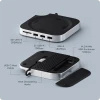
The Satechi Mac Mini Stand & Hub with SSD Enclosure (ST-GNMMES) combines a compact aluminium stand, high-speed USB expansion, an SD 4.0 UHS-II card reader and an integrated M.2 NVMe SSD enclosure in a design created specifically for compatible modern Mac mini systems.
Satechi's current compatibility information lists support for the Mac mini M6 (2026), Mac mini M5 Pro (2026), Mac mini M4 Pro (2024) and Mac mini M4 (2024).
The hub connects through its short integrated USB-C 3.2 Gen 2 host cable and adds two USB-A 3.2 Gen 2 ports capable of up to 10Gbps, one USB-A 2.0 port for lower-bandwidth peripherals, a UHS-II SD card reader capable of up to 312MB/s and a concealed NVMe SSD enclosure supporting compatible drives up to 4TB.
Designed to sit directly beneath the Mac mini, the Satechi hub keeps additional storage and legacy USB-A connectivity integrated into the desktop setup rather than requiring multiple separate adapters and external drive enclosures.
Model: ST-GNMMES | UPC: 810086362141 | SSD: M.2 NVMe PCIe up to 4TB | SSD Interface: Up to 10Gbps | SD Reader: UHS-II up to 312MB/s
Key Features of the Satechi Mac Mini Stand & Hub
- Designed for compatible Mac mini M6, M5 Pro, M4 Pro and M4 models
- Exact Satechi model ST-GNMMES
- Integrated M.2 NVMe PCIe SSD enclosure
- Supports compatible NVMe SSD capacities up to 4TB
- Supports M.2 2230, 2242, 2260 and 2280 form factors
- NVMe enclosure transfer speed up to 10Gbps
- 2 x USB-A 3.2 Gen 2 ports up to 10Gbps
- 1 x USB-A 2.0 port up to 480Mbps
- SD 4.0 UHS-II card reader up to 312MB/s
- Integrated USB-C 3.2 Gen 2 host cable
- Durable aluminium construction
- Integrated SSD thermal pad
- Bottom ventilation for airflow and heat dissipation
- Recessed design maintains airflow beneath the Mac mini
- Dedicated cut-out for convenient Mac mini power-button access
- Built-in cable management
- Compact 127 x 127mm footprint
- Only approximately 20.6mm high
- Approximately 192g
- 2-year Satechi limited warranty
Official Mac Mini Compatibility
Satechi's current compatibility information lists the ST-GNMMES for the following Mac mini models:
- Mac mini M6 – 2026
- Mac mini M5 Pro – 2026
- Mac mini M4 Pro – 2024
- Mac mini M4 – 2024
Does the Satechi ST-GNMMES Work with the Mac Mini M6?
Yes. Satechi's current device-compatibility information explicitly lists the Mac mini M6 (2026) as compatible with ST-GNMMES.
Does It Work with the Mac Mini M5 Pro?
Yes. Satechi currently lists the Mac mini M5 Pro (2026) as compatible.
Does It Work with the Mac Mini M4 Pro?
Yes. The 2024 Mac mini M4 Pro is supported along with the standard M4 model.
Does It Work with the Standard Mac Mini M4?
Yes. The ST-GNMMES was originally designed around the redesigned 2024 Mac mini M4 platform and remains compatible with the standard M4 model.
Not Compatible with Older 2018–2023 Mac Mini Models
This particular Satechi stand has been designed around the physical dimensions and layout of the newer Mac mini chassis.
It is therefore not compatible with 2018–2023 Mac mini models, including:
- Intel Mac mini 2018
- Mac mini M1 2020
- Mac mini M2 2023
- Mac mini M2 Pro 2023
Will It Fit a Mac Mini M1 or M2?
No. The older M1 and M2 Mac mini use a different chassis design and are not compatible with ST-GNMMES.
Satechi makes other accessories for earlier Mac mini generations, so buyers should check the exact Satechi model number rather than relying only on the phrase “Mac mini stand”.
Integrated M.2 NVMe SSD Enclosure
One of the most useful features of the ST-GNMMES is its integrated M.2 NVMe SSD enclosure.
This allows additional high-speed storage to be installed underneath the Mac mini without having a separate external SSD enclosure and cable occupying additional desk space.
What Type of SSD Does the Satechi Hub Support?
The enclosure supports M.2 NVMe PCIe solid-state drives.
Compatible M.2 sizes include:
- 2230
- 2242
- 2260
- 2280
What Is the Maximum SSD Capacity?
Satechi currently specifies support for compatible M.2 NVMe SSDs with capacities of up to 4TB.
This can provide a significant amount of additional storage for applications, documents, photos, video projects, media libraries, backups and other files without changing the Mac mini's internal storage.
The SSD Is Not Included
An M.2 NVMe SSD is not supplied with the ST-GNMMES.
The integrated enclosure gives you the ability to choose and install your own compatible SSD according to the capacity, performance and budget required.
Does the Satechi Stand Include a 1TB, 2TB or 4TB SSD?
No. No SSD is included.
The references to up to 4TB describe the maximum supported capacity of a compatible separately purchased M.2 NVMe SSD.
M.2 SATA SSDs Are Not Compatible
The enclosure accepts NVMe PCIe SSDs only.
M.2 SATA SSDs are not supported.
NVMe and M.2 Are Not the Same Thing
M.2 describes a physical form factor rather than the storage protocol itself.
Both SATA and NVMe drives can exist in an M.2 shape, which means an SSD being labelled “M.2” does not automatically make it compatible with this enclosure.
For ST-GNMMES, choose a compatible M.2 NVMe PCIe SSD.
Single-Sided SSD Requirement
Satechi specifically states that double-sided M.2 SSDs are not compatible with this enclosure.
A double-sided SSD has storage or controller components mounted on both sides of the M.2 circuit board, which can create a physical-fit issue inside the low-profile enclosure.
Will a Double-Sided NVMe SSD Fit?
No. Satechi lists double-sided SSDs as incompatible.
Check the physical construction of the SSD before purchase, particularly with some high-capacity 4TB drives where component placement can vary between models and revisions.
SSDs with Pre-Installed Heatsinks Are Not Compatible
The enclosure also does not support NVMe SSDs with their own attached heatsink.
The available internal height is designed for a standard compatible SSD together with Satechi's supplied thermal pad.
Should I Remove the Heatsink from an SSD?
It is better to purchase an SSD that is supplied in a compatible non-heatsink form rather than assuming that a factory heatsink can or should be removed.
Removing an SSD manufacturer's installed heatsink can affect that drive's warranty or damage the SSD depending on its construction.
Up to 10Gbps NVMe SSD Transfer Speed
The integrated SSD enclosure provides a connection rated at up to 10Gbps.
This is suitable for fast everyday external storage, large file transfers, photo libraries, project files and other storage-expansion workloads.
Is the NVMe Enclosure Thunderbolt?
No. This is an important distinction.
The enclosure uses a USB 3.2 Gen 2 10Gbps interface. It does not operate at Thunderbolt 4 or Thunderbolt 5 NVMe-enclosure speeds.
Even when connected to a Thunderbolt-capable port on the Mac mini, the built-in SSD enclosure itself remains limited to its USB 3.2 Gen 2 interface speed of up to 10Gbps.
Will a PCIe Gen4 SSD Run at Its Full Internal Speed?
No.
A modern PCIe Gen4 NVMe drive may be capable of several thousand megabytes per second when installed directly on a motherboard PCIe interface, but the Satechi enclosure connects through a 10Gbps USB interface.
The SSD's real external transfer performance will therefore be limited by the hub interface, USB protocol overhead, the SSD itself, file sizes and the host system.
Two High-Speed 10Gbps USB-A Ports
The front of the hub provides two USB-A 3.2 Gen 2 data ports, each rated for transfer speeds of up to 10Gbps with compatible devices.
They are useful for connecting equipment such as:
- USB flash drives
- External SSDs
- External hard drives
- Card readers
- USB audio interfaces
- USB peripherals
- Legacy USB-A accessories
Why Are USB-A Ports Useful on a Modern Mac Mini?
Modern Macs increasingly use USB-C connections, while many existing keyboards, mice, flash drives, audio interfaces, storage devices and other peripherals still use USB-A.
The Satechi hub restores convenient front-facing USB-A connectivity without requiring individual USB-C adapters.
Dedicated USB 2.0 Port for Keyboards, Mice and Dongles
A third USB-A port supports USB 2.0 at up to 480Mbps.
Satechi recommends this lower-speed connection for devices such as:
- Keyboards
- Mice
- Wireless receivers
- USB dongles
- Other low-bandwidth peripherals
Using lower-bandwidth devices on the USB 2.0 connection can leave the two 10Gbps USB-A ports available for faster storage and accessories.
USB-A Ports Are for Data, Not High-Power Charging
The hub's USB-A connections are primarily designed for data transfer, device synchronisation and USB peripherals.
Satechi specifically advises that the USB-A ports are not recommended for charging devices such as iPads.
Can I Charge an iPad from the Hub?
The USB-A ports should not be relied upon for iPad charging.
Use an appropriate USB-C power adapter or charging port designed to provide the required charging power.
Apple SuperDrive and CD/DVD Drives Are Not Supported
Satechi specifically states that the ST-GNMMES does not support the Apple USB SuperDrive or other CD readers.
If optical-drive support is required, use a connection and power arrangement recommended for that specific drive.
SD 4.0 UHS-II Card Reader
A front-facing SD 4.0 UHS-II reader provides transfer speeds of up to 312MB/s with compatible UHS-II cards and workloads.
This makes the hub particularly useful for photographers, videographers and content creators who regularly move files from SD memory cards.
How Fast Is the SD Card Reader?
Satechi rates the reader at up to 312MB/s.
Actual performance depends on the SD card's own speed rating, file sizes, filesystem, host activity and other system factors.
Will a Standard UHS-I SD Card Work?
UHS-II readers are generally backwards compatible with standard SD cards, although a slower card cannot operate at UHS-II maximum speed.
To approach the reader's maximum performance, a suitably fast UHS-II SD card is required.
No Dedicated microSD Slot
The hub provides a full-size SD card reader.
There is no separate microSD slot listed on the ST-GNMMES.
A microSD card can only be used through an appropriate full-size SD adapter where the card and adapter are otherwise compatible.
Integrated USB-C 3.2 Gen 2 Host Cable
The hub connects to the Mac mini through a built-in USB-C 3.2 Gen 2 host cable.
The integrated braided cable is approximately 8cm / 3.15 inches long, keeping the connection short and tidy because the hub is designed to sit directly underneath the Mac mini.
Does the Hub Add Another Thunderbolt Port?
No.
The hub uses one compatible USB-C / Thunderbolt-capable host connection on the Mac mini, but it does not provide a replacement downstream Thunderbolt port.
This is a USB expansion and storage hub rather than a Thunderbolt docking station.
No HDMI, DisplayPort or Ethernet
The ST-GNMMES is focused on storage, USB-A connectivity and SD-card access.
It does not provide dedicated HDMI, DisplayPort or Ethernet connectivity.
If you require additional monitors, Ethernet networking or a larger selection of USB-C / Thunderbolt connections, a more comprehensive USB-C or Thunderbolt dock may be more appropriate.
Designed to Sit Directly Beneath the Mac Mini
The 127 x 127mm footprint closely matches the compact modern Mac mini design.
Rather than placing another rectangular hub next to the computer, the Satechi design effectively becomes a base beneath the Mac mini.
This can help create a cleaner desktop while bringing frequently used USB and SD connections to the front.
Easy Access to the Mac Mini Power Button
The hub includes a dedicated rear opening that allows fingertip access to the Mac mini's power button.
This means the computer does not need to be removed from the stand simply to reach the button.
Does the Hub Block the Mac Mini Power Button?
No. Satechi specifically designed a cut-out to preserve direct access to the Mac mini power button.
Aluminium Construction
The ST-GNMMES uses a durable aluminium housing designed to complement the appearance of the Mac mini while also assisting heat distribution.
The integrated design keeps the SSD enclosure, USB hub and stand together rather than adding multiple separate accessories to the desk.
Designed to Maintain Mac Mini Airflow
Placing equipment underneath a compact computer naturally raises questions about cooling, so Satechi has incorporated several airflow features into the stand.
The design uses a raised and recessed top section together with bottom ventilation to allow air and heat to move around the Mac mini rather than sealing its underside against a solid surface.
Will the Satechi Stand Block Mac Mini Cooling?
Satechi designed the stand specifically to preserve airflow around supported Mac mini systems.
The housing includes ventilation and spacing intended to allow heat to escape while the computer is positioned on top of the hub.
Thermal Pad for the NVMe SSD
A thermal pad is included for installation with the compatible M.2 NVMe SSD.
The pad helps transfer heat away from the SSD during sustained activity and can reduce the possibility of temperature-related performance throttling.
Is the Thermal Pad Included?
Yes. Satechi includes the thermal pad together with the screw and screwdriver required for SSD installation.
How to Install an NVMe SSD
- Disconnect the hub before installing the SSD.
- Remove the SSD enclosure cover from the underside of the stand.
- Apply the supplied thermal pad according to Satechi's installation instructions.
- Insert the compatible M.2 NVMe SSD into the connector at a slight angle.
- Secure the SSD using the supplied screw and screwdriver without overtightening.
- Replace the enclosure cover.
- Connect the hub to the compatible Mac mini.
- Format a new SSD in macOS before first use if required.
Formatting a New NVMe SSD for macOS
A brand-new SSD may not appear as a usable storage volume immediately after installation because it may first need to be initialised and formatted.
On a Mac, this can be performed using Disk Utility.
Which Format Should I Use?
For storage intended exclusively for modern macOS systems, APFS is commonly appropriate for SSD storage.
If the drive needs to move regularly between macOS and Windows systems, a cross-platform filesystem such as exFAT may be more appropriate.
The correct format depends on how the drive will be used, so formatting will erase existing data and should be chosen carefully.
Always Eject the SSD Before Disconnecting the Hub
Satechi specifically recommends ejecting the SSD from macOS before disconnecting the USB-C host cable.
Disconnecting storage while data is being written can result in file corruption or lost data.
Bus-Powered Peripheral Limitation
The ST-GNMMES shares available USB power between its integrated SSD enclosure and attached USB peripherals.
Satechi therefore recommends connecting only one bus-powered high-power peripheral or external storage device at a time when using an SSD.
Why Can Multiple External Drives Disconnect?
USB storage devices can draw significant electrical power from the host connection.
If several high-power bus-powered devices are attached simultaneously, the available power can be exceeded, which may result in an SSD or peripheral temporarily unmounting.
For multiple high-power storage devices, a separately powered hub or dock may be more appropriate.
Compact 127 x 127mm Design
The ST-GNMMES measures approximately:
- Length: 127mm / 12.7cm / 5in
- Width: 127mm / 12.7cm / 5in
- Height: 20.6mm / 2.06cm / 0.81in
- Weight: approximately 192g / 6.8oz
Its low-profile design adds connectivity without significantly increasing the footprint of the Mac mini setup.
Useful for Photographers and Content Creators
The combination of high-speed USB-A connectivity, UHS-II SD card access and optional NVMe storage makes the Satechi hub particularly useful for creative workflows.
Possible uses include:
- Importing photos from UHS-II SD cards
- Storing Lightroom or Capture One libraries
- Working with video project files
- Maintaining local media libraries
- Storing completed creative projects
- Connecting USB-A cameras and accessories
- Transferring files to external drives
Useful for Mac Mini Storage Expansion
Because Mac mini internal storage is not designed as a conventional user-replaceable M.2 drive, external storage is a practical way to add capacity after purchase.
The integrated NVMe enclosure allows an additional compatible drive of up to 4TB to remain physically attached to the Mac mini setup without occupying the desk space of a separate enclosure.
Is the NVMe SSD the Same as Upgrading the Mac Mini's Internal Storage?
No.
The SSD installed in the Satechi hub remains external USB-connected storage.
It does not replace, modify or increase the physical internal SSD capacity installed inside the Mac mini itself.
Suitable for Time Machine Storage?
A compatible SSD installed in the enclosure can be formatted and used for many normal macOS storage purposes, including backup workflows where the software and selected filesystem support them.
If dedicating the drive to Time Machine, follow Apple's current Time Machine formatting and capacity recommendations.
Useful for Legacy USB-A Accessories
For users moving from an older Mac or Windows PC, the three front-facing USB-A connections can reduce the need to replace existing peripherals immediately.
Common USB-A devices include:
- Mechanical keyboards
- Mice
- Wireless receivers
- USB flash drives
- External storage
- Audio accessories
- Printers and specialist peripherals where supported by macOS
10Gbps Does Not Mean 10GB/s
The USB and NVMe interface rating is expressed as 10 gigabits per second (Gbps), not 10 gigabytes per second (GB/s).
Eight bits equal one byte, and real-world transfer speeds are also reduced by USB protocol overhead and storage performance.
Customers should therefore not expect a 10Gbps interface to transfer files at 10GB/s.
Not a Full Thunderbolt Dock
The ST-GNMMES is best described as a Mac mini stand, USB hub, SD reader and NVMe SSD enclosure.
It is not intended to replace a high-end Thunderbolt docking station.
The product does not provide features such as:
- Thunderbolt passthrough
- 40Gbps or 80Gbps SSD enclosure performance
- Dedicated HDMI output
- DisplayPort output
- Ethernet networking
- Dedicated downstream USB-C data ports
- High-power USB charging
This distinction is important when comparing it with larger and more expensive Thunderbolt docks.
Who Is the Satechi Mac Mini Stand & Hub Best For?
- Mac mini M6 owners
- Mac mini M5 Pro owners
- Mac mini M4 Pro owners
- Mac mini M4 owners
- Users who need additional USB-A ports
- Users who want concealed NVMe storage
- Photographers using SD cards
- Content creators
- Users moving from older USB-A equipment
- Mac mini owners who want a cleaner desk setup
- Users who do not require a full Thunderbolt dock
Important Things to Know Before Buying
- The exact model is Satechi ST-GNMMES.
- UPC is 810086362141.
- Current Satechi compatibility includes Mac mini M6, M5 Pro, M4 Pro and M4.
- It is not compatible with 2018–2023 Mac mini models.
- It is not designed for Mac Studio.
- The integrated enclosure supports M.2 NVMe PCIe SSDs only.
- M.2 SATA SSDs are not compatible.
- Supported SSD sizes are 2230, 2242, 2260 and 2280.
- Maximum supported SSD capacity is 4TB.
- The SSD must be compatible with the enclosure's physical requirements.
- Double-sided SSDs are not supported.
- SSDs with pre-installed heatsinks are not supported.
- An SSD is not included.
- The NVMe enclosure is limited to 10Gbps USB 3.2; it is not a Thunderbolt NVMe enclosure.
- Two USB-A ports support up to 10Gbps.
- One USB-A 2.0 port supports up to 480Mbps.
- The SD 4.0 UHS-II reader supports up to 312MB/s.
- There is no separate microSD slot.
- The USB-A ports are not intended for high-power device charging.
- Apple USB SuperDrive and other CD readers are not supported.
- Satechi recommends only one bus-powered high-power peripheral at a time when using the integrated SSD.
- Always eject the SSD from macOS before disconnecting the hub.
- The Mac mini itself is not included.
Satechi ST-GNMMES Technical Highlights
- Brand: Satechi
- Product: Mac Mini Stand & Hub with SSD Enclosure
- Model / MPN: ST-GNMMES
- UPC: 810086362141
- Product Type: Mac mini stand / USB hub / NVMe SSD enclosure
- Host Interface: USB-C 3.2 Gen 2
- Host Cable: Integrated braided USB-C cable
- Host Cable Length: Approx. 8cm / 3.15in
- High-Speed USB Ports: 2 x USB-A 3.2 Gen 2
- USB-A Maximum Speed: Up to 10Gbps
- Additional USB Port: 1 x USB-A 2.0
- USB 2.0 Speed: Up to 480Mbps
- Card Reader: SD 4.0 UHS-II
- Maximum SD Reader Speed: Up to 312MB/s
- SSD Enclosure: M.2 NVMe PCIe
- SSD Enclosure Speed: Up to 10Gbps
- Supported SSD Sizes: M.2 2230 / 2242 / 2260 / 2280
- Maximum SSD Capacity: Up to 4TB
- M.2 SATA Support: No
- Double-Sided SSD Support: No
- SSD with Heatsink Support: No
- SSD Included: No
- Material: Aluminium
- Dimensions: 127 x 127 x 20.6mm
- Weight: Approx. 192g
- Power Button Access: Integrated rear cut-out
- Thermal Design: Recessed top, bottom ventilation and SSD thermal pad
- Cable Management: Integrated
- Compatible Mac mini: M6 (2026), M5 Pro (2026), M4 Pro (2024), M4 (2024)
- 2018–2023 Mac mini Compatibility: No
- Mac Studio Compatibility: No
- Manufacturer Warranty: 2-year limited warranty
What's Included?
- 1 x Satechi Mac Mini Stand & Hub with SSD Enclosure – ST-GNMMES
- 1 x SSD mounting screw
- 1 x screwdriver
- 1 x SSD thermal pad
- 1 x user manual
Mac mini and M.2 NVMe SSD are not included.
Why Choose the Satechi Mac Mini Stand & Hub with NVMe SSD Enclosure?
The Satechi ST-GNMMES solves several common Mac mini connectivity and storage limitations without turning a compact desktop into a collection of separate adapters, cables and external enclosures.
Its integrated 10Gbps M.2 NVMe enclosure allows compatible storage of up to 4TB to sit discreetly beneath the Mac mini, while the two 10Gbps USB-A ports restore high-speed connectivity for existing USB-A accessories.
The additional USB 2.0 port provides a sensible place for keyboards, mice and wireless receivers, leaving the faster connections free for external storage and other high-bandwidth peripherals.
For photographers and content creators, the integrated SD 4.0 UHS-II reader with speeds up to 312MB/s provides convenient front-facing access for compatible high-speed SD cards.
The aluminium construction, recessed upper surface, bottom ventilation and supplied SSD thermal pad have also been designed around thermal management, while the dedicated power-button opening avoids one of the common usability problems associated with placing a stand underneath the Mac mini.
For owners of a compatible Mac mini M6, M5 Pro, M4 Pro or M4 who want additional USB-A connectivity, fast SD-card access and up to 4TB of neatly integrated external NVMe storage without purchasing a much larger Thunderbolt dock, the Satechi ST-GNMMES provides a compact and highly integrated expansion solution.
Specification
Satechi Mac Mini Stand & Hub with NVMe SSD Enclosure Specifications
The Satechi ST-GNMMES Mac Mini Stand & Hub with SSD Enclosure is designed for compatible modern Mac mini systems and combines a desktop stand, USB-A hub, UHS-II SD card reader and integrated M.2 NVMe PCIe SSD enclosure. The SSD bay supports compatible drives up to 4TB and operates at up to 10Gbps.
General Information
| Brand | Satechi |
| Product | Mac Mini Stand & Hub with SSD Enclosure |
| Manufacturer Part Number | ST-GNMMES |
| Memox SKU | 400502 |
| UPC / GTIN | 810086362141 |
| Product Type | Mac mini stand / USB hub / NVMe SSD enclosure |
| Housing Material | Aluminium |
| Colour | Silver / aluminium finish |
Host Connection
| Host Interface | USB-C 3.2 Gen 2 |
| Host Cable | Integrated braided USB-C cable |
| Host Cable Length | Approx. 8cm / 3.15in |
| Maximum Host Interface Rate | USB 3.2 Gen 2 / 10Gbps |
| Thunderbolt Dock | No – host connection may use a Thunderbolt-capable Mac port, but the hub itself operates at USB 3.2 Gen 2 speeds |
USB Ports
| Total USB-A Data Ports | 3 |
| High-Speed USB-A Ports | 2 x USB-A 3.2 Gen 2 |
| USB-A 3.2 Gen 2 Speed | Up to 10Gbps per supported connection |
| Additional USB-A Port | 1 x USB-A 2.0 |
| USB 2.0 Speed | Up to 480Mbps |
| Recommended USB 2.0 Uses | Keyboards, mice, wireless receivers and other low-bandwidth peripherals |
| USB Charging | Not designed for charging – USB ports are intended for data, syncing and peripherals |
| Apple SuperDrive Support | No |
| Other CD / DVD Reader Support | Not supported according to Satechi |
SD Card Reader
| Card Reader Type | Full-size SD card reader |
| SD Standard | SD 4.0 / UHS-II |
| Maximum Rated SD Speed | Up to 312MB/s |
| UHS-I Card Support | Compatible at the speed supported by the card |
| Dedicated microSD Slot | No dedicated microSD slot listed |
NVMe SSD Enclosure
| Integrated SSD Enclosure | Yes |
| Supported SSD Type | M.2 NVMe PCIe SSD |
| Maximum SSD Interface Speed | Up to 10Gbps via USB 3.2 Gen 2 |
| Maximum Supported SSD Capacity | Up to 4TB |
| SSD Included | No |
Supported M.2 SSD Sizes
| M.2 2230 | Supported |
| M.2 2242 | Supported |
| M.2 2260 | Supported |
| M.2 2280 | Supported |
SSD Compatibility Restrictions
| M.2 NVMe PCIe | Yes |
| M.2 SATA | No – not compatible |
| Single-Sided SSD | Required for physical compatibility |
| Double-Sided SSD | Not compatible |
| SSD with Pre-Installed Heatsink | Not compatible |
| PCIe Gen4 NVMe SSD | May be used if otherwise physically compatible, but performance remains limited by the enclosure's 10Gbps USB interface |
SSD Thermal Management
| SSD Thermal Pad | Included |
| Thermal Pad Purpose | Helps transfer and dissipate SSD heat during operation |
| External SSD Heatsink Required | No – SSDs with their own heatsink are not physically supported |
Current Mac Mini Compatibility
| Mac mini M6 (2026) | Compatible |
| Mac mini M5 Pro (2026) | Compatible |
| Mac mini M4 Pro (2024) | Compatible |
| Mac mini M4 (2024) | Compatible |
Incompatible Mac Models
| Mac mini M2 Pro (2023) | Not compatible |
| Mac mini M2 (2023) | Not compatible |
| Mac mini M1 (2020) | Not compatible |
| 2018 Intel Mac mini | Not compatible |
| 2018–2023 Mac mini Range | Not compatible |
| Mac Studio | Not compatible with this ST-GNMMES model |
Physical Specifications
| Length | 127mm / 12.7cm / 5in |
| Width | 127mm / 12.7cm / 5in |
| Height | 20.6mm / 2.06cm / 0.81in |
| Dimensions | 127 x 127 x 20.6mm |
| Weight | Approx. 192g / 6.8oz |
| Host Cable Length | Approx. 80mm / 8cm / 3.15in |
Design & Cooling
| Housing | Durable aluminium |
| Mac mini Airflow Design | Raised / recessed design intended to preserve airflow beneath the Mac mini |
| Bottom Ventilation | Yes |
| SSD Thermal Pad | Yes – included |
| Built-In Cable Management | Yes |
| Mac mini Power Button Access | Yes – dedicated rear cut-out |
Indicators
| LED Indicator | Yes |
| Location | Front of hub alongside data connections |
Power & Peripheral Limitations
| Hub Power Source | Bus powered from connected Mac mini |
| Dedicated External Power Input | No dedicated external power input listed |
| Recommended High-Power Peripheral Limit | One bus-powered high-power peripheral or external storage device at a time, particularly when an NVMe SSD is installed |
| Multiple Bus-Powered Drives | Not recommended – insufficient available USB power can cause the SSD or peripherals to unmount |
| iPad Charging | Not supported / not recommended through the hub's USB-A data ports |
Video & Network Connectivity
| HDMI | Not provided |
| DisplayPort | Not provided |
| Ethernet / RJ45 | Not provided |
| Downstream Thunderbolt Port | Not provided |
| Downstream USB-C Data Port | Not provided |
SSD Installation
| SSD Access | Removable enclosure cover on underside of hub |
| SSD Retention | Screw mounting |
| Mounting Screw | Included |
| Screwdriver | Included |
| Thermal Pad | Included |
| SSD Formatting | New drives may require formatting in macOS Disk Utility before use |
Package Contents
| Satechi Mac Mini Stand & Hub | 1 |
| SSD Mounting Screw | Included |
| Screwdriver | Included |
| SSD Thermal Pad | Included |
| User Manual | Included |
| M.2 NVMe SSD | Not included |
| Mac mini | Not included |
Compliance
| CE | Compliant |
| FCC | Compliant with applicable FCC Part 15 requirements |
| RoHS | Compliant |
Manufacturer Warranty
| Satechi Warranty | 2-year limited manufacturer warranty |
| Warranty Conditions | Subject to Satechi warranty terms and applicable UK consumer rights |
Important NVMe vs SATA SSD Note
The ST-GNMMES supports M.2 NVMe PCIe SSDs only.
An SSD having an M.2 physical connector does not automatically make it compatible. M.2 SATA drives are not supported by this exact model.
Important Single-Sided SSD Note
Satechi specifically states that double-sided M.2 SSDs are not compatible with the ST-GNMMES enclosure.
Choose a compatible single-sided NVMe drive without a pre-installed heatsink.
Important SSD Heatsink Note
NVMe SSDs with their own heatsinks are not supported.
The enclosure has limited vertical clearance and is designed to use a standard bare compatible NVMe SSD together with Satechi's supplied thermal pad.
Important 4TB Capacity Note
Satechi specifies support for compatible NVMe SSDs with capacities of up to 4TB.
Physical compatibility still matters at 4TB because some high-capacity SSD models may use double-sided PCB layouts and are therefore unsuitable for this enclosure.
Important 10Gbps SSD Speed Note
The integrated NVMe enclosure is limited to USB 3.2 Gen 2 at up to 10Gbps.
It does not become a 40Gbps or 80Gbps NVMe enclosure simply because the host Mac mini has a Thunderbolt-capable port.
A fast PCIe Gen4 NVMe SSD can therefore operate in the enclosure, but its transfer speed will still be limited by the hub's 10Gbps USB interface.
Important 10Gbps vs 10GB/s Note
The interface specification is 10 gigabits per second (Gbps), not 10 gigabytes per second (GB/s).
Real-world file-transfer speeds will also be below the theoretical interface maximum because of USB protocol overhead, SSD performance, filesystem behaviour and workload.
Important Mac Mini Compatibility Note
Satechi's current product information lists compatibility with:
- Mac mini M6 (2026)
- Mac mini M5 Pro (2026)
- Mac mini M4 Pro (2024)
- Mac mini M4 (2024)
The ST-GNMMES is not designed for the physically larger 2018–2023 Mac mini chassis and should not be purchased for M1, M2 or M2 Pro Mac mini systems.
Important Mac Studio Note
This exact ST-GNMMES model is designed for the newer compact Mac mini chassis and is not the Satechi hub intended for Mac Studio systems.
Satechi sells a different stand-and-hub model for Mac Studio and older Mac mini chassis designs.
Important USB Power Note
The ST-GNMMES is powered through its host connection and shares available USB power between the integrated SSD and connected peripherals.
Satechi recommends connecting only one bus-powered high-power peripheral or external storage device at a time when using the SSD.
Connecting multiple high-power devices may cause the installed SSD or another peripheral to disconnect or unmount.
Important USB Charging Note
The three USB-A ports are intended for device syncing, data transfer and USB peripherals. They are not designed as high-power charging ports.
Satechi specifically states that the USB-A ports should not be relied upon for charging devices such as iPads.
Important Apple SuperDrive Note
The USB ports do not support Apple USB SuperDrive or other CD readers according to Satechi.
Important SD Reader Note
The built-in reader supports SD 4.0 UHS-II at up to 312MB/s. Actual speed depends on the installed memory card and workload.
A UHS-I card can operate in the reader but will remain limited by the card's own supported performance.
Important microSD Note
The ST-GNMMES has a full-size SD card slot and does not provide a separate dedicated microSD slot.
A microSD card therefore requires a compatible full-size SD adapter if it needs to be used through this reader.
Important Storage Ejection Note
Always eject the installed SSD from macOS before disconnecting the hub's USB-C cable.
Disconnecting mounted storage while data is being written can result in lost or corrupted files.
Important Dimensions Note
Satechi's current product page specifies dimensions of approximately 127 x 127 x 20.6mm and a weight of approximately 192g.
These current product-page measurements should be used in preference to an older support-manual entry that lists a different footprint.
Important Cooling & Airflow Note
The hub has been designed with a raised / recessed upper surface and bottom ventilation to preserve airflow around compatible Mac mini models.
The included SSD thermal pad also helps transfer heat away from an installed NVMe SSD during sustained activity.
Important Power Button Access Note
A dedicated opening at the rear of the hub provides direct fingertip access to the Mac mini power button, so the Mac does not need to be lifted from the stand each time the button is required.
Return
FAQ: Frequenlty Asked Questions
Satechi Mac Mini M4 / M5 Pro / M6 Stand & Hub with NVMe SSD Enclosure FAQ
The Satechi Mac Mini M6/M5 Pro/M4 Stand & Hub with SSD Enclosure (ST-GNMMES) combines a compact aluminium Mac mini stand with extra front-facing connectivity and an integrated M.2 NVMe SSD enclosure. It provides two 10Gbps USB-A ports, one USB-A 2.0 port, a UHS-II SD card reader and support for a compatible NVMe SSD up to 4TB.
Below are answers to the most common questions about Satechi ST-GNMMES compatibility, Mac mini M4 and M4 Pro, Mac mini M5 Pro and M6, NVMe SSD compatibility, 4TB storage expansion, 10Gbps SSD performance, SSD heat and disconnects, Time Machine, Apple Photos libraries, APFS formatting, Wi-Fi interference, USB power limits, SD card performance and external Mac storage.
1. What is the Satechi Mac Mini Stand & Hub ST-GNMMES?
The Satechi ST-GNMMES is an aluminium stand and USB hub specifically designed for compatible newer Mac mini models. It adds three front-facing USB-A ports, a UHS-II SD card reader and an integrated M.2 NVMe SSD enclosure while sitting neatly underneath the Mac mini.
2. What is the exact Satechi model number and UPC?
The exact model number is ST-GNMMES and the UPC is 810086362141.
3. Which Mac mini models are compatible with ST-GNMMES?
Satechi currently lists compatibility with the Mac mini M4 and M4 Pro (2024), Mac mini M5 Pro (2026), and Mac mini M6 (2026).
4. Is the Satechi hub compatible with the Mac mini M4?
Yes. The stand was originally designed around the 2024 Mac mini M4 chassis and is officially compatible with the Mac mini M4.
5. Is the Satechi ST-GNMMES compatible with the Mac mini M4 Pro?
Yes. Satechi's current product specification lists the 2024 Mac mini M4 Pro as compatible.
6. Is this hub compatible with the Mac mini M5 Pro?
Yes. Satechi currently lists the 2026 Mac mini M5 Pro as compatible with ST-GNMMES.
7. Is the Satechi stand compatible with the Mac mini M6?
Yes. Satechi's current compatibility information includes the 2026 Mac mini M6.
8. Does Satechi officially list the standard Mac mini M5 as compatible?
Satechi's current compatibility information specifically lists the M5 Pro rather than a standard M5 Mac mini. Do not assume compatibility with an unlisted Mac model unless Satechi confirms it.
9. Is ST-GNMMES compatible with an M1 or M2 Mac mini?
No. This version is not designed for the M1 or M2 Mac mini chassis. Satechi produces other stand-and-hub products for earlier Mac mini generations.
10. Is this hub compatible with 2018–2023 Mac mini models?
No. Satechi specifically states that ST-GNMMES is not compatible with 2018–2023 Mac mini models.
11. Can I use this Satechi stand with a Mac Studio?
No. ST-GNMMES is shaped and designed specifically for compatible newer Mac mini systems. Satechi offers separate stand-and-hub products for compatible Mac Studio models.
12. What are the dimensions of the Satechi ST-GNMMES?
The stand measures approximately 12.7 x 12.7 x 2.06cm, closely matching the footprint of the compatible Mac mini.
13. How much does the Satechi Mac mini hub weigh?
Satechi specifies a weight of approximately 192g.
14. What is the Satechi stand made from?
Satechi uses a durable aluminium construction, designed to visually complement the Mac mini while also helping with heat dissipation.
15. What ports does the Satechi Mac mini hub add?
The hub provides two USB-A 3.2 Gen 2 data ports rated up to 10Gbps, one USB-A 2.0 port rated up to 480Mbps, one SD 4.0 UHS-II card reader rated up to 312MB/s and one integrated M.2 NVMe SSD enclosure rated up to 10Gbps.
16. Does the Satechi hub add USB-C ports?
No. The hub itself uses a built-in USB-C host connection to the Mac mini but its additional user-facing USB ports are USB-A.
17. Does this Satechi hub include HDMI?
No. ST-GNMMES does not include an HDMI output. Displays must be connected using suitable ports on the Mac mini or another compatible display adapter or dock.
18. Does ST-GNMMES include Ethernet?
No. There is no Ethernet port on this model. Use the Mac mini's built-in Ethernet connection where available or a suitable separate Ethernet adapter.
19. Does the hub add extra monitor outputs?
No. This product is designed for USB-A, SD-card and NVMe storage expansion rather than display expansion. It does not add HDMI, DisplayPort or Thunderbolt display outputs.
20. What connection does the hub use to connect to the Mac mini?
The stand has an integrated braided USB-C host cable using USB 3.2 Gen 2 connectivity.
21. Does the Satechi hub use one of the Mac mini's Thunderbolt/USB-C ports?
Yes. The hub requires a USB-C connection to the Mac mini, so one compatible USB-C/Thunderbolt port is used for the hub connection.
22. How fast are the two main USB-A ports?
Two USB-A 3.2 Gen 2 ports support theoretical data-transfer speeds of up to 10Gbps with compatible devices.
23. What is the third USB-A port used for?
The third USB-A port is a USB 2.0 connection rated up to 480Mbps. Satechi recommends it for lower-bandwidth peripherals such as keyboards, mice and wireless USB receivers.
24. Why is one USB-A port only USB 2.0?
USB 2.0 is more than sufficient for devices such as keyboards, mice and many wireless dongles. Keeping these low-bandwidth devices on the USB 2.0 port leaves the two 10Gbps ports available for faster storage and peripherals.
25. Can the USB-A ports charge an iPad?
No. Satechi states that the USB-A ports are designed for data transfer and peripheral use rather than charging iPads or other high-power devices.
26. Can I charge my phone from the USB-A ports?
The ports are not designed as dedicated charging outputs. Use a suitable charger rather than relying on this hub for device charging.
27. Does the Satechi hub support Apple SuperDrive?
No. Satechi specifically states that the hub does not support the Apple USB SuperDrive or other USB CD readers.
28. What type of SD card reader is included?
The hub includes an SD 4.0 UHS-II card reader supporting transfer speeds of up to approximately 312MB/s with a suitable UHS-II SD card.
29. Does the Satechi hub support UHS-II SD cards?
Yes. UHS-II support is one of the key upgrades over basic UHS-I readers, allowing compatible UHS-II cards to reach much faster transfer rates.
30. Will every SD card transfer at 312MB/s?
No. 312MB/s is the interface's maximum theoretical UHS-II rate. Real transfer speed depends on the SD card itself, file sizes, workload and system conditions.
31. Does the hub have a microSD card slot?
No dedicated microSD slot is specified. A compatible microSD-to-SD adapter can be used in the full-size SD reader where appropriate.
32. Does the Satechi hub contain an SSD?
No. The hub contains an SSD enclosure, but the M.2 NVMe SSD itself must be purchased separately.
33. What type of SSD does ST-GNMMES support?
The enclosure supports M.2 PCIe NVMe SSDs only. It does not support M.2 SATA drives.
34. What M.2 SSD sizes are supported?
Satechi supports M.2 2230, 2242, 2260 and 2280 NVMe SSD form factors.
35. What is the maximum SSD capacity?
Satechi officially specifies support for NVMe SSD capacities of up to 4TB.
36. Can I install an 8TB NVMe SSD?
Satechi currently specifies a maximum supported capacity of 4TB for ST-GNMMES. An 8TB SSD is therefore outside the manufacturer's supported specification.
37. How many SSDs can be installed in the Satechi hub?
The hub contains one M.2 NVMe SSD slot, so it supports one internal NVMe SSD at a time.
38. Can I use an M.2 SATA SSD?
No. M.2 describes the physical form factor but does not guarantee protocol compatibility. ST-GNMMES supports PCIe NVMe drives and is specifically incompatible with M.2 SATA SSDs.
39. Can I install an NVMe SSD with a heatsink?
No. Satechi specifically states that SSDs with pre-installed heatsinks are incompatible with the enclosure because of the available physical clearance.
40. Can I use a double-sided NVMe SSD?
No. Satechi states that double-sided SSDs are incompatible. Choose a compatible single-sided NVMe SSD without a factory heatsink.
41. Can I use a PCIe 4.0 NVMe SSD?
A compatible PCIe NVMe SSD can be used if it meets Satechi's physical requirements, including supported M.2 size, maximum 4TB capacity, single-sided construction and no pre-installed heatsink. However, the hub itself limits SSD transfer speed to its 10Gbps USB interface.
42. Will a 7000MB/s PCIe 4.0 SSD run at 7000MB/s in this enclosure?
No. Even a very fast internal NVMe SSD is limited by the hub's 10Gbps USB 3.2 interface. Buying a faster SSD can still provide good responsiveness and endurance, but its full native PCIe performance cannot be reached through this enclosure.
43. What is the maximum NVMe enclosure speed?
The integrated NVMe enclosure supports up to 10Gbps transfer speed through USB 3.2 Gen 2.
44. Does the NVMe SSD enclosure run at Thunderbolt 4 speed?
No. Even if the hub is connected to a Thunderbolt 4 port, its integrated SSD enclosure remains a 10Gbps USB 3.2 device.
45. Does it run at Thunderbolt 5 speed on a compatible Mac mini?
No. A Thunderbolt 5 connection does not turn the built-in enclosure into a 40Gbps or 80Gbps SSD enclosure. The ST-GNMMES NVMe interface remains limited to 10Gbps.
46. What real-world SSD speed should I expect?
The theoretical 10Gbps interface corresponds to 1.25GB/s before protocol overhead. Real file-transfer and benchmark speeds will therefore be lower and depend on the SSD, formatting, file sizes, macOS and other hub activity.
47. Satechi ST-GNMMES vs a Thunderbolt NVMe enclosure – which is faster?
A dedicated 40Gbps USB4 or Thunderbolt NVMe enclosure can provide substantially higher SSD throughput with a suitable drive. The Satechi stand trades maximum storage speed for an integrated design that also adds USB-A ports, an SD reader and a tidy Mac mini stand.
48. Is 10Gbps fast enough for normal Mac storage expansion?
For documents, photos, music, application data, Time Machine backups and many creative workloads, 10Gbps external SSD storage can feel very responsive. Users regularly moving extremely large media projects may benefit from a faster USB4 or Thunderbolt enclosure.
49. Can I use the installed NVMe SSD for Time Machine?
Yes. macOS can use compatible external storage for Time Machine. Apple currently recommends APFS for modern Time Machine backup disks and recommends a backup drive with at least twice the storage capacity of the Mac where practical.
50. Can I use part of the SSD for Time Machine and part for normal files?
Advanced macOS users can create separate APFS volumes so one volume is used for Time Machine and another for ordinary storage. Apple recommends keeping the Time Machine backup volume dedicated to backups.
51. Can I store my Apple Photos library on the Satechi NVMe SSD?
Yes. Apple supports storing a Photos library on suitable external storage formatted as APFS or Mac OS Extended (Journaled). The external drive must remain connected and available whenever you open that library.
52. Can the same SSD be both my Photos library and Time Machine backup?
Apple advises against storing a Photos library on the same storage volume used for Time Machine backups. Use separate appropriately configured storage or volumes according to Apple's guidance and maintain another backup of important photos.
53. Can I store Final Cut Pro, iMovie or video projects on the NVMe SSD?
Yes, compatible external SSD storage can be used for media and project files. The 10Gbps interface is suitable for many editing workflows, although very high-bitrate multi-stream projects can benefit from faster Thunderbolt or USB4 storage.
54. Can I keep games or a Steam library on the SSD?
Yes where the game platform and individual game support external storage. A 10Gbps NVMe drive can provide fast loading for many titles while preserving space on the Mac mini's internal SSD.
55. Can I install macOS and boot from the Satechi NVMe SSD?
Apple silicon Macs can use compatible external USB or Thunderbolt storage as a macOS startup disk when configured correctly. However, Apple requires the Mac's built-in startup storage to remain functional, and external-startup configuration is more advanced than simply using the drive for files.
56. Which format should I use for the NVMe SSD on a Mac?
For Mac-only use, APFS is usually the most appropriate modern macOS format. If the SSD needs to exchange ordinary files with Windows PCs, ExFAT may be more convenient. Choose the filesystem according to the intended workload.
57. Why does a brand-new SSD not appear in Finder?
A new SSD may be completely unformatted. Open Disk Utility, choose View > Show All Devices, select the new SSD and format it with a suitable filesystem before expecting it to appear normally in Finder.
58. What should I do if the installed SSD is not detected?
Disconnect the hub safely, reopen the enclosure and check that the NVMe SSD is firmly inserted and secured. Confirm that it is NVMe rather than SATA, is a supported M.2 size and is not double-sided or fitted with a heatsink. Then check Disk Utility and ensure macOS is current.
59. What should I do if the NVMe SSD keeps disconnecting or unmounting?
Check the SSD installation and thermal pad first. Satechi also recommends disabling “Put hard disks to sleep when possible,” correctly formatting the drive, fully shutting down and reconnecting the hub, and reducing other high-powered bus-powered devices connected at the same time.
60. Can other high-powered USB devices cause the SSD to disconnect?
Yes. Satechi specifically warns that when an SSD is installed, connecting more than one high-powered peripheral or external storage device can exceed the available bus power and cause the SSD or another peripheral to unmount.
61. Why does Satechi recommend only one bus-powered device at a time?
The hub is bus-powered, meaning it receives its available electrical power from the Mac mini rather than a separate wall adapter. High-power storage devices must therefore share the limited available power.
62. Does the Satechi ST-GNMMES have its own power adapter?
No. This is a bus-powered hub and does not use a separate external power supply.
63. Can I connect an external hard drive while using the internal NVMe SSD?
A low-power peripheral may be fine, but Satechi recommends avoiding more than one additional high-powered peripheral or external storage device while the NVMe SSD is active because power demand can cause devices to unmount.
64. Can I use a keyboard and mouse with the hub while an SSD is installed?
Yes. Keyboards, mice and wireless receivers are low-power peripherals and Satechi specifically recommends using the USB 2.0 port for this type of device.
65. Should I eject the NVMe SSD before unplugging the hub?
Yes. Satechi explicitly recommends ejecting the SSD from macOS before disconnecting the hub's USB-C host cable. Disconnecting storage while data is being written can result in corrupted or lost files.
66. Is a thermal pad included for the SSD?
Yes. Satechi includes a thermal pad designed to transfer heat from the installed SSD into the enclosure structure.
67. Should I install the included thermal pad?
Yes. Satechi's installation instructions specifically show the thermal pad being applied before the SSD is installed. It helps dissipate heat during sustained transfers and reduces the risk of thermal throttling.
68. Is it normal for an NVMe SSD inside the hub to become warm?
Yes. NVMe SSDs generate heat during operation, particularly during sustained file transfers. The included thermal pad, aluminium housing and ventilation are designed to help dissipate that heat. Excessive temperatures, repeated throttling or unexplained disconnects should be investigated.
69. Does the Satechi hub block Mac mini cooling?
Satechi designed the stand with a recessed top, raised structure and bottom ventilation so that the Mac mini's airflow is not intentionally obstructed. The aluminium structure also assists heat distribution.
70. Can the Satechi hub cause Wi-Fi slowdown?
Some users report reduced 2.4GHz Wi-Fi performance when high-speed USB devices or SSDs are active near a Mac mini. Satechi explains that USB 3.x devices can generate electromagnetic noise in the 2.4GHz band, so the effect can vary by setup.
71. What can I do if Wi-Fi becomes slower when using the hub?
Satechi recommends using 5GHz Wi-Fi where possible because USB 3.x interference primarily affects the 2.4GHz band. Ethernet is another reliable option. Wi-Fi interference is often most noticeable during sustained SSD or USB data transfers.
72. Can USB devices connected to the hub interfere with Bluetooth?
High-speed USB equipment can create radio-frequency noise around the 2.4GHz band used by Bluetooth and 2.4GHz wireless peripherals. If a wireless keyboard or mouse becomes unreliable, placing its receiver in the lower-speed USB 2.0 port can sometimes help.
73. Can I still reach the Mac mini power button with the stand installed?
Yes. The stand includes a dedicated rear cut-out that gives fingertip access to the Mac mini's power button without lifting the computer.
74. Does the stand need to be removed to switch the Mac mini on?
No. The dedicated power-button opening is specifically designed so the Mac mini can remain seated on the stand while you press the power button.
75. Does the Satechi hub have built-in cable management?
Yes. Satechi incorporates cable management into the stand design to help keep the short integrated host cable and desk setup tidy.
76. How do I install an NVMe SSD in the Satechi stand?
Remove the enclosure cover from the underside, apply the included thermal pad, insert a compatible M.2 NVMe SSD into the slot at a slight angle, press it down, secure it using the included screw and screwdriver, and replace the enclosure cover.
77. Are the SSD screw and screwdriver included?
Yes. Satechi includes the required SSD retaining screw and a small screwdriver in the package.
78. Do I need any software or drivers to use the hub?
No dedicated Satechi driver is normally required for basic hub, SD-reader or external-storage operation on a compatible Mac. A new SSD must still be formatted appropriately before use.
79. Can I use ST-GNMMES with a Windows PC or MacBook?
Satechi specifically designs and officially lists this product for the compatible Mac mini models. Other computers are not part of its confirmed compatibility list, so this should not be purchased as a general-purpose laptop or PC docking station.
80. Is this a good way to expand a 256GB or 512GB Mac mini?
Yes for users who want convenient external storage. Installing a compatible 1TB, 2TB or 4TB NVMe SSD can provide substantially more working storage for files, media, backups and supported applications without opening or modifying the Mac mini itself.
81. Is external NVMe storage the same as upgrading the Mac mini's internal SSD?
No. The installed drive remains external USB storage even though it is physically hidden inside the stand. It does not become part of the Mac mini's internal storage and is limited by the hub's 10Gbps interface.
82. Satechi ST-GNMMES vs a standalone NVMe enclosure – which should I choose?
Choose the Satechi stand if you value an integrated Mac mini design, front USB-A ports, SD-card access and hidden NVMe storage. Choose a dedicated USB4 or Thunderbolt enclosure if maximum SSD transfer speed, independent positioning or higher storage-performance headroom is the priority.
83. Who is the Satechi ST-GNMMES NOT suitable for?
This hub is not ideal for users who need Thunderbolt-speed NVMe performance, HDMI or DisplayPort outputs, Ethernet, extra USB-C device ports, multiple internal SSDs, more than 4TB of supported internal NVMe capacity, M.2 SATA support or several simultaneous high-power bus-powered devices.
84. What warranty does the Satechi Mac mini Stand & Hub have?
Satechi currently lists a 2-year manufacturer warranty for ST-GNMMES, subject to its applicable warranty terms.
85. What is included in the ST-GNMMES package?
The package includes the Satechi Mac mini Stand & Hub with SSD Enclosure, an SSD retaining screw, screwdriver, thermal pad and user manual. The Mac mini and NVMe SSD are not included.