
SAMSUNG
Samsung P9 Express 512GB microSD Express Card – 800MB/s, U3, V30, Switch 2 Ready
- SKU:
- 12176611
- UPC:
- 8806097644200
- MPN:
- MB-MK512T/WW
- Availability:
- Free Click & Collect in Peterborough. UK delivery also available






Description
Samsung P9 Express 512GB microSD Express Card – 800MB/s Read, 310MB/s Write, Nintendo Switch 2 Compatible
The Samsung P9 Express 512GB microSDXC Express memory card brings PCI Express and NVMe storage technology to the compact microSD format. Designed for next-generation gaming and other compatible high-performance devices, the P9 Express delivers sequential read speeds of up to 800MB/s and sequential write speeds of up to 310MB/s on the 512GB model.
This exact MB-MK512T/WW version is compatible with the Nintendo Switch 2 and provides 512GB of additional storage for supported digital games, downloadable content and other compatible data. Samsung combines a PCIe Gen 3.0 ×1 interface with NVMe 1.3, SD 7.1, Host Memory Buffer support and Dynamic Thermal Guard technology to provide fast, stable performance in demanding gaming workloads.
The P9 Express is also backward compatible with compatible UHS-I microSDXC devices. When used in a conventional UHS-I host, however, transfer performance is limited to the capabilities of that interface rather than the card's full SD Express speed.
Quick answer: The Samsung P9 Express MB-MK512T/WW is a 512GB microSDXC Express card designed for Nintendo Switch 2 and other compatible microSD Express devices. It offers up to 800MB/s sequential read and 310MB/s sequential write performance in SD Express mode, uses PCIe Gen 3.0 ×1 and NVMe 1.3 technology, supports HMB and Dynamic Thermal Guard, and carries U3, V30 and A1 ratings for backward-compatible UHS-I operation.
Key Features of the Samsung P9 Express 512GB
- 512GB microSDXC Express memory card
- Samsung P9 Express series
- Exact model: MB-MK512T/WW
- EAN / GTIN-13: 8806097644200
- Nintendo Switch 2 compatible
- SD Express technology
- PCI Express Gen 3.0 ×1 interface
- NVMe 1.3 protocol
- SD 7.1 specification
- UHS-I backward compatibility
- Up to 800MB/s sequential read
- Up to 310MB/s sequential write – 512GB version
- UHS-I fallback read performance up to 90MB/s
- UHS Speed Class 3 / U3
- Video Speed Class 30 / V30
- Application Performance Class A1
- Class 10 classification
- Samsung V-NAND TLC flash memory
- Samsung-listed SM2708 controller
- Host Memory Buffer / HMB support
- Dynamic Thermal Guard / DTG
- Up to 65K random read IOPS in SD Express mode
- Up to 52K random write IOPS in SD Express mode
- Samsung Magician software support
- Water resistant under Samsung test conditions
- Temperature resistant
- X-ray resistant
- Magnet resistant
- Drop resistant
- Wear resistant
- Up to 10,000 insertion/removal cycles under Samsung testing
- Dimensions approximately 15 × 11 × 1mm
- Weight approximately 0.25g
- 3-year limited Samsung warranty
Designed for Nintendo Switch 2
The Samsung P9 Express is designed for next-generation portable gaming and is officially described by Samsung as compatible with the Nintendo Switch 2.
Nintendo Switch 2 uses the newer microSD Express standard for expandable game storage rather than relying on conventional UHS-I microSD cards.
Why Nintendo Switch 2 Needs microSD Express
microSD Express technology provides substantially greater storage bandwidth than traditional microSD cards.
This is important for modern games because the storage device may need to handle:
- Large game installations
- Game updates
- Downloadable content / DLC
- High-resolution game assets
- Frequent data access
- Large digital game libraries
Nintendo states that microSD Express is required because its faster access speeds help ensure games run smoothly on Nintendo Switch 2.
Conventional microSD Cards Are Not Enough for Switch 2 Game Storage
Standard microSD, microSDHC and conventional microSDXC cards without microSD Express capability cannot be used normally to store and load Nintendo Switch 2 digital games.
A compatible microSD Express card, such as the Samsung P9 Express, is required for expandable Switch 2 game storage.
Important First-Time Nintendo Switch 2 Setup
Nintendo states that a system update via the internet is required the first time a microSD Express card is used with Nintendo Switch 2.
After installing the card, follow the instructions displayed by the console and ensure the system software is up to date.
512GB Additional Gaming Storage
The Samsung P9 Express provides an advertised storage capacity of:
512GB
This provides substantial additional capacity for digital games and downloadable content without needing to constantly remove older titles to create space.
Useful for Growing Digital Game Libraries
Modern games can consume tens or even hundreds of gigabytes of storage depending on the title.
An additional 512GB can therefore be valuable for players who:
- Purchase games digitally
- Keep multiple games installed
- Download large updates
- Use downloadable content
- Share a console with several players
Actual Available Capacity Is Lower Than 512GB
Samsung states that 1GB equals 1 billion bytes for advertised capacity.
The usable capacity shown by the console, operating system or computer will be lower than the labelled 512GB because some capacity is used for formatting, system files and storage-management functions.
Up to 800MB/s Sequential Read Speed
The headline performance specification of the P9 Express is its sequential read speed of:
Up to 800MB/s
Samsung states that this is up to four times faster than its conventional UHS-I microSD cards under its internal testing conditions.
Why Fast Read Speed Matters for Gaming
Read speed affects how quickly stored information can be retrieved from the card.
For a compatible gaming device, faster storage can help with tasks such as:
- Loading game data
- Opening installed titles
- Accessing large game assets
- Installation workflows
- Updates
- Moving and managing large files
Actual game loading performance also depends on the console, game software and workload.
Up to 310MB/s Sequential Write Speed
Samsung's current specification for the 512GB P9 Express lists a sequential write speed of:
Up to 310MB/s
Write speed is relevant whenever data is being saved to or installed on the card, including game downloads, updates and file transfers.
512GB Version Has the Faster P9 Express Write Specification
Samsung specifies different maximum sequential write speeds across the P9 Express capacities:
- 256GB P9 Express: up to 200MB/s write
- 512GB P9 Express: up to 310MB/s write
This page is specifically for the 512GB MB-MK512T/WW, so 310MB/s is the correct maximum write specification.
What Is microSD Express?
microSD Express is a newer generation of the microSD standard that brings PCI Express and NVMe technology into the familiar microSD card form factor.
Traditional high-performance microSD cards commonly rely on the UHS bus. microSD Express adds a much faster PCI Express interface that can provide performance closer to compact SSD storage.
PCI Express Technology in a microSD Card
The Samsung P9 Express uses:
PCIe Gen 3.0 ×1
This provides the high-bandwidth connection used for SD Express performance in a compatible host.
NVMe 1.3 Protocol
The card also uses:
NVMe 1.3
NVMe is the same broad storage protocol family commonly associated with high-performance PCI Express SSDs.
Using PCIe and NVMe allows the P9 Express to offer substantially greater performance than conventional UHS-I microSD storage.
SD 7.1 Standard
Samsung lists the P9 Express with support for the SD 7.1 specification.
This combines SD Express functionality with backward-compatible SD operation.
Dual-Mode Performance: SD Express and UHS-I
One of the most useful aspects of the P9 Express is that it can operate differently depending on the host device.
In a microSD Express Host
When installed in a compatible SD Express host, such as Nintendo Switch 2, the card can use its PCIe / NVMe interface and access its much higher performance capability.
Samsung specifies:
- Sequential read: up to 800MB/s
- Sequential write: up to 310MB/s on the 512GB version
In a UHS-I Host
Samsung also provides backward compatibility with compatible UHS-I devices.
In UHS-I mode, Samsung lists sequential read performance of approximately:
Up to 90MB/s
The card therefore cannot reach its 800MB/s Express performance when used in a UHS-I-only device.
Backward Compatible with UHS-I Devices
Samsung describes the P9 Express as suitable for compatible devices with microSDXC slots, including:
- Gaming consoles
- Smartphones
- Tablets
- Action cameras
- Drones
- Laptops
- Other compatible microSDXC hosts
However, compatibility does not automatically mean full SD Express performance.
Host Device Determines the Available Speed
A conventional UHS-I device accesses the card using UHS-I rather than PCI Express.
Performance can therefore be limited by:
- Host-device interface
- Card reader
- Operating system
- USB connection
- Workload
- Destination storage device
Compatible with Original Nintendo Switch – With a Speed Limitation
A microSD Express card can also be recognised by compatible original Nintendo Switch systems.
However, Nintendo states that on the original Nintendo Switch, a microSD Express card operates at the same type of speed available from conventional microSD storage.
The original Switch therefore does not use the Samsung P9 Express card's full PCIe / NVMe performance.
Nintendo Switch 2 vs Original Nintendo Switch
- Nintendo Switch 2: requires microSD Express for expandable game storage and can use the Express interface.
- Original Nintendo Switch: can use compatible microSD Express cards but operates them at conventional microSD speeds.
This distinction is important when comparing the P9 Express with a cheaper UHS-I card.
Samsung V-NAND TLC Flash
The P9 Express uses Samsung V-NAND TLC flash memory.
TLC stands for triple-level cell and refers to the NAND flash technology used to store data inside the card.
Samsung manufactures flash storage products across SSD, memory-card and embedded-storage categories, allowing technologies developed for its high-performance storage portfolio to be used in products such as P9 Express.
Samsung SM2708 Controller
Samsung's current technical specification identifies the card controller as:
SM2708
The controller manages communication between the NAND flash and the host interface and supports the card's PCIe, NVMe and SD functionality.
Host Memory Buffer / HMB Support
The P9 Express supports Host Memory Buffer, or HMB.
HMB is an NVMe feature that allows compatible storage to make controlled use of host-system memory for selected management operations.
Samsung highlights HMB as part of the technologies used to provide responsive storage performance in the P9 Express.
Dynamic Thermal Guard Technology
High-speed PCIe storage can generate more heat than conventional low-speed flash media.
Samsung therefore incorporates Dynamic Thermal Guard / DTG technology into the P9 Express.
What Does Dynamic Thermal Guard Do?
Samsung states that DTG helps keep the card at optimal temperatures and maintain steady performance during demanding workloads.
This is especially relevant to applications such as:
- Long gaming sessions
- Large installations
- Game updates
- Large file transfers
- Repeated storage access
SSD Technology in a microSD Form Factor
The P9 Express brings together several technologies more commonly associated with SSDs:
- PCI Express
- NVMe
- Host Memory Buffer
- Dynamic Thermal Guard
- Samsung V-NAND
These technologies allow a card measuring only around 15 × 11mm to provide dramatically greater performance than a traditional UHS-I microSD card when used with the appropriate host.
Random Read and Write Performance
Samsung also publishes random I/O performance for the P9 Express rather than only sequential transfer figures.
SD Express Random Performance – QD32
- 4KB Random Read: up to 65K IOPS
- 4KB Random Write: up to 52K IOPS
SD Express Random Performance – QD1
- 4KB Random Read: up to 9K IOPS
- 4KB Random Write: up to 30K IOPS
Why Random Performance Matters
Games and applications do not always access one large continuous file.
They may need to retrieve many smaller pieces of information from different locations on the storage device.
Random I/O performance therefore helps describe how well the storage handles smaller, scattered data requests.
U3 Speed Class
The P9 Express carries the UHS Speed Class 3 / U3 rating for its conventional SD operating mode.
U3 defines a minimum sustained sequential write class of:
30MB/s
Video Speed Class V30
The card is also rated:
V30
Video Speed Class V30 specifies a minimum sustained sequential write class of:
30MB/s
This rating is useful when the card is used in a compatible camera operating through its conventional SD interface.
Application Performance Class A1
Samsung lists the P9 Express as A1.
Application Performance Class ratings relate to random-access performance for application-type workloads on compatible devices.
The A1 rating is separate from the much higher random I/O figures available when the P9 Express is operating through its PCIe / NVMe Express interface.
Class 10 Memory Card
The P9 Express also carries the established Class 10 SD speed classification.
For this advanced card, however, the PCIe / NVMe Express specification and its measured maximum read/write performance provide much more useful information about its next-generation capabilities.
Suitable for Supported 4K Video Workflows
Samsung states that the P9 Express can also be used in backward-compatible creative devices for capturing and transferring photos and 4K video.
Compatible applications can include:
- Action cameras
- Drones
- Cameras
- Tablets
- Compatible smartphones
Camera Recording Requirements Still Apply
When used for video, always check the camera manufacturer's required:
- Capacity
- UHS class
- Video Speed Class
- Codec
- Bitrate
- Frame rate
The P9 Express carries a V30 rating in conventional SD operation. A camera mode that explicitly requires V60 or V90 should therefore be used with a card carrying the required rating.
Samsung Magician Software Support
The P9 Express is supported by Samsung Magician software.
Samsung states that compatible Magician versions can provide tools to:
- Verify product authenticity
- Monitor storage health
- Benchmark performance
- Manage supported Samsung memory products
Samsung Magician System Requirements
Samsung currently lists Magician support for compatible:
- Windows 10 and later
- macOS High Sierra 10.13 and later
Software functionality and operating-system support can change with future Samsung Magician releases.
Six-Proof Durability
Samsung markets the P9 Express with a six-proof durability design intended to provide additional resilience against common environmental hazards.
The six areas are:
- Water
- Temperature
- X-rays
- Magnetic fields
- Drops
- Repeated insertion and removal
Water Resistance
Samsung tests the P9 Express against water exposure at:
- Depth: up to 1 metre
- Water: 3% NaCl salt water
- Temperature: 25°C
- Duration: up to 72 hours
These are controlled Samsung laboratory test conditions and should not be interpreted as permission for intentional long-term underwater use.
Temperature Resistance
Samsung specifies an operating temperature range of:
0°C to 45°C
and a non-operating / storage temperature range of:
-40°C to 85°C
X-Ray Resistance
The P9 Express is tested against X-ray exposure of up to:
100 mGy
Samsung describes this as comparable to exposure from airport X-ray equipment.
Magnetic Resistance
Samsung tests the card against magnetic fields of up to:
15,000 Gauss for 30 seconds
Samsung compares this level with the magnetic field of a high-field MRI environment under its specified test conditions.
Drop Resistance
Samsung's durability test specifies resistance to:
Drops from up to 1 metre for 10 cycles
This provides additional resilience against accidental handling drops but does not make the card physically indestructible.
Wear Resistance
Samsung specifies durability for up to:
10,000 insertion/removal cycles
This is particularly relevant for users who regularly move a card between a console, computer or card reader.
Compact microSDXC Form Factor
Despite its PCIe and NVMe technology, the P9 Express retains the familiar microSD form factor.
Samsung UK specifies dimensions of approximately:
15 × 11 × 1mm
and a weight of approximately:
0.25g
White P9 Express Design
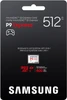
The Samsung P9 Express uses a distinctive white design with red P9 and microSD Express branding, helping distinguish it visually from many conventional Samsung UHS-I memory cards.
Not the Same as a Conventional Samsung microSD Card
The P9 Express should not be confused with Samsung's conventional UHS-I cards such as:
- Samsung PRO Plus
- Samsung EVO Plus
- Samsung PRO Ultimate
- Samsung PRO Endurance
Those cards target different workloads and interfaces.
The key difference is that P9 Express supports the PCIe / NVMe microSD Express interface required for Nintendo Switch 2 expandable game storage.
P9 Express vs Conventional UHS-I microSD
Samsung P9 Express
- microSD Express
- PCIe Gen 3.0 ×1
- NVMe 1.3
- Up to 800MB/s read
- Up to 310MB/s write on 512GB
- Nintendo Switch 2 compatible
- UHS-I backward compatibility
Conventional UHS-I microSD
- Uses UHS-I interface only
- Does not provide PCIe / NVMe Express mode
- Much lower maximum interface bandwidth
- Not suitable for Nintendo Switch 2 expandable game storage unless specifically microSD Express
P9 Express 512GB vs P9 Express 256GB
Samsung offers the P9 Express in two capacities.
P9 Express 256GB
- 256GB capacity
- Up to 800MB/s sequential read
- Up to 200MB/s sequential write
P9 Express 512GB
- 512GB capacity
- Up to 800MB/s sequential read
- Up to 310MB/s sequential write
The 512GB version therefore provides both twice the advertised storage capacity and a higher manufacturer-listed maximum sequential write speed.
Is the Samsung P9 Express Good for Nintendo Switch 2?
Yes. Samsung specifically designed and markets the P9 Express as compatible with Nintendo Switch 2.
It provides:
- Required microSD Express technology
- 512GB additional capacity
- Up to 800MB/s read performance
- Up to 310MB/s write performance
- Dynamic Thermal Guard
- PCIe / NVMe interface
- Durability protection
It is therefore particularly well suited to users who want to expand a Switch 2 digital game library without relying solely on the console's built-in storage.
Is It Officially Compatible with Nintendo Switch 2?
Samsung's product documentation explicitly states that the P9 Express works with Nintendo Switch 2.
Nintendo separately confirms that Nintendo Switch 2 supports microSD Express cards for expandable storage.
This product should be described as Nintendo Switch 2 compatible.
Important: Compatible Does Not Mean Nintendo-Branded
This is a Samsung P9 Express memory card.
Compatibility with Nintendo Switch 2 should not be confused with a claim that the product is a special Nintendo-branded edition unless the supplied packaging specifically carries such licensing.
Can I Use It in a Phone or Tablet?
Samsung lists smartphones and tablets among compatible device categories where the device supports microSDXC media.
However, many phones and tablets provide only UHS-I interfaces.
In such devices, the card can operate through its backward-compatible SD mode but will not deliver the full 800MB/s SD Express performance.
Can I Use It in a Laptop?
Yes, provided the laptop or card reader supports the relevant microSD format.
For full PCIe / NVMe Express performance, the reader must specifically support microSD Express.
A conventional UHS-I reader will operate at UHS-I speeds.
Can I Use It in an Action Camera or Drone?
Samsung includes action cameras and drones among the general device categories compatible with the P9 Express where a suitable microSDXC slot is available.
However, check the exact manufacturer's requirements because cameras and drones can have specific:
- Maximum capacity limits
- File-system requirements
- UHS classifications
- V30 / V60 / V90 requirements
Not Intended as a High-Endurance Surveillance Card
The Samsung P9 Express is primarily designed for gaming and general high-performance storage.
Samsung specifically states that its limited warranty does not extend to dashcam, CCTV, surveillance-camera and other write-intensive uses.
For continuous video recording, consider a dedicated high-endurance memory card designed and warranted for that workload.
Three-Year Samsung Limited Warranty
Samsung provides the P9 Express with a:
3-year limited warranty
The warranty is subject to Samsung's terms and exclusions.
Important Warranty Exclusion
Samsung explicitly excludes certain write-intensive applications from the standard warranty, including:
- Dash cameras
- CCTV systems
- Surveillance cameras
- Other write-intensive uses
Samsung P9 Express 512GB Technical Overview
- Brand: Samsung
- Series: P9 Express
- Product Type: microSDXC Express Memory Card
- Capacity: 512GB
- MPN: MB-MK512T/WW
- Base Model: MB-MK512T
- Memox SKU: 12176611
- EAN / GTIN-13: 8806097644200
- Colour: White
- Interface: PCIe Gen 3.0 ×1
- NVMe: NVMe 1.3
- SD Standard: SD 7.1
- Backward-Compatible Interface: UHS-I
- Maximum SD Express Read: Up to 800MB/s
- Maximum SD Express Write: Up to 310MB/s – 512GB model
- UHS-I Read: Up to 90MB/s
- Speed Class: U3
- Video Speed Class: V30
- Application Performance Class: A1
- SD Speed Class: Class 10
- NAND: Samsung V-NAND TLC
- Controller: SM2708
- HMB: Host Memory Buffer Supported
- Thermal Management: Dynamic Thermal Guard / DTG
- Random Read 4KB QD32: Up to 65K IOPS in SD Express mode
- Random Write 4KB QD32: Up to 52K IOPS in SD Express mode
- Random Read 4KB QD1: Up to 9K IOPS in SD Express mode
- Random Write 4KB QD1: Up to 30K IOPS in SD Express mode
- Operating Temperature: 0°C to 45°C
- Non-Operating Temperature: -40°C to 85°C
- Magnetic Resistance: Up to 15,000 Gauss for 30 seconds
- X-Ray Resistance: Up to 100mGy
- Water Test: Up to 1m depth, 3% NaCl, 25°C under Samsung test conditions
- Drop Test: Up to 1m, 10 cycles
- Wear Durability: Up to 10,000 mating / insertion cycles
- Dimensions: Approximately 15 × 11 × 1mm
- Weight: Approximately 0.25g
- EMC: CE / UKCA / FCC / VCCI / RCM
- Samsung Magician: Supported
- Nintendo Switch 2: Compatible
- Original Nintendo Switch: Backward compatible at conventional microSD performance
- Warranty: 3-Year Limited Warranty
Important Nintendo Switch 2 Compatibility Note
Nintendo Switch 2 requires microSD Express cards for normal expandable game storage.
The Samsung P9 Express is a genuine microSD Express product and Samsung specifically confirms compatibility with Nintendo Switch 2.
Important First-Use Update Note
Nintendo requires an internet-connected system update the first time a microSD Express card is used with Nintendo Switch 2.
This is normal Switch 2 behaviour and does not indicate a fault with the Samsung memory card.
Important SD Express Speed Note
The advertised 800MB/s read and 310MB/s write specifications require compatible microSD Express / PCIe operation.
A UHS-I-only host cannot achieve these speeds.
Important UHS-I Speed Note
Samsung specifies approximately 90MB/s sequential read in UHS-I mode.
This means customers testing the P9 Express in a conventional UHS-I USB reader should not expect the card to benchmark at 800MB/s.
Important 310MB/s Write-Speed Note
The correct maximum sequential write specification for this exact 512GB MB-MK512T model is:
Up to 310MB/s
The 256GB P9 Express uses a different maximum write specification of up to 200MB/s.
Important V30 Note
V30 is the card's conventional SD Video Speed Class and specifies a minimum sustained sequential write class of 30MB/s.
It should not be confused with the card's much higher maximum SD Express write performance of up to 310MB/s.
Important A1 Note
A1 is the Application Performance Class rating used in compatible conventional SD workloads.
The P9 Express additionally provides much higher random I/O figures when operating through its PCIe / NVMe SD Express interface.
Important 512GB Capacity Note
The usable storage shown by the host will be lower than the advertised 512GB due to formatting, storage management and differences in capacity calculation.
Important Durability Note
Samsung's water, temperature, X-ray, magnet, drop and wear-resistance specifications are based on controlled laboratory testing.
These protections improve resilience but do not guarantee against all forms of physical damage or data loss.
Important files should always be backed up.
Important Dashcam and CCTV Warranty Note
Samsung states that the P9 Express limited warranty does not extend to dashcam, CCTV, surveillance-camera and other write-intensive applications.
For continuous recording, choose an appropriate high-endurance memory card.
Important Barcode Note
The number 8806097644200 currently stored on the Memox product page is a 13-digit EAN / GTIN-13.
It should not be labelled as a 12-digit UPC.
Who Is the Samsung P9 Express 512GB Best For?
- Nintendo Switch 2 owners
- Players with large digital game libraries
- Users downloading frequent DLC and updates
- microSD Express compatible handheld gaming devices
- Users needing faster storage than conventional UHS-I microSD
- Compatible laptops and card readers
- High-performance portable storage workflows
- Users who want 512GB rather than 256GB capacity
- Users wanting Samsung V-NAND storage
- Users wanting Dynamic Thermal Guard
- Users who want Samsung Magician support
Who Should Consider a Different Memory Card?
A different card may be more suitable if you specifically need:
- A dedicated high-endurance dashcam card
- A CCTV / surveillance recording card
- A V60 or V90 camera card
- More than 512GB capacity
- A full-size SD card rather than microSD
- A card for a device that does not support SDXC
- A lower-cost card for a UHS-I-only device where SD Express performance cannot be used
Why Choose the Samsung P9 Express 512GB?
The Samsung P9 Express MB-MK512T/WW is designed for the new generation of devices that need significantly more storage bandwidth than conventional microSD cards can provide.
For Nintendo Switch 2, the most important advantage is straightforward: the console requires microSD Express for normal expandable game storage, and Samsung explicitly confirms the P9 Express as compatible.
The card combines PCIe Gen 3.0 ×1 and NVMe 1.3 technology with Samsung V-NAND TLC flash, providing sequential read speeds of up to 800MB/s and up to 310MB/s sequential write speed on this 512GB model.
Its 512GB capacity gives players substantially more room for digital games, downloadable content and updates, while Dynamic Thermal Guard helps manage temperature during demanding workloads.
Host Memory Buffer support and strong random I/O performance further distinguish the P9 Express from conventional UHS-I memory cards, particularly for application and gaming workloads involving many smaller data accesses.
Backward compatibility also means the card can be used in compatible UHS-I devices when necessary, although those devices operate at much lower UHS-I speeds and cannot access the full PCIe / NVMe performance.
Samsung adds six-proof durability covering water, temperature, X-rays, magnetic exposure, drops and repeated insertion cycles, together with a three-year limited warranty for supported applications.
Choose the Samsung P9 Express 512GB if you want a Nintendo Switch 2 compatible microSD Express card with PCIe/NVMe technology, up to 800MB/s read, up to 310MB/s write, 512GB capacity, Dynamic Thermal Guard and Samsung V-NAND reliability.
Specification
Samsung P9 Express 512GB microSD Express MB-MK512T/WW Specifications
The Samsung P9 Express 512GB MB-MK512T/WW is a next-generation microSDXC Express memory card designed for high-performance gaming and compatible microSD Express devices including Nintendo Switch 2. It combines PCIe Gen 3.0 ×1 and NVMe 1.3 technology with Samsung V-NAND TLC flash, delivering up to 800MB/s sequential read and up to 310MB/s sequential write performance in SD Express mode.
General Information
| Brand | Samsung |
| Series | P9 Express |
| Product Type | microSDXC Express Memory Card |
| Capacity | 512GB |
| Manufacturer Part Number / MPN | MB-MK512T/WW |
| Base Model | MB-MK512T |
| Memox SKU | 12176611 |
| EAN / GTIN-13 | 8806097644200 |
| Colour | White |
Memory Card Format
| Physical Form Factor | microSD |
| Capacity Standard | microSDXC |
| Express Standard | microSD Express |
| SD Specification | SD 7.1 |
| Backward-Compatible SD Interface | UHS-I |
Interface and Protocol
| Primary High-Speed Interface | PCI Express Gen 3.0 ×1 |
| Storage Protocol | NVMe 1.3 |
| SD Specification | SD 7.1 |
| UHS-I Backward Compatibility | Yes |
| Host Memory Buffer / HMB | Supported |
Sequential Performance
| Maximum SD Express Sequential Read | Up to 800MB/s |
| Maximum SD Express Sequential Write | Up to 310MB/s – 512GB model |
| Maximum UHS-I Sequential Read | Up to 90MB/s |
| Full 800MB/s Performance in UHS-I Host | No |
Random Performance – SD Express Mode
| 4KB Random Read – QD32 | Up to 65K IOPS |
| 4KB Random Write – QD32 | Up to 52K IOPS |
| 4KB Random Read – QD1 | Up to 9K IOPS |
| 4KB Random Write – QD1 | Up to 30K IOPS |
Random Performance – UHS-I Mode
| 4KB Random Read – QD32 | Up to 2K IOPS |
| 4KB Random Write – QD32 | Up to 2K IOPS |
| 4KB Random Read – QD1 | Up to 2K IOPS |
| 4KB Random Write – QD1 | Up to 2K IOPS |
Speed Classes
| UHS Speed Class | U3 |
| Video Speed Class | V30 |
| Application Performance Class | A1 |
| SD Speed Class | Class 10 |
Minimum Sustained Speed Classes
| Class 10 Minimum Write Class | 10MB/s |
| U3 Minimum Sustained Write Class | 30MB/s |
| V30 Minimum Sustained Sequential Write Class | 30MB/s |
NAND and Controller
| NAND Flash Type | Samsung V-NAND TLC |
| Controller | Samsung SM2708 |
| Host Memory Buffer | Yes |
Thermal Management
| Dynamic Thermal Guard | Yes |
| Thermal Management Purpose | Helps maintain optimal operating temperatures and steady performance during demanding workloads |
Nintendo Switch 2 Compatibility
| Nintendo Switch 2 Compatible | Yes |
| Required Storage Standard for Switch 2 Expansion | microSD Express |
| P9 Express Meets Requirement | Yes |
| 512GB Capacity Supported by Switch 2 | Yes |
| First-Time microSD Express System Update Required | Yes – Nintendo requires an internet-connected system update the first time a microSD Express card is used |
Original Nintendo Switch Compatibility
| Original Nintendo Switch | Compatible as microSD storage |
| Nintendo Switch OLED | Compatible as conventional microSD storage |
| Nintendo Switch Lite | Compatible as conventional microSD storage |
| SD Express Performance Available on Original Switch | No |
| Original Switch Performance | Operates at conventional microSD interface speed |
Other Compatible Device Categories
| Gaming Consoles | Compatible where microSDXC / microSD Express support is provided |
| Mobile Phones | Compatible where microSDXC support is provided |
| Tablets | Compatible where microSDXC support is provided |
| Action Cameras | Compatible where card capacity and speed-class requirements are met |
| Drones | Compatible where card capacity and speed-class requirements are met |
| Laptops | Compatible with suitable microSDXC / microSD Express reader or slot |
Samsung Magician Software
| Samsung Magician Support | Yes |
| Product Authenticity Verification | Supported through compatible Samsung Magician software |
| Health Monitoring | Supported |
| Performance Benchmarking | Supported |
| Windows Support | Windows 10 or later |
| macOS Support | macOS High Sierra 10.13 or later |
Operating Environment
| Operating Temperature | 0°C to 45°C |
| Non-Operating / Storage Temperature | -40°C to 85°C |
| Humidity Test | 40°C / 93% and 85°C / 85% under Samsung test conditions |
Water Resistance
| Water Resistant | Yes – under Samsung laboratory test conditions |
| Water Depth | Up to 1 metre |
| Test Solution | 3% NaCl salt water |
| Test Temperature | 25°C |
| Test Duration | Up to 72 hours |
X-Ray Resistance
| X-Ray Resistant | Yes |
| Samsung UK Test Level | Up to 100mGy |
| Typical Application | Comparable with airport X-ray exposure under Samsung test conditions |
Magnetic Resistance
| Magnet Resistant | Yes |
| Maximum Test Field | Up to 15,000 Gauss |
| Test Duration | 30 Seconds |
Drop Resistance
| Drop Resistant | Yes – under Samsung UK laboratory test conditions |
| Samsung UK Drop Height | Up to 1 metre / approximately 3.3ft |
| Samsung UK Drop Test Cycles | 10 Cycles |
Wear Resistance
| Insertion / Removal Durability | Up to 10,000 mating cycles |
| Repeated Card Insertion Tested | Yes |
Physical Dimensions
| Width | 15mm |
| Height | 11mm |
| Depth / Thickness | Approximately 1mm |
| Samsung UK Dimensions | 15 × 11 × 1mm (W × H × D) |
Weight
| Samsung UK Listed Weight | Approximately 0.25g |
Certification
| CE | Yes |
| UKCA | Yes |
| FCC | Yes |
| VCCI | Yes |
| RCM | Yes |
Warranty
| Samsung Manufacturer Warranty | 3-Year Limited Warranty |
| Dashcam Use Covered | No |
| CCTV / Surveillance Use Covered | No |
| Other Write-Intensive Uses | Excluded from Samsung's standard P9 Express limited warranty |
Product Identification
| Manufacturer | Samsung |
| Product Name | P9 Express |
| Capacity | 512GB |
| MPN | MB-MK512T/WW |
| Base Model | MB-MK512T |
| Memox SKU | 12176611 |
| EAN / GTIN-13 | 8806097644200 |
Important SD Express Performance Note
The Samsung P9 Express has two different performance modes depending on the host device.
In a compatible microSD Express host, the card can use its PCIe Gen 3.0 ×1 and NVMe 1.3 interface and deliver speeds of up to:
- 800MB/s sequential read
- 310MB/s sequential write
In a conventional UHS-I-only device, the card cannot use its PCIe / NVMe interface and performance is reduced to the capabilities of UHS-I.
Important 310MB/s Write-Speed Note
The correct maximum sequential write specification for this exact 512GB MB-MK512T/WW version is:
Up to 310MB/s.
The smaller 256GB P9 Express has a different maximum sequential write specification of up to 200MB/s.
Important UHS-I Fallback Note
Samsung UK specifies:
Up to 90MB/s sequential read in UHS-I mode.
Customers benchmarking the card through a conventional UHS-I reader should therefore not expect an 800MB/s result.
To access SD Express performance, the host device or card reader must specifically support microSD Express / SD Express.
Important Nintendo Switch 2 Note
Nintendo Switch 2 requires microSD Express cards for expandable digital game storage.
The Samsung P9 Express meets this requirement and Samsung specifically lists Nintendo Switch 2 compatibility.
Important Nintendo Switch 2 First-Use Note
Nintendo states that an internet-connected system update is required the first time a microSD Express card is used with Nintendo Switch 2.
This is a normal Nintendo Switch 2 setup requirement and does not indicate a fault with the card.
Important Original Nintendo Switch Note
A microSD Express card can also be used with compatible original Nintendo Switch systems.
However, Nintendo confirms that read and write performance will be equivalent to conventional microSD performance on the original Switch.
The original Nintendo Switch cannot use the P9 Express card's full PCIe / NVMe SD Express speed.
Important U3 / V30 Note
The U3 and V30 markings refer to the card's conventional SD speed classifications.
- U3: minimum sustained sequential write class of 30MB/s
- V30: minimum sustained sequential video write class of 30MB/s
These ratings should not be confused with the card's much higher 310MB/s maximum SD Express sequential write speed.
Important A1 Note
The card carries an A1 Application Performance Class rating for compatible SD workloads.
This is separate from Samsung's much higher published random IOPS figures when the card operates through SD Express / PCIe / NVMe mode.
Important Capacity Note
Samsung defines the advertised capacity using:
1GB = 1,000,000,000 bytes.
Actual available storage will be lower than 512GB because some capacity is used for system files, formatting and storage-management functions.
Important HMB Note
The P9 Express supports Host Memory Buffer / HMB.
HMB is part of the NVMe storage architecture and allows a compatible host to provide a small amount of system memory for selected storage-management functions.
Important Dynamic Thermal Guard Note
Samsung's Dynamic Thermal Guard / DTG is designed to help keep the P9 Express at an appropriate operating temperature and maintain steady performance during demanding workloads.
Important Durability Note
Samsung's environmental-protection specifications are based on controlled laboratory testing and should not be interpreted as guaranteeing against every type of damage or data loss.
For important files, maintaining a separate backup is always recommended.
Important Water Resistance Note
Samsung UK's current durability footnote specifies water testing at:
- 1 metre depth
- 3% NaCl salt water
- 25°C
- Up to 72 hours
This is a controlled laboratory resistance test and does not mean the card is intended for intentional underwater operation.
Important Drop-Resistance Note
For a UK product page, I recommend using Samsung UK's current manufacturer test:
- Drop height: up to 1 metre / approximately 3.3ft
- Test cycles: 10
Samsung's regional product pages currently show some different durability figures, so the UK specification is the safest reference for a UK retail listing.
Important Video Recording Note
The card is rated V30.
If a camera or recording mode specifically requires V60 or V90, do not assume the P9 Express meets that requirement merely because its SD Express maximum write speed is much higher.
Video Speed Class and maximum PCIe / NVMe transfer speed are different specifications.
Important Dashcam / CCTV Note
Samsung's 3-year limited warranty explicitly excludes:
- Dashcam use
- CCTV use
- Surveillance cameras
- Other write-intensive applications
For continuous 24/7 recording applications, use a dedicated high-endurance memory card designed and warranted for that workload.
Important Samsung Magician Note
Samsung Magician supports the P9 Express and can provide compatible features including:
- Product authenticity verification
- Health monitoring
- Performance benchmarking
Samsung currently lists Magician support for Windows 10 or newer and macOS High Sierra 10.13 or newer.
Important Dimensions Note
Samsung UK's current specification lists:
15 × 11 × 1mm and approximately 0.25g.
Some Samsung regional pages round the thickness and weight slightly differently. For a UK product listing, use the current Samsung UK figures above.
Important Barcode Note
The number 8806097644200 is the product's EAN / GTIN-13.
It should not be labelled as a 12-digit UPC.
Model Identification Note
These specifications apply specifically to the Samsung P9 Express 512GB microSDXC Express, manufacturer part number MB-MK512T/WW, base model MB-MK512T, Memox SKU 12176611 and EAN / GTIN-13 8806097644200.
Return
FAQ: Frequenlty Asked Questions
Samsung P9 Express 512GB microSD Express Card FAQ
The Samsung P9 Express 512GB (MB-MK512T/WW) is a next-generation microSD Express memory card designed for high-performance gaming and storage expansion, including full compatibility with Nintendo Switch 2. It combines PCIe Gen 3.0 ×1 and NVMe 1.3 technology with Samsung V-NAND TLC flash, sequential read speeds up to 800MB/s, Dynamic Thermal Guard and 512GB of additional storage.
Below are answers to the most common questions buyers ask about the Samsung P9 Express 512GB, including Nintendo Switch 2 compatibility, microSD Express vs normal microSD, 800MB/s performance, real-world Switch 2 transfer speeds, 512GB capacity, game storage, formatting, Samsung Magician, counterfeit-card checks, UHS-I backwards compatibility, V30, durability and comparisons with 256GB and other microSD Express cards.
1. What is the Samsung P9 Express 512GB?
The Samsung P9 Express 512GB is a microSD Express / microSDXC memory card designed for next-generation high-speed storage. Unlike conventional microSD cards, it can communicate through PCI Express and NVMe in a compatible microSD Express host such as Nintendo Switch 2.
2. What is the exact model number and EAN of this card?
This product is the Samsung P9 Express 512GB MB-MK512T/WW. The base model is MB-MK512T, the Memox SKU is 12176611 and the EAN / GTIN-13 is 8806097644200.
3. What are the main specifications of the Samsung P9 Express 512GB?
Key specifications include 512GB microSDXC capacity, microSD Express, PCIe Gen 3.0 ×1, NVMe 1.3, SD 7.1, Samsung V-NAND TLC, SM2708 controller, up to 800MB/s sequential read, up to 310MB/s sequential write for the 512GB version, UHS-I backwards compatibility, U3, V30, A1, HMB support and Dynamic Thermal Guard.
4. What is microSD Express?
microSD Express is a newer SD-card standard that adds a PCI Express / NVMe high-speed interface to the familiar microSD form factor. This allows compatible cards and host devices to deliver much higher storage performance than conventional UHS-I microSD cards.
5. How can I identify a real microSD Express card?
Look for the microSD Express “EX” logo on the card. microSD Express cards also have additional contacts on their rear surface for the PCIe connection. A card labelled only UHS-I, U3, V30, “Ultra” or “Extreme” is not automatically microSD Express.
6. Is “microSD Extreme” the same as “microSD Express”?
No. “Express” is a storage-interface standard, whereas names such as “Extreme” can simply be product branding. Nintendo Switch 2 requires microSD Express, so look specifically for the EX symbol rather than relying on words such as Ultra, Extreme or Pro.
7. Is the Samsung P9 Express 512GB compatible with Nintendo Switch 2?
Yes. Samsung specifically designed and markets the P9 Express for Nintendo Switch 2, and it meets the microSD Express standard required by Nintendo for expandable Switch 2 game storage.
8. Does a Switch 2 require a Nintendo-branded microSD Express card?
No. Nintendo states that any compatible card up to 2TB that meets the microSD Express standard can be used. The Samsung P9 Express therefore does not need Nintendo branding to work with Switch 2.
9. Why does Nintendo Switch 2 require microSD Express?
Nintendo says Switch 2 games need significantly faster storage access than the conventional microSD cards used by the original Switch. microSD Express provides the higher read/write performance required to load game data quickly enough for modern Switch 2 software.
10. Can I use an ordinary microSDXC card for Switch 2 games?
No. Conventional microSD, microSDHC and microSDXC cards that do not support the Express standard cannot be used to store or run Switch 2 downloadable games. A microSD Express card such as the Samsung P9 Express is required.
11. Can I use my old Nintendo Switch microSD card in Switch 2?
A conventional card from the original Switch cannot be used as Switch 2 expandable game storage. Nintendo does, however, allow you to temporarily insert an old Switch microSD card to import screenshots and captured videos into Switch 2 system memory.
12. Do I need a Switch 2 system update before using the P9 Express?
Yes. Nintendo states that an internet-connected system update is required the first time a microSD Express card is used with Nintendo Switch 2.
13. Does the Samsung P9 Express need to be formatted before use in Switch 2?
The console can prepare compatible storage for its own use. If formatting is required, use the Nintendo Switch 2 formatting option under System Settings > System > Format microSD Card. Formatting permanently deletes existing data, so back up anything important first.
14. How much additional storage does a 512GB P9 Express provide?
It provides a nominal 512GB of additional storage. Manufacturers calculate capacity using decimal gigabytes, so the usable amount shown by a computer or console will be lower after binary conversion, formatting and storage-management overhead.
15. Why does a 512GB card show less than 512GB of usable space?
This is normal. 512GB in manufacturer decimal units equals approximately 476.8GiB before file-system and system-management overhead. This difference does not mean storage is missing.
16. How much storage does Nintendo Switch 2 have before adding this card?
Nintendo Switch 2 has 256GB of built-in UFS storage, with a portion reserved for system use. Adding the Samsung P9 Express 512GB provides substantially more space for downloaded software, updates, DLC and captured media.
17. Is 512GB enough storage for Nintendo Switch 2?
For many players, 512GB offers a strong balance of capacity and cost. It can hold a substantial digital game library in addition to the console's internal storage. Users who buy almost everything digitally or keep many very large games permanently installed may prefer 1TB or more.
18. How many Switch 2 games will fit on 512GB?
There is no fixed number because Switch 2 game sizes vary significantly. For example, ten 30GB games require around 300GB, whereas five 80GB games require around 400GB. Check the download size of the particular games you plan to install.
19. What Switch 2 data can be stored on the Samsung P9 Express?
Nintendo allows a microSD Express card to store downloadable software, software update data, DLC, screenshots and captured gameplay videos.
20. Are Nintendo Switch 2 save files stored on the microSD Express card?
No. Nintendo stores game save data in the console's internal system memory. Save data cannot be copied to or stored on a microSD Express card.
21. Will I lose my game progress if the P9 Express card fails?
Your normal Switch 2 game save data is stored in console system memory rather than on the microSD Express card. Downloaded game software on a faulty card may need to be downloaded again, but the corresponding save data is managed separately by the console.
22. Does downloaded software automatically save to the P9 Express?
When a microSD Express card is inserted, Nintendo states that it becomes the default location for newly downloaded software.
23. Can I move games between Switch 2 internal storage and the P9 Express?
Yes. Open System Settings > Data Management > Move Data Between Console/microSD Express Card. Downloaded software, DLC and suitable update data can be moved between the console and card.
24. Can screenshots and videos be moved to the P9 Express?
Yes. Switch 2 screenshots and captured gameplay videos can be moved between system memory and the microSD Express card through the console's Data Management options.
25. Can I use several 512GB microSD Express cards with one Switch 2?
Technically multiple cards can be used, but Nintendo recommends using a single microSD Express card. Managing downloadable software across several cards can become complicated, and Nintendo notes that content split across multiple cards cannot simply be merged later.
26. Can I upgrade from the Samsung 512GB card to a larger card later?
Yes. Nintendo supports microSD Express cards up to 2TB. Nintendo recommends copying the data to a larger microSD Express card if additional capacity becomes necessary.
27. Is extra storage useful for Switch 2 game-key cards?
Yes. A game-key card acts as the key to a downloadable game rather than necessarily containing the complete game data. Large game-key-card titles can therefore still consume substantial console or microSD Express storage.
28. Can the Samsung P9 Express be used in the original Nintendo Switch?
Yes. Nintendo states that microSD Express cards can also be used with the original Nintendo Switch, Switch Lite and Switch OLED where compatible.
29. Will the original Nintendo Switch use the P9 Express at 800MB/s?
No. Nintendo states that on the original Switch, microSD Express operates at conventional microSD speeds. The original Switch cannot take advantage of the P9 Express PCIe/NVMe interface.
30. What is the maximum read speed of the Samsung P9 Express 512GB?
Samsung specifies an SD Express sequential read speed of up to 800MB/s. Actual performance varies depending on the host device, workload, interface and operating conditions.
31. What is the maximum write speed of the 512GB P9 Express?
The 512GB version is specified at up to approximately 310MB/s sequential write. The smaller 256GB P9 Express version has a lower listed maximum write speed, making the 512GB model attractive for large transfers as well as additional capacity.
32. Will Nintendo Switch 2 actually transfer data at 800MB/s?
Not necessarily. The 800MB/s figure represents the card's maximum sequential read capability under Samsung test conditions. The Switch 2 hardware, software, file types and transfer operation can impose much lower practical limits.
33. Why are real Switch 2 transfer speeds much lower than the speed printed on the card?
Card specifications measure performance under controlled benchmark conditions, whereas a console transfer involves the Switch 2 storage subsystem, operating system, file structure and workload. Community tests have measured much lower effective speeds during real game transfers even with fully functional microSD Express cards.
34. Will a P9 Express make Switch 2 games load four times faster?
No such guarantee should be expected. Samsung states that the card itself can read up to four times faster than its conventional UHS-I microSD products under its test conditions, but game-loading improvements depend on the console, software and whether storage is actually the limiting factor.
35. Is the P9 Express as fast as the Switch 2 internal storage?
The technologies are different: Switch 2 uses internal UFS storage while the P9 Express uses PCIe/NVMe microSD Express. Both are designed to provide sufficiently fast access for Switch 2 software, but benchmark results should not be assumed to be identical.
36. What interface does the Samsung P9 Express use?
The card supports PCI Express Gen 3.0 ×1, NVMe 1.3 and SD 7.1 when operating in SD Express mode. It also retains UHS-I compatibility for conventional devices.
37. Is the P9 Express basically a tiny NVMe SSD?
It uses several technologies associated with SSDs—including PCI Express, NVMe, Samsung V-NAND, Host Memory Buffer and thermal management—but packages them within a microSD Express form factor designed around the SD standard.
38. What is Host Memory Buffer (HMB)?
HMB is an NVMe feature that allows compatible storage to make controlled use of a small amount of host-system memory for selected storage-management operations. Samsung lists HMB support as one of the P9 Express performance technologies.
39. What is Samsung Dynamic Thermal Guard?
Dynamic Thermal Guard (DTG) is Samsung's thermal-management technology for the P9 Express. Samsung states that it helps keep the card at an optimal temperature and maintain steady performance during demanding gaming and data-transfer workloads.
40. Is it normal for a microSD Express card to become warm?
Yes. PCIe/NVMe storage can produce more heat than conventional low-speed microSD storage during heavy activity. Some warmth during game installations, updates and large transfers can therefore be normal. Samsung incorporates Dynamic Thermal Guard to manage demanding operating conditions.
41. What does U3 mean on the Samsung P9 Express?
U3 is the UHS Speed Class 3 rating and specifies at least 30MB/s sustained sequential write performance in the conventional SD operating mode.
42. What does V30 mean?
V30 is Video Speed Class 30 and represents at least 30MB/s sustained sequential write performance under that speed-class specification. It is particularly relevant when the card operates in compatible cameras through its conventional SD interface.
43. What does A1 mean?
A1 is an Application Performance Class relating to minimum random-access performance for application-style workloads in compatible conventional SD devices. It is separate from the substantially higher random I/O available through the card's SD Express interface.
44. What are the Samsung P9 Express random read and write speeds?
Samsung specifies up to 65K random-read IOPS and 52K random-write IOPS at 4KB QD32. At QD1 it lists up to approximately 9K read and 30K write IOPS. Random performance is important because games frequently access many smaller files rather than one continuous large file.
45. Is the Samsung P9 Express backwards compatible with UHS-I devices?
Yes. Samsung lists UHS-I backwards compatibility. In a conventional UHS-I device, however, the card cannot use its PCIe/NVMe Express performance and Samsung specifies up to approximately 90MB/s UHS-I read.
46. Is the Samsung P9 Express a UHS-II card?
No. Its high-performance mode is microSD Express using PCIe/NVMe, while its backwards-compatible SD mode is UHS-I. It should not be confused with a UHS-II memory card.
47. Can I use the P9 Express in a phone or tablet?
Potentially yes where the device accepts a compatible microSDXC card. Most phones and tablets, however, provide only a conventional UHS-I interface, so the card would operate at the slower backwards-compatible speed rather than at 800MB/s.
48. Can I use the P9 Express in an action camera or drone?
Potentially. Samsung lists cameras and drones among compatible device categories, but you should check the exact device's capacity limit, file-system requirement and required V30/V60/V90 speed rating. The P9 Express carries a V30 rating in conventional SD operation.
49. Is the Samsung P9 Express suitable for 4K video recording?
It can be used for compatible V30/U3 4K recording modes. However, some high-bitrate professional camera modes specifically require V60 or V90 media, in which case a card carrying that required rating should be used instead.
50. What card reader do I need to see close to 800MB/s on a PC?
You need a microSD Express-compatible reader connected through a sufficiently fast host interface. A normal UHS-I USB card reader will use only the card's backwards-compatible interface and cannot approach 800MB/s.
51. Can Samsung Magician recognise the P9 Express?
Yes. Samsung specifically lists Samsung Magician support for P9 Express. Supported versions can provide tools for product-authenticity checking, drive-health monitoring and performance benchmarking when the card is connected through suitable hardware.
52. Can Samsung Magician verify whether my P9 Express is genuine?
Samsung advertises product-authenticity verification as one of the Magician functions available for supported P9 Express configurations. This can be particularly useful because counterfeit high-capacity memory cards remain a concern when purchased from unknown marketplace sellers.
53. How can I check whether the 512GB capacity is genuine?
Purchase from a reputable retailer and confirm the model/packaging carefully. On Switch 2, Nintendo advises contacting the retailer if the total capacity reported by the console differs from the labelled capacity by more than 1GB beyond the expected storage calculation. On a PC, full-capacity write/read verification software can also help detect falsely programmed cards.
54. What should I do if Switch 2 does not recognise the Samsung P9 Express?
Power the console off, remove and reinsert the card, confirm that the console is fully updated and inspect the card contacts and slot for contamination. Nintendo recommends formatting the microSD Express card if necessary. If several known-good Express cards also fail, the console itself may require service.
55. Is the Samsung P9 Express water, temperature and X-ray resistant?
Samsung markets the P9 Express with six-proof durability. Its published tests include water exposure, temperature extremes, X-rays, magnetic fields, drops and repeated insertion/removal cycles. These are controlled test conditions rather than a guarantee against every type of physical damage.
56. What environmental durability does Samsung specify?
Samsung specifies water testing at up to 1 metre in 3% salt water, magnetic resistance up to 15,000 Gauss for 30 seconds, X-ray resistance up to 100mGy, operating temperatures of approximately 0°C to 45°C, non-operating temperatures from -40°C to 85°C and durability for up to 10,000 insertion cycles.
57. What warranty does the Samsung P9 Express 512GB have?
Samsung provides the P9 Express with a 3-year limited warranty, subject to Samsung's warranty conditions and exclusions.
58. Is the Samsung P9 Express suitable for dashcams or CCTV?
It is not the best choice for continuous surveillance recording. Samsung specifically states that its P9 Express limited warranty does not extend to dashcam, CCTV, surveillance-camera and other write-intensive applications. A dedicated high-endurance card is normally better for continuous recording.
59. Samsung P9 Express 512GB vs 256GB – which should I choose?
Choose the 512GB P9 Express when you want more room for a growing Switch 2 digital library and fewer game deletions. Both capacities offer up to 800MB/s read performance, but the 512GB model provides twice the nominal storage and is listed with higher maximum sequential write performance—approximately 310MB/s versus around 200MB/s for the 256GB version.
60. Who is the Samsung P9 Express 512GB best for, and who should choose another card?
The Samsung P9 Express 512GB is particularly suitable for Nintendo Switch 2 owners, digital-game buyers, families sharing a Switch 2, users of game-key cards and anyone who wants significantly more game storage without immediately moving to a more expensive 1TB card.
Choose a larger 1TB or 2TB microSD Express card if you maintain a very large digital library and want to minimise future storage management. Choose a cheaper conventional UHS-I card only for devices that do not require microSD Express. For dashcams, CCTV and continuous surveillance workloads, choose a dedicated high-endurance card instead.
Related Products
Related Products


Team 512GB Apex SD7.1 MicroSDXC Express Card, Nintendo Switch 2 Ready, 800MB/s
TEAM


ADATA 512GB Premier Extreme MicroSDXC SD7.1 Express Card, Nintendo Switch 2 Ready, 800MB/s
ADATA


Team 256GB Apex SD7.1 MicroSDXC Express Card, Nintendo Switch 2 Ready, 800MB/s
TEAM