
SAMSUNG
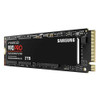
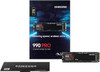
Samsung 2TB 990 PRO M.2 NVMe SSD, M.2 2280, PCIe 4.0, V-NAND, R/W 7450/6900 MB/s, 1400K/1550K IOPS
- SKU:
- HDSAM-990PRO-2TB
- UPC:
- 8806094215038
- MPN:
- MZ-V9P2T0BW
- Availability:
- Free Click & Collect in Peterborough. UK delivery also available.











Description
Samsung 990 PRO 2TB NVMe SSD – PCIe Gen4 M.2 2280, 7450MB/s Read, 6900MB/s Write
The Samsung 990 PRO 2TB NVMe SSD is a premium high-performance internal solid state drive designed for gaming PCs, creator workstations, performance desktops, compatible laptops and game consoles that support M.2 2280 PCIe 4.0 NVMe storage. With sequential read speeds of up to 7,450MB/s and sequential write speeds of up to 6,900MB/s, it delivers near-maximum PCIe Gen4 performance for faster boot times, game loading, large file transfers and demanding creative workloads.
This SSD is ideal for customers searching for a Samsung 990 PRO 2TB SSD, MZ-V9P2T0BW, 2TB PCIe Gen4 NVMe SSD, M.2 2280 SSD for gaming, high-speed SSD for video editing, or a premium storage upgrade for PCs and compatible game consoles. Samsung lists the 990 PRO 2TB with PCIe Gen 4.0 x4, NVMe 2.0, Samsung V-NAND 3-bit MLC, a Samsung in-house controller and 2GB LPDDR4 DRAM cache.
Key Features of the Samsung 990 PRO 2TB SSD
- 2TB / 2,000GB capacity for games, Windows, applications, media files and large creative projects
- PCIe Gen 4.0 x4 interface for high-speed NVMe performance
- NVMe 2.0 protocol for modern SSD performance and efficiency
- M.2 2280 form factor for compatible desktops, laptops and game consoles
- Up to 7,450MB/s sequential read speed for fast loading and file access
- Up to 6,900MB/s sequential write speed for quick saving, transfers and installs
- Up to 1,400K random read IOPS and 1,550K random write IOPS
- Samsung V-NAND 3-bit MLC with Samsung in-house controller
- 2GB Low Power DDR4 SDRAM cache for responsive performance
- Dynamic Thermal Guard, nickel-coated controller and heat spreader label for thermal control
- TRIM, S.M.A.R.T. and auto garbage collection support
- AES 256-bit encryption, TCG/Opal and IEEE1667 support
- Samsung Magician software support for firmware updates, drive health checks and performance monitoring
- 1200TBW endurance rating for the 2TB model
- 5-year limited warranty or 1200TBW, whichever comes first
- Model: MZ-V9P2T0BW
High-End PCIe Gen4 Performance for Gaming and Creative Work
The Samsung 990 PRO 2TB is built for users who need very fast storage and plenty of capacity. Its PCIe 4.0 x4 interface allows it to reach up to 7,450MB/s read and 6,900MB/s write, helping reduce loading times in games, speed up large file transfers and improve responsiveness in demanding workloads.
This makes it a strong upgrade for gamers, content creators, video editors, 3D designers, photographers, data-heavy users and PC enthusiasts who want high-end Gen4 NVMe performance instead of a slower SATA SSD or older PCIe Gen3 NVMe drive.
Ideal for Large Game Libraries and Heavy Files
The 2TB capacity gives more room for large game installs, 4K video projects, photo libraries, design files, virtual machines and creative project folders. It is a better capacity choice than 1TB if you regularly install large modern games or work with high-resolution media.
Samsung Controller, V-NAND and 2GB DRAM Cache
The Samsung 990 PRO uses Samsung’s own controller, Samsung V-NAND and a dedicated 2GB LPDDR4 DRAM cache on the 2TB model. This combination helps deliver strong random and sequential performance for gaming, operating system use, workstation-style tasks and frequent file access.
The 2TB model is rated for up to 1,400,000 random read IOPS and up to 1,550,000 random write IOPS, helping the drive respond quickly when handling many small files, applications and background system operations.
Smart Thermal Control for Stable Performance
The 990 PRO includes Samsung’s smart thermal features, including a nickel-coated controller, heat spreader label and Dynamic Thermal Guard. These features help manage temperature and reduce performance drops caused by heat during heavier workloads.
This version, MZ-V9P2T0BW, is the standard non-heatsink model. If your motherboard, laptop or console requires a heatsink, use a compatible motherboard heatsink or choose a dedicated 990 PRO heatsink version instead.
Important PlayStation 5 Note
Samsung lists the 990 PRO for client PCs and game consoles. For PlayStation 5 storage expansion, Sony requires an M.2 SSD with a suitable heatsink structure. This specific model is the non-heatsink version, so a compatible heatsink should be fitted before PS5 use.
Samsung Magician Software Support
Samsung Magician software helps users manage and monitor the 990 PRO. It can be used for SSD health checks, firmware updates, performance benchmarks, optimisation tools and drive information.
Samsung Magician is also useful for checking genuine Samsung SSD recognition, firmware status and drive health. This is helpful because counterfeit 990 PRO SSDs have been reported in the wider market, so buying from trusted sellers and checking the drive after installation is sensible. :contentReference[oaicite:1]{index=1}
Compatibility Guide
The Samsung 990 PRO 2TB is an M.2 2280 PCIe Gen4 NVMe SSD. It requires a device with an M.2 slot that supports PCIe NVMe storage. It is backward compatible with compatible PCIe Gen3 systems, but performance will be limited by the slower interface.
Check Before You Buy
- Your motherboard, laptop or console supports M.2 2280 SSDs
- Your M.2 slot supports PCIe NVMe, not SATA-only M.2 storage
- Your system supports PCIe Gen4 x4 if you want full speed
- Your device has enough clearance for this SSD and any required heatsink
- Your BIOS/UEFI supports NVMe boot if you want to use it as a Windows boot drive
- For PS5 use, fit a compatible heatsink because this is the non-heatsink version
Who Is the Samsung 990 PRO 2TB Best For?
- Gamers wanting fast loading and a larger 2TB game library
- PC builders upgrading from SATA SSDs or older NVMe drives
- Content creators working with large photos, videos and project files
- High-performance desktops and workstations with PCIe 4.0 support
- Compatible laptops that support M.2 2280 PCIe NVMe SSDs
- Users who want Samsung Magician support and a 5-year warranty
- Game console users who can add a suitable heatsink where required
Who Is This SSD Not For?
This SSD is not suitable for systems that only support M.2 SATA drives. It is also not the best option if you need a drive with a factory-installed heatsink, if your device only accepts shorter M.2 sizes such as 2242 or 2230, or if you are looking for a lower-cost basic storage drive where high-end PCIe Gen4 speed is not required.
Technical Specifications
- Brand: Samsung
- Series: 990 PRO
- Model / MPN: MZ-V9P2T0BW
- Capacity: 2TB / 2,000GB
- Application: Client PCs and game consoles
- Form Factor: M.2 2280
- Interface: PCIe Gen 4.0 x4
- Protocol: NVMe 2.0
- Storage Memory: Samsung V-NAND 3-bit MLC
- Controller: Samsung in-house controller
- Cache Memory: Samsung 2GB Low Power DDR4 SDRAM
- Sequential Read Speed: Up to 7,450MB/s
- Sequential Write Speed: Up to 6,900MB/s
- Random Read: Up to 1,400,000 IOPS
- Random Write: Up to 1,550,000 IOPS
- TRIM Support: Yes
- S.M.A.R.T. Support: Yes
- Garbage Collection: Auto garbage collection algorithm
- Encryption Support: AES 256-bit, TCG/Opal, IEEE1667
- Device Sleep Mode: Supported
- Average Power Consumption: Approximately 5.5W
- Maximum Power Consumption: Up to 8.5W burst mode
- Idle Power Consumption: Up to 55mW
- Allowable Voltage: 3.3V ± 5%
- Reliability: 1.5 million hours MTBF
- Operating Temperature: 0°C to 70°C
- Shock: 1,500G / 0.5ms
- Dimensions: 80 x 22 x 2.3mm
- Weight: Maximum 9.0g
- Management Software: Samsung Magician Software
- Warranty: 5-year limited warranty or 1200TBW limited warranty
Important Performance Note
Maximum speeds are manufacturer figures and performance may vary depending on system hardware, firmware, operating system, workload, temperature, available PCIe lanes and system configuration. To reach the highest speeds, the system must support PCIe Gen4 x4. In PCIe Gen3 systems, the SSD can still work in compatible slots, but speeds will be limited by the Gen3 interface.
Important Heatsink and Console Note
This product code, MZ-V9P2T0BW, is the standard non-heatsink 990 PRO 2TB model. For PlayStation 5 storage expansion or motherboard slots without built-in heatsinks, use a suitable M.2 heatsink to help maintain operating temperatures.
Why Buy the Samsung 990 PRO 2TB NVMe SSD?
The Samsung 990 PRO 2TB is a premium PCIe Gen4 NVMe SSD for users who want high-end speed, strong random performance, larger storage capacity, Samsung controller technology, DRAM cache, smart thermal control, Samsung Magician software and a long warranty. With up to 7,450MB/s read, 6,900MB/s write and 1200TBW endurance, it is a strong choice for gaming PCs, creator builds, high-performance desktops and compatible console storage upgrades.
Choose this SSD if you want a fast, reliable 2TB M.2 NVMe drive from Samsung’s PRO range and your system supports M.2 2280 PCIe NVMe storage.
Specification
Samsung 990 PRO 2TB NVMe SSD Specifications
The Samsung 990 PRO 2TB is a premium PCIe Gen4 NVMe M.2 SSD designed for client PCs, gaming systems, creator workstations, compatible laptops and game consoles. It uses the M.2 2280 form factor, PCIe Gen 4.0 x4 interface, NVMe 2.0 protocol, Samsung V-NAND and a Samsung in-house controller to deliver up to 7,450MB/s read and 6,900MB/s write speeds.
General Information
| Brand | Samsung |
| Series | 990 PRO |
| Model / MPN | MZ-V9P2T0BW |
| Product Type | Internal Solid State Drive |
| Application | Client PCs and game consoles |
| Capacity | 2TB / 2,000GB |
| Heatsink Version | No, this is the standard non-heatsink model |
Form Factor and Interface
| Form Factor | M.2 2280 |
| Interface | PCIe Gen 4.0 x4 |
| Protocol | NVMe 2.0 |
| Connector Type | M.2 M-Key PCIe NVMe |
| SATA Compatible | No, this is a PCIe NVMe SSD and requires an M.2 slot with NVMe support |
| PCIe Gen3 Compatibility | Compatible with supported PCIe Gen3 NVMe slots, but speed will be limited by the Gen3 interface |
Memory, Controller and Cache
| Storage Memory | Samsung V-NAND 3-bit MLC |
| Controller | Samsung in-house controller |
| Cache Memory | Samsung 2GB Low Power DDR4 SDRAM |
Performance
| Sequential Read Speed | Up to 7,450MB/s |
| Sequential Write Speed | Up to 6,900MB/s |
| Random Read - 4KB QD32 | Up to 1,400,000 IOPS |
| Random Write - 4KB QD32 | Up to 1,550,000 IOPS |
| Random Read - 4KB QD1 | Up to 22,000 IOPS |
| Random Write - 4KB QD1 | Up to 80,000 IOPS |
| Performance Note | Actual performance may vary depending on system hardware, firmware, operating system, temperature, workload and system configuration |
Reliability and Endurance
| Endurance Rating | 1200TBW |
| MTBF | 1.5 million hours |
| TRIM Support | Yes |
| S.M.A.R.T. Support | Yes |
| Garbage Collection | Auto garbage collection algorithm |
| Device Sleep Mode | Supported |
Security and Encryption
| AES Encryption | AES 256-bit encryption support |
| TCG / Opal | Supported |
| IEEE1667 | Supported |
| WWN Support | Not supported |
Thermal Management
| Dynamic Thermal Guard | Supported |
| Thermal Design | Nickel-coated controller and heat spreader label |
| Factory Heatsink Included | No |
| PS5 Heatsink Note | For PlayStation 5 storage expansion, a suitable heatsink is required because this is the non-heatsink model |
Power Consumption
| Average Power Consumption | Approximately 5.5W |
| Maximum Power Consumption | Up to 8.5W in burst mode |
| Idle Power Consumption | Up to 55mW |
| Allowable Voltage | 3.3V ± 5% |
Physical Specifications
| Dimensions | 80 x 22 x 2.3mm |
| Length | 80mm |
| Width | 22mm |
| Height | 2.3mm |
| Weight | Maximum 9.0g |
Environmental Specifications
| Operating Temperature | 0°C to 70°C |
| Shock Resistance | 1,500G / 0.5ms, half sine |
Software Support
| Management Software | Samsung Magician Software |
| Firmware Updates | Supported through Samsung Magician |
| Health Monitoring | Supported through Samsung Magician and S.M.A.R.T. |
Package Contents
| SSD | 1 x Samsung 990 PRO 2TB M.2 NVMe SSD |
| Heatsink | Not included |
| Installation Kit | Not available / not included |
| Mounting Screw | Not always included; use the M.2 screw supplied with your motherboard, laptop or console where applicable |
Warranty
| Warranty | 5-year limited warranty or 1200TBW limited warranty, whichever comes first |
Important Compatibility Notes
Please check your system before purchase. The Samsung 990 PRO 2TB requires an M.2 2280 slot with PCIe NVMe support. It is not compatible with M.2 SATA-only slots. To reach full performance, your system must support PCIe Gen4 x4. It may work in compatible PCIe Gen3 systems, but speeds will be limited by the older interface.
Important PlayStation 5 Note
This product code, MZ-V9P2T0BW, is the standard non-heatsink version. For PlayStation 5 storage expansion, a suitable heatsink should be fitted before installation to meet console cooling requirements.
Important Performance Note
Maximum speeds are manufacturer figures. Actual performance can vary depending on motherboard, CPU, PCIe generation, firmware, operating system, workload, temperature, cooling and available PCIe lanes. Use Samsung Magician to check drive health, update firmware and monitor performance where supported.
Return
FAQ: Frequenlty Asked Questions
Samsung 990 PRO 2TB NVMe SSD FAQ
The Samsung 990 PRO 2TB NVMe SSD is a high-performance PCIe Gen4 M.2 2280 solid state drive designed for gaming PCs, workstations, laptops, creative systems, and compatible PlayStation 5 storage upgrades. With up to 7,450MB/s read, up to 6,900MB/s write, up to 1,400K/1,550K IOPS, Samsung V-NAND, DRAM cache, and a 5-year limited warranty, it is a premium choice for users who need fast and reliable storage. Below are the most common questions buyers ask before choosing this Samsung 990 PRO 2TB PCIe 4.0 NVMe SSD, including speed, PS5 compatibility, heatsink requirements, motherboard support, firmware updates, Samsung Magician, cloning, endurance, and authenticity checks.
1. What is the Samsung 990 PRO 2TB SSD?
The Samsung 990 PRO 2TB is a high-performance internal NVMe SSD using the M.2 2280 form factor and PCIe 4.0 x4 interface. It is designed for fast boot times, gaming, creative workloads, large file transfers, and premium PC storage upgrades.
2. What is the model number of the Samsung 990 PRO 2TB?
The standard Samsung 990 PRO 2TB without heatsink is commonly listed as MZ-V9P2T0BW. Always check the model code when comparing versions because Samsung also sells heatsink and different capacity variants.
3. What form factor does the Samsung 990 PRO 2TB use?
The Samsung 990 PRO 2TB uses the M.2 2280 form factor. This means it is approximately 22mm wide and 80mm long, which is the most common size for modern desktop, laptop, and PS5-compatible NVMe SSDs.
4. Is the Samsung 990 PRO 2TB an NVMe SSD?
Yes. The Samsung 990 PRO 2TB is an NVMe SSD. It uses the PCIe interface rather than SATA, allowing much higher performance than older M.2 SATA SSDs.
5. Is the Samsung 990 PRO 2TB a SATA SSD?
No. The Samsung 990 PRO is not a SATA SSD. It is a PCIe NVMe SSD. Even though some SATA SSDs also use the M.2 shape, they are different technologies, and compatibility depends on your motherboard or laptop M.2 slot.
6. What interface does the Samsung 990 PRO use?
The Samsung 990 PRO uses a PCIe Gen4 x4 NVMe interface. For best performance, install it in a motherboard or laptop M.2 slot that supports PCIe 4.0 x4 NVMe operation.
7. What read and write speeds does the Samsung 990 PRO 2TB offer?
The Samsung 990 PRO 2TB is rated for up to 7,450MB/s sequential read and up to 6,900MB/s sequential write. Actual speeds can vary depending on motherboard, CPU platform, M.2 slot, cooling, firmware, operating system, and workload.
8. What does 1,400K/1,550K IOPS mean?
IOPS means input/output operations per second. The Samsung 990 PRO 2TB is designed for very strong random read and write performance, which helps with system responsiveness, game loading, application launches, multitasking, and heavy storage workloads.
9. Why am I not getting 7,450MB/s read speed?
The advertised speed is a maximum sequential speed under ideal test conditions. Lower speeds can happen if the SSD is installed in a PCIe Gen3 slot, a slower M.2 slot, a shared chipset lane, a laptop with power limits, or if the SSD is overheating. Check your motherboard manual, BIOS settings, PCIe generation, and SSD temperature.
10. Will the Samsung 990 PRO work in a PCIe Gen3 motherboard?
Yes, the Samsung 990 PRO can work in many PCIe Gen3 NVMe slots, but it will run at PCIe Gen3 speeds instead of full PCIe Gen4 speeds. This means performance will be lower than the maximum advertised 7,450MB/s read speed.
11. Do I need PCIe 4.0 to use the Samsung 990 PRO?
You do not always need PCIe 4.0 for the SSD to function, but you need PCIe 4.0 x4 support to reach its full performance potential. If your system only supports PCIe 3.0, the SSD can still be useful, but it will be limited by the older interface.
12. Will the Samsung 990 PRO work in a PCIe Gen5 motherboard?
Yes. PCIe Gen5 M.2 slots are generally backward compatible with PCIe Gen4 NVMe SSDs. The Samsung 990 PRO will run as a PCIe Gen4 SSD, not as a Gen5 SSD, even when installed in a Gen5-capable slot.
13. Is the Samsung 990 PRO 2TB good for gaming?
Yes. The Samsung 990 PRO 2TB is excellent for gaming PCs because it offers very fast loading performance, strong random read/write capability, and high sequential speeds. The 2TB capacity is also useful for modern game libraries, which can quickly use hundreds of gigabytes.
14. Is the Samsung 990 PRO 2TB suitable for PlayStation 5?
Yes, the Samsung 990 PRO 2TB can be suitable for PS5 storage expansion because it is a PCIe Gen4 NVMe M.2 SSD with strong performance. However, PS5 installations require a suitable heatsink, so make sure this non-heatsink version is paired with a compatible PS5 heatsink before installation.
15. Does this Samsung 990 PRO 2TB include a heatsink?
This product page is for the standard M.2 2280 version and does not describe a built-in heatsink. If you need a heatsink for PS5 or a motherboard without its own M.2 heatsink, choose the heatsink version or add a compatible M.2 heatsink separately.
16. Do I need a heatsink for the Samsung 990 PRO?
A heatsink is strongly recommended for heavy workloads, gaming, sustained file transfers, and PS5 use. Many desktop motherboards already include M.2 heatsinks. If your motherboard or PS5 does not provide one, use a compatible M.2 2280 heatsink to help prevent thermal throttling.
17. What happens if the Samsung 990 PRO gets too hot?
If the SSD gets too hot, it may reduce performance to protect itself, which is known as thermal throttling. A good M.2 heatsink, airflow, and correct installation can help maintain consistent performance during gaming, editing, and large file transfers.
18. Is the Samsung 990 PRO 2TB good as a Windows boot drive?
Yes. The Samsung 990 PRO 2TB is an excellent Windows boot drive. It can make the system feel very responsive, with fast boot times, quick app launches, and strong performance for multitasking and demanding software.
19. Can I install Windows 10 or Windows 11 on the Samsung 990 PRO?
Yes. You can install Windows 10 or Windows 11 on the Samsung 990 PRO if your system supports NVMe booting. For older systems, check BIOS/UEFI support and update the BIOS if required before installation.
20. Can I clone my old SSD to the Samsung 990 PRO 2TB?
Yes. You can clone an existing drive to the Samsung 990 PRO 2TB using suitable cloning software. Samsung provides data migration and Samsung Magician tools for supported Samsung SSDs, but always back up important files before cloning or changing drives.
21. What is Samsung Magician?
Samsung Magician is Samsung’s SSD management software. It can be used to check drive health, monitor temperature, update firmware, benchmark performance, check authenticity, and manage supported Samsung SSD features.
22. Should I update the firmware on the Samsung 990 PRO?
Yes. It is a good idea to check for the latest firmware using Samsung Magician before heavy use. Firmware updates can improve stability, performance, compatibility, and may address known issues reported after release.
23. Did the Samsung 990 PRO have firmware or health issues?
Early Samsung 990 PRO drives were widely discussed online due to reports of fast health percentage drops and later reports of non-detection or boot-related issues. Buyers should install Samsung Magician, check the drive firmware, update if needed, and monitor drive health after installation.
24. How do I check the health of my Samsung 990 PRO?
Install Samsung Magician and check the SSD health, firmware version, temperature, and total bytes written. You can also use other reputable drive-monitoring tools, but Samsung Magician is the best first choice for Samsung SSD management and firmware updates.
25. What warranty does the Samsung 990 PRO 2TB have?
The Samsung 990 PRO 2TB is covered by a limited warranty of up to 5 years or 1200TBW, whichever comes first. Warranty terms depend on Samsung’s conditions and proper product use.
26. What does 1200TBW mean?
1200TBW means the drive is rated for up to 1200 terabytes written during the warranty period. TBW is a measure of write endurance and helps estimate how much data can be written to the SSD over its supported lifespan.
27. Is 1200TBW enough for normal use?
Yes. For most gamers, home users, students, office users, and content creators, 1200TBW is a strong endurance rating. Heavy workloads such as constant 4K/8K editing, scratch disk use, virtual machines, or large data processing should still be monitored with Samsung Magician.
28. Does the Samsung 990 PRO 2TB have DRAM cache?
Yes. The Samsung 990 PRO 2TB includes DRAM cache, commonly listed as 2GB LPDDR4 for the 2TB model. DRAM cache can help with performance consistency and responsiveness compared with many budget DRAM-less SSDs.
29. What NAND does the Samsung 990 PRO use?
Samsung lists the 990 PRO with Samsung V-NAND. In consumer SSD terms, the 990 PRO is commonly treated as a high-performance TLC-class drive, helping provide strong speed, endurance, and consistency for gaming and professional PC use.
30. Is the Samsung 990 PRO 2TB good for video editing?
Yes. The Samsung 990 PRO 2TB is well suited for video editing, photo editing, 3D work, and large file transfers because of its high sequential speeds, strong random performance, DRAM cache, and PCIe 4.0 interface. The 2TB capacity is also more practical than 1TB for large creative projects.
31. Is 2TB enough storage?
2TB is a strong capacity for Windows, applications, many modern games, creative files, and general storage. If you store very large video projects, many virtual machines, or huge media libraries, a 4TB model may be more suitable.
32. Is the Samsung 990 PRO 2TB good for laptops?
Yes, if the laptop has an M.2 2280 PCIe NVMe slot and supports the drive physically and electrically. Because the 990 PRO is a high-performance SSD, laptop cooling and power limits may affect sustained performance. Check your laptop manual before buying.
33. Will the Samsung 990 PRO fit any M.2 slot?
No. It requires an M.2 slot that supports PCIe NVMe SSDs. Some older M.2 slots support SATA only, and the 990 PRO will not work in a SATA-only M.2 slot. Always check your motherboard or laptop specification before ordering.
34. Why is my Samsung 990 PRO not detected in BIOS?
Common causes include using the wrong M.2 slot, disabled M.2 settings in BIOS, outdated BIOS, incorrect boot mode, poor seating of the SSD, lane sharing with SATA ports, firmware/compatibility issues, or a motherboard that does not support NVMe. Reseat the SSD, check the manual, update BIOS if needed, and test another M.2 slot if available.
35. Why does Windows not show the Samsung 990 PRO after installation?
If the drive appears in BIOS but not in File Explorer, it may need to be initialised, partitioned, and formatted in Windows Disk Management. New SSDs usually do not appear as usable storage until a volume has been created.
36. Why is my Samsung 990 PRO showing lower capacity than 2TB?
This is normal. Drive manufacturers use decimal capacity, while Windows often reports usable capacity differently after formatting. Some space is also used for partitions, system files, over-provisioning, or file system structure.
37. Samsung 990 PRO 2TB vs 1TB — which should I choose?
Choose the 2TB version if you install many games, edit large media files, run virtual machines, or want more long-term storage headroom. Choose the 1TB version if you mainly need a fast Windows boot drive and only store a smaller selection of games or files.
38. Is the Samsung 990 PRO better than the Samsung 980 PRO?
Yes, the 990 PRO is generally faster and newer than the 980 PRO, with higher rated sequential speeds and improved performance characteristics. The 980 PRO can still be a good drive, but the 990 PRO is the stronger choice for buyers wanting Samsung’s faster PCIe 4.0 option.
39. Samsung 990 PRO vs Samsung 990 EVO — which should I choose?
Choose the Samsung 990 PRO if you want higher-end PCIe 4.0 performance, DRAM cache, stronger IOPS, and enthusiast-level capability. Choose the 990 EVO if you want a more value-focused Samsung SSD for everyday use where maximum performance is less important.
40. Samsung 990 PRO vs Samsung 9100 PRO — which should I choose?
Choose the Samsung 990 PRO if your system is PCIe 4.0 or if you want excellent Gen4 performance at a strong value. Choose a newer PCIe 5.0 model such as the 9100 PRO only if your system supports PCIe 5.0 and you need the highest possible next-generation SSD performance.
41. Samsung 990 PRO with heatsink vs without heatsink — which should I buy?
Buy the heatsink version if you are installing it in a PS5 or a system without an M.2 heatsink. Buy the non-heatsink version if your motherboard already includes a suitable M.2 heatsink or if your laptop requires a bare M.2 drive without extra heatsink height.
42. Can I use the Samsung 990 PRO as a secondary storage drive?
Yes. The Samsung 990 PRO can be used as a boot drive or as a secondary high-speed storage drive for games, video projects, virtual machines, large files, or applications. Make sure your system has an available compatible M.2 NVMe slot.
43. Can I use the Samsung 990 PRO in an external enclosure?
Yes, but you need a compatible M.2 NVMe external enclosure. To get strong speeds, use a high-quality USB 3.2 Gen2, USB4, or Thunderbolt enclosure. A basic enclosure will limit performance far below the SSD’s internal PCIe 4.0 capability.
44. Can I use the Samsung 990 PRO for a NAS?
It may work in some NAS systems that support M.2 NVMe SSDs, but the 990 PRO is mainly a client PC and gaming SSD. For NAS cache or always-on workloads, check the NAS manufacturer’s compatibility list and consider workload endurance, cooling, and firmware support carefully.
45. How do I check if my Samsung 990 PRO is genuine?
Buy from a trusted retailer and verify the SSD using Samsung Magician after installation. Check the model number, firmware, serial details, health status, benchmark results, packaging quality, label quality, and PCB colour. If Samsung Magician cannot verify the drive properly or performance is suspiciously low, stop using it and contact the seller.
46. Are fake Samsung 990 PRO SSDs a problem?
Yes, counterfeit Samsung 990 PRO drives have been reported online, including in Europe. Some fakes can look convincing and may even show the correct name in basic software. To reduce risk, buy from reputable sellers, avoid suspiciously cheap marketplace listings, and verify the SSD using Samsung Magician as soon as possible.
47. What should I do after installing the Samsung 990 PRO?
After installation, check BIOS detection, initialise or install Windows if needed, install Samsung Magician, verify the drive, update firmware, check temperature, run a benchmark if desired, and confirm the SSD is running at the expected PCIe generation and lane width.
48. Why does Samsung Magician show lower speed than expected?
Lower benchmark results can be caused by PCIe Gen3 operation, incorrect M.2 slot, shared motherboard lanes, power-saving settings, thermal throttling, outdated chipset drivers, background tasks, or running the test on a nearly full drive. Check PCIe link speed, temperature, and motherboard manual.
49. Does the Samsung 990 PRO support TRIM?
Yes. The Samsung 990 PRO supports TRIM, which helps the operating system manage deleted data and maintain SSD performance over time when supported and enabled by the operating system.
50. Does the Samsung 990 PRO support hardware encryption?
The Samsung 990 PRO supports security features listed for the model family, but practical encryption support depends on your system, BIOS, operating system, and software configuration. For business use, confirm your exact security requirements before purchase.
51. Is the Samsung 990 PRO good for DirectStorage games?
Yes. The Samsung 990 PRO is a strong choice for modern gaming PCs that may benefit from fast NVMe storage and future DirectStorage-style game loading features, provided the rest of the system also supports the required software and hardware features.
52. Is the Samsung 990 PRO overkill for normal office use?
For basic office tasks, web browsing, and document work, the 990 PRO may be more performance than you need. It is best for users who want premium speed, gaming performance, creative workloads, or a high-end boot drive. Budget NVMe SSDs may be enough for simple office PCs.
53. Who is the Samsung 990 PRO 2TB best for?
The Samsung 990 PRO 2TB is best for gamers, PC enthusiasts, content creators, workstation users, and buyers who want a premium PCIe 4.0 NVMe SSD for fast boot times, game loading, large file transfers, creative workloads, and demanding everyday performance.
54. Who is the Samsung 990 PRO 2TB not for?
This SSD is not the best choice if your device only supports SATA M.2 drives, if you need a 2.5-inch SATA SSD, if your system has no M.2 NVMe slot, if you need the lowest-cost storage option, or if you only need a basic SSD for simple office use.
55. What should I check before buying the Samsung 990 PRO 2TB?
Before buying, check that your PC, laptop, or PS5 supports M.2 2280 PCIe NVMe SSDs, confirm whether you need a heatsink, check the available M.2 slot generation, make sure you have an M.2 mounting screw or heatsink, and plan to update/check firmware with Samsung Magician after installation.