
MARVO
MARVO Titan 75 KG985W 75% Wireless Mechanical Gaming Keyboard – Tri-Mode, Hot-Swap RGB
- SKU:
- KEMAR-KG985W
- UPC:
- 6932391941294
- MPN:
- KG985W
- Availability:
- Free Click & Collect in Peterborough. UK delivery also available


Description
MARVO Titan 75 KG985W 75% Wireless Mechanical Gaming Keyboard
The MARVO Titan 75 KG985W is a compact 75% wireless mechanical gaming keyboard designed for gamers, creators and everyday users who want mechanical switches, flexible wireless connectivity and extensive customisation without the footprint of a full-size keyboard.
This UK-distribution version features a UK QWERTY layout with 82 keys plus a rotary control knob. Tri-mode connectivity lets you choose between low-latency 2.4GHz wireless, convenient Bluetooth or a direct USB wired connection.
Under the keycaps, the Titan 75 uses pre-lubed MARVO Banana Crystal linear mechanical switches with an actuation force of 45 ± 5g, approximately 2.0 ± 0.5mm actuation point and a rated lifespan of up to 50 million keystrokes. Full hot-swap support accepts compatible 3-pin and 5-pin mechanical switches, allowing the typing feel to be changed without soldering.
A gasket-mounted internal structure, PC positioning plate and multiple layers of Poron, IXPE, PET, DPEM foam and silicone help control vibration and keyboard resonance. PBT double-injection keycaps, south-facing RGB lighting, full-key anti-ghosting, dedicated software and a large 4000mAh rechargeable battery complete a feature set designed for both gaming and daily productivity.
Model: Titan 75 | MPN: KG985W | EAN: 6932391941294 | Layout: 75% UK QWERTY
Key Features of the MARVO Titan 75 KG985W
- 75% compact mechanical keyboard
- UK QWERTY layout on this UK-distribution model
- 82 keys plus rotary control knob
- Tri-mode connectivity
- 2.4GHz wireless
- Bluetooth
- USB wired mode
- Up to 1000Hz polling rate in wired mode
- 1ms specified response time
- 4000mAh rechargeable battery
- Up to approximately 200 hours battery life with lighting off
- Up to approximately 25 hours battery life with lighting on
- Up to approximately 10m wireless operating range
- Hot-swappable 3-pin / 5-pin switch sockets
- Pre-installed MARVO Banana Crystal linear switches
- Factory pre-lubed switches
- 45 ± 5g actuation force
- 2.0 ± 0.5mm actuation point
- Up to 50-million-keystroke switch lifespan
- Gasket mount construction
- PC positioning plate
- Multi-layer sound dampening
- PBT double-injection keycaps
- South-facing RGB lighting
- Full-key anti-ghosting
- Custom key mapping
- Macro support
- Profiles and RGB customisation through compatible software
- Two-level adjustable feet
- 160cm USB-C to USB-A cable
- Compatible with Windows, macOS, Android and iOS
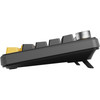
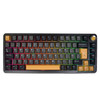
- Black finish with yellow accents
What Is a 75% Mechanical Keyboard?
A 75% keyboard compresses the most commonly used keyboard controls into a smaller footprint than a full-size or traditional tenkeyless keyboard.
The Titan 75 uses 82 keys plus a rotary knob, giving users dedicated typing, gaming and navigation controls while removing the separate numeric keypad found on a full-size keyboard.
Why Choose a 75% Keyboard?
The smaller chassis leaves more desk space for mouse movement while retaining far more dedicated keys than extremely compact 60% keyboards.
This makes the Titan 75 particularly useful for:
- FPS gaming setups
- Smaller desks
- Home offices
- Dual-purpose gaming and workstations
- Portable desktop setups
- Users who rarely need a dedicated number pad
Does the Titan 75 Have a Number Pad?
No. The 75% format does not include a separate numeric keypad.
If frequent spreadsheet or numeric-entry work requires a dedicated numpad, a larger 96% or full-size keyboard may be more suitable.
Tri-Mode Wired, 2.4GHz and Bluetooth Connectivity
The MARVO Titan 75 provides three connection options so the same keyboard can adapt to different devices and use cases.
- USB wired: direct connection for charging and high-performance desktop use
- 2.4GHz wireless: low-latency wireless connection for gaming and desktop use
- Bluetooth: convenient wireless connection for compatible PCs, laptops, tablets and mobile devices
Which Connection Is Best for Gaming?
For competitive or latency-sensitive gaming, wired USB or the dedicated 2.4GHz wireless connection will generally be preferable to Bluetooth.
MARVO specifically advertises the keyboard's 1000Hz polling rate in wired mode, making wired operation the clearest choice when maximum polling performance is required.
Which Connection Is Best for Everyday Work?
Bluetooth is useful when convenience and reduced cable clutter are more important than maximum gaming response.
It can also make the keyboard easier to use with compatible laptops, tablets, phones and multi-device workspaces.
1000Hz Polling Rate in Wired Mode
MARVO specifies a 1000Hz polling rate for the Titan 75 and specifically promotes the 1K polling performance in wired mode.
At 1000Hz, the keyboard can report input to the host system up to 1,000 times per second under supported operating conditions.
Is the Titan 75 1000Hz in Wireless Mode?
MARVO explicitly describes the 1K polling rate for wired operation.
For accuracy, Memox does not claim that Bluetooth or 2.4GHz modes necessarily operate at the same 1000Hz polling rate unless MARVO publishes a mode-specific wireless figure.
1ms Specified Response Time
MARVO lists a keyboard response time of 1ms.
Real end-to-end input latency also depends on the selected connection method, computer, operating system, game and other hardware in the input chain.
4000mAh Rechargeable Battery
The Titan 75 includes a substantial 4000mAh internal rechargeable battery for wireless operation.
MARVO rates operating time at approximately:
- Up to 200 hours with RGB lighting switched off
- Up to 25 hours with RGB lighting switched on
How Long Does the MARVO Titan 75 Battery Last?
MARVO's quoted maximum is up to approximately 200 hours with lighting disabled and around 25 hours with lighting enabled.
Actual battery life will vary according to RGB brightness and effects, wireless mode, usage pattern, sleep behaviour, battery age and environmental conditions.
Can I Use the Keyboard While It Is Connected by USB?
Yes. USB is one of the Titan 75's three supported operating modes, allowing the keyboard to be used as a wired device while connected.
Up to 10m Wireless Range
MARVO specifies an approximate wireless range of up to 10 metres.
Real-world range can be reduced by walls, furniture, interference from other wireless equipment and the positioning of the computer or wireless receiver.
MARVO Banana Crystal Linear Mechanical Switches
The Titan 75 comes pre-installed with MARVO Banana Crystal mechanical switches.
These are linear switches, meaning the key movement is designed to remain comparatively smooth through the keypress rather than creating the pronounced tactile bump associated with tactile switches.
Are the Banana Crystal Switches Tactile?
No. MARVO officially specifies the Banana Crystal switches in the KG985W as linear switches.
Some syndicated descriptions incorrectly use the word “tactile” when describing the feedback, but the switch classification itself is linear.
Pre-Lubed Switches
The factory Banana Crystal switches are pre-lubed.
Factory lubrication is intended to reduce unwanted friction and contribute to a smoother switch feel without requiring the user to manually lubricate the switches before normal use.
45g Linear Actuation
MARVO specifies an actuation force of:
45 ± 5g
This places the Banana Crystal switches in a relatively light linear category that can suit quick repeated gaming inputs as well as everyday typing.
2.0mm Actuation Point
The specified actuation point is:
2.0 ± 0.5mm
The actuation point is the approximate point in the switch travel where a keypress is registered.
Up to 50 Million Keystrokes
MARVO rates the supplied switches for a lifespan of up to 50 million keystrokes.
This is a switch durability rating rather than a guaranteed lifespan for the complete keyboard.
Full Hot-Swap Support
The Titan 75 uses hot-swappable mechanical switch sockets.
Compatible switches can be removed and replaced without soldering, making it easier to experiment with different switch characteristics or replace an individual switch later.
What Switches Fit the MARVO Titan 75?
MARVO specifies support for compatible 3-pin and 5-pin mechanical switches.
Physical pin compatibility does not automatically guarantee identical RGB behaviour, travel, keycap clearance or software characteristics with every third-party switch, so dimensions and switch design should still be checked before purchase.
Do I Need to Solder New Switches?
No. The hot-swap sockets allow compatible switches to be changed without soldering.
A switch puller is included with the keyboard to assist with removal.
Gasket-Mounted Keyboard Construction
The Titan 75 uses a gasket mount rather than fixing the internal typing assembly rigidly to the outer shell at every mounting point.
Combined with its PC positioning plate and acoustic materials, the gasket structure is designed to provide a softer, more controlled typing feel while reducing some of the harsh vibration that can occur in simpler keyboard constructions.
Multi-Layer Sound Dampening
MARVO uses several internal acoustic materials in the Titan 75 rather than relying on a single foam layer.
The manufacturer specifies:
- Poron sandwich foam
- IXPE under-switch pad
- PET sound-dampening pad
- DPEM switch-socket foam
- Silicone pad
- Spacebar foam strip
What Does Keyboard Sound Dampening Do?
Internal dampening materials are designed to absorb and control some of the vibration and hollow resonance produced when mechanical switches and keycaps are pressed.
The final sound will still depend on the switches, keycaps, desk surface, typing force and any future modifications made to the keyboard.
PC Positioning Plate
MARVO combines the gasket structure with a PC positioning plate.
Polycarbonate plates are commonly used where a manufacturer wants a degree of flexibility within the keyboard assembly rather than the rigid response produced by some harder plate materials.
PBT Double-Injection Keycaps
The UK-distribution KG985W specification lists PBT keycaps using double-injection construction.
PBT is widely chosen for mechanical keyboards because it provides a durable surface that is generally resistant to the smooth, shiny wear that can develop on heavily used keycaps over time.
Are the Titan 75 Keycaps PBT or ABS?
For the exact KG985W stock supplied through the UK distribution channel used by Memox, the specification lists PBT double-injection keycaps.
The keyboard's outer housing itself is ABS, which should not be confused with the specified PBT keycap material.
South-Facing RGB Lighting
The Titan 75 features south-facing RGB illumination.
RGB effects can be customised to coordinate with a gaming setup, workstation or other illuminated PC peripherals.
What Does South-Facing RGB Mean?
South-facing refers to the orientation of the switch LEDs relative to the user.
This arrangement is frequently used on enthusiast-style mechanical keyboards and works with the Titan 75's programmable RGB lighting system.
Dedicated MARVO Software
MARVO provides dedicated software for compatible KG985W variants.
Supported customisation features include:
- Key mapping
- Macros
- Profiles
- RGB lighting settings
Can I Remap Keys on the Titan 75?
Yes. MARVO lists custom key mapping among the software functions.
Can I Create Macros?
Yes. Macro programming is included among the software-supported functions.
Does Software Availability Depend on Layout?
MARVO publishes software downloads by supported regional keyboard layout, so users should select software intended for the correct KG985W version rather than installing a package intended for another regional layout.
Full-Key Anti-Ghosting
The Titan 75 provides full-key anti-ghosting, helping the keyboard register multiple simultaneous keypresses during gaming and other fast input sequences.
Why Is Anti-Ghosting Useful for Gaming?
Games can require several controls to be pressed at the same time, for example movement, sprinting, jumping and an additional action.
Anti-ghosting helps prevent valid simultaneous inputs from being ignored because of limitations in the keyboard's key matrix.
Rotary Control Knob
The 82-key layout is complemented by a metal rotary control knob, providing an additional physical control without taking up the space of a larger keyboard layout.
The exact assigned behaviour can depend on keyboard settings and compatible software configuration.
Two-Level Adjustable Feet
Two-level feet allow the keyboard angle to be adjusted to suit different desk heights, typing positions and personal preferences.
Keyboard angle is subjective, so users should choose the position that feels most comfortable rather than assuming a steeper angle is always better.
UK QWERTY Layout
The exact KEMAR-KG985W stock supplied through the UK distribution channel used by Memox is specified as UK QWERTY.
This is important because MARVO also sells the Titan 75 in multiple international layouts.
Why Does MARVO's Global Website Show Other Layouts?
MARVO's international product page lists several regional versions, while the UK distributor supplying this SKU identifies the stock as UK QWERTY / English.
The Memox listing therefore describes the layout of the UK-distribution product rather than assuming that every KG985W sold worldwide uses the same legends.
Compatible with Windows, macOS, Android and iOS
MARVO lists compatibility with:
- Windows
- macOS
- Android
- iOS
Available shortcuts, software customisation and operating-system-specific key behaviour can vary between platforms.
Does the MARVO Software Work on Every Operating System?
The keyboard can be used across the operating systems listed by MARVO, but this does not necessarily mean that the full desktop configuration software provides identical functionality on Windows, macOS, Android and iOS.
Check the current MARVO software download for the operating system and keyboard layout being used where advanced programming is required.
USB-C Wired Connection
The supplied cable is approximately 160cm long and uses a USB-C connection at the keyboard with USB-A at the host end.
The detachable cable makes it easier to use the Titan 75 wirelessly without leaving an unnecessary cable permanently attached.
Compact 332mm Wide Chassis
The Titan 75 measures approximately:
- Width: 332mm
- Depth: 141mm
- Height: 40mm
- Weight: approximately 809g without cable
The compact width provides more horizontal desk space for mouse movement than a conventional full-size keyboard.
809g Weight for a Stable Desktop Feel
At approximately 809g without the cable, the Titan 75 is compact but not ultra-light.
The additional mass, internal dampening materials and gasket structure help give the keyboard a more substantial desktop presence than many lightweight portable keyboards.
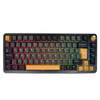
Black and Yellow Gaming Design
The UK retail version combines a black keyboard body with yellow accent details, RGB illumination and a compact non-floating-key design.
This gives the Titan 75 a distinctive gaming appearance without requiring a full-size chassis.
Suitable for Gaming and Productivity
The Titan 75 is not limited to gaming.
Its combination of compact dimensions, wireless connectivity, mechanical switches and programmable functions also makes it suitable for:
- Home-office use
- Writing and general productivity
- Content creation
- Hybrid laptop / desktop setups
- Gaming PCs
- Compact workstations
75% vs Full-Size Keyboard
A full-size keyboard normally includes a dedicated number pad and therefore occupies considerably more desk width.
The 75% Titan 75 removes the separate numpad and compresses the layout, trading dedicated numeric-entry space for a smaller footprint and more room for mouse movement.
75% vs 60% Keyboard
A 60% keyboard removes or layers more navigation and function controls in order to achieve an even smaller footprint.
The 75% format provides a compromise for users who want a compact keyboard but still prefer more dedicated controls than a typical 60% layout offers.
Hot-Swap vs Fixed-Switch Mechanical Keyboard
On a conventional soldered mechanical keyboard, replacing a switch can require disassembly and soldering equipment.
The Titan 75's hot-swap sockets allow a compatible mechanical switch to be pulled out and replaced directly, making switch experimentation and maintenance considerably easier.
Linear vs Tactile Switches
The supplied Banana Crystal switches are linear.
Linear switches are designed for a smooth travel path without a deliberately pronounced tactile bump. They are popular among gamers who prefer consistent, uninterrupted switch movement.
Users who prefer a different feel can take advantage of the Titan 75's hot-swappable sockets and install compatible switches.
Important Things to Know Before Buying
- The exact model is MARVO Titan 75 KG985W.
- Memox SKU is KEMAR-KG985W.
- EAN / GTIN is 6932391941294.
- This UK-distribution stock is specified as UK QWERTY.
- The keyboard uses a compact 75% layout.
- It has 82 keys plus a rotary knob.
- There is no dedicated numeric keypad.
- Connectivity includes USB wired, 2.4GHz wireless and Bluetooth.
- MARVO specifically advertises 1000Hz polling in wired mode.
- The specified response time is 1ms.
- Battery capacity is 4000mAh.
- MARVO rates battery life up to approximately 200 hours with lighting off and 25 hours with lighting on.
- Specified wireless range is up to approximately 10m under suitable conditions.
- Pre-installed switches are MARVO Banana Crystal linear switches.
- The supplied switches are pre-lubed.
- Actuation force is 45 ± 5g.
- Actuation point is 2.0 ± 0.5mm.
- Switch lifespan is rated up to 50 million keystrokes.
- Hot-swap sockets support compatible 3-pin and 5-pin switches.
- The keyboard uses a gasket mount.
- Keycaps are specified as PBT double-injection on this UK-distribution model.
- Lighting is south-facing RGB.
- Full-key anti-ghosting is supported.
- Software supports key mapping, macros, profiles and RGB settings.
- The supplied USB cable is approximately 160cm long.
- Dimensions are approximately 332 x 141 x 40mm.
- Weight is approximately 809g without the cable.
MARVO Titan 75 KG985W Technical Highlights
- Brand: MARVO
- Model: Titan 75
- MPN: KG985W
- Memox SKU: KEMAR-KG985W
- EAN / GTIN: 6932391941294
- Layout: UK QWERTY – UK-distribution stock
- Keyboard Format: 75%
- Keys: 82 + rotary knob
- Mechanism: Mechanical
- Connectivity: USB wired / 2.4GHz wireless / Bluetooth
- Battery: 4000mAh
- Battery Life: Up to 200 hours lighting off / 25 hours lighting on
- Wireless Range: Up to 10m under suitable conditions
- Polling Rate: Up to 1000Hz; MARVO specifically promotes 1K in wired mode
- Response Time: 1ms specified
- Switch: MARVO Banana Crystal
- Switch Type: Linear
- Lubrication: Factory pre-lubed
- Hot-Swap: Compatible 3-pin / 5-pin switches
- Switch Lifespan: Up to 50 million keystrokes
- Actuation Force: 45 ± 5g
- Actuation Point: 2.0 ± 0.5mm
- Mount: Gasket mount
- Plate: PC positioning plate
- Keycaps: PBT double-injection
- Lighting: South-facing RGB
- Anti-Ghosting: Full-key
- Software: Key mapping, macros, profiles and RGB settings
- Housing Material: ABS
- Feet: Two-level adjustable
- Cable: Approx. 160cm USB-C to USB-A
- Dimensions: 332 x 141 x 40mm
- Weight: 809g without cable
- Operating-System Compatibility: Windows, macOS, Android and iOS
- Colour: Black with yellow accents
What's Included?
- 1 x MARVO Titan 75 KG985W wireless mechanical keyboard
- 1 x switch puller
- 1 x USB cable
- 1 x user manual
Why Choose the MARVO Titan 75 KG985W?
The MARVO Titan 75 combines many features normally associated with enthusiast mechanical keyboards into a compact wireless gaming design.
Its 75% UK QWERTY layout saves desk space while retaining more dedicated keys than a 60% board, making it practical for users who divide their time between gaming, work and everyday computing.
Tri-mode USB, 2.4GHz and Bluetooth connectivity means the keyboard can be used as a responsive wired gaming keyboard, a low-clutter 2.4GHz desktop keyboard or a Bluetooth keyboard for compatible laptops and mobile devices.
The supplied pre-lubed Banana Crystal linear switches combine a 45g-class actuation force with a smooth linear feel, while full 3-pin / 5-pin hot-swap support gives users the freedom to change compatible switches later without soldering.
A gasket-mounted structure, PC plate and six-part sound-dampening system help control unwanted resonance, while PBT double-injection keycaps provide a durable typing surface.
The 4000mAh battery is rated by MARVO for up to approximately 200 hours with lighting switched off, and south-facing RGB lighting can be customised alongside key mappings, macros and profiles through compatible software.
For users looking for a 75% UK wireless mechanical gaming keyboard with hot-swappable switches, gasket construction, PBT keycaps, RGB, 2.4GHz wireless, Bluetooth and a large rechargeable battery, the MARVO Titan 75 KG985W offers a particularly strong feature set for its compact size.
Specification
MARVO Titan 75 KG985W Wireless Mechanical Gaming Keyboard Specifications
The MARVO Titan 75 KG985W is a compact 75% tri-mode mechanical gaming keyboard with UK QWERTY layout, wired USB, 2.4GHz wireless and Bluetooth connectivity, hot-swappable 3-pin / 5-pin switch sockets, pre-lubed MARVO Banana Crystal linear switches, south-facing RGB lighting and a 4000mAh rechargeable battery.
General Information
| Brand | MARVO |
| Product Family | Titan 75 |
| Model / MPN | KG985W |
| Memox / UK Distributor SKU | KEMAR-KG985W |
| EAN / GTIN | 6932391941294 |
| Product Type | Wireless mechanical gaming keyboard |
| Keyboard Format | 75% |
| Design Style | Non-floating key |
| Colour | Black with yellow accents – UK-distribution version |
UK Keyboard Layout
| Layout | UK QWERTY – UK-distribution KEMAR-KG985W stock |
| Keyboard Language | English – UK |
| Dedicated Numeric Keypad | No |
Keys & Controls
| Number of Keys | 82 keys |
| Rotary Control Knob | Yes |
| Knob Construction | Metal rotary knob |
| Function Keys | Supported |
| Full-Key Anti-Ghosting | Yes |
Tri-Mode Connectivity
| USB Wired Mode | Supported |
| 2.4GHz Wireless Mode | Supported |
| Bluetooth Mode | Supported |
| Connection Type | Tri-mode: USB wired / 2.4GHz wireless / Bluetooth |
Polling Rate & Response
| Maximum Polling Rate | Up to 1000Hz |
| 1000Hz Operating Mode | MARVO specifically confirms 1K / 1000Hz polling in wired mode |
| Specified Response Time | 1ms |
| 1000Hz Bluetooth Claim | Not specified by MARVO |
Wireless Range
| Rated Wireless Range | Up to approximately 10m |
| Range Conditions | Actual range may vary with interference, walls, devices and operating environment |
Battery Specifications
| Battery Type | Built-in rechargeable battery |
| Battery Capacity | 4000mAh |
| Rated Working Time – RGB Off | Up to approximately 200 hours |
| Rated Working Time – RGB On | Up to approximately 25 hours |
| Battery Life Conditions | Actual runtime varies with RGB brightness/effects, wireless mode, usage and battery condition |
Mechanical Switch Specifications
| Switch Technology | Mechanical |
| Pre-Installed Switch | MARVO Banana Crystal |
| Switch Type | Linear |
| Factory Lubricated | Yes – pre-lubed |
| Actuation Force | 45 ± 5g |
| Actuation Point | 2.0 ± 0.5mm |
| Rated Switch Lifespan | Up to 50 million keystrokes |
Hot-Swap Support
| Hot-Swappable | Yes |
| 3-Pin Mechanical Switches | Supported – compatible switches |
| 5-Pin Mechanical Switches | Supported – compatible switches |
| Soldering Required for Compatible Switch Replacement | No |
Keycaps
| Keycap Material | PBT |
| Keycap Construction | Double injection |
| UK Legends | UK QWERTY on the UK-distribution stock supplied under KEMAR-KG985W |
Keyboard Mount & Internal Construction
| Mount Type | Gasket mount |
| Positioning Plate | PC / polycarbonate positioning plate |
| Outer Housing Material | ABS |
Sound Dampening
| Poron Sandwich Foam | Included in internal construction |
| IXPE Under-Switch Pad | Included |
| PET Sound-Dampening Pad | Included |
| DPEM Switch-Socket Foam | Included |
| Silicone Pad | Included |
| Spacebar Foam Strip | Included |
RGB Lighting
| Backlighting | RGB |
| LED Orientation | South-facing RGB |
| RGB Customisation | Supported through compatible MARVO software |
Software & Customisation
| MARVO Configuration Software | Supported |
| Custom Key Mapping | Supported |
| Macros | Supported |
| Profiles | Supported |
| RGB Settings | Supported |
| Software Version / Layout Compatibility | Use MARVO software intended for the appropriate KG985W regional / hardware version |
Anti-Ghosting & Gaming Features
| Full-Key Anti-Ghosting | Yes |
| Macro Support | Yes |
| Profiles | Yes |
| RGB Effects | Customisable |
Feet & Ergonomic Adjustment
| Adjustable Feet | Yes |
| Adjustment Levels | Two-level feet |
USB Cable
| Keyboard-Side Connector | USB-C |
| Host-Side Connector | USB-A |
| Cable Length | Approx. 160cm / 1.6m |
| Detachable Cable | Yes |
Operating System Compatibility
| Windows | Compatible |
| macOS | Compatible |
| Android | Compatible |
| iOS | Compatible |
Physical Specifications
| Width | 332mm |
| Depth | 141mm |
| Height | 40mm |
| Dimensions | 332 x 141 x 40mm |
| Keyboard Weight | Approx. 809g without cable |
Package Contents
| MARVO Titan 75 KG985W Keyboard | 1 |
| Switch Puller | Included |
| USB Cable | Included |
| User Manual | Included |
Warranty
| Memox / UK Distributor Warranty | 2-year return-to-base warranty |
| MARVO Global Manufacturer Warranty | MARVO's global warranty page separately states a 1-year manufacturer warranty |
| UK Customer Coverage | Memox listing provides 2-year warranty coverage through the UK sales / distribution channel, subject to applicable terms and UK consumer rights |
Important UK Layout Note
This Memox listing is for the UK-distribution KEMAR-KG985W version, which the UK distributor specifies as UK QWERTY.
MARVO's global KG985W product page also lists other international layouts. Customers should therefore use the layout stated on the Memox listing for this UK stock rather than assuming that every worldwide KG985W has identical key legends.
Important Linear Switch Correction
The factory-installed MARVO Banana Crystal switches are linear mechanical switches.
They should not be described as tactile switches. MARVO's own technical specification explicitly classifies the Banana Crystal switch used in the Titan 75 as Linear.
Important 1000Hz Polling Rate Note
The Titan 75 is specified for up to 1000Hz polling.
MARVO explicitly describes the 1K polling rate in wired mode. Memox therefore does not claim that Bluetooth or 2.4GHz wireless operation necessarily provides the same 1000Hz polling rate unless MARVO publishes a mode-specific figure.
Important Battery Life Note
MARVO rates the 4000mAh battery for up to approximately:
- 200 hours with RGB lighting switched off
- 25 hours with RGB lighting switched on
These are manufacturer-rated maximum figures. Actual battery life varies according to lighting brightness and effects, connection mode, usage pattern, power-saving behaviour and battery condition.
Important Hot-Swap Note
The keyboard supports compatible 3-pin and 5-pin mechanical switches without soldering.
Hot-swap socket compatibility does not guarantee that every third-party mechanical switch will provide identical key travel, lighting appearance, keycap clearance or software behaviour, so individual switch specifications should still be checked.
Important Switch Lifespan Note
The supplied MARVO Banana Crystal switches are rated for up to 50 million keystrokes.
This figure is a switch endurance rating and should not be interpreted as a guaranteed lifespan for the complete keyboard.
Important RGB Note
The Titan 75 uses south-facing RGB lighting.
Lighting effects can be customised through compatible MARVO software alongside key assignments, macros and profiles.
Important Software Note
MARVO publishes KG985W software according to supported keyboard versions and regional layouts.
When downloading software or firmware, always select a package intended for the exact Titan 75 version / layout being used rather than installing software for a different regional keyboard revision.
Important 75% Layout Note
The Titan 75 is a 75% keyboard with 82 keys plus a rotary knob.
Its compact design does not include a separate numeric keypad. Customers who regularly require dedicated numeric data-entry keys should consider a larger keyboard layout.
Important Weight Note
The official / UK-distributor keyboard weight is approximately 809g without the USB cable.
Retailer shipping or packaged weights can be higher and should not be substituted for the keyboard's net product weight.
Important Warranty Note
There are two different warranty references associated with this product.
The UK distributor supplying KEMAR-KG985W specifies a 2-year return-to-base warranty, which is also the warranty currently shown by Memox.
MARVO's global manufacturer warranty page separately states a general 1-year manufacturer warranty. For the Memox UK listing, the 2-year coverage should therefore be described as the Memox / UK-distribution warranty rather than incorrectly calling it a 2-year MARVO global manufacturer warranty.
Return
FAQ: Frequenlty Asked Questions
MARVO Titan 75 KG985W Wireless Mechanical Gaming Keyboard FAQ
The MARVO Titan 75 KG985W is a compact 75% UK-layout wireless mechanical gaming keyboard with 82 keys plus a rotary metal knob, tri-mode USB-C / 2.4GHz / Bluetooth connectivity, full hot-swap support for compatible 3-pin and 5-pin mechanical switches, pre-lubed MARVO Banana Crystal linear switches, south-facing RGB, PBT keycaps, a gasket-mounted construction and a 4000mAh rechargeable battery.
Below are answers to the most common questions about MARVO Titan 75 compatibility, UK QWERTY layout, 75% keyboards, 2.4GHz vs Bluetooth gaming, 1000Hz polling, hot-swappable switches, Banana Crystal switches, gasket mount, RGB controls, PBT keycaps, battery life, Windows and Mac compatibility, software, multi-device pairing, troubleshooting and Titan 75 vs Titan 65 / Titan 98.
1. What is the MARVO Titan 75 KG985W?
The MARVO Titan 75 KG985W is a compact 75% wireless mechanical gaming keyboard with 82 keys plus a rotary metal knob. It supports wired USB-C, 2.4GHz wireless and Bluetooth connections, uses hot-swappable mechanical switches, has south-facing RGB lighting and includes a 4000mAh rechargeable battery.
2. What is the exact model number and EAN?
The exact model is MARVO Titan 75 KG985W. The manufacturer part number is KG985W and the EAN/GTIN is 6932391941294.
3. Is the MARVO Titan 75 KG985W a UK keyboard?
Yes. The UK retail version is supplied in a UK QWERTY / ISO UK layout, making it more suitable for UK users than ANSI-US versions with different Enter and symbol-key arrangements.
4. What does 75% keyboard layout mean?
A 75% keyboard keeps the main typing area, function row and dedicated arrow keys in a compact layout while removing the separate number pad and much of the unused spacing found on a full-size keyboard.
5. How many keys does the Titan 75 have?
The Titan 75 has 82 keys plus a rotary knob.
6. Does the Titan 75 have a numeric keypad?
No. A 75% layout does not include a dedicated number pad. If you regularly enter large amounts of numerical data, the larger MARVO Titan 98 may be a better choice.
7. Does the Titan 75 have dedicated arrow keys and function keys?
Yes. Unlike many 60% and 65% keyboards, the 75% layout retains a full function-key row and dedicated arrow keys while remaining much smaller than a full-size keyboard.
8. What does the rotary knob do?
The metal rotary knob controls system volume. Rotate it to adjust volume and press the knob to mute or unmute audio.
9. What does tri-mode connectivity mean?
Tri-mode means the keyboard can connect in three ways: wired USB-C, 2.4GHz wireless using the USB receiver, or Bluetooth. This makes it suitable for a desktop gaming PC as well as laptops, tablets and other compatible devices.
10. Can I use the Titan 75 as a wired keyboard?
Yes. Connect the USB-C end of the supplied cable to the keyboard and the USB-A end to the computer. Wired mode is also the clearest choice when you want the most consistent low-latency connection.
11. Does the Titan 75 include 2.4GHz wireless?
Yes. The KG985W supports a dedicated 2.4GHz wireless connection using its USB receiver. This is normally the preferred wireless mode for gaming because it is designed for lower latency than Bluetooth.
12. Does the Titan 75 support Bluetooth?
Yes. The keyboard supports Bluetooth 5.0 connectivity and can also present a legacy-compatible Bluetooth device name during pairing.
13. Can the Titan 75 remember more than one Bluetooth device?
Yes. The keyboard provides three Bluetooth pairing slots using Fn+Q, Fn+W and Fn+E, so you can pair it with up to three Bluetooth devices and switch between the stored connections.
14. How do I pair the Titan 75 over Bluetooth?
Move the keyboard to Bluetooth mode, then press and hold Fn+Q, Fn+W or Fn+E for about three seconds until the indicator flashes rapidly. Open Bluetooth settings on the device, select the keyboard and complete pairing.
15. Why does the keyboard appear as GHOST BT5.0 or GHOST BT3.0 in Bluetooth settings?
The KG985W manual lists GHOST BT5.0 / GHOST BT3.0 as Bluetooth device names. Seeing one of those names during pairing can therefore be normal for this hardware platform even though the retail product is branded MARVO Titan 75.
16. How do I pair the 2.4GHz USB receiver?
Switch the keyboard to 2.4GHz mode and hold Fn+R for about three seconds to enter receiver-pairing mode, then connect the 2.4GHz USB receiver to the computer.
17. What is the wireless operating range?
The user guide specifies an operating distance of up to about 10 metres under suitable conditions. Walls, metal objects and radio interference can reduce practical range.
18. Which connection mode is best for gaming?
Wired USB-C or 2.4GHz wireless is preferable for gaming where latency and connection stability matter. Bluetooth is convenient for general typing, tablets and multi-device use but is normally not the first choice for competitive gaming.
19. What polling rate does the Titan 75 support?
MARVO specifies a polling rate of up to 1000Hz with a 1ms response specification. The Memox and UK distributor information specifically associates the stable 1K polling rate with wired operation.
20. What does 1000Hz polling mean?
A 1000Hz polling rate means the keyboard can report input to the host up to 1000 times per second, or roughly once every millisecond. Overall input latency also depends on the connection mode, computer, operating system and game.
21. Is Bluetooth good enough for gaming on the Titan 75?
Bluetooth is suitable for casual gaming and general use, but 2.4GHz or wired mode is normally better for fast-paced games because Bluetooth typically adds more latency and can be more affected by wireless conditions.
22. Can I use the keyboard while it is charging?
Yes. The keyboard supports wired USB operation through its USB-C port, so it can be used while connected by cable.
23. Does the Titan 75 use USB-C?
Yes. The keyboard itself uses a USB Type-C connection for wired operation and charging.
24. How long is the supplied USB cable?
The supplied USB-C to USB-A cable is approximately 1.6 metres long.
25. Does the Titan 75 use a USB receiver for 2.4GHz mode?
Yes. The 2.4GHz wireless mode requires the keyboard's compatible USB receiver. Bluetooth mode does not require the receiver.
26. What battery capacity does the Titan 75 have?
The Titan 75 has a 4000mAh rechargeable battery.
27. How long does the 4000mAh battery last?
MARVO's current Titan 75 product page describes extended wireless battery life but does not publish one universal official runtime in hours. Actual battery life depends heavily on RGB brightness and effects, connection mode, sleep behaviour and daily usage.
28. How can I check the battery level?
In 2.4GHz or Bluetooth mode, press Fn+Backspace. The backlight turns off temporarily and number keys 1 to 0 illuminate to indicate the approximate remaining battery percentage.
29. How do I know when the keyboard is charging or fully charged?
The battery indicator flashes slowly when battery level is low, stays illuminated while charging and turns off when charging is complete.
30. What charging power does the Titan 75 require?
The manual specifies 5V at 1A charging input. Use a suitable standard USB power source rather than assuming the keyboard requires a high-power USB-C laptop charger.
31. Does RGB lighting reduce battery life?
Yes. RGB LEDs consume power, so brighter lighting and active effects reduce wireless runtime compared with using lower brightness or turning the lighting off.
32. Does the Titan 75 have south-facing RGB?
Yes. The Titan 75 uses south-facing RGB LEDs. This orientation is popular on enthusiast mechanical keyboards because it generally offers better compatibility with Cherry-profile keycaps than north-facing LED layouts.
33. Can I change the RGB without installing software?
Yes. The keyboard provides onboard shortcuts for changing lighting effects, colours, brightness and effect speed, and the backlight can also be switched off from the keyboard.
34. What can the MARVO software customise?
The dedicated software supports functions such as key mapping, macros, profiles and RGB settings.
35. Does the MARVO Titan 75 software work on Windows?
Yes. The user guide states that the dedicated driver supports Windows when the keyboard is connected in wired or 2.4GHz mode.
36. Does the configuration software work over Bluetooth?
The manual states that the driver supports Windows in wired and 2.4GHz modes. Bluetooth is therefore not the connection mode to use when configuring the keyboard through the MARVO driver.
37. Does the Titan 75 configuration software work on macOS?
Basic keyboard operation is supported on macOS, but MARVO's manual states that the dedicated configuration driver is Windows-only. Mac users should therefore expect keyboard shortcuts and onboard controls rather than full Windows driver functionality.
38. Which operating systems are compatible with the Titan 75?
MARVO lists Windows, macOS, Android and iOS compatibility for the Titan series. Advanced configuration software availability is more limited than basic keyboard operation.
39. Can I use the Titan 75 with an iPad, iPhone or Android device?
Yes, through Bluetooth where the device supports an external keyboard. MARVO lists both iOS and Android as compatible operating systems.
40. Does the Titan 75 officially support Linux?
Linux is not included in MARVO's current official operating-system list. Standard keyboard input may work as a generic USB or Bluetooth HID device, but MARVO's Windows configuration software should not be expected to run natively on Linux.
41. Is the Titan 75 hot-swappable?
Yes. The keyboard has full hot-swap switch sockets, allowing compatible mechanical switches to be replaced without soldering.
42. Does the Titan 75 support both 3-pin and 5-pin mechanical switches?
Yes. MARVO specifies support for compatible 3-pin and 5-pin mechanical switches.
43. Which switches are pre-installed?
The Titan 75 comes with pre-lubed MARVO Banana Crystal linear mechanical switches.
44. How long are the Banana Crystal switches rated to last?
MARVO rates the switches for up to approximately 50 million key presses under its stated test conditions.
45. What is the actuation force of the Banana Crystal switches?
The specified operating force is 45 ± 5 grams.
46. What is the actuation point and total travel?
The Banana Crystal switches are specified with an actuation point of approximately 2.0 ± 0.5mm. The user guide lists total key travel of approximately 3.6 ± 0.5mm.
47. Are Banana Crystal switches linear, tactile or clicky?
They are linear switches. A linear switch travels smoothly without the deliberate tactile bump of a tactile switch or the pronounced click mechanism of a clicky switch.
48. Can I install tactile or clicky switches instead?
Yes, provided the replacement is a compatible 3-pin or 5-pin MX-style mechanical switch that fits the hot-swap sockets. Switch dimensions and keycap-stem compatibility should still be checked before purchase.
49. Is a switch puller included?
Yes. MARVO lists a switch puller in the package contents.
50. Do I need to solder switches into the Titan 75?
No. Compatible switches can be removed and installed through the hot-swap sockets without soldering.
51. What material are the keycaps?
MARVO's official Titan-series information specifies durable PBT keycaps. UK distributor specifications describe them as double-injection keycaps.
52. Why are PBT keycaps useful?
PBT keycaps generally resist surface shine and wear better than standard ABS keycaps, making them desirable for keyboards used heavily for gaming and everyday typing.
53. Can I replace the keycaps?
Yes, but choose a keycap set that supports the keyboard's MX-style switch stems and its 75% ISO UK layout. Not every ANSI-US keycap set includes the correct UK legends, ISO Enter key or the smaller modifier keys required by compact layouts.
54. Is this ANSI or ISO layout?
The UK retail KG985W is an ISO UK QWERTY layout. This includes the UK-style Enter key and UK symbol arrangement rather than the common ANSI-US layout.
55. What is a gasket-mounted keyboard?
A gasket mount supports the keyboard plate through softer gasket material rather than rigidly fixing it directly to the case. The aim is to create a slightly cushioned typing feel and reduce harsh vibration.
56. What plate does the Titan 75 use?
MARVO describes the Titan 75 as using a PC, or polycarbonate, positioning plate as part of its gasket-mounted structure.
57. What sound-dampening material is inside the Titan 75?
The Titan series uses multiple internal layers including Poron, IXPE, PET, DPEM switch-socket dampening and silicone, plus spacebar dampening on the KG985W specification.
58. Is the Titan 75 a quiet mechanical keyboard?
It is designed to sound more controlled than a basic hollow mechanical keyboard because its linear pre-lubed switches, gasket structure and multiple dampening layers reduce resonance. It is not completely silent, and sound will change if you install different switches or keycaps.
59. What does non-floating key design mean?
A non-floating design surrounds more of the switch and keycap area with the case rather than leaving the switches visibly exposed above the top frame. This gives the keyboard a more enclosed appearance.
60. What is the keyboard case made from?
MARVO specifies an ABS shell with a polycarbonate positioning plate and a metal rotary knob.
61. What are the dimensions of the Titan 75?
The keyboard measures approximately 332 x 141 x 40mm.
62. How much does the Titan 75 weigh?
MARVO specifies approximately 809g without the cable.
63. Does the Titan 75 have adjustable feet?
Yes. It includes two-level adjustable feet so you can change the typing angle.
64. Does the Titan 75 include a wrist rest?
A wrist rest is not listed in the official package contents. The package contains the keyboard, switch puller, USB cable and user manual, with the wireless receiver used for 2.4GHz operation.
65. Does the Titan 75 support N-key rollover and anti-ghosting?
Yes. MARVO specifies full N-key rollover and full-key anti-ghosting so simultaneous key presses can be registered correctly during gaming.
66. Can I disable the Windows key while gaming?
Yes. The user guide lists Fn+Left Windows as the shortcut for locking the Windows key.
67. Does the Titan 75 have multimedia controls?
Yes. It provides multimedia functions through keyboard shortcuts, and the rotary knob gives direct volume and mute control.
68. How do I factory-reset the Titan 75?
Press and hold Fn+Esc for approximately three seconds to restore factory settings according to the user guide.
69. Can I create macros on the Titan 75?
Yes. MARVO's configuration software supports macros, and the keyboard also provides custom game-mode functions through its onboard key combinations.
70. Does the Titan 75 support onboard custom lighting or game mode?
Yes. The manual includes a custom game-lighting recording function using Fn+1 and Fn+~ so selected keys can be stored with chosen lighting without relying only on preset effects.
71. Is the Titan 75 suitable for competitive gaming?
Yes for many players. It offers 1000Hz wired polling, 1ms response specification, N-key rollover, linear switches and a dedicated 2.4GHz wireless mode. Players who require Hall-effect rapid trigger or 8000Hz polling should look at a different class of keyboard.
72. Is the Titan 75 good for typing and office work?
Yes. The 75% layout retains arrows and function keys, while the gasket structure, PBT keycaps and dampening make it suitable for mixed gaming, productivity and everyday typing.
73. Is the Titan 75 good for a multi-device desk setup?
Yes. You can use wired USB-C with one computer, 2.4GHz with another compatible host and store up to three Bluetooth pairings using the Q/W/E Bluetooth slots.
74. Can I use the Titan 75 with a PlayStation or Xbox?
It may work for basic keyboard input when the console and game support standard USB or Bluetooth keyboards, but MARVO does not list PlayStation or Xbox as officially supported platforms. Individual game support can also vary.
75. Can I use the Titan 75 with a Steam Deck?
Basic USB or Bluetooth keyboard input may work with Steam Deck because it supports standard external keyboards, but SteamOS/Linux is not included in MARVO's official OS list and the Windows configuration software will not provide native SteamOS support.
76. How should I clean the Titan 75?
Disconnect or switch off the keyboard first. Use compressed air or a soft brush for loose debris and a lightly dampened microfibre cloth for the case and keycaps. Avoid pouring liquid or cleaner directly onto the keyboard.
77. What should I do if a key stops working after changing a switch?
Remove the replacement switch and inspect its pins. A bent pin is a common cause of a key failing after a hot-swap change. Straighten or replace the switch if appropriate, then reinstall it carefully without forcing it into the socket.
78. What should I do if 2.4GHz wireless keeps disconnecting?
Check battery level, move the receiver closer to the keyboard, avoid placing it directly beside strong 2.4GHz interference sources, reconnect the receiver and keyboard, and use Fn+R to re-pair if necessary. Testing wired mode can help determine whether the issue is wireless rather than switch or keyboard hardware.
79. What should I do if Bluetooth will not reconnect?
Check that the keyboard is in Bluetooth mode and select the correct stored profile with Fn+Q, Fn+W or Fn+E. If needed, hold the chosen combination for about three seconds to enter pairing mode again and remove the old Bluetooth entry from the device before re-pairing.
80. Who is the MARVO Titan 75 NOT suitable for?
It is not ideal for users who need a dedicated number pad, a full-size layout, native macOS/Linux configuration software, Hall-effect magnetic switches, rapid-trigger features or an ultra-light low-profile keyboard. Users who enter large amounts of numerical data may prefer the Titan 98.
81. What warranty does the Memox MARVO Titan 75 have?
The current Memox product page lists a 2-year warranty for the KG985W.
82. What is included in the box?
The listed package contents are the MARVO Titan 75 keyboard, switch puller, USB cable and user manual. The keyboard also uses its matching USB receiver for 2.4GHz wireless operation.
83. MARVO Titan 75 vs Titan 65 – which should I choose?
Choose the Titan 65 KG984W if you want the smallest Titan-series footprint and can work without the dedicated function row. Choose the Titan 75 KG985W if you want a better balance of compact size, dedicated arrow keys and a full function row. MARVO lists the Titan 65 at 66 keys plus knob and the Titan 75 at 82 keys plus knob.
84. MARVO Titan 75 vs Titan 98 – which should I choose?
Choose the Titan 75 KG985W if you want more mouse space and do not need a number pad. Choose the Titan 98 KG986W if you regularly use numeric entry and want near-full-size functionality in a compact arrangement. MARVO lists the Titan 98 at 101 keys plus knob.
Videos
View AllClose
Related Products
Related Products

Asus ROG STRIX SCOPE II 96 Wireless Mechanical RGB Gaming Keyboard, 96% Layout, Streamer Hotkeys, Multifunction Controls, Sound-Dampening
ASUS

Marvo Scorpion HG9076W Tactic X Pro Wireless Bluetooth / USB-C RGB Gaming Headset (Black)
MARVO