
LOGITECH
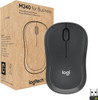
Logitech M240 for Business Wireless Mouse – Bluetooth, Logi Bolt, Silent Touch, Graphite
- SKU:
- 8691654
- UPC:
- 5099206117631
- MPN:
- 910-007182
- Availability:
- Free Click & Collect in Peterborough. UK delivery also available









Description
Logitech M240 for Business Wireless Mouse – Bluetooth, Logi Bolt, Silent Touch, Graphite
The Logitech M240 for Business Wireless Mouse is a secure, quiet and reliable everyday mouse designed for offices, home working, business laptops, shared workspaces and enterprise deployments. With Logi Bolt USB-A receiver support, Bluetooth Low Energy wireless connectivity, Silent Touch technology, smooth optical tracking, ambidextrous comfort and up to 18 months battery life, it is a practical mouse for users who want simple wireless control with business-grade reliability.
This Logitech M240 for Business Graphite mouse is ideal for customers searching for a Logitech business wireless mouse, Logitech M240 mouse, silent wireless mouse, Bluetooth mouse for laptop, Logi Bolt mouse, USB-A receiver mouse, ambidextrous office mouse, quiet click mouse, or a secure wireless mouse for Windows, macOS, ChromeOS, Linux, iPadOS and Android devices.
Key Features of the Logitech M240 for Business
- Business wireless mouse designed for office, home office and enterprise use
- Dual wireless connectivity with Logi Bolt USB-A receiver and Bluetooth Low Energy
- Silent Touch technology reduces click noise by 90% compared with Logitech M185
- Smooth optical tracking with 1000 DPI nominal tracking
- Adjustable DPI range from 400 to 4000 DPI using compatible Logitech software
- 3-button layout with left click, right click and middle click scroll wheel
- Ambidextrous design suitable for right-handed and left-handed users
- Wireless range up to 10 metres, depending on operating environment and setup
- 1 AA battery included with battery life up to 18 months
- Pre-paired Logi Bolt USB-A receiver included for easy plug-and-play setup
- Works with Windows, macOS, ChromeOS, Linux, iPadOS and Android, depending on connection method
- Made with minimum 48% post-consumer recycled plastic, excluding printed wiring assembly and packaging
- 2-year limited hardware warranty with Logitech global product support
Secure Business Wireless Mouse with Logi Bolt
The Logitech M240 for Business is built for professional environments where wireless reliability, security and easy deployment matter. It includes a Logi Bolt USB-A receiver, making it suitable for offices, IT departments, business laptops, schools, reception desks and shared workstations.
Pre-Paired Receiver for Easy Deployment
The mouse is supplied with a pre-paired Logi Bolt USB-A receiver, so users can plug it into a compatible USB-A port and start working quickly. This makes the M240 for Business easy to deploy across teams without complicated setup.
Bluetooth Low Energy for Flexible Connectivity
In addition to Logi Bolt, the M240 for Business supports Bluetooth Low Energy. This gives users another connection option for compatible laptops, tablets and mobile devices without needing to use a USB port.
USB Receiver or Bluetooth Connection
Use the Logi Bolt receiver for secure business connectivity, or connect through Bluetooth Low Energy when a USB-A port is not available. Device compatibility depends on the operating system, Bluetooth support and IT settings.
Silent Touch Technology for Quiet Working
The M240 for Business uses Silent Touch technology, which reduces click noise by 90% compared with Logitech M185. This makes it a strong option for open offices, libraries, classrooms, meeting rooms, shared desks and home workspaces where quieter clicking is useful.
Less Distraction in Shared Environments
Quiet clicking helps reduce noise for the user and nearby colleagues, while still giving the familiar feel of a standard mouse click. It is ideal for users who work in busy or noise-sensitive areas.
Smooth Optical Tracking with Adjustable DPI
The Logitech M240 for Business uses smooth optical tracking with a nominal value of 1000 DPI. Logitech also lists a 400–4000 DPI range, adjustable in 100 DPI increments through compatible Logitech software.
Practical Tracking for Daily Office Tasks
The sensor is suitable for everyday work such as emails, spreadsheets, browsing, documents, CRM systems, stock management, order processing and general desktop navigation. It is designed for productivity and everyday use rather than high-performance gaming.
Comfortable Ambidextrous Design
The M240 for Business has an ambidextrous shape, making it suitable for both right-handed and left-handed users. This is useful for shared offices, business deployments, classrooms and family computers where different people may use the same mouse.
Compact One-Size Design
The mouse measures 99 × 60 × 39mm and weighs approximately 75.2g including AA battery and receiver. Its compact shape is suitable for laptop bags, hot-desking, hybrid working and everyday desk use.
Long Battery Life with 1 AA Battery
The Logitech M240 for Business uses 1 AA battery, which is included in the box. Logitech lists battery life at up to 18 months, helping reduce maintenance and battery changes in business environments.
Good for IT and Business Deployments
Long battery life is useful for companies, schools and offices that need low-maintenance peripherals for multiple users. Actual battery life depends on user behaviour, computer setup and working conditions.
Customisation and IT Management Software
The mouse works with Logitech software tools for supported systems. Logi Options+ can be used for mouse customisation and firmware updates on Windows and macOS, while Logi Tune can display battery level and device information. Logitech Sync can help IT teams gain visibility into company-issued peripherals when used with the required software setup.
Useful for Business Peripheral Management
For organisations using Logitech business devices, software support can help with firmware updates, monitoring and easier device management across compatible computers.
Works Across Leading Operating Systems
The M240 for Business supports Windows 10 and later, Windows 11, macOS 11 and later, ChromeOS and Linux through the Logi Bolt receiver. Bluetooth Low Energy support also extends compatibility to iPadOS 14 and later and Android 9.0 and later, depending on device support.
Works With Chromebook Certified
Logitech lists the M240 for Business as Works With Chromebook certified, making it suitable for Chromebook-based school, office and business environments.
Sustainable Design and Responsible Packaging
The plastic parts in the M240 for Business include a minimum of 48% certified post-consumer recycled plastic, excluding plastic in the printed wiring assembly and packaging. Logitech also lists the paper packaging as FSC-certified.
Better Choice for Business Sustainability Goals
For companies looking to improve sustainability across workplace accessories, the M240 for Business offers a practical everyday mouse with recycled plastic content and responsible paper packaging.
Who Is the Logitech M240 for Business Best For?
- Businesses needing affordable wireless mice for employees
- Home office users wanting a quiet wireless mouse
- IT teams deploying secure Logi Bolt peripherals
- Schools, offices and shared workspaces using Chromebooks or laptops
- Users needing both Bluetooth and USB receiver connectivity
- Left-handed and right-handed users who need an ambidextrous mouse
- Customers wanting a compact graphite mouse with long battery life
Logitech M240 for Business Wireless Mouse Specifications
- Brand: Logitech
- Model: M240 for Business
- Part Number: 910-007182
- Product Type: Wireless business mouse
- Colour: Graphite
- Wireless Connectivity: Logi Bolt USB-A receiver and Bluetooth Low Energy
- Receiver: Logi Bolt USB-A receiver included
- Sensor Technology: Smooth optical tracking
- Nominal DPI: 1000 DPI
- DPI Range: 400–4000 DPI, adjustable in 100 DPI increments with compatible software
- Buttons: 3 buttons, left click, right click and middle click
- Scrolling: Scroll wheel
- Click Technology: Silent Touch, 90% reduced click noise compared with Logitech M185
- Handedness: Ambidextrous
- Wireless Range: Up to 10 metres, environment dependent
- Battery: 1 × AA battery included
- Battery Life: Up to 18 months, usage dependent
- Service Life: 5 million clicks
- Reliability: MTTF greater than 150,000 hours
- Mouse Dimensions: 99 × 60 × 39mm
- Mouse Weight: 75.2g including AA battery and receiver
- Receiver Dimensions: 18.7 × 14.4 × 6.1mm
- Receiver Weight: 1.7g
- Software Support: Logi Options+, Logi Tune and Logitech Sync, feature and OS dependent
- Operating System Support: Windows, macOS, ChromeOS, Linux, iPadOS and Android, depending on connection method
- Certification: Works With Chromebook
- Sustainability: Minimum 48% post-consumer recycled plastic in plastic parts, excluding PWA and packaging
- Package Contents: M240 for Business mouse, Logi Bolt USB-A receiver, 1 AA battery and user documentation
- Warranty: 2-year limited hardware warranty
Buying Advice
Before ordering, check whether you want to connect by Logi Bolt USB-A receiver or Bluetooth Low Energy. For the receiver connection, your computer needs a USB-A port. For Bluetooth connection, the device must support Bluetooth Low Energy. This mouse is designed for office, business and everyday productivity use, not specialist gaming or rechargeable use.
Why Buy the Logitech M240 for Business Wireless Mouse?
The Logitech M240 for Business Wireless Mouse is a strong choice for businesses and everyday users who want a quiet, secure and reliable wireless mouse. With Logi Bolt USB-A receiver support, Bluetooth Low Energy, Silent Touch technology, smooth optical tracking, adjustable 400–4000 DPI range, ambidextrous comfort, 18-month battery life, Works With Chromebook certification and a 2-year warranty, it is ideal for offices, home working, schools, laptops and business deployments.
Specification
Logitech M240 for Business Wireless Mouse Specifications
| Product Type | Wireless Business Mouse |
| Brand | Logitech |
| Model | M240 for Business |
| Part Number | 910-007182 |
| Colour | Graphite |
| Connection Type | Logi Bolt Wireless + Bluetooth Low Energy |
| Wireless Receiver | Logi Bolt USB-A Receiver Included |
| Bluetooth Support | Bluetooth Low Energy Direct Connection |
| Wireless Range | Up to 10m, Environment Dependent |
| Sensor Technology | Smooth Optical Tracking |
| Nominal DPI | 1000 DPI |
| DPI Range | 400–4000 DPI, Adjustable in 100 DPI Increments with Compatible Software |
| Number of Buttons | 3 Buttons: Left Click, Right Click and Middle Click |
| Scroll Wheel | Standard Scroll Wheel |
| Silent Click Technology | Silent Touch, 90% Reduced Click Noise Compared with Logitech M185 |
| Handedness | Ambidextrous / Suitable for Right-Handed and Left-Handed Users |
| Shape | Compact One-Size Contoured Shape |
| Battery Type | 1 × AA Battery |
| Battery Included | Yes, 1 × AA Battery Included |
| Battery Life | Up to 18 Months, Usage Dependent |
| Rechargeable | No |
| Durability | 5 Million Clicks |
| Reliability | MTTF Greater Than 150,000 Hours |
| Mouse Dimensions | 99 × 60 × 39mm |
| Mouse Weight | 75.2g Including AA Battery and Receiver |
| Receiver Dimensions | 18.7 × 14.4 × 6.1mm |
| Receiver Weight | 1.7g |
| Logi Bolt Receiver OS Support | Windows 10 or Later, Windows 11 or Later, macOS 11 or Later, ChromeOS and Linux |
| Bluetooth OS Support | Windows 10 or Later, Windows 11 or Later, macOS 11 or Later, iPadOS 14 or Later, ChromeOS, Linux and Android 9.0 or Later |
| Certification | Works With Chromebook |
| Software Support | Logi Options+, Logi Tune and Logitech Sync, Feature and OS Dependent |
| Sustainability | Minimum 48% Post-Consumer Recycled Plastic in Plastic Parts, Excluding PWA and Packaging |
| Packaging | FSC-Certified Paper Packaging |
| Package Contents | M240 for Business Mouse, Logi Bolt USB-A Receiver, 1 × AA Battery and User Documentation |
| Recommended Use | Business Desktops, Laptops, Home Office, Hybrid Working, Schools, Shared Workspaces and Everyday Productivity |
| Warranty | 2-Year Limited Hardware Warranty |
Connection Notice
The Logitech M240 for Business supports both Logi Bolt wireless using the included USB-A receiver and Bluetooth Low Energy. For Logi Bolt connection, your device needs an available USB-A port. For Bluetooth connection, your device must support Bluetooth Low Energy.
Business Version Notice
This is the M240 for Business version, not the standard consumer-only M240 Silent model. It includes a Logi Bolt USB-A receiver for business deployment and secure wireless connectivity.
Silent Touch Notice
Silent Touch reduces click noise by 90% compared with Logitech M185, making this mouse suitable for offices, shared desks, libraries, classrooms and home working.
DPI Notice
The nominal tracking value is 1000 DPI. Logitech lists a 400–4000 DPI range adjustable in 100 DPI increments using compatible Logitech software.
Battery Notice
The mouse uses 1 × AA battery, which is included. It is not rechargeable. Battery life is listed at up to 18 months, depending on user behaviour and computing conditions.
Compatibility Notice
Operating system support depends on connection method. Logi Bolt supports Windows, macOS, ChromeOS and Linux, while Bluetooth Low Energy also supports compatible iPadOS and Android devices.
Return
FAQ: Frequenlty Asked Questions
Logitech M240 for Business Wireless Mouse FAQ
The Logitech M240 for Business Wireless Mouse is a secure, quiet and reliable everyday mouse designed for business users, home offices, schools, shared workspaces and laptop users. This Graphite model is listed as 910-007182 and supports both Logi Bolt USB-A receiver and Bluetooth Low Energy connectivity. It features Silent Touch technology to reduce click noise by 90%, smooth optical tracking with a nominal 1000 DPI and adjustable 400–4000 DPI range using compatible Logitech software, 3 buttons, a scroll wheel, ambidextrous design, up to 10m wireless range, 1 AA battery included, up to 18 months battery life, Works With Chromebook certification and a 2-year limited hardware warranty. Below are the most common questions buyers ask before choosing the Logitech M240 for Business Bluetooth and Logi Bolt wireless mouse, including USB receiver use, Bluetooth pairing, Logi Bolt security, Unifying receiver compatibility, silent clicks, DPI, battery life, MacBook support, Chromebook support, iPad use, Android use, troubleshooting and who this mouse is best suited for.
1. What is the Logitech M240 for Business?
The Logitech M240 for Business is a compact wireless optical mouse designed for offices, home working, schools, shared workspaces and business laptop users. It supports both Logi Bolt USB-A receiver connection and Bluetooth Low Energy.
2. What is the exact part number of this Logitech M240 for Business mouse?
This Graphite business version is listed as part number 910-007182. Checking the part number is useful when comparing it with standard M240 consumer models or regional variants.
3. What is the Logitech M240 for Business best used for?
It is best used for everyday productivity, office work, home working, school use, business laptops, shared desks, quiet workspaces, ChromeOS deployments and users who want a simple wireless mouse with both Bluetooth and USB receiver options.
4. Is the Logitech M240 for Business Bluetooth?
Yes. The Logitech M240 for Business supports Bluetooth Low Energy, so it can connect to compatible laptops, tablets and computers without using the USB receiver.
5. Does the Logitech M240 for Business include a USB receiver?
Yes. The M240 for Business includes a Logi Bolt USB-A receiver in the box, making it suitable for plug-and-play business use on compatible computers with a USB-A port.
6. What is Logi Bolt?
Logi Bolt is Logitech’s secure wireless receiver technology for compatible business keyboards and mice. It is designed for reliable wireless performance and encrypted business-friendly connectivity through the included USB-A receiver.
7. Is Logi Bolt the same as Logitech Unifying?
No. Logi Bolt and Logitech Unifying are different wireless technologies and are not cross-compatible. A Logi Bolt mouse needs a compatible Logi Bolt receiver, not a Logitech Unifying receiver.
8. Can I use this mouse with a Logitech Unifying receiver?
No. The Logitech M240 for Business is a Logi Bolt and Bluetooth mouse. It is not designed to pair with a Logitech Unifying receiver.
9. Can I use the mouse without the Logi Bolt receiver?
Yes. You can use the mouse without the receiver if your device supports Bluetooth Low Energy. For USB receiver use, the included Logi Bolt USB-A receiver is required.
10. Should I use Bluetooth or the Logi Bolt receiver?
Use Bluetooth if you want to save a USB port or connect to a tablet. Use the Logi Bolt receiver if you want a dedicated business wireless connection, easier deployment or a more reliable connection in busy wireless environments.
11. Does the M240 for Business work with Windows 11?
Yes. The M240 for Business supports Windows 11 through both Logi Bolt receiver connection and Bluetooth Low Energy, depending on your computer’s ports and Bluetooth support.
12. Does the M240 for Business work with Windows 10?
Yes. Logitech lists Windows 10 or later support for both Logi Bolt receiver and Bluetooth Low Energy connection methods.
13. Does the Logitech M240 for Business work with Mac?
Yes. The mouse supports macOS 11 or later using the Logi Bolt USB-A receiver or Bluetooth Low Energy. Newer MacBooks may need a USB-C to USB-A adapter if using the receiver.
14. Does this mouse work with a MacBook?
Yes. It can work with compatible MacBooks using Bluetooth Low Energy. If you want to use the included Logi Bolt USB-A receiver, you may need a USB-C to USB-A adapter or hub on newer MacBooks.
15. Does the M240 for Business work with ChromeOS?
Yes. The Logitech M240 for Business is listed with ChromeOS support and Works With Chromebook certification. Basic functions should work without extra software.
16. Does the M240 for Business work with Linux?
Yes. Logitech lists Linux support for basic mouse functions. Advanced customization may depend on available software support and the Linux distribution used.
17. Does the M240 for Business work with iPad?
Yes. The mouse supports iPadOS 14 or later through Bluetooth Low Energy. A USB receiver connection is normally not needed for iPad use.
18. Does the M240 for Business work with Android?
Yes. Logitech lists Android 9.0 or later support through Bluetooth Low Energy. Compatibility can still depend on the Android device and settings.
19. Does this mouse need drivers?
Basic mouse functions normally work without extra drivers on supported systems. Logitech software such as Logi Options+ may be used for customization and firmware updates on supported Windows and macOS systems.
20. What is Logi Options+ used for?
Logi Options+ can be used on supported systems to customize mouse settings, adjust DPI and manage compatible Logitech devices. Basic clicking, scrolling and pointer movement do not normally require it.
21. Can businesses manage this mouse with Logitech software?
Yes. The M240 for Business is designed for business deployment and can be monitored or managed with Logitech tools such as Logitech Sync and Logi Tune where supported by the organisation and operating system.
22. What does Silent Touch mean?
Silent Touch is Logitech’s quiet-click technology. On the M240 for Business, it reduces click noise by 90% compared with Logitech M185 while keeping a familiar click feel.
23. Is the Logitech M240 for Business completely silent?
No mouse is completely silent, but the M240 for Business is much quieter than many standard mice. The clicks are reduced, but you may still hear light sound from clicking, scrolling or desk movement.
24. Is this mouse good for open offices?
Yes. The quiet-click design makes it useful for open offices, libraries, classrooms, meeting rooms, reception desks and shared workspaces where loud clicking can distract other people.
25. How many buttons does the Logitech M240 for Business have?
The mouse has 3 buttons: left click, right click and middle click through the scroll wheel. It is a simple productivity mouse rather than a multi-button gaming or design mouse.
26. Does the Logitech M240 for Business have a scroll wheel?
Yes. It includes a standard scroll wheel for line-by-line scrolling through documents, webpages, spreadsheets and menus.
27. What DPI does the Logitech M240 for Business have?
The nominal DPI is 1000 DPI. Logitech also lists an adjustable range from 400 to 4000 DPI in 100 DPI increments using compatible software.
28. Is 1000 DPI enough for office use?
Yes. 1000 DPI is suitable for everyday office work, emails, documents, spreadsheets, browsing and general laptop control. Users with high-resolution monitors may prefer to adjust DPI using compatible software.
29. Can I change the DPI on the M240 for Business?
Yes, the DPI range is listed as 400 to 4000 DPI in 100 DPI steps, adjustable through compatible Logitech software. There is no dedicated DPI button on the mouse itself.
30. Is the Logitech M240 for Business good for gaming?
The M240 for Business is mainly designed for office and everyday productivity, not competitive gaming. For serious gaming, a dedicated gaming mouse with higher polling rate, extra buttons and gaming sensor features may be better.
31. Is the M240 for Business suitable for left-handed users?
Yes. The mouse has an ambidextrous shape, making it suitable for both left-handed and right-handed users.
32. Is this mouse ergonomic?
The M240 for Business has a contoured compact shape for everyday comfort, but it is not a large specialist ergonomic or vertical mouse. Users needing maximum wrist support may prefer a dedicated ergonomic model.
33. What size is the Logitech M240 for Business?
The mouse measures approximately 99mm high, 60mm wide and 39mm deep. It is compact and suitable for laptop bags, hot desks and smaller workspaces.
34. How much does the Logitech M240 for Business weigh?
The mouse weighs approximately 75.2g including the receiver and battery. This makes it light enough for everyday portable use.
35. What battery does the M240 for Business use?
The Logitech M240 for Business uses one AA battery. A AA battery is included in the box.
36. Is the Logitech M240 for Business rechargeable?
No. The M240 for Business is not a rechargeable mouse. It uses one replaceable AA battery.
37. How long does the battery last?
Logitech lists battery life up to 18 months. Actual battery life depends on usage, battery quality, connection method, computer settings and operating conditions.
38. Does the M240 for Business have a battery indicator?
No. Logitech lists no battery indicator for this mouse. If the mouse starts lagging or disconnecting, replacing the AA battery is a good first troubleshooting step.
39. What wireless range does the M240 for Business have?
The wireless range is listed as up to 10 metres. Actual range can vary depending on the computer setup, walls, metal surfaces, wireless interference and receiver position.
40. Why is my Logitech M240 for Business lagging or disconnecting?
Common causes include weak battery, Bluetooth interference, the receiver being too far away, using a dock or hub, metal surfaces, USB power saving settings, old Bluetooth drivers or a blocked wireless signal.
41. What should I do if the Logi Bolt receiver is not working?
Try plugging the receiver directly into the computer rather than a hub or dock, move the mouse closer to the receiver, replace the AA battery, restart the computer and check whether Logitech software can detect the device.
42. What should I do if Bluetooth pairing fails?
Make sure Bluetooth is enabled, put the mouse into pairing mode, remove old pairings if needed, restart Bluetooth, replace the battery and try pairing again. Also check that the device supports Bluetooth Low Energy.
43. Can I connect the M240 for Business to multiple devices at the same time?
No. The M240 for Business does not have an Easy-Switch button and is listed as a one-channel device. It is not designed for quick switching between multiple computers like some higher-end Logitech mice.
44. Can I use Bluetooth on one computer and Logi Bolt on another?
The mouse supports both Bluetooth and Logi Bolt, but it does not include Easy-Switch multi-device control. Moving between devices may require manual pairing or reconnecting, depending on your setup.
45. Can I replace the Logi Bolt receiver if it is lost?
A compatible Logi Bolt receiver may be paired using Logitech’s pairing tools, but it must be a Logi Bolt receiver. A Unifying receiver or generic USB receiver will not work with this mouse.
46. Is the Logitech M240 for Business secure?
Yes. Logitech positions the M240 for Business as a secure business mouse. Connections through the Logi Bolt receiver are designed to be fully encrypted and FIPS secure for enterprise use.
47. Is the Logitech M240 for Business sustainable?
Logitech states the plastic parts in the M240 for Business include at least 48% certified post-consumer recycled plastic, excluding the printed wiring assembly and packaging.
48. What is included in the box?
The box includes the Logitech M240 for Business mouse, Logi Bolt USB-A receiver, one AA battery and user documentation.
49. Who should NOT buy the Logitech M240 for Business?
This mouse is not ideal for users who need a rechargeable mouse, USB-C receiver, Logitech Unifying compatibility, gaming features, extra side buttons, Easy-Switch multi-device switching, a large ergonomic shape, silent scroll wheel, high-end productivity controls or a right-handed sculpted design. It is best for users who want a quiet, secure, affordable business wireless mouse with Bluetooth and Logi Bolt support.
50. Why buy the Logitech M240 for Business Wireless Mouse from Memox?
Buying the Logitech M240 for Business Wireless Mouse from Memox is a practical choice if you need a quiet, secure and reliable wireless mouse for business laptops, home offices, schools, shared desks or everyday productivity. Memox offers mice, keyboards, USB accessories, docking stations, cables, adapters, SSDs, RAM, networking products, PC components and computer accessories for UK customers.
Related Products
Related Products
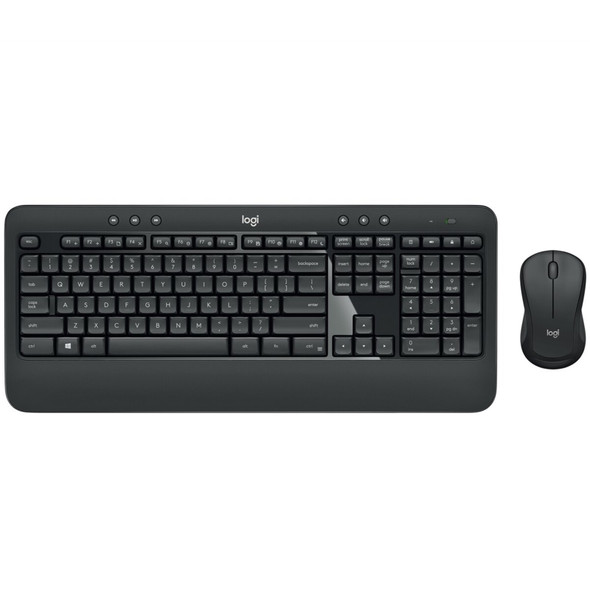
Logitech MK540 Advanced Wireless Keyboard and Mouse Combo UK Layout Unifying Receiver
LOGITECH