
LEXAR
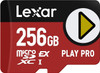
Lexar PLAY PRO 256GB microSD Express Card – 900MB/s, U3, Switch 2 Ready
- SKU:
- 416021
- UPC:
- 843367135745
- MPN:
- LMSXPS0256G-BNNNG
- Availability:
- Free Click & Collect in Peterborough. UK delivery also available.






Description
Lexar PLAY PRO 256GB microSD Express Card – 900MB/s, V30, Nintendo Switch 2 Compatible
The Lexar PLAY PRO 256GB microSDXC Express Card is a next-generation high-performance memory card designed for Nintendo Switch 2 and other compatible microSD Express devices. Using advanced PCIe and NVMe storage technology, it delivers manufacturer-rated read speeds of up to 900MB/s and write speeds of up to 600MB/s, providing substantially higher performance than conventional UHS-I microSD cards when used in a compatible microSD Express host.
With 256GB of expandable storage, the PLAY PRO provides additional space for downloadable Nintendo Switch 2 games, software updates, DLC, screenshots and captured gameplay videos. Nintendo Switch 2 requires the newer microSD Express storage standard for expandable game storage, making the Lexar PLAY PRO a suitable storage upgrade for users who need more capacity beyond the console's internal memory.
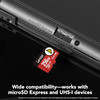
The PLAY PRO combines SD 7.1 microSD Express technology, PCI Express and NVMe in the familiar microSD form factor. It is also backward compatible with suitable UHS-I and UHS-II host devices, where it operates through the legacy UHS-I interface rather than at full Express performance.
The exact product supplied by Memox is the Lexar PLAY PRO 256GB LMSXPS0256G-BNNNG, Memox SKU 416021, EAN/UPC 843367135745.
Key Features of the Lexar PLAY PRO 256GB microSD Express Card
- 256GB storage capacity
- microSDXC Express memory card
- SD 7.1-generation technology
- PCIe and NVMe storage architecture
- Up to 900MB/s read speed
- Up to 600MB/s write speed
- Video Speed Class V30
- Designed for Nintendo Switch 2 expandable storage
- Meets the microSD Express standard required by Nintendo Switch 2
- Approximately 4× faster than typical UHS-I microSD cards under Lexar's stated comparison
- Designed for faster game loading and large-file access
- Accelerated transfers with a compatible microSD Express reader
- Backward compatible with UHS-I hosts
- Backward compatible with UHS-II hosts at UHS-I speeds
- IPX7 water resistant
- Temperature resistant
- X-ray resistant
- Vibration resistant
- Magnetic resistant
- Shock resistant
- Drop resistant
- Wear resistant
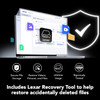
- Lifetime access to Lexar Recovery Tool
- Limited lifetime warranty, subject to regional terms
Designed for Nintendo Switch 2
The Lexar PLAY PRO is particularly well suited to Nintendo Switch 2 because Nintendo's newer console uses microSD Express rather than conventional microSDXC storage for normal expandable game storage.
Nintendo states that Switch 2 requires a card meeting the microSD Express standard to provide the faster access speeds required for modern games.
Why Nintendo Switch 2 Uses microSD Express
Modern games regularly access large amounts of data including:
- High-resolution textures
- 3D environments
- Game audio
- Characters and animations
- Downloadable content
- Large updates
- Streaming game assets
microSD Express provides much higher potential storage bandwidth than conventional UHS-I microSD cards, helping expandable storage keep pace with the demands of next-generation handheld gaming.
256GB Additional Nintendo Switch 2 Storage
The PLAY PRO provides 256GB of additional removable storage for compatible Nintendo Switch 2 content.
It is a practical capacity for players who want extra game storage but do not yet require the larger 512GB or 1TB PLAY PRO models.
What Can Nintendo Switch 2 Store on the Card?
Nintendo currently allows a compatible microSD Express card to store:
- Downloadable software
- Software update data
- Downloadable content / DLC
- Screenshots
- Captured gameplay videos
When a microSD Express card is installed, Nintendo Switch 2 can use it as the default location for downloadable software.
Important: Game Save Data Is Not Stored on the Card
Nintendo Switch 2 game save data remains in the console's system memory.
Save data cannot be copied to or stored on the Lexar PLAY PRO microSD Express card.
The card expands storage for games, updates, downloadable content and supported media rather than acting as a removable backup device for save files.
Nintendo Switch 2 Supports microSD Express Cards up to 2TB
Nintendo currently supports compliant microSD Express cards with capacities of up to 2TB.
The 256GB Lexar PLAY PRO is therefore comfortably within Nintendo's supported capacity range.
First-Time Nintendo Switch 2 Setup Requires a System Update
Nintendo states that an internet-connected system update is required the first time a microSD Express card is used with Nintendo Switch 2.
Basic Installation Process
- Ensure that the card is the correct Lexar PLAY PRO microSD Express model.
- Follow Nintendo's instructions for inserting the memory card into the Switch 2 microSD Express slot.
- Power on the console.
- Connect Nintendo Switch 2 to the internet.
- Complete any required system update.
- Follow the on-screen storage instructions.
- Confirm that the additional storage is recognised correctly.
Up to 900MB/s Read Speed
Lexar rates the PLAY PRO microSDXC Express Card for read speeds of up to 900MB/s.
High read performance allows a compatible microSD Express host to retrieve large quantities of game data substantially faster than conventional UHS-I storage.
Why Faster Read Speed Matters for Gaming
A gaming system continuously retrieves data from storage while loading games and moving between different areas.
Higher storage bandwidth can help reduce delays when accessing:
- Large game files
- Textures
- Audio
- Levels
- Game updates
- Downloaded content
Final loading performance still depends on the console, game software and other system components.
Up to 600MB/s Write Speed
The PLAY PRO is also rated for write speeds of up to 600MB/s when used with compatible microSD Express hardware.
Fast write performance can help when:
- Copying large games
- Installing substantial software updates
- Transferring downloaded content
- Moving large files
- Using the card with a compatible microSD Express reader
Lexar microSD Express Reader for High-Speed Transfers
Lexar specifically highlights the high write performance of the PLAY PRO when paired with a compatible Lexar microSD Express card reader.
A conventional UHS-I card reader cannot unlock the card's full Express transfer performance.
900MB/s and 600MB/s Are Maximum Speeds
The advertised up to 900MB/s read and 600MB/s write values are maximum manufacturer ratings based on Lexar internal testing.
They should not be interpreted as guaranteed speeds in every device.
Actual performance depends on:
- Host device
- microSD Express controller
- Card reader
- Computer interface
- File size
- Number of files
- Workload
- Operating temperature
- Firmware
- Other system conditions
Full Performance Requires a microSD Express Host
To access the card's maximum next-generation performance, the device or card reader must support microSD Express.
Installing the PLAY PRO in a conventional UHS-I host does not make that host capable of Express-level transfer rates.
Approximately 4× Faster Than Typical UHS-I microSD Cards
Lexar describes the PLAY PRO as delivering approximately four times the performance of typical UHS-I microSD cards under its published comparison.
The major reason for this difference is the use of PCI Express and NVMe technology rather than relying exclusively on the conventional UHS-I data bus.
What Is microSD Express?
microSD Express is a high-performance evolution of the microSD card standard.
It retains the tiny microSD physical size while adding a much faster data pathway using technologies associated with modern solid-state drives.
The PLAY PRO uses:
- PCI Express / PCIe
- NVMe
This allows compatible devices to access the card at dramatically higher speeds than traditional UHS-I microSD storage.
SD 7.1 Technology
Lexar officially identifies the PLAY PRO's form factor specification as SD 7.1.
The SD 7.1 generation enables the Express architecture required to deliver high PCIe/NVMe storage performance from a microSD-sized card.
Why the Extra Contacts Matter
microSD Express cards use additional electrical contacts to support the Express data interface.
Those contacts provide the high-speed PCIe/NVMe connection when the card is installed in a compatible Express host.
PCIe and NVMe Technology
PCI Express is widely used to connect high-bandwidth components inside modern computers.
NVMe is a storage protocol optimised for high-speed solid-state storage.
The use of PCIe and NVMe gives microSD Express storage a technological architecture much closer to an SSD than a conventional microSD card.
microSD Express vs Conventional UHS-I microSD
Conventional UHS-I microSD
- Uses the traditional UHS-I storage interface
- Widely supported by cameras, phones and older handheld devices
- Much lower maximum bus bandwidth than microSD Express
Lexar PLAY PRO microSD Express
- Uses PCIe/NVMe for Express operation
- Up to 900MB/s read
- Up to 600MB/s write
- Designed for Nintendo Switch 2 and other microSD Express hosts
- Retains legacy UHS compatibility for suitable older devices
A Fast UHS-I Card Is Not the Same as microSD Express
A conventional UHS-I microSDXC card can carry fast-looking ratings such as 100MB/s, 160MB/s or 200MB/s, but that does not make it a microSD Express card.
Nintendo Switch 2 requires the microSD Express standard itself, not simply a conventional card with a high advertised transfer rate.
Video Speed Class V30
Lexar's official PLAY PRO product sheet specifies Video Speed Class V30.
V30 represents a minimum sequential write-speed class of 30MB/s under applicable Video Speed Class testing.
V30 Is a Legacy Compatibility Rating
The V30 marking is relevant when the PLAY PRO operates through compatible traditional SD/UHS modes.
Its maximum microSD Express performance of up to 600MB/s write is a separate Express-mode specification and should not be confused with the V30 minimum speed class.
Backward Compatible with UHS-I and UHS-II Hosts
The PLAY PRO is designed to remain useful with compatible older microSD equipment.
Lexar states that it is backward compatible with:
- UHS-I hosts
- UHS-II hosts
In those legacy devices, however, the card operates at UHS-I speeds.
Legacy Compatibility Does Not Mean Express Performance
If a device does not support microSD Express, the card cannot use its 900MB/s Express data path.
The host's interface becomes the limiting factor.
Can It Be Used with the Original Nintendo Switch?
Yes. Nintendo allows microSD Express cards to be used with the original Nintendo Switch family.
However, Nintendo states that read and write performance in the original Switch is equivalent to that of a conventional microSD card.
No 900MB/s on the Original Nintendo Switch
The original Nintendo Switch cannot access the PLAY PRO's full Express performance.
The main reason to choose an Express card for an original Switch would therefore be future compatibility rather than a 900MB/s performance increase on the older console.
Suitable for Other Compatible Handheld Gaming Devices
The PLAY PRO can also be used with other portable gaming systems that support either microSD Express or compatible legacy microSDXC storage.
Full performance depends entirely on the storage interface built into the handheld device.
Check the Exact Handheld Specification
Before purchasing specifically for another gaming device, check:
- Maximum supported capacity
- microSDXC compatibility
- microSD Express support
- UHS interface support
256GB for Downloadable Games and DLC
Modern games can consume significant amounts of storage, particularly when large updates, expansions and downloadable content are installed.
Adding 256GB can reduce the need to constantly remove and redownload software.
How Many Games Fit on 256GB?
There is no fixed number because game sizes vary considerably.
A library containing smaller indie titles may hold many games, while several large AAA titles can use the same storage space much more quickly.
256GB vs 512GB PLAY PRO
The 256GB PLAY PRO can be a good choice for users who need additional Switch 2 storage while keeping the initial purchase cost lower.
Choose 256GB When
- You maintain a relatively small digital game library
- You regularly uninstall games after finishing them
- You primarily buy physical games
- You want a lower-cost entry into microSD Express storage
Consider 512GB When
- You buy many games digitally
- You keep several large titles installed simultaneously
- You download substantial DLC
- You want to postpone another storage upgrade
256GB vs 1TB PLAY PRO
The 1TB version provides four times the nominal storage capacity of the 256GB model but normally carries a significantly higher purchase cost.
The 256GB version is therefore a more economical option for players who want Express performance without paying for maximum capacity.
256GB Capacity Explained
Lexar specifies flash-storage capacity using decimal measurement, where 1GB equals one billion bytes.
The storage capacity displayed by a console or computer will be lower than the advertised 256GB after formatting, file-system structures and differences in storage measurement.
This is normal for flash-memory products and does not indicate that storage is missing.
Can Games Run Directly from the Card?
Yes. Nintendo Switch 2 is specifically designed to use compatible microSD Express storage for downloadable software.
This is one of the main reasons Nintendo adopted the faster Express standard.
Can DLC and Updates Be Stored on the Card?
Yes. Nintendo states that downloadable content and software update data can be stored on a microSD Express card.
Can Screenshots and Videos Be Stored on the Card?
Yes. Screenshots and captured gameplay videos can be stored on the card and moved between system memory and microSD Express storage.
Can Nintendo Switch 2 Save Data Be Copied to the Card?
No.
Game save data stays in Switch 2 system memory and cannot be copied to the microSD Express card.
Can Multiple microSD Express Cards Be Used?
Nintendo recommends using one microSD Express card with a Switch 2 where practical.
If additional capacity becomes necessary, Nintendo recommends transferring the existing data to a larger microSD Express card.
Can I Use a Standard microSD-to-SD Adapter?
A physical SD adapter may allow legacy SD-compatible equipment to access a microSD card where appropriate, but it does not transform a conventional SD reader into a microSD Express reader.
Full Express speed requires an Express-compatible reader and data path.
Use a microSD Express Reader for Maximum PC Transfer Speed
For high-speed computer transfers, use a card reader specifically designed for microSD Express.
Lexar offers a dedicated microSDXC Express reader capable of working with PLAY PRO cards at high Express transfer rates.
A Normal UHS-I Reader Is a Bottleneck
A conventional UHS-I reader may still recognise the card through backward compatibility but cannot deliver the card's headline Express speeds.
IPX7 Water Resistance
Lexar specifies the PLAY PRO as IPX7 water resistant.
Its published test condition covers immersion in up to approximately:
- 1 metre of water
- for 30 minutes
What Does IPX7 Mean?
The number 7 represents the water-ingress test level.
The “X” means that the IPX7 designation does not specify a particular dust-ingress rating.
Shock Resistant
Lexar specifies shock resistance of up to 1500G under its published test conditions.
This adds useful protection for storage that may regularly be carried inside portable gaming devices and travel bags.
Drop Resistant
The PLAY PRO is tested for drops of up to approximately 1.5 metres under Lexar's specified conditions.
Vibration Resistant
Lexar specifies vibration resistance over approximately:
- 10Hz to 2000Hz
Magnetic Resistant
The card is specified to resist magnetic fields of up to approximately:
- 15,000 Gauss
under Lexar's laboratory test conditions.
X-Ray Resistant
Lexar specifies X-ray protection up to approximately:
- 100mGy
which Lexar describes as comparable to typical airport X-ray exposure.
Wear Resistant
The PLAY PRO is tested for up to approximately 10,000 insertion and removal cycles.
This is relevant for users who frequently move the card between a console, computer and card reader.
Wide Operating Temperature Range
Lexar specifies an operating range of:
- -25°C to 85°C
- -13°F to 185°F
Storage temperature is specified as:
- -40°C to 85°C
- -40°F to 185°F
Compact Standard microSD Size
Despite using advanced PCIe/NVMe technology, the PLAY PRO retains the tiny microSD physical format.
Lexar specifies dimensions of approximately:
- 11 × 15 × 1mm
and a weight of approximately:
- 0.708g
Lexar Recovery Tool
PLAY PRO owners receive lifetime access to the Lexar Recovery Tool.
The software is designed to help recover certain accidentally deleted or formatted files.
Recovery Software Is Not a Backup
No data-recovery program can guarantee that every deleted or corrupted file can be recovered.
Important data should always exist in another independent location.
Lexar Quality Lab Tested
Lexar states that the PLAY PRO undergoes testing through the Lexar Quality Lab.
The company's testing programme evaluates:
- Performance
- Quality
- Compatibility
- Reliability
Limited Lifetime Warranty
The Lexar PLAY PRO microSDXC Express Card carries a limited lifetime warranty, subject to Lexar's applicable regional terms.
Lexar specifies that in Germany and regions that do not recognise lifetime warranties, coverage is limited to 10 years from the date of purchase.
Warranty Does Not Replace Data Backup
The manufacturer warranty relates to eligible hardware defects and should not be treated as insurance for the value of data stored on the card.
Lexar specifically advises that it is not liable for loss of data or images.
How to Install the Lexar PLAY PRO in Nintendo Switch 2
- Follow Nintendo's current instructions for preparing the console.
- Locate the Nintendo Switch 2 microSD Express slot.
- Insert the PLAY PRO in the correct orientation.
- Do not force the card into the slot.
- Turn on the console.
- Connect to the internet if a first-use system update is requested.
- Complete Nintendo's on-screen setup process.
- Check System Settings to confirm the additional capacity.
How to Remove the Card Safely
Do not remove the card while software, screenshots, videos or other data are actively being written.
Follow Nintendo's current shutdown and card-removal instructions before physically removing storage.
Unexpected removal during a write operation can potentially damage files or the file system.
Does the Card Need Formatting?
When used with Nintendo Switch 2, follow the console's on-screen storage preparation instructions.
For another device, follow that manufacturer's recommended formatting procedure.
Formatting Erases Existing Data
Formatting can erase all files stored on the card.
Copy any important files to another location before reformatting.
Who Is the Lexar PLAY PRO 256GB Best For?
- Nintendo Switch 2 owners
- Players buying downloadable games
- Users who need more Switch 2 storage without immediately purchasing 512GB or 1TB
- Gamers downloading regular DLC and updates
- Owners of future or current compatible microSD Express devices
- Users wanting next-generation removable storage performance
- People who want backward compatibility with suitable legacy UHS hosts
Who May Need a Different Memory Card?
A conventional UHS-I card may offer better value if:
- Your device does not support microSD Express
- You only use an original Nintendo Switch
- Your host is limited to basic UHS-I performance
- You need storage primarily for a camera rather than gaming
A larger PLAY PRO capacity may be preferable if you maintain a substantial digital Switch 2 library.
Lexar PLAY PRO 256GB Technical Summary
- Brand: Lexar
- Series: PLAY PRO
- Product: PLAY PRO microSDXC Express Card
- Capacity: 256GB
- Manufacturer Part Number: LMSXPS0256G-BNNNG
- Memox SKU: 416021
- EAN / UPC: 843367135745
- Card Type: microSDXC Express
- Form Factor / Standard: SD 7.1
- High-Speed Technology: PCIe + NVMe
- Maximum Read Speed: Up to 900MB/s
- Maximum Write Speed: Up to 600MB/s
- Official Lexar Video Speed Class: V30
- Full Express Speed Requirement: Compatible microSD Express host or reader
- Legacy Compatibility: UHS-I and UHS-II hosts at UHS-I speeds
- Nintendo Switch 2: Compatible microSD Express storage standard
- Nintendo Switch 2 Supported Capacity: Nintendo currently supports compliant microSD Express cards up to 2TB
- Original Nintendo Switch: Compatible at conventional microSD performance
- Operating Temperature: -25°C to 85°C
- Storage Temperature: -40°C to 85°C
- Water Resistance: IPX7 – up to 1m for 30 minutes under Lexar test conditions
- X-Ray Resistance: Up to 100mGy
- Vibration Resistance: 10–2000Hz
- Magnetic Resistance: Up to 15,000 Gauss
- Shock Resistance: 1500G
- Drop Resistance: Up to 1.5m
- Wear Resistance: Up to 10,000 insertion/removal cycles
- Dimensions: 11 × 15 × 1mm
- Weight: Approximately 0.708g
- Recovery Software: Lifetime access to Lexar Recovery Tool
- Warranty: Limited lifetime warranty, subject to regional terms
Important Nintendo Switch 2 Compatibility Information
Nintendo Switch 2 requires microSD Express for expandable game storage.
Conventional microSD, microSDHC and microSDXC cards without Express support cannot be used as normal Switch 2 game-storage cards.
The Lexar PLAY PRO is a genuine microSD Express product and meets the required storage standard.
Important First-Use Update Information
Nintendo currently requires an internet-connected system update the first time a microSD Express card is used with Nintendo Switch 2.
A first-use update prompt is therefore normal and does not indicate a problem with the card.
Important Save-Data Information
Game save data is not stored on the PLAY PRO card.
Nintendo Switch 2 stores save files in system memory. The microSD Express card is used for downloadable software, updates, DLC, screenshots and captured video.
Important Speed Information
The advertised 900MB/s read and 600MB/s write specifications are maximum Lexar ratings.
Maximum performance requires a compatible microSD Express host device. Actual speeds vary according to hardware, workload and operating conditions.
Important Reader Information
A conventional UHS-I card reader cannot provide the PLAY PRO's full Express performance.
For maximum PC transfer speeds, use a compatible reader designed specifically for microSD Express.
Important Legacy Compatibility Information
The card is backward compatible with suitable UHS-I and UHS-II hosts, but it operates at UHS-I speeds in those devices.
Backward compatibility should therefore not be confused with full 900MB/s Express performance.
Important Original Nintendo Switch Information
The PLAY PRO can be used in the original Nintendo Switch family, but Nintendo states that microSD Express cards operate there at conventional microSD read/write performance.
Do not advertise 900MB/s performance for an original Nintendo Switch.
Important Capacity Information
The usable storage displayed by Nintendo Switch 2 or a computer will be lower than the advertised 256GB after formatting and normal storage overhead.
This is expected behaviour for flash-storage products.
Important Durability Information
Water, shock, drop, temperature, X-ray, magnetic, vibration and wear-resistance claims refer to Lexar's specified laboratory test conditions.
The card should still be handled carefully and should not be deliberately subjected to damaging conditions.
Important IPX7 Information
Lexar specifies IPX7 water resistance at approximately 1 metre for up to 30 minutes under its test conditions.
The “X” means that the IPX7 rating does not provide a specific dust-ingress classification.
Important Warranty Information
The Lexar PLAY PRO carries a limited lifetime warranty, subject to applicable regional terms.
Lexar limits lifetime coverage to 10 years from purchase in Germany and regions where lifetime warranties are not recognised.
Important Data Backup Information
Lexar Recovery Tool may help with certain deleted or formatted files but cannot guarantee successful recovery.
No memory card should contain the only copy of irreplaceable data.
Why Choose the Lexar PLAY PRO 256GB microSD Express Card?
The Lexar PLAY PRO 256GB microSDXC Express Card provides an affordable entry point into next-generation microSD Express storage while meeting the expandable-storage requirements of Nintendo Switch 2.
Its PCIe and NVMe architecture enables read speeds of up to 900MB/s and write speeds of up to 600MB/s under compatible conditions, offering substantially more potential bandwidth than traditional UHS-I microSD storage.
For Nintendo Switch 2 owners, the 256GB capacity provides additional room for downloadable games, software updates, DLC, screenshots and gameplay captures without immediately moving to the higher cost of a 512GB or 1TB card.
Backward compatibility with UHS-I and UHS-II hosts adds flexibility for older devices, although those devices operate the card at UHS-I rather than Express speed.
IPX7 water resistance, temperature resistance, X-ray protection, 1500G shock resistance, 1.5m drop resistance, magnetic resistance, vibration resistance and wear testing provide additional reassurance for portable gaming use.
Lifetime access to Lexar Recovery Tool and a limited lifetime warranty further strengthen the long-term value of the card.
Choose the Lexar PLAY PRO 256GB when you need a Nintendo Switch 2-compatible microSD Express card with 256GB capacity, PCIe/NVMe technology, up to 900MB/s read speed, up to 600MB/s write speed, V30 legacy compatibility and Lexar limited lifetime warranty.
Specification
Lexar PLAY PRO 256GB microSDXC Express Card Specifications
The Lexar PLAY PRO 256GB microSDXC Express Card is a next-generation removable storage card designed for Nintendo Switch 2, compatible handheld gaming systems and other devices supporting the microSD Express standard.
The exact model supplied is LMSXPS0256G-BNNNG, with 256GB capacity, EAN/UPC 843367135745, SD 7.1 technology and manufacturer-rated performance of up to 900MB/s read and 600MB/s write when used with a compatible microSD Express host.
General Information
| Brand | Lexar |
|---|---|
| Product Series | PLAY PRO |
| Product Name | Lexar PLAY PRO microSDXC Express Card |
| Capacity | 256GB |
| Manufacturer Part Number | LMSXPS0256G-BNNNG |
| Memox SKU | 416021 |
| EAN / UPC | 843367135745 |
| Region | Global |
| Product Type | microSDXC Express memory card |
| Primary Application | High-performance gaming and compatible microSD Express devices |
Memory Card Standard
| Card Type | microSDXC Express |
|---|---|
| Physical Format | microSD |
| Lexar-Listed Standard / Form Factor | SD 7.1 |
| microSD Express | Yes |
| High-Speed Interface Technologies | PCI Express / PCIe and NVMe |
| Conventional UHS Compatibility | Yes |
Storage Capacity
| Advertised Capacity | 256GB |
|---|---|
| Manufacturer Capacity Definition | 1GB = 1 billion bytes |
| Actual Usable Capacity | Lower than the advertised 256GB after formatting, file-system structures and host-system overhead |
| Nintendo Switch 2 Capacity Compatibility | Yes – Nintendo supports compliant microSD Express cards up to 2TB |
Express Performance
| Maximum Read Speed | Up to 900MB/s |
|---|---|
| Maximum Write Speed | Up to 600MB/s |
| Maximum Performance Requirement | Compatible microSD Express host device |
| Performance Measurement | Based on Lexar internal testing |
| 900MB/s Guaranteed in Every Device | No |
| 600MB/s Guaranteed in Every Device | No |
| Actual Performance | Varies according to host device, reader, workload and operating conditions |
Performance Compared with Conventional microSD
| Lexar Performance Comparison | Up to approximately 4× faster than typical UHS-I microSD cards under Lexar's stated comparison |
|---|---|
| Technology Responsible for Express Performance | PCIe and NVMe |
| Full Express Performance in UHS-I Host | No |
| Full Express Performance in UHS-II Host | No |
Video Speed Class
| Official Lexar Video Speed Class | V30 |
|---|---|
| V30 Minimum Sequential Write Class | 30MB/s under applicable Video Speed Class test conditions |
| U3 | Not listed in Lexar's current formal PLAY PRO product specification table |
| Class 10 | Not listed in Lexar's current formal PLAY PRO product specification table |
| A1 | Not listed |
| A2 | Not listed |
microSD Express Host Requirements
| Full-Speed Host Required | Yes |
|---|---|
| Required Host Technology | microSD Express |
| Compatible Express Reader Recommended for PC Transfers | Yes |
| Conventional UHS-I Reader | Can operate through backward compatibility but cannot provide full Express performance |
| Conventional UHS-II Reader | Backward-compatible operation is limited to UHS-I speeds |
Backward Compatibility
| UHS-I Host Compatibility | Yes |
|---|---|
| UHS-II Host Compatibility | Yes |
| Operating Speed in UHS-I Host | UHS-I speeds |
| Operating Speed in UHS-II Host | UHS-I speeds |
| 900MB/s Express Speed in Legacy Host | No |
Nintendo Switch 2 Compatibility
| Nintendo Switch 2 Compatible Standard | Yes – microSD Express |
|---|---|
| Nintendo Switch 2 Storage Requirement | microSD Express required for normal expandable software storage |
| Card Capacity | 256GB |
| Nintendo Maximum Supported Capacity | Up to 2TB for compliant microSD Express cards |
| Internet System Update Required on First Use | Yes |
| microSD Express Card Included with Switch 2 Console | No – Nintendo sells expandable storage separately |
Nintendo Switch 2 Data Storage
| Downloadable Software | Can be stored |
|---|---|
| Software Update Data | Can be stored |
| Downloadable Content / DLC | Can be stored |
| Screenshots | Can be stored |
| Captured Gameplay Videos | Can be stored |
| Game Save Data | No – save data remains in Nintendo Switch 2 System Memory |
| Downloadable Software Default Location After Installation | The microSD Express card becomes the default location for downloadable software |
Nintendo Switch 2 Data Transfer
| Move Screenshots Between System Memory and Card | Yes |
|---|---|
| Move Captured Videos Between System Memory and Card | Yes |
| Transfer Downloadable Software | Yes |
| Copy Game Save Data to Card | No |
| Nintendo Recommendation for Multiple Cards | Nintendo recommends using a single microSD Express card where practical |
Original Nintendo Switch Compatibility
| Nintendo Switch | Compatible |
|---|---|
| Nintendo Switch OLED Model | Compatible subject to Nintendo's normal microSDXC requirements |
| Nintendo Switch Lite | Compatible subject to Nintendo's normal microSDXC requirements |
| Express Performance on Original Nintendo Switch | No |
| Nintendo-Stated Read / Write Behaviour | Equivalent to conventional microSD performance on original Nintendo Switch |
Card Reader Compatibility
| microSD Express Reader Recommended for Maximum PC Speed | Yes |
|---|---|
| Lexar microSD Express Reader Compatibility | Yes |
| Full 900MB/s Through Conventional UHS-I Reader | No |
| Full 600MB/s Write Through Conventional UHS-I Reader | No |
| Card Reader Included | Not listed as included in Lexar's official product sheet |
Physical Specifications
| Width | 11mm / 0.43in |
|---|---|
| Length | 15mm / 0.59in |
| Thickness | 1mm / 0.04in |
| Dimensions | 11 × 15 × 1mm |
| Weight | Approximately 0.708g / 0.00156lb |
| Physical Card Format | microSD |
Operating and Storage Temperatures
| Operating Temperature | -25°C to 85°C / -13°F to 185°F |
|---|---|
| Storage Temperature | -40°C to 85°C / -40°F to 185°F |
| Temperature Resistant | Yes, within Lexar's published limits |
Water Resistance
| Water Resistance | Yes |
|---|---|
| Ingress Protection Rating | IPX7 |
| Lexar Water Test | Up to 1 metre of water for 30 minutes |
| Dust Ingress Rating | No specific dust-ingress rating is represented by the X in IPX7 |
Shock and Drop Resistance
| Shock Resistant | Yes |
|---|---|
| Shock Resistance | Up to 1500G under Lexar's stated test conditions |
| Drop Resistant | Yes |
| Drop Protection | Up to 1.5 metres under Lexar's stated test conditions |
Vibration Resistance
| Vibration Resistant | Yes |
|---|---|
| Lexar Vibration Test Range | 10Hz to 2000Hz |
Magnetic Resistance
| Magnetic Resistant | Yes |
|---|---|
| Magnetic Resistance | Up to 15,000 Gauss under Lexar's stated test conditions |
X-Ray Resistance
| X-Ray Resistant | Yes |
|---|---|
| X-Ray Protection | Up to 100mGy |
| Lexar Comparison | Equivalent to typical airport X-ray machine exposure under Lexar's published test conditions |
Wear Resistance
| Wear Resistant | Yes |
|---|---|
| Insertion / Removal Test | Up to 10,000 plugging and unplugging cycles |
Durability Summary
| IPX7 Waterproof | Yes |
|---|---|
| Temperature Resistant | Yes |
| X-Ray Resistant | Yes |
| Vibration Resistant | Yes |
| Magnetic Resistant | Yes |
| Shock Resistant | Yes |
| Drop Resistant | Yes |
| Wear Resistant | Yes |
Lexar Recovery Tool
| Lexar Recovery Tool | Available |
|---|---|
| Access Period | Lifetime access according to Lexar |
| Purpose | Designed to assist with recovery of certain accidentally deleted or formatted files |
| Successful Recovery Guaranteed | No |
| Replacement for Backups | No |
Lexar Quality Testing
| Lexar Quality Lab Tested | Yes |
|---|---|
| Testing Focus | Performance, quality, compatibility and reliability |
| Testing Environment | Lexar states that its Quality Lab uses thousands of different cameras and digital devices for testing |
Package Contents
| Lexar PLAY PRO 256GB microSDXC Express Card | 1 |
|---|---|
| microSD Express Card Reader | Not listed as included |
| Full-Size SD Adapter | Not listed as included in Lexar's official product sheet |
| Other Accessories | Not specified in Lexar's official product sheet |
Warranty
| Lexar Warranty | Limited lifetime warranty |
|---|---|
| Germany / Regions Not Recognising Lifetime Warranty | Limited to 10 years from the date of purchase |
| Warranty Conditions | Subject to Lexar's applicable regional terms |
| Proof of Purchase | May be required for warranty service |
| Data Loss Covered | No – Lexar states that it is not liable for loss of data or images |
| UK Statutory Rights | Manufacturer warranty is additional to applicable UK consumer statutory rights |
Important V30 / U3 Specification Note
Lexar's current formal PLAY PRO product specification sheet explicitly lists Video Speed Class V30.
The formal Lexar specification table does not list U3, Class 10, A1 or A2. For the most defensible manufacturer-backed specification tab, V30 should therefore be the primary published speed-class rating.
If U3 or Class 10 markings are physically printed on the exact retail card supplied by Memox, those markings may additionally be shown on the product page, but they should not replace the manufacturer-confirmed V30 specification.
Important Express Speed Note
The advertised up to 900MB/s read and up to 600MB/s write figures are maximum Lexar performance ratings based on internal testing.
Lexar states that maximum speeds are reached only when the card is used with a compatible microSD Express host device.
A conventional UHS-I or UHS-II host cannot provide the full Express transfer rate.
Important PCIe / NVMe Note
The PLAY PRO uses PCIe and NVMe interface technologies to provide its next-generation microSD Express performance.
These Express technologies operate only when connected through a compatible microSD Express host. Legacy hosts use the card's backward-compatible UHS path instead.
Important UHS-I / UHS-II Compatibility Note
Lexar states that the PLAY PRO is backward compatible with both UHS-I and UHS-II host devices.
When used in either type of legacy host, the card operates at UHS-I speeds, not at its maximum microSD Express speed.
Important Nintendo Switch 2 Compatibility Note
Nintendo Switch 2 requires microSD Express for normal expandable game and software storage.
The Lexar PLAY PRO is a genuine microSDXC Express card and therefore meets Nintendo's required card standard.
Important Nintendo Switch 2 Capacity Note
Nintendo currently supports compliant microSD Express cards with capacities of up to 2TB.
This 256GB PLAY PRO is therefore within Nintendo's supported capacity range.
Important Nintendo Switch 2 First-Use Update Note
Nintendo states that an internet-connected system update is required the first time a microSD Express card is used with Nintendo Switch 2.
A system-update prompt after inserting the card for the first time is therefore normal and does not indicate that the memory card is faulty.
Important Nintendo Switch 2 Save-Data Note
Game save data cannot be stored on the microSD Express card.
Nintendo Switch 2 keeps save data in System Memory. The card can instead store downloadable software, updates, DLC, screenshots and captured gameplay videos.
Important Nintendo Switch 2 Default Storage Note
When a microSD Express card is inserted, Nintendo states that it becomes the default location for downloadable software.
Downloadable software can also be transferred between system memory and the microSD Express card.
Important Multiple-Card Note
Nintendo recommends using one microSD Express card with a Nintendo Switch 2 where practical.
If more capacity is needed later, Nintendo recommends transferring the existing data to a larger microSD Express card rather than maintaining a library across several separate cards.
Important Original Nintendo Switch Note
The PLAY PRO can also be used in a compatible original Nintendo Switch system.
However, Nintendo states that read and write performance of a microSD Express card in the original Nintendo Switch is equivalent to conventional microSD performance.
Do not advertise 900MB/s Express performance for the original Nintendo Switch, Switch OLED or Switch Lite.
Important Reader Note
A conventional UHS-I card reader cannot unlock the PLAY PRO's maximum Express transfer performance.
For high-speed computer transfers, use a reader specifically designed for microSD Express.
A microSD Express reader is not listed as included with the standard card package.
Important IPX7 Note
Lexar specifies IPX7 water resistance at up to approximately 1 metre of water for 30 minutes under its stated laboratory test conditions.
The X in IPX7 means that this rating does not specify a particulate or dust-ingress protection level.
Important Durability Note
Water, temperature, X-ray, vibration, magnetic, shock, drop and wear-resistance claims apply under Lexar's published laboratory test conditions.
These protections should not be interpreted as making the card indestructible. Avoid unnecessary liquid exposure, physical bending, damaged contacts and removal while data is being written.
Important Capacity Note
Lexar defines 1GB as 1 billion bytes.
The usable storage displayed by Nintendo Switch 2, Windows or another host will therefore be lower than the advertised 256GB after formatting and system overhead.
This is normal for flash-memory storage.
Important Data Recovery Note
Lexar Recovery Tool may assist with recovery of certain accidentally deleted or formatted files, but successful recovery is not guaranteed.
Important game captures, photographs, documents or other files should always be backed up to another independent location.
Return
FAQ: Frequenlty Asked Questions
Lexar PLAY PRO 256GB microSD Express Card FAQ
The Lexar PLAY PRO 256GB microSDXC Express Card (LMSXPS0256G-BNNNG) is a next-generation gaming memory card designed for Nintendo Switch 2 and other compatible microSD Express devices. It uses PCIe and NVMe technology, offers manufacturer-rated speeds of up to 900MB/s read and 600MB/s write under compatible Express conditions, and remains backward compatible with suitable legacy microSD hosts at their supported UHS speeds.
Below are the most common questions buyers ask before choosing the 256GB PLAY PRO, including Nintendo Switch 2 setup, usable capacity, Game-Key Card downloads, microSD Express vs UHS-I, 256GB vs 512GB/1TB, real-world transfer speed, Express readers, original Nintendo Switch use, formatting, heat, card-not-recognised troubleshooting, durability, warranty, data migration and comparisons with other microSD Express cards.
1. What is the Lexar PLAY PRO 256GB microSDXC Express Card?
The Lexar PLAY PRO 256GB is a next-generation microSDXC Express memory card designed for Nintendo Switch 2 and other compatible microSD Express hosts. It uses PCIe and NVMe technology and is rated by Lexar for up to 900MB/s read and 600MB/s write under compatible Express conditions.
2. What is the exact model number?
The exact manufacturer part number is LMSXPS0256G-BNNNG.
3. What is the Memox SKU?
The Memox SKU is 416021.
4. What is the UPC / EAN?
The UPC/EAN is 843367135745.
5. How much storage capacity does this card have?
It has 256GB of advertised storage capacity.
6. Why does 256GB show as less usable storage?
Storage manufacturers use decimal gigabytes, while consoles and computers may display capacity using binary-style units and formatting also uses some space. A 256GB card commonly appears at roughly 238–240GB usable, which is normal.
7. Is this a microSD Express card?
Yes. It is a microSDXC Express card rather than a conventional UHS-I-only card.
8. What does microSD Express mean?
microSD Express adds a high-speed PCIe/NVMe data path to the familiar microSD form factor, allowing much higher performance in a compatible Express host.
9. What does the EX symbol mean?
The EX marking identifies a microSD Express card. Nintendo tells Switch 2 owners to look for this mark when checking card compatibility.
10. Does this card use PCIe?
Yes. microSD Express uses a PCI Express data path for high-speed mode.
11. Does this card use NVMe?
Yes. Lexar markets PLAY PRO microSD Express as using PCIe and NVMe technology.
12. What is the maximum read speed?
Lexar rates the card for up to 900MB/s read speed under compatible Express conditions.
13. What is the maximum write speed?
Lexar rates it for up to 600MB/s write speed under compatible Express conditions.
14. Will I always get 900MB/s read speed?
No. 900MB/s is an 'up to' maximum. Real speed depends on the host, reader, workload, file size, temperature and software.
15. Will I always get 600MB/s write speed?
No. 600MB/s is a maximum rating, not a guaranteed sustained speed in every workload.
16. Why can Switch 2 transfer speeds be far below 900MB/s?
Console transfers involve the card, Switch 2 controller, internal storage, file system and software. The card's laboratory maximum is not the same as console sustained file-copy speed.
17. Does a lower real-world speed mean the card is faulty?
Not by itself. Maximum ratings are measured under specific test conditions and other parts of the device can be the bottleneck.
18. Is it faster than a typical UHS-I microSD card?
Yes in an Express host. Lexar describes PLAY PRO as roughly four times faster than typical UHS-I cards under its stated comparison.
19. What does U3 mean?
U3 is a legacy UHS speed-class marking indicating at least 30MB/s minimum sequential write performance on the UHS interface. It is separate from the much faster Express mode.
20. What does V30 mean?
V30 is a Video Speed Class rating indicating at least 30MB/s sustained sequential write performance under that SD video-speed standard.
21. Do I need an A1 or A2 rating for Nintendo Switch 2?
No. Nintendo Switch 2 compatibility is determined by the microSD Express standard. UHS application classes such as A1 or A2 are not what makes an Express card compatible.
22. Do U3, V30, A1 or A2 make a card Switch 2 compatible?
No. Nintendo Switch 2 specifically requires microSD Express. A conventional UHS-I card can carry U3, V30 or A2 markings and still be unsuitable for Switch 2 game storage.
23. Is this card compatible with Nintendo Switch 2?
Yes. It is a genuine microSD Express format card and therefore meets Nintendo's required expandable-storage standard.
24. Is it officially licensed by Nintendo?
It is designed and marketed for Switch 2 and meets the Express requirement, but it should not be described as officially Nintendo-licensed unless the exact packaging says so.
25. Does Nintendo Switch 2 require microSD Express?
Yes. Nintendo states that Switch 2 uses microSD Express for expandable game storage.
26. Can I use an ordinary microSDXC card in Switch 2 for games?
No. Standard microSD cards without Express support cannot be used for normal Switch 2 game storage.
27. Can I reuse my original Switch microSD card in Switch 2?
Not for normal game storage. Nintendo allows original Switch screenshots/videos to be imported, but Switch 2 games require microSD Express.
28. Will a fast 200MB/s UHS-I card work for Switch 2 games?
No. The requirement is microSD Express, not simply a high UHS-I speed.
29. Will a UHS-II microSD card work for Switch 2 games?
Not unless it is also a microSD Express card. Nintendo's requirement is the Express standard.
30. What is the maximum card capacity supported by Switch 2?
Nintendo currently supports microSD Express cards up to 2TB.
31. Is 256GB within the supported Switch 2 range?
Yes. 256GB is well within Nintendo's current up-to-2TB limit.
32. Does Switch 2 include a microSD Express card?
No. Nintendo says microSD Express cards are sold separately.
33. Do I need a system update the first time I use this card?
Yes. Nintendo states that an internet-connected system update is required the first time a microSD Express card is used with Switch 2.
34. Is the first restart after inserting the card normal?
Yes. A system update and restart can be part of first-time Express card setup.
35. How do I insert the card into Switch 2?
Power the console off, open the adjustable stand, orient the card with its label facing away from the console and gently push it in until it clicks.
36. Should I power off Switch 2 before inserting the card?
Yes. Nintendo's instructions say to power off the console before inserting or removing a microSD Express card.
37. How do I remove the card?
Power off the console, open the stand, gently press the card until it clicks and then slide it out.
38. Which way should the card label face?
Nintendo says the label should face away from the console.
39. Should I force the card into the slot?
No. Stop and check orientation if it does not insert and latch normally.
40. Can I leave the card installed permanently?
Yes. Most users keep one Express card installed as normal expanded storage.
41. What can Switch 2 store on the card?
Nintendo lists downloadable software, update data, DLC, screenshots and captured videos.
42. Can Switch 2 save data be stored on the card?
No. Nintendo states that game-save data remains in console system memory and cannot be copied to microSD Express.
43. Will formatting the card delete my game saves?
Formatting deletes card data, but Switch 2 game saves are stored in system memory rather than on the card.
44. Can downloaded games be installed to the card?
Yes. Switch 2 can install downloadable software to microSD Express storage.
45. Can DLC be stored on the card?
Yes.
46. Can software updates be stored on the card?
Yes.
47. Can screenshots and captured videos be stored on the card?
Yes.
48. Can I move screenshots between system memory and the card?
Yes. Nintendo allows screenshots and captured videos to be moved in either direction.
49. Can I move downloaded software between internal storage and the card?
Yes. Nintendo supports transferring downloadable software between system memory and microSD Express.
50. Does the card become the default location for downloaded software?
Nintendo says an inserted microSD Express card becomes the default save location for downloadable software.
51. Can I use several microSD Express cards with one Switch 2?
It is possible, but Nintendo recommends using one card and upgrading to a larger card if you run out of space.
52. Why does Nintendo recommend one main card?
It keeps the library together and avoids splitting downloadable software across multiple cards.
53. Is 256GB enough for Switch 2?
For light-to-moderate use, especially if you buy many traditional physical games and are comfortable archiving software, 256GB can be a useful starter expansion. Heavy digital libraries and Game-Key Card downloads can outgrow it quickly.
54. Should I buy 256GB or 512GB for Switch 2?
Choose 256GB for the lowest-cost genuine Express expansion and lighter libraries. Choose 512GB if you download many games, keep more titles installed or want to reduce storage management.
55. Why do Game-Key Card releases increase storage needs?
Some Game-Key Card titles still require the full game data to be downloaded, so physical ownership does not always remove the need for storage space.
56. Is 256GB good for mostly physical-game buyers?
Yes for many users, particularly if most games are fully stored on traditional cartridges. Remember that updates, DLC and Game-Key Card titles can still require substantial downloadable storage.
57. Is 256GB good for mostly digital-game buyers?
It is a practical starter capacity, but buyers with a growing digital library may find 512GB or 1TB more convenient.
58. How many games fit on 256GB?
There is no fixed number because game sizes vary widely. A few very large games can consume most of the card, while many smaller titles can fit.
59. Can I play Switch 2 games directly from the card?
Yes. Nintendo selected microSD Express so downloadable software can run from expanded storage.
60. Will games load exactly as fast as internal storage?
Not always. Real-world testing shows small differences can exist by game and card, although reputable Express cards generally perform well.
61. Can the card improve game frame rate?
No. Storage affects loading/data access, not GPU rendering performance.
62. Does 900MB/s mean games download from the internet at 900MB/s?
No. Internet speed, Nintendo servers, Wi-Fi/Ethernet and console processing can all be slower than the storage card.
63. Can a faster card make eShop downloads faster?
It can reduce storage-write bottlenecks, but it cannot make your broadband or Nintendo's servers faster.
64. Can I benchmark the card on Switch 2?
Switch 2 does not provide a normal PC-style storage benchmark. Game-load and transfer times can be observed instead.
65. Can I benchmark it on a PC?
Yes, but full Express-level testing requires a genuine microSD Express reader and a sufficiently fast host connection.
66. Will a normal USB microSD reader show 900MB/s?
No. A UHS-I-only reader cannot access the card's Express PCIe/NVMe mode.
67. What reader should I use for full speed?
Use a reader explicitly designed for microSD Express. Lexar sells a compatible microSDXC Express reader.
68. Does Lexar make an Express reader for this card?
Yes.
69. Can a standard UHS-I reader still read the card?
In many cases yes through the card's legacy compatibility path, but full Express speed will not be available.
70. Why might an old reader fail to detect the card?
Not every old reader supports 256GB SDXC cards, modern file systems or every controller correctly. Reader firmware and host compatibility matter.
71. Can a UHS-II reader unlock Express speed?
No, unless the reader explicitly supports microSD Express.
72. Can a passive SD adapter unlock Express speed?
No. Full Express performance requires an Express-capable host/reader.
73. Can I use it in a laptop microSD slot?
Yes if the laptop supports the card capacity. Full 900MB/s-class performance requires a genuine microSD Express reader.
74. Can I use it in a camera?
Potentially in legacy mode if the camera supports 256GB microSDXC, but always check the camera's approved-card list.
75. Is it suitable for action cameras or drones?
Potentially, but full compatibility depends on the exact device. Approved-card lists and sustained recording requirements matter more than headline Express speed.
76. Is it suitable for a dash cam?
Not automatically. Dash cams often benefit from dedicated high-endurance cards designed for continuous overwrite recording.
77. Is it suitable for CCTV recording?
It may work in some devices, but endurance-rated surveillance cards are usually the better choice for 24/7 recording.
78. Can I use it in an Android phone?
Possibly if the phone supports 256GB microSDXC. Most phones will use the legacy UHS mode rather than Express mode.
79. Can I use it in a Steam Deck?
It can operate in legacy mode, but Steam Deck's built-in reader does not provide full microSD Express performance.
80. Can I use it in ROG Ally or Legion Go?
That depends on the exact model's reader. A UHS-I reader limits the card to legacy speeds.
81. Can I use it in the original Nintendo Switch?
Yes. Nintendo states that microSD Express cards can be used with the original Switch.
82. Will the original Switch run it at 900MB/s?
No. Nintendo says read/write performance there will be equivalent to a conventional microSD card.
83. Is it worth buying for original Switch only?
Usually not for performance. It can make sense if you plan to reuse the card in Switch 2 later.
84. Can I move this card from original Switch to Switch 2?
The card itself is compatible, but game/content migration should follow Nintendo's system-transfer and redownload rules rather than assuming all data moves automatically.
85. Should I format the card in Switch 2 before use?
Yes. Letting the console initialise/manage the card is the safest approach for dedicated Switch 2 use.
86. Can I format it on a PC?
Yes as general removable storage, but if it is intended for Switch 2, use Nintendo's console formatting/setup workflow.
87. Will formatting erase all card data?
Yes. Nintendo warns that card formatting deletes its contents.
88. Should I back up screenshots before formatting?
Yes. Back up screenshots and videos you want to keep before formatting.
89. What should I do if Switch 2 does not recognise the card?
Power off, remove and reinsert it, confirm the EX marking, inspect contacts/slot for debris, update the console and follow Nintendo's format/troubleshooting steps.
90. What if the card still cannot be detected after formatting?
Nintendo advises replacing the card. If several known-good Express cards fail in the same console, the console may need service.
91. Can dirt on the contacts cause detection problems?
Yes. Nintendo specifically asks users to inspect the card contacts and slot for dirt or debris.
92. What if Switch 2 says the card cannot be accessed?
Power off, reseat the card, confirm Express compatibility, inspect for debris, update the console and use Nintendo's formatting procedure if appropriate.
93. Is it normal for microSD Express cards to get warm?
Yes. Express cards can run warmer during high-speed PCIe/NVMe transfers than conventional UHS cards.
94. Should the card become extremely hot?
Extreme heat combined with errors, disconnects or unreadability is not something to ignore. Stop use and test with a known-good reader/device.
95. Can an old card reader make the card unusually hot?
A poorly compatible or faulty reader can cause abnormal behaviour. Stop testing if the card gets excessively hot or repeatedly disconnects.
96. Does heat automatically mean the card is defective?
No. Moderate warmth can be normal, but heat plus errors warrants investigation.
97. Is the card water resistant?
Lexar markets PLAY PRO with water-resistant protection, although it should not be deliberately exposed to liquid.
98. Is it shock resistant?
Lexar markets it for shock-resistant portable use.
99. Is it temperature resistant?
Yes. Lexar specifies a wide operating-temperature range.
100. What is the operating temperature range?
Approximately -25°C to 85°C.
101. Can I bend the card?
No. Bending can damage the card body, internal circuitry or contacts.
102. Should I touch the gold contacts?
Avoid unnecessary touching to reduce contamination and scratching.
103. What are the card dimensions?
Approximately 11 x 15 x 1mm, the standard microSD form factor.
104. Does a card reader come in the box?
Do not assume an Express reader is included unless the exact bundle specifically states it.
105. Do I need Lexar's Express reader for Switch 2?
No. Switch 2 has a built-in Express slot. The reader is only needed for high-speed computer access.
106. Can USB 5Gbps deliver a full 900MB/s?
No. A 5Gbps USB link is itself below the bandwidth needed for 900MB/s payload performance.
107. Is USB 10Gbps better for an Express reader?
Yes. A 10Gbps host link provides enough interface bandwidth for performance close to the card's headline speed, subject to overhead.
108. Can a slow PC SSD limit my card transfer speed?
Yes. The slowest storage device or interface in the transfer path determines the result.
109. Why do small files copy more slowly than large files?
Small files create more file-system and random-access overhead than large sequential files.
110. Can antivirus software slow PC transfers?
Yes, especially when scanning thousands of files.
111. Can thermal throttling reduce performance?
Yes. High-speed storage controllers can lower speed under sustained thermal stress.
112. Is 900MB/s sequential read the same as game-load speed?
No. Game loading also depends on random access, decompression, CPU processing and the game engine.
113. Is 600MB/s maximum write the same as sustained write speed?
No. Peak/burst write speed and long sustained write performance are different measurements.
114. Why do reviews sometimes measure lower write speeds?
Readers, test files, workload length, cache behaviour and thermal conditions differ. Lexar's figure is an 'up to' rating.
115. Does a lower benchmark mean games will run badly?
No. Community testing shows reputable Express cards can have different benchmark numbers while still delivering similar practical Switch 2 gaming performance.
116. Which matters more for gaming: read or write speed?
Read speed is used repeatedly when games load data; write speed matters more for downloads, installs, updates and transfers.
117. Is the card fast enough for Switch 2 requirements?
Yes. It is designed as a microSD Express gaming card for Switch 2.
118. What capacities are available in PLAY PRO Express?
Lexar lists 256GB, 256GB and 1TB versions.
119. 256GB vs 512GB PLAY PRO: which should I choose?
Choose 256GB for a lower-cost entry into Switch 2 Express storage and lighter libraries. Choose 512GB if you want roughly twice the nominal capacity and fewer uninstall/redownload decisions.
120. 256GB vs 1TB PLAY PRO: which should I choose?
256GB is the budget-friendly starter option; 1TB is better for large all-digital libraries, frequent Game-Key Card downloads and users who prefer keeping many games installed.
121. Can I upgrade from 256GB to 512GB or 1TB later?
Yes. Nintendo supports transferring data to a larger microSD Express card and recommends using one main card rather than splitting your library across many cards.
122. Lexar PLAY PRO 256GB vs SanDisk 256GB microSD Express: which is faster on paper?
Lexar rates PLAY PRO at up to 900MB/s read and 600MB/s write. SanDisk's current 256GB microSD Express model is rated up to 880MB/s read and 650MB/s write. Real Switch 2 performance may differ from headline specifications.
123. Lexar PLAY PRO 256GB vs TEAMGROUP APEX SD7.1 256GB: which is faster on paper?
Lexar lists up to 900MB/s read and 600MB/s write, while TEAMGROUP lists up to 800MB/s read and 700MB/s write. Both are microSD Express cards suitable for Switch 2; capacity, price, warranty and real console behaviour also matter.
124. Lexar PLAY PRO 256GB vs ADATA Premier Extreme SD7.1 256GB: which is faster on paper?
Lexar lists up to 900MB/s read and 600MB/s write, while ADATA lists up to 800MB/s read and 700MB/s write for its SD7.1 microSD Express card. These are manufacturer maxima, not guaranteed Switch 2 transfer rates.
125. Does official Nintendo licensing make a card mandatory?
No. Nintendo states that any card up to 2TB meeting the microSD Express standard can be used.
126. Is Lexar a reputable memory brand?
Yes. Lexar is an established flash-memory/storage manufacturer with dedicated support and warranty services.
127. Are cheap no-name Express cards risky?
They can be. Counterfeit capacity, weak controllers and poor quality control can cause data loss or compatibility problems.
128. How can I spot a fake card?
Check the model number, packaging, EX marking, seller, actual capacity and performance. Prices that are dramatically below reputable sellers are a warning sign.
129. Can a fake 256GB card actually contain less memory?
Yes. Counterfeit cards can report 256GB while containing much less physical flash, causing corruption after the real capacity is exceeded.
130. Can I test the full capacity on a PC?
Yes with a reputable full-capacity verification tool, but such tests write across the card and should be done before storing important data.
131. Does the card need drivers?
Switch 2 does not require user-installed drivers. PC operation depends on the reader and operating system.
132. Can Windows read the card?
Yes with a compatible reader and suitable file system. A Switch 2-managed card should primarily be handled through Nintendo's supported workflow.
133. Can macOS read the card?
Yes with a compatible reader and supported file system, but avoid modifying Switch 2-managed data casually.
134. Can I use the card for ordinary PC files?
Yes if you format it appropriately, but reformatting will erase Switch 2 data.
135. Can I partition the card for Switch 2 and PC use?
That is not recommended. Dedicate the card to Switch 2 and let the console manage it.
136. Can I encrypt the card and still use it for Switch 2 games?
No. PC-side encryption would prevent normal Switch 2 use until the card is reformatted for the console.
137. Is this card suitable for continuous dash-cam recording because it is fast?
Speed alone does not equal endurance. Choose a dedicated high-endurance card for continuous overwrite workloads.
138. What is Lexar Recovery Tool?
It is Lexar's file-recovery software that may help recover accidentally deleted files from supported storage. Recovery is not guaranteed.
139. Does the card have a warranty?
Yes. Lexar specifies a limited lifetime warranty, subject to regional terms.
140. What does limited lifetime warranty mean?
Lexar provides eligible repair, replacement or refund service for qualifying product-quality issues under its current regional warranty terms.
141. Does warranty cover the value of lost data?
No. Hardware warranty does not replace a backup strategy for screenshots or personal files.
142. Should I keep my proof of purchase?
Yes. Keep your Memox invoice and model/packaging details for warranty support.
143. Can heavy benchmarking wear out flash memory?
Flash has finite write endurance. Occasional testing is fine, but repeatedly writing the full card solely for benchmarks creates unnecessary wear.
144. Can I remove the card while Switch 2 is running?
Nintendo instructs users to power the console off before removing it.
145. Can I remove it while a game is downloading?
No. Stop activity and power down before removal.
146. Can a crash or power loss corrupt card data?
Yes, especially during a write. Follow Nintendo's troubleshooting if the console reports errors afterwards.
147. Should I keep Switch 2 system software updated?
Yes. Nintendo requires a system update for first-time Express use and future updates can include compatibility/stability changes.
148. Can a system update change microSD behaviour?
Yes. If a previously working card has issues after an update, use Nintendo's official troubleshooting process before assuming hardware failure.
149. Can I redownload games after formatting the card?
Normally yes, using the Nintendo Account that owns the downloadable software.
150. Will redownloading restore game saves?
Save data is separate from the card and remains in system memory or supported Nintendo save-transfer/cloud systems.
151. Does microSD Express store user profiles or Nintendo Accounts?
No. Those are console/account data, not normal removable-card storage.
152. Can I share one card between two Switch 2 consoles?
It is better to use one card per console workflow. Account and downloadable-content rules still apply.
153. Can I sell the card after using it?
Yes after removing any personal files and formatting it appropriately.
154. Does deleting a game from the card delete its save?
No. Nintendo stores save data in system memory, separate from game software on the card.
155. What happens when the card becomes full?
You can archive software, transfer compatible data to internal storage or upgrade to a larger Express card.
156. Does the card increase Switch 2 RAM?
No. Storage capacity and system memory are separate.
157. Will it improve internet ping or Wi-Fi speed?
No. Network performance is unrelated to the storage card.
158. Should I defragment the card?
No. Defragmenting flash storage creates unnecessary writes and is not recommended.
159. Is a microSD Express reader included with Switch 2?
No separate reader is needed because the console has a built-in Express slot.
160. Is the card slot under the Switch 2 stand?
Yes. Nintendo places the microSD Express slot behind the adjustable stand.
161. Can I insert the card while the console is sleeping?
Nintendo says to fully power the console off first.
162. Can the card fall out if installed correctly?
A properly inserted card clicks into the spring-loaded slot and remains latched until pressed to eject.
163. Does the card require any activation code?
No. It is standard microSD Express storage.
164. Is the Lexar PLAY PRO 256GB a good Switch 2 upgrade in 2026?
Yes. It is a genuine microSD Express card, meets Nintendo's expandable-storage requirement and provides a lower-cost 256GB entry point with strong rated performance.
165. Who is the Lexar PLAY PRO 256GB best for?
It is best for Switch 2 owners who want an affordable first storage expansion, mostly physical-game buyers, lighter digital libraries and users who want a fast Express card that remains backward-compatible with legacy UHS hosts.
166. Who is this card not ideal for?
It is not ideal for original-Switch-only users expecting 900MB/s, devices with low capacity limits, continuous dash-cam/surveillance use or buyers who need a full-size SD card.
167. What should I check before buying?
Confirm that your device supports microSD Express if you want full performance. For Switch 2, make sure you are comfortable with 256GB capacity, keep the console updated and choose a larger 512GB or 1TB card if you maintain a large digital library.
168. What are the main advantages?
Key advantages are 256GB capacity, Switch 2 microSD Express compatibility, up to 900MB/s read and 600MB/s write ratings, PCIe/NVMe architecture, legacy UHS compatibility, strong durability protection and Lexar limited lifetime warranty.
169. What are the main limitations?
Peak speeds require an Express host or reader, Switch 2 real-world transfer speeds are lower than laboratory maxima, the original Switch cannot use Express performance and 256GB can be restrictive for large digital or Game-Key Card libraries.
170. Why choose this instead of a normal 256GB microSD card?
Because Nintendo Switch 2 requires microSD Express for normal expanded game storage. A conventional 256GB UHS-I microSDXC card cannot perform that role.
171. Is the product title 'Switch 2 Ready' accurate?
Yes. The card is microSD Express, the storage format Nintendo requires for Switch 2 expandable game storage.
172. What does SD Express 7.1 mean on this card?
The PLAY PRO is commonly identified as a microSD Express / SD 7.1-generation card. The important practical difference is that it can use a PCIe/NVMe data path in a compatible Express host while retaining legacy microSD compatibility.
173. Why does a microSD Express card have extra contacts?
The additional contacts provide the high-speed PCIe/NVMe connection used by microSD Express. The familiar legacy contacts remain for backward-compatible operation in supported non-Express hosts.
174. Is around 238–240GB of usable space normal for a 256GB card?
Yes. A nominal 256GB card is about 238.4GiB before file-system overhead, so seeing roughly 238–240GB reported by a device is normal.
175. Does seeing about 240GB mean the card is fake?
No. That amount is expected from normal capacity-unit conversion and formatting. A fake-card concern is more appropriate when a full-capacity verification test shows write/read errors beyond the card's real flash capacity.
176. Can a 256GB PLAY PRO effectively add another 256GB of nominal storage to Switch 2?
Yes. It adds 256GB of advertised removable capacity, although the usable amount shown by the console will be lower after normal capacity conversion and formatting.
177. Are Game-Key Card games stored on the microSD Express card?
They can be. Nintendo says Game-Key Card software must be downloaded, and the downloaded game data can use either Switch 2 system memory or a microSD Express card when enough free space is available.
178. Does a Game-Key Card contain the full game?
Not necessarily. Nintendo's Game-Key Card system uses the physical card as the key while the game data itself must be downloaded before play.
179. Is 256GB enough if I buy many Game-Key Card releases?
It can work, but Game-Key Card titles consume downloadable storage just like digital software. Buyers planning many large Game-Key titles may be happier with 512GB or 1TB.
180. Can I use an external USB SSD instead of a microSD Express card for Switch 2 games?
No. Nintendo currently does not support external USB drives as normal Switch 2 expanded game storage; microSD Express is the supported removable expansion format.
181. Can I transfer everything from this 256GB card to a larger Express card later?
Yes. Nintendo provides an official process for moving Switch 2 microSD Express data to a larger card.
182. Can I use a Windows PC to transfer Switch 2 data to a larger card?
Yes. Nintendo's supported process allows the card data to be copied through Windows Explorer to a computer and then onto the replacement microSD Express card.
183. Should I copy the whole Nintendo folder when upgrading cards?
Yes. Nintendo instructs users to copy the complete folder and not alter or erase its contents during the transfer process.
184. Should I keep the original 256GB card unchanged until the new card works?
Yes. Nintendo specifically recommends not deleting, formatting or altering the original card until you have verified that the replacement card works correctly.
185. What does IPX7 waterproof protection mean?
Lexar rates the PLAY PRO to IPX7 water-resistance conditions. Treat this as accidental protection, not as permission to insert or use the card while wet.
186. Is the PLAY PRO wearproof?
Lexar lists wear resistance as one of the durability protections for PLAY PRO microSD Express cards.
187. Is the PLAY PRO vibration resistant?
Yes. Lexar lists vibration resistance for the card.
188. Is the PLAY PRO magnetic resistant?
Yes. Lexar lists magnetic resistance among its durability protections.
189. Is the PLAY PRO X-ray resistant?
Yes. Lexar lists X-ray resistance, which is useful for normal travel environments.
190. Is the PLAY PRO drop and shock resistant?
Yes. Lexar lists both shock and drop protection for the PLAY PRO family.
191. What is the operating temperature range?
Lexar specifies approximately -25°C to 85°C operating temperature for PLAY PRO microSD Express.
192. What is the storage temperature range?
Lexar specifies approximately -40°C to 85°C for storage.
193. What warranty does Lexar provide?
Lexar specifies a limited lifetime warranty for the PLAY PRO microSD Express family, subject to regional warranty terms and exclusions.
194. What is the Lexar RW540 reader?
The Lexar RW540 is a dedicated microSDXC Express card reader designed to access the PLAY PRO card's high Express performance on a compatible computer.
195. Can the Lexar RW540 reader reach 900MB/s?
Lexar rates the RW540 for read speeds up to 900MB/s with compatible media and host hardware.
196. Does the card need the Lexar RW540 to work in Switch 2?
No. Switch 2 has its own microSD Express slot. The RW540 is for computer access and high-speed transfers.
197. Can I use this card for ordinary PC storage as well as gaming?
Yes. With a compatible reader it can be used as removable computer storage, but reformatting or repurposing a Switch 2 card can erase console data.
198. Can the card be used in a normal UHS-I device?
Yes where the device supports the card's capacity and file system. It falls back to legacy UHS operation rather than Express performance.
199. Can the card be used in the original Nintendo Switch?
Yes. Nintendo confirms microSD Express cards can be used in the original Switch, but read/write performance there is equivalent to a normal microSD card rather than Express speed.
200. What is the safest one-sentence buying advice for the PLAY PRO 256GB?
Choose it if you want a genuine 256GB microSD Express card for Nintendo Switch 2 or another Express-capable device; choose 512GB or 1TB if you expect a large digital or Game-Key Card library.
Related Products
Related Products

Lexar PLAY PRO 512GB microSD Express Card – 900MB/s, U3, Switch 2 Ready
LEXAR


SanDisk 256GB microSD Express Card -Works with Nintendo Switch 2
SanDisk


ADATA 256GB Premier Extreme MicroSDXC SD7.1 Express Card, Nintendo Switch 2 Ready, 800MB/s
ADATA


Team 256GB Apex SD7.1 MicroSDXC Express Card, Nintendo Switch 2 Ready, 800MB/s
TEAM