
LEXAR
Lexar Blue Plus 64GB microSDXC Card – UHS-I, 100MB/s, Class 10
- SKU:
- 425279
- UPC:
- 843367139866
- MPN:
- LMSBLPL064G-BNANG
- Availability:
- Free Click & Collect in Peterborough. UK delivery also available


Description
Lexar BLUE PLUS 64GB microSDXC Card – 100MB/s, UHS-I, A1, U1, V10, Class 10
The Lexar BLUE PLUS 64GB microSDXC UHS-I Memory Card is a reliable everyday storage solution for compatible smartphones, tablets, digital cameras, action cameras, handheld devices and other electronics that support 64GB microSDXC cards. With a manufacturer-rated read speed of up to 100MB/s, UHS-I connectivity, Class 10 performance and A1/U1/V10 speed classifications, it is designed for storing and transferring photos, Full HD video, music, documents, applications and other everyday digital content.
The exact card supplied is Lexar BLUE PLUS LMSBLPL064G-BNANG, Memox SKU 425279, EAN 843367139866. This particular 64GB version belongs to the 100MB/s tier of the BLUE PLUS family and should not be confused with newer higher-capacity BLUE PLUS variants that can carry different speed ratings.
With 64GB of removable storage, the card provides significantly more space than a 32GB microSDHC card while retaining the tiny microSD form factor. It is particularly suitable for users looking for a Lexar 64GB microSD card, 64GB microSDXC memory card, UHS-I Class 10 card, A1 microSD card, U1/V10 memory card or 100MB/s microSDXC card for compatible everyday devices.
Key Features of the Lexar BLUE PLUS 64GB microSDXC Card
- 64GB storage capacity
- microSDXC format
- UHS-I interface
- Up to 100MB/s read speed
- Class 10 speed rating
- UHS Speed Class 1 / U1
- Video Speed Class 10 / V10
- Application Performance Class A1
- Suitable for Full HD video in compatible devices
- Useful for smartphones and tablets
- Suitable for compatible digital and action cameras
- Can be used in compatible dash cams and security cameras subject to device requirements
- Useful for music, photos, documents and offline media
- Compatible with devices supporting 64GB microSDXC UHS-I cards
- SD adapter available with the standard retail configuration for use in compatible full-size SD slots
- Lexar Quality Lab tested
- 10-year limited warranty under Lexar's current BLUE PLUS range documentation
64GB Extra Storage for Everyday Devices
The Lexar BLUE PLUS provides 64GB of additional removable storage for devices that support the microSDXC standard.
It can provide extra space for:
- Photos
- Full HD video
- Music libraries
- Downloaded movies and programmes
- Documents
- PDF files
- Offline maps
- Compatible Android application data
- Camera recordings
- Game data on compatible handheld devices
- General file storage
Useful Upgrade from a 32GB Card
A 64GB microSDXC card provides twice the nominal capacity of a 32GB card, making it useful for customers who regularly run out of space but do not need a much larger 128GB, 256GB or 512GB card.
Before upgrading, always check that the device supports the microSDXC format and at least 64GB capacity. Some older equipment is limited to microSDHC cards of 32GB or below.
microSDXC – What Does It Mean?
The 64GB Lexar BLUE PLUS is a microSDXC card rather than microSDHC.
SDXC is the Secure Digital Extended Capacity standard used for memory cards beginning above the 32GB SDHC range.
microSDXC Compatibility Matters
A device must specifically support microSDXC or state that it supports 64GB memory cards.
A physical microSD slot does not automatically guarantee compatibility with every capacity. An older camera or device designed only for microSDHC may recognise cards only up to 32GB.
Always check the manufacturer's maximum card-capacity specification before ordering.
Up to 100MB/s Read Speed
The exact Lexar BLUE PLUS 64GB LMSBLPL064G-BNANG is rated for read speeds of up to 100MB/s.
This helps reduce waiting time when transferring compatible photos, videos and other files from the card to a computer or card reader.
What Does 100MB/s Mean?
The 100MB/s figure refers to the card's maximum manufacturer-rated read performance.
It does not mean that every file will always transfer at exactly 100MB/s.
Actual performance depends on factors including:
- The host device
- The card reader
- USB interface speed
- File size
- Number of files being transferred
- Operating system
- Available system resources
- Card temperature
- Other operating conditions
Read Speed Is Not Write Speed
The quoted 100MB/s figure is a read-speed rating.
It should not be advertised as a guaranteed 100MB/s write speed.
Write performance is lower and varies according to the workload and host device.
UHS-I Memory Card Interface
The card uses the UHS-I bus interface, a widely supported SD and microSD connection standard used by smartphones, tablets, cameras and other digital equipment.
Host Speed Can Limit Performance
A memory card can only operate as quickly as the host device or card reader allows.
For example, using the Lexar BLUE PLUS in an older card reader may result in lower transfer speeds even when the card itself is capable of faster operation.
Class 10 Speed Rating
The Lexar BLUE PLUS 64GB carries a Class 10 speed classification.
Class 10 indicates a minimum sequential write-speed class of 10MB/s under the applicable speed-class test conditions.
Suitable for Everyday Full HD Recording
Class 10 performance makes the card appropriate for many Full HD recording applications when the camera or device manufacturer specifies Class 10 or equivalent storage.
Recording compatibility still depends on the device's bitrate and memory-card requirements.
U1 – UHS Speed Class 1
The card is also rated U1, meaning UHS Speed Class 1.
U1 represents a minimum sequential write-speed class of 10MB/s under the appropriate test conditions.
Class 10 and U1 Both Indicate a 10MB/s Minimum Class
Class 10 and U1 use different SD speed-class systems, but both represent a minimum sustained sequential write classification of 10MB/s.
These ratings are particularly relevant when determining whether a card meets the minimum recording requirements published by a camera manufacturer.
V10 Video Speed Class
The 64GB BLUE PLUS is rated V10 under the SD Video Speed Class system.
V10 corresponds to a minimum sequential write class of 10MB/s under applicable Video Speed Class testing.
Good for Full HD Video
V10 is primarily suited to general and Full HD video workloads.
Whether the card can record a particular Full HD mode depends on the bitrate and requirements of the camera or recording device.
Important 4K Video Advice
The card may function in some devices and recording modes that capture 4K video, but U1/V10 should not automatically be treated as sufficient for every 4K camera.
Many modern 4K action cameras, drones and high-bitrate cameras require:
- U3
- V30
- Or a faster manufacturer-approved card
If your device specifically requires U3 or V30, choose a card carrying those ratings rather than relying on this U1/V10 model.
A1 Application Performance
The Lexar BLUE PLUS 64GB also carries an A1 Application Performance Class rating.
A1 is intended for storage devices used with compatible mobile applications and specifies:
- Minimum random read performance of 1,500 IOPS
- Minimum random write performance of 500 IOPS
- Minimum sequential write performance of 10MB/s
Useful for Compatible Android Devices
A1 can improve responsiveness when applications or app data are stored on a microSD card in an Android device that supports this functionality.
Actual app performance still depends on the smartphone or tablet, Android version, application and storage configuration.
Ideal for Android Smartphones
The Lexar BLUE PLUS is useful for compatible Android phones that provide a microSDXC expansion slot.
It can help free internal phone storage by holding:
- Camera photos
- Videos
- Music
- Podcasts
- Offline films
- Documents
- Downloads
- Supported app data
Check Your Phone's Maximum Capacity
Although many modern Android smartphones support 64GB and considerably larger cards, not every phone does.
Check the manufacturer's specification for the exact smartphone model before purchasing.
Suitable for Tablets
A compatible Android tablet can use the 64GB BLUE PLUS to provide additional storage for:
- Downloaded video
- Music
- E-books
- School or university work
- Photos
- Documents
- Offline entertainment while travelling
This can be useful on tablets with limited internal storage.
Suitable for Digital Cameras
The card can be used with digital cameras that support 64GB microSDXC UHS-I storage.
Where the camera has a full-size SD slot rather than microSD, the card can be used with a suitable microSD-to-SD adapter.
Check Camera Recording Requirements
For still photography and ordinary Full HD video, Class 10/U1/V10 performance may be suitable.
For high-speed burst photography, high-bitrate 4K recording or specialist video modes, check whether the camera requires U3, V30 or a faster card.
Suitable for Action Cameras – with Compatibility Checks
The BLUE PLUS may be appropriate for action cameras that support 64GB microSDXC cards and have Class 10/U1/V10 requirements.
Modern action cameras often use high-bitrate 4K recording, however, and may require a U3/V30 card.
Do Not Choose by Capacity Alone
Two 64GB cards can have very different performance ratings.
When choosing storage for an action camera, check:
- Maximum supported capacity
- microSDHC or microSDXC support
- Required UHS Speed Class
- Required Video Speed Class
- Recommended manufacturer card list
Use with Dash Cams
The card may work in dash cams that support 64GB microSDXC Class 10/U1/V10 storage.
However, dash cams continuously write and overwrite video, which places much greater write-cycle demands on flash memory than ordinary photo or file storage.
For Continuous Recording, Consider High-Endurance Storage
If a dash-cam manufacturer recommends a high-endurance microSD card, an endurance-specific model is normally the better choice for continuous loop recording.
Lexar manufactures dedicated High-Endurance cards specifically for workloads such as dash cams and prolonged surveillance recording.
Use with Security Cameras and Video Doorbells
The BLUE PLUS can be used with compatible security cameras, CCTV cameras and video doorbells when their manufacturer supports:
- 64GB microSDXC capacity
- UHS-I storage
- Class 10 / U1 / V10 performance
Continuous Recording vs Motion Recording
There is an important difference between occasional motion-event recording and continuous 24/7 recording.
For equipment continuously rewriting the card, choose a high-endurance model if the camera manufacturer recommends one.
Use with Drones
The card may be suitable for drones whose storage specification accepts a 64GB microSDXC UHS-I U1/V10 card.
Many modern drones recording high-bitrate 4K video require U3/V30 or faster cards, so always check the drone's official storage specification before ordering.
Useful for Compatible Handheld Gaming Devices
Compatible handheld gaming systems and portable devices can use microSDXC storage to increase available space for downloadable software, media and other supported content.
Compatibility depends on the console or handheld device's supported card type and maximum capacity.
Not a microSD Express Card
The Lexar BLUE PLUS is a conventional UHS-I microSDXC card.
It is not a microSD Express card and should not be confused with products such as the Lexar PLAY PRO microSD Express range.
If a device specifically requires microSD Express, a standard UHS-I BLUE PLUS card is not an equivalent substitute.
Useful for Raspberry Pi and Single-Board Computers
The card may also be used with compatible single-board computers that support 64GB microSDXC storage.
A1 random-access performance can be beneficial for operating-system and application workloads compared with basic non-A-rated cards.
Always confirm the board manufacturer's storage and operating-system requirements.
Full-Size SD Adapter Flexibility
A microSD-to-SD adapter allows the compact card to be used in suitable devices with a standard full-size SD slot.
This can make file transfers easier when using:
- Laptops with SD readers
- Desktop card readers
- Digital cameras
- Printers with SD slots
- Other SD-compatible equipment
The Adapter Does Not Increase Performance
An SD adapter changes the physical card format only.
It does not increase the storage capacity or speed of the microSD card. Performance is still determined by the memory card and host device.
64GB microSDXC vs 32GB microSDHC
The main differences are capacity and SD format.
32GB Card
- Typically microSDHC
- Lower capacity
- May support older devices that cannot recognise microSDXC
64GB BLUE PLUS
- microSDXC format
- Twice the nominal storage of 32GB
- Better suited to larger photo, video and offline-media collections
- Requires a microSDXC-compatible host
64GB vs 128GB
The 64GB version is useful when you need moderate additional storage without paying for substantially more unused capacity.
A 128GB or larger card may be preferable when:
- You regularly record long videos
- You keep a large music library
- You store many downloaded films
- You install large games
- Your camera generates large image files
Remember that BLUE PLUS specifications can vary by capacity, so do not assume the performance rating of a 128GB or larger version is identical to this 64GB model.
How Much Can 64GB Store?
The exact number of files depends on their individual size and compression.
For example, storage consumption changes significantly according to:
- Photo resolution
- JPEG versus RAW format
- Video resolution
- Video bitrate
- Frame rate
- Audio format
- Application size
Because of this, fixed claims such as an exact number of photos or hours of video should be treated only as estimates.
64GB Capacity Explained
Memory-card manufacturers measure storage capacity using decimal units where 1GB equals 1 billion bytes.
The capacity displayed by Windows, Android, a camera or another device may therefore appear lower than the advertised 64GB after formatting.
This difference is normal and does not indicate missing or faulty memory.
Formatting the Card
For best compatibility, it is generally advisable to allow the device in which the card will primarily be used to format it according to that manufacturer's instructions.
Formatting Deletes Existing Files
Formatting erases the data stored on the card.
Copy any important files to another storage location before formatting.
Do Not Reformat Just to Solve Every Detection Problem
If a card is not detected, first check:
- Whether the device supports 64GB microSDXC
- Whether the card is inserted fully
- Whether an SD adapter is locked
- Whether the contacts are clean
- Whether the device requires a specific file system
- Whether a firmware update is available for the host device
Safely Remove the Card
Do not remove the memory card while photos, video or other data are actively being written.
On phones, computers and other devices that provide an eject or unmount function, use the appropriate safe-removal procedure before physically removing the card.
Unexpected removal during a write operation can result in corrupted files or file-system errors.
Lexar Quality Lab Testing
Lexar states that its memory products undergo extensive testing in the Lexar Quality Labs using a large range of cameras and digital devices.
The testing programme is designed to assess areas including:
- Performance
- Quality
- Compatibility
- Reliability
10-Year Limited Warranty
Lexar's current BLUE PLUS range documentation specifies a 10-year limited warranty, subject to Lexar's applicable regional terms and conditions.
Warranty coverage protects against eligible hardware defects but does not replace the need to maintain backups of valuable data.
Important Data Backup Advice
A microSD card should not contain the only copy of valuable photographs, videos, documents or other irreplaceable data.
For important files, maintain another independent copy on:
- A computer
- An external SSD or hard drive
- Another storage device
- A suitable cloud-backup service
Who Is the Lexar BLUE PLUS 64GB Best For?
- Android phone users needing extra storage
- Tablet users
- Users storing photos and Full HD video
- Digital-camera owners whose camera supports microSDXC
- Action-camera users with Class 10/U1/V10 requirements
- Compatible handheld gaming-device users
- People carrying music and offline media
- Students storing documents and coursework
- Users wanting a dependable branded 64GB memory card
- Devices requiring an A1-rated microSDXC card
Who May Need a Faster or Different Card?
Consider another memory card if your device specifically requires:
- U3 speed class
- V30, V60 or V90 video speed
- A2 application performance
- microSD Express
- UHS-II
- High-endurance continuous recording
- Capacity above 64GB
Is the Lexar BLUE PLUS 64GB Good for Full HD Video?
Yes, for compatible devices whose recording requirements are within Class 10, U1 or V10 specifications.
The V10 and U1 ratings each correspond to a minimum sequential write-speed class of 10MB/s under appropriate standardised testing.
Is It Good for 4K Video?
Compatibility depends on the required recording bitrate.
Many modern 4K cameras specify U3 or V30, which is faster than this U1/V10 card's minimum speed classification.
If the manufacturer explicitly requires U3/V30, choose a faster card.
Does It Work in a Phone?
Yes, if the phone has a microSD slot and supports 64GB microSDXC cards.
Modern phones without a microSD expansion slot cannot use the card internally.
Does It Work in a Camera?
Yes, where the camera supports 64GB microSDXC storage and the card's speed class meets the selected recording mode.
If the camera has only a full-size SD slot, use a compatible microSD-to-SD adapter.
Does It Work in a Dash Cam?
It may work in dash cams that support 64GB microSDXC and Class 10/U1/V10 cards.
For continuous loop recording, however, an endurance-specific card may be preferable and should be used when recommended by the dash-cam manufacturer.
Does It Work in a CCTV or Security Camera?
It may work where the camera supports 64GB microSDXC storage and its required speed class.
For continuous 24/7 recording, check whether the camera manufacturer specifies a high-endurance card.
Does It Work in a Drone?
Only if the drone accepts 64GB microSDXC storage and does not require a faster card.
Many modern 4K drones require U3/V30, so check the exact drone model before purchase.
Lexar BLUE PLUS 64GB Technical Summary
- Brand: Lexar
- Series: BLUE PLUS
- Model / MPN: LMSBLPL064G-BNANG
- Memox SKU: 425279
- EAN / UPC: 843367139866
- Capacity: 64GB
- Card Type: microSDXC
- Bus Interface: UHS-I
- Maximum Read Speed: Up to 100MB/s for this exact 64GB SKU
- Speed Class: Class 10
- UHS Speed Class: U1
- Video Speed Class: V10
- Application Performance Class: A1
- Class 10 Minimum Sequential Write Class: 10MB/s
- U1 Minimum Sequential Write Class: 10MB/s
- V10 Minimum Sequential Write Class: 10MB/s
- A1 Random Read Requirement: 1,500 IOPS
- A1 Random Write Requirement: 500 IOPS
- A1 Sequential Write Requirement: 10MB/s minimum
- Primary Video Use: Full HD and other compatible recording modes within device requirements
- 4K: Device dependent; use U3/V30 or faster where specifically required
- microSD Express: No
- High-Endurance Model: No
- Warranty: 10-year limited warranty under current Lexar BLUE PLUS documentation
Important 100MB/s Speed Note
This page is for the exact 64GB LMSBLPL064G-BNANG variant.
Lexar's current BLUE PLUS family includes newer and higher-capacity configurations with different performance specifications, including range-level read speeds above 100MB/s.
Do not automatically apply those higher-capacity speed figures to this 64GB SKU. For this product page, retain the up to 100MB/s read specification.
Important U1 / V10 Note
This card's U1 and V10 classifications correspond to a minimum sequential write class of 10MB/s under applicable standardised testing.
If a device specifically states that a U3 or V30 card is mandatory, this card should not be substituted simply because its maximum read speed is 100MB/s.
Important A1 Note
A1 is an application-performance classification rather than a video recording class.
It relates primarily to random access and application workloads on compatible devices and should not be confused with U1 or V10.
Important microSDXC Compatibility Note
Because 64GB is within the microSDXC capacity range, older devices limited to microSDHC may not recognise the card.
Always check the host manufacturer's maximum supported memory-card capacity.
Important Continuous Recording Note
The standard BLUE PLUS is an everyday memory card rather than Lexar's dedicated High-Endurance model.
For dash cams, CCTV, video doorbells and security cameras performing frequent or continuous recording, use an endurance-rated card if the device manufacturer recommends one.
Important Capacity Note
The usable capacity shown by a computer, smartphone or camera will be lower than the advertised 64GB because of formatting, system structures and differences in storage-capacity measurement.
This is normal for flash storage.
Important Data Protection Note
Do not rely on any single memory card as the only copy of valuable data.
Regularly back up important photos, videos and documents to another independent storage location.
Why Choose the Lexar BLUE PLUS 64GB microSDXC Card?
The Lexar BLUE PLUS 64GB microSDXC UHS-I Card LMSBLPL064G-BNANG is a practical everyday storage upgrade for compatible phones, tablets, cameras and other devices that need more space without requiring specialist high-end recording performance.
Its 64GB capacity provides useful room for photos, Full HD video, music, downloads, documents and offline media, while read speeds of up to 100MB/s help make everyday file transfers faster.
Class 10, U1 and V10 classifications provide a clearly defined 10MB/s minimum sequential write class for compatible recording workloads, while A1 application performance makes the card useful for suitable Android devices and other random-access workloads.
The microSDXC format provides twice the nominal storage of a 32GB card, while the UHS-I interface maintains broad compatibility with modern devices that support 64GB microSDXC storage.
Lexar's extensive Quality Lab testing and current 10-year limited BLUE PLUS warranty add additional reassurance for everyday storage use.
Choose the Lexar BLUE PLUS 64GB when you need a reliable 64GB microSDXC UHS-I memory card with up to 100MB/s read speed, Class 10, U1, V10 and A1 performance for compatible phones, tablets, cameras and everyday digital devices.
Specification
Lexar BLUE PLUS 64GB microSDXC UHS-I Card Specifications
The Lexar BLUE PLUS 64GB microSDXC UHS-I Memory Card is an everyday removable storage card designed for compatible smartphones, tablets, digital cameras, action cameras and other devices supporting 64GB microSDXC storage.
This exact 64GB model, LMSBLPL064G-BNANG, provides manufacturer-rated read speeds of up to 100MB/s and carries Class 10, U1, V10 and A1 performance ratings. It should not be confused with higher-capacity BLUE PLUS variants that use different speed and application-performance classifications.
General Information
| Brand | Lexar |
|---|---|
| Product Series | BLUE PLUS |
| Product Name | Lexar BLUE PLUS 64GB microSDXC UHS-I Card |
| Manufacturer Part Number | LMSBLPL064G-BNANG |
| Memox SKU | 425279 |
| EAN / UPC | 843367139866 |
| Product Type | Flash memory card |
| Physical Format | microSD |
| Capacity | 64GB |
Memory Card Format
| Card Standard | microSDXC |
|---|---|
| Capacity Class | SDXC / Extended Capacity |
| Bus Interface | UHS-I |
| UHS-II | No – this is a UHS-I card |
| microSD Express | No |
| Additional Express Contacts | No |
Storage Capacity
| Advertised Capacity | 64GB |
|---|---|
| Manufacturer Capacity Convention | Flash-storage capacity is stated using decimal measurement where 1GB equals approximately 1 billion bytes |
| Actual Usable Capacity | Lower than the advertised 64GB after formatting, file-system structures and system overhead |
| microSDHC | No – 64GB is within the microSDXC capacity class |
| Host Requirement | Device must support microSDXC and at least 64GB capacity |
Read Performance
| Maximum Read Speed | Up to 100MB/s |
|---|---|
| Speed Applies To | Maximum manufacturer-rated read / transfer performance |
| 100MB/s Guaranteed | No |
| Actual Performance | Varies according to host device, card reader, file type, workload and operating conditions |
| Higher BLUE PLUS 170MB/s Rating | Do not apply to this exact 64GB SKU |
Write Performance
| Maximum Published Write Speed | No specific maximum MB/s write-speed figure should be claimed for this exact 64GB model unless separately confirmed by Lexar |
|---|---|
| Minimum Sequential Write Class | 10MB/s according to its Class 10 / U1 / V10 ratings |
| 100MB/s Write Speed | No – the 100MB/s figure is a read-speed rating |
| Write Performance | Varies according to workload and host device |
Speed Class Ratings
| SD Speed Class | Class 10 / C10 |
|---|---|
| UHS Speed Class | U1 / UHS Speed Class 1 |
| Video Speed Class | V10 |
| Application Performance Class | A1 |
| U3 | No – do not advertise this 64GB model as U3 |
| V30 | No – do not advertise this 64GB model as V30 |
| A2 | No – this 64GB version is the A1 tier |
Class 10 Performance
| Speed Class | Class 10 |
|---|---|
| Minimum Sequential Write Class | 10MB/s |
| Typical Intended Video Class | Full HD recording where the host device's bitrate and specification are compatible |
U1 Performance
| UHS Speed Class | U1 |
|---|---|
| Minimum Sequential Write Class | 10MB/s |
| U3 Minimum Requirement | 30MB/s – this card is not the U3 tier |
V10 Video Speed Class
| Video Speed Class | V10 |
|---|---|
| Minimum Sequential Write Class | 10MB/s |
| Full HD Video | Suitable where the recording device specifies V10 / U1 / Class 10 or equivalent performance |
| High-Bitrate 4K Video | Device dependent – many 4K devices require U3 / V30 or faster |
A1 Application Performance
| Application Performance Class | A1 |
|---|---|
| Minimum Random Read Performance | 1,500 IOPS under the A1 specification |
| Minimum Random Write Performance | 500 IOPS under the A1 specification |
| Minimum Sequential Write Requirement | 10MB/s |
| Primary Purpose | Improved application and random-access performance in compatible host devices |
| Android App Storage | Device and operating-system dependent |
Video Recording Compatibility
| Standard Definition Video | Supported where host requirements are met |
|---|---|
| HD Video | Supported where host requirements are met |
| Full HD / 1080p Video | Suitable for compatible devices within Class 10 / U1 / V10 requirements |
| 4K UHD Video | Device and bitrate dependent; many modern 4K devices require a faster U3 / V30 card |
| Guaranteed for Every 4K Camera | No |
Smartphone Compatibility
| Android Smartphones | Compatible where the phone provides a microSDXC slot and supports 64GB cards |
|---|---|
| A1 App Performance | Supported in compatible devices |
| iPhone Internal microSD Slot | No – iPhones do not provide an internal microSD expansion slot |
| Maximum Device Capacity Requirement | Host must support at least 64GB microSDXC storage |
Tablet Compatibility
| Android Tablets | Compatible where a microSDXC slot supporting 64GB is provided |
|---|---|
| Typical Uses | Photos, video, music, documents, downloads and supported app data |
Camera Compatibility
| Digital Cameras | Compatible where the camera supports 64GB microSDXC cards and the selected recording mode fits the card's speed class |
|---|---|
| Action Cameras | Device dependent |
| Full-Size SD Camera Slot | Requires a compatible microSD-to-SD adapter |
| High-Bitrate 4K Cameras | Check whether U3 / V30 or faster storage is required |
Dash Cam and Security Camera Use
| Dash Cam Compatibility | Possible where the device supports 64GB microSDXC Class 10 / U1 / V10 storage |
|---|---|
| Security Camera Compatibility | Possible where the device supports the card capacity and speed class |
| 24/7 Continuous Recording | Not the primary intended endurance-specific use case |
| High-Endurance Card Recommended | Yes where the camera manufacturer specifies high-endurance storage for continuous loop recording |
Drone Compatibility
| Drone Use | Compatible only where the drone accepts 64GB microSDXC and its recording mode does not require a faster speed class |
|---|---|
| Modern 4K Drone Requirement | Many models specify U3 / V30 or faster; check the exact drone specification |
Gaming Device Compatibility
| Nintendo Switch | Compatible in models supporting standard microSDXC storage, subject to Nintendo capacity/file-system requirements |
|---|---|
| Nintendo Switch 2 Game Storage | No – Switch 2 requires microSD Express for expandable game storage |
| Steam Deck / Handheld PCs | Device dependent; performance is limited by the host's microSD interface |
| microSD Express Performance | No |
Raspberry Pi and Single-Board Computer Use
| Raspberry Pi Compatibility | Model and operating-system dependent |
|---|---|
| A1 Random Access | Can be useful for compatible operating-system and application workloads |
| 64GB Support | Check the exact board, bootloader and operating-system requirements |
Physical Specifications
| Form Factor | microSD |
|---|---|
| Width | 11mm / approximately 0.43in |
| Length | 15mm / approximately 0.59in |
| Thickness | 1mm / approximately 0.04in |
| Overall Dimensions | 11 × 15 × 1mm |
Environmental Specifications
| Operating Temperature | 0°C to 70°C / 32°F to 158°F |
|---|---|
| Storage Temperature | -25°C to 85°C / -13°F to 185°F |
Durability
| Portable Solid-State Storage | Yes |
|---|---|
| Moving Mechanical Parts | No |
| Temperature Resistance | Designed for operation within the specified environmental range |
| Water / Shock / X-Ray Protection | Lexar markets BLUE PLUS cards as durable portable storage; avoid quoting a specific ingress or laboratory-test rating unless confirmed for the exact supplied production version |
SD Adapter
| microSD-to-SD Adapter Compatibility | Yes |
|---|---|
| Adapter Purpose | Allows the microSD card to be used in a compatible full-size SD slot |
| Adapter Changes Card Capacity | No |
| Adapter Increases Card Speed | No |
| Adapter Included | Confirm against the exact Memox retail packaging before advertising as included |
File System and Formatting
| SD Capacity Standard | microSDXC |
|---|---|
| Factory File System | Do not state a specific factory format unless confirmed for the exact supplied production batch |
| Device Formatting | Follow the host-device manufacturer's instructions |
| Formatting Deletes Data | Yes |
| Reformat Before Changing Devices | Only where required and after backing up important files |
Lexar Quality Testing
| Lexar Quality Lab Testing | Yes |
|---|---|
| Testing Focus | Performance, quality, compatibility and reliability |
| Universal Device Compatibility Guaranteed | No – the host must support the card format, capacity and required speed class |
Package Contents
| Lexar BLUE PLUS 64GB Card | 1 × LMSBLPL064G-BNANG |
|---|---|
| SD Adapter | Only state as included if confirmed on the exact retail pack supplied by Memox |
| Card Reader | Not included unless specifically stated in the offer |
Warranty
| Lexar Warranty | 10-year limited warranty under current BLUE-series / BLUE PLUS range documentation, subject to regional terms |
|---|---|
| Warranty Coverage | Subject to Lexar's applicable limited-warranty terms |
| Proof of Purchase | May be required |
| Data Recovery Guaranteed by Warranty | No |
| UK Statutory Rights | Any manufacturer warranty is additional to applicable UK consumer statutory rights |
Important 64GB Performance Note
This specification is for the exact 64GB LMSBLPL064G-BNANG model.
Lexar's BLUE PLUS family contains different performance tiers. The 64GB model should remain listed at up to 100MB/s read rather than being changed to the higher 170MB/s family headline used by faster BLUE PLUS capacities.
Important A1 vs A2 Note
This 64GB card is the A1 application-performance tier.
Do not describe it as A2 merely because newer or higher-capacity BLUE PLUS cards may carry an A2 rating.
A1 specifies minimum random performance of 1,500 read IOPS and 500 write IOPS together with at least 10MB/s sequential write performance under the applicable specification.
Important U1 / V10 Note
The card carries U1 and V10 classifications.
Both represent a minimum sequential write-speed class of 10MB/s under their respective standardised test conditions.
Important 4K Video Note
A maximum read speed of 100MB/s does not automatically mean that the card satisfies the recording requirements of every 4K camera.
Many modern action cameras, drones and high-bitrate recording devices specify U3 / V30, which represents a higher 30MB/s minimum sequential write class. Always follow the exact camera manufacturer's card requirement.
Important Read vs Write Speed Note
The advertised up to 100MB/s figure is a maximum read / transfer rating.
It should not be presented as a guaranteed 100MB/s write speed. Real-world performance varies according to the host, card reader, workload and operating environment.
Important microSDXC Compatibility Note
A device having a physical microSD slot does not automatically mean that it supports a 64GB card.
Because this is a microSDXC card, the host device must support microSDXC and at least 64GB capacity. Older equipment limited to microSDHC may support only cards up to 32GB.
Important Continuous Recording Note
The BLUE PLUS is an everyday general-purpose memory card rather than Lexar's dedicated High-Endurance product line.
For dash cams, CCTV cameras, video doorbells and other devices performing continuous or frequent loop recording, choose an endurance-rated card where the device manufacturer recommends one.
Important Nintendo Switch 2 Note
This card uses the conventional UHS-I microSDXC interface and is not a microSD Express card.
It should therefore not be advertised as expandable game storage for Nintendo Switch 2, which requires the newer microSD Express standard.
Important Capacity Note
The usable capacity displayed by a computer, camera, smartphone or other host will be lower than the advertised 64GB after formatting and system overhead.
This is normal for flash-storage products and does not mean that part of the card is missing or defective.
Important Formatting Note
Formatting erases stored files.
Back up important data before reformatting and, where practical, format the card using the device in which it will primarily be used according to that manufacturer's instructions.
Important Data Backup Note
A memory card should not contain the only copy of valuable photos, videos, documents or other irreplaceable files.
Keep important data backed up on another independent storage device, computer or suitable backup service.
Return
FAQ: Frequenlty Asked Questions
Lexar BLUE PLUS 64GB microSDXC UHS-I Card FAQ
The Lexar BLUE PLUS 64GB microSDXC Card (LMSBLPL064G-BNANG) is an everyday UHS-I memory card for compatible phones, tablets, cameras, handheld consoles, card readers and smart devices. This exact 64GB model is rated for read speeds up to 100MB/s and carries Class 10, U1, V10 and A1 performance markings. It is supplied with a microSD-to-full-size-SD adapter.
Below are the most common questions buyers ask before choosing this Lexar 64GB memory card, including Samsung Galaxy compatibility, Nintendo Switch and Switch Lite use, why it is not suitable for Switch 2 game storage, microSDHC vs microSDXC, A1/U1/V10 speed classes, Full HD vs 4K recording, cameras and Tapo security-camera use, exFAT/FAT32 formatting, SD-adapter troubleshooting, card-not-recognised errors, storage capacity and when to choose a faster V30/U3 or high-endurance card instead.
1. What is the Lexar BLUE PLUS 64GB microSDXC card?
The Lexar BLUE PLUS 64GB is an everyday UHS-I microSDXC memory card for compatible phones, tablets, cameras, handheld consoles, card readers and smart devices. This exact LMSBLPL064G-BNANG model is rated up to 100MB/s read and carries Class 10, U1, V10 and A1 performance markings.
2. What is the exact model number?
The exact manufacturer part number is LMSBLPL064G-BNANG.
3. What is the UPC / EAN?
The UPC/EAN is 843367139866.
4. What is the Memox SKU?
The Memox SKU is 425279.
5. Is the 64GB BLUE PLUS microSDHC or microSDXC?
It is microSDXC. Cards from 64GB upward fall into the SDXC capacity class, while SDHC normally covers 4GB to 32GB.
6. Why do some listings call a 64GB card microSDHC?
Some retailer descriptions use microSDHC loosely, but 64GB is correctly classified as microSDXC. For this exact product, microSDXC is the accurate term.
7. How much storage does the card provide?
It provides 64GB of advertised flash-storage capacity.
8. Why does 64GB show as less usable space?
Manufacturers quote decimal gigabytes, while operating systems may display capacity using a different calculation and formatting also consumes a small amount of space. Seeing less than the full advertised 64GB is normal.
9. What interface does this card use?
It uses the UHS-I microSD interface.
10. What is the maximum read speed?
This exact 64GB LMSBLPL064G-BNANG model is rated for read speeds up to 100MB/s.
11. Will it always read at 100MB/s?
No. 100MB/s is an 'up to' maximum. Actual performance depends on the device, card reader, USB connection, file size, workload and other conditions.
12. What is the maximum write speed?
Lexar does not publish a confirmed maximum write-speed figure for this exact 64GB 100MB/s SKU. Its dependable write-performance reference is its Class 10, U1 and V10 classification.
13. Why should I not assume the write speed is 100MB/s?
The 100MB/s figure is a read-speed rating. Read and write speeds are different, and the manufacturer does not specify 100MB/s write for this exact card.
14. What does Class 10 mean?
Class 10 indicates a minimum sustained sequential write class of 10MB/s under the relevant SD test conditions.
15. What does U1 mean?
U1 means UHS Speed Class 1 and indicates a minimum sustained sequential write class of 10MB/s under suitable test conditions.
16. What does V10 mean?
V10 means Video Speed Class 10 and indicates a minimum sustained sequential write class of 10MB/s for compatible video-recording workloads.
17. What does A1 mean?
A1 is Application Performance Class 1, a rating designed around minimum random-read and random-write performance for app-oriented storage workloads.
18. Is this card A1 or A2?
For the exact LMSBLPL064G-BNANG SKU, A1 is the safer specification. Exact-SKU listings identify it as A1, U1 and V10.
19. Is A1 the same as A2?
No. A2 has higher minimum random-I/O requirements than A1. Do not advertise this exact card as A2 unless the physical package for the supplied stock explicitly states A2.
20. Is this card U3?
No. This exact SKU should be treated as U1.
21. Is this card V30?
No. This exact SKU should be treated as V10.
22. Does the card include a full-size SD adapter?
Yes. This retail model is supplied with a microSD-to-full-size-SD adapter.
23. What does the SD adapter do?
It allows the microSDXC card to fit into a full-size SD slot on compatible cameras, laptops and card readers.
24. Does the SD adapter make the card faster?
No. The adapter only changes the physical form factor. Speed remains dependent on the card and host device.
25. Can the SD adapter cause write-protection problems?
Yes. A full-size SD adapter normally has a small lock slider. If it moves to the locked position, a camera or PC may report the card as write-protected.
26. Does the microSD card itself have a lock switch?
No. The microSD card itself has no mechanical write-protect slider.
27. Is this card suitable for everyday photos?
Yes. Everyday photo storage is one of its strongest use cases.
28. Is it suitable for Full HD video?
Yes for many compatible devices whose card requirement is Class 10, U1 or V10.
29. Can it record 1080p 30fps video?
Yes in many compatible cameras and devices, provided their required sustained write speed does not exceed the card's rating.
30. Can it record 1080p 60fps video?
Often yes, but bitrate varies by camera. Check the device manual because some higher-quality recording modes require U3 or V30.
31. Can it record 4K video?
Some lower-bitrate 4K modes may work, but this is a U1/V10 card rather than U3/V30. If the camera specifically requires U3 or V30 for 4K, choose a faster card.
32. Is this card recommended for high-bitrate 4K60 recording?
No. A U3/V30 or faster card is the safer choice for demanding 4K60 recording.
33. Can it store 4K video files copied from another device?
Yes. Storing a completed file is different from recording it in real time. Large 4K files can be stored as long as the file system and free capacity support them.
34. Why is V30 better for demanding 4K video?
V30 specifies a 30MB/s minimum sustained write class, providing more write-performance headroom than V10.
35. Can I use it in a smartphone?
Yes if the phone has a microSD slot and supports 64GB microSDXC cards.
36. Does it work with Samsung Galaxy A15?
Yes. Galaxy A15 supports microSD capacities far above 64GB, so this 64GB microSDXC card is within its capacity range.
37. Does it work with Samsung Galaxy A20e?
Yes. Galaxy A20e supports microSD capacities above 64GB.
38. Does it work with Samsung Galaxy A16 5G?
Yes. The phone supports microSD capacities well above 64GB.
39. Does it work with Samsung Galaxy A25 5G?
Yes. Its supported microSD capacity is well above 64GB.
40. Does it work with Samsung Galaxy A35 5G?
Yes. Its supported microSD capacity is well above 64GB.
41. Will it work in every Samsung Galaxy phone?
No. Some Galaxy S, Z and other models do not have a microSD slot. Check the exact phone model.
42. Can I store phone photos and videos on it?
Yes. This is a suitable use for a 64GB A1/U1 microSDXC card.
43. Can I store music and documents on it?
Yes.
44. Can Android apps be moved to this card?
Some Android phones allow compatible apps or app data to use microSD storage. Support depends on the phone maker, Android version and app.
45. Does A1 make apps as fast as internal phone storage?
No. Modern internal phone storage is normally much faster. A1 simply indicates a minimum application-oriented performance level for removable storage.
46. Can I set it as adopted/internal storage on Android?
Only on Android devices that support adopted storage. Many manufacturers disable that feature.
47. Can I make my phone camera save directly to the card?
Many Android phones with microSD support let you select the memory card as the camera-storage location. The exact option depends on the phone and camera app.
48. Can I move existing photos from phone storage to the card?
Yes. Use the phone's file-management app or supported gallery move/copy function.
49. Can I use it in an Android tablet?
Yes if the tablet supports 64GB microSDXC storage.
50. Can I use it in an Amazon Fire tablet?
Many Fire tablets support microSDXC cards, but maximum capacities differ by generation. Check the exact Fire tablet model.
51. Can I use it with the original Nintendo Switch?
Yes. Nintendo supports microSDXC cards of 64GB and above on the original Nintendo Switch family.
52. Can I use it with Nintendo Switch Lite?
Yes. Switch Lite supports microSDXC storage.
53. Can I use it with Nintendo Switch OLED?
Yes. The OLED model supports the same conventional microSDXC storage format as the original Switch family.
54. Does Nintendo Switch need an update for a 64GB microSDXC card?
Yes. Nintendo states that a system update is required to use microSDXC cards on the original Switch family.
55. Does this card meet Nintendo's high-speed guidance for the original Switch?
Nintendo recommends UHS-I cards in roughly the 60-95MB/s transfer-speed range. This card is UHS-I and rated up to 100MB/s read, so it fits the intended performance category.
56. Will Nintendo Switch read it at exactly 100MB/s?
Not necessarily. Console performance is limited by the Switch card reader, software and workload.
57. Can downloadable Switch games be stored on it?
Yes. Downloadable software, updates and DLC can be stored on a conventional microSDXC card in the original Switch family.
58. Are Nintendo Switch save files stored on the microSD card?
No. Nintendo stores game save data in system memory rather than on the microSD card.
59. Can Switch screenshots and captured videos be stored on it?
Yes.
60. Can I use this card for Nintendo Switch 2 game storage?
No. Nintendo Switch 2 requires microSD Express for normal expanded game storage. This BLUE PLUS card is conventional UHS-I microSDXC, not microSD Express.
61. Why does Switch 2 reject ordinary fast microSD cards?
Switch 2 requires the newer microSD Express interface. Capacity and a high UHS-I read-speed figure do not replace the Express requirement.
62. Can I use this card in Switch 2 just to import old Switch screenshots?
Nintendo allows a conventional microSD card previously used with the original Switch to be inserted temporarily for importing screenshots and videos, but it cannot be used for normal Switch 2 game storage.
63. Should the product page clearly say 'not for Switch 2 game storage'?
Yes. It is a useful compatibility warning because Switch 2 requires microSD Express cards.
64. Can I use it with Steam Deck?
Yes. Steam Deck supports UHS-I SDHC/SDXC storage, so the card is compatible.
65. Is 64GB ideal for a Steam Deck game library?
It works, but 64GB is relatively small for modern PC games. A larger A2/U3 card is generally more practical for a substantial Steam Deck library.
66. Can I use it in a retro-gaming handheld?
Yes if the device supports 64GB microSDXC. Some older handhelds require the card to be reformatted as FAT32.
67. Can I use it in a Raspberry Pi?
Yes in Raspberry Pi models that support microSDXC and the chosen operating-system image.
68. Is it ideal for a 24/7 Raspberry Pi server?
It can work, but database logging and constant writes can wear ordinary flash. A high-endurance card or SSD is preferable for write-heavy 24/7 use.
69. Can I use it in a digital camera?
Yes if the camera supports SDXC cards of at least 64GB. Use the included SD adapter for a full-size SD slot.
70. Can I use it in a DSLR with the SD adapter?
Yes if the DSLR supports 64GB SDXC and its required speed class.
71. Can I use it in a mirrorless camera?
Yes for compatible everyday photo and lower-demand video use. High-bitrate 4K or rapid burst shooting may require a faster V30/V60/V90 card.
72. Why might it not work in an older digital camera?
Older cameras often support only SD or SDHC, sometimes with a 32GB maximum. This 64GB card is SDXC.
73. How do I know whether an old camera supports this 64GB card?
Look for SDXC support or a stated maximum capacity of at least 64GB in the camera manual.
74. If my camera says SDHC only, will this 64GB card work?
Usually no. SDHC normally tops out at 32GB, while this is an SDXC card.
75. Can the included SD adapter make an SDHC-only camera support SDXC?
No. The adapter changes the physical size only; it cannot change the camera's storage standard.
76. Can I use it in an action camera?
Possibly if the exact camera supports 64GB microSDXC and does not require a faster U3/V30 card.
77. Is it a good choice for a modern GoPro?
Many current GoPro recording modes require U3/V30 cards. This U1/V10 card is not the best choice for demanding GoPro video.
78. Is it a good choice for a DJI drone or action camera?
Many modern DJI devices specify U3/V30 media. Check the exact DJI approved-card list before buying.
79. Can I use it in an older 1080p action camera?
Yes if the device supports 64GB SDXC and Class 10/U1/V10.
80. Can I use it in a dash cam?
It may work if the dash cam supports 64GB and Class 10/U1/V10, but a high-endurance card is a better choice for continuous loop recording.
81. Why is a high-endurance card better for dash cams?
Dash cams continuously overwrite the card for long periods. High-endurance cards are designed for repeated write/erase workloads.
82. Can I use it in a Tapo security camera?
Potentially. TP-Link's current minimum recommendation is Class 10, U1 and V10, which this card meets. Check the exact Tapo camera's supported maximum capacity.
83. Is it the best card for Tapo continuous recording?
No. TP-Link recommends High Endurance, Max Endurance or Pro Endurance cards for continuous security-camera recording because standard consumer cards are not designed primarily for constant overwrite workloads.
84. Can I use it for Tapo motion-only recording?
Potentially, provided the camera supports 64GB and successfully formats the card. Motion-only recording is usually less write-intensive than 24/7 recording.
85. Can I use it for Tapo 24/7 recording?
It may operate, but a high-endurance card is preferable for the much heavier continuous-write workload.
86. How do I format a card in a Tapo camera?
Install the card, open the Tapo app, go to the camera's Storage/Local Storage settings and use the in-app Format microSD Card option. Formatting erases all existing card data.
87. Why can Tapo format a 64GB SDXC card differently from a PC?
Embedded cameras can apply the file system and folder structure they require. For dedicated camera use, in-device formatting is generally preferable.
88. Can I use it in another CCTV camera?
Yes if that camera supports 64GB microSDXC and its required write-speed class. For continuous surveillance, high-endurance media is preferable.
89. Can I use it in a video doorbell?
Possibly. Check the doorbell's maximum capacity and speed requirement because models vary widely.
90. Can I use it in an MP3 player?
Yes if the player supports 64GB microSDXC. Many older players are limited to 32GB SDHC.
91. Can I use it in a car stereo?
Possibly. The stereo must support 64GB SDXC and the card's file system.
92. Can I use it in a sat-nav?
Possibly. Navigation devices often have strict capacity and formatting limits, so check the exact model.
93. Can I use it in a laptop card reader?
Yes. Use the included SD adapter for a full-size SD slot or insert the microSD directly into a compatible microSD slot.
94. Can I use it with a USB card reader?
Yes if the reader supports microSDXC/SDXC.
95. Can an old USB reader fail to recognise a 64GB card?
Yes. Some older readers support only SDHC cards up to 32GB.
96. Can USB 2.0 limit the transfer speed?
Yes. USB 2.0 is often a bottleneck and can keep transfers far below the card's up-to-100MB/s read rating.
97. Should I use a USB 3.x reader for better performance?
Yes. A good USB 3.x SDXC reader and port are preferable when you want to approach the card's maximum read performance.
98. Can a cheap reader make the card look slow?
Yes. Reader quality and interface speed are common bottlenecks.
99. Why are thousands of small files slower to transfer?
Small-file transfers create much more file-system and random-access overhead than one large sequential file.
100. Can antivirus scanning slow transfers?
Yes, particularly when copying many small files.
101. What file system is normally used on a 64GB microSDXC card?
SDXC cards are normally supplied using exFAT.
102. What is exFAT?
exFAT is a file system designed for larger removable flash storage and supports individual files larger than 4GB.
103. Why is exFAT useful for this 64GB card?
It avoids FAT32's roughly 4GB individual-file limit and is broadly supported by modern computers and devices.
104. Can I format it as FAT32?
Yes with suitable tools or in devices that specifically require FAT32, but Windows normally does not offer FAT32 for a 64GB volume through the basic format dialog.
105. Should I use FAT32 or exFAT?
Use the format required by the target device. For general modern PC/Mac storage, exFAT is convenient. For an embedded camera requiring FAT32, let that device format the card.
106. Can I format it as NTFS?
Technically yes on Windows, but many cameras, phones and consoles do not support NTFS. It is usually a poor choice for a broadly compatible microSD card.
107. Can I format it as APFS?
A Mac can, but APFS substantially reduces compatibility with Windows, Android, cameras and consoles.
108. Can I format it on Windows?
Yes. Back up important files first and choose the file system required by the target device.
109. Can I format it on macOS?
Yes using Disk Utility.
110. Should I format it in the camera instead of on a PC?
For dedicated camera use, yes. In-camera formatting creates the file system and folder structure the camera expects.
111. Should I format it in Nintendo Switch?
For dedicated original-Switch use, let the console initialise/manage the card normally.
112. Will formatting delete all files?
Yes. Back up anything important before formatting.
113. Can I store files larger than 4GB?
Yes when the card is formatted as exFAT or another large-file-capable file system.
114. Can I copy a 10GB video file to it?
Yes when formatted as exFAT and enough free space is available.
115. What should I do if the card is not recognised?
Power the device off if appropriate, remove and reinsert the card, verify orientation, test another reader/device and confirm that the host supports 64GB SDXC. Do not format if you need existing data.
116. Why does Windows say the card needs formatting?
The file system may be unsupported or damaged. If important files are present, do not format until you have considered backup or recovery.
117. What does RAW mean in Windows Disk Management?
RAW usually means Windows cannot recognise the card's file system. Avoid formatting if you need the existing data.
118. Why does my camera show 'card error'?
Possible causes include unsupported SDXC capacity, incorrect formatting, a locked SD adapter, damaged contacts, corruption or a card speed below the camera's recording requirement.
119. Why does the card work in a computer but not in my camera?
The camera may have a lower capacity limit, require another file system, need in-camera formatting or require a different speed class.
120. Can device firmware affect card compatibility?
Yes. Cameras, consoles and other devices can receive firmware updates that improve storage compatibility.
121. Can dirty contacts cause intermittent detection?
Yes. Dust, fingerprints or contamination can interfere with electrical contact.
122. How should I clean the contacts?
Use a clean, dry, lint-free method and avoid scratching the contacts or applying aggressive liquids.
123. Why does the card appear read-only?
Possible causes include file-system damage, a failing flash controller or the full-size SD adapter's lock slider.
124. Why does Windows say it is write-protected?
Check the lock slider on the full-size SD adapter first. If the microSD remains read-only in several readers, the card may be failing.
125. Can a fake card report 64GB without really having 64GB?
Yes. Counterfeit cards can report false capacity and corrupt files when their real storage fills.
126. How can I test the genuine usable capacity?
Use a reputable full-capacity verification tool on a computer. Such tests write across the card, so back up any files first.
127. Can a genuine memory card still fail?
Yes. Any flash-storage device can fail unexpectedly.
128. Should this card be my only copy of important photos?
No. Keep another independent backup of irreplaceable photos, videos and documents.
129. Can deleted photos sometimes be recovered?
Yes, if the data has not been overwritten. Stop using the card immediately when recovery matters.
130. Can I run CHKDSK on the card?
CHKDSK can repair some Windows file-system problems, but it modifies the file system. Back up or recover important files first.
131. Can I use Disk Utility First Aid on a Mac?
Yes for supported file systems. It can repair some logical problems but cannot repair failing flash hardware.
132. Why is my benchmark much lower than 100MB/s?
Common bottlenecks include USB 2.0 readers, slow card readers, many small files, antivirus scanning and slower source/destination storage.
133. Can CrystalDiskMark test the card?
Yes with a suitable Windows card reader, but synthetic results vary and do not guarantee identical performance in cameras or consoles.
134. Can repeated benchmarks wear the card?
Occasional testing is fine, but repeated full-drive write tests create unnecessary flash wear.
135. Can the card get warm during transfers?
Slight warmth can occur in a reader during sustained activity. Stop use if it becomes abnormally hot or repeatedly disconnects.
136. Can removing the card during a write corrupt data?
Yes. Wait until transfers finish and safely eject it where supported.
137. Should I safely eject it on Windows?
Yes where practical, especially after writing files.
138. Should I eject it on macOS?
Yes. Eject the volume in Finder before removal.
139. Can a power cut corrupt files?
Yes if the card is being written at that moment.
140. How long will the card last?
There is no guaranteed lifespan for an individual consumer flash card. Write intensity, temperature, handling and flash wear all affect longevity.
141. Is continuous recording harder on a card than photo storage?
Yes. Continuous video repeatedly writes and overwrites flash cells, which is why endurance-rated cards are preferred for dash cams and security cameras.
142. Can I use it as my only long-term archive?
No. Long-term archives should exist in multiple independent locations.
143. How many photos can 64GB hold?
It depends on file size. At around 5MB per photo, 64GB can hold roughly twelve thousand images before allowing for formatting overhead and variation.
144. How many RAW photos can 64GB hold?
It depends on the camera. At roughly 30MB per RAW file, the card could hold around two thousand images before accounting for usable-capacity differences.
145. How many hours of Full HD video can 64GB hold?
It depends on bitrate. At 10Mb/s, 64GB is roughly fourteen hours; at 20Mb/s, roughly seven hours. Real devices vary.
146. How much 4K video can 64GB hold?
At 100Mb/s, 64GB is roughly 1.4 hours by capacity. This does not mean the card meets the sustained-write requirement of every 100Mb/s 4K camera.
147. Can it store thousands of music tracks?
Yes. The exact number depends on bitrate, codec and track length.
148. Is 64GB enough for the original Nintendo Switch?
It is a useful entry-level expansion, but large digital game libraries can fill it quickly.
149. Is 64GB enough for a Steam Deck?
It works, but many modern PC games are very large. Larger cards are more practical.
150. 64GB vs 32GB BLUE PLUS: which should I choose?
Choose 64GB if the device supports SDXC and you need more storage. Choose 32GB when the device is limited to SDHC or a 32GB maximum.
151. What is the key compatibility difference between 32GB and 64GB?
32GB is normally microSDHC while 64GB is microSDXC. Older SDHC-only devices may accept 32GB but reject 64GB.
152. 64GB vs 128GB: which is better?
Choose 64GB for lighter use or devices with lower capacity limits. Choose 128GB when the device supports it and you need more room.
153. BLUE PLUS 64GB vs a U3/V30 card: which should I buy?
Choose BLUE PLUS for affordable everyday storage and lower-demand recording. Choose U3/V30 for higher-bitrate 4K video and faster sustained writing.
154. BLUE PLUS 64GB vs Lexar SILVER PLUS: which is faster?
SILVER PLUS is a higher-performance product line with faster rated read/write speeds and V30-class video capability. BLUE PLUS 64GB is the value-oriented everyday option.
155. BLUE PLUS vs Lexar High Endurance: which is better for dash cams?
Lexar High Endurance is better for continuous dash-cam or surveillance recording because it is designed for repeated write/erase cycles.
156. BLUE PLUS vs Lexar PLAY PRO microSD Express: what is the difference?
BLUE PLUS is conventional UHS-I microSDXC. PLAY PRO microSD Express adds PCIe/NVMe performance for Express hosts such as Nintendo Switch 2.
157. Can BLUE PLUS replace a microSD Express card?
No. They use different performance interfaces. Nintendo Switch 2 requires microSD Express for normal expanded game storage.
158. Why does Lexar's current BLUE PLUS family page mention up to 170MB/s?
Lexar's current BLUE PLUS family includes newer and faster variants. The exact LMSBLPL064G-BNANG sold here is the 100MB/s A1/U1/V10 version, so the exact SKU specification should take priority over a newer family maximum.
159. Should the Memox title stay at 100MB/s?
Yes for this exact LMSBLPL064G-BNANG SKU. Applying a newer 170MB/s family figure to this 100MB/s part number would risk misleading customers.
160. Should the product page describe this exact card as A1?
Yes. Exact-SKU information supports A1.
161. Should the product page describe it as A2?
No unless the physical packaging for the actual supplied stock explicitly states A2. The exact LMSBLPL064G-BNANG evidence supports A1.
162. Should the product page describe it as U3 or V30?
No. This exact model should be described as U1 and V10.
163. Can I use it if my device requires U3?
No. Choose a U3-rated card that meets the device requirement.
164. Can I use it if my device requires V30?
No. Choose a V30 or faster card.
165. Can I use it if my device requires Class 10, U1 or V10?
Yes, provided capacity, file-system and device compatibility also match.
166. Can I use it in a device with a 32GB maximum?
No. This 64GB SDXC card exceeds the device's stated maximum.
167. Can I use it in a device with a 64GB maximum?
Yes, provided the device supports microSDXC/SDXC and the required file system.
168. Can I use it in a device rated for up to 128GB, 256GB, 512GB or 1TB?
Yes. A 64GB card is below those maximum capacities, provided the device supports SDXC.
169. Why does maximum capacity matter if the card physically fits?
The device controller and firmware must understand the SDXC capacity and file system. Physical fit alone does not guarantee compatibility.
170. Who is the Lexar BLUE PLUS 64GB best for?
It is best for buyers who need affordable branded 64GB UHS-I storage for compatible phones, tablets, original Nintendo Switch systems, cameras, readers, Raspberry Pi projects and other devices that support microSDXC.
171. Who is this card NOT ideal for?
It is not ideal for Nintendo Switch 2 game storage, high-bitrate 4K/8K recording, devices that require U3/V30/A2, constant dash-cam/CCTV recording where high-endurance media is recommended, or old devices limited to SDHC/32GB.
172. What are the strongest advantages?
Its strengths are 64GB capacity, up to 100MB/s read speed, Class 10/U1/V10 performance, A1 app rating, broad UHS-I compatibility and an included SD adapter.
173. What are the main limitations?
Its limitations are its entry-level sustained-write class, no U3/V30/A2 rating, no microSD Express support and possible incompatibility with older SDHC-only devices.
174. What should I check before buying?
Check the device's maximum capacity, whether it supports microSDXC, its required speed class and expected workload. For continuous recording, check whether the manufacturer recommends an endurance-rated card.
175. Is the card still useful in 2026?
Yes. Many phones, tablets, original Nintendo Switch systems, cameras and embedded devices still use UHS-I microSDXC even though newer uses such as Switch 2 require microSD Express.
176. What warranty should buyers expect?
Lexar's current UK warranty policy provides limited-lifetime coverage for eligible genuine products, subject to regional terms and exclusions. Keep proof of purchase for support.
177. Does the warranty cover accidental damage or lost files?
Hardware warranty does not normally cover misuse or the value of lost data. Important files should always have another backup.
178. Why buy an exact known Lexar SKU instead of a very cheap unbranded card?
An exact model number and EAN make specifications, authenticity and warranty easier to verify and reduce the risk of counterfeit capacity or misleading speed claims.
179. What is the safest one-sentence buying advice for this card?
Choose it for compatible 64GB microSDXC devices that need Class 10/U1/V10/A1 everyday storage; choose V30/U3 or high-endurance media when your device or workload specifically requires it.
Related Products
Related Products
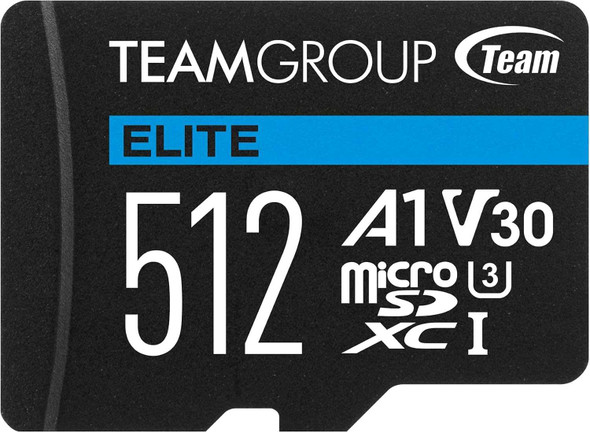
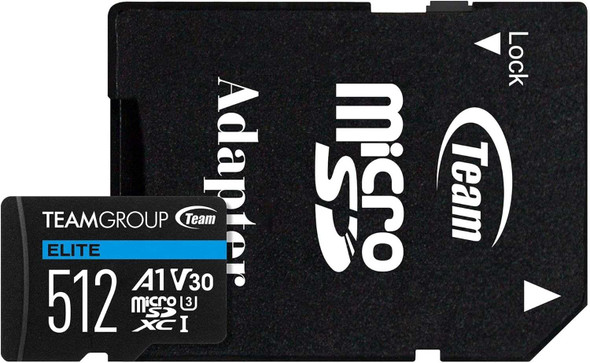
Team 512GB Elite A1 MicroSDXC Card with SD Adapter, UHS-I Class 3, U3, A1 App Performance, 100MB/s
TEAM


Team 64GB Elite A1 Micro SDXC Card with SD Adapter, UHS-I Class 3, U3, A1 App Performance, 100MB/s
TEAM