
LENOVO
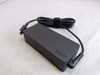
Lenovo 01FR030 power adapter/inverter Indoor 65 W Black
- SKU:
- 01FR030
- UPC:
- 5706998655592
- MPN:
- 01FR030
- Availability:
- Free Click & Collect in Peterborough. UK delivery also available.


Description
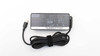
Lenovo 01FR030 65W USB-C AC Adapter – 20V 3.25A Black Laptop Charger
The Lenovo 01FR030 65W USB-C AC Adapter is a genuine Lenovo-style indoor laptop power adapter designed for compatible Lenovo ThinkPad USB-C enabled notebooks and tablets. With a 65W maximum output, USB Type-C charging tip, 20V / 3.25A output and wide 100–240V AC input, it is a practical replacement or spare charger for work, home, travel and office use.
This power adapter is ideal for customers searching for a Lenovo 01FR030 charger, Lenovo 65W USB-C AC adapter, ThinkPad USB-C laptop charger, 20V 3.25A Lenovo charger, or a black Lenovo laptop power supply for compatible USB-C notebooks and tablets. It is designed to convert mains power into the correct low-voltage DC output required by supported Lenovo USB-C devices.
Key Features of the Lenovo 01FR030 65W USB-C Adapter
- 65W maximum power output for compatible Lenovo USB-C laptops and tablets
- USB Type-C charging connector for supported ThinkPad USB-C enabled devices
- 20V / 3.25A main output for 65W laptop charging
- Wide 100–240V AC input for use with compatible mains power in many regions
- Indoor power adapter design for home, office, study and business use
- Black Lenovo adapter finish to match standard Lenovo laptop accessories
- Compact adapter body, suitable for carrying as a spare charger
- Compatible with ThinkPad USB-C enabled notebooks and tablets, subject to power requirement and connector compatibility
- Useful as a replacement or spare charger for office desks, home working or travel bags
- MPN: 01FR030
- EAN / UPC: 5706998655592
Reliable 65W USB-C Charging for Compatible Lenovo Devices
The Lenovo 01FR030 adapter provides up to 65W of charging power, which is commonly used by many business-class Lenovo laptops and USB-C ThinkPad models. A 65W adapter is suitable for many everyday workloads such as web browsing, office software, video calls, study work, emails, cloud apps and general productivity.
For the best compatibility, check the label on your original charger or laptop underside before ordering. If your original Lenovo charger is rated 65W, 20V and 3.25A with a USB-C connector, this adapter may be a suitable replacement. If your laptop requires more than 65W, such as 90W, 100W, 135W or higher, choose the correct higher-wattage Lenovo adapter instead.
Good for Home, Office and Travel Use
This adapter is useful as a main charger, replacement charger or spare power supply. Keeping an extra Lenovo USB-C charger at home, in the office or in a laptop bag can reduce the need to move one charger between locations.
USB Type-C Connector for Supported ThinkPad Devices
The Lenovo 01FR030 uses a USB Type-C charging tip, making it suitable for compatible Lenovo ThinkPad USB-C notebooks and tablets. It is not the older Lenovo rectangular Slim Tip charger and it is not a round barrel-pin charger. Customers should check the connector type carefully before ordering.
Important Connector Note
This product is for Lenovo devices that charge through USB-C. It will not fit Lenovo laptops that require the older rectangular Slim Tip connector, round barrel connector, or a higher-powered workstation-style adapter.
Wide Input Voltage for Flexible Use
The adapter supports a wide 100–240V AC input, making it suitable for use with compatible mains power sources in many countries when used with the correct plug or mains cable. This is useful for users who travel or move between different work locations.
Please check what is included in your retail package before use. Some supplier listings include a mains cable, while other listings may sell the adapter brick only. If a mains cable is not included, you will need a compatible cable for your region.
Compatibility Guide
The Lenovo 01FR030 is commonly listed for ThinkPad USB-C enabled notebooks and tablets. Compatibility depends on the laptop model, charging port, wattage requirement and firmware behaviour. Always compare your original charger part number, output rating and connector before purchase.
Check Before You Buy
- Your laptop uses a USB-C charging port
- Your original charger is rated 65W or your device supports 65W USB-C charging
- Your required output matches 20V / 3.25A for full 65W charging
- Your laptop does not require a higher wattage charger such as 90W, 100W, 135W or more
- Your device does not require Lenovo Slim Tip or round barrel charging
- You have the correct mains lead or plug for your region if not included
Common Part Number and Cross-Reference Information
The main part number for this product is 01FR030. Some supplier listings also associate this Lenovo adapter family with related or substitute part numbers such as 02DL109 and 02DL110. Always check your original adapter label and laptop requirements before ordering.
Who Is This Lenovo 65W Adapter Best For?
- Lenovo ThinkPad users needing a replacement USB-C charger
- Office workers who want a spare charger for their desk
- Home workers who want to avoid carrying one charger between locations
- Students with compatible Lenovo USB-C laptops
- IT departments replacing missing or damaged 65W Lenovo adapters
- Users whose original adapter shows 20V / 3.25A and 65W output
Who Is This Adapter Not For?
This adapter is not suitable for every Lenovo laptop. It is not for models that use the older Lenovo Slim Tip connector, round barrel connector, or higher-wattage chargers. It is also not intended as a universal high-power USB-C charger for gaming laptops, mobile workstations or devices that require more than 65W.
Technical Specifications
- Brand: Lenovo
- Model / MPN: 01FR030
- EAN / UPC: 5706998655592
- Product Type: AC power adapter / laptop charger
- Power Supply Type: Indoor
- Maximum Output Power: 65W
- Main Output: 20V / 3.25A
- Connector: USB Type-C
- Input Voltage: 100–240V AC
- Input Frequency: 50/60Hz
- Colour: Black
- Quantity Per Pack: 1 pc
- Common Compatibility: Lenovo ThinkPad USB-C enabled notebooks and tablets, subject to model and power requirement
- Related Sub-Part Numbers: 02DL109, 02DL110 listed by some spare-part suppliers
Important Compatibility and Safety Note
Before ordering, check your original Lenovo adapter label and laptop charging requirements. The most important checks are the connector type, wattage, output voltage/current and device compatibility. Using an underpowered adapter may result in slow charging, battery drain during heavy use, warning messages, or the laptop refusing to charge.
Why Buy the Lenovo 01FR030 65W USB-C AC Adapter?
The Lenovo 01FR030 65W USB-C AC Adapter is a practical replacement or spare charger for compatible Lenovo ThinkPad USB-C laptops and tablets. With 65W output, USB-C charging, 20V / 3.25A power delivery, wide 100–240V AC input and a compact black design, it is suitable for everyday charging at home, in the office or on the move.
Choose this adapter if your compatible Lenovo device requires a 65W USB-C charger and your original adapter or laptop specification matches the 01FR030 power family.
Specification
Lenovo 01FR030 65W USB-C AC Adapter Specifications
The Lenovo 01FR030 65W USB-C AC Adapter is an indoor laptop power adapter designed for compatible Lenovo USB-C notebooks and tablets. It provides up to 65W output through a USB Type-C connector, with 20V / 3.25A charging and wide 100–240V AC input for everyday home, office and business use.
General Information
| Brand | Lenovo |
| Product Name | Lenovo 01FR030 65W USB-C AC Adapter |
| Manufacturer Part Number | 01FR030 |
| EAN / UPC | 5706998655592 |
| OEM Reference | 99108465 listed by some suppliers |
| Product Type | AC power adapter / laptop charger |
| Power Supply Type | Indoor |
| Recommended Use | Compatible Lenovo ThinkPad USB-C enabled notebooks and tablets |
Power Specifications
| Maximum Output Power | 65W |
| Main Output Voltage | 20V |
| Main Output Current | 3.25A |
| Input Voltage | 100–240V AC |
| Input Frequency | 50/60Hz |
| Input Current | 1.8A listed by some adapter labels / supplier listings |
Connector and Compatibility
| Charging Connector | USB Type-C tip |
| Lenovo Slim Tip Compatible | No, this is a USB-C adapter |
| Round Barrel Connector Compatible | No |
| Brand Compatibility | Lenovo |
| Common Compatible Device Family | ThinkPad USB-C enabled notebooks and tablets, subject to model power requirement |
| Compatibility Requirement | Device must support USB-C charging and 65W / 20V / 3.25A power input |
Physical Design
| Product Colour | Black |
| Built-in Display | No |
| Adapter Weight | Approximately 170g listed by some replacement adapter suppliers |
| Use Environment | Indoor use |
Related Part Numbers
| Main Part Number | 01FR030 |
| Related / Substitute Part Numbers | 01FR024, 01FR025, 01FR026, 01FR027, 01FR028, 01FR029, 01FR031, 02DL106, 02DL108, 02DL109, 02DL110, 02DL124, 02DL126, 02DL128, 4X20M26272, 4X20M26268 and other Lenovo 65W USB-C adapter references listed by spare-part suppliers |
Package Contents
| Adapter | 1 x Lenovo 01FR030 65W USB-C AC Adapter |
| Quantity Per Pack | 1 pc |
| Mains Cable | Check product packaging/listing. Some supplier listings sell the adapter without cable, while others include or offer a mains lead separately. |
Warranty and Support
| Warranty | Check Memox warranty terms on the product page |
| Technical Support | Lenovo / reseller support, depending on product condition and supply channel |
Important Compatibility Notes
Please check your original charger and laptop before purchase. This adapter is for compatible Lenovo devices that charge through USB Type-C and support 65W / 20V / 3.25A input. It is not suitable for laptops that require the older Lenovo Slim Tip connector, round barrel connector, or a higher-wattage adapter such as 90W, 100W, 135W or more.
Important Charging Note
If your device requires more than 65W, this adapter may charge slowly, show a low-power warning, or fail to charge properly under heavy load. Always match the wattage, connector and output rating from your original adapter or device specification.
Return
FAQ: Frequenlty Asked Questions
Lenovo 01FR030 65W USB-C Power Adapter FAQ
The Lenovo 01FR030 65W USB-C Power Adapter is a black indoor laptop charger designed for compatible Lenovo ThinkPad, ThinkBook, Yoga, and USB-C powered Lenovo notebooks that require a 65W USB-C power supply. Below are the most common questions buyers ask before choosing this Lenovo 65W USB-C charger, including compatibility, wattage, USB-C Power Delivery, charging problems, replacement use, and how to check whether it is the correct charger for your laptop.
1. What is the Lenovo 01FR030 power adapter?
The Lenovo 01FR030 is a 65W AC power adapter designed to charge compatible Lenovo laptops, notebooks, tablets, and USB-C powered Lenovo devices. It converts mains power into the low-voltage DC power required by the laptop.
2. What wattage is the Lenovo 01FR030 charger?
The Lenovo 01FR030 is a 65W power adapter. It is commonly listed with a 20V / 3.25A output, which equals 65W. This makes it suitable for many Lenovo laptops originally supplied with a 65W USB-C charger.
3. What connector does the Lenovo 01FR030 use?
The Lenovo 01FR030 uses a USB Type-C charging connector. It is not the older Lenovo rectangular slim-tip charger. Before buying, check whether your Lenovo laptop charges through USB-C or through the older yellow rectangular slim-tip connector.
4. Is this the same as a Lenovo slim-tip charger?
No. This Lenovo 01FR030 is a USB-C charger. Lenovo slim-tip chargers use a rectangular yellow connector, sometimes called a square tip or slim tip. If your laptop has the older rectangular charging port only, this USB-C charger may not be suitable.
5. Does the Lenovo 01FR030 support USB-C Power Delivery?
Yes. This charger is commonly listed as a USB-C power adapter with Power Delivery-style output profiles, including up to 20V / 3.25A for 65W charging. The connected laptop and cable must also support the required USB-C charging profile.
6. What output does the Lenovo 01FR030 provide?
The main laptop charging output is commonly listed as 20V / 3.25A, giving a maximum of 65W. Some listings also show lower USB-C voltage profiles such as 5V, 9V, 12V, and 15V for compatible USB-C devices.
7. What input voltage does this adapter support?
The Lenovo 01FR030 is commonly listed with wide-range mains input such as 100–240V, 50–60Hz. This makes it suitable for use with the correct mains lead or plug adapter in many regions, subject to local plug compatibility and safety standards.
8. Is the Lenovo 01FR030 suitable for UK use?
Yes, it can be suitable for UK use when used with the correct compatible UK mains power lead. Always check the product listing to confirm whether a mains cable is included or whether you need to use an existing compatible cable.
9. Does this charger include the mains power cable?
Check the product listing before ordering. Some replacement Lenovo adapters are sold as the power brick only, while others include a UK mains lead. If the power cable is not included, you will need a suitable compatible mains cable for the adapter.
10. Which Lenovo laptops can use the 01FR030 charger?
The Lenovo 01FR030 is designed for compatible Lenovo laptops and tablets that charge through USB-C and require up to 65W. It is commonly associated with many ThinkPad, ThinkBook, Yoga, and USB-C Lenovo models, but compatibility should always be confirmed against your laptop model and original charger rating.
11. Is this charger suitable for Lenovo ThinkPad laptops?
Yes, it can be suitable for many Lenovo ThinkPad models that support USB-C charging and require a 65W adapter. Before buying, check the label on your original charger or the laptop’s power requirement to confirm 20V / 3.25A or 65W USB-C charging support.
12. Is this charger suitable for Lenovo Yoga laptops?
Yes, it can work with many Lenovo Yoga models that support 65W USB-C charging. However, some Yoga models may need a different wattage or charger type, so always check the exact model number and original charger specification before ordering.
13. Is this charger suitable for Lenovo ThinkBook laptops?
Yes, many Lenovo ThinkBook models use USB-C charging and may be compatible with a 65W Lenovo USB-C power adapter. Confirm that your ThinkBook requires 65W and has a USB-C charging port before buying.
14. Can I use this charger with a laptop that originally came with a 45W charger?
In many cases, yes. A compatible laptop will only draw the power it needs, so using a genuine or compatible 65W USB-C charger on a laptop that originally used 45W is often acceptable. The key is that the voltage, USB-C charging standard, and laptop compatibility are correct.
15. Can I use this 65W charger with a laptop that needs 90W, 100W, 135W, or more?
Usually no. If your laptop requires more than 65W, this adapter may charge slowly, fail to charge under load, show a low-power charger warning, or not charge at all. Gaming laptops, mobile workstations, and high-performance models often need higher-wattage adapters.
16. Can using a 65W charger damage my laptop if the laptop uses less power?
No, not if the charger is compatible and working correctly. A laptop only draws the power it needs. A 65W charger does not force 65W into the laptop. The important checks are connector type, USB-C Power Delivery compatibility, voltage profile, and overall laptop support.
17. Why does my Lenovo laptop say “plugged in, not charging”?
This can happen if the charger is not powerful enough, the USB-C cable is not suitable, the USB-C port is faulty, the battery is at a charge limit, the laptop is under heavy load, or the laptop does not properly negotiate USB-C Power Delivery with that charger. Try the original charger, another suitable cable, a different USB-C charging port, and check Lenovo Vantage battery settings.
18. Why is my Lenovo laptop not charging from a 65W USB-C charger?
Some Lenovo laptops can be picky with USB-C Power Delivery negotiation. Even if a charger says 65W, it must support the correct 20V charging profile and work properly with the laptop. A poor-quality USB-C cable, third-party charger issue, BIOS problem, damaged port, or battery fault can also stop charging.
19. Why does my laptop charge slowly with this adapter?
Charging speed depends on battery level, system load, temperature, cable quality, USB-C negotiation, and the laptop’s own charging limits. If the laptop is being used heavily while charging, more power goes to the system and less is available to charge the battery quickly.
20. Do I need a special USB-C cable for 65W charging?
If the charger has a fixed USB-C cable, use the cable supplied with the charger. If using a detachable cable, choose a good-quality USB-C cable rated for at least 65W charging. Poor or charge-only cables can cause slow charging, unstable charging, or no charging.
21. Can I use any USB-C phone charger with my Lenovo laptop?
Usually not. Many phone chargers do not provide enough wattage or the correct 20V USB-C Power Delivery profile needed by laptops. A phone charger may charge very slowly, only charge when the laptop is off, or not charge the laptop at all.
22. Can this charger charge phones, tablets, and other USB-C devices?
It may charge many USB-C phones, tablets, and accessories if they support compatible USB-C charging profiles. However, charging speed depends on the device’s own charging standard and cable. Some devices may charge at a lower wattage than 65W.
23. Can I use this Lenovo charger with non-Lenovo laptops?
It may work with some non-Lenovo USB-C laptops that support USB-C Power Delivery charging at compatible voltages and wattages. However, for best compatibility and safety, use the charger recommended by your laptop manufacturer or confirm that your device supports 65W USB-C PD charging.
24. Is this charger suitable for Lenovo gaming laptops?
Usually not as the main charger. Many Lenovo gaming laptops require 135W, 170W, 230W, or higher adapters, often with Lenovo slim-tip or proprietary connectors. A 65W USB-C charger may be insufficient, may only provide light charging, or may not work for gaming models under load.
25. Is this charger suitable for Lenovo docking stations?
It depends on the dock. Some Lenovo USB-C docks require 65W or more, while Thunderbolt and workstation docks may require higher-wattage adapters. Check the dock’s required input wattage and connector type before using this adapter.
26. What is the difference between Lenovo USB-C and Lenovo slim-tip chargers?
Lenovo USB-C chargers use the modern reversible USB-C connector and communicate power through USB-C Power Delivery. Lenovo slim-tip chargers use the older rectangular yellow connector with Lenovo-specific power identification. They are not the same connector and should not be confused when ordering a replacement.
27. What is the difference between a 45W and 65W Lenovo USB-C charger?
A 65W charger can provide more power than a 45W charger. For laptops that require 65W, a 45W charger may charge slowly or show a warning. A 65W charger is usually the better replacement when the original Lenovo charger label says 20V / 3.25A or 65W.
28. How do I check if this is the correct charger for my Lenovo laptop?
Check the label on your original charger and look for the output rating. If it says 65W, 20V / 3.25A, and uses USB-C, this adapter may be suitable. Also check your laptop manual, Lenovo support page, or the model’s power requirement before ordering.
29. What does 20V 3.25A mean?
20V is the output voltage and 3.25A is the maximum output current at that voltage. Multiplying 20V by 3.25A gives 65W. This is a common power rating for many Lenovo USB-C business laptops and ultrabooks.
30. Can I travel with the Lenovo 01FR030 charger?
Yes, the adapter is commonly listed with 100–240V input, making it suitable for travel when used with the correct plug lead or travel adapter for the destination. Always check local plug compatibility and avoid poor-quality travel adapters.
31. Why does my laptop show an incorrect adapter warning?
An incorrect adapter warning can appear if the charger does not provide the correct wattage, the USB-C PD negotiation fails, the cable is unsuitable, the charger is not recognised properly, or the laptop needs a higher-wattage adapter. Try a known-good Lenovo-compatible 65W USB-C charger and cable to confirm the cause.
32. Can a faulty battery make it look like the charger is not working?
Yes. If the laptop powers on with the charger but the battery stays at 0%, does not increase, or shuts down when unplugged, the battery may be worn or faulty. Charging faults can also be caused by the USB-C port, motherboard charging circuit, BIOS, or charger.
33. What should I try if the Lenovo 01FR030 charger is not working?
Check the mains lead, wall socket, USB-C connector, laptop charging port, and cable condition. Try another compatible USB-C charger if available, restart the laptop, check Lenovo Vantage battery settings, update BIOS if safe, and test whether the laptop charges when powered off.
34. Is this charger good as a spare adapter?
Yes. If your Lenovo laptop uses a 65W USB-C charger, the Lenovo 01FR030 can be useful as a spare charger for home, office, travel, or keeping in a laptop bag so you do not need to move one charger between locations.
35. Is this charger suitable as a replacement for a lost Lenovo charger?
Yes, provided your original Lenovo charger was a 65W USB-C model or your laptop supports 65W USB-C charging. Always check the original output rating and connector type before replacing a lost charger.
36. Who is the Lenovo 01FR030 65W charger best for?
This charger is best for users with a compatible Lenovo USB-C laptop that needs a 65W adapter. It is ideal for replacing a lost, damaged, or unreliable charger, or for adding a second charger at home, work, or in a travel bag.
37. Who is this charger not for?
This charger is not suitable for Lenovo laptops that require a higher-wattage adapter, older laptops that only use the yellow rectangular slim-tip connector, gaming laptops needing 135W or more, or devices that do not support USB-C Power Delivery charging.
38. Lenovo 01FR030 vs 02DL124 — which should I choose?
Both part numbers are commonly associated with Lenovo 65W USB-C adapter families, but the safest choice is to match the part number, wattage, connector type, and output rating from your original charger or laptop support page. If your original charger shows 01FR030, this listing is the closer match.
39. Lenovo 65W USB-C vs third-party USB-C charger — which is better?
A Lenovo-branded or Lenovo-compatible 65W USB-C charger is usually the safer choice for Lenovo laptops because it is more likely to support the required charging profile. Some third-party chargers may say 65W but fail to negotiate correctly with certain Lenovo laptops.
40. What should I check before buying the Lenovo 01FR030 charger?
Before buying, check that your laptop charges through USB-C, that the original adapter was 65W or 20V / 3.25A, that your model does not require a higher-wattage charger, and whether the mains power lead is included. If unsure, compare the part number and output rating on your existing charger label.