
Kingston
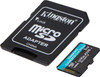
Kingston Technology 1TB microSDXC Canvas Go Plus Gen4 200MB/s A2 U3 V30 Card + Adapter
- SKU:
- SDCG41TB
- UPC:
- 0740617348095
- MPN:
- SDCG4/1TB
- Availability:
- Free Click & Collect in Peterborough. UK delivery also available




Description
Kingston Canvas Go! Plus Gen4 1TB microSDXC Card – 200MB/s, U3, V30, A2 with SD Adapter
The Kingston Canvas Go! Plus Gen4 1TB microSDXC memory card (SDCG4/1TB) is a high-capacity UHS-I storage card designed for mobile gaming, Android devices, drones, action cameras and other compatible devices that require fast microSDXC storage.
With read speeds of up to 200MB/s and write speeds of up to 160MB/s, the 1TB Canvas Go! Plus combines high transfer performance with UHS Speed Class U3, Video Speed Class V30 and Application Performance Class A2. This makes it suitable for demanding applications including 4K UHD video recording, large game libraries, high-resolution photos and application storage on supported Android devices.
The card is supplied with a full-size SD adapter, allowing the microSDXC card to be used in compatible cameras, laptops, card readers and other equipment with a standard SD slot.
Quick answer: The Kingston Canvas Go! Plus Gen4 SDCG4/1TB is a 1TB UHS-I microSDXC card rated at up to 200MB/s read and 160MB/s write, with U3, V30 and A2 performance classifications. It is designed primarily for gaming, Android devices, drones and action cameras, includes an SD adapter and is backed by Kingston's lifetime warranty.
Key Features of the Kingston Canvas Go! Plus Gen4 1TB
- 1TB / 1000GB storage capacity
- Kingston Canvas Go! Plus Gen4 series
- Part number: SDCG4/1TB
- microSDXC memory-card format
- Up to 200MB/s sequential read speed
- Up to 160MB/s sequential write speed
- UHS-I interface
- UHS Speed Class U3
- Video Speed Class V30
- Application Performance Class A2
- Class 10 speed classification
- Suitable for compatible 4K UHD video recording devices
- Designed for action cameras
- Designed for drones
- Designed for mobile gaming
- Suitable for compatible Android smartphones and tablets
- Suitable for compatible handheld gaming systems using UHS-I microSDXC
- Full-size SD adapter included
- Factory format: exFAT
- Operating temperature: -25°C to 85°C
- Storage temperature: -40°C to 85°C
- Operating voltage: 3.3V
- IPX7 water-resistance certification
- Temperature resistant
- X-ray protected
- microSDXC dimensions: 11 × 15 × 1mm
- SD adapter dimensions: 24 × 32 × 2.1mm
- Kingston lifetime warranty
1TB High-Capacity microSDXC Storage
The Kingston Canvas Go! Plus provides a nominal 1TB / 1000GB capacity, giving compatible devices substantially more space for games, apps, videos, photographs and other files.
A 1TB card can be particularly useful where frequently replacing smaller memory cards would be inconvenient, such as:
- Large mobile-game libraries
- Handheld gaming systems
- Long trips with an action camera
- High-resolution drone footage
- 4K UHD video recording
- Large photo libraries
- Android smartphones and tablets with expandable storage
- Offline media collections
Why Does a 1TB Card Show Less Than 1TB?
A storage device normally displays less usable capacity in an operating system than the capacity printed on its packaging.
Kingston explains that a nominal 1TB flash-storage product can appear as approximately 931GB when calculated using the binary capacity convention used by systems such as Windows.
A small amount of storage is also required for formatting and other internal functions. This is normal and does not mean that the card is missing capacity.
Up to 200MB/s Read Speed
The 1TB Canvas Go! Plus is rated for sequential read speeds of up to 200MB/s.
Fast read performance can reduce the time needed to:
- Copy large video files to a computer
- Transfer photo collections
- Load game data
- Access files stored on compatible Android devices
- Back up footage from action cameras or drones
Will Every Device Reach 200MB/s?
No. The advertised 200MB/s speed is a maximum performance figure and is not guaranteed in every device.
Kingston states that performance varies according to the host device and that the Canvas Go! Plus uses proprietary technology to achieve read speeds beyond the standard UHS-I 104MB/s bus specification.
Full rated performance requires Kingston's compatible MobileLite Plus Reader.
A smartphone, camera, drone, handheld console or standard UHS-I card reader may therefore operate the card at a lower speed depending on its own interface and controller.
Up to 160MB/s Write Speed
The 256GB, 512GB and 1TB versions of the current Canvas Go! Plus SDCG4 family are rated by Kingston for write speeds of up to 160MB/s.
Higher sequential write performance can help when recording large video files, capturing high-resolution content or transferring data onto the memory card.
200MB/s Read and 160MB/s Write Are Maximum Speeds
The 200MB/s read and 160MB/s write figures are maximum sequential performance ratings. Actual speed can vary according to:
- Device
- Card reader
- File size
- Workload
- File system
- Operating system
- Temperature
- Available free capacity
UHS-I U3 Performance
The Kingston Canvas Go! Plus uses the UHS-I interface and carries a U3 UHS Speed Class rating.
U3 represents a minimum sustained sequential write-performance class of 30MB/s under the relevant test conditions.
This makes U3 cards suitable for demanding recording applications where consistent write performance is more important than only achieving a high short-duration peak speed.
V30 Video Speed Class for 4K UHD Recording
The card carries a Video Speed Class V30 rating.
V30 represents a minimum sustained write-performance class of 30MB/s, making it suitable for compatible cameras that specify V30-class storage for high-bitrate video.
Designed for 4K UHD Video
Kingston specifically positions the Canvas Go! Plus for smooth 4K UHD video recording in compatible action cameras and drones.
Compatibility still depends on the recording device. Before purchasing, check that your camera or drone supports:
- microSDXC
- 1TB capacity
- UHS-I
- U3 / V30 performance
- exFAT where applicable
A2 Application Performance Class
The Canvas Go! Plus carries an A2 Application Performance Class rating designed to improve random-access performance when applications are stored or executed from the card on compatible devices.
The A2 specification defines minimum random performance of:
- 4,000 read IOPS
- 2,000 write IOPS
- At least 10MB/s sustained sequential write performance
Why A2 Matters for Mobile Gaming
Games and apps do not only read one large sequential file. They often access many small files, databases and resources.
The A2 rating is therefore particularly relevant for compatible Android and mobile-gaming devices where apps or game data are accessed directly from removable storage.
A2 Performance Depends on the Host Device
A2 features work best when the device and operating system support the relevant Application Performance Class functions.
An older device can still use the card if otherwise compatible, but it may not obtain the full benefit of A2 random-access performance.
Ideal for Mobile Gaming
Kingston specifically designed the Canvas Go! Plus SDCG4 series for mobile gaming.
The combination of 1TB capacity, A2 application performance and high sequential transfer speeds makes the card particularly useful for devices that allow games, apps or game data to be stored on microSDXC media.
Suitable for UHS-I Handheld Gaming Systems
The card can be considered for compatible handheld gaming systems that support UHS-I microSDXC cards and 1TB capacities.
Always confirm the console manufacturer's supported card type and maximum capacity before purchase.
Steam Deck microSD Storage
Valve specifies that Steam Deck models support UHS-I SD, SDHC and SDXC microSD storage.
The Kingston Canvas Go! Plus is a UHS-I microSDXC card, making its interface type suitable for the Steam Deck platform.
Steam Deck formats microSD cards using its own supported file system, so a card that arrives pre-formatted as exFAT may be reformatted by SteamOS when prepared for game storage.
Steam Deck Speed Expectations
The Steam Deck's UHS-I interface determines the practical card-reader bandwidth. Do not expect the handheld itself to necessarily reproduce the Kingston 200MB/s result obtained with Kingston's specialised MobileLite Plus reader.
Important Nintendo Switch 2 Compatibility Note
This Kingston Canvas Go! Plus is a conventional UHS-I microSDXC card, not a microSD Express card.
The Nintendo Switch 2 requires microSD Express for expandable game storage. Therefore, this Canvas Go! Plus SDCG4 should not be purchased as a Nintendo Switch 2 game-storage card.
Nintendo allows conventional microSD cards to be used in a limited way to import screenshots and videos from an original Nintendo Switch, but they cannot be used as normal Switch 2 expandable game storage.
Original Nintendo Switch Is Different
The original Nintendo Switch family supports conventional microSD cards, whereas Nintendo Switch 2 uses the newer microSD Express standard.
Always distinguish between these two systems when choosing memory-card storage.
Important: “Gen4” Does Not Mean PCIe Gen4 or microSD Express
The Gen4 description identifies this generation of Kingston's Canvas Go! Plus product family.
It does not mean that the card uses PCI Express Gen4 and it does not mean that it is a microSD Express card.
The interface is officially:
UHS-I microSDXC
Designed for Action Cameras
Kingston specifically recommends the Canvas Go! Plus range for action cameras.
Its U3 and V30 classifications are designed to provide the sustained write performance needed by compatible high-resolution recording equipment.
The large 1TB capacity can also reduce how frequently cards need to be swapped during long recording sessions.
Check Your Camera's Maximum Capacity
Not every action camera supports a 1TB microSDXC card. Some older models have lower maximum capacities.
Check the camera manufacturer's specification before ordering and confirm that it supports a 1TB microSDXC UHS-I U3/V30 card.
Designed for Drones
The Canvas Go! Plus is also specifically positioned by Kingston for drone recording.
Its combination of V30 and U3 performance can support high-resolution aerial video in compatible drones, while the 1TB capacity provides substantial room for recorded footage.
Drone Compatibility Depends on the Exact Model
Drone manufacturers can specify maximum memory-card capacities, required speed classes and recommended card lists.
Always check your drone's current storage specification rather than assuming that every drone accepts 1TB cards.
Suitable for Compatible Android Smartphones and Tablets
Kingston specifically lists Android devices as one of the intended uses for the Canvas Go! Plus.
A compatible Android device can use the 1TB card for content such as:
- Photos
- Videos
- Music
- Documents
- Offline media
- Supported apps
- Supported game data
Check That Your Phone Supports 1TB microSDXC
Many modern phones no longer include a microSD slot, and devices that do support microSD can have different capacity limits.
Check the specification of the exact smartphone or tablet before buying.
Full-Size SD Adapter Included
The SDCG4/1TB package includes a Kingston SD adapter.
The adapter allows the microSDXC card to fit into compatible full-size SD slots, such as those found on:
- Digital cameras
- Laptops
- Desktop card readers
- USB card readers
- Some audio and media equipment
Adapter Does Not Increase Card Speed
The SD adapter is a physical-format adapter. It does not convert the card into UHS-II or increase its performance beyond what the microSD card and host device support.
exFAT Factory Format
Kingston specifies the Canvas Go! Plus SDCG4 series as exFAT formatted.
exFAT is commonly used for high-capacity SDXC cards because it supports files larger than the 4GB maximum imposed by FAT32.
Your Device May Reformat the Card
Some cameras, gaming systems and other devices require the card to be formatted using the device's own menu before first use.
If the manufacturer recommends device-based formatting, follow those instructions rather than formatting the card through a computer first.
IPX7 Water Resistance
Kingston extensively tests the Canvas Go! Plus for durability.
The card is IEC/EN 60529 IPX7 certified for protection against continuous water immersion for up to 30 minutes at a depth of up to 1 metre under the specified test conditions.
Water Resistant Does Not Mean Indestructible
The IPX7 rating should not be interpreted as permission to deliberately expose the card to water, salt water or liquids during normal use.
Dry a card fully before inserting it into electronic equipment if it has been exposed to moisture.
Temperature Resistant
The Canvas Go! Plus is specified to operate across a wide temperature range of:
-25°C to 85°C
Kingston specifies a storage-temperature range of:
-40°C to 85°C
This makes the card appropriate for the varying environmental conditions that action cameras and drones can experience, provided the host device itself remains within its own operating limits.
X-Ray Protection
Kingston states that the card is protected against X-ray exposure based on ISO 7816-1 guidelines.
This provides additional reassurance for users carrying memory cards through environments such as airport security screening.
Not a Kingston High-Endurance microSD Card
The Canvas Go! Plus is optimised by Kingston for:
- Gaming
- Drones
- Action cameras
- Android devices
Kingston markets its separate High-Endurance microSD range specifically for workloads including:
- Dash cameras
- Security cameras
- Body cameras
- Repeated continuous recording
Should I Use Canvas Go! Plus for 24/7 CCTV Recording?
If the device performs continuous or very frequent recording and overwriting, a memory card specifically designed for endurance workloads may be the more appropriate choice.
Always follow the camera manufacturer's memory-card requirements.
Class 10, U3, V30 and A2 Explained
- Class 10: performance classification associated with at least 10MB/s sequential write capability under the applicable standard.
- U3: UHS Speed Class requiring at least 30MB/s sustained write performance.
- V30: Video Speed Class requiring at least 30MB/s sustained write performance.
- A2: Application Performance Class designed for faster random-access app workloads.
- UHS-I: the card's SD bus-interface standard.
Kingston Canvas Go! Plus Gen4 1TB Technical Overview
- Brand: Kingston Technology
- Series: Canvas Go! Plus
- Generation: Gen4 / SDCG4
- Part Number / MPN: SDCG4/1TB
- Memox SKU: SDCG41TB
- Capacity: 1TB / 1000GB
- Card Type: microSDXC
- Interface: UHS-I
- Speed Class: Class 10
- UHS Speed Class: U3
- Video Speed Class: V30
- Application Performance: A2
- Maximum Read Speed: Up to 200MB/s
- Maximum Write Speed: Up to 160MB/s
- Factory Format: exFAT
- Card Dimensions: 11 × 15 × 1mm
- SD Adapter: Included
- SD Adapter Dimensions: 24 × 32 × 2.1mm
- Operating Voltage: 3.3V
- Operating Temperature: -25°C to 85°C
- Storage Temperature: -40°C to 85°C
- Water Protection: IPX7 under Kingston's specified test conditions
- X-Ray Protection: Yes
- Temperature Resistant: Yes
- Warranty: Kingston Lifetime Warranty
- UPC-12: 740617348095
- EAN / GTIN-13: 0740617348095
Who Is the Kingston Canvas Go! Plus 1TB Best For?
- Users needing very high-capacity microSDXC storage
- Action-camera users
- Drone users
- Mobile gamers
- Compatible Android phones and tablets
- Compatible UHS-I handheld gaming systems
- Steam Deck users requiring additional game storage
- Users recording compatible 4K UHD video
- Photographers requiring portable high-capacity storage
- Users transferring large files frequently
Who Should Consider a Different Memory Card?
A different card may be more appropriate if you require:
- microSD Express for Nintendo Switch 2
- UHS-II performance
- V60 or V90 video recording
- A dedicated high-endurance card for continuous dashcam or security-camera recording
- An industrial-grade card for specialised industrial workloads
- A capacity lower than 1TB for a device with a smaller maximum supported capacity
Important 200MB/s Speed Note
Kingston states that the card is engineered using proprietary technology to achieve read speeds beyond the standard UHS-I 104MB/s specification, reaching up to 200MB/s.
Full rated performance requires a Kingston MobileLite Plus Reader. Actual performance varies according to the host device and workload.
Important 1TB Compatibility Note
Not every microSDXC-compatible device supports a full 1TB capacity. Before ordering, check the manufacturer's maximum supported card capacity for your specific phone, tablet, drone, camera or gaming device.
Important Video Recording Note
U3 and V30 ratings make the card suitable for compatible high-bitrate recording devices, but recording resolution alone does not determine compatibility. Cameras can also specify maximum bit rate, capacity, file system and approved card models.
Important Nintendo Switch 2 Note
The Kingston SDCG4/1TB is not a microSD Express card. Nintendo Switch 2 requires microSD Express for normal expandable game storage.
Important Dashcam and Security Camera Note
The Canvas Go! Plus is not Kingston's dedicated High-Endurance series. For devices performing continuous video recording and repeated overwrite cycles, check whether the manufacturer recommends a high-endurance memory card.
Important SD Adapter Note
This exact SDCG4/1TB version includes the full-size SD adapter. Kingston also sells separate SDCG4 variants ending in SP without an adapter, so the exact part number matters.
Why Choose the Kingston Canvas Go! Plus Gen4 1TB?
The Kingston Canvas Go! Plus Gen4 SDCG4/1TB combines very high 1TB capacity with performance aimed at modern gaming, mobile and content-creation devices.
Its up to 200MB/s read and 160MB/s write speeds can make large file transfers faster with suitable hardware, while U3 and V30 classifications provide the sustained-performance rating required by many compatible 4K UHD recording devices.
The A2 Application Performance Class makes the card particularly relevant to Android and mobile-gaming workloads where many small files and application resources may be accessed instead of only large sequential files.
The included full-size SD adapter expands compatibility with cameras, laptops and card readers, while exFAT formatting makes the high-capacity card suitable for large files.
Kingston also extensively tests the card for demanding environments, including IPX7 water resistance, wide operating temperatures and X-ray protection.
Combined with Kingston's lifetime warranty, the Canvas Go! Plus provides a high-capacity storage option for users who need fast, portable microSDXC storage for gaming, Android devices, drones, action cameras and compatible 4K recording equipment.
Choose the Kingston Canvas Go! Plus Gen4 1TB if you need a high-performance UHS-I microSDXC card with 1TB capacity, up to 200MB/s read and 160MB/s write speeds, U3/V30 video performance, A2 mobile-app performance and an included SD adapter.
Specification
Kingston Canvas Go! Plus Gen4 1TB microSDXC Card Specifications
The Kingston Canvas Go! Plus Gen4 1TB (SDCG4/1TB) is a high-performance UHS-I microSDXC memory card designed for mobile gaming, drones, action cameras and compatible Android devices. It provides up to 200MB/s sequential read and 160MB/s sequential write performance, with Class 10, U3, V30 and A2 performance classifications. This exact SDCG4/1TB version includes a full-size SD adapter.
General Information
| Brand | Kingston Technology |
| Product Family | Canvas Go! Plus |
| Series / Generation | SDCG4 / Gen4 |
| Manufacturer Part Number / MPN | SDCG4/1TB |
| Memox SKU | SDCG41TB |
| Product Type | microSDXC Flash Memory Card |
| Nominal Capacity | 1TB / 1000GB |
| SD Adapter Included | Yes |
Product Identification
| Manufacturer | Kingston Technology |
| Model | Canvas Go! Plus |
| MPN | SDCG4/1TB |
| Memox SKU | SDCG41TB |
| UPC-12 | 740617348095 |
| EAN / GTIN-13 | 0740617348095 |
Memory Card Type
| Card Format | microSDXC |
| Bus Interface | UHS-I |
| Capacity Standard | SDXC |
| Factory File System | exFAT |
| Operating Voltage | 3.3V |
Performance Specifications
| Maximum Sequential Read Speed | Up to 200MB/s |
| Maximum Sequential Write Speed | Up to 160MB/s |
| Speed Class | Class 10 |
| UHS Speed Class | U3 |
| Video Speed Class | V30 |
| Application Performance Class | A2 |
| UHS Bus | UHS-I |
Speed Class Performance
| Class 10 Minimum Sequential Write Class | 10MB/s |
| U3 Minimum Sustained Write Class | 30MB/s |
| V30 Minimum Sustained Write Class | 30MB/s |
A2 Application Performance
| Application Performance Class | A2 |
| Minimum Random Read Performance | 4,000 IOPS under the A2 specification |
| Minimum Random Write Performance | 2,000 IOPS under the A2 specification |
| Minimum Sustained Sequential Write for A2 | 10MB/s |
| Intended A2 Use | Application and gaming workloads on compatible host devices |
Video Recording Capability
| 4K UHD Recording | Designed for compatible 4K UHD recording devices |
| Video Speed Class | V30 |
| UHS Speed Class | U3 |
| Action Camera Use | Yes – subject to device compatibility |
| Drone Use | Yes – subject to device compatibility |
Recommended Uses
| Mobile Gaming | Yes |
| Android Devices | Yes – subject to device microSDXC and capacity support |
| Drones | Yes |
| Action Cameras | Yes |
| 4K UHD Video | Yes – with compatible host device |
| High-Resolution Photography | Suitable with compatible equipment |
| Application Storage | Supported on compatible devices – A2 rated |
microSDXC Card Dimensions
| Width | 11mm |
| Length / Height | 15mm |
| Thickness | 1mm |
| Overall Card Dimensions | 11 × 15 × 1mm |
SD Adapter Specifications
| Full-Size SD Adapter Included | Yes |
| Adapter Width | 24mm |
| Adapter Length / Height | 32mm |
| Adapter Thickness | 2.1mm |
| Adapter Dimensions | 24 × 32 × 2.1mm |
| Adapter Function | Allows the microSDXC card to be used in compatible full-size SD slots |
Environmental Specifications
| Minimum Operating Temperature | -25°C |
| Maximum Operating Temperature | 85°C |
| Operating Temperature Range | -25°C to 85°C |
| Minimum Storage Temperature | -40°C |
| Maximum Storage Temperature | 85°C |
| Storage Temperature Range | -40°C to 85°C |
Durability and Protection
| Water Protection | IPX7 |
| Water-Resistance Test | IEC/EN 60529 IPX7 |
| Water Submersion Test | Up to 30 minutes |
| Maximum Tested Water Depth | Up to 1 metre |
| Temperature Resistant | Yes – within Kingston's specified temperature range |
| X-Ray Protection | Yes |
| X-Ray Protection Standard | Based on ISO 7816-1 guidelines |
File System and Formatting
| Factory Format | exFAT |
| Files Larger Than 4GB | Supported by exFAT |
| Device Reformatting | May be required by some cameras, gaming systems and other host devices |
| Recommended Formatting Method | Use the host device's formatting function where the device manufacturer recommends it |
Package Contents
| Kingston Canvas Go! Plus 1TB microSDXC Card | 1 |
| Full-Size SD Adapter | 1 |
| Card Reader | Not Included |
| MobileLite Plus Reader | Not Included |
Exact Part Number Configuration
| SDCG4/1TB | 1TB Canvas Go! Plus microSDXC with SD Adapter |
| SDCG4/1TBSP | Separate Kingston variant supplied without SD Adapter |
| This Memox Product | SDCG4/1TB – SD Adapter Included |
Warranty
| Manufacturer Warranty | Kingston Product Lifetime Warranty |
| Warranty Category | Secure Digital / SDXC Flash Memory Card |
| Warranty Conditions | Subject to Kingston's current limited warranty terms |
| Stored Data Covered | No – Kingston warranty does not cover loss or corruption of stored data |
Important 200MB/s Performance Note
The up to 200MB/s read and 160MB/s write figures are maximum sequential performance specifications for this 1TB model and are not guaranteed in every host device.
Kingston states that the card uses proprietary technology to achieve read speeds beyond the conventional UHS-I 104MB/s specification. Full rated performance requires a compatible Kingston MobileLite Plus Reader, which is sold separately.
Actual performance varies according to the host device, card reader, workload and operating conditions.
Important UHS-I Speed Note
The Canvas Go! Plus SDCG4 is a UHS-I card. It is not UHS-II and it is not a microSD Express card.
The 200MB/s maximum read claim does not mean the card uses a 200MB/s standard UHS-I bus. Kingston achieves that performance through proprietary technology with supported reader hardware.
Important Capacity Note
The advertised 1TB capacity is the nominal manufacturer capacity. Some of the storage is used for formatting and other flash-memory functions, so the usable capacity displayed by a computer or other device will be lower than the capacity printed on the card.
Important Device Compatibility Note
Before purchase, check that your device supports:
- microSDXC cards
- 1TB capacity
- UHS-I where applicable
- exFAT or device-specific formatting
- the required U3 / V30 performance class for recording applications
Supporting microSDXC does not automatically guarantee that every device accepts a 1TB card.
Important A2 Performance Note
The card is rated A2 Application Performance Class. The A2 specification defines minimum random performance of 4,000 read IOPS and 2,000 write IOPS under the applicable test conditions.
Full A2 functionality and real-world application performance depend on the host device and operating system supporting the relevant features.
Important 4K Video Note
Kingston markets the Canvas Go! Plus for compatible 4K UHD recording, drones and action cameras. However, video compatibility depends on the specific camera's supported card capacity, video bitrate, file system and required speed class.
Always check the camera or drone manufacturer's memory-card specification before recording important footage.
Important Water Protection Note
Kingston specifies IEC/EN 60529 IPX7 protection against continual water submersion for up to 30 minutes at a depth of up to 1 metre under the manufacturer's test conditions.
This rating should not be interpreted as permission to deliberately operate electronic equipment with a wet memory card. Allow the card to dry fully before inserting it into a device after water exposure.
Important Temperature Note
The card is specified for operation between -25°C and 85°C and storage between -40°C and 85°C.
The host camera, drone, smartphone or gaming device may have a narrower permitted temperature range, so the complete system should always be operated within the device manufacturer's limits.
Important X-Ray Protection Note
Kingston states that the card is protected against X-ray exposure based on ISO 7816-1 guidelines.
Important High-Endurance Use Note
The Canvas Go! Plus is designed primarily for mobile gaming, drones, action cameras and Android devices. It is not Kingston's dedicated High-Endurance microSD product family.
For applications involving continuous or very frequent video recording and overwriting, such as some dashcams or 24/7 surveillance cameras, check whether the device manufacturer recommends a dedicated high-endurance memory card.
Important microSD Express Note
The Kingston Canvas Go! Plus SDCG4 is a conventional UHS-I microSDXC card. It is not a microSD Express card.
The term Gen4 identifies this Kingston Canvas Go! Plus product generation and should not be interpreted as PCIe Gen4 or microSD Express compatibility.
Important SD Adapter Note
This exact SDCG4/1TB part number includes a full-size SD adapter. Kingston separately lists the SDCG4/1TBSP variant without an adapter.
The adapter changes the physical card format for use in compatible full-size SD slots; it does not increase the speed capability of the microSDXC card or host device.
Model Identification Note
These specifications apply specifically to the Kingston Canvas Go! Plus Gen4 1TB microSDXC, manufacturer part number SDCG4/1TB, Memox SKU SDCG41TB, UPC 740617348095 and EAN / GTIN-13 0740617348095.
Return
FAQ: Frequenlty Asked Questions
Kingston Canvas Go! Plus Gen 4 1TB microSDXC FAQ
The Kingston Canvas Go! Plus Gen 4 1TB microSDXC Card (SDCG4/1TB) is a high-performance UHS-I memory card designed for mobile gaming, Android devices, action cameras, drones and other compatible devices requiring fast, high-capacity removable storage. The 1TB version offers read speeds of up to 200MB/s and write speeds of up to 160MB/s, with Class 10, U3, V30 and A2 performance ratings.
Below are answers to the most common questions buyers ask about the Kingston Canvas Go! Plus 1TB, including 200MB/s performance, 4K video recording, Steam Deck and Nintendo Switch compatibility, GoPro and drone use, A2/U3/V30 ratings, formatting, available capacity, device compatibility, counterfeit-card checks, durability and whether this is the right microSD card for your device.
1. What is the Kingston Canvas Go! Plus Gen 4 1TB microSDXC card?
The Kingston Canvas Go! Plus Gen 4 1TB is a high-performance UHS-I microSDXC memory card designed for applications including mobile gaming, Android devices, action cameras and drones. It combines a large 1TB capacity with up to 200MB/s read and 160MB/s write performance and carries Class 10, U3, V30 and A2 ratings.
2. What is the exact part number of this Kingston 1TB card?
This Memox product is the Kingston Canvas Go! Plus Gen 4 SDCG4/1TB. The Memox SKU is SDCG41TB and the UPC/EAN is 0740617348095. This version includes a full-size SD adapter.
3. What are the main specifications of the Kingston SDCG4/1TB?
Key specifications include 1TB capacity, microSDXC format, UHS-I interface, Class 10, U3, V30, A2, up to 200MB/s read, up to 160MB/s write, exFAT formatting, 3.3V operation and an included SD adapter. Kingston also provides a lifetime warranty and environmental protection against water, temperature extremes and X-ray exposure.
4. What does “Gen 4” mean on the Kingston Canvas Go! Plus?
“Gen 4” identifies the newer generation of Kingston's Canvas Go! Plus product family. It does not mean that the card uses the PCIe Gen 4 interface found on computer SSDs. The SDCG4 remains a UHS-I microSDXC memory card.
5. Is the Canvas Go! Plus Gen 4 a microSD Express card?
No. The SDCG4/1TB is a standard UHS-I microSDXC card, not a microSD Express card. This distinction is particularly important for devices such as Nintendo Switch 2 that specifically require the newer microSD Express standard.
6. Is this a UHS-I or UHS-II microSD card?
It is a UHS-I card. It does not have the additional contact row required for UHS-II. The card remains backward compatible with compatible microSDXC devices that support lower UHS-I speeds.
7. How fast is the Kingston Canvas Go! Plus Gen 4 1TB?
Kingston rates the 1TB version for up to 200MB/s sequential read and 160MB/s sequential write. These are maximum performance figures measured under suitable test conditions; actual speed depends on the card reader, device, workload, file size and system.
8. How can a UHS-I card reach 200MB/s when standard UHS-I is normally slower?
Kingston uses proprietary technology to achieve read speeds beyond the normal UHS-I 104MB/s specification. Kingston specifically states that reaching the card's full advertised performance requires a compatible Kingston MobileLite Plus Reader.
9. Will I get 200MB/s in my camera, phone or laptop card reader?
Not necessarily. The host device must support Kingston's higher-speed UHS-I implementation to approach 200MB/s. A normal UHS-I card reader may limit the card to around standard UHS-I interface speeds even though the card itself is capable of more.
10. Do I need the Kingston MobileLite Plus Reader to use this card?
No. The card works in compatible standard microSDXC and UHS-I devices without the MobileLite Plus Reader. The reader is only required to achieve Kingston's full advertised 200MB/s-class transfer performance when transferring data to or from a suitable computer.
11. What does U3 mean on this microSD card?
U3 means the card meets UHS Speed Class 3 requirements, including a minimum sustained sequential write performance suitable for demanding recording applications. This makes it more appropriate for high-bitrate video than slower U1-rated cards.
12. What does V30 mean on the Kingston Canvas Go! Plus?
V30 is Video Speed Class 30 and indicates a minimum sustained sequential write speed of 30MB/s under the Video Speed Class specification. This is why V30 cards are commonly recommended for 4K action cameras and drones.
13. What does A2 mean on this microSD card?
A2 Application Performance Class is designed to improve random read/write performance for applications and games. It is particularly useful in compatible Android and mobile-gaming devices where software accesses many small files rather than only large sequential video files.
14. Does my device need to support A2 to benefit from it?
Yes, the best A2 application performance requires support from the host device and operating system. The card can still operate in devices without A2 optimisation, but those devices may not take full advantage of its enhanced random-access capabilities.
15. What does Class 10 mean?
Class 10 is an older SD speed classification indicating a minimum sequential write performance appropriate for common HD video recording. The newer U3 and V30 ratings are more useful indicators for demanding modern video workloads.
16. Is the Kingston Canvas Go! Plus 1TB suitable for 4K UHD video recording?
Yes. Kingston specifically designs and markets the Canvas Go! Plus for 4K UHD recording in compatible action cameras and drones. Its U3 and V30 ratings make it appropriate for many 4K recording modes, although you should still check the exact camera's bitrate and approved-card requirements.
17. Can this card record Full HD and 1080p video?
Yes. Full HD recording generally requires substantially less sustained write performance than demanding 4K modes, so a U3/V30 card provides ample performance for compatible Full HD cameras and recording devices.
18. How much 4K video can a 1TB card store?
The exact recording time depends entirely on the camera's video bitrate, resolution, frame rate and codec. As a rough example, 4K recorded at around 100Mbps can use roughly 45GB per hour, giving around 20–22 hours of theoretical recording on a 1TB card before allowing for formatting and file-system overhead. Higher-bitrate recording uses space more quickly.
19. Is the Kingston Canvas Go! Plus suitable for action cameras?
Yes. Kingston specifically lists action cameras as a target application for this card. Its U3 and V30 ratings are suitable for many high-resolution action-camera modes. Always check that your exact camera supports both the card's speed class and 1TB capacity.
20. Will the Kingston Canvas Go! Plus work with a GoPro?
It may work with compatible GoPro models that support UHS-I U3/V30 microSDXC cards and the required capacity. GoPro compatibility and maximum supported capacity vary by model, so check the official requirements for your exact HERO or MAX camera before buying a 1TB card.
21. Why might a GoPro report that a microSD card is too slow?
A slow-card warning can result from an incompatible card, counterfeit card, defective memory, unsuitable capacity, incorrect formatting or a recording mode that exceeds the card/device combination's sustained performance. Current GoPro user discussions also show counterfeit cards causing recording to stop after only a short period.
22. Is the Kingston Canvas Go! Plus suitable for DJI drones?
Yes for compatible DJI products. Kingston specifically targets the Canvas Go! Plus at drones, and its U3/V30 specification meets the type of performance commonly required for high-resolution drone recording. DJI's approved-card lists and maximum capacities vary between models, so check your exact drone or camera before selecting the 1TB capacity.
23. Can I use this card in a DJI Osmo Action or Osmo Pocket?
Potentially yes where the exact DJI model supports a 1TB UHS-I U3/V30 microSDXC card. Kingston Canvas Go! Plus cards appear frequently in DJI owner discussions and recommendation lists, but maximum capacity differs between generations, so check DJI's current specification for the exact camera.
24. Can I use the Kingston Canvas Go! Plus in an Insta360 camera?
Potentially, provided your exact Insta360 model supports UHS-I U3/V30 cards and a 1TB capacity. High-resolution 360-degree cameras can have particularly demanding sustained-write requirements, so check the manufacturer's current approved-card list rather than relying only on the V30 logo.
25. Is this card suitable for Android smartphones and tablets?
Yes. Kingston specifically lists Android devices as a target application. Your phone or tablet must have a microSDXC slot and support a 1TB card. Some older devices have lower maximum-capacity limits.
26. Can I install Android apps or games on the Kingston Canvas Go! Plus?
Potentially yes if the Android device and operating system allow applications or game data to be stored on microSD. The card's A2 rating is specifically intended to improve app-related random-access performance, but Android storage behaviour varies between manufacturers and devices.
27. Is the Kingston Canvas Go! Plus 1TB good for mobile gaming?
Yes. Kingston specifically positions the SDCG4 for mobile gaming. The combination of high sequential speeds and A2 application performance makes it a suitable choice for compatible handheld gaming and Android devices that store games on microSD.
28. Can I use the Kingston Canvas Go! Plus 1TB in a Steam Deck?
Yes. Steam Deck supports removable microSD storage and can format compatible cards for game storage. The 1TB capacity provides substantial extra space for a Steam library. Actual Steam Deck transfer and loading speeds will be limited by the Deck's microSD interface rather than necessarily reaching Kingston's 200MB/s maximum.
29. Do I need to format the card before using it in a Steam Deck?
The Steam Deck can format a microSD card from its storage settings and uses an ext4 file system with casefolding. If the card contains important data, back it up before allowing the Steam Deck to format it because formatting erases existing content.
30. Will the Kingston Canvas Go! Plus 1TB work with the original Nintendo Switch?
Yes. Nintendo Switch, Switch Lite and Switch OLED support microSDXC cards. A system update may be required when first using microSDXC storage. This card provides 1TB of high-speed storage for downloadable Nintendo Switch software and compatible content.
31. Will this card work with Nintendo Switch Lite and Switch OLED?
Yes. Nintendo Switch Lite and Nintendo Switch OLED use the same standard microSD/microSDHC/microSDXC storage family as the original Switch, making the 1TB Canvas Go! Plus suitable where a compatible microSDXC card is required.
32. Will the Kingston Canvas Go! Plus Gen 4 work with Nintendo Switch 2?
Not for normal Nintendo Switch 2 expandable game storage. Nintendo Switch 2 requires microSD Express cards. The Kingston Canvas Go! Plus SDCG4/1TB is a UHS-I microSDXC card, not microSD Express. Nintendo allows older microSD cards to be inserted for importing screenshots/videos from an original Switch, but they cannot be used as normal Switch 2 game storage.
33. Is this card the same as a Kingston microSD Express card?
No. Canvas Go! Plus Gen 4 uses the established UHS-I microSDXC interface. A microSD Express card uses a newer, substantially faster interface designed for devices such as Nintendo Switch 2. The terms Gen 4 and microSD Express should not be confused.
34. Can I use the included SD adapter in a DSLR or mirrorless camera?
Yes, if the camera supports SDXC/UHS-I cards and the required capacity and speed. Insert the microSD card into the included full-size SD adapter and then insert the adapter into the camera's SD slot. Camera manufacturers may still recommend native full-size SD cards for certain professional recording modes.
35. Does the SD adapter make the card slower?
The adapter is primarily a passive physical adapter and does not itself store data. Actual speed depends on the microSD card and the SD host device or reader. A standard reader may nevertheless prevent the card from reaching Kingston's proprietary 200MB/s maximum.
36. Can I use the SD adapter in a laptop or desktop card reader?
Yes. The included adapter allows the microSDXC card to fit a standard full-size SD slot. Make sure the computer's reader supports SDXC and exFAT, especially with a 1TB card.
37. Is the Canvas Go! Plus suitable for burst-mode photography?
Yes. Its high write performance can help cameras clear their image buffer more quickly when capturing bursts, provided the camera supports the card's interface and performance. The exact burst improvement depends on the camera and image format.
38. Can I use this card in a dash cam?
It may work in compatible dash cameras, but the Canvas Go! Plus is not Kingston's dedicated continuous-recording card. For dash cams that overwrite video continuously for many hours, Kingston specifically positions its High-Endurance microSD range for dash cameras, security cameras and body cameras.
39. Is the Canvas Go! Plus suitable for CCTV or security cameras?
It can function in compatible devices, but for continuous 24/7 or frequent-loop recording, a purpose-designed High-Endurance card is generally the better choice. Kingston specifically categorises its High-Endurance range for security-camera workloads.
40. Will the card work in a device that only supports up to 512GB?
You should not assume it will. A device with a manufacturer-specified 512GB maximum may not correctly recognise, format or use a 1TB card. Always check the maximum supported microSDXC capacity of the exact phone, camera, drone or other device.
41. What format does the Kingston Canvas Go! Plus 1TB use?
Kingston specifies the card as exFAT formatted. exFAT is commonly used for high-capacity SDXC cards because it supports files larger than 4GB and very large storage volumes.
42. Should I format the card before using it in a camera or drone?
It is usually good practice to use the device's own Format SD Card function before important recording, especially when moving the card between devices. Formatting allows the camera or drone to create its preferred file structure. Back up important files first because formatting erases the card.
43. Should I format the 1TB card as FAT32?
Normally no. High-capacity SDXC cards such as this 1TB model are designed around exFAT. Only use FAT32 if the specific device manufacturer explicitly requires it. Some older devices that require FAT32 may also have capacity limits that make a 1TB card unsuitable.
44. Why does my computer show about 931GB instead of the full 1TB?
This is normal. Storage manufacturers use decimal capacity, while operating systems such as Windows calculate capacity differently. Kingston gives the example that a nominal 1TB flash device may appear as approximately 931.32GB in Windows. Formatting and file-system structures also use a small amount of space.
45. Why is my device saying the card is too slow even though it is V30?
V30 guarantees a defined minimum write class, but real camera requirements can involve additional factors such as sustained performance at high temperature, card capacity, firmware and the exact recording mode. First confirm that the card is genuine, correctly formatted and specifically compatible with the device. Also update the camera or drone firmware where appropriate.
46. What should I do if the Kingston microSD card is not recognised?
Power the device off, remove and carefully reinsert the card, then check whether that device officially supports 1TB microSDXC and exFAT. Test the card in another compatible reader where possible. If it is recognised on a computer but not the device, the issue may be the device's capacity, formatting or compatibility limit.
47. How can I check whether a 1TB microSD card is genuine and has its full capacity?
Buy from a reputable authorised supply chain and be cautious of prices that appear unrealistically low. After backing up any important data, a full-capacity memory test using a trusted storage-testing utility can write and verify the complete card. Fake cards often report 1TB to the operating system while physically containing far less memory, which can lead to disappearing or corrupted files when the real capacity is exceeded.
48. Why might videos become corrupted or disappear from a microSD card?
Possible causes include removing power while data is being written, removing the card without safely stopping the device, counterfeit or defective flash memory, incompatible formatting, overheating, device firmware issues or file-system corruption. Important recordings should be copied to another storage device as soon as practical.
49. Is the Kingston Canvas Go! Plus waterproof?
Kingston states that the card is IPX7 certified for protection against continuous water immersion for up to 30 minutes at a depth of up to approximately 1 metre. This does not mean connected electronic devices such as cameras or phones are waterproof.
50. Is the card temperature resistant?
Yes. Kingston specifies an operating temperature of -25°C to 85°C and storage temperature of -40°C to 85°C. These ratings make the card suitable for a wide range of outdoor recording environments when used inside a compatible device.
51. Is the Kingston Canvas Go! Plus X-ray resistant?
Yes. Kingston states that the card is protected against X-ray exposure based on relevant ISO testing guidelines, providing additional protection when travelling through environments such as airport security screening.
52. What warranty does the Kingston Canvas Go! Plus 1TB have?
Kingston specifies a lifetime warranty for the Canvas Go! Plus SDCG4 product family, subject to Kingston's applicable warranty terms and conditions. Keep your proof of purchase in case warranty support is required.
53. Kingston Canvas Go! Plus vs Canvas Select Plus – which should I choose?
Choose Canvas Go! Plus for higher-performance workloads such as mobile gaming, drones, action cameras and demanding video recording. The current 1TB Canvas Go! Plus is rated up to 200MB/s read and 160MB/s write with A2/U3/V30, while Canvas Select Plus is positioned as a more general-purpose card for Android devices and everyday storage with lower maximum transfer performance.
54. Kingston Canvas Go! Plus vs High-Endurance – which is better?
The two cards target different workloads. Canvas Go! Plus prioritises speed and is intended for mobile gaming, drones, action cameras and Android devices. Kingston High-Endurance is specifically designed for repeated continuous recording in dash cams, security cameras and body cameras. Choose based on workload rather than maximum speed alone.
55. Who is the Kingston Canvas Go! Plus Gen 4 1TB best for, and who should choose another card?
The Kingston Canvas Go! Plus SDCG4/1TB is especially suitable for users who need large 1TB capacity for compatible Android devices, mobile gaming systems, Steam Deck, original Nintendo Switch consoles, drones and action cameras and want U3/V30/A2 performance with high transfer speeds.
Choose another card if your device supports less than 1TB, requires a purpose-built High-Endurance card for continuous 24/7 recording, requires UHS-II/V60/V90 for professional video, or requires microSD Express such as Nintendo Switch 2.
Videos
View AllClose
Related Products
Related Products

Kingston 256GB Canvas Go! Plus Gen4 MicroSDXC Card with SD Adapter, UHS-I Class 10, U3, A2 App Performance, 200MB/s
Kingston


64GB Kingston Canvas Go Plus SD (SDXC) Memory Card - U3, V30, 200MB/s R
Kingston