
Kingston
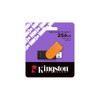
Kingston DataTraveler Exodia S 256GB USB 3.2 Flash Drive – Swivel Cap, Black/Orange
- SKU:
- SDKIN-DTXS256GB
- UPC:
- 740617348736
- MPN:
- DTXS/256GB
- Availability:
- Free Click & Collect in Peterborough. UK delivery also available


Description
Kingston DataTraveler Exodia S 256GB USB 3.2 Flash Drive – Swivel Cap, Black/Orange
The Kingston DataTraveler Exodia S 256GB USB 3.2 Flash Drive is a compact, lightweight and practical USB storage drive designed for everyday file transfers, document storage, photos, videos, music, school work, office files and personal backups. With 256GB capacity, USB 3.2 Gen 1 connectivity, a USB-A connector, swivel cap design and a bold black/orange finish, it is a convenient storage solution for laptops, desktop PCs and other compatible digital devices.
This Kingston DataTraveler Exodia S 256GB is ideal for customers searching for a 256GB USB flash drive, Kingston DTXS/256GB, USB 3.2 memory stick, USB-A flash drive, black and orange USB stick, swivel cap flash drive, portable USB storage, USB drive for documents and photos, or a reliable everyday Kingston USB drive for work, home and school use.
Key Features of the Kingston DataTraveler Exodia S 256GB
- 256GB storage capacity for documents, photos, videos, music and everyday files
- USB 3.2 Gen 1 interface for convenient file transfers on compatible devices
- USB-A connector for laptops, desktops and other supported USB-A devices
- Swivel cap design helps protect the USB connector when not in use
- Black/orange colour design for easy identification
- Compact and lightweight at 57 × 19 × 11.8mm and 8.72g
- Suitable for work, school and home file storage
- Compatible with Windows 11, macOS, Linux and Chrome OS
- Operating temperature of 0°C to 60°C
- Storage temperature of -20°C to 85°C
- 5-year Kingston warranty with free technical support
256GB Portable USB Storage for Everyday Files
The Kingston DataTraveler Exodia S 256GB gives users practical portable storage for everyday files. It is suitable for carrying work documents, PDF files, spreadsheets, presentations, images, music, video clips, coursework, invoices, product files and personal data between compatible computers.
Useful Capacity for Work, School and Home
With 256GB capacity, this USB flash drive provides more storage space than smaller 32GB, 64GB or 128GB drives, making it useful for users who need to move larger folders or keep multiple file types in one portable device.
USB 3.2 Gen 1 Flash Drive
The DataTraveler Exodia S uses a USB 3.2 Gen 1 interface, making it suitable for everyday file transfer and storage tasks on compatible devices. It can be used with many laptops, desktops, monitors and other digital devices that support USB storage.
Backward Compatibility Depends on the Device
USB 3.2 Gen 1 drives are commonly used with USB-A ports. The drive may also work with older USB ports, but transfer performance can be limited by the host device, USB port version, file size and system configuration.
USB-A Connection for Laptops and Desktop PCs
This Kingston flash drive uses a USB-A connector, the traditional rectangular USB connection found on many desktop PCs, laptops, monitors, keyboards, docking stations and media devices.
USB-C Devices May Need an Adapter
If your laptop, tablet or phone only has USB-C ports, you may need a suitable USB-C to USB-A adapter or hub. This model is not a native USB-C flash drive.
Swivel Cap Design to Protect the Connector
The swivel cap design helps protect the USB connector when the drive is not in use. Because the cap is built into the body, there is no separate loose cap to misplace during daily use.
Compact Design for Everyday Portability
Measuring just 57 × 19 × 11.8mm and weighing approximately 8.72g, the Kingston DataTraveler Exodia S is easy to carry in a bag, laptop case, drawer or desk organiser.
Black and Orange 256GB Colour Design
The 256GB Kingston DataTraveler Exodia S is commonly supplied in a black/orange colour combination. This makes the drive easy to recognise, especially if you use multiple USB drives for different purposes.
Multiple Colours by Capacity
The Exodia S range uses different colour accents across capacities. This listing is for the 256GB black/orange DTXS/256GB version.
Compatible Operating Systems
Kingston lists the DataTraveler Exodia S as compatible with Windows 11, macOS 13.7.6 or later, Linux 4.4.x or later and Chrome OS. Compatibility may depend on the device, file system format and available USB port.
Formatting May Be Required for Some Devices
Some devices may ask to format the USB drive before first use. For example, certain TVs, car audio systems, media players, printers or older computers may require a specific file system such as FAT32, exFAT or NTFS. Formatting will erase files, so back up important data first.
Ideal Uses for the Kingston DataTraveler Exodia S 256GB
- Saving and transferring office documents
- Moving files between laptops and desktop PCs
- Storing school, college or university work
- Keeping photos, videos and music portable
- Creating simple file backups
- Carrying presentations for meetings or lessons
- Transferring product images, invoices and business files
- Using with compatible USB-A devices
Reliable Kingston USB Storage
Kingston is a well-known storage and memory brand, and the DataTraveler Exodia S is backed by a 5-year warranty with free technical support. This makes it a dependable option for users who want a simple and trusted everyday USB flash drive.
Not an Encrypted Security USB Drive
This model is designed for everyday portable storage. It is not listed as a hardware-encrypted USB security drive. For confidential business data, users should consider encrypted storage, password protection or secure backup policies.
Who Is the Kingston DataTraveler Exodia S 256GB Best For?
- Students needing a portable USB drive for coursework
- Home users storing photos, music and documents
- Office users moving files between computers
- Small businesses needing simple portable file storage
- Users wanting a 256GB USB-A memory stick
- Customers who prefer a swivel cap design instead of a removable cap
- People looking for a lightweight Kingston USB 3.2 flash drive
Kingston DataTraveler Exodia S 256GB Specifications
- Brand: Kingston
- Series: DataTraveler Exodia S
- Part Number: DTXS/256GB
- EAN / UPC: 0740617348736
- Product Type: USB flash drive / USB memory stick
- Capacity: 256GB
- Interface: USB 3.2 Gen 1
- Connector Type: USB-A
- Colour: Black / Orange
- Design: Swivel cap design
- Dimensions: 57 × 19 × 11.8mm
- Weight: 8.72g
- Operating Temperature: 0°C to 60°C
- Storage Temperature: -20°C to 85°C
- Compatible Operating Systems: Windows 11, macOS 13.7.6 or later, Linux 4.4.x or later and Chrome OS
- Recommended Use: Everyday file transfer, document storage, photos, music, videos, school work, office files and portable backups
- Warranty: 5-year warranty with free technical support
Buying Advice
Before ordering, check that your device has a compatible USB-A port. If your device only has USB-C, you may need an adapter. Kingston does not publish a fixed read or write speed for this model, so real-world transfer performance depends on the USB port, file size, device configuration and workload.
Capacity Notice
Some of the listed flash storage capacity is used for formatting and device functions, so the usable capacity shown by Windows, macOS, Linux or Chrome OS may be lower than 256GB. This is normal for USB flash drives and other storage devices.
Why Buy the Kingston DataTraveler Exodia S 256GB?
The Kingston DataTraveler Exodia S 256GB USB 3.2 Flash Drive is a practical choice for everyday portable storage. With 256GB capacity, USB 3.2 Gen 1 connectivity, USB-A support, a compact black/orange swivel cap design, wide operating system compatibility and a 5-year Kingston warranty, it is ideal for users who need a simple, lightweight and reliable USB memory stick for work, school, home and travel.
Specification
Kingston DataTraveler Exodia S 256GB USB 3.2 Flash Drive Specifications
| Product Type | USB Flash Drive / USB Memory Stick |
| Brand | Kingston |
| Series | DataTraveler Exodia S |
| Part Number | DTXS/256GB |
| EAN / UPC | 0740617348736 |
| Capacity | 256GB |
| Interface | USB 3.2 Gen 1 |
| Connector Type | USB-A |
| Colour | Black / Orange |
| Design | Swivel Cap / Rotating Cap Design |
| Cap Type | Integrated Swivel Cap to Help Protect the USB Connector |
| Published Read Speed | Not Stated by Kingston for This Model |
| Published Write Speed | Not Stated by Kingston for This Model |
| Dimensions | 57 × 19 × 11.8mm |
| Weight | 8.72g |
| Operating Temperature | 0°C to 60°C |
| Storage Temperature | -20°C to 85°C |
| Windows Compatibility | Windows 11 |
| macOS Compatibility | macOS 13.7.6 or Later |
| Linux Compatibility | Linux 4.4.x or Later |
| Chrome OS Compatibility | Chrome OS |
| Available Exodia S Capacities | 64GB, 128GB, 256GB and 512GB |
| Recommended Use | Everyday File Transfer, Documents, Photos, Videos, Music, School Work, Office Files and Portable Backups |
| Warranty / Support | 5-Year Warranty with Free Technical Support |
USB-A Compatibility Notice
This Kingston DataTraveler Exodia S uses a USB-A connector. It is suitable for devices with a standard USB-A port. Devices with USB-C only may require a compatible USB-C to USB-A adapter or hub.
USB 3.2 Gen 1 Notice
This model uses USB 3.2 Gen 1. Transfer performance depends on the host device, USB port version, file size, file type and system configuration.
Capacity Notice
Some of the listed flash storage capacity is used for formatting and device functions. The usable capacity shown by Windows, macOS, Linux or Chrome OS may be lower than 256GB, which is normal for USB flash drives.
Colour Notice
This listing is for the 256GB black/orange Kingston DataTraveler Exodia S. Other Exodia S capacities may use different colour accents.
Swivel Cap Notice
The integrated swivel cap helps protect the USB connector when the drive is not in use. It is not a separate removable cap.
Formatting Notice
Some devices such as TVs, car audio systems, printers, media players or older computers may require the drive to be formatted in a specific file system such as FAT32, exFAT or NTFS. Formatting will erase existing files, so back up important data first.
Security Notice
This is an everyday USB flash drive. It is not listed as a hardware-encrypted or password-protected security USB drive. For confidential business files, use suitable encryption or secure backup practices.
Return
FAQ: freuquently Asked Questions
Kingston DataTraveler Exodia S 256GB USB 3.2 Flash Drive FAQ
The Kingston DataTraveler Exodia S 256GB USB 3.2 Flash Drive is a compact everyday USB storage drive designed for documents, photos, videos, music, coursework, work files, personal storage and simple file transfers between compatible devices. This model is listed as DTXS/256GB and features 256GB capacity, USB 3.2 Gen 1, a standard USB-A connector, black/orange colour design, an integrated swivel cap to help protect the connector, compact 57 × 19 × 11.8mm dimensions, lightweight 8.72g design, compatibility with Windows 11, macOS, Linux and Chrome OS, and a 5-year Kingston warranty with free technical support. Below are the most common questions buyers ask before choosing the Kingston DataTraveler Exodia S 256GB USB flash drive, including USB 3.2 speed, USB-A compatibility, Windows and Mac use, formatting, TV and car stereo use, backup safety, real-world transfer speed, file system choices, security, fake USB concerns, and who this drive is best suited for.
1. What is the Kingston DataTraveler Exodia S 256GB?
The Kingston DataTraveler Exodia S 256GB is a portable USB flash drive with USB 3.2 Gen 1 connectivity, a USB-A connector and a swivel cap design. It is designed for everyday file storage and transfers between compatible laptops, desktops and other digital devices.
2. What is the exact model number of this USB drive?
The exact model number is DTXS/256GB. This is useful when checking compatibility, warranty, Kingston support information or comparing it with other Kingston DataTraveler Exodia models.
3. What is this Kingston DataTraveler Exodia S best used for?
It is best used for storing and moving documents, photos, videos, music, PDFs, coursework, presentations, invoices, work files and everyday personal data between compatible computers and USB-A devices.
4. How much storage does this USB flash drive have?
This model has 256GB of listed storage capacity. The usable capacity shown by Windows, macOS, Linux or Chrome OS will be slightly lower because some space is used for formatting and device functions.
5. Why does my 256GB USB drive show less than 256GB?
This is normal. Operating systems calculate storage differently, and some flash storage is used for formatting and device functions. A 256GB flash drive will usually show a lower usable capacity after formatting.
6. Is the Kingston DataTraveler Exodia S 256GB USB 3.2?
Yes. The Kingston DataTraveler Exodia S 256GB uses USB 3.2 Gen 1. It is suitable for everyday file transfers on compatible USB 3.2, USB 3.1, USB 3.0 and many USB 2.0 ports.
7. Is USB 3.2 Gen 1 the same as USB 3.0?
USB naming has changed over time. USB 3.2 Gen 1 is commonly associated with the same 5Gbps class as older USB 3.0 / USB 3.1 Gen 1 naming. Real transfer speed still depends on the drive, port, files and computer.
8. Does this drive have a USB-A connector?
Yes. The Kingston DataTraveler Exodia S 256GB uses a standard USB-A connector. It plugs into many laptops, desktop PCs, monitors, TVs, car stereos and other devices with compatible USB-A ports.
9. Is this a USB-C flash drive?
No. This model uses USB-A, not USB-C. If your laptop, tablet or phone only has USB-C ports, you will need a USB-C to USB-A adapter or a USB-C flash drive instead.
10. Will this USB drive work with USB 2.0 ports?
Yes, it can work with many USB 2.0 ports, but transfer speeds will be limited by the slower USB 2.0 connection. For better performance, use a USB 3.0, USB 3.1 or USB 3.2 port.
11. Will I always get USB 3.2 speed?
No. The USB 3.2 Gen 1 rating describes the interface, not a guaranteed real-world file speed. Actual speed depends on the computer, USB port, file size, file type, formatting, background activity and the drive’s internal flash performance.
12. Why is my Kingston DataTraveler Exodia S transferring slowly?
Common reasons include using a USB 2.0 port, copying many small files, copying from a slow hard drive, antivirus scanning, a nearly full drive, thermal limits, an older computer, or using a file system that is not ideal for your files.
13. Is this Kingston USB drive fast enough for everyday use?
Yes. It is suitable for everyday storage and transfers such as documents, photos, music, PDFs, school files and office files. Users needing very high sustained write speeds should consider a premium high-performance USB drive or external SSD.
14. Is the Kingston DataTraveler Exodia S good for large video files?
It can store large video files, but transfer time will depend on file size and real-world write speed. For frequent large 4K video transfers, an external SSD is usually faster and more suitable.
15. Can I use this USB drive for photos?
Yes. The 256GB capacity is useful for storing and moving photos, image folders, albums and edited files. For important photos, keep another backup in a second location as well.
16. Can I use this USB drive for music?
Yes. It is suitable for storing music files and moving them between compatible computers, car stereos, speakers or media players that support USB storage and the file format used.
17. Can I use this USB drive for school or university work?
Yes. It is useful for coursework, presentations, PDF files, Word documents, spreadsheets, images, project files and general student storage. Important work should also be backed up to cloud storage or another drive.
18. Can I use this USB drive for office work?
Yes. It is suitable for everyday office files such as invoices, reports, spreadsheets, presentations, PDFs, scanned documents and portable work folders.
19. Is this USB drive suitable for backups?
It can be used for simple file backups, but it should not be your only backup for important data. For important files, keep at least two copies, ideally on separate storage devices or cloud backup.
20. Is a USB flash drive good for long-term storage?
A USB flash drive is convenient for portable storage, but it is not the best single option for long-term archiving. Important files should be stored in more than one place and checked or refreshed periodically.
21. Does the Kingston DataTraveler Exodia S have encryption?
No. This is an everyday USB flash drive and is not listed as a hardware-encrypted or password-protected security drive. For confidential files, use suitable encryption software or choose a dedicated encrypted USB drive.
22. Can I password-protect this USB drive?
The drive itself does not include built-in hardware password protection. You may use operating-system or third-party encryption software if you need to protect sensitive files.
23. Is this USB drive waterproof?
No. The Kingston DataTraveler Exodia S is not listed as waterproof. Keep it away from water, moisture, extreme heat and physical damage.
24. Is this USB drive shockproof or rugged?
No. It is a lightweight everyday USB drive, not a rugged industrial drive. For harsh environments, choose a rugged USB drive or external SSD designed for impact and environmental protection.
25. What does the swivel cap do?
The integrated swivel cap helps protect the USB connector when the drive is not in use. It is attached to the drive, so there is no separate cap to lose.
26. Is the swivel cap removable?
No. The swivel cap is integrated into the drive design. It rotates to cover or uncover the USB connector rather than coming off as a separate piece.
27. What colour is the 256GB Exodia S model?
This 256GB Kingston DataTraveler Exodia S model is black/orange. Other Exodia S capacities may use different colour accents.
28. How big is the Kingston DataTraveler Exodia S 256GB?
The drive measures approximately 57mm × 19mm × 11.8mm. It is compact enough for pockets, laptop bags, desk drawers and everyday portable use.
29. How much does the drive weigh?
The Kingston DataTraveler Exodia S weighs approximately 8.72g, making it lightweight and easy to carry for work, school, travel or home use.
30. Does this USB drive have a keyring loop?
The Exodia S design includes a practical portable body, but buyers should check the product images for the exact attachment style if they want to connect it to a keyring or lanyard.
31. Does this drive work with Windows 11?
Yes. Kingston lists the DataTraveler Exodia S as compatible with Windows 11. It should work as standard removable USB storage on compatible Windows systems.
32. Does this drive work with Mac?
Yes. Kingston lists macOS compatibility for the DataTraveler Exodia S. For easy sharing between Mac and Windows, exFAT is often a practical file system choice.
33. Does this drive work with Linux?
Yes. Kingston lists Linux compatibility. File system choice matters, so format the drive in a file system supported by your Linux distribution and any other devices you plan to use.
34. Does this drive work with Chrome OS or Chromebook?
Yes. Kingston lists Chrome OS compatibility. It can be used with Chromebooks that have a USB-A port, or with a suitable USB-C adapter if the Chromebook only has USB-C ports.
35. Can I use this USB drive with a smart TV?
It may work with smart TVs that support USB storage, but compatibility depends on the TV model, supported file system, media file type and maximum USB storage size. Some TVs may require FAT32, exFAT or NTFS formatting.
36. Can I use this USB drive in a car stereo?
It may work with car stereos that support USB-A storage, but some car systems have limits on capacity, file format, folder structure or file system. Check your car stereo manual before formatting the drive.
37. Can I use this USB drive with a printer?
It may work with printers that support USB storage, but printer compatibility depends on file type, file system and the printer’s USB function. Some printers only support image files or specific document formats.
38. Can I use this USB drive with a games console?
It may work for selected console media, screenshots, save-transfer functions or storage tasks depending on the console. For installing modern console games, check the console’s official USB storage requirements.
39. What file system should I use: FAT32, exFAT or NTFS?
Use exFAT if you want broad support for large files across Windows and Mac. Use NTFS mainly for Windows-focused use. Use FAT32 only when older devices require it, but remember FAT32 has a 4GB single-file size limit.
40. Why can’t I copy a file larger than 4GB to the USB drive?
The drive may be formatted as FAT32, which has a 4GB maximum single-file limit. Reformatting to exFAT or NTFS can solve this, but formatting erases all files, so back up your data first.
41. Will formatting the USB drive erase my files?
Yes. Formatting will erase the files on the drive. Always copy important files elsewhere before formatting or changing the file system.
42. Why does my TV or car stereo not recognise the USB drive?
Common causes include unsupported file system, unsupported capacity, unsupported media format, too many folders, file names the device cannot read, or the USB drive needing to be formatted by the device itself.
43. Can I boot Windows or Linux from this USB drive?
It can be used to create a bootable USB installer if your software and computer support it. Boot performance depends on the drive speed, USB port and operating system installer.
44. Can I install Windows and run it from this USB drive?
It is better suited for installers and file storage than running Windows as a main operating system. For portable operating systems or heavy use, an external SSD is usually faster and more durable.
45. Why does the USB drive get warm?
USB flash drives can become warm during file transfers, formatting or long use. Mild warmth is normal, but stop using the drive if it becomes extremely hot, smells unusual or repeatedly disconnects.
46. How can I safely remove the USB drive?
Use the operating system’s eject or safely remove option before unplugging the drive, especially after copying files. This reduces the risk of file corruption or incomplete transfers.
47. How can I check if a USB drive is genuine or the full capacity?
Buy from a trusted retailer, check the packaging and model number, and test the drive with reputable capacity-testing software if you are unsure. Fake USB drives may show false capacity or corrupt data when filled.
48. What warranty does the Kingston DataTraveler Exodia S have?
The Kingston DataTraveler Exodia S is backed by a 5-year Kingston warranty with free technical support, subject to Kingston’s warranty terms and correct product use.
49. Who should NOT buy the Kingston DataTraveler Exodia S 256GB?
This drive is not ideal for users who need USB-C without an adapter, hardware encryption, password protection, waterproof protection, rugged construction, ultra-fast sustained write speed, professional video-editing storage, long-term single-copy archiving or external SSD-level performance. It is best for users who want an affordable 256GB USB-A flash drive for everyday file storage and transfers.
50. Why buy the Kingston DataTraveler Exodia S 256GB from Memox?
Buying the Kingston DataTraveler Exodia S 256GB USB 3.2 Flash Drive from Memox is a practical choice if you need a reliable everyday USB-A memory stick for documents, photos, music, videos, school, home or office use. Memox offers USB flash drives, SSDs, hard drives, memory cards, RAM, cables, adapters, docking stations, networking products, PC components and computer accessories for UK customers.
Related Products
Related Products

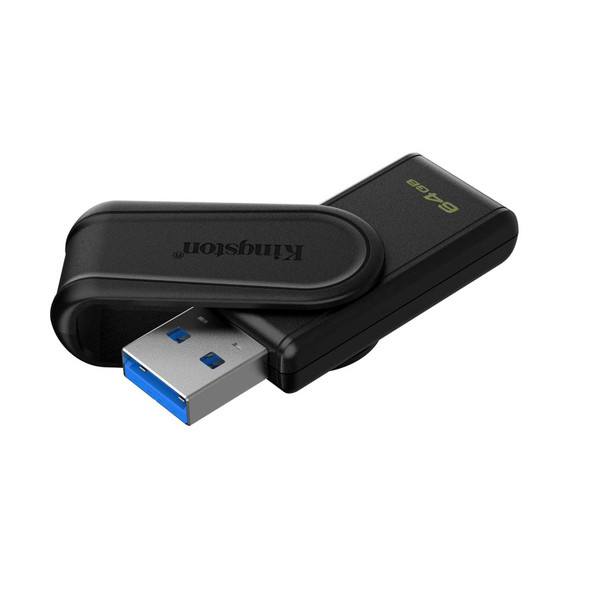
Kingston DataTraveler Exodia S DTXS/64GB USB Flash Drive, 64GB, USB 3.2, Black, Swivel Cap Design
Kingston

Kingston DataTraveler Exodia S DTXS/512GB USB Flash Drive, 512GB, USB 3.2, Black/Yellow, Swivel Cap Design
Kingston
Kingston DataTraveler Exodia S DTXS/128GB USB Flash Drive, 128GB, USB 3.2, Black/Green, Swivel Cap Design
Kingston