
Kingston
Kingston Canvas Select Plus 128GB SDXC Card – UHS-I, 150MB/s, U1, V10
- SKU:
- SDKIN-SDS3128GB
- UPC:
- 740617348286
- MPN:
- SDS3/128GB
- Availability:
- Free Click & Collect in Peterborough. UK delivery also available


Description
Kingston Canvas Select Plus 128GB SDXC Memory Card – 150MB/s UHS-I Storage for Cameras and Full HD Video
The Kingston Canvas Select Plus 128GB SDXC Memory Card (SDS3/128GB) is a full-size, high-capacity SD memory card designed for digital photography, Full HD video recording and everyday file storage. Featuring a UHS-I interface, read speeds up to 150MB/s, Class 10, U1 and V10 speed ratings, it provides practical removable storage for compatible digital cameras, camcorders, laptops and SDXC card readers.
With 128GB of storage capacity, the Kingston Canvas Select Plus offers ample space for photographs, supported RAW image files, Full HD 1080p recordings and personal digital content. Its high-speed reading capability makes transferring files to a compatible computer easier, while its compact SDXC design provides convenient storage without needing an external hard drive or additional cables during camera operation.
Part of Kingston's Canvas Select Plus Gen3 range, this memory card is designed for everyday reliability and durability. It features IPX7-rated water resistance, a wide operating temperature range, X-ray protection and a limited lifetime manufacturer warranty, making it a useful choice for photographers, students, travellers and general camera users.
Quick answer: The Kingston Canvas Select Plus 128GB is a full-size SDXC UHS-I memory card with maximum read speeds up to 150MB/s and Class 10, U1 and V10 ratings. It is designed for photography, transferring images and recording Full HD 1080p video on compatible cameras. It requires a device that supports 128GB SDXC storage, and its U1/V10 classification provides a minimum sustained write speed class of 10MB/s.
Key Features of the Kingston Canvas Select Plus 128GB SDXC Card
- 128GB storage capacity: Store thousands of photographs, supported Full HD video recordings and everyday digital files.
- Up to 150MB/s read speed: High-speed reading for transferring stored photographs and videos using suitable equipment.
- UHS-I interface: Supports high-speed SD data transfers with compatible cameras and card readers.
- Class 10 performance: Minimum sustained write speed class of 10MB/s under applicable testing conditions.
- UHS Speed Class 1 (U1): Suitable for devices requiring the U1 sustained writing performance classification.
- Video Speed Class V10: Designed for supported video recording modes requiring a 10MB/s minimum sustained write class.
- Full HD 1080p recording: Suitable for compatible cameras and camcorders with recording requirements within the card's performance rating.
- Full-size SDXC format: Compatible with suitable SDXC camera slots and memory card readers.
- exFAT file system: Supports SDXC storage and large individual files on compatible devices.
- IPX7 water resistance: Tested for immersion in water up to 1 metre deep for 30 minutes under specified conditions.
- Wide temperature range: Rated for operation from -25°C to 85°C.
- X-ray protection: Tested according to Kingston's published X-ray resistance guidelines.
- Limited lifetime warranty: Supported by Kingston's applicable manufacturer warranty terms.
- Manufacturer part number: SDS3/128GB for the Kingston Gen3 150MB/s version.
Up to 150MB/s Read Speed for Faster Photo and Video Transfers
The Kingston Canvas Select Plus 128GB offers manufacturer-rated read speeds up to 150MB/s, helping users move photographs, recorded videos and other digital files from their memory card to a computer.
This can be particularly useful after photography sessions, family events or travel, when users need to transfer large collections of images for editing, organising, uploading or backup.
Fast File Transfers with Kingston MobileLite Plus
Kingston uses proprietary technology to deliver read speeds beyond the standard UHS-I 104MB/s bus specification under supported conditions.
According to Kingston, achieving the maximum advertised 150MB/s read performance requires a compatible Kingston MobileLite Plus card reader.
When used with an ordinary SD card reader or a camera's built-in SD interface, the card may operate at a lower transfer speed depending on the host device.
Important: The 150MB/s figure represents the maximum read speed under Kingston's test conditions. It does not mean the card can continuously record data at 150MB/s or that every card reader can achieve that speed.
Transfer High-Resolution Photographs
Modern digital cameras produce increasingly large image files, especially when capturing high-resolution JPEG photographs or RAW images.
The Canvas Select Plus 128GB provides convenient removable storage for those files, allowing photographers to transfer content to a compatible desktop PC or laptop using an SDXC reader.
Actual copying times depend on the number of images, individual file sizes, card reader, computer and destination storage speed.
Class 10, U1 and V10 – Understanding the Speed Ratings
The Kingston Canvas Select Plus 128GB carries three important memory card speed classifications: Class 10, UHS Speed Class 1 (U1) and Video Speed Class 10 (V10).
These ratings help customers understand the card's minimum sustained writing performance for compatible recording equipment.
Class 10 – Minimum 10MB/s Sustained Writing
Class 10 identifies a memory card rated for at least 10MB/s sustained writing under the relevant speed-class test conditions.
It is commonly associated with everyday digital photography and supported video recording applications.
U1 – UHS Speed Class 1
The U1 marking indicates a minimum sustained write speed class of 10MB/s within the UHS speed classification system.
This is appropriate for cameras and recording modes whose required write performance does not exceed the card's capabilities.
V10 – Video Speed Class 10
V10 is a video recording speed classification representing a minimum sustained writing rate of 10MB/s under the applicable conditions.
It helps users identify memory cards suitable for supported Full HD video recording modes.
Speed class clarification: Class 10, U1 and V10 all correspond to a 10MB/s minimum sustained write speed class. They do not indicate that the card has a guaranteed 150MB/s write speed.
128GB SDXC Storage for Digital Photography
The Kingston Canvas Select Plus 128GB SDXC memory card is a practical choice for digital photographers who need reliable, removable storage for images captured using compatible cameras.
Its 128GB capacity provides more storage space than smaller 32GB or 64GB cards, reducing how frequently users may need to transfer photographs or change memory cards during a photography session.
Compatible DSLR, Mirrorless and Compact Cameras
The card can be used with compatible digital cameras that support full-size 128GB SDXC cards and the necessary UHS-I recording performance.
Typical photography applications include:
- Family photographs and special occasions.
- Holiday and travel photography.
- Landscape and nature photography.
- Product photography for online shops.
- School events and celebrations.
- Everyday JPEG photography.
- Selected RAW photography workflows.
Compatibility depends on the camera's supported SD card capacity, recording requirements and file formats.
Can the Kingston Canvas Select Plus Store RAW Photographs?
Yes. RAW image files can be stored on the Kingston Canvas Select Plus 128GB when used with a compatible camera.
RAW photographs usually require more storage space than compressed JPEG images, so the total number of photographs will depend on camera resolution, RAW format and file size.
For photographers using continuous high-speed burst shooting, a higher-performance U3/V30 or professional SD memory card may provide more suitable sustained write performance.
Full HD 1080p Video Recording for Compatible Cameras
The Kingston Canvas Select Plus Gen3 range is designed for photography and Full HD 1080p video recording.
The 128GB model's U1/V10 speed classification makes it suitable for compatible recording modes that require a minimum sustained write speed of 10MB/s or less.
Record Full HD Video for Everyday Use
The card can be suitable for recording holidays, family occasions, school performances, travel footage and everyday video projects using supported cameras and camcorders.
The amount of video it can store depends on resolution, bitrate, codec, frame rate and recording settings.
A higher recording bitrate consumes more storage per minute and may also require a faster minimum sustained write speed.
Is the Kingston Canvas Select Plus 128GB Suitable for 4K Video?
This 128GB model carries a U1/V10 rating rather than U3/V30.
Although some lower-bitrate 4K recording modes may operate within V10 requirements, many modern 4K cameras specify U3, V30 or faster memory cards.
Recommendation: If your camera requires a V30 or U3 memory card for 4K video, choose a model that meets those requirements rather than relying on the Canvas Select Plus 128GB U1/V10 card.
Kingston offers faster SD card options designed for more demanding recording workloads.
128GB Storage Capacity – How Many Photos and Videos Can It Hold?
The Kingston Canvas Select Plus provides 128GB of manufacturer-rated flash storage capacity.
The number of photographs and hours of video available depends on camera settings, image resolution, compression and file size.
How Many Photographs Fit on a 128GB SD Card?
For example, if each photograph occupies approximately 20MB, a 128GB memory card could theoretically store around 6,400 photographs before formatting overhead and other files.
Smaller JPEG files may allow more photographs, while high-resolution RAW images can require significantly more storage.
These numbers are illustrative rather than guaranteed capacities for a particular camera.
How Much Full HD Video Can 128GB Store?
Full HD recording time varies considerably between cameras because recording bitrates and compression formats differ.
For illustration, a video stream recorded at 20Mbps would theoretically consume approximately 9GB per hour. A 128GB card could therefore accommodate around 14 hours of such video before formatting overhead, additional audio or metadata, and device-specific limitations.
Actual recording duration should be checked on the camera using the intended video settings.
Why Does a 128GB Card Show Less Usable Storage?
Memory card manufacturers calculate 128GB using decimal units, while some operating systems display storage using binary measurements.
As a result, a 128GB memory card may appear as approximately 119GiB before accounting for formatting and file system overhead.
This difference is normal and does not indicate a defective memory card.
Full-Size SDXC Compatibility with Cameras and Laptops
The Kingston Canvas Select Plus 128GB is a full-size SDXC memory card, measuring 24mm wide, 32mm long and 2.1mm thick.
It is designed to fit compatible SDXC slots in digital cameras, camcorders, laptops and memory card readers.
Check SDXC Support Before Buying
Before purchasing, confirm that your device supports full-size SDXC memory cards with a capacity of at least 128GB.
- DSLR cameras: Check for SDXC support and appropriate recording speed requirements.
- Mirrorless cameras: Confirm the supported SD card format, capacity and speed class.
- Compact cameras: Ensure the camera supports SDXC rather than only SD or SDHC storage.
- Camcorders: Check the required SDXC capacity and video speed class.
- Laptops: Use a built-in SDXC reader or a compatible external reader.
- Desktop PCs: Access the card through a suitable SDXC card reader.
Important: An older device that supports SDHC cards only may not recognise a 128GB SDXC card, even though the cards have the same general physical shape.
Is This a Full-Size SD Card or microSD Card?
This is a full-size SDXC card, not a microSDXC card.
It is intended for standard SD card slots and cannot be inserted into devices that require the smaller microSD format.
If your phone, handheld device or other equipment requires microSD storage, select an appropriate microSDXC memory card instead.
exFAT File System for 128GB SDXC Storage
The Kingston Canvas Select Plus 128GB uses the exFAT file system specified for SDXC memory cards.
exFAT supports large individual files and is widely compatible with modern operating systems and SDXC devices.
Can the Card Be Used with Windows and Mac?
Yes. The memory card can be accessed using compatible Windows and macOS computers that support SDXC and exFAT, provided a suitable memory card reader is available.
This allows users to transfer photographs, videos and documents between supported devices.
Older computers may require updated card readers or suitable file system support.
Should I Format the Memory Card Before Using It?
For camera use, follow the camera manufacturer's instructions. Many camera manufacturers recommend formatting a memory card using the camera's own formatting function before initial use.
Formatting prepares the card for the camera's preferred storage structure.
Important: Formatting erases existing data. Always transfer and back up important photographs or videos before formatting the card.
IPX7 Water Resistance and Environmental Durability
Kingston's Canvas Select Plus Gen3 cards are tested against environmental conditions that can occur during travel and everyday photography.
The manufacturer specifies water resistance, temperature resistance and X-ray protection for this series.
IPX7 Water Resistance
Kingston lists IPX7 certification under IEC/EN 60529, with protection against immersion in water up to 1 metre deep for 30 minutes under specified test conditions.
This provides additional resilience against certain accidental water exposure situations.
However, the card should not be treated as indestructible or intentionally exposed to water unnecessarily.
After accidental water exposure, allow the card and its electrical contacts to dry completely before inserting it into an electronic device.
Operating Temperatures from -25°C to 85°C
The manufacturer specifies an operating temperature range of -25°C to 85°C and a storage temperature range of -40°C to 85°C.
These are memory card ratings. The camera, laptop or card reader may have a narrower operating temperature range.
X-Ray Protection for Travelling
Kingston also specifies protection against X-ray exposure based on ISO 7816-1 guidelines.
This is useful for customers travelling with memory cards and camera equipment, although it does not guarantee immunity to every environmental hazard.
For additional protection, keep spare memory cards in suitable storage cases and regularly back up important files.
Kingston Canvas Select Plus 128GB vs 64GB – What's the Difference?
Both the 64GB and 128GB Canvas Select Plus Gen3 SD cards are designed for everyday photography and compatible Full HD video recording.
The main differences are storage capacity and manufacturer-rated maximum read performance:
- 64GB Canvas Select Plus Gen3: Up to 100MB/s read, U1 and V10.
- 128GB Canvas Select Plus Gen3: Up to 150MB/s read, U1 and V10.
The 128GB model therefore provides twice the advertised storage capacity and a higher maximum read-speed rating than the 64GB Gen3 version.
However, both models have the same U1/V10 minimum sustained write speed classification. The increased read speed does not make the 128GB model a V30 card.
Who Is the Kingston Canvas Select Plus 128GB Best For?
- Everyday photographers: Users capturing JPEG photographs with compatible digital cameras.
- Travel photographers: People wanting additional storage for holidays, outdoor photography and trips.
- Family and event photography: Users recording celebrations, birthdays, holidays and special occasions.
- Full HD video creators: Camera owners whose recording modes are compatible with U1/V10 performance.
- Students: Users storing camera footage, photographs, coursework media and creative projects.
- Content creators: People using compatible cameras for everyday photographs and Full HD videos for websites and social media.
- Product photographers: Small businesses photographing products for online shops and catalogues.
- Home users: Customers needing a reliable removable SDXC card for general camera storage.
Who Should Consider a Different Memory Card?
The Kingston Canvas Select Plus 128GB is designed for mainstream photography and Full HD recording rather than every professional camera application.
- High-bitrate 4K video recording: Choose a U3/V30 or faster card if required by your camera.
- Long high-speed RAW photo bursts: A higher sustained-write-performance SD card may be more suitable.
- Professional cinema cameras: Check for V60, V90, UHS-II or other specialist card requirements.
- microSD-only devices: This full-size card will not fit a microSD slot.
- Older SDHC-only devices: A 128GB SDXC card may not be recognised.
- Continuous-write dashcams and security cameras: A purpose-built high-endurance memory card is generally a better choice.
- Users needing maximum storage: A 256GB, 512GB or larger compatible SDXC card may be more convenient.
Kingston Canvas Select Plus 128GB Technical Overview
- Brand: Kingston
- Series: Canvas Select Plus Gen3
- Manufacturer Part Number: SDS3/128GB
- Storage Capacity: 128GB
- Memory Card Type: Full-size SDXC
- Interface: UHS-I
- Speed Class: Class 10
- UHS Speed Class: U1
- Video Speed Class: V10
- Maximum Read Speed: Up to 150MB/s
- Maximum Write Speed: Not separately specified by Kingston
- Minimum Sustained Write Class: 10MB/s under applicable conditions
- File System: exFAT
- Dimensions: 24 x 32 x 2.1mm
- Operating Voltage: 3.3V
- Operating Temperature: -25°C to 85°C
- Storage Temperature: -40°C to 85°C
- Water Resistance: IPX7, up to 1m for 30 minutes under specified test conditions
- X-Ray Protection: Manufacturer-tested according to ISO 7816-1 guidelines
- Recommended Video Use: Compatible Full HD 1080p recording
- Manufacturer Warranty: Limited lifetime
How to Install and Use the Kingston Canvas Select Plus 128GB SDXC Card
- Check compatibility: Confirm your camera or card reader supports full-size 128GB SDXC cards.
- Switch off the camera: Follow its manufacturer's memory card installation instructions.
- Locate the memory card slot: Open the camera's SD card compartment.
- Insert the card: Align the card correctly and gently insert it without forcing the connection.
- Check recognition: Turn on the camera and confirm that the card is detected.
- Format when required: Use the camera's recommended formatting function after backing up any existing files.
- Capture photographs and videos: Select supported camera settings that are within the card's speed requirements.
- Transfer your files: Use a compatible SDXC card reader to copy photographs and videos to a computer.
- Back up important recordings: Maintain a separate copy of valuable photographs and videos.
- Remove safely: Follow the camera's instructions or safely eject the card from your computer before removal.
Important Compatibility, Speed and Data Protection Notes
Check SDXC Compatibility Before Buying
This 128GB card requires a device supporting full-size SDXC memory cards. SDHC-only equipment and microSD-only devices may not be compatible.
Read Speed Is Different from Write Speed
The advertised 150MB/s is the maximum read speed. The card's U1/V10 classification corresponds to a minimum sustained write speed of 10MB/s under applicable test conditions.
Maximum read performance requires suitable equipment, including a Kingston MobileLite Plus reader, as stated by the manufacturer.
Check Camera Recording Requirements
Before recording important footage, confirm that the selected camera recording mode supports U1/V10 cards. More demanding video modes may require U3/V30 or faster storage.
Protect Important Files
Memory cards can experience data corruption, physical damage or unexpected failure. Maintain separate backups of important photographs, videos and personal files.
Avoid Removing the Card During Writing
Do not remove the SDXC card while the camera or computer is actively writing files. Use the appropriate safe-removal procedure before taking the card out.
Why Choose the Kingston Canvas Select Plus 128GB SDXC Memory Card?
The Kingston Canvas Select Plus 128GB SDXC UHS-I Memory Card combines generous removable storage, read speeds up to 150MB/s, Class 10 U1/V10 performance and manufacturer-tested environmental durability.
Its 128GB capacity provides practical space for everyday photography, Full HD 1080p recordings and transferring digital files between compatible cameras and computers.
With Kingston's Gen3 technology, IPX7 water resistance, exFAT support and a limited lifetime manufacturer warranty, it offers a balanced storage solution for home users, students, travellers, photographers and content creators.
Choose the Kingston Canvas Select Plus 128GB if your camera supports SDXC UHS-I memory cards and you want convenient, high-capacity storage for photography, compatible Full HD recording and everyday file transfers.
Explore more SDXC memory cards at Memox, or browse our memory card readers for compatible accessories.
Manufacturer reference: Kingston Canvas Select Plus Gen3 official product specifications.
Specification
Kingston Canvas Select Plus 128GB SDXC UHS-I Memory Card – Technical Specifications
The Kingston Canvas Select Plus 128GB Gen3 (SDS3/128GB) is a full-size SDXC memory card designed for compatible digital cameras, camcorders and SDXC card readers. Featuring UHS-I connectivity, up to 150MB/s read speed, Class 10, U1 and V10 ratings, it provides removable storage for photography, supported Full HD 1080p video recording and everyday file transfers.
General Information
| Brand | Kingston |
|---|---|
| Manufacturer | Kingston Technology |
| Product Family | Canvas |
| Product Series | Canvas Select Plus |
| Product Generation | Gen3 (SDS3) |
| Product Name | Kingston Canvas Select Plus 128GB SDXC UHS-I Memory Card |
| Manufacturer Part Number (MPN) | SDS3/128GB |
| UPC / GTIN | 0740617348286 (verify against supplied retail packaging) |
| Product Type | Removable flash memory card |
| Card Format | Full-size SDXC |
| Storage Capacity | 128GB |
| Interface | UHS-I |
| Speed Ratings | Class 10, U1, V10 |
| Recommended Use | Digital photography, Full HD video, general removable storage and transferring files between compatible devices |
Storage Capacity and Memory Specifications
| Total Storage Capacity | 128GB |
|---|---|
| Capacity in Bytes | 128,000,000,000 bytes (manufacturer decimal measurement) |
| Approximate Binary Capacity | 119.2GiB before formatting and file system overhead |
| Storage Technology | Non-volatile flash memory |
| SD Card Standard | SDXC (Secure Digital eXtended Capacity) |
| Card Size | Full-size SD |
| Default File System | exFAT |
| Removable Storage | Yes |
| microSD Format | No – this is a full-size SDXC card |
| Required Device Support | Host device must support full-size SDXC memory cards with 128GB capacity |
Capacity Note: Kingston measures storage capacity using decimal units. Some operating systems display approximately 119.2GiB for a 128GB card before formatting overhead. This difference is normal and does not indicate missing storage capacity.
Read and Write Performance
| Maximum Sequential Read Speed | Up to 150MB/s |
|---|---|
| Maximum Sequential Write Speed | Not separately specified by Kingston for the 128GB model |
| Minimum Rated Sustained Write Speed | 10MB/s under applicable speed-class test conditions |
| Speed Class | Class 10 (C10) |
| UHS Speed Class | UHS Speed Class 1 (U1) |
| Video Speed Class | Video Speed Class 10 (V10) |
| SD Bus Interface | UHS-I |
| Kingston High-Speed Technology | Proprietary read-speed technology supporting up to 150MB/s with compatible equipment |
| Reader for Full Rated Performance | Compatible Kingston MobileLite Plus reader, as specified by the manufacturer |
| Standard UHS-I Bus Speed | Up to 104MB/s under the standard UHS-I interface specification |
| Actual Transfer Performance | Depends on card reader, camera, host device and workload |
Performance Note: The advertised 150MB/s is the maximum read speed, not the write speed. Kingston states that achieving full rated performance requires a compatible MobileLite Plus reader. Other card readers may deliver lower transfer speeds.
SD Card Speed Classifications
| Class 10 (C10) | Minimum sustained write speed class of 10MB/s |
|---|---|
| UHS Speed Class 1 (U1) | Minimum sustained write speed class of 10MB/s |
| Video Speed Class 10 (V10) | Minimum sustained write speed class of 10MB/s |
| U3 Classification | No – this 128GB version is rated U1 |
| V30 Classification | No – this 128GB version is rated V10 |
| UHS-II Interface | No – this is a UHS-I memory card |
| A1 Application Performance Rating | Not specified by Kingston for this full-size SDS3/128GB card |
Speed Class Clarification: Class 10, U1 and V10 each correspond to a minimum sustained write speed classification of 10MB/s. They are not three different maximum speeds and should not be confused with the advertised 150MB/s read speed.
Photography Compatibility
| Digital Photography | Supported with compatible SDXC cameras |
|---|---|
| JPEG Photography | Suitable for compatible cameras |
| RAW Photography | Can store RAW image files; shooting performance depends on camera requirements |
| Compact Cameras | Compatible models supporting 128GB SDXC cards |
| DSLR Cameras | Compatible models supporting full-size SDXC and U1 performance |
| Mirrorless Cameras | Compatible models supporting full-size SDXC and the card's write-speed class |
| Continuous Burst Photography | Performance depends on camera buffer, image size and sustained write requirements |
| Recommended Photography Use | Everyday photography, holidays, family occasions, travel and general image storage |
Video Recording Compatibility
| Full HD 1080p Video | Suitable for recording modes requiring U1/V10 performance or less |
|---|---|
| HD 720p Video | Suitable for compatible recording devices |
| 4K UHD Video | Device-dependent; not recommended where U3/V30 or faster is required |
| Video Speed Class | V10 |
| Minimum Rated Sustained Recording Write Class | 10MB/s |
| High-Bitrate Professional Video | Not recommended where required sustained writing exceeds V10 performance |
| Supported Recording Duration | Depends on available storage capacity, video bitrate, codec and camera settings |
| Recommended Video Use | Full HD 1080p video on compatible cameras and camcorders |
Video Compatibility Note: Kingston specifies the Canvas Select Plus Gen3 for Full HD 1080p use. This 128GB card is U1/V10 rated. Many 4K cameras require U3/V30 or faster; always check the recording requirements in the camera manual.
SDXC Device Compatibility
| Required Memory Card Slot | Full-size SDXC-compatible slot |
|---|---|
| Minimum Supported Device Capacity | Device must support 128GB SDXC cards |
| Digital Compact Cameras | Compatible SDXC models |
| DSLR Cameras | Compatible models with full-size SDXC slots |
| Mirrorless Cameras | Compatible models with full-size SDXC slots |
| Camcorders | Compatible models meeting SDXC and speed-class requirements |
| Laptop Computers | Compatible built-in SDXC reader or external SDXC card reader required |
| Desktop Computers | Compatible internal or external SDXC card reader required |
| USB Memory Card Readers | Compatible readers supporting SDXC storage |
| UHS-I Readers | Supported, with performance dependent on the reader |
| SDHC-Only Devices | Not guaranteed compatible; SDXC support is required |
| microSD-Only Devices | Not compatible |
| Smartphones with microSD Slots | Not directly compatible – requires a microSD card instead |
Important Compatibility Note: This is a full-size 128GB SDXC memory card, not a microSD card. An older SD or SDHC-only device may not recognise it even if the card fits physically. Confirm SDXC capacity support before purchasing.
File System and Computer Compatibility
| Manufacturer File System Format | exFAT |
|---|---|
| Windows Compatibility | Compatible systems supporting SDXC storage and exFAT |
| macOS Compatibility | Compatible systems supporting SDXC storage and exFAT |
| Linux Compatibility | Compatible systems with appropriate SDXC reader and exFAT support |
| Camera Formatting | Use the camera's recommended formatting function |
| Computer File Transfers | Supported through a compatible SDXC card reader |
| Additional Drivers | Dependent on the host operating system and card reader |
| USB Connection | Requires an SDXC USB card reader; there is no USB connector on the memory card itself |
Formatting Note: Kingston specifies exFAT for the 128GB SDXC format. Formatting the memory card erases existing files, so photographs and videos should be backed up before changing the file system.
Water Resistance and Environmental Durability
| Water Resistance Certification | IPX7 |
|---|---|
| Water Resistance Standard | IEC/EN 60529 |
| Maximum Tested Immersion Depth | Up to 1 metre |
| Maximum Tested Immersion Duration | 30 minutes |
| Dust Resistance Certification | No specific IP dust rating published for this model |
| Operating Temperature | -25°C to 85°C |
| Storage Temperature | -40°C to 85°C |
| X-Ray Protection | Manufacturer-listed protection based on ISO 7816-1 guidelines |
| Shock Resistance Certification | No specific shock-test rating published in Kingston's current SDS3 datasheet |
| Vibration Resistance Certification | No specific vibration-test rating published in Kingston's current SDS3 datasheet |
Water Resistance Note: Kingston specifies IPX7 protection for immersion up to 1 metre for 30 minutes under controlled conditions. This does not mean the card is designed for underwater operation or guaranteed to survive every type of liquid exposure.
Handling Note: If the memory card becomes wet, allow it and its electrical contacts to dry completely before inserting it into a camera or card reader.
Physical Specifications
| Memory Card Form Factor | Full-size SD |
|---|---|
| Card Width | 24mm |
| Card Length | 32mm |
| Card Thickness | 2.1mm |
| Dimensions (W × L × T) | 24 × 32 × 2.1mm |
| Storage Construction | Solid-state flash memory |
| Moving Mechanical Parts | None |
| MicroSD Adapter Required | No – the card is already full-size SD |
Electrical Specifications
| Operating Voltage | 3.3V |
|---|---|
| Power Source | Compatible SDXC host device or card reader |
| External Power Adapter | Not required |
| Electrical Interface | SD UHS-I |
| USB Connection on Card | No |
Package Contents
| Memory Card | 1 × Kingston Canvas Select Plus Gen3 128GB SDXC UHS-I card |
|---|---|
| Quantity | 1 memory card |
| Memory Card Format | Full-size SDXC |
| Card Reader | Not specified as included by Kingston |
| microSD Adapter | Not required |
| Retail Packaging | Confirm supplied packaging format with the distributor |
Manufacturer Warranty and Support
| Manufacturer | Kingston Technology |
|---|---|
| Product Series | Canvas Select Plus Gen3 |
| Manufacturer Part Number | SDS3/128GB |
| Manufacturer Warranty | Limited lifetime warranty |
| Warranty Coverage | Subject to Kingston's applicable warranty terms and exclusions |
| Technical Support | Kingston official product support |
| Manufacturer Website | Kingston UK |
Important Compatibility and Usage Notes
SDXC Compatibility: This product requires a device that supports full-size 128GB SDXC cards. It is not compatible with microSD-only slots, and older SDHC-only devices may not recognise it.
Read Speed: Up to 150MB/s read performance is achievable with suitable Kingston MobileLite Plus reading equipment. Other readers may deliver lower speeds.
Write Speed: The card is rated Class 10, U1 and V10. These ratings indicate a minimum sustained write class of 10MB/s under applicable test conditions, not a maximum write speed of 150MB/s.
Video Recording: Suitable for supported Full HD video recording modes. If the camera specifies U3, V30, V60 or V90, select a memory card meeting that higher requirement.
Water Resistance: IPX7 certification applies under specific manufacturer test conditions. Avoid unnecessary water exposure and ensure that card contacts are completely dry before use.
Data Protection: Important photographs and video recordings should be copied to another storage device or backup service. Environmental resistance and manufacturer warranty do not guarantee against data loss.
Safe Removal: Do not remove the card while files are being written. Follow the camera's removal instructions or safely eject the card from a computer before removing it.
Official Kingston Product Specifications
For detailed manufacturer information, read the Kingston Canvas Select Plus Gen3 official datasheet or visit the Kingston Canvas Select Plus SD product page.
Specifications are based on Kingston's published information for the SDS3/128GB model. Manufacturer specifications, packaging and applicable warranty conditions may change. Verify the supplied part number and barcode against the actual retail product.
Return
FAQ: Frequently Asked Questions
Kingston Canvas Select Plus 128GB SDXC Card FAQ
The Kingston Canvas Select Plus 128GB SDS3/128GB is a full-size SDXC UHS-I memory card designed for everyday photography, file storage and Full HD 1080p video recording in compatible cameras and devices. Kingston rates the 128GB model for up to 150MB/s read speed with Class 10, U1 and V10 speed classifications, exFAT formatting and a limited lifetime manufacturer warranty.
Below are answers to the most common questions about Kingston SDS3/128GB compatibility, SDXC vs SDHC, UHS-I, Class 10, U1 and V10, 150MB/s read speed, write-speed requirements, Full HD and 4K video, RAW burst photography, DSLR and mirrorless cameras, exFAT formatting, older-camera compatibility, waterproof and X-ray testing, counterfeit cards, troubleshooting, Canvas Select Plus vs Canvas Go! Plus and SDS3 vs SDS2.
1. What is the Kingston Canvas Select Plus 128GB SDS3/128GB?
The Kingston Canvas Select Plus 128GB SDS3/128GB is a full-size SDXC UHS-I memory card designed for everyday photography, file storage and Full HD 1080p video recording in compatible devices. Kingston rates the 128GB model for up to 150MB/s read speed with Class 10, U1 and V10 speed classifications.
2. What is the exact manufacturer part number?
The exact current Kingston part number listed by Memox is SDS3/128GB.
3. What is the UPC for this Kingston 128GB SD card?
The UPC listed for SDS3/128GB is 740617348286.
4. Is this a full-size SD card or a microSD card?
This is a full-size SDXC memory card measuring 24 x 32 x 2.1mm. It is not a microSD card and does not need a microSD-to-SD adapter.
5. What does SDXC mean?
SDXC means Secure Digital eXtended Capacity. SDXC covers higher-capacity SD cards above the SDHC range and normally uses the exFAT file system. The host device must support SDXC cards.
6. Is a 128GB card SDHC or SDXC?
A 128GB SD card is SDXC, not SDHC. SDHC normally covers capacities from 4GB to 32GB, while SDXC starts above 32GB.
7. Will this 128GB SDXC card work in every camera?
No. The camera must support SDXC cards and 128GB capacity. Some older cameras support only SD or SDHC cards up to 32GB, so always check the camera manual or compatibility list.
8. Why might an older camera say 'Card Error' with a 128GB card?
An older camera may support only SDHC/FAT32 rather than 128GB SDXC/exFAT. The card may be perfectly functional but incompatible with that camera's SD standard, maximum capacity or file-system support.
9. What interface does the card use?
The card uses the UHS-I SD bus interface.
10. Is the Canvas Select Plus 128GB UHS-II?
No. The 128GB Canvas Select Plus is a UHS-I card. It does not have the additional UHS-II contact row and cannot deliver UHS-II speeds.
11. Can a UHS-I card work in a UHS-II camera slot?
Generally yes. UHS-II SD slots are normally backward compatible with UHS-I SD cards, but the card will operate at UHS-I capability rather than UHS-II speed. Always check the camera manufacturer's compatibility requirements.
12. What is the maximum read speed of the 128GB model?
Kingston rates the current 128GB SDS3 model for up to 150MB/s read speed.
13. How can the 128GB card reach 150MB/s if standard UHS-I is normally limited to 104MB/s?
Kingston uses proprietary transfer technology to reach read speeds beyond the standard UHS-I 104MB/s specification in supported conditions. Kingston states that full advertised 150MB/s read performance requires its MobileLite Plus Reader.
14. Does Kingston publish a maximum write speed for the 128GB SDS3?
No. Kingston publishes the U1/V10 minimum sustained write-speed class for the 128GB model but does not publish a separate maximum sequential write-speed figure for SDS3/128GB.
15. Does 150MB/s mean the card writes at 150MB/s?
No. The 150MB/s figure is the maximum rated read speed. The U1 and V10 markings indicate a minimum sustained write-speed class of 10MB/s under the applicable test conditions, not a 150MB/s write speed.
16. What does Class 10 mean?
Class 10 is an SD speed class corresponding to a minimum sustained write speed of 10MB/s under the relevant standard test conditions.
17. What does U1 mean?
U1 means UHS Speed Class 1 and corresponds to a minimum sustained write-speed class of 10MB/s.
18. What does V10 mean?
V10 means Video Speed Class 10 and corresponds to a minimum sustained write-speed class of 10MB/s for compatible video-recording workloads.
19. Why does the card show Class 10, U1 and V10 when they all mean 10MB/s?
They are different generations of SD speed-class labelling. All three indicate a 10MB/s minimum sustained write-speed class, but they relate to different SD speed-class systems and help users match the card to device requirements.
20. Is this card U3?
No. The current 128GB SDS3 model is U1, not U3.
21. Is this card V30?
No. The current 128GB SDS3 model is V10, not V30.
22. Is the Kingston Canvas Select Plus 128GB suitable for Full HD 1080p video?
Yes. Kingston specifically positions the Canvas Select Plus SD series for cameras and Full HD 1080p video. The recording mode must still operate within the card's U1/V10 performance requirement.
23. Can this card record 4K video?
Some low-bitrate 4K modes may technically fit within V10 performance, but Kingston positions this 128GB U1/V10 card for Full HD rather than 4K. Many 4K cameras require U3/V30 or faster media, so a Canvas Go! Plus or another approved V30-or-faster card is the safer choice.
24. What happens if my camera requires U3 or V30?
Use a card that meets the camera's stated U3/V30 requirement. The Canvas Select Plus 128GB SDS3 is only U1/V10, so it should not be substituted for a required U3/V30 card.
25. Is the card good for normal JPEG photography?
Yes. It is well suited to everyday still photography in compatible cameras, including normal JPEG shooting where very high sustained burst write speed is not required.
26. Can the card store RAW photos?
Yes. RAW files can be stored on any compatible SDXC card. However, RAW files are much larger than JPEGs, so long burst sequences can fill the camera buffer more quickly and take longer to clear on a U1/V10 card.
27. Is the Canvas Select Plus 128GB good for high-speed burst photography?
It can be used for ordinary bursts, but it is not Kingston's performance-focused choice for sustained high-speed RAW burst shooting. A faster U3/V30 or UHS-II card can clear a camera buffer more quickly where the camera supports it.
28. Will a faster SD card increase my camera's frames per second?
Not necessarily. The camera determines its maximum shooting rate. A faster card mainly helps the camera clear its internal buffer sooner during extended bursts and can reduce the time before full-speed shooting is available again.
29. Is this card suitable for a DSLR?
It can be suitable for a DSLR that supports 128GB SDXC UHS-I cards and whose photo/video modes fit within U1/V10 performance. Professional high-burst or high-bitrate video use may require faster media.
30. Is this card suitable for a mirrorless camera?
Yes for compatible mirrorless cameras used for general photography and Full HD recording. Check the camera manual because newer high-resolution, burst and 4K/6K modes may specify U3, V30, V60 or faster cards.
31. Is this card suitable for a point-and-shoot camera?
Yes. Kingston specifically lists point-and-shoot cameras as a typical use for the Canvas Select Plus SD series, provided the camera supports SDXC and 128GB capacity.
32. Can I use the card in a camcorder?
Yes if the camcorder accepts full-size 128GB SDXC UHS-I media and its recording mode requires no more than the card's U1/V10 sustained-write class.
33. Can I use the card in a digital audio recorder or mixer?
Potentially, but check the recorder's approved-media list, maximum capacity and required card speed. Professional recorders can be selective about specific SD card models and revisions even when the headline specifications appear compatible.
34. Can I use it in a trail camera?
Yes if the trail camera supports full-size 128GB SDXC cards and exFAT or can format the card itself. Many older trail cameras have a 32GB SDHC limit, so check the device specification.
35. Can I use it in a dashcam?
Only if the dashcam accepts full-size SDXC cards, which many modern dashcams do not because they use microSD. For continuous loop recording, a high-endurance card designed for repeated writes is generally a better choice.
36. Is this card recommended for CCTV or continuous surveillance recording?
Not as the first choice for demanding continuous-write surveillance. Kingston positions its High Endurance and Industrial memory-card ranges for workloads that involve repeated or continuous recording.
37. Can I use this card in a Nintendo Switch?
No. Nintendo Switch consoles use microSD, microSDHC or microSDXC cards, not full-size SD cards.
38. Can I use this card in a Steam Deck?
No as the handheld's memory-card expansion. Steam Deck uses microSD-format cards, while this product is a full-size SDXC card.
39. Can I use this card in a smartphone?
Normally no. Smartphones that support removable storage generally use microSD rather than full-size SD cards.
40. Can I use it in a laptop with an SD card slot?
Yes if the laptop's reader supports SDXC cards. Older SDHC-only readers may not recognise 128GB SDXC media.
41. Can I use it as removable PC storage?
Yes. With a compatible SDXC card reader, the card can store and transfer photos, videos, documents and other files between computers and supported devices.
42. Can I use it through a USB SD card reader?
Yes. A compatible USB SDXC/UHS-I card reader can be used to access the card on a desktop or laptop. Reader speed can affect the transfer rate you actually see.
43. Why am I not getting 150MB/s on my computer?
The 150MB/s figure is an up-to read specification under Kingston's test conditions. Actual speed depends on the card reader, USB connection, computer, file sizes and destination storage. An older or generic reader may be the bottleneck.
44. Does the card need a special Kingston reader to reach 150MB/s?
The card works in compatible standard SDXC/UHS-I readers, but Kingston states that full 150MB/s read performance requires the MobileLite Plus Reader because it uses Kingston's proprietary transfer technology.
45. What file system does Kingston specify for the 128GB card?
Kingston specifies exFAT for the 128GB Canvas Select Plus SDXC card.
46. Should I format the card before using it in a camera?
If the camera supports formatting the card, formatting it in the camera is usually the best approach because the camera creates the filesystem and folder structure it expects. Formatting erases all data, so back up anything important first.
47. Should a 128GB SDXC card be FAT32 or exFAT?
Kingston recommends exFAT for 64GB-and-larger SDXC cards. FAT32 is commonly used for SDHC capacities up to 32GB.
48. Can I format this 128GB card as FAT32?
It is technically possible with some tools, but doing so moves away from the normal SDXC exFAT configuration and does not make an SDHC-only camera truly SDXC-compatible. Check the device manual rather than relying on reformatting as a workaround.
49. Can Windows read exFAT?
Yes. Modern Windows versions support exFAT natively.
50. Can macOS read exFAT?
Yes. Modern macOS versions support exFAT and can read and write files on an exFAT-formatted SDXC card.
51. Can files larger than 4GB be stored on this card?
Yes when the card is formatted as exFAT. Unlike FAT32, exFAT supports individual files larger than 4GB, subject to the host device and recording application.
52. Why does 128GB show as about 119.2GiB?
Kingston and other storage manufacturers define 128GB using decimal bytes. When the same number of bytes is displayed using binary units, it is approximately 119.2GiB before filesystem overhead.
53. How many photos can 128GB hold?
It depends on resolution and compression. Kingston's illustrative storage chart estimates around 107,143 12MP photos or about 1,600 uncompressed 24MP RAW photos on 128GB, but actual camera file sizes can vary significantly.
54. How much Full HD 1080p video can 128GB hold?
It depends on bitrate and codec. Kingston's general storage chart estimates about 672 minutes of 1080p video on 128GB under its stated assumptions, but a specific camera may record much more or less per hour.
55. How much 4K video can 128GB hold?
Kingston's general capacity chart estimates around 260 minutes at a 30Mbps 4K bitrate. That is a capacity estimate only: this U1/V10 card may not meet the sustained write-speed requirement of many 4K camera modes.
56. Is the card waterproof?
Kingston's current SDS3 durability testing includes IPX7 water resistance: protection against continual water submersion for up to 30 minutes at a depth of up to 1 metre under the stated test conditions.
57. Does waterproof mean I should deliberately use the card underwater?
No. The rating is useful protection against accidents, not a recommendation to operate or repeatedly handle the card underwater. Dry the card thoroughly and follow device guidance if it becomes wet.
58. What is the operating temperature range?
Kingston specifies an operating temperature range of -25°C to 85°C.
59. What is the storage temperature range?
Kingston specifies a storage temperature range of -40°C to 85°C.
60. Is the card X-ray resistant for airport travel?
Yes. Kingston states that the current SDS3 series is protected against X-ray exposure based on ISO7816-1 guidelines, making normal airport security screening an intended durability consideration.
61. Is the current SDS3/128GB officially rated shock and vibration proof?
Kingston's current SDS3 datasheet specifically documents water, temperature and X-ray protection. Older Canvas Select Plus documentation also advertised shock and vibration testing, but that older claim should not automatically be applied to the current SDS3 revision.
62. Does the card have a write-protect lock switch?
Full-size SD cards use a side write-protect tab that compatible readers and cameras can detect. If the card suddenly appears read-only, check that the tab has not been moved toward the locked position.
63. Why does my camera say the card is locked or write-protected?
Remove the card and check the small lock tab on the side. Move it fully to the unlocked position, reinsert the card and try again. If the message remains, test another reader or camera and back up accessible data.
64. Why does the card ask to be formatted?
The device may not recognise the existing filesystem, the card may have been formatted by another device, or the filesystem could be damaged. If files are important, back them up or attempt recovery before formatting because formatting erases the card.
65. What should I do if the camera does not recognise the card?
Confirm that the camera supports 128GB SDXC cards, power the camera off and reseat the card, check the lock tab, try formatting in the camera if no important files are present, and test the card in another SDXC reader. Also check for camera firmware updates and approved-media guidance.
66. What should I do if the card suddenly disappears or produces read errors?
Stop using it for new recordings, copy any accessible files to another storage device and test it in a known-good SDXC reader. If errors continue after a proper reformat, do not trust the card with important data and contact the retailer or Kingston support as appropriate.
67. Can I recover deleted photos from the card?
Recovery may be possible if the data has not been overwritten. Stop taking new photos immediately because new writes can overwrite deleted data, then use reputable recovery software or a professional recovery service if the files are important.
68. Should an SD card be my only copy of important photos?
No. Memory cards can fail, be lost, corrupted or physically damaged. Copy important photos and videos to at least one separate storage device or backup service as soon as practical.
69. How do I reduce the risk of SD card corruption?
Do not remove the card or power off the camera while it is writing, use the device's normal eject or shutdown procedure where applicable, format in the intended device when appropriate and maintain independent backups.
70. Is it safe to delete photos one by one in the camera?
Most cameras support it, but photographers often prefer to copy their files, verify the backup and then format the card in-camera before the next shoot. Follow the camera manufacturer's workflow recommendations.
71. Can I use the same card between several different cameras?
Yes in principle if all devices support the card, but different cameras may create different folder structures or formatting requirements. Back up your files and reformat the card in the camera you plan to use rather than repeatedly moving an active card between incompatible devices.
72. Can I use this card for professional paid photography?
It can store photos, but professional work often benefits from faster cards, dual-card recording and redundant backups. A U1/V10 card is less suitable for long high-resolution bursts or high-bitrate video than U3/V30, V60 or V90 media.
73. How can I tell whether a Kingston memory card is genuine?
Kingston advises buying from authorised distributors and resellers and provides product-verification guidance. Genuine Kingston products may use verification technologies on packaging or labels, and suspicious products can be checked with Kingston support.
74. Why are counterfeit SD cards a problem?
Counterfeit cards may falsely report capacity or speed and can corrupt files once their real storage is exceeded. Buy from a reputable retailer, check the packaging and test suspicious cards before trusting them with important recordings.
75. Does the card have a lifetime warranty?
Kingston lists a lifetime warranty for the Canvas Select Plus SDS3 series. In practice this is a limited manufacturer warranty subject to Kingston's regional warranty terms, exclusions and proof-of-purchase requirements.
76. Does the warranty cover lost photos or videos?
No. A memory-card warranty generally covers the product under the manufacturer's terms, not the value or recovery of lost data. Important files should always be backed up independently.
77. What is the difference between SDS3/128GB and the older SDS2/128GB?
The current SDS3/128GB is rated up to 150MB/s read but is U1/V10. The older SDS2/128GB was rated 100MB/s read, 85MB/s write and U3/V30. The newer generation therefore has a higher headline read speed, while the older 128GB revision carried a higher sustained-write speed class. Always identify the exact part number when comparing listings.
78. Is the current SDS3/128GB faster than SDS2/128GB?
For maximum read speed, yes: SDS3/128GB is rated up to 150MB/s versus 100MB/s for SDS2/128GB. However, older SDS2/128GB was rated U3/V30 with an 85MB/s maximum write figure, while current SDS3/128GB is U1/V10 and Kingston does not publish a separate maximum write speed. They should not be treated as identical.
79. Kingston Canvas Select Plus 128GB vs Canvas Go! Plus 128GB – which should I choose?
Choose Canvas Select Plus 128GB for everyday photography and Full HD recording where U1/V10 is sufficient. Choose Canvas Go! Plus 128GB for faster transfers, 4K-oriented use and burst photography: Kingston currently rates Go! Plus 128GB up to 200MB/s read, 100MB/s write with U3/V30.
80. Kingston Canvas Select Plus vs Canvas React Plus V60 – what is the difference?
Canvas Select Plus is a value-focused UHS-I card for everyday photography and Full HD video. Canvas React Plus V60 is a faster UHS-II professional range designed for higher-performance DSLR, mirrorless and 4K video workflows, with V60 sustained-write classification.
81. Kingston Canvas Select Plus SD vs Canvas Select Plus microSD – are they the same?
No. The SD version is a full-size card aimed primarily at cameras, while the microSD version is physically smaller and includes app-performance positioning for devices such as Android products. Buy the physical format required by the device.
82. Should I buy the 64GB or 128GB Canvas Select Plus?
Choose 64GB if it is enough capacity or your device supports only smaller SDXC cards. Choose 128GB if the device supports it and you want twice the storage plus a higher rated read speed: current SDS3/64GB is up to 100MB/s read, while SDS3/128GB is up to 150MB/s. Both are U1/V10.
83. Who is the Kingston Canvas Select Plus 128GB NOT suitable for?
It is not the best choice for cameras requiring U3/V30, V60 or V90 media, high-bitrate 4K/6K/8K recording, long high-speed RAW bursts, continuous dashcam or surveillance recording, devices limited to SDHC 32GB, or products that require microSD rather than full-size SD.
84. What is included with the Kingston Canvas Select Plus 128GB?
The product is one full-size Kingston Canvas Select Plus 128GB SDS3/128GB SDXC UHS-I memory card. A USB card reader, camera and microSD adapter are not required or listed as included.
Related Products
Related Products

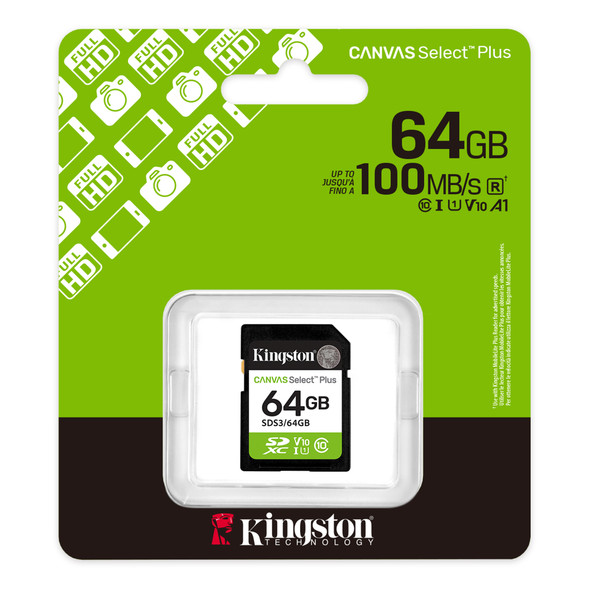
Kingston Canvas Select Plus 64GB SDXC Card – UHS-I, 100MB/s, U1, V10
Kingston


Kingston Canvas Select 128GB Micro SD UHS-I Flash Card with Adapter
Kingston


Kingston Canvas Select Plus SDCS3/64GB 64GB Micro SD UHS-I (U1) Flash Card with Adapter
Kingston
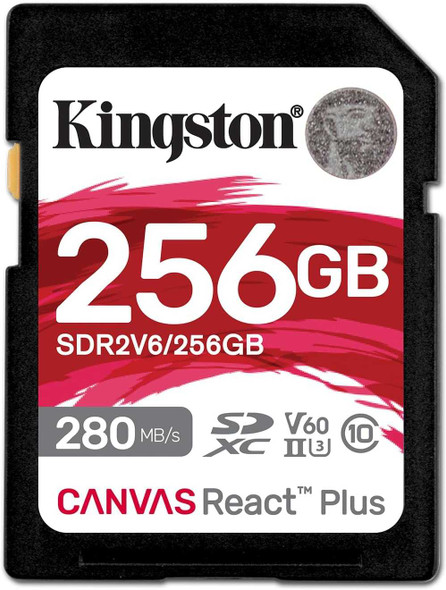
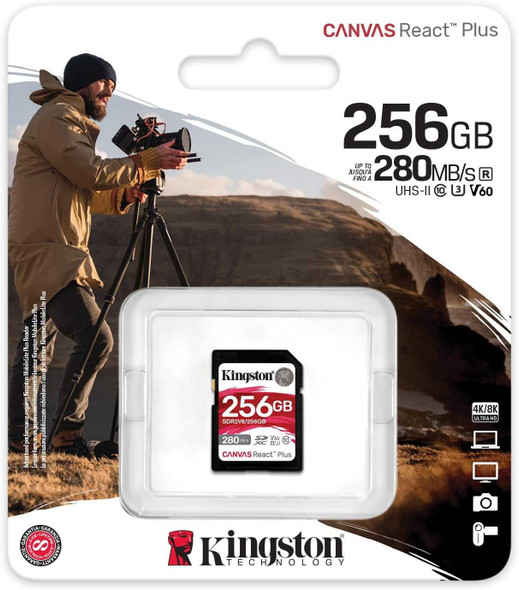
Kingston Canvas React Plus 256GB SDXC UHS-II Card – 280MB/s, U3, V60
Kingston