
iStorage
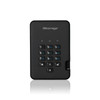
iStorage diskAshur² 128GB Encrypted Portable SSD – Black, PIN, AES-256 & IP56
- SKU:
- IS-DA2-256-SSD-128-B
- UPC:
- 5060220251250
- MPN:
- IS-DA2-256-SSD-128-B
- Availability:
- Free Click & Collect in Peterborough. UK delivery also available




Description
iStorage diskAshur² 128GB Encrypted Portable SSD – PIN-Protected USB Storage with AES-XTS 256-bit Security
The iStorage diskAshur² 128GB Encrypted Portable SSD is a PIN-authenticated, hardware-encrypted external solid state drive designed to protect confidential information while providing convenient portable USB storage. Featuring AES-XTS 256-bit full-disk hardware encryption, an integrated keypad, USB 3.2 Gen 1 connectivity and IP56-rated dust and water resistance, it offers a practical security-focused storage solution for businesses, professionals and individuals handling sensitive digital files.
Unlike a conventional portable SSD, the diskAshur² requires authentication through its built-in keypad before the stored data becomes accessible to a connected computer. The drive performs encryption through dedicated hardware, eliminating the need to install separate encryption software on the host system.
With 128GB of solid-state storage, the diskAshur² is suitable for securely transporting business documents, financial records, confidential reports, personal files, project data and selected backup copies. Its compact design, integrated USB cable and protective travel case make it convenient for use between supported office computers, laptops and other USB-equipped devices.
Quick answer: The iStorage diskAshur² 128GB is a portable, PIN-protected USB SSD with AES-XTS 256-bit hardware encryption. It uses a 7–15-digit PIN for authentication, supports independent administrator and user PINs, provides automatic locking and brute-force protection, and features an IP56-rated enclosure. It is suitable for securely carrying confidential files between compatible computers without requiring separate encryption software.
Key Features of the iStorage diskAshur² 128GB SSD
- 128GB SSD capacity: Secure portable storage for confidential documents, records, presentations and other digital files.
- AES-XTS 256-bit encryption: Hardware-based full-disk encryption protects stored information while the drive is locked.
- Built-in PIN keypad: Authenticate directly on the portable drive instead of entering the unlock PIN through the computer keyboard.
- 7–15-digit PIN authentication: Supports user-configured access credentials through the integrated keypad.
- Independent administrator and user PINs: Enables separate administrative control and day-to-day access.
- Software-free encryption: Encryption and PIN authentication operate through the drive's hardware.
- USB 3.2 Gen 1 interface: Supports SuperSpeed USB connectivity with a theoretical interface bandwidth of up to 5Gbps.
- Integrated USB cable: Provides a convenient connection without needing a separately carried USB data cable.
- Automatic locking: The drive locks when disconnected and supports configurable unattended automatic locking.
- Brute-force defence: Protects against repeated unsuccessful PIN attempts through built-in security controls.
- Read-only mode: Supports write protection when users need to access files without modifying the stored content.
- IP56 protection: Certified protection against dust ingress and powerful water jets under defined test conditions.
- Tamper-resistant construction: Security components are protected by a hardened internal epoxy barrier.
- Multi-platform compatibility: Designed for supported Windows, macOS, Linux, ChromeOS and other USB host systems.
- USB-powered operation: Does not require a separate mains power adapter under normal supported conditions.
- Three-year manufacturer warranty: Subject to iStorage's applicable warranty terms.
AES-XTS 256-bit Hardware Encryption for Confidential Data
The diskAshur² uses AES-XTS 256-bit full-disk hardware encryption to help protect information stored on the SSD.
The encryption system operates within the portable storage device, rather than relying on software installed on the connected computer.
This is particularly useful for customers who need to transport sensitive files between different computers while maintaining a consistent method of data-at-rest protection.
What Is AES-XTS 256-bit Encryption?
AES, or Advanced Encryption Standard, is a widely used symmetric encryption algorithm. XTS is a mode designed for protecting data stored on block-storage devices.
The diskAshur² uses AES-XTS 256-bit encryption to protect stored data against unauthorised access when the drive is correctly locked.
This makes the SSD a suitable option for users who require stronger storage protection than an ordinary unencrypted external drive.
Security note: Encryption protects data at rest while the drive is locked. Once the SSD has been unlocked and connected to a computer, authorised applications and potentially malicious software running on that computer may be able to access the exposed files.
Hardware Encryption Without Additional Software
The diskAshur² performs encryption internally, so users do not need to install a separate encryption programme or driver to operate its PIN security system.
After successful authentication, the drive presents its storage to the host computer as a USB mass-storage device.
This simplifies use across supported platforms and can be particularly beneficial in workplaces where installing additional software is restricted.
Normal operating system support, USB connectivity and a compatible file system are still required.
How Is Hardware Encryption Different from an Ordinary SSD?
A conventional portable SSD primarily provides removable data storage. Unless encryption is separately configured, files on that drive may be accessible to anyone who can connect it to a compatible computer.
The diskAshur² adds hardware encryption and PIN authentication, helping prevent access to the stored information while the device is locked.
This makes it useful for transporting information that should not be exposed simply because a portable storage device has been lost or stolen.
Built-In PIN Keypad for Secure SSD Access
One of the main advantages of the iStorage diskAshur² is its integrated physical keypad.
Instead of entering the unlock PIN into a computer application, users authenticate directly on the device using its own controls.
7–15-Digit PIN Authentication
The diskAshur² supports user-selected PINs between 7 and 15 digits in length.
To access the stored files, the user connects the drive to a compatible USB port and enters the correct PIN on the built-in keypad.
After authentication, the SSD can be accessed through the computer's normal file-management tools, provided the storage has a compatible file system.
The keypad also includes status indicators to communicate locked, unlocked and administrator modes.
Independent Administrator and User PINs
The diskAshur² supports separate administrator and user PIN credentials.
This allows organisations to retain administrative control while providing authorised users with a separate PIN for normal file access.
For example, an IT administrator may manage the SSD's security settings while an employee uses their assigned PIN to access approved work files.
If a user's PIN is forgotten, an administrator may be able to restore access and configure a replacement user PIN, provided the administrator credentials remain valid and the drive has not been reset.
Important: Administrator and user PIN management must follow the official iStorage instructions. Losing all valid credentials can result in permanent loss of access to encrypted files.
Protect Confidential Files if the SSD Is Lost or Stolen
Portable storage devices can be misplaced during travel, left in meeting rooms or lost while moving between work locations.
The diskAshur² is designed to reduce the risk of unauthorised access to stored data in these situations.
Automatic Locking When Disconnected
The diskAshur² automatically locks when it is disconnected from its USB host or when USB power is removed.
When locked, the encrypted storage cannot be accessed through normal USB file browsing without the required authentication.
This provides an additional security layer when transporting the drive between different computers.
Configurable Unattended Auto-Lock
In addition to locking when disconnected, the diskAshur² supports an unattended auto-lock feature.
The manufacturer specifies configurable automatic locking after a predetermined period, generally between 5 and 99 minutes according to the device's settings.
This is useful in environments where staff may leave portable storage connected to a workstation.
Users should follow the manufacturer's instructions when enabling this feature and ensure that active file transfers are completed before the drive locks.
Brute-Force Protection Against Repeated PIN Attempts
The diskAshur² includes a built-in brute-force defence mechanism designed to respond to repeated incorrect PIN entries.
After successive failed authentication attempts, the device introduces additional restrictions and ultimately activates protection that destroys access to the existing encryption key.
This reduces the opportunity for an unauthorised person to repeatedly guess the correct PIN.
Critical warning: After 15 consecutive incorrect PIN attempts, the diskAshur² can permanently delete its encryption key, making the previously stored data inaccessible. A factory reset also destroys access to existing data. Always maintain independent backups of important files.
Tamper-Resistant Hardware and Security Microprocessor
Alongside its keypad and encryption technology, the diskAshur² incorporates physical security features designed to protect the drive's internal electronics.
Secure Hardware Microprocessor
iStorage specifies an onboard Common Criteria EAL5+ hardware-certified secure microprocessor for the current diskAshur² range.
This component supports the drive's cryptographic security functions and includes mechanisms designed to resist certain forms of physical tampering and attack.
The certification refers to the specified secure hardware component and should not be confused with a claim that the complete SSD has every government security certification.
Epoxy-Coated Internal Components
The critical internal components are protected by a hardened epoxy resin layer.
This tamper-resistant construction is designed to make physical access to the protected electronics more difficult without damaging the device.
Wear-Resistant Keypad
The diskAshur² uses a wear-resistant keypad coating intended to reduce the visibility of repeated key use.
This helps protect against attempts to identify a PIN by inspecting which keypad buttons appear most heavily used.
Read-Only Mode for Sharing and Distributing Files
The diskAshur² supports both normal read/write operation and a configurable read-only mode.
Read-only mode can be useful when customers need to provide access to documents or other files without allowing changes to the stored content through normal write operations.
Protect Files from Accidental Modification
When properly configured, read-only mode prevents normal writing to the SSD while allowing access to its existing files.
This can help protect important reference documents, presentations, installation packages or archived records against accidental modification.
Administrator-Controlled Write Protection
iStorage also supports administrator-controlled write protection.
Depending on the selected security configuration, an administrator can restrict whether the user is allowed to disable read-only mode.
This makes the feature useful for organisations distributing approved information to authorised employees.
Note: Read-only mode protects the content stored on the SSD against normal write operations. It does not prevent someone from copying accessible files onto another device after the drive has been unlocked.
128GB SSD Capacity for Secure Business and Personal Storage
The diskAshur² provides 128GB of manufacturer-rated solid-state storage, suitable for confidential documents, selected backup files and everyday secure data transportation.
The drive uses flash-based SSD storage rather than a mechanical hard disk, so it contains no spinning platters or moving read/write heads.
What Can You Store on a 128GB Encrypted SSD?
- Confidential business reports and spreadsheets.
- Financial records and accounting documents.
- Contract files and administrative documents.
- Selected employee or customer records, where authorised.
- Professional presentations and project documents.
- Important personal photographs and digital files.
- Encrypted copies of selected backup data.
- Technical documentation and software installation files.
- Portable files used between approved workstations.
Is 128GB Enough for Business Documents?
For many document-focused workflows, 128GB provides useful portable storage capacity.
Text documents, spreadsheets and presentations are often much smaller than video files or full-computer backups.
Users storing large multimedia projects, extensive system images or substantial backup collections may prefer a higher-capacity encrypted SSD.
Why Does 128GB Show Less Usable Storage?
Manufacturers calculate storage capacity using decimal units, while some operating systems display binary measurements.
A 128GB drive may therefore appear as approximately 119GiB before accounting for formatting, encryption-related requirements and other overhead.
This is normal and does not indicate missing storage capacity.
USB 3.2 Gen 1 Connectivity for Secure File Transfers
The diskAshur² features an integrated USB 3.2 Gen 1 connection, providing convenient access to its storage through compatible desktop computers and laptops.
USB 3.2 Gen 1 is also known as USB 3.1 Gen 1 or USB 3.0, with a theoretical interface bandwidth of up to 5Gbps.
Integrated USB Cable
The integrated USB cable makes the drive convenient to carry without a separate removable data cable.
The standard diskAshur² uses a USB Type-A connection, so computers with only USB-C ports may require a suitable adapter or hub.
Any adapter must provide compatible USB data connectivity and sufficient power for the drive.
SSD Transfer Performance
iStorage's current diskAshur² manufacturer specifications list SSD-series transfer speeds up to approximately 362MB/s read and 358MB/s write under suitable test conditions.
These figures are published for the diskAshur² SSD family and should not be interpreted as guaranteed speeds for every 128GB unit or production revision.
Actual transfer speeds depend on the computer, USB interface, storage capacity, file sizes and workload. Older supplier documentation may quote different results for specific versions.
USB 2.0 Backwards Compatibility
The diskAshur² supports backwards-compatible USB operation with suitable older USB interfaces.
When connected through USB 2.0, file transfer performance will be limited by the slower connection.
Performance note: The USB interface's theoretical 5Gbps rate is not the same as the SSD's actual read or write speed. For best results, use a compatible SuperSpeed USB port.
Compatible with Windows, Mac, Linux and Other USB Hosts
Because the diskAshur² manages its encryption and authentication internally, it can operate across a wide range of supported systems without installing proprietary encryption software.
Windows Computers
The diskAshur² is suitable for use with supported Windows desktop PCs and laptops that provide compatible USB connectivity.
After entering the correct PIN, users can access stored files through the operating system, provided the drive has a supported file system.
Apple Mac Computers
iStorage lists macOS compatibility for the diskAshur² range.
Mac users should ensure their computer has a suitable USB connection and that the SSD is formatted using a file system supported by their operating system.
Some USB-C-only Mac models may need an appropriate USB Type-A adapter.
Linux and ChromeOS Compatibility
The diskAshur² also supports compatible Linux and ChromeOS environments.
The operating system must be able to recognise the unlocked drive as a USB storage device and support its selected file system.
Android and Specialist Systems
iStorage also lists compatibility with supported Android devices, thin clients, zero clients, embedded systems, Citrix and VMware environments.
Actual functionality depends on the host device, USB On-The-Go or host support where applicable, available power and file system compatibility.
Compatibility note: Software-free hardware encryption does not mean that every device will automatically recognise every file system. The USB port, host platform and formatting must all be compatible.
IP56 Dust and Water Resistance for Portable Use
The iStorage diskAshur² features an IP56-rated enclosure designed to provide protection against dust ingress and water jets under specified test conditions.
This provides additional durability for a portable SSD that may be carried between offices, client sites or travel locations.
What Does IP56 Mean?
IP56 contains two separate protection classifications:
- IP5X dust protection: Dust-protected construction intended to prevent harmful quantities of dust from interfering with operation.
- IPX6 water protection: Resistance against powerful water jets under standardised test conditions.
The rating is useful for everyday portable storage, but it should not be confused with a dust-tight IP6X rating or an IPX7/IPX8 immersion rating.
Is the diskAshur² Waterproof?
The manufacturer describes the diskAshur² as dust and water resistant, with IP56 certification.
However, IP56 does not certify the SSD for underwater immersion, and it should not be intentionally submerged.
Users should also avoid connecting a wet USB plug to a computer.
Solid-State Storage Without Moving Parts
Because the device uses SSD technology rather than a mechanical HDD, it has no internal spinning disks.
This makes it a practical choice for portable file storage, although the drive can still be damaged by excessive impact, electrical faults or other environmental conditions.
Encrypted Portable Storage for Business and Professional Use
The diskAshur² is particularly relevant to organisations that need to protect sensitive information when employees move files between approved devices and locations.
Secure Storage for Remote and Hybrid Working
Employees who work from home, offices and client locations may need to transport work-related files.
The diskAshur² provides a convenient way to carry approved documents in encrypted storage, reducing the risk of exposing data if the locked device is misplaced.
Confidential Client and Financial Documents
Professionals handling contracts, reports, financial spreadsheets and confidential project files can use encrypted storage as part of their information-security practices.
Its PIN authentication and hardware encryption help separate authorised file access from simply possessing the portable drive.
IT Administration and File Distribution
The independent Admin and User PINs, read-only mode and reset capabilities make the diskAshur² useful for controlled distribution of files in supported IT environments.
For example, an organisation may use it to transport approved installation files, technical documents or sensitive reports between authorised computers.
Confidential Personal Data
The diskAshur² may also help individuals protect important personal documents, financial information and other confidential files.
However, files should still be backed up separately, and access credentials should be managed carefully.
How the diskAshur² Can Support UK GDPR Data Security
The UK GDPR requires organisations processing personal data to implement appropriate technical and organisational security measures.
Encryption is an important example of a security control that can help reduce the risks associated with lost or stolen portable storage.
The diskAshur² provides hardware-based encryption and PIN authentication that organisations may use as part of their wider data protection arrangements.
Encrypted Removable Media
Portable drives containing personal or commercially sensitive information can create a security risk if misplaced.
Encrypting removable media helps reduce the likelihood that an unauthorised person can access stored information solely by obtaining the physical device.
Encryption Is Not Automatic GDPR Compliance
Using an encrypted SSD does not, by itself, make an organisation GDPR compliant.
Appropriate data protection may also require access controls, staff training, secure backup procedures, retention policies, incident response planning and other safeguards relevant to the organisation's activities.
Compliance note: The diskAshur² is a technical security tool, not a guarantee of regulatory compliance. Organisations should assess their own legal and information-security obligations.
How to Use the iStorage diskAshur² Encrypted SSD
The diskAshur² is intended to provide straightforward everyday operation after its security credentials have been correctly configured.
- Connect the drive: Plug the integrated USB cable into a compatible computer or USB host.
- Follow the initial setup instructions: Configure the appropriate administrator and user PINs according to iStorage's official manual.
- Enter the correct PIN: Use the built-in keypad to authenticate and unlock the storage.
- Access the SSD: Once unlocked, open the drive through the computer's normal file-management system.
- Transfer files: Copy or save authorised files as you would with another compatible external SSD.
- Finish all file operations: Wait for active transfers and file writes to complete.
- Safely eject the drive: Use the operating system's safe-removal function where available.
- Disconnect the USB cable: The drive automatically returns to its locked state when power is removed.
- Store securely: Keep the SSD and its protective case in a suitable location, following your organisation's security policies.
Initial setup note: The storage may need to be initialised or formatted for the intended operating system. Formatting erases existing files, so follow the manufacturer's instructions and back up any data before changing the file system.
Who Is the iStorage diskAshur² 128GB Best For?
- Business professionals: People transporting confidential documents and project files.
- Remote workers: Employees needing encrypted portable storage between approved computers.
- IT administrators: Teams managing secure access to portable files with separate administrative and user credentials.
- Finance professionals: Users handling sensitive accounting records and financial reports.
- Legal professionals: People working with confidential documents, contracts and case-related files.
- Consultants: Professionals transporting approved client files between work locations.
- Small businesses: Organisations seeking hardware-encrypted removable storage for selected business data.
- Privacy-conscious individuals: Customers wanting PIN-protected external SSD storage for personal records and files.
Who Should Consider a Different Portable SSD?
The diskAshur² prioritises access control and hardware encryption. It may not be the best choice for every storage requirement.
- Customers needing the lowest possible price per gigabyte: A conventional unencrypted portable SSD may cost less for the same capacity.
- Users storing large video projects: A higher-capacity drive may be more suitable than 128GB.
- Customers requiring USB-C as the native connector: The standard diskAshur² uses an integrated USB Type-A connection.
- Users requiring an IP68 immersion rating: This model is IP56 rated. Other iStorage products offer different environmental specifications.
- Organisations requiring specific FIPS 140-2 storage-device certification: Confirm the applicable certified model and part number before purchase. Certification claims for the diskAshur PRO² range should not be applied automatically to the standard diskAshur².
- Users needing a shared network drive: This is a directly connected portable USB SSD, not a NAS or cloud storage service.
- Customers who cannot maintain PIN credentials and backups: The drive's security controls can make data permanently inaccessible following certain resets or repeated failed authentication attempts.
iStorage diskAshur² 128GB SSD – Technical Overview
- Brand: iStorage
- Product Series: diskAshur²
- Product Type: Hardware-encrypted portable SSD
- Storage Capacity: 128GB
- Storage Technology: Solid State Drive (SSD)
- Encryption: AES-XTS 256-bit full-disk hardware encryption
- Authentication: Built-in PIN keypad
- PIN Length: 7–15 digits
- User Credentials: Independent administrator and user PINs
- Security Features: Brute-force protection, tamper resistance and automatic locking
- Additional Security: Read-only mode and self-destruct functionality
- Secure Microprocessor: Common Criteria EAL5+ hardware-certified component, as listed by iStorage
- USB Interface: USB 3.2 Gen 1
- USB Connector: Integrated USB Type-A cable
- Maximum Theoretical USB Interface Rate: 5Gbps
- Power Supply: USB bus-powered
- Dust and Water Protection: IP56
- Dimensions: 124 x 84 x 19mm
- Approximate Weight: 180g
- Operating System Compatibility: Supported Windows, macOS, Linux, ChromeOS, Android and specialist USB host systems
- Software Requirement: No separate encryption software required
- Manufacturer Warranty: 3 years, subject to terms
Important Security, Compatibility and Data Protection Notes
PIN Management Is Essential
Store administrator credentials according to a suitable security policy. Repeated incorrect PIN entries or resetting the device can permanently destroy access to existing data.
Back Up Important Files
Hardware encryption is not a substitute for an independent backup. Important data should be stored in at least one additional secure location, using appropriate backup and recovery procedures.
Use Trusted Computers
While the drive protects stored data when locked, a computer that is infected with malicious software may compromise files after the drive has been unlocked. Use trusted host systems and keep them appropriately secured.
IP56 Is Not an Immersion Rating
The diskAshur² is rated for specified dust and water exposure conditions. It should not be submerged, and its USB connector must be dry before use.
Security Certifications Must Match the Exact Model
iStorage offers several diskAshur products with different security accreditations. The standard diskAshur² should not be advertised as having the same FIPS 140-2 Level 2 or Level 3 certifications as specifically certified diskAshur PRO² variants unless those claims are verified for the exact supplied part number.
Warranty and Data Recovery
The drive is covered by the manufacturer's applicable limited warranty conditions. Warranty service cannot guarantee recovery of information made inaccessible by encryption-key deletion, a factory reset or hardware failure.
Why Choose the iStorage diskAshur² 128GB Encrypted Portable SSD?
The iStorage diskAshur² 128GB combines portable solid-state storage with hardware-based encryption, PIN authentication and physical security features designed to help protect confidential data.
Its AES-XTS 256-bit encryption, independent administrator and user PINs, automatic locking, read-only functionality and brute-force protection provide security capabilities beyond those of a conventional unencrypted external SSD.
The integrated USB cable, software-free authentication and broad platform support also make it convenient for professionals moving files between compatible systems.
For businesses and individuals who prioritise confidentiality, the diskAshur² offers a practical way to protect portable files while maintaining normal USB storage functionality after successful authentication.
Choose the iStorage diskAshur² 128GB if you need compact, PIN-protected, hardware-encrypted portable storage for confidential business documents, personal records and other sensitive digital files.
Explore more external SSD drives at Memox, or browse our external hard drives to compare portable storage options.
Manufacturer reference: iStorage diskAshur² official product information.
Specification
iStorage diskAshur² 128GB Black Encrypted Portable SSD – Technical Specifications
The iStorage diskAshur² 128GB Black (IS-DA2-256-SSD-128-B) is a PIN-authenticated, hardware-encrypted portable solid state drive designed for secure storage and transportation of confidential files. It features AES-XTS 256-bit full-disk hardware encryption, a built-in keypad, USB 3.2 Gen 1 connectivity, IP56 dust and water resistance and a three-year manufacturer warranty.
General Information
| Brand | iStorage |
|---|---|
| Manufacturer | iStorage Ltd. |
| Product Series | diskAshur² / diskAshur2 |
| Product Name | iStorage diskAshur² 128GB Encrypted Portable SSD – Phantom Black |
| Manufacturer Part Number (MPN) | IS-DA2-256-SSD-128-B |
| EAN / GTIN | 5060220251250 |
| Product Type | External hardware-encrypted solid state drive |
| Storage Capacity | 128GB |
| Storage Technology | Solid State Drive (SSD) |
| Product Colour | Phantom Black |
| Security Type | PIN authentication with full-disk hardware encryption |
| Connection | USB 3.2 Gen 1 |
| Recommended Use | Secure portable storage for confidential documents, business files, personal information and selected backups |
Storage Specifications
| Manufacturer-Rated Capacity | 128GB |
|---|---|
| Approximate Binary Capacity | 119.2GiB before formatting and system overhead |
| Drive Technology | Flash-based SSD |
| Internal Mechanical Components | No moving storage mechanisms |
| Drive Configuration | Self-contained external encrypted SSD |
| Data Access | Available to the host after successful PIN authentication |
| Encryption Operation | Hardware-based full-disk encryption |
| Encryption Software Installation | Not required for built-in PIN authentication and hardware encryption |
| File System | Must be compatible with the intended operating system; formatting may be required |
| External Storage Connection | USB mass-storage operation after unlocking |
Capacity Note: The advertised 128GB capacity uses decimal measurements. Actual available storage is lower after formatting and system overhead. A compatible operating system may display approximately 119.2GiB before additional overhead.
Read and Write Performance
| Maximum Manufacturer-Rated Read Speed | Up to 362MB/s |
|---|---|
| Maximum Manufacturer-Rated Write Speed | Up to 358MB/s |
| Performance Reference | Current manufacturer-published diskAshur² SSD-series specifications |
| USB Interface | USB 3.2 Gen 1 SuperSpeed |
| Maximum Theoretical USB Interface Rate | 5Gbps |
| USB 3.0 Compatibility | Yes |
| USB 2.0 Compatibility | Yes, at reduced interface speeds |
| USB 1.1 Compatibility | Manufacturer-listed backwards compatibility |
| Performance Dependencies | USB connection, host computer, file size, workload and drive revision |
Performance Note: The 362MB/s read and 358MB/s write figures are manufacturer-published SSD-series maximums. Actual transfer speeds can vary with the connected computer, USB controller, file system, workload and supplied drive revision. The USB interface's theoretical 5Gbps rate is not the SSD's actual file transfer speed.
Hardware Encryption Specifications
| Encryption Type | Hardware-based full-disk encryption |
|---|---|
| Encryption Algorithm | AES (Advanced Encryption Standard) |
| Encryption Mode | XTS |
| Encryption Strength | AES-XTS 256-bit |
| Encryption Algorithm Validation | FIPS PUB 197 validated algorithm, as specified by iStorage |
| Encryption Processing | Performed internally by the storage device |
| Data-at-Rest Protection | Stored data remains encrypted when the device is locked |
| Encryption Key Protection | Encryption keys are protected by the device's hardware security mechanisms |
| Host Encryption Software Required | No |
| PIN Authentication Required | Yes |
| Secure Hardware Component | Common Criteria EAL5+ hardware-certified secure microprocessor |
| FIPS 140-2 Level 2 / Level 3 Device Certification | Not claimed for this standard diskAshur² model |
Certification Clarification: FIPS PUB 197 validation refers to the AES encryption algorithm. The Common Criteria EAL5+ certification refers to the secure microprocessor hardware component. These must not be confused with a FIPS 140-2 Level 2 or Level 3 certification of the complete SSD. Such certifications apply to separately specified iStorage products, including certain diskAshur PRO² versions.
PIN Authentication and Access Control
| Authentication Method | Built-in physical keypad |
|---|---|
| PIN Length | 7–15 digits |
| Keypad Type | Integrated alphanumeric-labelled keypad |
| Keypad Protection | Wear-resistant epoxy/polymer coating |
| Administrator PIN | Supported |
| User PIN | Supported |
| Independent Admin and User PINs | Yes |
| PIN Entry Through Computer Keyboard | Not required for unlocking the device |
| PIN Status Indicators | Integrated LED status indicators |
| Administrator Recovery of User Access | Supported through applicable administrator procedures |
| Physical Security Feature | Integrated desk lock slot |
PIN Management Note: The administrator and user credentials must be managed according to iStorage's official instructions. If valid credentials are lost or the device's security reset procedures are triggered, access to existing encrypted data may become permanently unavailable.
Advanced Security Features
| Brute-Force Attack Defence | Yes |
|---|---|
| Maximum Consecutive Incorrect PIN Attempts | 15 before encryption-key deletion protection is triggered |
| First Failed-PIN Restriction | Device freezes after five consecutive incorrect PIN attempts |
| Additional Failed-PIN Restrictions | Further restricted authentication procedures after subsequent incorrect attempts |
| Automatic Lock on Disconnection | Yes |
| Automatic Lock on Power Removal | Yes |
| Configurable Unattended Auto-Lock | Yes |
| Auto-Lock Timer Range | 5–99 minutes |
| Read-Only Mode | Yes |
| Read/Write Mode | Yes |
| Administrator-Controlled Write Protection | Yes |
| Self-Destruct PIN Feature | Yes, configurable |
| Factory Reset | Supported; destroys access to existing encrypted data |
| Tamper-Resistant Construction | Internal security components protected by hardened epoxy resin |
| Network Device Whitelisting | Supports integration with compatible endpoint-management policies using device identifiers |
Critical Data Security Warning: The diskAshur² is designed to erase its encryption key after 15 consecutive incorrect PIN attempts, making previously stored data inaccessible. Using a configured self-destruct PIN or performing a factory reset can also permanently prevent recovery of existing files. Always maintain a separate, secure backup of important information.
USB Interface and Connectivity
| Connection Type | USB |
|---|---|
| USB Standard | USB 3.2 Gen 1 |
| USB Connector | USB Type-A |
| Cable Design | Integrated USB data cable |
| Maximum USB Bandwidth | 5Gbps theoretical |
| USB 3.0 Backwards Compatibility | Yes |
| USB 2.0 Backwards Compatibility | Yes |
| USB-C-Only Computer Compatibility | Requires a suitable USB-A to USB-C adapter or compatible hub |
| Power Source | USB bus-powered |
| External Mains Power Adapter | Not required under normal compatible USB conditions |
| Wireless Connectivity | Not provided |
| Network Storage Function | No – directly connected USB storage |
USB Compatibility Note: The drive uses an integrated USB Type-A connection. USB-C-only computers require a suitable adapter or hub capable of carrying USB data and supplying adequate power. Transfer speeds may be reduced by older USB interfaces.
Operating System Compatibility
| Microsoft Windows | Supported on compatible USB-equipped systems |
|---|---|
| Apple macOS | Supported on compatible USB-equipped systems |
| Linux | Supported |
| ChromeOS | Manufacturer-listed platform compatibility |
| Android | Supported where the host provides compatible USB access and power |
| Thin Clients | Manufacturer-listed compatibility |
| Zero Clients | Manufacturer-listed compatibility |
| Embedded Systems | Supported where appropriate USB and storage functionality is available |
| Citrix Environments | Manufacturer-listed compatibility |
| VMware Environments | Manufacturer-listed compatibility |
| Encryption Software Installation | Not required |
| Host File System Support | Required for reading and writing stored files |
Operating System Note: The diskAshur² uses software-independent PIN authentication and hardware encryption. After unlocking, the host must still support USB storage and the drive's selected file system. Optional third-party backup or antivirus programmes have separate system requirements.
Device Compatibility and Recommended Use
| Desktop PCs | Compatible computers with a suitable USB connection |
|---|---|
| Laptop Computers | Compatible USB-equipped laptops |
| Apple Mac Computers | Supported with suitable USB connectivity and file system |
| Smartphones and Tablets | Selected devices supporting USB host/OTG operation and adequate power |
| Printers and Scanners | Selected devices that support compatible USB storage and file systems |
| CCTV Equipment | Device-dependent; requires compatible USB host functionality |
| Business Document Storage | Suitable for confidential documents and approved business files |
| Personal Secure Storage | Suitable for selected personal records and digital files |
| Portable Data Transfer | Suitable for moving authorised files between compatible systems |
| Backup Storage | Can hold selected backups; an independent backup should also be maintained |
Device Compatibility Note: Not every device with a physical USB port can operate an external SSD. Compatibility requires USB host support, adequate power, appropriate file system access and any device-specific storage requirements.
IP56 Environmental Protection
| Ingress Protection Rating | IP56 |
|---|---|
| Dust Protection Classification | IP5X – dust protected |
| Water Protection Classification | IPX6 – resistant to powerful water jets under specified test conditions |
| Fully Dust-Tight Certification | No – IP56 does not indicate an IP6X dust-tight rating |
| Underwater Immersion Certification | No – IP56 is not an IPX7 or IPX8 immersion rating |
| Portable Protective Case | Included |
| SSD Construction | Solid-state storage without mechanical spinning disks |
| Physical Security | Tamper-resistant internal epoxy protection |
| Shock Resistance Rating | No specific tested shock rating confirmed on the official product specification page |
| Operating Temperature Range | Not specified in the checked manufacturer product specification |
IP56 Protection Note: The diskAshur² is dust and water resistant under specified test conditions. The IP56 rating does not certify the device for underwater use, complete dust exclusion or survival of every environmental hazard. Keep the USB connector dry before connecting the SSD.
Physical Specifications
| External Drive Type | Portable encrypted SSD |
|---|---|
| Drive Height | 124mm |
| Drive Width | 84mm |
| Drive Depth | 19mm |
| Dimensions (H x W x D) | 124 x 84 x 19mm |
| Approximate Product Weight | 180g |
| Colour | Phantom Black |
| Integrated Keypad | Yes |
| LED Status Indicators | Yes |
| Integrated USB Cable | Yes |
| Desk Lock Slot | Yes |
| Protective Carry Case | Included |
Security Certifications and Compliance Information
| Encryption Algorithm | AES-XTS 256-bit |
|---|---|
| Algorithm Validation | FIPS PUB 197 validated AES encryption algorithm |
| Secure Microprocessor | Common Criteria EAL5+ hardware-certified component |
| Ingress Protection | IP56 |
| UK and International Product Compliance | Refer to iStorage's current product-compliance documentation for applicable approvals |
| FIPS 140-2 Level 2 / 3 Device Certification | Not specified for this standard diskAshur² model |
| Automatic UK GDPR Compliance | No – organisations must implement appropriate additional data protection measures |
| Security Configuration | Must follow iStorage's official setup and administrator instructions |
Security Certification Note: This product is the standard diskAshur², not the diskAshur PRO² or diskAshur M². Different iStorage families have different security certifications. Product-level government certifications must not be assumed from the AES algorithm validation or the EAL5+ rating of an internal component.
Package Contents
| Portable SSD | 1 x iStorage diskAshur² 128GB Phantom Black encrypted SSD |
|---|---|
| Integrated USB Cable | Attached to the drive |
| Protective Carry Case | Included |
| Quick Start Guide | Included |
| External Power Adapter | Not required / not listed as included |
| Separate USB-C Adapter | Not listed as included |
| Additional Storage Drive | Not included |
| Manufacturer Warranty | 3 years |
Manufacturer Warranty and Product Identification
| Manufacturer | iStorage Ltd. |
|---|---|
| Product Family | diskAshur² |
| Manufacturer Part Number | IS-DA2-256-SSD-128-B |
| EAN / GTIN | 5060220251250 |
| Capacity | 128GB |
| Colour | Phantom Black |
| Manufacturer Warranty | 3-year limited warranty |
| Warranty Terms | Subject to iStorage's applicable terms and exclusions |
| Data Recovery Under Warranty | Recovery of encrypted data is not guaranteed |
| Product Support | iStorage official technical support and documentation |
Important PIN and Data Loss Warning
The diskAshur² uses built-in security controls to protect encrypted files against unauthorised access. After repeated incorrect PIN attempts, the device can erase its encryption key and permanently prevent access to previously stored data.
Entering a configured self-destruct PIN or performing a factory reset also destroys access to existing encrypted information. These actions are intended security features, not ordinary file deletion procedures.
Always maintain an independent, secure backup of valuable documents and files. Do not rely on a single encrypted drive as the only copy of important information.
Important Read-Only Mode Note
The diskAshur² supports read-only and read/write modes. Administrator-controlled read-only operation can help prevent users from modifying files on the SSD through ordinary writing operations.
However, read-only access does not stop authorised users from viewing or copying files after unlocking the device.
Important USB and Computer Compatibility Note
The SSD uses an integrated USB Type-A cable. Computers equipped only with USB-C ports may require a suitable adapter or compatible hub. The host device must provide adequate USB power and support access to the selected file system.
Although hardware encryption does not require separate software installation, optional backup utilities or security software may have their own operating system requirements.
Important IP56 Protection Note
IP56 indicates dust protection and resistance to powerful water jets under specified testing conditions. It does not certify the SSD for underwater immersion or complete dust exclusion. Avoid exposing the device to unnecessary moisture and do not connect a wet USB plug to a computer.
Important Security Certification Note
The manufacturer specifies FIPS PUB 197 validated AES encryption and a Common Criteria EAL5+ hardware-certified secure microprocessor. These specifications do not establish FIPS 140-2 Level 2 or Level 3 certification for the complete standard diskAshur² SSD.
Official iStorage Specifications and Support
For additional technical information, installation guidance, security features and manufacturer warranty details, visit the official iStorage diskAshur² product page.
Specifications are based on iStorage's published information for the standard diskAshur² SSD range and the confirmed 128GB Phantom Black manufacturer part number IS-DA2-256-SSD-128-B. Manufacturer specifications, firmware and supplied accessories may be subject to revision.
Return
FAQ: Frequenlty Asked Questions
iStorage diskAshur² 128GB Encrypted Portable SSD FAQ
The iStorage diskAshur² 128GB (IS-DA2-256-SSD-128-B) is a PIN-authenticated portable SSD designed to protect sensitive files with AES-XTS 256-bit full-disk hardware encryption. The Phantom Black 128GB model uses an integrated USB Type-A cable, USB 3.2 Gen 1 connectivity, independent Admin and User PINs, brute-force protection, automatic locking, configurable read-only mode and an IP56-rated enclosure.
Below are answers to the most common questions about diskAshur² PIN recovery, AES-XTS 256-bit hardware encryption, forgotten PINs, brute-force protection, self-destruct PINs, Admin vs User access, FIPS certification, GDPR, IP56 protection, USB-C compatibility, Windows and Mac use, auto-lock, read-only mode, secure backups, transfer speeds and diskAshur² vs diskAshur PRO².
1. What is the iStorage diskAshur² 128GB SSD?
The iStorage diskAshur² 128GB is a portable SSD with a built-in keypad, PIN authentication and AES-XTS 256-bit full-disk hardware encryption. It is designed to protect data at rest without requiring host-side encryption software.
2. What is the exact part number?
The exact manufacturer part number is IS-DA2-256-SSD-128-B.
3. What is the EAN or GTIN?
The EAN/GTIN for this 128GB Phantom Black model is 5060220251250.
4. How much storage capacity does it provide?
The manufacturer-rated capacity is 128GB. The usable capacity shown by an operating system will be lower because manufacturers use decimal capacity while many operating systems display binary units, and formatting also uses some space.
5. Why does 128GB show as roughly 119GiB?
128 billion bytes is approximately 119.2GiB when measured using binary units. This is normal and does not mean storage is missing.
6. Is this version an SSD or a hard drive?
This version is an SSD. It uses solid-state flash storage and contains no spinning platters or mechanical read/write heads.
7. What encryption does the diskAshur² use?
It uses AES-XTS 256-bit full-disk hardware encryption.
8. What does AES-XTS 256-bit mean?
AES is a widely used symmetric encryption standard, while XTS is a mode designed for storage devices. The diskAshur² encrypts stored data in hardware so it remains inaccessible while the drive is locked.
9. Is the encryption performed in hardware or software?
Encryption is performed by the drive's hardware. No separate encryption application is required to unlock and use the drive.
10. Do I need administrator rights on the computer to unlock it?
Normally no. PIN authentication and encryption happen on the drive itself, so special administrator rights are not required merely to unlock the diskAshur².
11. Do I need to install a driver or encryption application?
No proprietary unlock application is required. After the correct PIN is entered, the drive presents itself to the host as ordinary USB storage, subject to file-system compatibility.
12. How do I unlock the diskAshur²?
Connect the integrated USB cable to a powered USB port and enter the correct Admin or User PIN on the drive's keypad according to the iStorage procedure. A solid green status indicates the drive is unlocked.
13. How long can the PIN be?
iStorage specifies a PIN length of 7 to 15 digits.
14. Can I use simple PINs such as 1111111 or 1234567?
No. The manual states that PINs must not consist only of repetitive numbers or only of consecutive numbers.
15. Can the SHIFT key be used as part of a PIN?
Yes. iStorage supports SHIFT plus a keypad digit as an additional value, allowing more PIN combinations than ordinary digits alone.
16. How many Admin and User PINs can I create?
The diskAshur² supports one Admin PIN and one independent User PIN.
17. Why have separate Admin and User PINs?
Separate credentials let an administrator retain management control while another person uses a User PIN for routine access. This is useful for business deployments and managed removable storage.
18. Can the Admin PIN help if the User PIN is forgotten?
Yes, provided the valid Admin PIN is still known and the drive has not been reset or brute-forced. The administrator can access the drive and follow iStorage's procedure for creating a replacement User PIN.
19. What happens if I forget both the Admin and User PINs?
iStorage does not provide a backdoor. If no valid PIN remains, the drive must be reset before reuse, and the reset destroys the encryption key and makes the existing encrypted data permanently inaccessible.
20. Can iStorage recover my forgotten PIN?
No. iStorage states that it has no backdoor to unique User or Admin PINs.
21. Should I keep guessing if I am unsure of the PIN?
No. Repeated incorrect attempts can ultimately destroy the encryption key, so stop guessing if you are unsure and consult the official manual before continuing.
22. What happens after five wrong PIN attempts?
After five consecutive incorrect PIN attempts, the drive freezes and must be disconnected and reconnected before further attempts can be made.
23. What happens after ten wrong PIN attempts?
After ten consecutive incorrect attempts, the diskAshur² freezes again and requires iStorage's documented recovery sequence before the final five attempts are available.
24. What happens after fifteen wrong PIN attempts?
After fifteen consecutive incorrect PIN entries, the brute-force defence mechanism deletes the encryption key and makes previously stored data permanently inaccessible.
25. Why are all three LEDs solid?
Solid red, green and blue LEDs indicate that the brute-force defence state has been triggered after repeated incorrect PIN attempts. Stop guessing and follow the official user manual.
26. Does the diskAshur² have a self-destruct PIN?
Yes. An administrator can configure a dedicated Self-Destruct PIN.
27. What happens if the Self-Destruct PIN is entered?
Entering the configured Self-Destruct PIN performs a crypto-erase: existing data, the encryption key and PINs are destroyed and the drive must be repartitioned and reformatted for reuse.
28. Can the drive be factory reset?
Yes. A reset returns the device to a redeployable state but destroys the existing encryption key, PINs and access to all previously stored encrypted data.
29. Does the drive lock automatically when unplugged?
Yes. The diskAshur² automatically locks when it is disconnected from the host or when USB power is removed.
30. Does it have an unattended auto-lock timer?
Yes. The administrator can configure unattended auto-lock between 5 and 99 minutes.
31. Is unattended auto-lock enabled by default?
According to the diskAshur² manual, the configurable unattended auto-lock timer is off by default. Locking on disconnection or loss of USB power still applies.
32. Can the drive be set to read-only?
Yes. It supports read-only and normal read/write operation.
33. Can the administrator force read-only mode?
Yes. The Admin can configure read-only mode so that a User cannot disable that policy from User mode.
34. Does read-only mode stop someone copying files?
No. Read-only mode prevents ordinary modification of data on the drive, but an authorised person who unlocks it can still view and copy accessible files elsewhere.
35. Can read-only mode help against ransomware?
It can reduce the ability of a connected computer to modify files while the drive is genuinely operating in administrator-enforced read-only mode. It is not a substitute for offline backups and endpoint security.
36. Is the diskAshur² FIPS 140-2 Level 2 or Level 3 certified?
Do not assume that. The standard diskAshur² is not the same product as the diskAshur PRO², which carries specific FIPS 140-2 and other government certifications.
37. What does FIPS PUB 197 validated mean?
iStorage states that the AES encryption algorithm used by diskAshur² is FIPS PUB 197 validated. That is an algorithm-validation statement and is not the same as FIPS 140-2 Level 2 or Level 3 certification of the complete drive.
38. What does Common Criteria EAL5+ refer to?
iStorage states that the diskAshur² incorporates a Common Criteria EAL5+ hardware-certified secure microprocessor. The certification refers to the secure hardware component.
39. Is the standard diskAshur² NATO Restricted certified?
The standard diskAshur² should not be advertised as NATO Restricted certified. iStorage lists that certification for specific higher-assurance models such as diskAshur PRO² and diskAshur DT².
40. Is the diskAshur² TAA compliant?
iStorage currently lists the standard diskAshur² as TAA compliant.
41. Does using diskAshur² automatically make a company GDPR compliant?
No. Hardware encryption can be an important technical safeguard, but GDPR compliance also depends on policies, lawful processing, access controls, retention, backups, incident response and other measures.
42. Is the drive tamper resistant?
Yes. iStorage states that critical internal components are covered with hardened epoxy resin designed to make physical access difficult without damaging the electronics.
43. What is the purpose of the wear-resistant keypad?
The keypad coating is designed to reduce visible wear patterns that could reveal which keys are used most often in a PIN.
44. Is the diskAshur² protected against BadUSB attacks?
iStorage states that diskAshur² is immune to BadUSB-type malicious USB firmware attacks on the drive itself. This does not make an unlocked computer or copied files immune to other malware.
45. What is the IP rating?
The diskAshur² is rated IP56.
46. What does IP56 mean?
IP56 means the enclosure is dust protected to IP5X and resistant to powerful water jets to IPX6 under the relevant test conditions.
47. Is IP56 completely dust-tight?
No. Complete dust-tight protection would require IP6X. IP5X means dust protected, not fully dust-tight.
48. Can I submerge the diskAshur² in water?
No. IP56 does not certify the drive for immersion. It is not an IPX7 or IPX8 underwater device.
49. What USB interface does the drive use?
The diskAshur² uses USB 3.2 Gen 1 SuperSpeed with a theoretical interface rate up to 5Gbps.
50. Is USB 3.2 Gen 1 the same as USB 3.0 or USB 3.1 Gen 1?
These names refer to the same 5Gbps generation in different USB naming schemes. The drive is also backward compatible with older USB standards at reduced performance.
51. What connector is on the integrated cable?
The standard diskAshur² uses an integrated USB Type-A cable.
52. Can I connect it to a USB-C-only laptop or MacBook?
Yes, using a suitable USB-C adapter or hub that supports USB data and provides adequate power. A USB-C adapter is not listed as included.
53. Does the SSD need an external power adapter?
No. It is USB bus powered under normal supported operation.
54. What are the manufacturer-published SSD speeds?
iStorage currently publishes diskAshur² SSD-family speeds up to approximately 362MB/s read and 358MB/s write under suitable conditions.
55. Will the 128GB drive always reach 362MB/s read and 358MB/s write?
No. Those are manufacturer-published family maximums. Actual performance varies with host hardware, USB controller, capacity, file sizes, file system and workload.
56. Why is the SSD much slower over USB 2.0?
USB 2.0 provides far less bandwidth than USB 3.2 Gen 1, so the connection becomes the bottleneck.
57. What are the dimensions?
The SSD version measures approximately 124 x 84 x 19mm.
58. How much does the 128GB SSD weigh?
iStorage specifies approximately 180g for diskAshur² SSD models.
59. What colour is this version?
This exact model is Phantom Black.
60. What is included in the box?
The standard package includes the diskAshur² portable SSD with integrated cable, a protective carry case and a Quick Start Guide.
61. What warranty does it have?
iStorage provides a three-year limited manufacturer warranty for diskAshur² SSD models, subject to its warranty terms.
62. Which operating systems are supported?
iStorage lists Windows, macOS, Linux, Chrome, Android, thin clients, zero clients, embedded systems, Citrix and VMware, subject to USB-host and file-system compatibility.
63. Can I use the same drive between Windows and Mac?
Yes if it is formatted with a file system both systems can read and write, such as exFAT. The encryption and keypad remain hardware based regardless of the host operating system.
64. Can I use the diskAshur² for Time Machine backups?
Potentially yes after formatting it appropriately for current macOS Time Machine use. The drive must be unlocked before Time Machine can access it, and automatic locking can affect unattended backup workflows.
65. Can I use the drive with an Android phone or tablet?
Potentially yes if the device supports USB host/OTG operation, provides sufficient power and supports the selected file system. USB-C devices may require an adapter.
66. Why does the drive keep disconnecting and locking in Windows?
iStorage identifies USB power-saving and selective-suspend settings as common causes. When USB power is interrupted, diskAshur² correctly interprets that as a disconnect and locks itself.
67. Why can the drive lock when my computer goes to sleep?
Sleep or power-saving modes can turn off USB power. Because diskAshur² automatically locks when USB power is removed, the drive may need to be unlocked again after the computer wakes.
68. What should I do if the drive unlocks but does not appear in File Explorer or Finder?
Confirm the LED shows the drive is unlocked, try a direct USB port, test another computer, and check Disk Management or Disk Utility. The storage may also need a compatible partition and file system.
69. What should I do if the correct PIN is not recognised?
Enter the PIN slowly and carefully. iStorage notes that typing too quickly can cause key presses not to register. If failures continue, stop before approaching the brute-force limit.
70. Does the PIN go through the computer keyboard?
No. Authentication is entered on the drive's own keypad, reducing exposure of the PIN to ordinary host keyloggers.
71. Can malware access files after the drive is unlocked?
Potentially yes. Encryption protects data at rest while locked. Once unlocked, applications or malware on the host may be able to access exposed files according to normal permissions.
72. Can I add BitLocker or VeraCrypt on top of diskAshur² encryption?
An additional software-encryption layer may be possible after the drive is unlocked, but it adds complexity and can reduce cross-platform convenience. The main diskAshur² encryption is already handled in hardware.
73. Is the diskAshur² suitable for confidential business documents?
Yes. It is designed for portable storage of sensitive data where PIN-controlled hardware encryption and automatic locking are useful. Organisations should still apply their own security and backup policies.
74. Can I use it as my only backup?
No. Encryption protects confidentiality but does not protect against hardware failure, accidental deletion, loss or deliberate crypto-erase. Important data should exist on another independent backup.
75. diskAshur² vs diskAshur PRO² – what is the difference?
Both provide keypad authentication and AES-XTS 256-bit hardware encryption, but diskAshur PRO² is the higher-assurance model with specific government certifications including FIPS 140-2, NCSC CPA, NLNCSA BSPA and NATO Restricted. The standard diskAshur² should not be represented as having those same full-device certifications.
76. diskAshur² vs a normal portable SSD with BitLocker – which is better?
diskAshur² offers self-contained keypad authentication, hardware encryption and broad platform independence without relying on a specific host OS. A conventional SSD with BitLocker or VeraCrypt can cost less or be faster, but access depends more heavily on host software.
77. Who is the diskAshur² 128GB NOT suitable for?
It is not ideal for buyers who need multi-gigabit USB-C performance, very large storage capacity, full-device FIPS 140-2 Level 2/3 certification, network-attached storage, or a device where forgotten credentials must be recoverable through a vendor backdoor.
78. What are the most important setup steps before storing valuable data?
Create and securely document the Admin/User PIN strategy, understand the brute-force and reset consequences, choose the correct file system, test the drive on required computers, configure auto-lock/read-only policies if needed, and create an independent backup before relying on it for important data.
Related Products
Related Products


Antec Core Micro Portable Handheld Gaming Console, Android-Powered Mobile Gaming System with 3.5" IPS Screen, 8GB RAM, 256GB Storage, Lightweight Compact Design for On-the-Go, Casual & Retro Gaming (Black)
ANTEC