
HP
HP USB-C Dock G5 Docking Station – 100W Charging, HDMI, DisplayPort & Ethernet
- SKU:
- 5TW10AA#ABB
- UPC:
- 193905208531
- MPN:
- 5TW10AA#ABB
- Availability:
- Free Click & Collect in Peterborough. UK delivery also available.











Description
HP USB-C Dock G5 Docking Station – 100W Charging, Triple Display, HDMI, DisplayPort & Gigabit Ethernet
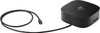
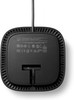
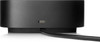
The HP USB-C Dock G5 (5TW10AA#ABB) is a compact USB-C laptop docking station designed to turn one compatible USB-C connection into a complete desktop workstation. Connect monitors, USB accessories, wired Gigabit Ethernet, headphones and other peripherals while simultaneously providing USB-C Power Delivery to a compatible laptop.
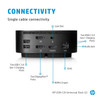
Ideal for business, home-office, hybrid-working and multi-monitor desk setups, the HP USB-C Dock G5 provides 2 × DisplayPort 1.4, 1 × HDMI 2.0, Gigabit Ethernet, 4 × USB-A ports, 1 × additional USB-C port and a combined audio connection. A permanently attached 1-metre USB-C host cable provides a simple single-cable connection between the dock and laptop.
Quick answer: The HP USB-C Dock G5 is a universal USB-C docking station for compatible HP and non-HP laptops. It can deliver up to 100W USB-C power to supported HP systems, supports up to three external displays depending on the laptop's DisplayPort capabilities, provides HDMI and dual DisplayPort outputs, adds Gigabit Ethernet and expands a laptop with five downstream USB ports.
Key Features of the HP USB-C Dock G5
- Single-cable USB-C docking solution for compatible laptops
- Up to 100W USB-C Power Delivery to supported HP computers
- Up to 75W charging for compatible non-HP laptops
- Supports up to 3 external displays with compatible host hardware
- 2 × DisplayPort 1.4 video outputs
- 1 × HDMI 2.0 video output
- Up to 3 × 4K 60Hz displays when connected to a compatible DisplayPort 1.4 + DSC host
- Gigabit Ethernet – 10/100/1000Mbps RJ45
- 4 × USB-A 3.2 Gen 1 charging/data ports
- 1 × front USB-C 3.2 Gen 1 port with data and up to 15W power output
- 1 × combined 3.5mm audio/headset connection
- Integrated 1-metre USB-C host cable
- Compatible with selected HP laptops, MacBook computers and other compatible USB-C laptops
- Windows 10, Windows 11, macOS and ChromeOS compatibility
- Advanced HP network-management features on supported HP systems
- PXE Boot support on compatible systems
- Wake-on-LAN support on compatible systems
- MAC Address Pass-Through support on compatible HP systems
- Kensington-style security lock slot
- Compact 122 × 122 × 45mm desktop footprint
- HP product number: 5TW10AA#ABB
One USB-C Cable for Your Complete Desktop Setup
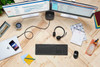
The HP USB-C Dock G5 is designed to reduce the number of individual cables that need to be connected directly to a laptop. Instead of separately connecting monitors, Ethernet, USB devices, power and audio each time you sit at your desk, compatible devices can remain connected to the dock.
Connect the dock's integrated USB-C host cable to your laptop and the dock can provide access to the connected peripherals, network and displays while also supplying power to a compatible computer.
Ideal for Hot-Desking and Hybrid Working
This single-cable arrangement is particularly useful for:
- Home-office desks
- Business workstations
- Hybrid workers moving between home and office
- Shared desks and hot-desking environments
- Laptop users who regularly connect multiple monitors
- Users who need wired Ethernet from a USB-C laptop
- Workstations with keyboards, mice, storage and other USB accessories
Once the monitors and peripherals are installed at the desk, the laptop can be connected or disconnected using a single USB-C cable.
Up to 100W USB-C Laptop Charging
The HP USB-C Dock G5 supports USB-C Power Delivery with up to 100W available to compatible HP systems. This allows many supported HP business laptops to charge through the same USB-C cable used for display, network and peripheral connectivity.
HP specifies USB-C PD output profiles of:
- 5V
- 9V
- 10V
- 12V
- 15V
- 20V
with a maximum current of up to 5A where supported.
100W Charging Is Not Universal to Every Laptop
HP's current specification states that the dock provides up to 100W to supported HP systems, while compatible non-HP laptops can receive up to 75W.
The actual charging power is negotiated between the dock and laptop using USB Power Delivery. The connected computer must support charging through its USB-C port, and the charging rate can vary according to the laptop model.
High-Power HP ZBook Workstations May Need Their Own Charger
Some high-performance HP ZBook mobile workstations require more than 100W of power. HP advises that models requiring more than the power available through USB-C should use a separate AC power connection in addition to the dock.
Always check the laptop's required charger wattage before relying on the dock as its only power source.
Triple-Monitor Docking Station
The HP USB-C Dock G5 provides three physical display outputs:
- 2 × DisplayPort 1.4
- 1 × HDMI 2.0
With suitable host hardware, the dock can support up to three external monitors, making it particularly useful for productivity, financial applications, content creation, office administration, coding and other workflows where additional screen space improves efficiency.
Up to Three 4K 60Hz Displays with DisplayPort 1.4 DSC
The maximum monitor resolution depends on the DisplayPort capability of the connected laptop.
According to HP's current specification, a host supporting DisplayPort 1.4 with Display Stream Compression (DSC) can support:
- 3 × Full HD displays at 60Hz
- 3 × QHD displays at 60Hz
- 3 × 4K displays at 60Hz
DisplayPort 1.3 / 1.4 Host Display Support
For a host supporting DisplayPort 1.3 or DisplayPort 1.4 without the required DSC configuration, HP lists support for:
- 3 × Full HD displays at 60Hz
- 3 × QHD displays at 60Hz
- 2 × 4K displays at 60Hz
DisplayPort 1.2 Host Display Support
For USB-C laptops providing DisplayPort 1.2 Alt Mode, HP lists:
- 3 × Full HD displays at 60Hz
- 2 × QHD displays at 60Hz
- 1 × 4K display at 60Hz
This means the dock's three monitor connectors do not guarantee that every laptop can drive three 4K monitors. The graphics hardware, USB-C DisplayPort version and Display Stream Compression capability of the host computer determine the maximum supported monitor arrangement.
Dual DisplayPort 1.4 Outputs
Two rear DisplayPort 1.4 outputs provide connections for compatible desktop monitors. DisplayPort is widely used on professional, business and gaming displays and provides high-resolution digital video connectivity.
The dual DisplayPort configuration is especially useful for office workstations using two identical monitors because each display can be connected directly to the dock.
HDMI 2.0 Monitor and Display Connection
The rear HDMI 2.0 port provides an additional connection for compatible monitors, televisions and displays.
Having HDMI alongside two DisplayPort connections provides greater flexibility when connecting screens with different input types, particularly in workplaces where monitors may not all use the same interface.
Important USB-C DisplayPort Alt Mode Requirement
Not every USB-C laptop port supports external displays. To use the HP USB-C Dock G5 for monitor output, the host computer's USB-C port must support DisplayPort Alt Mode or an appropriate compatible Thunderbolt implementation.
A USB-C port used only for basic USB data may allow some USB peripherals to function but may not provide video output through the dock.
How to Check Laptop Compatibility
Before purchasing, check the laptop specification for terms such as:
- USB-C with DisplayPort Alt Mode
- DisplayPort over USB-C
- USB-C DisplayPort 1.2 / 1.4
- USB-C Power Delivery
- Thunderbolt 3 or Thunderbolt 4 with compatible USB-C operation
For full charging functionality, the laptop must also support USB Power Delivery through the connected USB-C port.
Compatible with HP and Non-HP Laptops
HP designed the USB-C Dock G5 with broad compatibility. HP lists support for selected HP laptops, MacBook computers and other laptops that implement the required USB-C industry standards.
It can therefore be useful in mixed-device workplaces where different employees use different laptop brands.
HP Laptop Compatibility
The dock is commonly used with compatible models from HP business and workstation families including selected:
- HP EliteBook laptops
- HP ProBook laptops
- HP ZBook mobile workstations
- HP Pavilion models
- HP ENVY models
- HP Chromebook models
- Other compatible HP USB-C notebooks
Compatibility varies by exact laptop model and USB-C implementation, so check the laptop specification rather than relying on the family name alone.
Can the HP USB-C Dock G5 Work with Dell or Lenovo Laptops?
Yes, the dock can work with compatible non-HP computers that correctly implement USB-C Power Delivery and DisplayPort Alt Mode standards. However, some HP-specific management and power-button functions may not operate on a non-HP device.
HP also limits charging on compatible non-HP computers to up to 75W according to its current specification.
MacBook Compatibility
HP lists the USB-C Dock G5 as compatible with MacBook computers that provide the required USB-C functionality.
Display behaviour can depend on the particular Mac model, operating system and Apple's support for the relevant multi-display technologies. Check the external-monitor capabilities of the exact MacBook before purchasing the dock specifically for a multi-monitor setup.
Four USB-A Ports for Peripherals and Accessories
The dock includes four USB-A 3.2 Gen 1 charging/data ports distributed between its side and rear panels.
- 2 × side USB-A 3.2 Gen 1 ports
- 2 × rear USB-A 3.2 Gen 1 ports
These ports can be used with compatible:
- Keyboards
- Mice
- USB flash drives
- External SSDs
- External hard drives
- Webcams
- Headsets
- Printers
- USB receivers
- Other USB accessories
Front USB-C Port with 15W Power Output
A front-facing USB-C 3.2 Gen 1 port provides convenient access for compatible USB-C peripherals and supports up to 15W power output.
This can be useful for connecting or charging compatible phones, accessories and USB-C devices without having to reach behind the dock.
The Front USB-C Port Is Different from the Host Cable
The dock has two different USB-C functions:
- Integrated USB-C host cable: connects the dock to the laptop
- Front USB-C port: connects compatible USB-C accessories and provides up to 15W output
The front accessory port should therefore not be confused with the USB-C connection used to connect and charge the host laptop.
Gigabit Ethernet for Reliable Wired Networking
The HP USB-C Dock G5 includes a rear RJ45 Gigabit Ethernet port supporting:
- 10Mbps Ethernet
- 100Mbps Fast Ethernet
- 1000Mbps / 1Gbps Gigabit Ethernet
This is particularly useful for modern thin laptops that no longer include their own full-size Ethernet port.
Why Use Wired Ethernet Through a Dock?
A wired network connection can provide:
- Stable business-network access
- Reduced dependence on Wi-Fi signal strength
- Fast local network transfers
- Reliable video conferencing
- Access to wired corporate networks
- PXE deployment functionality on supported business computers
Enterprise Network Management Features
The HP USB-C Dock G5 includes network-management functionality aimed particularly at HP business environments.
Depending on the connected computer and its BIOS, drivers and operating-system support, available functionality can include:
- PXE Boot
- Wake-on-LAN (WoL)
- MAC Address Pass-Through
- WLAN-LAN switching on supported systems
- Dock firmware management
Some Management Features Are HP-System Specific
Functions such as the dock power button, Wake-on-LAN and MAC Address Pass-Through depend on the connected notebook. HP states that certain advanced features are available only on HP or specifically supported notebook systems.
Businesses intending to deploy the dock for network imaging, remote management or MAC-based network authentication should check the exact HP notebook compatibility and current dock firmware requirements.
Efficient Dock Firmware Updates
HP designed the G5 for managed business environments and provides dock firmware support to help IT teams keep compatible docking stations updated.
Keeping dock firmware and host drivers current can improve compatibility, security, display behaviour and network functionality.
Combined Headphone and Microphone Connection
A side-mounted 3.5mm combination audio jack provides an easy connection for compatible headsets, headphones and audio equipment.
This can be useful when the laptop is placed on a stand, closed in clamshell mode or positioned away from the main desktop area.
Compact 122 × 122mm Desktop Footprint
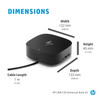
The HP USB-C Dock G5 measures approximately:
- Width: 122mm
- Depth: 122mm
- Height: 45mm
Its compact footprint means the dock takes up only a small area of the desk despite providing multiple monitor, network, USB and audio connections.
Useful for Clean Desk Setups
The dock's square design allows permanent cables such as Ethernet, monitor and power connections to remain towards the rear while frequently accessed USB and audio connections remain available from the front or side.
This helps reduce cable clutter around the laptop and can create a cleaner home-office or business workstation.
Integrated 1-Metre USB-C Host Cable
The HP USB-C Dock G5 includes an integrated USB-C host cable approximately 1 metre long.
Because the host cable is built into the dock, a separate USB-C data/video cable does not need to be purchased for normal installation.
Security Lock Slot
The dock includes a standard security lock slot for use with a compatible security cable lock, sold separately.
This can be especially useful in offices, education environments, shared desks and public-facing workplaces where the dock remains permanently installed.
Operating System Compatibility
HP's current product information lists compatibility with:
- Windows 11
- Windows 10
- macOS
- ChromeOS
Available features can vary by operating system, laptop manufacturer, drivers and the capabilities of the connected USB-C port.
HP USB-C Dock G5 Port Layout
Front Connections
- 1 × USB-C 3.2 Gen 1 data/power port – up to 15W output
- 1 × integrated USB-C host cable
Side Connections
- 2 × USB-A 3.2 Gen 1 charging/data ports
- 1 × 3.5mm headphone/microphone combo jack
Rear Connections
- 2 × USB-A 3.2 Gen 1 charging/data ports
- 2 × DisplayPort 1.4
- 1 × HDMI 2.0
- 1 × RJ45 Gigabit Ethernet
- 1 × security lock slot
- Dock power input
Is the HP USB-C Dock G5 a Thunderbolt Dock?
No. The HP USB-C Dock G5 is fundamentally a USB-C docking station rather than a dedicated Thunderbolt dock.
Compatible Thunderbolt-equipped laptops can use the dock because Thunderbolt USB-C ports generally provide compatible USB-C functionality, but the dock operates using its supported USB-C technologies rather than providing the additional bandwidth and capabilities associated with a dedicated Thunderbolt docking station.
If your workflow specifically requires Thunderbolt peripherals, very high-bandwidth external storage or other Thunderbolt-only functionality, a dedicated Thunderbolt dock may be more appropriate.
HP USB-C Dock G5 vs a Basic USB-C Hub
A basic USB-C hub typically adds a handful of ports for occasional use. The HP USB-C Dock G5 is designed as a more permanent desktop docking solution and offers:
- Up to 100W charging for supported HP systems
- Three physical monitor outputs
- Dual DisplayPort connectivity
- HDMI 2.0
- Gigabit Ethernet
- Five downstream USB connections
- Audio connectivity
- Enterprise network-management functionality on compatible HP systems
- Security lock support
- Dedicated external power adapter
This makes it particularly suitable for a permanent office or home-workstation setup.
Who Is the HP USB-C Dock G5 Best For?
- HP EliteBook and ProBook users with compatible USB-C ports
- Compatible HP ZBook users requiring multiple monitors and peripherals
- Home-office users
- Hybrid workers
- Business and corporate workplaces
- Hot-desking environments
- Users requiring dual or triple-monitor setups
- Laptops without built-in Ethernet
- Users connecting multiple USB peripherals
- IT-managed HP business environments
- Compatible non-HP USB-C laptop users
Who Should Consider a Different Dock?
A different docking station may be more appropriate if your laptop:
- Does not support DisplayPort Alt Mode through USB-C
- Does not support USB-C Power Delivery
- Requires more than 100W and you do not want to use a separate charger
- Requires Thunderbolt-specific peripherals or bandwidth
- Requires 2.5GbE or faster Ethernet instead of Gigabit Ethernet
- Requires monitor resolutions beyond the capability of the laptop's USB-C DisplayPort connection
HP USB-C Dock G5 Technical Overview
- Brand: HP
- Model: USB-C Dock G5
- Product Number / MPN: 5TW10AA#ABB
- UPC: 193905208531
- Product Type: USB-C Laptop Docking Station
- Host Connection: USB-C
- Host Cable Length: Approximately 1 metre
- Maximum HP Laptop Power Delivery: Up to 100W
- Maximum Compatible Non-HP Power Delivery: Up to 75W
- DisplayPort: 2 × DisplayPort 1.4
- HDMI: 1 × HDMI 2.0
- Maximum External Displays: Up to 3, host dependent
- Maximum Listed Display Configuration: Up to 3 × 4K 60Hz with compatible DisplayPort 1.4 DSC host
- Ethernet: RJ45 10/100/1000 Gigabit Ethernet
- USB-A: 4 × USB-A 3.2 Gen 1
- Accessory USB-C: 1 × USB-C 3.2 Gen 1 with up to 15W output
- Audio: 1 × headphone/microphone combo jack
- Security: Standard security lock slot
- Compatible Operating Systems: Windows 10, Windows 11, macOS, ChromeOS
- Minimum Video Requirement: USB-C with DisplayPort Alt Mode
- Charging Requirement: Compatible USB-C Power Delivery host
- Dimensions: 122 × 122 × 45mm
- Colour: Black
- Manufacturer Warranty: 1-Year Limited Warranty
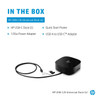
What Is Included?
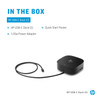
- 1 × HP USB-C Dock G5
- 1 × AC power adapter
- 1 × AC power cord
- Integrated USB-C host cable
- Product notices
- Warranty information
- Quick Start Guide
Important Laptop Compatibility Check Before Buying
Before purchasing the HP USB-C Dock G5, confirm that the laptop's USB-C port supports the functions you need.
- For external monitors, the USB-C port must support DisplayPort Alt Mode.
- For laptop charging, the computer must support USB-C Power Delivery.
- For 100W charging, the HP laptop and USB-C implementation must support the required power level.
- Non-HP systems are rated by HP for up to 75W power delivery.
- For 3 × 4K 60Hz, the host must support DisplayPort 1.4 with Display Stream Compression.
- Some HP-specific features such as the dock power button, Wake-on-LAN and MAC Address Pass-Through require a supported HP notebook.
A USB-C Connector Does Not Guarantee Full Dock Compatibility
USB-C describes the physical connector, but different laptops implement different capabilities through that connector. Two computers with visually identical USB-C ports may support different combinations of charging, data speed and external-display functionality.
For best results, check the laptop manufacturer's technical specification for USB Power Delivery and DisplayPort Alt Mode before purchase.
Monitor Resolution Depends on the Laptop
The dock does not independently determine the maximum monitor resolution. Available resolution, refresh rate and number of displays depend on the connected laptop's graphics processor, DisplayPort version, Display Stream Compression capability and operating system.
Why Choose the HP USB-C Dock G5?
The HP USB-C Dock G5 is a practical solution for turning a compatible USB-C laptop into a full desktop workstation through a single connection.
Its combination of up to 100W HP laptop charging, dual DisplayPort 1.4, HDMI 2.0, support for up to three external monitors, Gigabit Ethernet, five downstream USB ports and audio connectivity makes it particularly suitable for professional and home-office environments.
The compact 122 × 122mm footprint takes up relatively little desk space, while permanent monitor, network and USB connections can remain attached to the dock when the laptop is taken away.
For businesses using compatible HP commercial laptops, additional functionality such as PXE Boot, Wake-on-LAN, MAC Address Pass-Through and firmware management further increases the value of the dock in IT-managed environments.
Choose the HP USB-C Dock G5 5TW10AA#ABB if you need a compact single-cable docking station for compatible USB-C laptops with charging, multi-monitor output, Gigabit Ethernet and extensive USB connectivity.
Specification
HP USB-C Dock G5 100W Docking Station Specifications
The HP USB-C Dock G5 (5TW10AA#ABB) is a compact USB-C docking station for compatible HP and non-HP laptops. It provides USB-C Power Delivery, dual DisplayPort 1.4, HDMI 2.0, Gigabit Ethernet, multiple USB ports, audio connectivity and support for up to three external displays depending on the capabilities of the connected host computer.
General Information
| Brand | HP |
| Product Name | HP USB-C Dock G5 |
| Product Number | 5TW10AA |
| UK / ABB Part Number | 5TW10AA#ABB |
| Product Type | USB-C Laptop Docking Station / Port Replicator |
| Product Colour | Black |
| Host Interface | USB-C |
| Host Cable | Integrated USB-C Cable |
| Host Cable Length | 1 metre |
Product Identification
| Manufacturer | HP |
| Model | USB-C Dock G5 |
| Manufacturer Part Number | 5TW10AA#ABB |
| Base Product Number | 5TW10AA |
| UPC – ABB Version | 193905208531 |
USB-C Host Requirements
| Minimum Host Connection | Compatible USB Type-C port |
| Display Requirement | USB-C with DisplayPort Alt Mode |
| Laptop Charging Requirement | USB-C Power Delivery support |
| Thunderbolt Laptop Compatibility | Compatible Thunderbolt-equipped notebooks can operate through USB-C functionality; this is not a dedicated Thunderbolt dock |
Laptop Charging and Power Delivery
| Maximum Power to Supported HP Systems | Up to 100W via USB-C |
| Maximum Power to Compatible Non-HP Systems | Up to 75W |
| USB-C PD Voltage Profiles | 5V / 9V / 10V / 12V / 15V / 20V |
| Maximum USB-C PD Current | Up to 5A |
| Dock AC Adapter | 120W |
| Dock Power Connector | 4.5mm Barrel Connector |
| High-Power HP ZBook Support | Separate AC power may be required for ZBook models requiring more than 100W |
Display Outputs
| DisplayPort Outputs | 2 × DisplayPort 1.4 |
| HDMI Output | 1 × HDMI 2.0 |
| Total Physical Video Outputs | 3 |
| Maximum External Displays | Up to 3, depending on host graphics and DisplayPort capabilities |
DisplayPort 1.4 with DSC Display Support
| Display Configuration | Maximum Listed Resolution / Refresh Rate |
|---|---|
| 3 External Displays | 3 × FHD at 60Hz |
| 3 External Displays | 3 × QHD at 60Hz |
| 3 External Displays | 3 × 4K at 60Hz |
DisplayPort 1.3 / 1.4 Host Display Support
| Display Configuration | Maximum Listed Resolution / Refresh Rate |
|---|---|
| 3 External Displays | 3 × FHD at 60Hz |
| 3 External Displays | 3 × QHD at 60Hz |
| 4K Configuration | Up to 2 × 4K at 60Hz |
DisplayPort 1.2 Host Display Support
| Display Configuration | Maximum Listed Resolution / Refresh Rate |
|---|---|
| 3 External Displays | 3 × FHD at 60Hz |
| QHD Configuration | Up to 2 × QHD at 60Hz |
| 4K Configuration | Up to 1 × 4K at 60Hz |
USB Connectivity
| USB-A Ports | 4 × USB-A 3.2 Gen 1 |
| Side USB-A Ports | 2 × USB-A 3.2 Gen 1 Charging Ports |
| Rear USB-A Ports | 2 × USB-A 3.2 Gen 1 Charging Ports |
| Accessory USB-C Port | 1 × USB-C 3.2 Gen 1 |
| USB-C Accessory Port Power Output | Up to 15W |
| USB-C Host Connection | 1 × Integrated USB-C Host Cable |
| Total Downstream USB Ports | 5 – 4 × USB-A + 1 × USB-C |
Network Specifications
| Ethernet Port | 1 × RJ45 |
| Ethernet Standard | 10 / 100 / 1000Mbps Ethernet |
| Maximum Ethernet Speed | 1Gbps / Gigabit Ethernet |
| PXE Boot | Supported on compatible systems |
| Wake-on-LAN | Supported on compatible systems |
| MAC Address Pass-Through | Supported on compatible HP / HP-supported systems |
| WLAN-LAN Switching | Supported on compatible systems |
| Disconnected Firmware Updates | Supported |
| eTag | Supported |
Audio Connectivity
| Audio Connection | 1 × 3.5mm Headphone / Microphone Combo Jack |
| Audio Jack Location | Side |
Front Connections
| USB-C Accessory Port | 1 × USB-C 3.2 Gen 1 with data and up to 15W power output |
| Host Cable | 1 × Integrated 1m USB-C host cable |
Side Connections
| USB-A | 2 × USB-A 3.2 Gen 1 Charging Ports |
| Audio | 1 × Headphone / Microphone Combo Jack |
Rear Connections
| USB-A | 2 × USB-A 3.2 Gen 1 Charging Ports |
| DisplayPort | 2 × DisplayPort 1.4 |
| HDMI | 1 × HDMI 2.0 |
| Ethernet | 1 × RJ45 Gigabit Ethernet |
| Security | 1 × Standard / Kensington Security Lock Slot |
| Power Input | 4.5mm Barrel Power Connector |
Dock Controls
| Power Button | Mechanical Power Button |
| Power LED | Yes |
| Power / Wake Host Function | Supported on compatible HP / HP-supported notebooks |
Supported Operating Systems
| Windows 11 | Supported |
| Windows 10 | Supported |
| macOS | Supported |
| ChromeOS | Supported |
Supported Laptop Platforms
| HP Laptops | Compatible models with the required USB-C functionality |
| Non-HP Windows Laptops | Compatible models implementing the required USB-C industry standards |
| Apple MacBook | Compatible models supported; display capabilities depend on the Mac model and operating system |
| Chromebooks | Compatible USB-C models supported |
Third-Party Systems Tested by HP
| Apple | MacBook Pro 13-inch 2022 (M2) listed in HP current QuickSpecs testing |
| Dell | Selected Latitude and XPS USB-C notebooks listed by HP |
| Lenovo | Selected ThinkPad X1 Carbon USB-C notebooks listed by HP |
Physical Specifications
| Length | 122mm |
| Width | 122mm |
| Height | 45mm |
| Product Dimensions | 122 × 122 × 45mm |
| Product Weight | Approximately 0.68kg according to HP current QuickSpecs |
| Product Colour | Black |
Package Specifications
| Current HP QuickSpecs Package Dimensions | Approximately 194 × 157 × 167mm |
| Packaging | Standalone HP USB-C Dock G5 retail / accessory package |
Security
| Security Lock Slot | 1 × Standard / Kensington-Compatible Lock Slot |
| Security Cable Included | No |
Power Adapter Specifications
| Included Power Adapter | 120W HP AC Adapter |
| Dock Power Connector | 4.5mm Barrel Connector |
| Maximum USB-C Output to Supported HP Laptop | 100W |
| Maximum USB-C Output to Compatible Non-HP Laptop | 75W |
Package Contents
| Docking Station | 1 × HP USB-C Dock G5 |
| Host Cable | Integrated 1m USB-C Cable |
| AC Adapter | Included – 120W |
| AC Power Cord | Included |
| Quick Start Guide | Included |
| Product Notices | Included |
| Warranty Information | Included |
Warranty
| HP Manufacturer Warranty | 1-Year Limited Warranty |
Important 100W Charging Note
The HP USB-C Dock G5 can provide up to 100W of USB-C Power Delivery to supported HP systems. HP's current specification lists a maximum of 75W for compatible non-HP computers.
The actual charging rate depends on the laptop's USB-C Power Delivery implementation. Some high-performance laptops, including HP ZBook models requiring more than 100W, may need their original AC adapter connected separately for full performance.
Important Display Compatibility Note
The dock provides 2 × DisplayPort 1.4 and 1 × HDMI 2.0 and can support up to three external monitors, but the maximum resolution and number of active displays depend on the capabilities of the connected laptop.
A host supporting DisplayPort 1.4 with Display Stream Compression (DSC) can support up to 3 × 4K displays at 60Hz according to HP's current QuickSpecs. Hosts with DisplayPort 1.2 or DisplayPort 1.3/1.4 without DSC have lower maximum multi-monitor configurations.
Important USB-C Compatibility Note
A USB-C connector alone does not guarantee full docking-station functionality. For external monitor support, the laptop's USB-C port must provide DisplayPort Alt Mode. For laptop charging, the host must support USB-C Power Delivery.
Check the technical specification of the exact laptop before purchase if display output or charging is required.
Important Thunderbolt Note
The HP USB-C Dock G5 is a USB-C docking station rather than a dedicated Thunderbolt dock. Thunderbolt-equipped notebooks with compatible USB-C functionality can use the dock, but HP states that they operate with the dock at USB-C capabilities and speeds.
Important Enterprise Feature Note
Advanced functions such as the dock power button, some Wake-on-LAN modes and MAC Address Pass-Through depend on the host computer. HP specifies that certain features function only on HP or HP-supported notebooks.
Important Mac Compatibility Note
HP lists compatible MacBook computers as supported platforms. However, maximum external display support on Apple computers depends on the specific Mac processor, model and macOS capabilities. The presence of three display outputs on the dock does not guarantee that every MacBook can operate three independent external monitors.
Important Product Weight Note
HP's current worldwide QuickSpecs list the HP USB-C Dock G5 at approximately 0.68kg. Some earlier or regional HP datasheets list approximately 0.75kg. For this specification tab, the newer current worldwide QuickSpecs value of 0.68kg is used.
Model Identification Note
These specifications apply to the HP USB-C Dock G5, base product number 5TW10AA, with the Memox UK variant identified as 5TW10AA#ABB and UPC 193905208531. Specifications should not be confused with the HP USB-C/A Universal Dock G2, HP USB-C Essential Dock G5 or HP Thunderbolt Dock G4/G6.
Return
FAQ: Frequenlty Asked Questions
HP USB-C Dock G5 100W Docking Station FAQ
The HP USB-C Dock G5 (5TW10AA#ABB) is a compact USB-C docking station designed to turn a compatible laptop into a complete desktop workspace through a single USB-C connection. It provides laptop charging, HDMI and DisplayPort monitor outputs, Gigabit Ethernet, USB-A and USB-C connectivity, audio and business management features.
Below are answers to the most common questions buyers ask about the HP USB-C Dock G5, including 100W charging, HP and non-HP laptop compatibility, MacBook support, dual and triple monitors, 4K displays, DisplayPort Alt Mode, Thunderbolt, Gigabit Ethernet, firmware updates, display problems and whether this dock is right for your setup.
1. What is the HP USB-C Dock G5?
The HP USB-C Dock G5 is a laptop docking station that expands one compatible USB-C connection into multiple display, USB, network, audio and charging connections. It is designed for office, home-working and multi-monitor desk setups where you want to connect your laptop to peripherals using a single host cable.
2. What is the exact model of this HP USB-C Dock G5?
This Memox product is the HP USB-C Dock G5 5TW10AA#ABB. When comparing specifications or downloading support software, check the 5TW10AA product family because HP also sells other docks with similar names such as the USB-C G5 Essential Dock and USB-C/A Universal Dock.
3. What are the main specifications of the HP USB-C Dock G5?
Key features include up to 100W USB-C power delivery to supported HP systems, 2 x DisplayPort 1.4, 1 x HDMI 2.0, Gigabit Ethernet, 4 x USB-A 3.2 Gen 1 ports, 1 x front USB-C port with up to 15W output, a 3.5mm combination audio jack, integrated USB-C host cable and support for multiple external displays.
4. Which laptops are compatible with the HP USB-C Dock G5?
The dock is designed for compatible HP laptops and can also work with supported laptops from manufacturers such as Dell, Lenovo and Apple. The laptop's USB-C port must provide the functions needed by your setup, particularly DisplayPort Alt Mode for video and USB Power Delivery for charging.
5. What does my laptop's USB-C port need to support for the HP Dock G5 to work?
For full docking functionality, the laptop should have a USB-C port supporting DisplayPort Alt Mode for video output and USB Power Delivery where charging is required. A USB-C connector alone does not guarantee video or charging capability because some USB-C ports support data only.
6. Will the HP USB-C Dock G5 work with a USB-C port that only supports data?
Only partially, if at all. A data-only USB-C port cannot provide DisplayPort Alt Mode video through the dock, and it may not support laptop charging. Check your laptop specification for wording such as DisplayPort over USB-C, DP Alt Mode or USB-C Power Delivery.
7. Is the HP USB-C Dock G5 a Thunderbolt dock?
No. The HP USB-C Dock G5 is primarily a USB-C DisplayPort Alt Mode dock rather than a Thunderbolt docking station. This distinction is important for display bandwidth and Mac multi-monitor compatibility.
8. Will the HP USB-C Dock G5 work with a Thunderbolt 3 or Thunderbolt 4 laptop?
Usually yes. Thunderbolt USB-C ports normally support standard USB-C functionality and DisplayPort Alt Mode, so compatible Thunderbolt-equipped laptops can use the G5 dock. However, because the G5 itself is a USB-C dock, it operates according to its USB-C capabilities rather than becoming a Thunderbolt dock.
9. Does the HP USB-C Dock G5 work with HP EliteBook, ProBook and ZBook laptops?
It supports a wide range of compatible HP commercial notebooks including many EliteBook, ProBook and ZBook models. Exact compatibility and charging power depend on the laptop model and USB-C implementation. Some high-power HP ZBooks require their own AC adapter because their power requirement exceeds what the dock can supply over USB-C.
10. Does the HP USB-C Dock G5 work with Dell and Lenovo laptops?
Yes, with compatible models. HP specifically positions the Dock G5 as a universal USB-C dock and has tested selected Dell and Lenovo laptops. Core functions such as displays, USB and Ethernet can work when the laptop supports the required USB-C standards, although HP-specific features may not be available.
11. Does the HP USB-C Dock G5 work with a MacBook?
Yes, HP lists compatible Apple MacBook computers among supported platforms. Basic functions such as USB peripherals, charging and a single external monitor can work with compatible Macs. However, multi-monitor behaviour on macOS is an important limitation because macOS does not support DisplayPort MST extended displays in the same way as Windows.
12. Can the HP USB-C Dock G5 run two extended monitors on a MacBook?
Generally not through the dock alone using its normal MST-based display outputs. macOS does not support DisplayPort Multi-Stream Transport for multiple independent extended monitors in the same way Windows does, so two monitors connected to the G5 may mirror each other or only one may operate independently. This is one of the most commonly reported MacBook questions about this dock.
13. Can I connect one MacBook monitor through the HP Dock G5 and another directly to the Mac?
Potentially yes, and this is a common workaround. One display can be connected through the HP Dock G5 while a second display uses a separate video output or another compatible USB-C/Thunderbolt connection on the Mac. Whether your Mac supports the required number of external displays still depends on the particular Mac model and processor.
14. Is the HP USB-C Dock G5 a good choice for an M1, M2, M3, M4 or M5 MacBook?
It can be useful for charging, Ethernet, USB peripherals and a monitor, but buyers who specifically want multiple independent external monitors through one cable on macOS should carefully check their Mac's display limitations. A Thunderbolt or other Mac-focused multi-display solution may be more suitable for that requirement.
15. Does the HP USB-C Dock G5 work with Chromebooks?
Yes. HP lists ChromeOS among the supported operating systems for compatible hardware. As with Windows and macOS devices, the Chromebook's USB-C port must support the required charging and display features.
16. Which operating systems are supported by the HP USB-C Dock G5?
HP documentation lists support for compatible systems running Windows, macOS and ChromeOS, with additional HP enterprise operating-system support on certain platforms. Not every advanced management function is available on every operating system or laptop brand.
17. Does the HP USB-C Dock G5 charge the laptop through the same USB-C cable?
Yes. When used with a compatible USB-C Power Delivery laptop, the dock can provide laptop power while simultaneously carrying display, USB, audio and network data. This allows many supported laptops to operate with a single USB-C cable at the desk.
18. Does the HP USB-C Dock G5 really provide 100W charging?
HP specifies up to 100W power delivery to supported systems. The actual charging rate is negotiated between the laptop and dock and depends on the laptop's USB-C Power Delivery capabilities. A laptop that accepts less than 100W will only draw the power it requires.
19. How much power does the HP USB-C Dock G5 provide to a non-HP laptop?
HP's current specification states up to 75W on non-HP machines. This is an important consideration for Dell, Lenovo, Apple and other laptops that normally use chargers above 75W.
20. Can the HP USB-C Dock G5 charge a laptop that normally uses a 130W or higher charger?
The laptop may accept some power from the dock, but the Dock G5 cannot replace a higher-wattage charger where the computer requires more power than the dock can provide. HP specifically notes that high-power ZBooks requiring more than 100W need a separate AC adapter. Non-HP laptops are limited to up to 75W from the dock.
21. Will using a 100W dock damage a laptop that only needs 45W or 65W?
No, when both devices correctly support USB Power Delivery. USB-C PD negotiates the required voltage and current, so a compatible laptop designed for 45W or 65W charging does not automatically receive the dock's full maximum output.
22. Does the front USB-C port on the HP Dock G5 charge phones and accessories?
Yes. HP specifies the front USB-C port for data plus up to 15W power output. It can be useful for compatible phones and USB-C accessories, although it is separate from the integrated USB-C host cable used to connect the laptop.
23. What ports are on the HP USB-C Dock G5?
The dock includes 2 x DisplayPort 1.4, 1 x HDMI 2.0, 1 x Gigabit RJ45 Ethernet, 4 x USB-A 3.2 Gen 1 charging ports, 1 x USB-C 3.2 Gen 1 port with up to 15W output, 1 x 3.5mm combination audio jack and a security-lock slot, plus the integrated USB-C host cable.
24. How many USB-A ports does the HP USB-C Dock G5 have?
It has four USB-A ports: two positioned on the side and two on the rear. They can be used for compatible keyboards, mice, USB storage, headsets, printers and other USB peripherals.
25. Does the HP USB-C Dock G5 have Gigabit Ethernet?
Yes. The rear RJ45 network port supports 10/100/1000 Mbps Gigabit Ethernet. This allows a compatible laptop to use a wired network connection through the dock instead of relying on Wi-Fi.
26. Does the HP USB-C Dock G5 have an audio port?
Yes. It includes a 3.5mm combination headphone/microphone audio jack. Compatibility can depend on the operating system and host laptop implementation.
27. Does the HP USB-C Dock G5 have a security-lock slot?
Yes. A standard security-lock slot is provided so the dock can be physically secured using a compatible lock, which is useful in offices, schools and shared workspaces. The lock itself is sold separately.
28. What HDMI version does the HP USB-C Dock G5 use?
The dock provides one HDMI 2.0 output. Maximum usable resolution and refresh rate still depend on the host laptop's DisplayPort capability, display configuration and available USB-C bandwidth.
29. What DisplayPort version does the HP USB-C Dock G5 use?
The Dock G5 has two DisplayPort 1.4 outputs. The available resolution across one or more monitors depends heavily on whether the connected laptop supports DisplayPort 1.2, DP 1.3/1.4 or DP 1.4 with Display Stream Compression.
30. How many monitors can the HP USB-C Dock G5 support?
The dock physically provides three display outputs: two DisplayPort and one HDMI. HP's display-support matrix allows multiple external monitors, including triple-monitor configurations on capable host systems. The actual number and resolution depend on the laptop's graphics hardware, DisplayPort version, DSC support and operating system.
31. Can the HP USB-C Dock G5 run three external monitors?
Yes, on a sufficiently capable Windows or supported host system. HP's current specifications include triple-display configurations. However, not every USB-C laptop has enough graphics or DisplayPort bandwidth to drive three displays at the desired resolution, and macOS has additional MST limitations.
32. Can the HP USB-C Dock G5 run three 4K monitors at 60Hz?
HP's current display matrix lists 3 x 4K at 60Hz for qualifying host systems that support DisplayPort 1.4 with Display Stream Compression (DSC). This should not be assumed for every laptop. Older DP 1.2 or non-DSC systems have significantly lower multi-display limits.
33. Can the HP USB-C Dock G5 run two 4K monitors at 60Hz?
Yes, with a host laptop that provides sufficient DisplayPort bandwidth. HP's specifications support dual 4K configurations on compatible DP 1.3/1.4-class hosts. Older DP 1.2 laptops may have lower resolution or refresh-rate limits.
34. Can I connect a single 4K monitor to the HP USB-C Dock G5?
Yes. A compatible laptop can drive a 4K monitor through the dock's DisplayPort or HDMI output. The exact maximum refresh rate depends on the laptop, selected output, cable, monitor and USB-C DisplayPort implementation.
35. Does the HP USB-C Dock G5 support 120Hz or 144Hz gaming monitors?
The dock may operate certain higher-refresh configurations when sufficient DisplayPort bandwidth is available, but HP's enterprise display matrices are primarily specified around common productivity resolutions at 60Hz. Buyers who specifically need high-refresh 120Hz, 144Hz or higher gaming output should check the laptop, monitor, resolution and dock bandwidth combination carefully or connect the display directly to the computer.
36. Can I extend the desktop across two monitors on Windows using the HP Dock G5?
Yes. Compatible Windows laptops can normally use DisplayPort MST to run independent extended desktops across multiple monitors connected to the dock. Select Extend these displays in Windows Display Settings rather than Duplicate.
37. Can I use the laptop's own screen as well as external monitors?
Yes, subject to the laptop GPU's total display limit. For example, you may be able to use the notebook display together with one or more monitors connected through the dock. The exact number of simultaneously active displays depends on the host computer.
38. Why does my monitor say “No Signal” when connected to the HP USB-C Dock G5?
First confirm that the laptop's USB-C port supports DisplayPort Alt Mode. Then check the monitor input selection, HDMI/DisplayPort cable, Windows display settings, graphics driver and dock firmware. Disconnecting power from the dock briefly and reconnecting the USB-C host cable can also help isolate connection problems.
39. Why does my monitor flicker or briefly go black when using the HP Dock G5?
Monitor flickering can be caused by display-bandwidth limitations, firmware, graphics drivers, poor HDMI/DisplayPort cables, refresh-rate settings or a compatibility issue with the host laptop. Users have reported this type of behaviour in support forums, so updating the laptop BIOS, graphics driver and official HP dock firmware and testing another certified display cable are sensible troubleshooting steps.
40. Should I update the firmware on the HP USB-C Dock G5?
Keeping dock firmware current can resolve compatibility, display, USB, networking and power-management problems. Obtain firmware intended specifically for the HP USB-C Dock G5 / 5TW10AA family from HP Support and follow HP's installation instructions. Avoid firmware packages intended for similarly named but different HP docks.
41. What should I do if Ethernet keeps disconnecting through the HP Dock G5?
Check the network cable and router/switch first, then update the laptop BIOS, operating-system network driver and HP dock firmware. Disconnect and reconnect the dock to determine whether the issue follows the dock or laptop. Power-management settings for the USB/Ethernet adapter can also affect some Windows systems.
42. Does the power button on top of the HP USB-C Dock G5 turn my laptop on?
The top button can power on or wake supported HP and HP-supported notebooks. This is not a universal USB-C function, so the power button may not control Dell, Lenovo, Apple or other non-HP laptops even when normal docking functions work correctly.
43. Does the HP USB-C Dock G5 support Wake-on-LAN?
Yes, on supported HP business systems. HP provides advanced network-management functionality including Wake-on-LAN on compatible notebooks. These enterprise features are not guaranteed on every third-party laptop.
44. Does the HP USB-C Dock G5 support MAC address pass-through and PXE boot?
Advanced enterprise functions such as MAC address pass-through, PXE/network boot and certain Wake-on-LAN modes are available with supported HP commercial notebooks. These features are particularly useful for centrally managed business fleets but should not be assumed to work with every non-HP system.
45. What are the dimensions and weight of the HP USB-C Dock G5?
The dock measures approximately 122 x 122 x 45mm, making it compact enough for most office and home desks. Current HP documentation lists a weight of approximately 0.68kg.
46. How long is the built-in USB-C host cable?
HP specifies an approximately 1-metre integrated USB-C host cable. Because the host lead is built into the dock, you do not normally need to purchase a separate USB-C cable to connect the docking station to the laptop.
47. What comes in the box with the HP USB-C Dock G5?
HP lists the USB-C Dock G5, AC power adapter, AC power cord, product documentation, warranty information and quick-start guide as package contents. Exact regional mains lead style can vary according to the product suffix and market.
48. What warranty does the HP USB-C Dock G5 have?
HP's current standard specification lists a one-year limited manufacturer warranty. Statutory consumer rights and any additional retailer support are separate from the manufacturer's warranty.
49. Who is the HP USB-C Dock G5 best for?
The HP USB-C Dock G5 is particularly well suited to HP business-laptop users, office workers, home workers and hot-desk environments that need one-cable charging, multiple monitors, Gigabit Ethernet and several USB peripherals. It is especially useful with supported Windows laptops that can take advantage of DisplayPort MST and HP's business-management features.
50. Who should NOT choose the HP USB-C Dock G5?
Choose another dock if your laptop has a data-only USB-C port with no DisplayPort Alt Mode, needs more charging power than the dock can provide, or you require multiple independent Mac displays through one USB-C cable. Users who specifically need Thunderbolt bandwidth, very high-refresh gaming monitors, multiple extended Mac displays or more than 75W charging on a non-HP laptop may be better served by a suitable Thunderbolt or higher-power docking station.
Related Products
Related Products
