
HAMA
Hama MW-110 Wireless Optical Mouse – USB Nano Receiver, 1000 DPI, Black
- SKU:
- 182618
- UPC:
- 4047443371508
- MPN:
- 00182618
- Availability:
- Free Click & Collect in Peterborough. UK delivery also available.



Description
Hama MW-110 Wireless Optical Mouse – 3 Button USB Nano Receiver Mouse, 1000 DPI, Black
The Hama MW-110 Wireless Optical Mouse is a compact, practical and easy-to-use wireless mouse designed for everyday computer work, home office use, laptops, desktops and study setups. With 2.4GHz RF wireless technology, a USB Type-A nano receiver, 1000 DPI optical tracking, 3 buttons including scroll wheel and a comfortable ambidextrous shape, it is a simple plug-and-play mouse for users who want reliable cable-free control without complicated setup.
This Hama MW-110 black wireless mouse is ideal for customers searching for a wireless optical mouse, USB nano receiver mouse, 1000 DPI mouse, 3 button wireless mouse, ambidextrous mouse, laptop wireless mouse, desktop computer mouse, Hama MW-110 mouse, or an affordable everyday mouse for Windows PCs, laptops and compatible Mac systems.
Key Features of the Hama MW-110 Wireless Mouse
- Compact optical wireless mouse for everyday PC, laptop and office use
- 2.4GHz RF wireless connection for reliable cable-free control
- USB Type-A nano receiver suitable for laptops and desktop computers
- Wireless range up to 10 metres, depending on use and environment
- 1000 DPI optical sensor for smooth pointer control
- 3 buttons including scroll wheel for standard everyday navigation
- Ambidextrous shape suitable for right-handed and left-handed users
- Power saving mode to help extend battery life
- Battery life up to 120 days, depending on use
- PTFE sliding pads for smooth movement on suitable surfaces
- Smart-Link technology for easy start-up
- Includes receiver, 2 AAA batteries and operating manual
Simple Wireless Mouse for Everyday Computing
The Hama MW-110 is designed for users who need a straightforward mouse for browsing, emails, office documents, online shopping, school work, spreadsheets and general computer use. Its compact design makes it suitable for both fixed desk setups and laptop bags.
Good for Home Office, Study and Travel
Because the MW-110 uses a small USB nano receiver, it is convenient for laptops and portable setups. The receiver can stay plugged into a notebook or PC, making it easy to start working without reconnecting cables each time.
Reliable 2.4GHz Wireless Connection
The mouse connects using 2.4GHz RF wireless technology through the included USB Type-A receiver. This gives a stable wireless connection for everyday use with a working range of up to 10 metres, depending on the environment and device position.
No Bluetooth Pairing Required
This is a USB receiver wireless mouse, not a Bluetooth mouse. Simply connect the nano receiver to a compatible USB Type-A port and use the mouse without complicated Bluetooth pairing.
1000 DPI Optical Sensor for Smooth Control
The 1000 DPI optical sensor provides smooth and accurate pointer movement for normal desktop tasks, web browsing, document editing and everyday office work. It is designed for practical daily use rather than specialist gaming or high-DPI design work.
Suitable for Standard Desk Use
The optical sensor works best on suitable flat surfaces or a mouse mat. For glass, glossy or reflective surfaces, using a mouse mat can improve tracking performance.
Ambidextrous Design for Left and Right-Handed Users
The MW-110 has a symmetrical shape that can be used by both right-handed and left-handed users. This makes it a useful option for shared computers, office desks, schools, reception areas and family PCs.
Compact Standard Mouse Shape
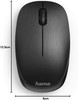
With dimensions of 6 × 3.1 × 10.5cm, this mouse is compact enough for portable use while still offering a familiar standard mouse shape for everyday navigation.
3 Button Layout with Scroll Wheel
The Hama MW-110 includes 3 buttons including the scroll wheel. This standard layout is ideal for browsing pages, scrolling documents, clicking links, selecting files and using everyday software.
Easy to Use for Work and Home
The simple 3-button design makes this mouse suitable for users who want a basic, reliable wireless mouse without extra gaming buttons, software profiles or advanced setup.
Power Saving Mode and AAA Battery Power
The mouse uses 2 AAA Micro batteries and includes a power saving mode to help extend battery life. Hama lists battery life at up to 120 days, depending on usage.
Batteries Included in the Box
The package includes the Hama MW-110 optical wireless mouse, USB receiver, 2 AAA batteries and operating manual, giving users what they need to get started.
Compatible with Windows and Mac
The Hama MW-110 supports Windows 11, Windows 10, Windows 8, Windows 7 and Mac OS 10.10 or later. It is suitable for compatible desktop PCs, laptops, all-in-one computers and other systems with a USB Type-A port.
USB Type-A Receiver Notice
This mouse uses a USB Type-A nano receiver. Devices with only USB-C ports may require a separate USB-C to USB-A adapter or hub.
Who Is the Hama MW-110 Best For?
- Home users needing a simple wireless mouse
- Office users working with documents, emails and spreadsheets
- Students using laptops for study and coursework
- Users wanting a compact mouse for travel or laptop bags
- Shared desk setups where left and right-handed users may use the same mouse
- Customers replacing a faulty or missing USB mouse
- Windows and Mac users needing a USB receiver wireless mouse
Hama MW-110 Wireless Optical Mouse Specifications
- Brand: Hama
- Model: MW-110
- Part Number: 00182618
- Product Type: Wireless optical mouse
- Colour: Black
- Connection: 2.4GHz RF wireless
- Receiver: USB Type-A nano receiver
- Sensor Type: Optical
- DPI: 1000 DPI
- Number of Buttons: 3 buttons including scroll wheel
- Mouse Wheel: Plastic scroll wheel
- Form Factor: Standard mouse, suitable for right and left-handed users
- Wireless Range: Up to 10 metres, depending on use and environment
- Special Feature: Power saving mode
- Sliding Pads: PTFE sliding pads
- Battery Type: 2 × AAA Micro batteries
- Battery Life: Up to 120 days, depending on usage
- Operating System Support: Windows 11 / 10 / 8 / 7 and Mac OS 10.10 or later
- Dimensions: 6 × 3.1 × 10.5cm
- Package Contents: Hama MW-110 optical wireless mouse, USB receiver, 2 AAA batteries and operating manual
Buying Advice
Before ordering, please check that your computer has a spare USB Type-A port for the nano receiver. If your laptop, tablet or MacBook only has USB-C ports, you may need a USB-C adapter or docking station. This is a practical everyday wireless mouse, not a Bluetooth mouse or gaming mouse, so it is best suited for standard home, office and laptop use.
Why Buy the Hama MW-110 Wireless Optical Mouse?
The Hama MW-110 Wireless Optical Mouse is a dependable choice for users who want a simple, compact and affordable cable-free mouse. With 2.4GHz wireless connectivity, a USB nano receiver, 1000 DPI optical tracking, 3-button control, ambidextrous design, power saving mode, included AAA batteries and Windows/Mac compatibility, it is ideal for everyday computing, office work, study, browsing and laptop use.
Specification
Hama MW-110 Wireless Optical Mouse Specifications
| Product Type | Wireless Optical Mouse |
| Brand | Hama |
| Model | MW-110 |
| Part Number | 00182618 |
| Colour | Black |
| Mouse Type | Standard Wireless Mouse |
| Connection Type | 2.4GHz RF Wireless |
| Receiver Type | USB Type-A Nano Receiver |
| Wireless Range | Up to 10m, Depending on Use and Environment |
| Sensor Type | Optical |
| DPI Range | 1000 DPI |
| Maximum DPI | 1000 DPI |
| Number of Buttons | 3 Buttons Including Scroll Wheel |
| Mouse Wheel | Plastic Scroll Wheel |
| Form Factor | Right and Left-Handed / Ambidextrous |
| Sliding Pads | Polytetrafluoroethylene / PTFE Sliding Pads |
| Special Features | Power Saving Mode and Smart-Link Technology for Easy Start-Up |
| Battery Type | AAA Micro Batteries |
| Number of Batteries | 2 × AAA Batteries |
| Battery Life | Up to 120 Days, Depending on Usage |
| Rechargeable | No |
| Power Supply Included | No Mains Power Supply Required |
| USB Power Delivery | No |
| Compatible Operating Systems | Windows 11 / 10 / 8 / 7 and Mac OS 10.10 or Later |
| Dimensions | 6 × 3.1 × 10.5cm |
| Package Contents | Hama MW-110 Optical Wireless Mouse, USB Receiver, 2 × AAA Micro Batteries and Operating Manual |
| Recommended Use | Home Office, Laptop Use, Desktop PCs, Study, Browsing, Email, Documents and Everyday Computing |
Wireless Receiver Notice
This mouse uses a 2.4GHz RF wireless connection with a USB Type-A nano receiver. It is not a Bluetooth mouse. Devices with only USB-C ports may require a USB-C to USB-A adapter or docking station.
DPI Notice
The Hama MW-110 has a fixed 1000 DPI optical sensor. It is suitable for everyday office, home and laptop use, but it is not designed as a high-DPI gaming mouse.
Battery Notice
The mouse uses 2 × AAA Micro batteries. Hama lists battery life at up to 120 days, depending on usage, battery quality and power-saving behaviour.
Compatibility Notice
The mouse supports Windows 11, Windows 10, Windows 8, Windows 7 and Mac OS 10.10 or later. A spare USB Type-A port is required for the receiver.
Surface Notice
The optical sensor works best on suitable flat surfaces or a mouse mat. Tracking may be reduced on glass, glossy or highly reflective surfaces.
Package Notice
The package includes the mouse, USB receiver, 2 AAA batteries and operating manual. A mains power adapter is not required or included.
Return
FAQ: Frequenlty Asked Questions
Hama MW-110 Wireless Optical Mouse FAQ
The Hama MW-110 Wireless Optical Mouse is a compact everyday wireless mouse designed for laptops, desktop PCs, home office setups, students and general computer use. This black model uses reliable 2.4GHz RF wireless technology with a small USB Type-A nano receiver, a 1000 DPI optical sensor, 3 buttons including scroll wheel, left- and right-handed design, power-saving mode, up to 10m wireless range, and support for Windows 11, Windows 10, Windows 8, Windows 7 and Mac OS 10.10 or later. It also includes 2 AAA batteries and is designed for simple plug-and-play use. Below are the most common questions buyers ask before choosing the Hama MW-110 black wireless optical mouse with USB nano receiver, including laptop compatibility, Bluetooth confusion, USB receiver use, DPI, battery life, left-handed use, Chromebook use, Mac compatibility, gaming suitability, troubleshooting, scrolling problems, tracking issues and who this mouse is best suited for.
1. What is the Hama MW-110 wireless mouse?
The Hama MW-110 is a compact wireless optical mouse with 3 buttons, a scroll wheel and a USB nano receiver. It is designed for everyday laptop, desktop, office, study and home computer use.
2. What is the Hama MW-110 best used for?
The Hama MW-110 is best used for general computing tasks such as web browsing, emails, documents, spreadsheets, schoolwork, office work, online shopping and everyday laptop control.
3. Is the Hama MW-110 Bluetooth?
No. The Hama MW-110 uses 2.4GHz RF wireless technology through the included USB Type-A nano receiver. It is not a Bluetooth mouse and will not connect directly through Bluetooth settings.
4. Does the Hama MW-110 include a USB receiver?
Yes. The mouse includes a small USB Type-A nano receiver. This receiver plugs into a laptop or desktop USB-A port and allows the mouse to connect wirelessly.
5. What is a USB nano receiver?
A USB nano receiver is a very small wireless receiver that plugs into a USB port. It is designed to be compact enough to leave in a laptop or PC without getting in the way.
6. Can I use the Hama MW-110 without the USB receiver?
No. Because this is not a Bluetooth mouse, the USB nano receiver is required. Without the receiver, the mouse cannot connect to the computer.
7. Will the Hama MW-110 work with a laptop?
Yes. The Hama MW-110 is suitable for laptops with a USB-A port. If your laptop only has USB-C ports, you may need a USB-C to USB-A adapter or hub.
8. Will the Hama MW-110 work with a desktop PC?
Yes. The mouse works with desktop PCs that have an available USB-A port for the nano receiver and a compatible operating system.
9. Does the Hama MW-110 work with Windows 11?
Yes. Hama lists the MW-110 as compatible with Windows 11, making it suitable for modern Windows laptops and desktop PCs.
10. Does the Hama MW-110 work with Windows 10?
Yes. The Hama MW-110 is compatible with Windows 10 and should work as a standard plug-and-play wireless mouse.
11. Does the Hama MW-110 work with Windows 8 or Windows 7?
Yes. Hama lists support for Windows 8 and Windows 7. Make sure the computer has a working USB-A port for the receiver.
12. Does the Hama MW-110 work with Mac?
Yes. Hama lists compatibility with Mac OS 10.10 or later. The mouse can be used for normal pointer control, clicking and scrolling on compatible Mac systems with a USB-A port or adapter.
13. Does the Hama MW-110 work with a MacBook?
It can work with a MacBook if the MacBook supports USB mouse input and you have a way to connect the USB-A nano receiver. Newer MacBooks may need a USB-C to USB-A adapter.
14. Does the Hama MW-110 work with Chromebook?
It may work with many Chromebooks that support standard USB mice, but Hama’s official compatibility list focuses on Windows and Mac OS. If your Chromebook only has USB-C ports, an adapter may be needed.
15. Does the Hama MW-110 work with tablets?
It may work with selected tablets that support USB mouse input through a USB adapter or docking hub. Compatibility depends on the tablet operating system, USB support and available ports.
16. Does this mouse need drivers?
In most cases, no extra driver is needed. The Hama MW-110 is designed for simple plug-and-play use on compatible Windows and Mac systems.
17. What does Smart-Link mean on this mouse?
Smart-Link is Hama’s easy start-up feature designed to make the mouse simple to connect. Insert the receiver, install the batteries, turn the mouse on and it should connect automatically on compatible systems.
18. What DPI is the Hama MW-110?
The Hama MW-110 has a 1000 DPI optical sensor. This is suitable for everyday pointer control, browsing, office work and general computer use.
19. Is 1000 DPI good for everyday use?
Yes. 1000 DPI is suitable for normal office work, laptop use, browsing, documents and general tasks. It offers a practical balance between control and pointer movement for everyday users.
20. Can I change the DPI on the Hama MW-110?
The Hama MW-110 is listed with 1000 DPI and does not normally include a dedicated DPI adjustment button. It is designed as a simple everyday mouse rather than a custom gaming mouse.
21. How many buttons does the Hama MW-110 have?
The Hama MW-110 has 3 buttons including the scroll wheel. This normally means left click, right click and the clickable scroll wheel/middle button.
22. Does the Hama MW-110 have a scroll wheel?
Yes. The mouse includes a scroll wheel, making it suitable for scrolling through webpages, documents, spreadsheets and menus.
23. Is the Hama MW-110 suitable for left-handed users?
Yes. Hama lists the MW-110 as suitable for both left- and right-handed users. Its standard symmetrical shape makes it practical for either hand.
24. Is the Hama MW-110 comfortable for right-handed users?
Yes. The mouse is suitable for right-handed users and has a standard compact shape for everyday computer control.
25. Is the Hama MW-110 a full-size mouse?
The MW-110 is a compact standard mouse measuring approximately 6 x 3.1 x 10.5cm. It is smaller than many large ergonomic desktop mice but practical for laptop bags and desk use.
26. Is the Hama MW-110 good for travel?
Yes. Its compact size, wireless connection and small USB nano receiver make it useful for travel, commuting, school, university and mobile laptop work.
27. What wireless range does the Hama MW-110 have?
Hama lists a wireless range of up to 10 metres, depending on usage and environmental conditions. Walls, metal desks, USB interference and distance can reduce the effective range.
28. What wireless frequency does the Hama MW-110 use?
The Hama MW-110 uses 2.4GHz RF wireless technology through the included USB receiver. This is common for simple plug-and-play wireless mice.
29. Can the 2.4GHz receiver suffer interference?
Yes. Interference can happen if the receiver is too far away, blocked by metal, connected behind a desktop tower, or close to other wireless devices. Moving the receiver closer can improve reliability.
30. Why is my Hama MW-110 lagging or disconnecting?
Common causes include weak batteries, receiver distance, USB interference, a poor tracking surface, a blocked optical sensor, low-quality USB hubs, or the receiver being plugged into a rear USB port far from the mouse.
31. What batteries does the Hama MW-110 use?
The Hama MW-110 uses 2 AAA batteries. Hama lists 2 AAA Micro batteries in the box, so you can start using the mouse straight away.
32. Are batteries included with the Hama MW-110?
Yes. Hama lists 2 AAA Micro batteries included in the package. Battery contents may vary by region or supplier, so check the product listing if this is important.
33. How long does the battery last?
Hama lists battery life up to 120 days depending on usage. Actual battery life depends on how often you use the mouse, battery quality and whether the mouse enters power-saving mode correctly.
34. Does the Hama MW-110 have power-saving mode?
Yes. The mouse includes a power-saving mode to help extend battery life when it is not being used.
35. Does the Hama MW-110 have an on/off switch?
Many wireless mice include an on/off switch on the underside. If your MW-110 is not responding, check the underside of the mouse, battery compartment and operating manual for the power switch and battery position.
36. Is the Hama MW-110 rechargeable?
No. The Hama MW-110 uses replaceable AAA batteries. It is not a built-in rechargeable USB mouse.
37. Can I use rechargeable AAA batteries?
Rechargeable AAA batteries may work, provided they are the correct size and in good condition. Battery life may differ from standard alkaline batteries.
38. Is the Hama MW-110 good for gaming?
The Hama MW-110 is best for everyday use rather than competitive gaming. For gaming, especially fast FPS games, a dedicated gaming mouse with higher DPI options, polling rate features and extra buttons may be better.
39. Is the Hama MW-110 good for office work?
Yes. It is a good simple option for office work, home working, browsing, emails, spreadsheets, documents and general productivity tasks.
40. Is the Hama MW-110 good for students?
Yes. The compact size, wireless design and included receiver make it suitable for students using laptops at school, college, university or home.
41. Can I use the Hama MW-110 with a USB hub?
Yes, but for best reliability the receiver should be connected directly to the computer where possible. Some USB hubs can cause connection problems or increase distance from the mouse.
42. Why is my computer not recognising the USB receiver?
Try another USB port, avoid unpowered hubs, restart the computer, check Device Manager or system settings, replace the batteries, and make sure the receiver is fully inserted. If the receiver is missing or damaged, the mouse may not connect.
43. What should I do if the mouse lights up but does not move?
Check that nothing is blocking the optical sensor, try a mouse mat, clean the sensor area gently, replace the batteries, move the receiver closer and test a different USB port.
44. Why is the cursor jumping or tracking badly?
Optical mice can struggle on glass, glossy, reflective, very dark or uneven surfaces. Use a plain mouse mat or suitable desk surface, and check that the optical sensor is clean.
45. Can I use this mouse on glass?
It is not recommended. Many standard optical mice do not track well on glass or highly reflective surfaces. A mouse mat is recommended for smoother and more reliable control.
46. Can I replace the USB receiver if it is lost?
For most budget wireless mice, the original receiver is paired to the mouse and is not easily replaced with a generic receiver. If the receiver is lost, the mouse may no longer be usable wirelessly.
47. What is included in the box?
Hama lists the package contents as 1 MW-110 optical wireless mouse, 1 receiver, 2 AAA Micro batteries and 1 operating manual.
48. What should I check before buying the Hama MW-110?
Check that your computer has a USB-A port or suitable adapter, that you want a 2.4GHz USB receiver mouse rather than Bluetooth, that 1000 DPI is enough, and that a compact 3-button everyday mouse suits your use.
49. Who should NOT buy the Hama MW-110 wireless mouse?
The Hama MW-110 is not ideal for users who need Bluetooth-only connection, USB-C receiver without an adapter, rechargeable built-in battery, silent clicks, gaming features, adjustable DPI, side buttons, ergonomic vertical shape or advanced software. It is best for users who want a simple, affordable, plug-and-play wireless optical mouse for everyday use.
50. Why buy the Hama MW-110 Wireless Optical Mouse from Memox?
Buying the Hama MW-110 Wireless Optical Mouse from Memox is a practical choice if you need a simple black wireless mouse for a laptop, desktop PC, office, school, home or travel setup. Memox offers mice, keyboards, USB accessories, cables, adapters, docking stations, storage, RAM, networking products, PC components and computer accessories for UK customers.