
HAMA
Hama Connect2Office Pro USB-C 10-in-1 Docking Station - USB-C (PD Power), USB-C (Data), 4x USB-A, 2x HDMI, DisplayPort, RJ45, Aluminium
- SKU:
- 200100
- UPC:
- 4047443470966
- MPN:
- 00200100
- Availability:
- Free Click & Collect in Peterborough. UK delivery also available




Description
Hama Connect2Office Pro USB-C 10-in-1 Docking Station – USB-C PD, 2× HDMI, DisplayPort, RJ45 and 4× USB-A
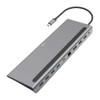
The Hama Connect2Office Pro USB-C 10-in-1 Docking Station is a professional multiport USB-C dock designed to turn a compatible laptop, MacBook, tablet or USB-C PC into a more complete workstation. With 10 useful connections, including 2× HDMI, 1× DisplayPort, Gigabit Ethernet, USB-C Power Delivery up to 100W, USB-C data and 4× USB-A ports, it is ideal for home office setups, business desks, hot-desking, hybrid working and multi-screen productivity.
This Hama Connect2Office Pro docking station is ideal for customers searching for a USB-C 10-in-1 docking station, USB-C dock with dual HDMI, USB-C docking station with DisplayPort, USB-C hub with RJ45 Ethernet, laptop docking station with Power Delivery, USB-C office dock, multi-monitor USB-C dock, or a compact aluminium workstation dock for compatible Windows laptops, MacBooks, tablets and USB-C devices.
Key Features of the Hama Connect2Office Pro USB-C Docking Station
- 10-in-1 USB-C docking station for expanding a compatible laptop, PC, MacBook or tablet
- 2× HDMI ports for connecting external monitors, TVs or projectors
- 1× DisplayPort 1.4 for an additional display connection
- RJ45 Gigabit Ethernet for stable wired network access up to 1Gbps
- USB-C Power Delivery up to 100W for charging compatible laptops through a USB-C PD charger
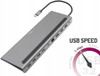
- USB-C data port up to 5Gbps for compatible storage and peripherals
- 1× USB-A 3.2 Gen1 port up to 5Gbps for fast USB accessories
- 3× USB-A 2.0 ports up to 480Mbps for keyboard, mouse, printer and everyday peripherals
- Aluminium housing with a premium anthracite / grey finish
- Integrated USB-C cable with kink protection for convenient connection
- Plug and Play design with no manual driver installation required in many supported systems
- Compatible with Thunderbolt 3/4 ports where the host device supports the required video and power features
10-in-1 USB-C Dock for Home Office and Business Desks
The Hama Connect2Office Pro is designed to reduce cable clutter and make a laptop feel more like a desktop workstation. Instead of connecting every device separately, users can connect monitors, keyboard, mouse, Ethernet, USB storage and charging through one USB-C dock.
Useful for Hybrid Working and Hot-Desking
This dock is ideal for users who move between home, office and shared desks. Once the desk accessories are connected to the dock, the laptop can be connected or disconnected with one main USB-C cable, saving time and keeping the workspace tidier.
Multiple Display Outputs with HDMI and DisplayPort
The Connect2Office Pro includes 2× HDMI ports and 1× DisplayPort 1.4, making it useful for external screens, projectors and productivity setups. The video outputs support up to 4K resolution depending on the connected display, cable, host device and operating system support.
Important Multi-Monitor Compatibility
To use the HDMI or DisplayPort outputs, the connected laptop or tablet must support DisplayPort Alt Mode, Thunderbolt 3/4 or USB4 video output through USB-C. Multi-stream transport, also known as MST, is supported only on current Microsoft Windows systems. On some Mac systems, multiple external displays may be mirrored rather than extended independently.
USB-C Power Delivery up to 100W
The docking station includes a USB-C Power Delivery port supporting up to 100W input when used with a compatible USB-C PD charger and compatible laptop. This allows charging through the dock while using the other ports for displays, Ethernet and USB accessories.
Power Adapter Notice
The docking station itself does not replace the laptop power supply. A suitable USB-C Power Delivery charger is required if you want to charge a laptop through the dock. The maximum charging power also depends on the charger, cable and laptop power requirements.
Gigabit Ethernet for Stable Wired Networking
The built-in RJ45 Gigabit Ethernet port supports network speeds up to 10/100/1000Mbps. This is useful for office networks, video meetings, cloud software, downloads, database access and situations where wired networking is more stable than WiFi.
Reliable Connection for Office Work
A wired Ethernet connection can help provide more stable performance than wireless networking, especially in busy homes, offices or shared workspaces where WiFi signal strength may vary.
USB-A and USB-C Ports for Everyday Accessories
The Hama Connect2Office Pro provides a practical mix of USB ports for daily accessories. It includes 1× USB-A 3.2 Gen1 and 1× USB-C data port with transfer rates up to 5Gbps, plus 3× USB-A 2.0 ports for common office devices.
Connect Keyboard, Mouse, Storage and Printers
The USB ports can be used for peripherals such as keyboards, mice, USB flash drives, external drives, printers, webcams and other compatible accessories. High-speed storage devices should be connected to the 5Gbps USB-A or USB-C data ports for best performance.
Premium Aluminium Design
The docking station features a sturdy aluminium housing with an anthracite / grey finish. Its slim desktop design makes it suitable for professional workstations, laptop stands, compact desks and office environments.
Integrated Cable and Wide Port Spacing
The integrated USB-C cable helps keep setup simple, while the wide spacing between ports makes it easier to connect wider USB plugs and dongles without blocking nearby ports.
Who Is the Hama Connect2Office Pro Best For?
- Home office users wanting a cleaner USB-C workstation
- Business users connecting monitors, Ethernet and USB peripherals
- Laptop users who need HDMI, DisplayPort, RJ45 and USB expansion
- Hybrid workers moving between office and home desks
- Windows users needing MST multi-monitor support
- MacBook and USB-C laptop users needing a compact docking solution
- Students and professionals using external screens and wired accessories
Hama Connect2Office Pro USB-C 10-in-1 Docking Station Specifications
- Brand: Hama
- Model / Part Number: 00200100
- Product Type: USB-C docking station / multiport adapter
- Number of Ports: 10
- Host Connection: USB-C integrated cable
- USB Standard: USB 3.2 Gen1
- Video Outputs: 2× HDMI and 1× DisplayPort 1.4
- Maximum Video Resolution: Up to 4K, host and display dependent
- Ethernet: 1× RJ45 Gigabit Ethernet, 10/100/1000Mbps
- USB-C Power Delivery: Up to 100W, 5–20V / 5A
- USB-C Data: 1× USB-C data port up to 5Gbps
- USB-A Ports: 1× USB-A 3.2 Gen1 up to 5Gbps and 3× USB-A 2.0 up to 480Mbps
- Housing Material: Aluminium
- Colour: Grey / Anthracite
- Cable Length: 0.25m integrated cable
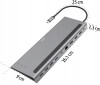
- Dimensions: 261 × 23 × 90mm
- Power Supply: Powered via USB-C; USB-C PD charger required for laptop charging
- Operating System Support: Windows 11, Windows 10, Windows 8, Windows 7 and Mac OS from 10.8, depending on host-device support
- Package Contents: USB-C docking station and instruction manual
Buying Advice
Before ordering, please check that your laptop, tablet or USB-C device supports the features you want to use. For external monitors, the USB-C port must support DisplayPort Alt Mode, Thunderbolt 3/4 or USB4 video output. For charging through the dock, the host device and charger must support USB Power Delivery. For multiple independent displays, Windows MST support may be required.
Why Buy the Hama Connect2Office Pro USB-C Docking Station?
The Hama Connect2Office Pro USB-C 10-in-1 Docking Station is a practical workstation upgrade for compatible laptops, MacBooks, tablets and USB-C PCs. With dual HDMI, DisplayPort, Gigabit Ethernet, USB-C Power Delivery up to 100W, USB-C data, four USB-A ports, aluminium housing and plug-and-play convenience, it is ideal for home office productivity, business desks, hybrid working and multi-device laptop setups.
Specification
Hama Connect2Office Pro USB-C 10-in-1 Docking Station Specifications
| Product Type | USB-C Docking Station / Multiport Adapter |
| Brand | Hama |
| Product Name | Hama USB-C Docking Station “Connect2Office Pro”, 10 Ports |
| Model / Item Number | 00200100 |
| Number of Connections | 10 |
| Host Connection | USB-C Plug with Integrated Cable |
| Connection Cable | Integrated USB-C Cable |
| Cable Length | 0.25m |
| USB Standard | USB 3.2 Gen1 |
| HDMI Ports | 2 × HDMI™ / High Speed HDMI™ / Up to 4K@60Hz |
| DisplayPort | 1 × DisplayPort / DP 1.4 / Up to 4K@60Hz |
| Maximum Resolution | Up to 4K 4096 × 2160, Host and Display Dependent |
| MST Multi-Monitor Support | Supported on Current Microsoft Windows Systems, Host Dependent |
| Ethernet Port | 1 × LAN / Ethernet RJ45 Gigabit Port |
| Network Speed | 10 / 100 / 1000Mbps |
| USB-C Power Port | 1 × USB-C Power Delivery, 5–20V / 5A, Up to 100W |
| USB-C Data Port | 1 × USB-C USB 3.2 Gen1, Up to 5Gbps |
| USB-A High-Speed Port | 1 × USB-A USB 3.2 Gen1, Up to 5Gbps |
| USB-A 2.0 Ports | 3 × USB-A USB 2.0, Up to 480Mbps |
| Charge Technology | USB Power Delivery / USB PD |
| Maximum Connected Load | 100W |
| Power Supply | Powered via USB; USB-C PD Charger Required for Laptop Charging |
| Material | Aluminium Housing |
| Colour | Grey / Anthracite |
| Product Line | Essential Line |
| Plug and Play | Yes, No Manual Software / Driver Installation Required in Supported Systems |
| Thunderbolt Compatibility | Compatible with Thunderbolt 3 / 4 Host Ports, Feature Dependent |
| Operating System Support | Windows 11 / 10 / 8 / 7 and Mac OS 10.8 or Later |
| Dimensions | 261 × 23 × 90mm (W × H × D) |
| Package Contents | 1 × USB-C Docking Station and 1 × Operating Manual |
| Warranty | 2-Year Hama Manufacturer Warranty |
USB-C Video Compatibility Notice
To use the HDMI or DisplayPort monitor outputs, the connected laptop, tablet or USB-C device must support DisplayPort Alternate Mode, Thunderbolt 3/4 or USB4 video output.
MST Multi-Monitor Notice
The MST function over HDMI or DisplayPort works only with current Microsoft Windows operating systems. On some Mac systems, multiple external displays may mirror rather than extend independently.
USB-C Charging Notice
To charge a laptop through the dock, the host device must support USB Power Delivery or Thunderbolt 3/4. A suitable USB-C PD charger is required and is not listed as included in the standard package contents.
Display Resolution Notice
The dock supports up to 4K 4096 × 2160 and Hama lists HDMI and DisplayPort outputs up to 4K@60Hz. Actual resolution and refresh rate depend on the laptop, USB-C port capability, cable, display and operating system.
Port Speed Notice
The USB-C data port and one USB-A port support up to 5Gbps. The three USB-A 2.0 ports support up to 480Mbps and are best suited for keyboards, mice, printers and standard accessories.
Return
FAQ: Frequenlty Asked Questions
Hama Connect2Office Pro USB-C 10-in-1 Docking Station FAQ
The Hama Connect2Office Pro USB-C 10-in-1 Docking Station is a multi-port USB-C docking station designed to turn a compatible laptop, tablet or MacBook into a more complete desk workstation. It connects through one USB-C host connection and adds multiple ports, including 2x HDMI, 1x DisplayPort, 1x Gigabit RJ45 Ethernet, 4x USB-A, 1x USB-C data port and 1x USB-C Power Delivery port. It supports USB data transfer up to 5Gbps, wired network speeds up to 1Gbps, USB-C Power Delivery up to 100W, and high-resolution display output up to 4K where supported by the connected laptop. Below are the most common questions buyers ask before choosing the Hama Connect2Office Pro 10-in-1 USB-C dock, including monitor compatibility, HDMI and DisplayPort support, USB-C charging, MacBook limitations, Windows laptop compatibility, DisplayPort Alt Mode, MST, USB-C data-only ports, Ethernet, keyboard and mouse use, power delivery, and who this dock is best suited for.
1. What is the Hama Connect2Office Pro USB-C 10-in-1 Docking Station?
The Hama Connect2Office Pro is a USB-C docking station that expands one compatible USB-C port into multiple workstation connections, including HDMI, DisplayPort, USB-A, USB-C data, USB-C Power Delivery and Gigabit Ethernet.
2. What is this Hama Connect2Office Pro dock best used for?
This dock is best used for creating a home office, business desk or study workstation with external monitors, keyboard, mouse, USB accessories, wired Ethernet and USB-C laptop charging through one main USB-C connection.
3. How many ports does the Hama Connect2Office Pro have?
The Hama Connect2Office Pro has 10 additional ports, including 2 HDMI ports, 1 DisplayPort, 1 Gigabit RJ45 LAN port, 4 USB-A ports, 1 USB-C data port and 1 USB-C Power Delivery charging port.
4. What is the Hama product model number?
The model number commonly listed for this Hama Connect2Office Pro 10-port docking station is 00200100.
5. Does the Hama Connect2Office Pro connect by USB-C?
Yes. The dock connects to the host laptop, tablet or MacBook using a USB-C connection. The connected device must support the features you want to use, such as video output, Power Delivery or data transfer.
6. Does this dock work with Thunderbolt laptops?
Yes, it can work with many Thunderbolt 3 or Thunderbolt 4 laptops because Thunderbolt ports normally support USB-C data, charging and video features. Actual display support still depends on the laptop and operating system.
7. Does this dock need a special USB-C port?
Yes. For monitor output, the laptop USB-C port must support DisplayPort Alternate Mode, Thunderbolt 3, Thunderbolt 4 or USB4 video output. A data-only USB-C port will not drive external monitors through this dock.
8. What is DisplayPort Alternate Mode?
DisplayPort Alternate Mode, often called DP Alt Mode, allows a USB-C port to send video signals to HDMI or DisplayPort outputs. Without DP Alt Mode or Thunderbolt/USB4 video support, the dock’s monitor outputs will not work.
9. Will this dock work if my USB-C port is data-only?
The USB ports and Ethernet may work, but HDMI and DisplayPort video output will not work if the laptop USB-C port is data-only. This is a hardware limitation of the laptop, not usually a driver issue.
10. Does the Hama Connect2Office Pro support Power Delivery charging?
Yes. The dock includes a USB-C Power Delivery port that supports pass-through charging up to 100W when used with a suitable USB-C PD charger and a compatible laptop.
11. Does the dock include a power supply?
The dock is normally used with your existing USB-C Power Delivery charger. If you want to charge a laptop through the dock, connect a compatible USB-C PD power supply to the dock’s PD charging port.
12. Will the dock charge every USB-C laptop?
No. The laptop must support USB-C Power Delivery charging. Some laptops use USB-C only for data, while gaming laptops and high-power workstations may require their original higher-wattage charger.
13. Is 100W Power Delivery enough for a laptop?
100W is enough for many business laptops, ultrabooks and USB-C charging laptops. Some gaming laptops, workstation laptops or high-performance models may need more power from their original charger.
14. Does the dock support HDMI monitors?
Yes. The Hama Connect2Office Pro includes two HDMI ports for connecting compatible monitors, TVs or projectors.
15. Does the dock support DisplayPort monitors?
Yes. The dock includes one DisplayPort output for connecting a compatible monitor, TV or projector with a DisplayPort input or suitable adapter.
16. What is the maximum display resolution?
The dock is commonly listed with support for Ultra HD 4K resolution up to 4096 x 2160, depending on the connected laptop, monitor, cable and display configuration.
17. Does the Hama Connect2Office Pro support multiple monitors?
Yes. The dock is designed to support multiple external displays using its 2 HDMI ports and DisplayPort, provided the connected laptop supports the required video output and MST features.
18. What is MST on this docking station?
MST stands for Multi-Stream Transport. It allows a compatible Windows laptop to use multiple external displays with different content through one USB-C video connection, depending on hardware and operating system support.
19. Does MST work properly on MacBook?
macOS generally does not support DisplayPort MST for multiple independent extended displays through many USB-C docks. On many MacBooks, multiple screens through an MST dock may mirror rather than extend, or may be limited by the Mac model.
20. Can I use two external monitors with a MacBook?
It depends on the MacBook model and display technology. Many USB-C MST docks work better with Windows for multiple extended displays, while MacBook users may need a Thunderbolt dock, DisplayLink dock or separate direct monitor connections for dual extended displays.
21. Can I use three external monitors with this dock?
The dock is designed with three video outputs, but using three external monitors depends on the laptop’s USB-C video capability, operating system, graphics support, resolution and MST support. Not every laptop can drive three external screens through one USB-C dock.
22. Why are my monitors not detected through the dock?
The most common reason is that the laptop USB-C port does not support video output. Other causes include incorrect display settings, unsupported resolution, wrong cable, weak power supply, outdated graphics drivers or a monitor input set to the wrong source.
23. Why does the dock show “USB device not supported” or similar?
This can happen when the laptop USB-C port does not support all dock functions, especially video output or Power Delivery. Check your laptop manual to confirm USB-C data, video and charging support.
24. Can a driver update make HDMI work on a data-only USB-C port?
No. If the USB-C port does not physically support DisplayPort Alt Mode, Thunderbolt or USB4 video, a driver update cannot add video output. You would need a different laptop port or a DisplayLink-based dock.
25. Is this a DisplayLink docking station?
No. This dock is best understood as a USB-C video dock that relies on the laptop’s native USB-C video output. If your laptop lacks USB-C video support, a DisplayLink docking station may be a better option.
26. Does the dock require DisplayLink drivers?
No. This type of dock normally does not require DisplayLink drivers for video. It relies on native USB-C DisplayPort Alt Mode, Thunderbolt or USB4 video support from the host device.
27. Does the dock work with Windows 11?
Yes, it can work with compatible Windows 11 laptops that have the required USB-C features. For display output, the USB-C port must support video output through DP Alt Mode, Thunderbolt or USB4.
28. Does the dock work with Windows 10?
Yes. It can work with compatible Windows 10 laptops and tablets. Monitor, charging and network features depend on the laptop’s USB-C capabilities and drivers.
29. Does the dock work with macOS?
Yes, many functions can work with macOS, such as USB accessories, Ethernet and display output where supported. However, multiple extended displays through MST may be limited on MacBooks.
30. Does the dock work with iPad or tablets?
It may work with compatible USB-C tablets for selected functions such as USB accessories, Ethernet, charging or display output. Support depends on the tablet operating system and USB-C feature support.
31. Does the Hama Connect2Office Pro have Ethernet?
Yes. The dock includes an RJ45 Gigabit Ethernet port for wired network connections up to 1Gbps, depending on your network, cable, router and laptop support.
32. Is Ethernet through the dock better than Wi-Fi?
Wired Ethernet is often more stable than Wi-Fi and can be better for video calls, office work, large downloads, remote desktop, business networks and low-latency connections.
33. How fast are the USB ports?
The dock includes USB 3.2 Gen 1 data ports with transfer speeds up to 5Gbps, plus USB 2.0 ports for lower-speed accessories such as keyboard, mouse, printer or headset adapters.
34. Which USB-A port is fastest?
The dock includes one USB-A 3.2 Gen 1 port for faster data transfer, while the other USB-A ports are USB 2.0. Use the faster USB-A 3.2 Gen 1 port for external drives or high-speed USB storage.
35. Can I connect a keyboard and mouse?
Yes. The dock is suitable for USB keyboards, USB mice, wireless receivers and other basic USB peripherals. The USB 2.0 ports are usually enough for keyboard and mouse use.
36. Can I connect an external hard drive or USB stick?
Yes. You can connect external drives or USB sticks, especially through the USB-C data port or USB-A 3.2 Gen 1 port. For best performance, use the faster USB 3.2 Gen 1 ports.
37. Can I connect a printer to this dock?
Yes. USB printers can normally be connected through one of the dock’s USB-A ports, provided the printer is supported by your operating system and driver setup.
38. Does the dock support audio ports?
This specific Hama Connect2Office Pro 10-in-1 model is mainly listed with video, USB, Ethernet and USB-C charging/data ports. It is not normally listed with a dedicated 3.5mm audio port.
39. Can I use this dock as a laptop stand?
Yes. The product description describes the dock as usable in a desk setup to raise the laptop for more ergonomic working, with rubberised standing feet for stability.
40. What are the dimensions of the Hama Connect2Office Pro?
The dock is commonly listed at approximately 26.1 x 9 x 2.3cm, with a host cable length of around 0.25m. This makes it suitable for desk use rather than pocket carry.
41. Is the casing aluminium?
Yes. The dock is listed with a high-quality aluminium housing, giving it a durable finish and helping with heat dissipation during normal use.
42. Does the Hama dock get warm?
It may become warm during use, especially when driving monitors, Ethernet, USB devices and charging at the same time. Some warmth is normal for compact docking stations, but it should be used on a flat, ventilated surface.
43. Is this dock plug and play?
Yes. Many functions are plug and play on compatible laptops. However, display output, Ethernet and charging depend on the laptop’s USB-C capabilities and operating system support.
44. Can I use the dock with a gaming laptop?
It may work with a gaming laptop for monitors, USB accessories and Ethernet if the USB-C port supports the required features. However, many gaming laptops need their original power adapter because 100W USB-C PD may not be enough for full performance.
45. Is this dock good for home office use?
Yes. It is ideal for home office users who want one USB-C connection for monitors, keyboard, mouse, Ethernet, USB storage and laptop charging, provided the laptop supports the required USB-C functions.
46. Is this dock good for hot-desking?
Yes. It is useful for hot-desking because monitors, network, keyboard, mouse and USB accessories can stay connected to the dock, while the laptop connects and disconnects through one USB-C cable.
47. Can this dock replace a desktop PC setup?
It can help a laptop work like a desktop by adding monitors, Ethernet and USB accessories. It does not increase the laptop’s CPU, GPU or memory performance, but it can make the workstation much more practical.
48. What should I check before buying the Hama Connect2Office Pro?
Check that your laptop USB-C port supports DisplayPort Alt Mode, Thunderbolt or USB4 for video, USB-C Power Delivery if you want charging, the monitor resolutions you need, whether you use Windows or Mac, and whether you need DisplayLink for unsupported USB-C ports.
49. Who should NOT buy the Hama Connect2Office Pro USB-C dock?
This dock is not ideal for laptops with data-only USB-C ports if you need external monitors, Mac users who need guaranteed multiple extended displays through MST, users needing DisplayLink, users needing more than 100W charging, or users who need Thunderbolt-level performance. It is best for compatible USB-C laptops that support video output, Power Delivery and desk-based multi-port connectivity.
50. Why buy the Hama Connect2Office Pro USB-C 10-in-1 Docking Station from Memox?
Buying the Hama Connect2Office Pro USB-C 10-in-1 Docking Station from Memox is a practical choice if you need a multi-monitor USB-C docking station for a compatible laptop, tablet or MacBook. Memox offers docking stations, USB-C hubs, cables, monitors, networking products, SSDs, RAM, PC components and computer accessories for UK customers.