
GIGABYTE
Gigabyte GC-WIFI7 Intel WiFi 7 5800Mbps Tri-Band Wireless PCI-Express and Bluetooth 5.3 Card with Magnetic Ultra High-Gain Antenna
- SKU:
- NPGIG-GCWIFI7
- UPC:
- 4719331859558
- MPN:
- GC-WIFI7
- Condition:
- New


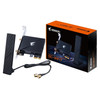
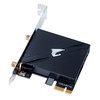
Description
GIGABYTE GC-WIFI7 Wi-Fi 7 PCIe Card – Tri-Band 5800Mbps Desktop Adapter with Bluetooth 5.3
The GIGABYTE GC-WIFI7 is a high-speed Wi-Fi 7 PCIe adapter card designed to upgrade compatible desktop PCs with faster wireless networking and Bluetooth connectivity. With support for tri-band 2.4GHz, 5GHz, and 6GHz Wi-Fi, wireless speeds of up to 5800Mbps, and an included magnetic ultra-high-gain antenna, it is built for users who want strong wireless performance for gaming, streaming, downloads, and modern home or office networking.
Using a PCIe x1 interface, the GC-WIFI7 is a practical option for buyers looking for a desktop Wi-Fi 7 card, a tri-band wireless PCIe adapter, or a Bluetooth upgrade card for PC. It is especially relevant for users moving to newer routers and wanting access to the latest wireless standard on a desktop build.
Key Features of the GIGABYTE GC-WIFI7
- Built-in Wi-Fi 7 module
- Up to 5800Mbps wireless speed
- Tri-band support: 2.4GHz, 5GHz and 6GHz
- 320MHz bandwidth support
- Bluetooth 5.3 compatible
- PCIe x1 interface card
- Ultra-high gain 2Tx2R magnetic antenna
- MLO (Multi-Link Operation)
- MRU (Multiple RU)
- 4K-QAM support
- MU-MIMO TX/RX support
Designed for Fast Desktop Wi-Fi Upgrades
The GIGABYTE GC-WIFI7 is designed for desktop users who want to add or upgrade wireless networking without relying on older Wi-Fi standards or USB adapters. With support for Wi-Fi 7 and tri-band operation, it is aimed at users who want better wireless capacity, faster throughput, and improved responsiveness on compatible networks.
This makes it especially useful for buyers searching for a Wi-Fi 7 card for gaming PC, a desktop tri-band Wi-Fi adapter, or a PCIe wireless card with Bluetooth.
Good for Gaming, Streaming and High-Bandwidth Use
Because GIGABYTE highlights support for up to 5800Mbps, 320MHz channels, and features such as MLO and 4K-QAM, this adapter is well suited to high-speed home networking environments where low latency, strong wireless capacity, and modern router compatibility are important.
Wi-Fi 7 Features and Tri-Band Connectivity
GIGABYTE’s official GC-WIFI7 specs highlight support for the latest IEEE 802.11 a/b/g/n/ac/ax/be wireless standards, giving this card broad backward compatibility alongside next-generation Wi-Fi 7 capability. It supports the 2.4GHz, 5GHz, and 6GHz bands, helping users take advantage of tri-band wireless networking on compatible routers.
Modern Wireless Features
The GC-WIFI7 also supports MLO (Multi-Link Operation), which allows simultaneous connections across two bands, MRU to improve interference mitigation and OFDMA efficiency, and 4K-QAM for higher transmission efficiency. These are key Wi-Fi 7-era features that make the card more attractive for future-ready PC networking.
Bluetooth 5.3 and Antenna Design
In addition to wireless networking, the card is marketed by GIGABYTE as Bluetooth 5.3 compatible, making it useful for connecting Bluetooth peripherals such as headphones, controllers, keyboards, mice, and other accessories.
The included ultra-high gain 2Tx2R antenna is also an important selling point. GIGABYTE states that it supports both directional and omnidirectional signals, which can help with more flexible antenna placement and better reception in a desktop environment.
Magnetic Ultra-High-Gain Antenna
The magnetic antenna base helps users position the antenna more conveniently on or around the PC setup for improved signal placement, rather than being limited to fixed rear-panel antenna positioning.
Technical Specifications
- Brand: GIGABYTE
- Model: GC-WIFI7
- Wireless standard: Wi-Fi 7
- Wireless bands: 2.4GHz / 5GHz / 6GHz
- Maximum speed: up to 5800Mbps
- Bandwidth support: up to 320MHz
- Bluetooth: 5.3 compatible
- PCIe interface: PCIe x1
- Antenna: Ultra-high gain 2Tx2R magnetic antenna
- Wireless standards: IEEE 802.11 a/b/g/n/ac/ax/be
- Wireless features: MLO, MRU, 4K-QAM, MU-MIMO TX/RX
- EAN: 4719331859558
Compatibility Information
GIGABYTE’s UK product page states that the GC-WIFI7 supports Windows 11 only. Before ordering, buyers should check that their desktop system has a free PCIe x1 slot and that their operating system and motherboard setup are compatible.
Who This Card Is Best For
- Desktop PC users wanting a Wi-Fi 7 upgrade
- Buyers looking for a tri-band PCIe Wi-Fi card
- Users who want Bluetooth 5.3 on a desktop PC
- Gamers and streamers using modern Wi-Fi 6E or Wi-Fi 7 routers
- Customers searching for the exact GIGABYTE GC-WIFI7 model
Buying Advice
For best results, pair the GC-WIFI7 with a compatible Wi-Fi 7 or Wi-Fi 6E router and confirm that your system supports the required operating system and internal slot connection. If you are upgrading an older desktop, checking OS support first is especially important because GIGABYTE lists this product as Windows 11 only.
Specification
| DESIGN | |
|---|---|
| Internal | Yes |
| Antenna type | 2x2 |
| Product colour | Black |
| Antenna | Yes |
| Component for | PC |
| NETWORKING | |
| Wi-Fi standards | 802.11a, 802.11b, 802.11g, Wi-Fi 4 (802.11n), Wi-Fi 5 (802.11ac), Wi-Fi 6 (802.11ax), Wi-Fi 6E (802.11ax), Wi-Fi 7 (802.11be) |
| Maximum data transfer rate | 5800 Mbit/s |
| Bluetooth version | 5.3 |
| Networking standards | IEEE 802.11be, IEEE 802.11a, IEEE 802.11ac, IEEE 802.11ax, IEEE 802.11b, IEEE 802.11g, IEEE 802.11n |
| Bluetooth | Yes |
| Wi-Fi | Yes |
| Frequency range | 2.4 - 6 GHz |
| Wi-Fi band | Tri-band (2.4 GHz / 5 GHz / 6 GHz) |
| Top Wi-Fi standard | Wi-Fi 7 (802.11be) |
| PACKAGING CONTENT | |
| Quick installation guide | Yes |
| PORTS & INTERFACES | |
| Interface | WLAN / Bluetooth |
| Connectivity technology | Wireless |
| Host interface | PCI Express |
Return
FAQ: Frequently Asked Questions
Gigabyte GC-WIFI7 FAQ
The Gigabyte GC-WIFI7 is a PCIe Wi-Fi 7 and Bluetooth 5.3 expansion card designed to upgrade desktop PCs with fast tri-band wireless networking and Bluetooth connectivity. Below are the most common questions buyers ask before choosing this Wi-Fi 7 PCIe adapter.
1. What is the Gigabyte GC-WIFI7?
The Gigabyte GC-WIFI7 is a PCIe x1 wireless expansion card that adds Wi-Fi 7 and Bluetooth 5.3 to a compatible desktop PC. It is designed for users who want faster wireless networking, 6GHz support, and Bluetooth connectivity without replacing the whole motherboard.
2. Does the Gigabyte GC-WIFI7 support Wi-Fi 7?
Yes. Gigabyte lists the GC-WIFI7 as a built-in Wi-Fi 7 module supporting IEEE 802.11 a/b/g/n/ac/ax/be standards.
3. What maximum speed does the Gigabyte GC-WIFI7 support?
Gigabyte states that the GC-WIFI7 supports wireless connections of up to 5800Mbps. Actual performance will depend on your router, signal strength, setup, and environment.
4. Is the Gigabyte GC-WIFI7 tri-band?
Yes. It supports the 2.4GHz, 5GHz, and 6GHz bands, which is one of the key reasons buyers choose a Wi-Fi 7 card over older Wi-Fi 5 or Wi-Fi 6 adapters.
5. Does the Gigabyte GC-WIFI7 support the 6GHz band?
Yes. Gigabyte lists support for 2.4GHz, 5GHz, and 6GHz carrier bands. Availability of Wi-Fi 7 channels on the 6GHz band depends on local country regulations.
6. Does the Gigabyte GC-WIFI7 support Bluetooth?
Yes. Gigabyte lists Bluetooth 5.3 compatibility for this card, making it suitable for Bluetooth headphones, keyboards, mice, controllers, and other supported devices.
7. Does the Gigabyte GC-WIFI7 need a PCIe slot?
Yes. This is a PCIe x1 interface card, so it needs a compatible PCI Express slot in your desktop motherboard.
8. Does the Gigabyte GC-WIFI7 also need a USB header connection?
Yes. Gigabyte’s installation guide shows that after installing the card in the PCIe slot, you connect the included USB cable from the card to the motherboard’s FUSB connector. This is one of the most common questions buyers ask with Wi-Fi and Bluetooth PCIe cards.
9. Why do I need the USB header for the Gigabyte GC-WIFI7?
Buyers often ask this because Wi-Fi may appear more straightforward than Bluetooth. On cards like this, the USB header connection is typically needed for Bluetooth functionality, so it is important not to skip that part of the installation.
10. Will the Gigabyte GC-WIFI7 work on Windows 10?
No. Gigabyte states that the GC-WIFI7 supports Windows 11 only, and the installation guide specifically notes that there is no support driver for Windows 10.
11. Do I need Windows 11 for full Wi-Fi 7 features?
Yes. Gigabyte states that Wi-Fi 7 features require Windows 11 SV3 to function properly. This is important for buyers upgrading an older desktop PC.
12. Do I need a Wi-Fi 7 router to get the full benefit of this card?
Yes, for full Wi-Fi 7 features and the best possible performance. While the card is backwards compatible with older Wi-Fi standards, the highest speeds and latest Wi-Fi 7 features depend on compatible network equipment and environment.
13. Is the Gigabyte GC-WIFI7 backwards compatible with older Wi-Fi standards?
Yes. Gigabyte lists support for 802.11 a, b, g, n, ac, ax, and be standards, so it can work with older Wi-Fi networks as well as newer Wi-Fi 7 setups.
14. What Wi-Fi 7 features does the Gigabyte GC-WIFI7 support?
Gigabyte lists support for 320MHz bandwidth, MLO (Multi-Link Operation), MRU, and 4K-QAM. These are some of the main improvements buyers look for when moving from Wi-Fi 6E to Wi-Fi 7.
15. What does MLO mean on the Gigabyte GC-WIFI7?
MLO stands for Multi-Link Operation. Gigabyte describes it as enabling simultaneous connections on two bands, helping improve connection quality and reduce interruptions in supported environments.
16. Does the Gigabyte GC-WIFI7 come with an antenna?
Yes. Gigabyte states that the card is equipped with an ultra-high-gain 2Tx2R antenna and a magnetic base, supporting both directional and omnidirectional signals.
17. Is the antenna magnetic and movable?
Yes. Gigabyte highlights a magnetic-base antenna, and the installation guide tells users to move the antenna to a place where the signal is good for better wireless reception.
18. What antenna gain does the Gigabyte GC-WIFI7 offer?
Gigabyte lists directional signal support up to 5dBi and omnidirectional signal support up to 4dBi.
19. Does the Gigabyte GC-WIFI7 support MU-MIMO?
Yes. Gigabyte lists MU-MIMO TX/RX support as one of the card’s official features.
20. Why might Bluetooth not work after installing the Gigabyte GC-WIFI7?
One of the most common issues buyers discuss is Bluetooth working differently from Wi-Fi. Typical causes include the USB header cable not being connected, missing drivers, or incorrect driver installation. This is a recurring theme in community troubleshooting posts for Gigabyte wireless cards.
21. Do I need to install drivers for the Gigabyte GC-WIFI7?
Yes. Gigabyte’s installation guide tells users to download the latest driver from Gigabyte’s website after starting the computer and then install it.
22. Is the Gigabyte GC-WIFI7 good for gaming, streaming, and VR?
Yes. Gigabyte specifically promotes Wi-Fi 7 here for low-latency use cases such as gaming, video conferencing, and VR, where fast wireless performance and lower delays matter more.
23. Is the Gigabyte GC-WIFI7 a good upgrade for a desktop without built-in Wi-Fi?
Yes. It is a strong option for desktop users who want to add modern tri-band Wi-Fi and Bluetooth without changing to a new motherboard.
24. Who is the Gigabyte GC-WIFI7 best for?
This card is best for Windows 11 desktop users who want to upgrade to Wi-Fi 7 and Bluetooth 5.3, especially if they want 6GHz support, a magnetic high-gain antenna, and newer wireless features such as MLO and 320MHz channels.
Related Products
Related Products
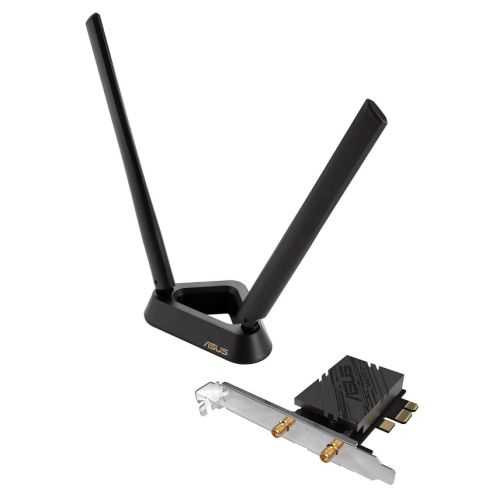
Asus (PCE-BE92BT) BE9400 Wi-Fi 7 Tri-Band PCI Express Adapter, Bluetooth 5.4, WPA3, External Base/Antennas
ASUS