
GIGABYTE
Gigabyte A520M K V2 Ultra Durable AMD AM4 Socket Motherboard, Micro-ATX, 2x DDR4 Slots, 1x M.2 Socket, GbE LAN, 1x D-Sub / 1x HDMI Port
- SKU:
- MBGIG-A520MKV2
- UPC:
- 4719331852771
- MPN:
- A520M K V2
- Availability:
- Free Click & Collect in Peterborough. UK delivery also available.


Description
Gigabyte A520M K V2 Ultra Durable AMD AM4 Micro-ATX Motherboard – DDR4, M.2, HDMI, D-Sub and GbE LAN
The Gigabyte A520M K V2 is a compact AMD AM4 Micro-ATX motherboard designed for affordable Ryzen desktop PC builds, home computers, office systems and entry-level gaming PCs. Built around the AMD A520 chipset, it supports selected AMD Ryzen 5000 Series, Ryzen 5000 G-Series, Ryzen 4000 G-Series, Ryzen 3000 Series and Ryzen 3000 G-Series processors, making it a practical foundation for budget-friendly AM4 systems.
This Gigabyte A520M K V2 motherboard is ideal for customers searching for an AM4 motherboard, Micro-ATX Ryzen motherboard, A520 motherboard with M.2 slot, DDR4 motherboard for Ryzen 5000, motherboard with HDMI and VGA/D-Sub, or a compact Gigabyte Ultra Durable board for everyday PC builds and upgrades.
Key Features of the Gigabyte A520M K V2
- AMD AM4 socket for selected Ryzen 5000, 5000 G-Series, 4000 G-Series, 3000 and 3000 G-Series processors
- AMD A520 chipset for cost-effective Ryzen desktop builds
- Micro-ATX form factor for compact PC cases and standard desktop builds
- 2 × DDR4 DIMM slots with dual-channel memory support
- ECC and non-ECC unbuffered DDR4 support, depending on CPU and memory compatibility
- 1 × M.2 Socket 3 connector with PCIe 3.0 x4/x2 and SATA SSD support
- 4 × SATA 6Gb/s ports for additional SSDs and hard drives
- GbE LAN with bandwidth management for wired networking
- HDMI and D-Sub display outputs for compatible Ryzen processors with integrated graphics
- 8-channel HD audio with high-quality audio capacitors
- Smart Fan 5 support with hybrid fan headers and temperature sensors
- GIGABYTE Ultra Durable design for reliable everyday PC use
Affordable AM4 Platform for Ryzen PC Builds
The Gigabyte A520M K V2 is designed for users who want a reliable and affordable motherboard for an AMD Ryzen desktop system. It is suitable for home PCs, office computers, study systems, media PCs and entry-level gaming builds where a compact Micro-ATX board with DDR4 memory, M.2 storage and wired LAN is required.
AMD Ryzen Processor Support
This motherboard supports selected AMD Ryzen 5000 Series, Ryzen 5000 G-Series, Ryzen 4000 G-Series, Ryzen 3000 Series and Ryzen 3000 G-Series processors. Processor compatibility can depend on the motherboard revision and BIOS version, so always check the official Gigabyte CPU support list before purchasing or upgrading.
DDR4 Memory Support with Two DIMM Slots
The board includes 2 DDR4 memory slots with dual-channel memory support. This makes it suitable for common memory configurations such as 8GB, 16GB, 32GB or up to the supported platform maximum, depending on the memory modules and CPU used. Memory speed support can vary depending on processor, memory kit and BIOS settings.
ECC and Non-ECC Memory Note
Gigabyte lists support for ECC and non-ECC unbuffered DDR4 memory, but actual ECC functionality depends on the processor and memory modules installed. For normal home, office and gaming use, standard non-ECC DDR4 memory is the most common choice.
Fast M.2 Storage and SATA Expansion
The A520M K V2 includes an M.2 Socket 3 slot that supports PCIe 3.0 x4/x2 NVMe SSDs and SATA M.2 SSDs. This allows users to install fast M.2 storage for Windows, applications and frequently used files. The board also includes 4 SATA 6Gb/s ports for 2.5-inch SSDs, hard drives and other SATA storage devices.
Good for SSD Upgrades
For users upgrading from an older hard drive, pairing this motherboard with an M.2 NVMe SSD can help improve boot times, application loading and everyday system responsiveness. Storage performance depends on the SSD model, processor, operating system and BIOS configuration.
HDMI and D-Sub Display Outputs
The rear I/O includes 1 × HDMI port and 1 × D-Sub/VGA port. Gigabyte lists HDMI support up to 4096 × 2160 at 60Hz and D-Sub support up to 1920 × 1200 at 60Hz. These display outputs only work when using a compatible AMD Ryzen processor with integrated graphics, such as selected Ryzen G-Series APUs.
Important Graphics Compatibility Note
If you use a Ryzen processor without integrated graphics, such as many Ryzen desktop CPUs, the HDMI and D-Sub ports on the motherboard will not provide display output. In that case, a dedicated graphics card is required.
Wired Networking and HD Audio
The Gigabyte A520M K V2 includes Gigabit Ethernet LAN with bandwidth management for stable wired networking. It also features 8-channel HD audio with high-quality audio capacitors, making it suitable for everyday speakers, headsets, online calls, music and video playback.
Smart Fan 5 Cooling Control
Gigabyte’s Smart Fan 5 features support for temperature monitoring and hybrid fan headers with FAN STOP support. This helps users tune fan behaviour for cooling and noise balance, depending on the installed CPU cooler, case fans and system configuration.
Who Is the Gigabyte A520M K V2 Best For?
- Users building a budget AMD Ryzen desktop PC
- Home and office PCs using the AM4 platform
- Students needing a reliable Micro-ATX motherboard
- Entry-level gaming builds with a dedicated graphics card
- Ryzen G-Series APU builds needing HDMI or D-Sub display output
- Customers upgrading from older AM4 motherboards
- PC builders wanting M.2 NVMe storage and DDR4 memory support
Gigabyte A520M K V2 Motherboard Specifications
- Brand: Gigabyte
- Model: A520M K V2
- Product Type: AMD Micro-ATX motherboard
- Chipset: AMD A520
- CPU Socket: AMD AM4
- Supported CPU Families: AMD Ryzen 5000 Series, Ryzen 5000 G-Series, Ryzen 4000 G-Series, Ryzen 3000 Series and Ryzen 3000 G-Series processors
- Form Factor: Micro-ATX
- Memory Slots: 2 × DDR4 DIMM
- Memory Support: Dual-channel ECC / non-ECC unbuffered DDR4
- M.2 Slot: 1 × M.2 Socket 3, M key, type 2280, PCIe 3.0 x4/x2 and SATA SSD support
- SATA Ports: 4 × SATA 6Gb/s
- Expansion Slots: 1 × PCIe 3.0 x16 slot and 1 × PCIe 3.0 x1 slot
- LAN: Gigabit Ethernet with bandwidth management
- Audio: 8-channel HD audio with high-quality audio capacitors
- Rear Display Outputs: 1 × HDMI, 1 × D-Sub
- Rear USB Ports: 4 × USB 3.2 Gen 1 / USB 3.1 Gen 1 class ports, 2 × USB 2.0 ports
- Internal USB Headers: 1 × USB 3.2 Gen 1 header and 2 × USB 2.0/1.1 headers
- Internal Connectors: 24-pin ATX power, 8-pin ATX 12V power, CPU fan header, system fan header, front panel, front audio, TPM header, speaker header and Clear CMOS jumper
- Operating System Support: Windows 11 64-bit and Windows 10 64-bit
Buying Advice
Before ordering, please check the official Gigabyte CPU support list for your exact processor and motherboard revision. Some CPUs may require a specific BIOS version. If you plan to use the motherboard HDMI or D-Sub ports, choose a Ryzen processor with integrated graphics. If your processor does not have integrated graphics, you will need a dedicated graphics card.
Why Buy the Gigabyte A520M K V2?
The Gigabyte A520M K V2 Ultra Durable AMD AM4 Motherboard is a practical and affordable choice for Ryzen desktop PC builds. With AM4 CPU support, Micro-ATX size, DDR4 memory, M.2 NVMe/SATA storage, Gigabit LAN, HDMI, D-Sub, HD audio and Smart Fan 5 cooling control, it offers the essential features needed for a reliable home, office or entry-level gaming PC.
Specification
Gigabyte A520M K V2 Motherboard Specifications
| Product Type | AMD Micro-ATX Motherboard |
| Brand | Gigabyte |
| Model | A520M K V2 |
| Revision | Rev. 1.0 / Rev. 1.1 may vary by stock; check board label if required |
| Chipset | AMD A520 |
| CPU Socket | AMD AM4 |
| Supported CPU Families | AMD Ryzen 5000 Series, Ryzen 5000 G-Series, Ryzen 4000 G-Series, Ryzen 3000 Series and Ryzen 3000 G-Series Processors |
| Form Factor | Micro-ATX |
| Memory Slots | 2 × DDR4 DIMM Slots |
| Memory Architecture | Dual Channel DDR4 |
| Memory Type Support | ECC / Non-ECC Unbuffered DDR4, depending on CPU and memory module support |
| M.2 Slot | 1 × M.2 Socket 3, M Key, Type 2280 |
| M.2 SSD Support | SATA and PCIe 3.0 x4 / x2 SSD Support |
| SATA Ports | 4 × SATA 6Gb/s Connectors |
| RAID Support | RAID 0, RAID 1 and RAID 10 for SATA Storage |
| PCI Express x16 Slot | 1 × PCI Express x16 Slot, PCIe 3.0, Running at x16 |
| PCI Express x1 Slot | 1 × PCI Express x1 Slot, PCIe 3.0, Running at x1 |
| LAN | Realtek GbE LAN Chip, 1Gbps / 100Mbps |
| LAN Feature | Bandwidth Management Software Support |
| Audio | Realtek HD Audio Codec |
| Audio Channels | 2 / 4 / 5.1 / 7.1-Channel High Definition Audio |
| Display Output | 1 × HDMI, 1 × D-Sub |
| HDMI Maximum Resolution | Up to 4096 × 2160 at 60Hz with compatible integrated graphics processor |
| D-Sub Maximum Resolution | Up to 1920 × 1200 at 60Hz with compatible integrated graphics processor |
| Rear USB Ports | 4 × USB 3.2 Gen 1, 2 × USB 2.0 / 1.1 |
| Internal USB Headers | 1 × USB 3.2 Gen 1 Header, 2 × USB 2.0 / 1.1 Headers |
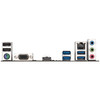
| Rear I/O Connectors | PS/2 Keyboard/Mouse, D-Sub, HDMI, 4 × USB 3.2 Gen 1, 2 × USB 2.0 / 1.1, RJ-45 LAN, 3 × Audio Jacks |
| Main Power Connector | 1 × 24-pin ATX Main Power Connector |
| CPU Power Connector | 1 × 8-pin ATX 12V Power Connector |
| Fan Headers | 1 × CPU Fan Header, 1 × System Fan Header |
| Cooling Features | Smart Fan 5, Fan Speed Control, Fan Fail Warning, Temperature Detection and Voltage Detection |
| Internal I/O Connectors | Front Panel Header, Front Audio Header, TPM Header, Speaker Header, Clear CMOS Jumper and Chassis Intrusion Header |
| BIOS | 128 Mbit Flash, Licensed AMI UEFI BIOS |
| Gigabyte Features | Ultra Durable Design, APP Center Support, @BIOS, EasyTune, Smart Backup, System Information Viewer, Q-Flash and Xpress Install |
| Operating System Support | Windows 11 64-bit and Windows 10 64-bit |
CPU Compatibility Notice
The Gigabyte A520M K V2 supports selected AMD Ryzen AM4 processors. Always check the official Gigabyte CPU support list for your exact motherboard revision and BIOS version before ordering or upgrading.
Display Output Notice
The rear HDMI and D-Sub ports only provide display output when using a compatible AMD Ryzen processor with integrated graphics, such as selected Ryzen G-Series APUs. If your CPU does not have integrated graphics, a dedicated graphics card is required.
M.2 Storage Notice
The M.2 slot supports type 2280 SATA and PCIe 3.0 x4/x2 SSDs. Actual M.2 performance and compatibility may vary depending on the installed processor, SSD type, BIOS version and system configuration.
Memory Compatibility Notice
Memory speed and capacity support can vary depending on the installed CPU, memory kit, BIOS version and motherboard revision. For best results, check Gigabyte’s memory support list before purchasing RAM.
Return
FAQ: Frequently Asked Questions
Gigabyte A520M K V2 FAQ
The Gigabyte A520M K V2 is an affordable AMD AM4 Micro-ATX motherboard designed for Ryzen desktop PCs, budget gaming systems, home office computers, student builds and everyday upgrade projects. Below are the most common questions buyers ask before choosing this Gigabyte A520M K V2 Ultra Durable AMD A520 motherboard, including Ryzen CPU compatibility, BIOS support, DDR4 memory, M.2 NVMe SSD support, HDMI and VGA display output, graphics card compatibility, Windows 11 support, PCIe 3.0 limitations and troubleshooting no-display problems.
1. What is the Gigabyte A520M K V2 motherboard?
The Gigabyte A520M K V2 is a Micro-ATX motherboard for AMD AM4 processors. It uses the AMD A520 chipset and is designed for affordable desktop PCs, home office systems, student computers and budget gaming builds using compatible Ryzen CPUs.
2. What is the Gigabyte A520M K V2 best used for?
The Gigabyte A520M K V2 is best used for value-focused Ryzen builds, office PCs, home computers, budget gaming systems, media PCs, school or university desktops and upgrade builds where essential AM4 features are needed without paying for a higher-end chipset.
3. What socket does the Gigabyte A520M K V2 use?
The Gigabyte A520M K V2 uses the AMD AM4 socket. It is designed for selected AMD Ryzen AM4 processors and is not compatible with AMD AM5 processors such as Ryzen 7000, Ryzen 8000 or Ryzen 9000 series CPUs.
4. Is the Gigabyte A520M K V2 an AM4 or AM5 motherboard?
The Gigabyte A520M K V2 is an AM4 motherboard. It uses DDR4 memory and supports selected Ryzen 3000, Ryzen 4000 G-Series, Ryzen 5000 and Ryzen 5000 G-Series processors, depending on BIOS support.
5. What chipset does the Gigabyte A520M K V2 use?
The Gigabyte A520M K V2 uses the AMD A520 chipset. A520 is an entry-level AM4 chipset designed for affordable Ryzen systems with essential features such as DDR4 memory, M.2 SSD support and PCIe 3.0 expansion.
6. What CPUs are compatible with the Gigabyte A520M K V2?
Gigabyte lists support for AMD Ryzen 5000 Series, Ryzen 5000 G-Series, Ryzen 4000 G-Series, Ryzen 3000 and Ryzen 3000 G-Series processors. Always check the Gigabyte CPU support list and required BIOS version for your exact processor before buying or installing.
7. Does the Gigabyte A520M K V2 support Ryzen 5000 processors?
Yes. Gigabyte lists support for Ryzen 5000 Series processors on the A520M K V2. Compatibility can depend on BIOS version, so check the CPU support list if using a Ryzen 5 5500, Ryzen 5 5600, Ryzen 7 5700X or similar Ryzen 5000 CPU.
8. Does the Gigabyte A520M K V2 support Ryzen 5 5600?
Yes, the Gigabyte A520M K V2 can support the Ryzen 5 5600 when the motherboard has a compatible BIOS version. If the board does not boot with a Ryzen 5 5600, check the BIOS version and Gigabyte CPU support list.
9. Does the Gigabyte A520M K V2 support Ryzen 5 5600G?
Yes. The Gigabyte A520M K V2 supports Ryzen 5000 G-Series processors such as the Ryzen 5 5600G, depending on BIOS version. A Ryzen G-Series APU is also useful if you want to use the motherboard HDMI or D-Sub display outputs without a dedicated graphics card.
10. Does the Gigabyte A520M K V2 support Ryzen 7 5700X?
The Gigabyte A520M K V2 can support many Ryzen 5000 processors, including models such as Ryzen 7 5700X if listed on Gigabyte’s CPU support page with the correct BIOS. For heavy workloads or higher-power CPUs, a B550 motherboard with stronger features may be a better long-term choice.
11. Does the Gigabyte A520M K V2 support Ryzen 1000 or Ryzen 2000 CPUs?
Gigabyte’s listed support focuses on Ryzen 3000, Ryzen 3000 G-Series, Ryzen 4000 G-Series, Ryzen 5000 and Ryzen 5000 G-Series processors. Older Ryzen 1000 or 2000 CPUs are not the intended match for this board, so check the official CPU support list before buying.
12. Does the Gigabyte A520M K V2 need a BIOS update?
It may need a BIOS update depending on the CPU you install and the BIOS version already on the board. This is especially important when using later Ryzen 5000 CPUs. Check the CPU support list and required BIOS version before building.
13. Does the Gigabyte A520M K V2 have Q-Flash?
Yes. Gigabyte lists support for Q-Flash on the A520M K V2. Q-Flash is Gigabyte’s BIOS update tool. However, this is not the same as Q-Flash Plus on some higher-end boards, so check the manual for the exact update method.
14. Can the Gigabyte A520M K V2 update BIOS without a CPU?
This board is not normally positioned as a Q-Flash Plus board with a dedicated BIOS flashback button. In most cases, BIOS updating requires a compatible CPU, memory and display. If you need a BIOS update before the CPU works, ask the seller or a PC repair shop for help.
15. How much RAM does the Gigabyte A520M K V2 support?
The Gigabyte A520M K V2 supports up to 64GB of DDR4 memory using two DIMM slots. This is commonly achieved with 2 x 32GB DDR4 modules, depending on memory compatibility and CPU support.
16. How many RAM slots does the Gigabyte A520M K V2 have?
The Gigabyte A520M K V2 has two DDR4 DIMM slots. For best performance, use a matched two-stick RAM kit so the system can run in dual-channel memory mode.
17. Does the Gigabyte A520M K V2 support DDR5 memory?
No. The Gigabyte A520M K V2 supports DDR4 memory only. It does not support DDR5 RAM because it is an AMD AM4 motherboard, not an AM5 platform board.
18. What DDR4 speeds does the Gigabyte A520M K V2 support?
Gigabyte lists support for DDR4 speeds including 3200MHz and higher overclocked speeds up to DDR4 5100MHz OC, depending on the CPU, memory kit and BIOS settings. For most users, DDR4 3200MHz or 3600MHz is a practical choice for Ryzen builds.
19. Does the Gigabyte A520M K V2 support XMP?
Yes. Gigabyte lists support for Extreme Memory Profile, also known as XMP. Enabling XMP in BIOS can help compatible DDR4 memory run at its rated speed, but stability depends on the CPU memory controller, BIOS and RAM kit.
20. Is 16GB RAM enough for the Gigabyte A520M K V2?
Yes. 16GB RAM is enough for many office PCs, home computers and budget gaming builds. For heavier multitasking, modern games, creative software or longer-term use, 32GB is often the better upgrade.
21. Does the Gigabyte A520M K V2 have an M.2 slot?
Yes. The Gigabyte A520M K V2 has one M.2 Socket 3 connector for type 2280 SSDs. It supports PCIe 3.0 x4/x2 NVMe SSDs and SATA M.2 SSDs, depending on configuration and CPU support.
22. Does the Gigabyte A520M K V2 support NVMe SSDs?
Yes. The board supports PCIe Gen3 x4 NVMe M.2 SSDs through its M.2 slot. This makes it suitable for fast boot drives and storage upgrades compared with older SATA hard drives or SATA SSDs.
23. Does the Gigabyte A520M K V2 support SATA M.2 SSDs?
Yes. Gigabyte lists the M.2 connector as supporting both SATA and PCIe 3.0 x4/x2 SSD modes. Always check the motherboard manual for any shared-lane or storage configuration notes.
24. How many SATA ports does the Gigabyte A520M K V2 have?
The Gigabyte A520M K V2 has four SATA 6Gb/s connectors. These can be used for SATA SSDs, hard drives and optical drives if your case supports them.
25. Does the Gigabyte A520M K V2 support RAID?
Yes. Gigabyte lists RAID 0, RAID 1 and RAID 10 support for SATA storage devices. RAID setup requires compatible drives and correct BIOS configuration.
26. Does the Gigabyte A520M K V2 support PCIe 4.0?
No. The Gigabyte A520M K V2 is an A520 chipset motherboard with PCIe 3.0 expansion support. If you specifically need PCIe 4.0 for a graphics card or SSD, a B550 or X570 motherboard is usually the better choice.
27. Can I use a PCIe 4.0 graphics card on the Gigabyte A520M K V2?
Yes. Most PCIe 4.0 graphics cards are backward compatible with PCIe 3.0 slots. The graphics card should work in the PCIe x16 slot, but it will run at PCIe 3.0 speed on this motherboard.
28. Can I use an RTX 3060, RTX 4060 or RTX 4070 with the Gigabyte A520M K V2?
Yes. You can use modern graphics cards such as RTX 3060, RTX 4060 or RTX 4070 if your case has enough space and your power supply has enough wattage and the correct PCIe power connectors. The board’s PCIe slot is PCIe 3.0, but compatible GPUs can still work.
29. Does the Gigabyte A520M K V2 have integrated graphics?
The motherboard itself does not create graphics. HDMI and D-Sub output only work when you install a Ryzen processor with integrated graphics, such as a compatible Ryzen G-Series APU. Standard Ryzen CPUs without integrated graphics need a dedicated graphics card.
30. Does the HDMI port work with Ryzen 5 5600 or Ryzen 7 5700X?
No. Ryzen 5 5600 and Ryzen 7 5700X do not have integrated graphics, so the motherboard HDMI and D-Sub ports will not output a display with those CPUs. You need a dedicated graphics card for display output.
31. Does the HDMI port work with Ryzen 5 5600G?
Yes. The Ryzen 5 5600G has integrated Radeon graphics, so the Gigabyte A520M K V2 HDMI and D-Sub outputs can work when using a compatible BIOS and correct display settings.
32. Does the Gigabyte A520M K V2 have VGA?
Yes. The Gigabyte A520M K V2 has a D-Sub port, commonly known as VGA. It supports up to 1920 x 1200 at 60Hz when using a compatible Ryzen processor with integrated graphics.
33. What resolution does the HDMI port support?
Gigabyte lists the HDMI port as supporting up to 4096 x 2160 at 60Hz, with HDMI 2.1, HDCP 2.3 and HDR support. This applies when using a compatible Ryzen processor with integrated graphics.
34. Why is there no display from the Gigabyte A520M K V2?
No display can be caused by using a CPU without integrated graphics, connecting the monitor to the motherboard instead of the graphics card, missing 8-pin CPU power, unsupported BIOS version, incorrectly seated RAM, a loose GPU, or an incorrect monitor input. Check these basics before assuming the board is faulty.
35. Does the Gigabyte A520M K V2 support dual monitors?
Dual display may be possible through HDMI and D-Sub when using a compatible Ryzen APU with integrated graphics. If using a dedicated graphics card, dual monitor support depends on the outputs available on the graphics card.
36. Does the Gigabyte A520M K V2 have built-in Wi-Fi?
No. The Gigabyte A520M K V2 does not include built-in Wi-Fi. For wireless internet, you can add a USB Wi-Fi adapter or a PCIe Wi-Fi card if the expansion slot is available.
37. Does the Gigabyte A520M K V2 have Bluetooth?
No. Bluetooth is not built into this motherboard. You can add Bluetooth using a USB Bluetooth adapter or a Wi-Fi/Bluetooth expansion card.
38. What LAN does the Gigabyte A520M K V2 have?
The Gigabyte A520M K V2 includes Realtek Gigabit Ethernet LAN with support for 1Gbps and 100Mbps network speeds. Gigabit LAN is suitable for home broadband, office networks, gaming and file transfers over a wired network.
39. What audio does the Gigabyte A520M K V2 have?
The board uses a Realtek audio codec and supports high-definition audio with 2, 4, 5.1 and 7.1-channel configurations through audio software. It also uses high-quality audio capacitors according to Gigabyte’s product information.
40. What rear ports does the Gigabyte A520M K V2 have?
The rear I/O includes a PS/2 keyboard or mouse port, D-Sub/VGA, HDMI, four USB 3.2 Gen 1 ports, two USB 2.0/1.1 ports, one RJ-45 LAN port and three audio jacks.
41. How many USB ports does the Gigabyte A520M K V2 support?
The board has four USB 3.2 Gen 1 ports and two USB 2.0 ports on the back panel. It also provides internal headers for extra front-panel USB ports if your case supports them.
42. Does the Gigabyte A520M K V2 support Windows 11?
Yes. Gigabyte lists Windows 11 64-bit support for the A520M K V2. You may need to enable TPM/fTPM and Secure Boot settings in BIOS to meet Windows 11 installation requirements.
43. Does the Gigabyte A520M K V2 support Windows 10?
Yes. Gigabyte lists Windows 10 64-bit support for this motherboard. For best stability, install the latest AMD chipset drivers, LAN drivers, audio drivers and Windows updates.
44. Does the Gigabyte A520M K V2 support TPM?
Yes. The board includes a TPM header, and AMD Ryzen systems also commonly support firmware TPM through BIOS settings. For Windows 11, check that fTPM and Secure Boot are enabled correctly.
45. How many fan headers does the Gigabyte A520M K V2 have?
The Gigabyte A520M K V2 has one CPU fan header and one system fan header. It also supports Smart Fan 5 features, including fan speed monitoring and control depending on the installed fan or cooler.
46. What power connectors does the Gigabyte A520M K V2 need?
The motherboard uses one 24-pin ATX main power connector and one 8-pin ATX 12V CPU power connector. If the 8-pin CPU power cable is not connected, the system may power on but fail to boot or show no display.
47. What size is the Gigabyte A520M K V2?
The Gigabyte A520M K V2 is a Micro-ATX motherboard measuring approximately 23.3cm x 19.8cm. It fits many Micro-ATX cases and larger ATX cases that support Micro-ATX motherboards.
48. Is the Gigabyte A520M K V2 good for gaming?
Yes, it can be good for budget and mid-range gaming PCs when paired with a suitable Ryzen CPU, DDR4 RAM, NVMe SSD and dedicated graphics card. It is not designed for high-end overclocking or premium multi-GPU systems, but it is a practical value board for affordable gaming builds.
49. Who should NOT buy the Gigabyte A520M K V2?
The Gigabyte A520M K V2 is not ideal for users who need AM5 CPU support, DDR5 RAM, PCIe 4.0 storage or graphics support, built-in Wi-Fi, many expansion slots, multiple M.2 slots, strong CPU overclocking features or a premium board for high-end workstation CPUs.
50. Why buy the Gigabyte A520M K V2 from Memox?
Buying the Gigabyte A520M K V2 from Memox is a practical choice if you want an affordable AMD AM4 Micro-ATX motherboard for a home PC, office desktop, budget gaming build or Ryzen upgrade. Memox offers motherboards, processors, memory, SSDs, PC cases and computer components for UK customers building or upgrading desktop PCs.