
GENIUS
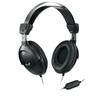
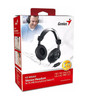
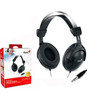
Genius HS-M505X 3.5mm Wired Headset with Microphone – Noise-Cancelling PC Headset with Volume Control, Black
- SKU:
- SPGEN-HS-M505X
- UPC:
- 4710268245674
- MPN:
- HS-M505X
- Availability:
- Free Click & Collect in Peterborough. UK delivery also available.


Description
Genius HS-M505X Noise-Cancelling Headset with Microphone – 3.5mm Wired PC Headset with Volume Control
The Genius HS-M505X headset is a practical wired PC headset designed for online calls, video meetings, internet chatting, home working, study, gaming chat and everyday multimedia use. With a standard 3.5mm jack connection, adjustable headband, large earcup design, built-in microphone and convenient in-line volume control, it is a simple plug-and-play headset for compatible desktops, laptops and devices with a suitable 3.5mm audio headset port.
This Genius HS-M505X noise-cancelling headset with mic is ideal for customers searching for a wired headset for PC calls, 3.5mm headset with microphone, Skype headset, headset for online learning, office headset with volume control, or an affordable headset for voice chat, music, video calls and general computer use.
Key Features of the Genius HS-M505X Headset
- Wired 3.5mm jack connection for simple plug-and-play use with compatible devices
- Adjustable headband helps provide a comfortable fit for different users
- Large earcup design for improved comfort during calls, lessons and long listening sessions
- 40mm driver units designed to deliver clear sound with deeper bass
- Built-in microphone for voice calls, online meetings, gaming chat and internet communication
- In-line volume control for quick audio adjustment without changing software settings
- Answer button for compatible call and chat applications
- 20Hz–20kHz frequency response for everyday voice, music and multimedia audio
- Black wired headset design suitable for home, office, school and general PC use
Designed for Online Calls, Chat and Remote Work
The Genius HS-M505X PC headset is designed for common communication tasks such as video calls, voice chat, online classes, webinars, customer service calls and internet messaging. It is suitable for applications such as Skype, LINE, Teams, Zoom, Google Meet, Discord and other voice communication platforms, provided your device supports the required 3.5mm audio connection.
Clear Voice Communication with Built-In Microphone
The integrated microphone allows you to speak during online meetings, study sessions, gaming chat and internet calls. The microphone is useful for everyday communication where you need a straightforward wired headset rather than relying on laptop speakers or a built-in laptop microphone.
Simple 3.5mm Wired Connection
The Genius HS-M505X uses a 3.5mm jack connection, making it a convenient option for many PCs, laptops and other compatible audio devices. As a wired headset, it does not require charging, Bluetooth pairing or battery maintenance. Simply connect it to a compatible 3.5mm audio port and adjust the volume using the in-line control.
Important Connection Advice
Please check your device’s audio port before ordering. Some computers use a single combined 3.5mm headset port, while others use separate headphone and microphone ports. If your device has separate audio and microphone sockets, you may need a suitable splitter adapter. If your device has USB-C only, you may need a compatible USB-C to 3.5mm audio adapter.
Comfortable Adjustable Headband and Large Earcups
The adjustable headband helps the headset fit different head sizes, while the large earcup design is made for comfortable everyday use. This makes the HS-M505X a practical choice for students, office users, home workers and anyone who needs a wired headset for regular calls or online communication.
Good for Everyday Listening and Voice Use
With 40mm driver units, a 20Hz–20kHz frequency response and 32Ω impedance, the Genius HS-M505X is suitable for common audio tasks such as calls, music, videos, online lessons and light gaming chat. It is a practical general-purpose headset rather than a specialist studio or professional gaming headset.
In-Line Volume Control for Convenience
The in-line volume control makes it easier to adjust sound during calls, lessons, meetings or video playback. This is useful when moving between different websites, apps and media sources where volume levels may vary.
Who Is the Genius HS-M505X Best For?
- Home workers needing a wired headset for calls and meetings
- Students using online learning platforms and video lessons
- Office users who need a simple headset with microphone
- Customers looking for a Skype, LINE, Zoom or Teams headset
- PC users who prefer a wired 3.5mm headset over Bluetooth
- Gamers who need basic voice chat through a wired headset
- Anyone needing an affordable headset for everyday audio and communication
Genius HS-M505X Headset Specifications
- Brand: Genius
- Model: HS-M505X
- Product Type: Wired PC headset with microphone
- Headset Type: Adjustable headband headset
- Connection: 3.5mm jack
- Driver Unit: 40mm
- Headphone Frequency Response: 20Hz–20kHz
- Headphone Sensitivity: 112dB ±4dB
- Headphone Impedance: 32Ω ±15%
- Microphone: Yes
- Microphone Type: Omnidirectional microphone
- Microphone Frequency Response: 100Hz–10kHz
- Microphone Sensitivity: -34dB ±3dB
- In-Line Volume Control: Yes
- Answer Button: Yes
- Cable Length: Approximately 2m
- Unit Weight: Approximately 255g
- Colour: Black
- EAN: 4710268245674
Buying Advice
Before ordering, check that your computer, laptop or device supports a 3.5mm headset connection. For devices with separate headphone and microphone ports, a splitter adapter may be required. For devices without a 3.5mm socket, such as some modern laptops, tablets or phones, a compatible audio adapter may be needed.
Why Buy the Genius HS-M505X?
The Genius HS-M505X Noise-Cancelling Headset with Microphone is a simple and affordable wired headset for everyday communication, study, office work and online chat. With a 3.5mm plug-and-play connection, adjustable headband, 40mm drivers, built-in microphone and in-line volume control, it is a practical choice for users who need reliable voice and audio performance without the need for wireless setup or charging.
Specification
Genius HS-M505X Headset Specifications
| Product Type | Wired Headset with Microphone |
| Brand | Genius |
| Model | HS-M505X |
| Manufacturer Part Code | HS-M505X |
| Headphone Style | Over-Ear / Large Earcup Headset |
| Connection Type | 3.5mm Jack |
| Wired / Wireless | Wired |
| Driver Unit | 40mm |
| Headphone Frequency Response | 20Hz – 20kHz |
| Headphone Sensitivity | 112dB ±4dB |
| Headphone Impedance | 32Ω ±15% |
| Microphone | Yes |
| Microphone Type | Omnidirectional Microphone |
| Microphone Frequency Response | 100Hz – 10kHz |
| Microphone Sensitivity | -34dB ±3dB |
| Microphone Impedance | 2.2kΩ / 2VDC |
| Volume Control | Yes, In-Line Volume Control |
| Call Answer Button | Yes |
| Adjustable Headband | Yes |
| Microphone Mute | No |
| Cable Length | 2.0m |
| Approximate Weight | 255g |
| Compatible Operating Systems / Devices | Windows or macOS computers and laptops, tablets, smartphones and MP3 players with compatible 3.5mm audio support |
| Colour | Black |
| EAN / Barcode | 4710268245674 |
Connection Notice
The Genius HS-M505X uses a 3.5mm audio connection. Please check your computer, laptop, tablet or phone has a compatible 3.5mm headset port before ordering. Some desktop PCs use separate headphone and microphone sockets, so a splitter adapter may be required.
Noise-Cancelling Notice
This headset is listed as a noise-cancelling headset, but it should not be confused with premium active noise-cancelling wireless headphones. The large earcup design helps with sound isolation for everyday calls, chatting and multimedia use.
Return
FAQ: Frequenlty Asked Questions
Genius HS-M505X FAQ
The Genius HS-M505X is a wired 3.5mm headset with microphone designed for everyday calls, online meetings, internet chatting, home office use, school work, music and casual gaming. Below are the most common questions buyers ask before choosing this Genius noise-cancelling headset with mic, including laptop and PC compatibility, microphone setup, 3.5mm jack support, Zoom/Teams/Skype use, gaming console compatibility, sound quality, comfort and troubleshooting.
1. What is the Genius HS-M505X headset?
The Genius HS-M505X is a wired stereo headset with microphone, adjustable headband, large earcups, 3.5mm connection and in-line control. It is designed for everyday voice calls, online chatting, video meetings, music listening and general PC or laptop use.
2. What is the Genius HS-M505X best used for?
The Genius HS-M505X is best used for home office calls, school or college work, online lessons, Zoom meetings, Microsoft Teams calls, Skype chats, internet calling, casual gaming, listening to music and watching videos on compatible devices.
3. Is the Genius HS-M505X a wired or wireless headset?
The Genius HS-M505X is a wired headset. It connects using a 3.5mm audio jack, so it does not require Bluetooth pairing, charging or batteries.
4. Does the Genius HS-M505X use USB?
No. The Genius HS-M505X does not use USB. It connects through a 3.5mm jack, making it suitable for many laptops, desktops, tablets, smartphones and other audio devices with compatible headset ports.
5. What type of connector does the Genius HS-M505X use?
The Genius HS-M505X uses a 3.5mm jack connection. This is a common audio connection used on many computers, laptops, monitors, phones, tablets and controllers. Some desktop PCs may require a separate splitter adapter if they have separate headphone and microphone ports.
6. Is the Genius HS-M505X plug and play?
Yes. The Genius HS-M505X is plug and play on most compatible devices. Simply connect it to a 3.5mm headset port and select it as the audio input/output device if your computer or app asks for audio settings.
7. Does the Genius HS-M505X need drivers or software?
No. The Genius HS-M505X does not normally need extra drivers or software because it uses a standard 3.5mm analogue audio connection. Sound and microphone operation depend on the audio port and sound settings of the connected device.
8. Does the Genius HS-M505X work with laptops?
Yes. The Genius HS-M505X works with many laptops that have a 3.5mm headset socket. If your laptop has a single combined headphone/microphone port, the headset should usually work directly. If your laptop has separate ports, an adapter may be needed.
9. Does the Genius HS-M505X work with desktop PCs?
Yes, it can work with desktop PCs. If your PC case or motherboard has a combined 3.5mm headset port, you can connect it directly. If your desktop has separate green headphone and pink microphone ports, you may need a 3.5mm headset splitter adapter.
10. Do I need a splitter adapter for the Genius HS-M505X?
You may need a splitter adapter if your desktop PC has two separate audio ports: one for headphones and one for microphone. If your laptop, phone, tablet or controller has one combined 3.5mm headset socket, a splitter is usually not needed.
11. Does the Genius HS-M505X work with Windows 11?
Yes. The Genius HS-M505X can work with Windows 11 computers that have a compatible 3.5mm audio port. You may need to choose the correct input and output device in Windows sound settings or inside your meeting app.
12. Does the Genius HS-M505X work with Windows 10?
Yes. The Genius HS-M505X is suitable for Windows 10 PCs and laptops with compatible 3.5mm audio connections. It does not require special headset software for normal use.
13. Does the Genius HS-M505X work with Mac or MacBook?
It can work with Mac or MacBook models that have a compatible 3.5mm headset port. For newer Mac devices without a headphone jack, you may need a suitable USB-C to 3.5mm headset adapter that supports microphone input.
14. Does the Genius HS-M505X work with Chromebooks?
Yes, it can work with Chromebooks that have a 3.5mm headset socket. If the microphone is not detected automatically, check the Chromebook audio input settings and app permissions.
15. Does the Genius HS-M505X work with smartphones?
The Genius HS-M505X can work with smartphones that have a compatible 3.5mm headset jack. Phones without a headphone port may need a USB-C or Lightning to 3.5mm adapter that supports both audio and microphone.
16. Does the Genius HS-M505X work with tablets?
Yes, it can work with tablets that have a compatible 3.5mm headset connection. For tablets without a headphone jack, a suitable adapter may be required.
17. Does the Genius HS-M505X work with Zoom?
Yes. The Genius HS-M505X is suitable for Zoom calls when connected to a compatible device. In Zoom settings, select the correct microphone and speaker/headphone option if the app does not choose it automatically.
18. Does the Genius HS-M505X work with Microsoft Teams?
Yes. The Genius HS-M505X can be used for Microsoft Teams meetings, voice calls and online work. If other people cannot hear you, check that the headset microphone is selected in Teams device settings.
19. Does the Genius HS-M505X work with Skype?
Yes. Genius describes the HS-M505X as suitable for Skype and internet chatting. It is a practical wired headset for voice calls, video calls and everyday communication.
20. Is the Genius HS-M505X good for online classes?
Yes. The Genius HS-M505X is a good budget-friendly choice for online classes, remote learning, webinars and virtual lessons because it includes headphones and a microphone in one simple wired headset.
21. Is the Genius HS-M505X good for home office use?
Yes. The headset is suitable for home office calls, video meetings, customer service, online interviews and general work-from-home use. The wired connection also avoids battery charging problems during longer calls.
22. Is the Genius HS-M505X good for gaming?
The Genius HS-M505X can be used for casual gaming, voice chat and everyday gameplay. It is not a premium gaming headset with surround sound or RGB lighting, but it is suitable for players who need a simple 3.5mm headset with microphone.
23. Does the Genius HS-M505X work with PS4 or PS5?
It may work with PS4 or PS5 controllers through the 3.5mm headset socket, provided the connector standard is compatible. You may need to adjust audio output and microphone settings in the console menu.
24. Does the Genius HS-M505X work with Xbox controllers?
It may work with Xbox controllers that have a 3.5mm headset port. Older Xbox controllers without a 3.5mm socket may need an adapter. Microphone compatibility can depend on the controller and connector standard.
25. Does the Genius HS-M505X work with Nintendo Switch?
The headset can be used for audio on Nintendo Switch devices with a 3.5mm audio port. Voice chat support depends on the game and whether the game uses in-game voice chat or a separate mobile app.
26. Does the Genius HS-M505X have a microphone?
Yes. The Genius HS-M505X includes a built-in microphone for voice calls, online chatting, meetings and gaming communication. Some listings describe the microphone as omnidirectional.
27. Is the microphone adjustable?
Yes. The headset is designed with an adjustable microphone position, allowing you to place the microphone closer to your mouth for clearer voice pickup during calls or online chats.
28. Is the microphone good for clear voice calls?
Yes, it is designed for clear everyday voice communication such as online meetings, internet chatting and calls. For best results, position the microphone near your mouth and avoid noisy surroundings.
29. Is the Genius HS-M505X noise cancelling?
The product is commonly described as a noise-cancelling headset, but buyers should understand this is not the same as premium active noise cancelling found in expensive headphones. The large earcup design can help with sound isolation, and the microphone is intended for clearer voice use.
30. Does the Genius HS-M505X have active noise cancellation?
No, this type of budget wired headset should not be treated as an active noise cancelling headset. It does not use battery-powered ANC technology. The noise reduction benefit is mainly from the headset design, earcup coverage and microphone positioning.
31. Does the Genius HS-M505X block background noise?
The large earcup design can help reduce some outside noise, but it will not block all background sound. For busy offices, shared rooms or noisy environments, keeping the microphone close to your mouth and lowering background noise will improve call quality.
32. Does the Genius HS-M505X have in-line volume control?
Yes. The Genius HS-M505X includes in-line volume control, allowing you to adjust listening volume more conveniently without always changing settings on the computer or device.
33. Does the Genius HS-M505X have an answer button?
Yes. Genius lists the HS-M505X with an answer button. Functionality may depend on the connected device, app and headset port support.
34. What size drivers does the Genius HS-M505X have?
The Genius HS-M505X uses 40mm driver units. Larger driver units can help provide fuller sound and deeper bass for calls, music, videos and general listening.
35. What is the frequency response of the Genius HS-M505X?
The headset frequency response is listed as 20Hz to 20kHz. This is a common full-range audio specification for everyday headphones and headsets.
36. What is the impedance of the Genius HS-M505X?
The Genius HS-M505X is listed with 32 ohm impedance. This makes it suitable for many laptops, desktops, tablets, phones and other common 3.5mm audio devices.
37. What is the sensitivity of the Genius HS-M505X?
Genius lists the headset sensitivity as 112dB ±4dB. Sensitivity affects how loud the headset can sound from a given device output level.
38. How long is the cable on the Genius HS-M505X?
Many product listings show the HS-M505X with an approximately 2m cable. This gives useful reach for desktop PCs, laptops and office desks, but the exact package may vary by region or supplier listing.
39. Is the Genius HS-M505X comfortable for long use?
The HS-M505X has an adjustable headband and large earcup design, making it suitable for everyday use and longer calls. Comfort can vary by head size, glasses, ear shape and how tightly the headset is worn.
40. Is the headband adjustable?
Yes. The Genius HS-M505X has an adjustable headband so users can adjust the fit for different head sizes and wearing positions.
41. Is the Genius HS-M505X suitable for children or students?
Yes, it can be suitable for students, online learning and school work, provided the headset fits comfortably. The wired 3.5mm design is simple to use and does not need charging.
42. Is the Genius HS-M505X good for music?
The Genius HS-M505X can be used for casual music listening, videos and general audio. It has 40mm drivers and a 20Hz to 20kHz frequency range, but it is designed mainly as an affordable communication headset rather than a high-end music headphone.
43. Is the Genius HS-M505X stereo or mono?
The Genius HS-M505X is a stereo headset with two earcups, making it suitable for calls, music, videos and general computer audio.
44. Why is my Genius HS-M505X microphone not working?
If the microphone is not working, check that the headset is fully plugged in, the correct microphone is selected in Windows or your app, microphone permissions are allowed, the port supports microphone input, and a splitter adapter is used if your desktop has separate headphone and microphone ports.
45. Why can I hear sound but the microphone does not work?
This usually happens when the headset is connected to a headphone-only port, the wrong input device is selected, the app has no microphone permission, or the PC requires a splitter adapter for separate mic and headphone sockets.
46. Why is the sound only coming from one side?
Check that the 3.5mm plug is fully inserted, the cable is not damaged, the balance settings are centred, and the device audio port is clean. Testing the headset on another device can help confirm whether the issue is with the headset or the original device.
47. Why is the microphone volume low?
Low microphone volume can be caused by the microphone being too far from your mouth, low input level in Windows or app settings, incorrect device selection, a poor adapter or a loose 3.5mm connection. Adjust the microphone position and increase input level in sound settings.
48. Who should NOT buy the Genius HS-M505X?
The Genius HS-M505X is not ideal for users who need USB connection, Bluetooth wireless use, active noise cancellation, premium studio sound, RGB gaming features or a professional broadcast microphone. It is better suited to simple everyday wired headset use.
49. Is the Genius HS-M505X worth buying?
Yes, the Genius HS-M505X is worth considering if you want an affordable wired headset with microphone, 3.5mm connection, adjustable headband and in-line control for calls, online meetings, school work, office use and casual listening.
50. Why buy the Genius HS-M505X from Memox?
Buying the Genius HS-M505X from Memox is a practical choice if you want a simple wired headset for online calls, PC use, laptop audio, school work or home office tasks. Memox offers computer accessories, headsets, storage, memory and PC parts for UK customers.