
EVO LABS
EVO Labs WM-757UK Wireless Keyboard & Mouse Combo – UK Layout with Tablet Stand
- SKU:
- KEEVO-WM757UK
- MPN:
- WM-757UK
- Availability:
- Free Click & Collect in Peterborough. UK delivery also available.




Description
EVO Labs WM-757UK Wireless Keyboard and Mouse Combo – 2.4GHz UK QWERTY Set with Tablet and Smartphone Stand
The EVO Labs WM-757UK Wireless Keyboard and Mouse Combo is a practical full-size wireless desktop set designed for home, office, business, school and study use. It includes a UK QWERTY wireless keyboard, a 1000 DPI optical wireless mouse, a single 2.4GHz wireless USB dongle and an integrated tablet, mobile and smartphone stand built into the keyboard for convenient multitasking.
This EVO Labs WM-757UK keyboard and mouse set is ideal for customers searching for a wireless keyboard and mouse combo, UK layout wireless keyboard, 2.4GHz keyboard and mouse set, full-size keyboard with number pad, keyboard with tablet stand, or a simple plug-and-play keyboard and mouse bundle for a PC, laptop, home office or workstation.
Key Features of the EVO Labs WM-757UK
- Wireless keyboard and mouse combo for home, office, school and business use
- 2.4GHz wireless connection using a single USB dongle
- Full-size UK QWERTY keyboard layout for familiar everyday typing
- Separate number pad for spreadsheets, accounts, calculations and data entry
- Integrated tablet, mobile and smartphone stand for convenient viewing while working
- Multimedia hotkeys for easier control of videos, music and media functions
- 1000 DPI optical wireless mouse for everyday navigation
- 4-button mouse design for simple, practical control
- Up to 10m wireless transmission distance under suitable conditions
- Plug-and-play setup with no driver installation normally required
- Black desktop design suitable for home and office workstations
Full-Size Wireless Keyboard for Everyday Typing
The EVO Labs WM-757UK keyboard uses a full-size UK QWERTY layout with a classic key arrangement, making it suitable for typing documents, emails, messages, web searches, reports and general computer work. The separate number pad is especially useful for users who work with spreadsheets, invoices, calculators, order forms, product data or accounts.
Useful for Home Office, School and Business Use
This wireless desktop set is designed for everyday productivity. It is suitable for home workers, students, office users, reception desks, business computers, family PCs and general workstations where a simple keyboard and mouse bundle is needed.
Integrated Tablet, Mobile and Smartphone Stand
One of the most useful features of the WM-757UK wireless keyboard is the integrated stand for a tablet, mobile phone or smartphone. This allows you to keep a second screen or mobile device visible while you type, check notifications, follow video calls, view messages, read notes or use a phone as a reference screen.
Better Desk Organisation
The built-in device stand helps reduce clutter by keeping your phone or tablet upright on the keyboard area instead of lying flat on the desk. This can be helpful for users who work with both a computer and mobile device during the day.
2.4GHz Wireless Dongle for Simple Setup
The EVO Labs WM-757UK connects using a 2.4GHz wireless USB dongle. This gives a straightforward plug-and-play connection for compatible PCs and laptops. The wireless receiver is commonly stored inside the mouse, making it easier to keep the dongle safe when not in use.
Plug-and-Play Convenience
For most compatible systems, setup is simple: insert the wireless dongle into a USB port, add the required batteries to the keyboard and mouse, and start using the set. No Bluetooth pairing is required because the connection uses the included 2.4GHz receiver.
Wireless Mouse with 1000 DPI Optical Tracking
The included wireless mouse uses 1000 DPI optical tracking, making it suitable for everyday browsing, office work, document editing, emails, online shopping and general desktop navigation. Its compact size and 4-button layout make it a practical mouse for regular home and office use.
Multimedia Hotkeys for Faster Control
The keyboard includes multimedia hotkeys for convenient media control. These can help users control music, videos and other common functions more quickly without needing to navigate through on-screen menus every time.
Who Is the EVO Labs WM-757UK Best For?
- Home office users needing a wireless keyboard and mouse set
- Students and school users needing a simple desktop combo
- Office workers using spreadsheets, emails and documents
- Reception desks, business PCs and shared workstations
- Users who want a keyboard with a built-in phone or tablet stand
- Laptop users who prefer a full-size keyboard and mouse setup
- Customers looking for a plug-and-play 2.4GHz wireless desktop set
EVO Labs WM-757UK Keyboard and Mouse Specifications
- Brand: EVO Labs
- Model: WM-757UK
- Product Type: Wireless keyboard and mouse combo set
- Keyboard Layout: Full-size UK QWERTY layout
- Connection: 2.4GHz wireless USB dongle
- Wireless Range: Up to 10m under suitable conditions
- Keyboard Features: Full-size layout, separate number pad, multimedia hotkeys and integrated device stand
- Integrated Stand: Tablet, mobile and smartphone stand
- Mouse Type: Wireless optical mouse
- Mouse DPI: 1000 DPI
- Mouse Buttons: 4
- Keyboard Switch Rating: 20 million presses
- Mouse Switch Rating: 5 million clicks
- Keyboard Size: 440 × 145 × 31mm
- Mouse Size: 100 × 60 × 35mm
- Keyboard Weight: 460g
- Mouse Weight: 55g
- System Support: Windows 10, Windows 8, Windows 7 and Windows XP
- Colour: Black
- EAN: 5053118180299
Buying Advice
Before ordering, please check that your computer or laptop has an available USB port for the included 2.4GHz wireless dongle. This is not a Bluetooth keyboard and mouse set, so the supplied USB receiver is required. If your device only has USB-C ports, a compatible USB-C to USB-A adapter may be needed.
Why Buy the EVO Labs WM-757UK?
The EVO Labs WM-757UK Wireless Keyboard and Mouse Combo Set is a practical choice for users who want a full-size UK keyboard, wireless mouse and integrated phone/tablet stand in one affordable desktop bundle. With 2.4GHz plug-and-play wireless connectivity, a separate number pad, multimedia hotkeys, 1000 DPI optical mouse and black home-office design, it is a useful keyboard and mouse set for everyday work, study and general PC use.
Specification
EVO Labs WM-757UK Keyboard and Mouse Specifications
| Product Type | Wireless Keyboard and Mouse Combo Set |
| Brand | EVO Labs |
| Model | WM-757UK |
| SKU / Product Code | KEEVO-WM757UK |
| EAN / Barcode | 5053118180299 |
| Connection Type | 2.4GHz Wireless USB Dongle |
| Wireless Range | Up to 10m Under Suitable Conditions |
| Keyboard Layout | UK QWERTY |
| Keyboard Language | UK / UK International |
| Keyboard Style | Full-Size Wireless Keyboard with Number Pad |
| Number of Keys | 105 Keys |
| Numeric Keypad | Yes |
| Multimedia Hotkeys | Yes |
| Integrated Device Stand | Tablet, Mobile and Smartphone Stand |
| Keyboard Switch Rating | 20 Million Presses |
| Keyboard Dimensions | 440 × 145 × 31mm |
| Keyboard Weight | 460g |
| Mouse Included | Yes |
| Mouse Type | Wireless Optical Mouse |
| Mouse Form Factor | Ambidextrous |
| Mouse DPI | 1000 DPI |
| Mouse Buttons | 4 Buttons |
| Mouse Switch Rating | 5 Million Clicks |
| Mouse Dimensions | 100 × 60 × 35mm |
| Mouse Weight | 55g |
| Keyboard Battery Requirement | 2 × AAA Batteries |
| Mouse Battery Requirement | 1 × AAA Battery |
| Batteries Included | No |
| Recommended Usage | Home, Office, Business and School Use |
| Compatible Operating Systems | Windows 10, Windows 8, Windows 7 and Windows XP |
| Colour | Black |
Connection Notice
The EVO Labs WM-757UK uses a 2.4GHz wireless USB dongle. It is not a Bluetooth keyboard and mouse set, so the supplied USB receiver is required. If your device only has USB-C ports, a suitable USB-C to USB-A adapter may be needed.
Battery Notice
The keyboard requires 2 × AAA batteries and the mouse requires 1 × AAA battery. Product listings state that batteries are not included, so they may need to be purchased separately.
Compatibility Notice
This set is listed for Windows systems including Windows 10, Windows 8, Windows 7 and Windows XP. Basic keyboard and mouse functions may work on other systems with USB input support, but full hotkey compatibility is not guaranteed.
Wireless Range Notice
The listed wireless range is up to 10m under suitable conditions. Actual range can vary depending on desk layout, USB port position, walls, metal surfaces, interference and battery condition.
Return
FAQ: Frequenltly Asked Questions
Evo Labs WM-757UK Wireless Keyboard & Mouse Combo FAQ
The Evo Labs WM-757UK Wireless Keyboard & Mouse Combo is a full-size UK QWERTY wireless keyboard and mouse set designed for home, office, school, study, laptop, desktop and everyday productivity use. It includes a 2.4GHz wireless connection, full-size keyboard layout, separate number pad, multimedia hotkeys, optical wireless mouse and an integrated tablet, mobile and smartphone stand. Below are the most common questions buyers ask before choosing this Evo Labs WM-757UK wireless keyboard mouse combo with tablet stand, including device compatibility, USB dongle use, battery setup, typing comfort, tablet stand support, Windows/Mac/Chromebook use, troubleshooting and who this keyboard and mouse set is best suited for.
1. What is the Evo Labs WM-757UK?
The Evo Labs WM-757UK is a wireless keyboard and mouse combo set. It includes a full-size UK QWERTY keyboard, wireless optical mouse, 2.4GHz USB receiver and an integrated stand for a tablet, mobile phone or smartphone.
2. What is the Evo Labs WM-757UK best used for?
The Evo Labs WM-757UK is best used for home working, office tasks, school work, studying, browsing, email, spreadsheets, typing documents, online learning and general desktop or laptop use. The built-in tablet and phone stand is useful for video calls, messages and second-screen viewing.
3. Is the Evo Labs WM-757UK a UK layout keyboard?
Yes. The Evo Labs WM-757UK is listed as a full-size UK QWERTY layout keyboard. This is useful for UK users because it includes the familiar UK key arrangement, including the £ symbol and UK-style layout.
4. Is the Evo Labs WM-757UK wireless?
Yes. The Evo Labs WM-757UK is a wireless keyboard and mouse set. It connects using a 2.4GHz wireless USB receiver rather than a wired USB cable.
5. Does the Evo Labs WM-757UK use Bluetooth?
No. The Evo Labs WM-757UK uses a 2.4GHz wireless USB dongle, not Bluetooth. This means it needs a compatible USB port or suitable USB adapter to connect to your device.
6. Does the Evo Labs WM-757UK come with a USB receiver?
Yes. The Evo Labs WM-757UK is listed as using a single 2.4GHz wireless dongle. Some listings mention the dongle is stored inside the mouse, so check the mouse battery compartment or storage slot if you cannot find it in the box.
7. Does one dongle control both the keyboard and mouse?
Yes. The keyboard and mouse are designed to work through a single 2.4GHz USB receiver. This helps save USB ports and makes the set easier to use with laptops and desktop PCs.
8. Is the Evo Labs WM-757UK plug and play?
Yes. The Evo Labs WM-757UK is designed as a plug-and-play keyboard and mouse set. Insert the USB receiver into a compatible USB port, add batteries to the keyboard and mouse if required, switch them on if there is a power switch, and the device should be ready to use.
9. Does the Evo Labs WM-757UK need software or drivers?
No special software is normally required. The keyboard and mouse should work using standard keyboard and mouse drivers built into Windows and many other operating systems. Some hotkeys may depend on the operating system and app being used.
10. Does the Evo Labs WM-757UK work with Windows 11?
Yes. The Evo Labs WM-757UK should work with Windows 11 computers that have a compatible USB port for the 2.4GHz receiver. It is suitable for general typing, office work, browsing and everyday PC use.
11. Does the Evo Labs WM-757UK work with Windows 10?
Yes. Online listings show Windows support, and the keyboard and mouse should work with Windows 10 through the USB wireless receiver. It is a practical option for Windows desktops and laptops.
12. Does the Evo Labs WM-757UK work with older Windows versions?
Some listings mention support for Windows 10, Windows 8, Windows 7 and Windows XP. For best security and compatibility, it is recommended to use a currently supported version of Windows where possible.
13. Does the Evo Labs WM-757UK work with Mac?
It may work with Mac computers that support standard USB keyboards and mice, but some UK layout keys and multimedia hotkeys may not behave exactly the same as on Windows. If your Mac only has USB-C ports, you may need a USB-C to USB-A adapter.
14. Does the Evo Labs WM-757UK work with Chromebook?
It may work with many Chromebooks that support USB keyboard and mouse input. If your Chromebook only has USB-C, you will need a compatible USB-C adapter for the wireless receiver. Some shortcut or hotkey functions may vary.
15. Does the Evo Labs WM-757UK work with Linux?
It may work with many Linux systems as a standard wireless keyboard and mouse through the USB receiver. Compatibility can depend on the Linux distribution, kernel support and desktop environment.
16. Does the Evo Labs WM-757UK work with laptops?
Yes. The Evo Labs WM-757UK is suitable for laptops with a compatible USB port. It is useful if you want a more comfortable full-size keyboard, number pad and separate mouse for home or office work.
17. Does the Evo Labs WM-757UK work with desktop PCs?
Yes. It is suitable for desktop PCs with a USB port for the wireless receiver. It is a practical replacement for an older wired keyboard and mouse or for building a cleaner desk setup with fewer cables.
18. Does the Evo Labs WM-757UK work with tablets?
It may work with tablets that support USB keyboard and mouse input through a compatible adapter. Because this set uses a USB receiver, the tablet must support USB OTG or external keyboard and mouse input. Compatibility varies by tablet model.
19. Does the Evo Labs WM-757UK work with Android tablets?
It may work with Android tablets that support USB OTG and external keyboard/mouse devices. You may need a USB-C or Micro USB OTG adapter. Some Android apps may not support all keyboard shortcuts.
20. Does the Evo Labs WM-757UK work with iPad?
It is not mainly designed as an iPad keyboard. It may work with some iPad models using a suitable USB adapter and iPadOS support for external keyboard and mouse input, but compatibility is not guaranteed and Bluetooth keyboards are usually simpler for iPad use.
21. Does the Evo Labs WM-757UK work with smart TVs?
It may work with smart TVs that support USB keyboard and mouse input. Compatibility depends on the TV brand, operating system and app. It may be useful for search boxes, web browsing or navigation, but not all TV apps support keyboard input.
22. Does the Evo Labs WM-757UK work with games consoles?
It may work with some consoles for text input or selected games that support keyboard and mouse. Console compatibility depends on the console model, game and system settings. It is mainly intended for PC, laptop and general productivity use.
23. Does the Evo Labs WM-757UK have a tablet and phone stand?
Yes. The keyboard includes an integrated stand area for a tablet, mobile phone or smartphone. This allows you to keep a device visible while typing, checking notifications, watching videos, taking calls or using it as a small second screen.
24. What can I use the built-in tablet stand for?
The stand can be used for holding a smartphone or tablet while you work. It is useful for video calls, messages, calendars, music controls, online learning, recipes, notes or keeping an eye on notifications while using the keyboard.
25. Will the tablet stand hold any tablet?
The stand is designed for tablets, mobiles and smartphones, but fit depends on the tablet size, thickness, case and viewing angle. Very large or heavy tablets, or tablets in thick protective cases, may not sit as securely as smaller devices.
26. Can I use the tablet stand with a phone case fitted?
In many cases, yes, but it depends on the thickness and shape of the phone case. Very thick rugged cases may not fit as well in the stand groove.
27. Is the Evo Labs WM-757UK a full-size keyboard?
Yes. The Evo Labs WM-757UK is listed as a full-size keyboard with a classic key layout. This makes it more comfortable for users who prefer a standard desktop-style keyboard rather than a compact laptop-style keyboard.
28. Does the Evo Labs WM-757UK have a number pad?
Yes. The keyboard includes a separate number pad, which is helpful for spreadsheets, accounting, invoices, data entry, calculators and users who enter numbers frequently.
29. Does the Evo Labs WM-757UK have multimedia hotkeys?
Yes. Product listings describe the keyboard as having multimedia hotkeys. These can help control music, videos and other media functions more quickly, although exact hotkey behaviour can depend on the operating system and application.
30. Is the Evo Labs WM-757UK good for office work?
Yes. The full-size UK layout, number pad, wireless connection and tablet/phone stand make it suitable for office work, admin tasks, email, spreadsheets, online meetings and everyday productivity.
31. Is the Evo Labs WM-757UK good for working from home?
Yes. It is a practical home office keyboard and mouse set. The wireless design reduces desk clutter, the number pad helps with work tasks, and the built-in phone/tablet stand can keep calls, messages or notes visible while working.
32. Is the Evo Labs WM-757UK good for students?
Yes. It is useful for students who need a comfortable keyboard and mouse for essays, research, online lessons, emails and study. The integrated stand can hold a phone or tablet for notes, videos or learning apps.
33. Is the Evo Labs WM-757UK good for gaming?
The Evo Labs WM-757UK can be used for casual gaming, but it is not a dedicated gaming keyboard and mouse set. It does not offer specialist gaming features such as mechanical switches, RGB lighting, programmable keys or high-DPI gaming mouse settings.
34. What DPI is the mouse?
The included wireless optical mouse is commonly listed as 1000 DPI. This is suitable for everyday office use, browsing, school work and general computer tasks.
35. How many buttons does the mouse have?
Some listings describe the included mouse as a 4-button optical mouse. It is designed for general productivity rather than advanced gaming or professional design work.
36. What is the wireless range of the Evo Labs WM-757UK?
Some specifications list a wireless transmission distance of up to 10 metres. Actual range can vary depending on desk layout, USB port position, interference, battery level and nearby wireless devices.
37. Does the Evo Labs WM-757UK need batteries?
Yes. Wireless keyboard and mouse sets normally require batteries. Check the product packaging or battery compartments for the required battery type. Batteries may or may not be included depending on the seller and package contents.
38. Are batteries included with the Evo Labs WM-757UK?
Battery inclusion can vary by seller and package. Check the product listing or box contents before ordering. If batteries are not included, you will need compatible batteries before using the keyboard and mouse.
39. How do I connect the Evo Labs WM-757UK?
Insert batteries into the keyboard and mouse, plug the USB receiver into your computer or compatible device, turn on the devices if they have power switches, and wait for the system to detect them. Most users should not need to install software.
40. Why is my Evo Labs WM-757UK keyboard not working?
Check that the batteries are installed correctly, the USB receiver is plugged in, the keyboard is switched on if it has a power switch, and the receiver is not too far away. Try another USB port and restart the computer if needed.
41. Why is my Evo Labs WM-757UK mouse not working?
Check the mouse batteries, power switch, USB receiver, USB port and surface. Try using the mouse on a mouse mat or plain surface, and make sure the wireless receiver is not blocked by the PC case or other objects.
42. Why is the keyboard or mouse lagging?
Lag can be caused by low batteries, wireless interference, the receiver being too far away, a blocked USB port, a metal desk, or too many nearby wireless devices. Try fresh batteries and move the receiver closer using a front USB port or USB extension if available.
43. What should I do if I lose the USB receiver?
The keyboard and mouse are designed to work with their supplied 2.4GHz receiver. If the receiver is lost, a normal Bluetooth adapter or random USB receiver will usually not work. You may need a replacement receiver from the manufacturer or a new keyboard and mouse set.
44. Can I use the keyboard with a different mouse?
Yes, you can use another mouse separately if your computer supports it. However, the included Evo Labs keyboard and mouse are designed to share their supplied receiver, so pairing them with different receivers may not be possible.
45. Can I use the mouse with a different keyboard?
Yes, you can use the mouse alongside another keyboard if the receiver is connected and the mouse is working. However, the mouse is normally paired with the supplied Evo Labs receiver, not a universal receiver.
46. Is the Evo Labs WM-757UK compact or full-size?
The keyboard is full-size, not compact. It is better for users who want comfortable typing and a number pad, but it will take more desk space than a compact keyboard.
47. Is the Evo Labs WM-757UK good for small desks?
It can work on small desks, but because it is a full-size keyboard with number pad and tablet stand, it needs more space than a mini keyboard. It is better for users who prefer full-size typing comfort over maximum portability.
48. Who should NOT buy the Evo Labs WM-757UK?
The Evo Labs WM-757UK is not ideal for users who need Bluetooth-only connection, a compact travel keyboard, a mechanical gaming keyboard, rechargeable built-in batteries, RGB lighting, advanced programmable keys or a high-DPI gaming mouse. It is best for everyday wireless home and office use.
49. Is the Evo Labs WM-757UK worth buying?
Yes, the Evo Labs WM-757UK is worth considering if you want an affordable full-size UK wireless keyboard and mouse set with a number pad, multimedia keys and a useful integrated tablet or phone stand for home, office, study and everyday productivity.
50. Why buy the Evo Labs WM-757UK from Memox?
Buying the Evo Labs WM-757UK Wireless Keyboard & Mouse Combo from Memox is a practical choice if you want an affordable UK-layout wireless keyboard and mouse set for home office, laptop, desktop, school or everyday use. Memox offers keyboards, mice, PC accessories, storage, memory and computer components for UK customers.
Related Products
Related Products
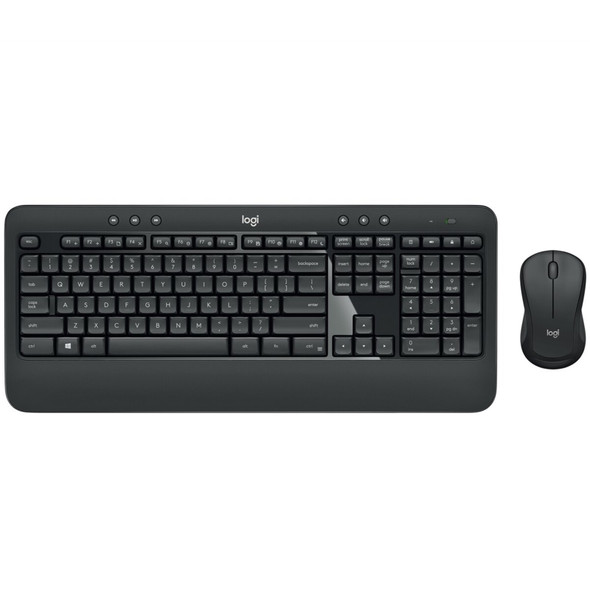
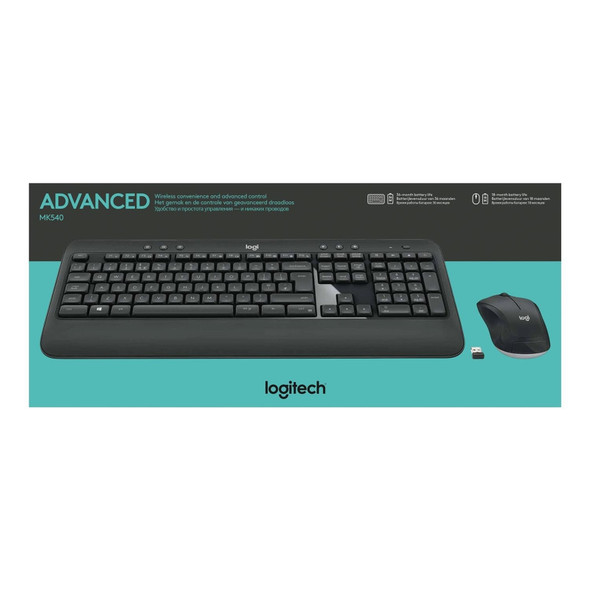
Logitech MK540 Advanced Wireless Keyboard and Mouse Combo UK Layout Unifying Receiver
LOGITECH
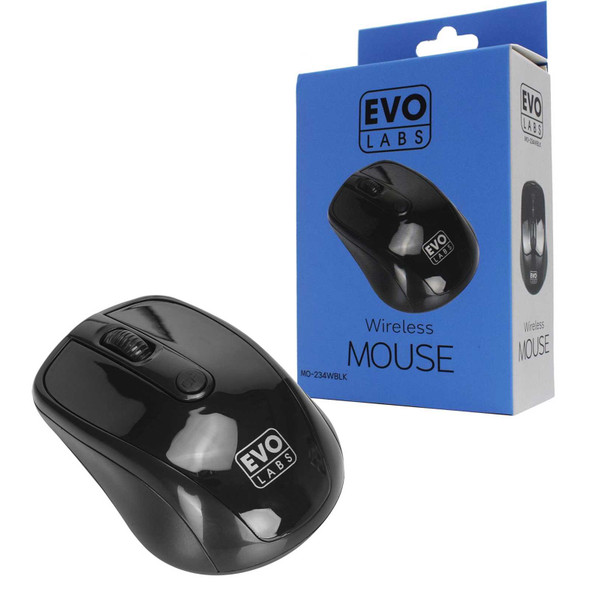
EVO Labs MO-234WBLK Wireless Mouse 2.4GHz USB Mouse for PC, Mac & Laptop
EVO LABS


Marvo Scorpion CM416 Loot 40 4 in 1 RGB Gaming UK Layout Keyboard, Mouse, Headset and Mat Bundle (Black)
MARVO

Marvo Scorpion K604 Soldat 20 Wired RGB Multimedia UK Layout Gaming Keyboard
MARVO
Marvo Scorpion CM310 Loot 30 3 in 1 RGB Wired Gaming UK Layout TKL Keyboard, Mouse and Mat Bundle (White)
MARVO