
ASUS
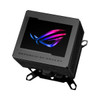
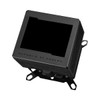
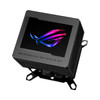
Asus ROG Ryujin III WB CPU Water Block, Full-Colour 3.5" LCD Customisable Screen, Embedded VRM Fan, Black
- SKU:
- 90RC00V0-M0UAY0
- UPC:
- 4711387494288
- MPN:
- 90RC00V0-M0UAY0
- Availability:
- Free Click & Collect in Peterborough. UK delivery also available.





Description
ASUS ROG Ryujin III WB CPU Water Block – 3.5" LCD, Embedded VRM Fan and Custom-Loop Cooling
The ASUS ROG Ryujin III WB is a premium CPU water block for custom liquid cooling loops, designed for high-end gaming PCs, enthusiast builds and showcase systems. It combines an Asetek-powered water block, 178 micro-cooling fins, a copper alloy cold plate, an embedded VRM fan and a large 3.5-inch full-colour LCD display for both performance and visual customisation.
This product is ideal for customers searching for an ASUS ROG Ryujin III WB, ROG CPU water block, custom loop CPU block with LCD, AM5 water block, LGA 1700 water block, or a premium open-loop cooling block for Intel and AMD systems. It is designed for custom water-cooling builds and should be used with a compatible pump, reservoir, radiator, tubing, coolant and fans.
Key Features of the ASUS ROG Ryujin III WB
- Premium CPU water block for custom/open-loop liquid cooling systems
- 3.5-inch full-colour LCD screen for hardware monitoring, images and GIF animations
- Asetek-powered water block designed for strong CPU cooling performance
- 178 micro-cooling fins to improve heat transfer through the water block
- Copper alloy cold plate for efficient contact with the CPU heat spreader
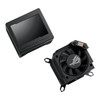
- Embedded Axial-tech VRM fan helps improve airflow around the motherboard VRM area
- VRM temperature reduction up to 35°C in ASUS testing with Intel Core i9-13900K and ROG Maximus Z790 Hero
- LCD system monitoring for clock frequencies, voltages, temperatures, fan speeds and water flow
- Personalised animations and wallpapers through ASUS Armoury Crate
- One-year AIDA64 Extreme subscription included for advanced system monitoring
- ROG all-copper fittings included for custom-loop installation
- Includes 16mm hard-tube fittings and 90° rotary adapter fittings
- Supports Intel LGA 1851, 1700, 1200 and 115X sockets
- Supports AMD AM5 and AM4 sockets
- Part Number: 90RC00V0-M0UAY0
Premium Custom-Loop CPU Cooling for Enthusiast Builds
The ROG Ryujin III WB is built for enthusiasts who want a custom liquid-cooling loop rather than a standard air cooler or all-in-one liquid cooler. ASUS describes the block as using Asetek-powered cooling technology with 178 micro-cooling fins and a copper alloy cold plate to support rapid and thorough CPU heat transfer. :contentReference[oaicite:1]{index=1}
This makes it a strong choice for high-performance Intel and AMD systems where the builder already has, or plans to build, a full custom water-cooling loop. It is especially suitable for showcase gaming PCs, overclocking-focused builds, premium workstations and ROG-themed systems.
Important Custom-Loop Requirement
This product is a CPU water block only. It is not a complete cooler. To use it, you need a compatible custom-loop setup including a pump, reservoir, radiator, tubing, coolant, fittings and fans. It should not be bought as a direct replacement for an AIO cooler unless you are building a proper open-loop water-cooling system.
3.5-Inch Full-Colour LCD Display
The built-in 3.5-inch LCD screen gives the ROG Ryujin III WB a strong visual advantage over standard CPU blocks. ASUS says the screen can display hardware information and personalised GIF animations, making it useful for both system monitoring and custom PC styling. :contentReference[oaicite:2]{index=2}
The LCD supports 32MB upload capacity, up to 2000 frames, 60FPS, 24-bit colour and an IPS panel. This allows users to display ROG graphics, custom images, animations or live system information through compatible ASUS software.
System Monitoring on the LCD
The LCD display can show key system data such as clock frequencies, voltages, temperatures, fan speeds and water flow. ASUS also includes a one-year AIDA64 Extreme subscription, allowing more detailed live system data to be displayed on the cooler screen. :contentReference[oaicite:3]{index=3}
Embedded VRM Fan for Motherboard Cooling
One of the most useful features of the ROG Ryujin III WB is its built-in Axial-tech VRM fan. Custom-loop CPU water blocks can sometimes reduce airflow around the CPU socket compared with tower air coolers, so an embedded fan helps move air across nearby VRM components.
ASUS states that the embedded fan can reduce motherboard VRM temperatures by up to 35°C in testing based on an Intel Core i9-13900K and ROG Maximus Z790 Hero setup. Actual results will vary depending on motherboard, airflow, CPU load, case design and fan settings. :contentReference[oaicite:4]{index=4}
Wide Intel and AMD Socket Compatibility
The ASUS ROG Ryujin III WB supports a wide range of modern Intel and AMD platforms. ASUS lists compatibility with Intel LGA 1851, LGA 1700, LGA 1200 and LGA 115X, plus AMD AM5 and AM4 sockets. :contentReference[oaicite:5]{index=5}
Supported CPU Sockets
- Intel: LGA 1851, LGA 1700, LGA 1200, LGA 115X
- AMD: AM5, AM4
ROG Fittings for Custom Water-Cooling Builds
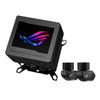
ASUS includes ROG fittings to support custom-loop installation. The official ASUS UK page states that the kit includes 16mm hard-tube fittings and 90° rotary adapter fittings. ASUS also describes the bundled ROG fittings as all-copper fittings designed to support water flow and improve the visual style of the build. :contentReference[oaicite:6]{index=6}
Before ordering, check your tubing size, coolant type, radiator layout, pump/reservoir configuration and case clearance. Custom-loop components must be planned carefully to avoid compatibility issues or leaks.
Who Is the ASUS ROG Ryujin III WB Best For?
- PC enthusiasts building a custom water-cooling loop
- ROG-themed showcase gaming PCs
- High-end Intel LGA 1700 / LGA 1851 systems
- AMD AM5 and AM4 custom-loop builds
- Users who want a CPU water block with a large LCD display
- Builders who want VRM airflow support around the CPU socket
- Overclocking-focused systems with proper radiator and pump capacity
- Custom hard-tube water-cooling builds using compatible fittings
Who Is This CPU Water Block Not For?
This product is not suitable for users who want a ready-to-use all-in-one liquid cooler, a normal CPU air cooler, or a plug-and-play cooler with radiator and fans included. It is also not suitable for systems without a custom water-cooling loop. If you need a complete cooler, choose an AIO model such as a ROG Ryujin III 240mm or 360mm liquid cooler instead.
Technical Specifications
- Brand: ASUS ROG
- Model: ROG Ryujin III WB
- Part Number: 90RC00V0-M0UAY0
- Product Type: CPU water block for custom liquid cooling loops
- Colour: Black
- Cooling Design: Asetek-powered water block
- Cold Plate: Copper alloy cold plate
- Micro-Cooling Fins: 178
- VRM Fan: Embedded Axial-tech fan
- LCD Display: 3.5-inch full-colour LCD
- LCD Panel Type: IPS panel
- LCD Upload Capacity: 32MB
- LCD Frame Support: Up to 2000 frames
- LCD Refresh / Animation Support: 60FPS
- LCD Colour Depth: 24-bit
- System Monitoring: Clock frequencies, voltages, temperatures, fan speeds and water flow display support
- Software: ASUS Armoury Crate support
- AIDA64: One-year AIDA64 Extreme subscription included
- Included Fittings: ROG fittings, including 16mm hard-tube fittings and 90° rotary adapter fittings
- Intel Socket Support: LGA 1851, LGA 1700, LGA 1200, LGA 115X
- AMD Socket Support: AM5, AM4
- Radiator Included: No
- Pump Included: No
- Reservoir Included: No
- Fans Included: No
- Custom Loop Required: Yes
Important Compatibility Note
This is an open-loop CPU water block, not a complete cooling kit. It requires compatible custom-loop water-cooling parts, including pump, reservoir, radiator, tubing, coolant and fans. Installation should be carried out carefully by users familiar with custom water cooling, leak testing and coolant maintenance.
Important AIO Cooler Note
The ASUS ROG Ryujin III WB should not be confused with the ROG Ryujin III AIO liquid coolers. The WB version is a water block for custom loops and does not include a radiator, pump, tubing or radiator fans.
Important Fitting and Tubing Note
ASUS lists included 16mm hard-tube fittings and 90° rotary adapter fittings. Always check your tubing outer diameter, fitting type, coolant choice, radiator layout and case clearance before installation. Mixing incompatible custom-loop fittings or tubing can cause leaks.
Why Buy the ASUS ROG Ryujin III WB?
The ASUS ROG Ryujin III WB is a premium custom-loop CPU water block for users who want strong cooling potential, high-end ROG styling, a large 3.5-inch LCD, integrated VRM airflow and wide Intel/AMD socket support. With Asetek cooling technology, 178 micro-cooling fins, a copper alloy cold plate, embedded VRM fan and included ROG fittings, it is designed for serious custom water-cooled gaming and enthusiast systems.
Choose this product if you are building a custom liquid-cooled PC and want a feature-rich CPU block with advanced display customisation and ROG design.
Specification
ASUS ROG Ryujin III WB CPU Water Block Specifications
The ASUS ROG Ryujin III WB is a premium CPU water block for custom/open-loop liquid cooling systems. It features a 3.5-inch full-colour LCD screen, embedded VRM fan, Asetek-powered water block, 178 micro-cooling fins, copper alloy cold plate and ROG fittings. This is not a complete AIO cooler and requires a compatible custom water-cooling loop.
General Information
| Brand | ASUS ROG |
| Product Series | ROG Ryujin III |
| Model | ROG Ryujin III WB |
| Part Number | 90RC00V0-M0UAY0 |
| Product Type | CPU water block for custom liquid cooling loops |
| Colour | Black |
| Recommended Use | Custom-loop liquid-cooled gaming PCs, enthusiast systems, ROG showcase builds and high-performance Intel / AMD desktop PCs |
Cooling Design
| Cooling Type | Open-loop / custom-loop CPU water block |
| Water Block Technology | Asetek-powered water block |
| Cold Plate Material | Copper alloy cold plate |
| Micro-Cooling Fins | 178 micro-cooling fins |
| VRM Cooling Fan | Embedded Axial-tech fan |
| VRM Cooling Benefit | ASUS testing shows up to 35°C lower motherboard VRM temperatures, depending on system configuration |
LCD Display and Customisation
| LCD Display | 3.5-inch full-colour LCD screen |
| Panel Type | IPS panel |
| Upload Capacity | 32MB |
| Frame Support | Up to 2000 frames |
| Animation Support | Up to 60FPS |
| Colour Depth | 24-bit colour |
| Display Content | Hardware information, system monitoring, personalised images, videos and GIF animations |
| System Monitoring | Can display clock frequencies, voltages, temperatures, fan speeds and water flow |
| Software Control | ASUS Armoury Crate |
| AIDA64 Extreme | One-year AIDA64 Extreme subscription included |
CPU Socket Compatibility
| Intel Socket Support | LGA 1851, LGA 1700, LGA 1200, LGA 115X |
| AMD Socket Support | AM5, AM4 |
| Intel Platform Note | Check motherboard socket and CPU compatibility before purchase |
| AMD Platform Note | Check motherboard socket and CPU compatibility before purchase |
Custom Loop and Fittings
| Custom Loop Required | Yes |
| Included Fittings | ROG fittings included |
| Hard-Tube Fittings | 16mm hard-tube fittings included |
| Rotary Adapter Fittings | 90° rotary adapter fittings included |
| Fitting Material | ASUS describes the bundled ROG fittings as all-copper fittings |
| Tubing Compatibility Note | Check tubing outer diameter, fitting type and custom-loop layout before installation |
What Is Not Included
| Radiator Included | No |
| Pump Included | No |
| Reservoir Included | No |
| Tubing Included | No, except the included fittings listed by ASUS |
| Coolant Included | No |
| Radiator Fans Included | No |
| Complete AIO Cooler | No, this is not an AIO cooler |
Physical Specifications
| Material | Copper / copper alloy cold plate listed for cooling contact area |
| Product Colour | Black |
| Approximate Width | 89mm, listed by third-party product data |
| Approximate Depth | 89mm, listed by third-party product data |
| Approximate Height | 107mm, listed by third-party product data |
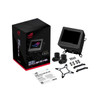
Package Contents
| CPU Water Block | 1 x ASUS ROG Ryujin III WB CPU Water Block |
| Fittings | ROG fittings, including 16mm hard-tube fittings and 90° rotary adapter fittings |
| Mounting Hardware | Included for supported Intel and AMD sockets, depending on retail package |
| Software / Subscription | One-year AIDA64 Extreme subscription included |
Important Custom Loop Requirement
This product is a CPU water block only. It is designed for a custom/open-loop liquid cooling system and requires a compatible pump, reservoir, radiator, tubing, coolant and fans. It should not be purchased as a complete cooler unless the buyer already has, or plans to build, a full custom water-cooling loop.
Important AIO Cooler Warning
The ASUS ROG Ryujin III WB should not be confused with ASUS ROG Ryujin III AIO liquid coolers. The WB version does not include a radiator, pump, reservoir, radiator fans, sealed tubes or pre-filled coolant.
Important Installation Notes
Custom liquid cooling requires careful planning, fitting selection, leak testing and maintenance. Always check socket compatibility, tubing size, fitting compatibility, radiator capacity, coolant type, case clearance and installation instructions before building the loop.
Important ARGB / Software Note
LCD customisation and system monitoring functions may require ASUS Armoury Crate and compatible motherboard/software support. Water-flow monitoring depends on compatible custom-loop sensors and system configuration.
Returns
FAQ: Frequently Asked Questions
ASUS ROG Ryujin III WB CPU Water Block FAQ
The ASUS ROG Ryujin III WB CPU Water Block is a premium custom-loop CPU water block designed for high-end gaming PCs, enthusiast builds, showcase systems, and custom liquid-cooling setups. It features a full-colour 3.5-inch LCD screen, embedded VRM fan, Asetek-powered cooling technology, a copper alloy cold plate, 178 micro-cooling fins, and support for selected Intel and AMD CPU sockets. Below are the most common questions buyers ask before choosing this ROG Ryujin III WB custom loop CPU water block, including compatibility, fittings, pump and radiator requirements, coolant choice, LCD control, Armoury Crate, installation, leak testing, maintenance, and whether this is the right product compared with a normal AIO cooler.
1. What is the ASUS ROG Ryujin III WB?
The ASUS ROG Ryujin III WB is a premium CPU water block for custom liquid-cooling loops. It cools the CPU by transferring heat into coolant that flows through the block, then through the rest of a custom loop such as a pump, reservoir, radiator, tubing and fittings.
2. Is the ROG Ryujin III WB an AIO liquid cooler?
No. The ROG Ryujin III WB is not an all-in-one liquid cooler. It is a CPU water block for a custom water-cooling loop. It does not include a built-in radiator, pump, fans, tubes, coolant or closed-loop system like an AIO cooler.
3. What does “WB” mean in ROG Ryujin III WB?
“WB” stands for water block. This means the product is the CPU block part of a custom liquid-cooling loop, not a complete cooler by itself.
4. What else do I need to use the ROG Ryujin III WB?
You need the rest of a custom water-cooling loop, including a compatible pump, reservoir or pump/reservoir combo, radiator, fans, tubing, fittings, coolant, drain method and suitable case support. The water block alone cannot cool the CPU without coolant flow and a radiator.
5. Does the ROG Ryujin III WB include a pump?
No. The Ryujin III WB does not include a pump. You need a separate pump or pump/reservoir combo in your custom loop to move coolant through the block, radiator and tubing.
6. Does the ROG Ryujin III WB include a radiator?
No. This product is a CPU water block only. You must choose a suitable radiator separately based on your CPU heat output, case compatibility, fan size, noise preference and cooling goals.
7. Does the ROG Ryujin III WB include tubing and fittings?
The product may include ROG-branded fittings depending on the package, but it is still not a full custom loop kit. You should check the box contents and make sure you have the correct tubing, fittings, coolant, pump, reservoir and radiator for your build.
8. What fittings does the ROG Ryujin III WB use?
Custom water-cooling CPU blocks commonly use standard G1/4-style fittings, and the Ryujin III WB is marketed with ROG fittings. Always confirm the included fitting size and match your tubing inner/outer diameter before buying additional fittings or tubing.
9. Can I use soft tubing with the ROG Ryujin III WB?
Yes, it can be used in a soft-tube custom loop if you choose compatible fittings and tubing. Make sure the tubing size matches the compression or barb fittings used in your loop.
10. Can I use hardline tubing with the ROG Ryujin III WB?
Yes, it can be used in a hardline custom loop if you use compatible hardline fittings and tubing. Hardline builds require more planning, accurate tube bending or cutting, and careful leak testing.
11. Can beginners use the ROG Ryujin III WB?
It is better suited to experienced PC builders or users comfortable with custom water cooling. Beginners can use it, but they should understand loop planning, fittings, coolant, radiator sizing, pump setup, leak testing and maintenance before installation.
12. Is this water block suitable for a first custom loop?
It can be used in a first custom loop, but it is a premium component and requires careful planning. If you are new to liquid cooling, make a full parts list first and confirm compatibility between the case, pump, reservoir, radiator, fittings, tubing, coolant and CPU socket.
13. Which CPU sockets does the ROG Ryujin III WB support?
Retail specifications commonly list support for Intel LGA 1700, LGA 1200 and LGA 115x, as well as AMD AM5 and AM4. Always check the latest ASUS compatibility list and the included mounting hardware before installation.
14. Does the ROG Ryujin III WB support Intel LGA 1700?
Yes. The ROG Ryujin III WB is commonly listed with Intel LGA 1700 support, making it suitable for many Intel 12th, 13th and 14th Gen desktop platforms when the correct mounting kit is used.
15. Does the ROG Ryujin III WB support Intel LGA 1200?
Yes. Retail specifications commonly list Intel LGA 1200 support. This can make it compatible with many Intel 10th and 11th Gen desktop CPUs, depending on motherboard and mounting hardware.
16. Does the ROG Ryujin III WB support Intel LGA 115x?
Yes. The block is commonly listed with Intel LGA 115x support, covering many older Intel mainstream desktop sockets such as LGA 1150, 1151, 1155 and 1156 where the mounting hardware is compatible.
17. Does the ROG Ryujin III WB support AMD AM5?
Yes. The ROG Ryujin III WB is commonly listed with AMD AM5 support, making it suitable for many Ryzen 7000, Ryzen 8000 and Ryzen 9000 series desktop processors when installed with the correct AMD mounting hardware.
18. Does the ROG Ryujin III WB support AMD AM4?
Yes. The water block is commonly listed with AMD AM4 support, making it suitable for many Ryzen desktop CPUs when the correct mounting hardware is used.
19. Does the ROG Ryujin III WB support Intel LGA 1851?
Check the latest ASUS compatibility information before buying for LGA 1851. The product is commonly listed for LGA 1700, 1200, 115x, AM5 and AM4, but newer sockets may require confirmation or an updated mounting kit.
20. Is the ROG Ryujin III WB good for AMD Ryzen 7800X3D, 7950X or 9950X?
Yes, it can be used with compatible AM5 Ryzen CPUs when installed in a properly designed custom loop. Final temperatures depend on radiator size, pump flow, coolant temperature, case airflow, CPU power settings and mounting quality.
21. Is the ROG Ryujin III WB good for Intel Core i7 or i9 CPUs?
Yes, it can be suitable for high-end Intel Core i7 and Core i9 CPUs on compatible sockets. For high-power Intel CPUs, radiator capacity, pump quality and airflow are very important because the CPU can generate significant heat under heavy load.
22. What is the 3.5-inch LCD screen used for?
The 3.5-inch full-colour LCD can display system information, animations, images, GIF-style visuals, ROG graphics or custom content depending on software support. It is one of the main visual features of the Ryujin III WB.
23. Can I customise the LCD screen?
Yes. The LCD is designed for customisation, including images and animations. ASUS lists features such as full-colour display support, high refresh presentation, 32MB upload capacity and 2000-frame support on the ROG product information.
24. Do I need Armoury Crate to control the LCD?
For most users, yes. Armoury Crate is normally the main ASUS software used to control ROG cooler displays, lighting and device features. Some advanced users discuss alternatives, but Armoury Crate is the expected official route for LCD customisation.
25. Can I use the Ryujin III WB without Armoury Crate?
The water block can still function as part of the cooling loop, but LCD customisation and some ROG-specific controls may require Armoury Crate. Community users often ask about using third-party tools, but full feature support is usually easiest through ASUS software.
26. Can the LCD display CPU temperature?
Yes, the LCD is designed to show system information such as temperatures and other monitoring data through supported software. Exact display options depend on Armoury Crate, firmware and software support.
27. Can the LCD show GIFs or animations?
Yes. The LCD is designed for custom images and animations, with ASUS listing high-colour and multi-frame support. For best results, use supported formats and ASUS software guidance for upload size and display limits.
28. Can I use AIDA64 with the Ryujin III WB display?
Some users discuss using AIDA64 or third-party display tools with Ryujin III-style screens, but setup can be more complex than Armoury Crate and may depend on device support, software conflicts and firmware. For most buyers, Armoury Crate is the simpler official method.
29. What is the embedded VRM fan for?
The embedded VRM fan helps move air around the CPU socket area, including motherboard VRM heatsinks and nearby components. This is useful because custom water blocks do not provide the same airflow around the socket as a traditional air cooler.
30. Is the VRM fan important?
Yes, it can be useful in custom-loop systems where there is less direct airflow around the motherboard socket area. It can help cool VRMs and nearby components, especially in high-power builds or cases with limited airflow.
31. Is the embedded VRM fan noisy?
Noise depends on fan speed, case airflow and software control. Small fans can become more noticeable at high RPM, but the fan is designed to provide targeted airflow around the CPU socket area. Adjusting fan curves may help balance cooling and noise.
32. What cooling technology does the Ryujin III WB use?
ASUS describes the Ryujin III WB as using Asetek-powered cooling technology, 178 micro-cooling fins and a copper alloy cold plate. These features are designed to improve heat transfer from the CPU into the liquid-cooling loop.
33. What are micro-cooling fins?
Micro-cooling fins are very small internal fins inside the water block that increase the surface area contacting the coolant. More effective coolant contact can help transfer heat away from the CPU more efficiently when the loop is properly designed.
34. What is the cold plate made from?
ASUS describes the Ryujin III WB as using a copper alloy cold plate. Copper is commonly used in CPU water blocks because it transfers heat efficiently from the CPU to the coolant path.
35. Can this water block cool better than an AIO?
It can, but only when used in a well-designed custom loop with enough radiator capacity, good pump flow and proper airflow. A water block alone does not determine performance; the full loop design is what controls coolant temperature and cooling results.
36. Is a custom loop better than an AIO?
A custom loop can offer better cooling potential, better visuals and more flexibility, but it costs more and requires planning, leak testing and maintenance. An AIO is simpler, cheaper and easier for most users. Choose custom loop cooling only if you are comfortable with the extra work and risk management.
37. ROG Ryujin III WB vs ROG Ryujin III AIO — what is the difference?
The Ryujin III WB is a water block for a custom loop and needs a separate pump, radiator, tubing, coolant and fittings. The Ryujin III AIO is a complete sealed liquid cooler with pump, radiator, tubes and fans included. Do not buy the WB version if you want a simple plug-and-play AIO cooler.
38. Should I buy this instead of a normal CPU cooler?
Buy the Ryujin III WB if you are building or upgrading a custom water-cooling loop and want a premium ROG block with a large LCD and VRM fan. Choose an air cooler or AIO if you want easier installation, lower cost and less maintenance.
39. Can I use this with only distilled water?
Distilled water alone is not usually recommended for long-term PC liquid cooling unless used with the correct additives. Use a proper PC coolant or approved biocide/corrosion inhibitor mix designed for custom loops, and follow the guidance from your coolant and component manufacturers.
40. What coolant should I use with the ROG Ryujin III WB?
Use a high-quality coolant designed for PC custom water-cooling loops. Avoid unknown fluids, automotive coolant, tap water or mixtures that could cause corrosion, staining, biological growth or blockages. Check compatibility with copper/brass/nickel components in your loop.
41. Can I use coloured coolant?
Yes, but coloured and opaque coolants can require more maintenance and may stain tubing or leave residue over time. Clear coolant is usually easier to maintain, while coloured coolant is chosen mainly for appearance.
42. Can I use mixed metals in the same loop?
Avoid mixing incompatible metals, especially aluminium with copper/brass/nickel loop components, unless the coolant and components are specifically designed for it. Mixed metals can increase corrosion risk. Keep the loop materials compatible and use proper coolant inhibitors.
43. Does the ROG Ryujin III WB need thermal paste?
Yes. Like other CPU coolers and water blocks, thermal paste is needed between the CPU heat spreader and the water block cold plate. Use a suitable amount and mount the block evenly for good contact.
44. How much thermal paste should I use?
For most mainstream CPUs, a small pea-sized amount or thin even application is usually enough. Larger CPUs may benefit from a line or spread method. The goal is full coverage with a thin layer and no trapped air gaps.
45. Can I reuse old thermal paste when installing this block?
No. Clean off old thermal paste from the CPU and cooler surface before installing the block. Use isopropyl alcohol and a lint-free cloth, then apply fresh thermal paste before mounting the water block.
46. Do I need to leak test the loop?
Yes. Leak testing is essential for any custom water-cooling loop. Test the loop before powering the full system, check every fitting and joint carefully, and follow safe filling and testing practices to protect the PC components.
47. How long should I leak test a custom loop?
Many builders test for several hours, and some test longer, especially for a new loop. The key is to check all fittings, blocks, pump, reservoir, radiators and tubing carefully before powering expensive PC hardware normally.
48. Can this water block leak?
Any custom liquid-cooling component can leak if installed incorrectly, if fittings are loose, if tubing is mismatched, if O-rings are damaged or if maintenance is poor. Correct installation and leak testing are essential.
49. How often should I maintain a custom loop with this block?
Maintenance depends on coolant type, loop materials and usage. Many builders inspect coolant level, clarity and fittings regularly, then drain and clean the loop periodically. Opaque or coloured coolants may require more frequent maintenance than clear coolant.
50. Can the Ryujin III WB clog?
Like any microfin water block, it can clog if the loop contains debris, biological growth, poor coolant, old residue or contamination. Flush radiators before use, use quality coolant, keep the loop clean and avoid mixing incompatible fluids.
51. Should I flush new radiators before using this water block?
Yes. It is good practice to flush new radiators before adding them to a loop because manufacturing residue or particles can travel into the water block and reduce performance or cause clogging.
52. Does the Ryujin III WB cool the GPU?
No. This is a CPU water block only. If you want to cool a graphics card with the same loop, you need a compatible GPU water block, additional fittings, more radiator capacity and careful loop planning.
53. Can I add a GPU block to the same loop?
Yes, if your pump and radiator capacity are suitable and you choose a GPU block that fits your exact graphics card model. Adding a GPU increases heat load, so you may need more radiator surface area and stronger airflow.
54. What radiator size should I use with the Ryujin III WB?
Radiator size depends on your CPU, overclocking, noise target and whether the loop also cools a GPU. A high-power CPU benefits from larger radiator capacity. If cooling CPU and GPU together, use more radiator surface area than a CPU-only loop.
55. What pump should I use with this water block?
Use a reliable PC water-cooling pump or pump/reservoir combo suitable for your loop restriction, radiator count and case layout. D5 and DDC-style pumps are common choices in custom loops, but compatibility depends on your reservoir, fittings and space.
56. Can I install the Ryujin III WB in any PC case?
No. Your case must have space for a custom loop, including radiator, fans, pump/reservoir, tubing paths and safe fill/drain access. Compact cases may be possible but require careful planning and component measurement.
57. Does the screen need a USB header?
ROG LCD coolers and similar devices normally require internal USB connection for display control and software communication. Check the manual and make sure your motherboard has the required internal USB header available.
58. Does it need SATA power or motherboard power?
Check the included manual for the exact power connectors. LCD screens and embedded fans often require motherboard headers and/or power connections. Make sure your motherboard and PSU have the required connectors before installation.
59. Can I control the VRM fan speed?
Fan control may be available through ASUS software or motherboard control depending on how the device connects. Check Armoury Crate and BIOS/software options after installation for available fan and display settings.
60. Can the LCD be rotated?
Display orientation options depend on the ASUS software and device firmware. If case layout or tube routing changes the visual orientation, check Armoury Crate display settings for rotation or layout controls.
61. Can I use this water block on a non-ASUS motherboard?
Yes, the water block can be used with compatible Intel or AMD sockets on non-ASUS motherboards, provided the board has the required headers and physical clearance. Some ROG software features may work best in an ASUS ecosystem, but the block is not limited only to ASUS motherboards.
62. Is this water block only for ROG builds?
No. It can be used in many compatible custom-loop PCs, but the ROG design, LCD screen and software integration make it especially attractive for ASUS ROG-themed builds.
63. Is the ROG Ryujin III WB good for overclocking?
Yes, it can be part of a strong overclocking setup when paired with enough radiator capacity, good pump flow and proper case airflow. Overclocking results depend on the CPU, voltage, loop temperature and motherboard power delivery.
64. Will this block reduce CPU temperatures?
It can reduce CPU temperatures when used in a properly designed custom loop. However, the water block alone is not enough; radiator size, pump performance, coolant temperature, fan speed and mounting pressure all affect results.
65. Why are my CPU temperatures high after installing the water block?
Common causes include poor thermal paste application, uneven mounting pressure, no pump flow, air trapped in the block, insufficient radiator capacity, low fan speed, wrong inlet/outlet routing, clogged microfins, high CPU voltage or poor case airflow.
66. How can I tell if coolant is flowing through the block?
Check pump operation, reservoir movement, flow indicator if installed, coolant temperature changes, tube vibration and CPU temperature behaviour. If the CPU temperature rises very quickly, stop and check pump power, air locks and loop routing.
67. Can air bubbles affect cooling?
Yes. Air trapped in the block or pump can reduce cooling performance and create noise. Tilt and bleed the system carefully during filling, and allow the loop to run during leak testing to move trapped air into the reservoir.
68. Can I install this block with the motherboard already inside the case?
Sometimes yes, but it may be easier to install the mounting hardware and block before the motherboard is fully installed, depending on case access, backplate design and tube routing. Plan the loop layout before tightening fittings and cutting tubing.
69. Is this product suitable for small form factor builds?
It can be used in some compact builds, but custom loops in small cases are difficult. You need enough room for the block, fittings, tube bends, pump/reservoir, radiator and maintenance access. Always check case clearance before buying.
70. Is the ROG Ryujin III WB worth it for a normal gaming PC?
It is worth considering if you want a premium custom-loop build with high-end visuals, a large LCD and ROG styling. For a normal gaming PC where simplicity and value matter more, a good air cooler or AIO may be more practical.
71. Who is the ROG Ryujin III WB best for?
The ROG Ryujin III WB is best for enthusiast PC builders, custom-loop users, ROG showcase builds, overclockers, content creators and gamers who want a premium CPU water block with a large customisable LCD and embedded VRM fan.
72. Who is the ROG Ryujin III WB not for?
This product is not for users who want a plug-and-play AIO cooler, a budget CPU cooler, a maintenance-free system, or a simple air-cooling setup. It is also not suitable if you do not want to buy and maintain a full custom water-cooling loop.
73. What should I check before buying the ROG Ryujin III WB?
Before buying, check your CPU socket, case space, radiator support, pump/reservoir plan, tubing size, fitting type, coolant choice, motherboard USB/fan headers, LCD software requirements, leak-testing equipment, and whether you are comfortable maintaining a custom liquid-cooling loop.
