
ASUS
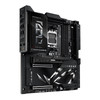
ASUS ROG Crosshair X870E Extreme AM5 E-ATX Motherboard – DDR5, WiFi 7 & PCIe 5.0
- SKU:
- 90MB1LB0-M0EAY0
- UPC:
- 4711387984963
- MPN:
- 90MB1LB0-M0EAY0
- Availability:
- Free Click & Collect in Peterborough. UK delivery also available



Description
ASUS ROG Crosshair X870E Extreme – Premium AMD AM5 Gaming Motherboard with DDR5, PCIe 5.0 and WiFi 7
The ASUS ROG Crosshair X870E Extreme is a flagship AMD X870E E-ATX motherboard designed for enthusiast gaming PCs, advanced overclocking, content creation and high-performance desktop builds. Built around the AMD AM5 socket, it supports compatible AMD Ryzen 9000, Ryzen 8000 and Ryzen 7000 series desktop processors, offering a premium foundation for powerful AMD-based systems.
Featuring a robust 20+2+2 power stage design, four DDR5 memory slots supporting up to 256GB, PCIe 5.0 expansion, up to five M.2 SSD connections, WiFi 7, 10Gb and 5Gb Ethernet, dual USB4 ports and a customisable 5-inch colour LCD, this motherboard combines advanced performance tuning with exceptional connectivity.
The ROG Crosshair X870E Extreme is particularly suited to PC enthusiasts using high-performance Ryzen processors, powerful graphics cards, fast NVMe storage and sophisticated cooling solutions. Its extensive overclocking controls, ASUS AI optimisation features and premium cooling design make it a compelling choice for users who want more than a conventional gaming motherboard.
Quick answer: The ASUS ROG Crosshair X870E Extreme is a premium AMD X870E motherboard for compatible AM5 Ryzen processors. It supports DDR5 memory up to 256GB, PCIe 5.0 graphics and SSD expansion with supported CPUs, WiFi 7, 10Gb Ethernet, USB4 and advanced CPU overclocking. Its large E-ATX format is designed for enthusiast desktop PC builds.
Key Features of the ASUS ROG Crosshair X870E Extreme
- AMD X870E chipset: High-end AM5 platform designed for enthusiast desktop computing and advanced connectivity.
- AMD Socket AM5: Compatible with supported Ryzen 9000, 8000 and 7000 series desktop processors.
- 20+2+2 power stages: Premium voltage regulation designed for demanding Ryzen processor workloads.
- Up to 256GB DDR5: Four DIMM slots with dual-channel architecture and AMD EXPO memory profile support.
- PCIe 5.0 graphics expansion: Two physical PCIe x16 expansion slots supporting PCIe 5.0 with compatible Ryzen processors.
- Up to five M.2 SSD slots: Three onboard M.2 connections and two additional M.2 connections through the included ROG Q-DIMM.2 module.
- WiFi 7 connectivity: Advanced 2.4GHz, 5GHz and 6GHz wireless networking with compatible devices and network equipment.
- Dual wired networking: Marvell AQtion 10Gb Ethernet and Realtek 5Gb Ethernet.
- Dual USB4 connections: Two rear USB Type-C ports supporting up to 40Gbps each.
- Integrated 5-inch LCD: Customisable full-colour display for system information, animations and personalisation.
- ASUS AI technology: AI Overclocking, AI Cooling II, AI Networking II and supported AI Cache Boost features.
- ROG SupremeFX audio: ALC4082 audio codec and ESS ES9219 Quad DAC.
- Enhanced cooling: Large VRM heatsinks, M.2 cooling solutions, multiple fan headers and water-pump connections.
- Extreme overclocking controls: Dual BIOS, Safe Boot, ReTry, LN2 Mode and ProbeIt measurement points.
- E-ATX motherboard: 305mm x 277mm construction for compatible enthusiast PC cases.
- Manufacturer part number: 90MB1LB0-M0EAY0.
AMD X870E Chipset and AM5 Socket for High-Performance Ryzen PCs
The ASUS ROG Crosshair X870E Extreme uses AMD's premium X870E chipset, providing a feature-rich platform for gaming systems, productivity workstations and enthusiast PC builds.
Its AM5 processor socket supports selected AMD Ryzen 9000, Ryzen 8000 and Ryzen 7000 series desktop CPUs, subject to ASUS's official CPU compatibility list and BIOS requirements.
Designed for AMD Ryzen 9000 Series Processors
For enthusiasts building around a compatible Ryzen 9000 series processor, the motherboard delivers advanced power regulation, DDR5 memory support, PCIe 5.0 expansion and extensive UEFI performance-tuning options.
These capabilities make it suitable for high-end gaming, intensive multitasking, CPU-heavy creative applications and workloads requiring substantial memory and fast storage.
Before choosing a processor, check the ASUS CPU support list to verify the required BIOS version and supported features.
Compatibility with Ryzen 7000 and 8000 Series Processors
The AM5 socket also supports compatible Ryzen 7000 and Ryzen 8000 series desktop processors. However, PCIe expansion bandwidth, available M.2 slots, memory overclocking and graphics capabilities can vary significantly between processor families.
Important: Ryzen 8000 series desktop processors have more restricted PCIe expansion support on this motherboard. With supported Ryzen 8000 processors, the primary onboard M.2 slot operates in PCIe 4.0 mode, while the second and third onboard M.2 slots are unavailable. The two chipset-connected M.2 slots accessed through ROG Q-DIMM.2 have separate support.
20+2+2 Power Stages for Demanding Ryzen Processor Workloads
The ROG Crosshair X870E Extreme incorporates a high-end voltage regulator module designed to supply stable power to powerful AMD processors during demanding tasks and supported overclocking scenarios.
Its 20+2+2 teamed power stage configuration consists of 20 VCORE stages rated at 110A, two SoC stages rated at 110A and two miscellaneous stages rated at 80A.
Premium VRM Design and ProCool II Connectors
Dual 8-pin ProCool II CPU power connectors help provide reliable electrical connections for demanding processor configurations. The power system also incorporates MicroFine alloy chokes and 10K black metallic capacitors.
Large integrated VRM heatsinks help manage heat generated by the power delivery components, supporting sustained operation under suitable cooling conditions.
These features are particularly useful for enthusiasts using powerful multi-core processors for gaming, rendering, video editing, software compilation or CPU-intensive workloads.
Advanced CPU Overclocking and Performance Tuning
The motherboard provides extensive BIOS controls for experienced users who want to fine-tune CPU behaviour, memory settings and system performance.
Features such as ASUS AI Overclocking, Dynamic OC Switcher and supported Precision Boost Overdrive settings offer additional ways to adjust processor performance.
Overclocking note: Actual results depend on CPU quality, cooling, firmware, memory configuration and power delivery. Overclocking can increase heat and power consumption and is not guaranteed to improve performance in every workload.
DDR5 Memory Support up to 256GB with AMD EXPO
The ASUS ROG Crosshair X870E Extreme features four DDR5 DIMM slots supporting up to 256GB of dual-channel memory, making it suitable for high-capacity gaming and productivity configurations.
DDR5 technology provides increased memory bandwidth compared with earlier DDR4 platforms, supporting modern applications, demanding games and memory-intensive workflows when paired with suitable hardware.
High-Speed DDR5 Overclocking and AMD EXPO Profiles
According to ASUS, supported overclocked memory data rates reach up to:
- 8,200+ MT/s (OC) with Ryzen 9000 series processors.
- 9,000+ MT/s (OC) with Ryzen 8000 series processors.
- 8,000+ MT/s (OC) with Ryzen 7000 series processors.
The motherboard supports AMD EXPO memory profiles and ASUS Enhanced Memory Profile (AEMP) technology, providing compatible users with convenient memory configuration and tuning options through the BIOS.
Maximum memory frequency is not guaranteed. Results depend on the processor's memory controller, motherboard BIOS, DIMM population and memory kit. Check ASUS's qualified vendor list for tested configurations.
NitroPath DRAM Technology for Enthusiast Memory Builds
ASUS NitroPath DRAM Technology uses optimised memory slot construction and electrical signal pathways designed to improve DDR5 signal integrity and support greater overclocking headroom.
Its reinforced slot design is also intended to withstand repeated memory installation and removal, which can be particularly useful for enthusiasts who regularly test or upgrade DDR5 memory kits.
PCIe 5.0 Expansion for High-End Graphics Cards and NVMe SSDs
The ROG Crosshair X870E Extreme supports PCIe 5.0 expansion when used with compatible Ryzen 9000 or Ryzen 7000 series processors, providing a high-bandwidth interface for modern graphics cards and storage devices.
Two Physical PCIe x16 Slots for Graphics and Expansion
Two reinforced PCIe x16 expansion slots allow installation of compatible graphics cards and selected expansion devices. With supported processors, the slots offer PCIe 5.0 connectivity, subject to the motherboard's lane-sharing configuration.
If both graphics expansion slots are used, each operates at up to x8 bandwidth. Some M.2 configurations also share PCIe lanes and can reduce graphics slot bandwidth or disable the secondary slot.
ASUS Q-Release Slim technology helps simplify removal of compatible expansion cards, making component upgrades and maintenance more convenient.
PCIe 5.0 and Backwards Compatibility
PCIe 5.0 provides higher theoretical bandwidth than PCIe 4.0, offering additional capacity for supported expansion devices.
Compatible PCIe 4.0 and PCIe 3.0 graphics cards can also operate in backwards-compatible slots. Actual performance depends on the graphics card, available lanes, processor and system configuration.
Up to Five M.2 SSD Connections for High-Speed Storage
The ASUS ROG Crosshair X870E Extreme offers extensive internal storage expansion with up to five M.2 NVMe SSD connections, making it suitable for gaming libraries, professional applications, high-resolution media projects and large local file collections.
Three Onboard PCIe 5.0 M.2 SSD Slots
With compatible Ryzen 9000 or Ryzen 7000 processors, the three onboard M.2 connections support PCIe 5.0 x4 NVMe storage. These slots provide a platform for high-performance SSDs designed for demanding file-transfer and application workloads.
Selected onboard M.2 slots support longer 22110 drives, while all three support compatible M.2 2280 SSDs.
SSD speeds depend on the installed drive, supported interface, operating conditions and shared PCIe resources.
ROG Q-DIMM.2 Expansion for Two Additional M.2 SSDs
The included ROG Q-DIMM.2 expansion module supports two additional PCIe 4.0 x4 M.2 SSD connections through a dedicated motherboard connector.
This enables users to expand their storage without relying solely on conventional motherboard-mounted M.2 slots.
The system also provides four SATA 6Gb/s ports for compatible SATA storage devices and a SlimSAS connector supporting PCIe 4.0 x4 through an appropriate separately purchased adapter cable.
Important PCIe Lane-Sharing Information
Installing an SSD in certain onboard M.2 slots can change the available bandwidth of the PCIe x16 expansion slots.
For Ryzen 9000 and 7000 series configurations, using M.2_2 or M.2_3 can reduce the primary graphics slot to x8 and may disable or limit the secondary graphics slot.
Check the ASUS motherboard manual and PCIe lane-sharing table before planning a configuration with multiple graphics cards or several high-performance NVMe SSDs.
WiFi 7, 10Gb Ethernet and 5Gb Ethernet Networking
The ROG Crosshair X870E Extreme provides premium wired and wireless networking capabilities for users who require fast local data transfers, reliable network connections and modern wireless connectivity.
Integrated WiFi 7 with 2.4GHz, 5GHz and 6GHz Support
The integrated 2x2 WiFi 7 adapter supports IEEE 802.11be wireless technology and, where permitted, the 2.4GHz, 5GHz and 6GHz frequency bands.
With compatible network equipment and supported operating system settings, WiFi 7 offers advanced wireless capabilities including 320MHz channel bandwidth and manufacturer-rated wireless link speeds up to 6.5Gbps.
Compatibility note: Full WiFi 7 functionality requires Windows 11 version 24H2 or later according to ASUS. Available channels, speeds and 6GHz support depend on UK regulations, router capabilities, signal conditions and connected devices.
Dedicated 10Gb and 5Gb Ethernet Connections
The motherboard includes two high-speed wired network connections:
- Marvell AQtion 10Gb Ethernet: Suitable for compatible high-speed local networks, NAS storage and demanding file-transfer environments.
- Realtek 5Gb Ethernet: Provides a second high-bandwidth network connection for compatible switches, routers and other networking equipment.
These interfaces can benefit content creators moving large files between computers and NAS devices, as well as enthusiasts building advanced home networks.
To achieve multi-gigabit network speeds, connected routers, switches, cables and other devices must also support the required speeds.
USB4 40Gbps and Extensive High-Speed USB Connectivity
The ASUS ROG Crosshair X870E Extreme offers a wide selection of high-speed USB connections for external SSDs, capture devices, accessories, docks and other compatible peripherals.
Dual USB4 Type-C Ports up to 40Gbps
Two rear USB4 Type-C ports support data transfer rates up to 40Gbps each with compatible USB4 equipment.
The USB4 ports also support display output capabilities, subject to the installed processor and connected display hardware.
This provides flexible connectivity for compatible high-speed external storage, USB4 hubs and display-related equipment.
12 Rear USB Ports and Front-Panel USB-C Support
The motherboard provides 12 rear USB connections in total:
- 2 x USB4 40Gbps Type-C ports.
- 2 x USB 10Gbps Type-C ports.
- 8 x USB 10Gbps Type-A ports.
Internal headers also support additional chassis USB ports, including front-panel USB-C connections rated for 20Gbps and 10Gbps.
The front USB 20Gbps Type-C connector supports compatible Power Delivery and Quick Charge 4+ functionality up to 60W when the required supplementary motherboard power connection is installed. Without that connection, ASUS specifies a maximum of 27W.
Integrated 5-Inch Colour LCD for System Monitoring and Personalisation
One of the most distinctive features of the ROG Crosshair X870E Extreme is its integrated 5-inch full-colour LCD screen.
Using supported ASUS Armoury Crate controls, the display can show system information, ROG animations and custom images, bringing an additional visual element to premium desktop PC builds.
Customise Your Gaming PC Appearance
The LCD allows enthusiasts to personalise their system beyond conventional RGB lighting, displaying selected visual content and supported hardware information.
The sliding LCD panel design also allows positional adjustment to help avoid interference with certain nearby cooling arrangements.
Combined with ASUS Aura Sync-compatible lighting, the display makes the motherboard especially appealing for showcase gaming PCs with transparent side panels.
ASUS AI Overclocking, AI Cooling II and AI Networking II
The motherboard supports a range of ASUS AI-assisted tools designed to simplify system tuning, cooling management and network optimisation.
ASUS AI Overclocking
AI Overclocking evaluates supported CPU and cooling characteristics to recommend performance settings. It can provide a starting point for enthusiasts who want to explore advanced processor tuning without manually configuring every parameter.
ASUS AI Cooling II
AI Cooling II helps tune supported fan behaviour based on system cooling requirements, aiming to balance operating temperatures with acoustic performance.
This can be valuable in gaming systems with multiple chassis fans, liquid cooling and powerful processors.
ASUS AI Networking II
AI Networking II includes software tools designed to help manage network connectivity and optimise supported network usage scenarios.
Users can benefit from features intended to assist with application traffic management, wireless connection analysis and network configuration.
ASUS AI Cache Boost for Supported Ryzen 9000 Processors
ASUS AI Cache Boost is a BIOS feature designed to improve cache-related performance in selected AI and local large language model workloads.
ASUS specifies support for compatible Ryzen 9000 series Granite Ridge processors on supported AMD motherboards, including the X870E platform.
The potential performance benefit varies by processor, workload, BIOS settings and other system components. AI Cache Boost does not replace the need for appropriate CPU, GPU or system memory resources when running demanding AI applications.
Advanced Cooling for High-Performance Gaming and Overclocking
The ROG Crosshair X870E Extreme incorporates multiple cooling features designed to manage heat around critical motherboard components.
Large VRM Heatsinks and M.2 Cooling Solutions
The motherboard features substantial VRM heatsinks, onboard M.2 heatsinks, thermal pads and a specialised 3D vapour chamber M.2 cooling solution.
These components help manage heat generated by demanding power delivery and high-speed SSD configurations.
Extensive Fan and Water-Cooling Connections
Dedicated fan, radiator and water-pump headers provide flexible cooling options for gaming PCs using conventional air cooling or compatible liquid-cooling systems.
Fan Xpert 4 and ASUS AI Cooling II offer further control over supported cooling configurations, allowing users to adjust cooling behaviour based on operating conditions.
Appropriate CPU cooling, chassis airflow and component clearance remain essential for system reliability.
ROG SupremeFX Audio with ESS Quad DAC
The motherboard features ASUS ROG SupremeFX audio, built around the ALC4082 high-definition audio codec and ESS ES9219 Quad DAC.
Its audio system is designed to support immersive gaming audio, music playback, headset use and multimedia entertainment.
Additional features include premium audio capacitors, optical S/PDIF output, impedance sensing and support for high-resolution audio playback through supported outputs.
ASUS specifies 7.1-channel surround sound support when the required compatible chassis front-panel HD audio hardware is used. Actual audio functionality depends on connected equipment and software configuration.
DIY-Friendly Features for Enthusiast PC Builders
Although the ROG Crosshair X870E Extreme offers advanced overclocking capabilities, it also provides practical installation and diagnostic features that can help simplify PC assembly and maintenance.
BIOS FlashBack, Clear CMOS and Dual BIOS
BIOS FlashBack enables supported firmware updates through the designated USB connection and button without requiring a fully assembled operating system installation.
Clear CMOS and dual BIOS capabilities provide additional flexibility during system configuration, troubleshooting and advanced tuning.
Q-Release Slim, M.2 Q-Latch and Q-Code
ASUS Q-Design features help streamline common PC building tasks:
- Q-Release Slim: Simplifies removal of compatible PCIe expansion cards.
- M.2 Q-Latch: Helps secure compatible M.2 SSDs without traditional tiny mounting screws.
- M.2 Q-Slide and Q-Release: Provide convenient handling and installation of supported storage devices.
- Q-Code and Q-LED: Assist with identifying hardware-related startup and diagnostic issues.
- Q-Antenna: Simplifies connection of the supplied WiFi antenna.
For advanced users, onboard Start, ReTry and Safe Boot controls, ProbeIt voltage measurement points and LN2 Mode provide further options for troubleshooting and extreme overclocking.
Who Is the ASUS ROG Crosshair X870E Extreme Best For?
- Enthusiast PC gamers: Users building premium AMD Ryzen gaming systems with powerful dedicated graphics cards.
- Ryzen 9000 PC builders: Enthusiasts wanting advanced AM5 power delivery, memory tuning and PCIe 5.0 expansion.
- Content creators: Video editors, photographers and 3D artists who benefit from large memory capacity and extensive SSD connectivity.
- High-speed NAS users: Professionals who want integrated 10Gb Ethernet for compatible high-bandwidth local networks.
- Overclocking enthusiasts: Experienced users seeking extensive BIOS settings, onboard controls and advanced diagnostic features.
- AI and development users: Builders using supported Ryzen processors for local AI experiments, software development and resource-intensive applications.
- Showcase PC builders: Users who want a premium E-ATX motherboard with an integrated LCD, advanced cooling and customisable lighting.
Who Should Consider a Different Motherboard?
The ASUS ROG Crosshair X870E Extreme is designed for premium desktop builds and may provide more features than required for ordinary home, office or entry-level gaming PCs.
It is not suitable for Intel processors or older AMD AM4 CPUs, and it requires DDR5 memory rather than DDR4.
Its E-ATX dimensions also make it unsuitable for compact cases that do not provide sufficient motherboard clearance.
Users who only need a single graphics card, one or two SSDs and standard Ethernet connectivity may find that a less expensive AM5 motherboard meets their requirements.
For buyers who specifically need advanced overclocking tools, multiple high-speed storage connections, dual multi-gigabit networking and premium construction, the X870E Extreme offers a broader range of enthusiast features.
Important Compatibility Checks Before Buying
CPU and BIOS Compatibility
Confirm that your selected AMD Ryzen processor appears on ASUS's official CPU support list. Some processor models or revisions may require a particular BIOS version.
DDR5 RAM Compatibility
This motherboard requires DDR5 desktop memory. DDR4 modules cannot be installed. Verify the memory kit, capacity, supported speed and configuration against ASUS's memory compatibility information.
E-ATX Case Compatibility
The motherboard measures approximately 305mm x 277mm (12 x 10.9 inches). Choose a PC case with enough clearance for this E-ATX layout, graphics card, power connections, cooling system and cable routing.
Because E-ATX dimensions can vary between manufacturers, check the case's supported motherboard width rather than relying solely on an E-ATX label.
Power Supply and Cooling Requirements
Use a suitable power supply with the required motherboard and CPU power connections. ASUS provides a 24-pin motherboard power connector and two 8-pin CPU power connectors.
A further 8-pin PCIe power connection supports additional motherboard functionality, including the full specified front USB-C charging capability.
Power supply wattage should be selected according to the complete system, particularly the installed Ryzen processor and graphics card.
Graphics and Display Compatibility
The board includes HDMI and USB4 display-output support, but display functionality depends on the graphics capabilities of the installed processor.
For gaming builds using a dedicated graphics card, connect the monitor according to the graphics card manufacturer's instructions.
ASUS ROG Crosshair X870E Extreme Technical Overview
- Manufacturer: ASUS Republic of Gamers (ROG)
- Model: ROG Crosshair X870E Extreme
- MPN: 90MB1LB0-M0EAY0
- Chipset: AMD X870E
- CPU Socket: AMD AM5
- Supported CPU Families: Selected AMD Ryzen 9000, 8000 and 7000 series desktop processors
- Motherboard Size: E-ATX, 305 x 277mm
- Memory: 4 x DDR5 DIMM, maximum 256GB
- Memory Architecture: Dual-channel DDR5
- Memory Profiles: AMD EXPO and ASUS AEMP
- Power Design: 20+2+2 power stages
- Expansion: 2 x physical PCIe x16 slots, with PCIe generation and lane availability dependent on CPU and storage configuration
- M.2 Storage: Up to 5 M.2 SSD connections
- SATA Storage: 4 x SATA 6Gb/s ports
- Additional Storage: 1 x SlimSAS PCIe 4.0 x4 connection
- Wireless: WiFi 7 (802.11be)
- Bluetooth: Bluetooth 5.4, subject to wireless module specifications
- Wired Networking: 1 x 10Gb Ethernet and 1 x 5Gb Ethernet
- Rear USB: 2 x USB4 40Gbps and 10 x USB 10Gbps
- Audio: ROG SupremeFX ALC4082 with ESS ES9219 Quad DAC
- Integrated Display: 5-inch full-colour LCD
- BIOS: Dual UEFI BIOS
- Operating System: Windows 11 (manufacturer listed)
Why Choose the ASUS ROG Crosshair X870E Extreme?
The ASUS ROG Crosshair X870E Extreme AMD X870E motherboard brings together advanced Ryzen processor support, high-capacity DDR5 memory, robust power delivery, PCIe 5.0 expansion, extensive M.2 storage, WiFi 7 and premium networking.
Its integrated LCD, advanced cooling features, dual USB4 connectivity and comprehensive overclocking controls distinguish it from more conventional AM5 motherboards.
For enthusiasts building a powerful AMD gaming PC, specialist workstation or high-performance desktop system, the ROG Crosshair X870E Extreme provides a versatile premium platform with extensive customisation and expansion options.
Explore more PC motherboards at Memox, or browse our E-ATX motherboard selection for other high-performance PC building options.
Manufacturer reference: ASUS ROG Crosshair X870E Extreme Official Technical Specifications.
Specification
ASUS ROG Crosshair X870E Extreme AM5 E-ATX Motherboard – Technical Specifications
The ASUS ROG Crosshair X870E Extreme is a premium AMD X870E motherboard designed for enthusiast gaming PCs, advanced overclocking and high-performance desktop systems. It features the AMD AM5 socket, up to 256GB DDR5 memory, PCIe 5.0 expansion with supported CPUs, extensive M.2 NVMe storage, Wi-Fi 7, dual multi-gigabit Ethernet, USB4 and an integrated 5-inch colour LCD.
General Information
| Brand | ASUS |
|---|---|
| Product Family | Republic of Gamers (ROG) |
| Product Series | ROG Crosshair |
| Model | ROG Crosshair X870E Extreme |
| Manufacturer Part Number | 90MB1LB0-M0EAY0 |
| Memox SKU | 90MB1LB0-M0EAY0 |
| EAN / GTIN | 4711387984963 |
| Product Type | High-performance desktop PC motherboard |
| Motherboard Form Factor | Extended ATX (E-ATX) |
| Chipset | AMD X870E |
| Processor Socket | AMD AM5 |
| Recommended Applications | Enthusiast gaming, content creation, overclocking and high-performance AMD desktop builds |
Processor and Chipset Compatibility
| CPU Manufacturer | AMD |
|---|---|
| CPU Socket | Socket AM5 |
| Motherboard Chipset | AMD X870E |
| Supported Processor Families | Compatible AMD Ryzen 9000, 8000 and 7000 series desktop processors |
| Ryzen 9000 Series | Supported, subject to ASUS CPU compatibility list and BIOS version |
| Ryzen 8000 Series | Supported, with processor-dependent PCIe and M.2 limitations |
| Ryzen 7000 Series | Supported, subject to ASUS CPU compatibility list and BIOS version |
| Intel Processor Compatibility | No |
| AMD AM4 Processor Compatibility | No |
| Processor Included | No – CPU purchased separately |
DDR5 Memory Specifications
| Memory Type | DDR5 SDRAM |
|---|---|
| Memory Slots | 4 x DDR5 DIMM |
| Maximum Memory Capacity | 256GB |
| Memory Architecture | Dual-channel |
| Ryzen 9000 Memory Speed | Up to 8200+ MT/s (OC) |
| Ryzen 8000 Memory Speed | Up to 9000+ MT/s (OC) |
| Ryzen 7000 Memory Speed | Up to 8000+ MT/s (OC) |
| Supported Memory Modules | Unbuffered ECC and non-ECC DDR5 DIMMs, subject to CPU and memory compatibility |
| Memory Overclocking Profiles | AMD EXPO |
| ASUS Memory Technology | ASUS Enhanced Memory Profile (AEMP) |
| Memory Slot Technology | ASUS NitroPath DRAM Technology |
| DDR4 Memory Compatibility | No – DDR5 only |
| Memory Included | No – DDR5 RAM purchased separately |
Power Delivery and VRM Specifications
| Power Stage Configuration | 20+2+2 teamed power stages |
|---|---|
| CPU VCORE Power Stages | 20 x 110A |
| SoC Power Stages | 2 x 110A |
| Miscellaneous Power Stages | 2 x 80A |
| CPU Power Connectors | 2 x 8-pin +12V |
| CPU Power Connector Technology | ASUS ProCool II |
| VRM Capacitors | 10K black metallic capacitors |
| VRM Chokes | MicroFine alloy chokes |
| Voltage Regulation | ASUS Extreme Engine Digi+ |
| VRM Cooling | Large VRM heatsinks with thermal management features |
PCIe Expansion Slots and CPU-Dependent Bandwidth
| Physical PCIe x16 Slots | 2 x PCIe x16 slots with ASUS Q-Release Slim |
|---|---|
| Ryzen 9000 / 7000 Slot Interface | PCIe 5.0 |
| Ryzen 9000 / 7000 Supported Modes | x16, x8/x8 or x8/x4/x4, depending on installed devices and M.2 use |
| Two Graphics Slots in Use (Ryzen 9000 / 7000) | Up to x8/x8 operation |
| Ryzen 8700 / 8600 / 8400 Series | Primary physical PCIe x16 slot operates at PCIe 4.0 with up to x8 bandwidth; second slot disabled |
| Ryzen 8500 / 8300 Series | Primary physical PCIe x16 slot operates at PCIe 4.0 with up to x4 bandwidth; second slot disabled |
| PCIe Retention Technology | ASUS SafeSlot and Q-Release Slim |
| PCIe Bifurcation | Supported configurations depend on CPU and ASUS BIOS settings |
PCIe Lane Sharing with M.2 SSDs
The following lane-sharing configurations apply to compatible Ryzen 9000 and Ryzen 7000 series processors.
| Both PCIe x16 Slots Used | Primary slot x8 and secondary slot x8, subject to other shared-lane devices |
|---|---|
| M.2_2 Enabled; M.2_3 Unused | Primary PCIe x16 slot operates at x8; secondary slot disabled |
| M.2_3 Enabled; M.2_2 Unused | Primary PCIe x16 slot operates at x8; secondary slot operates at x4 |
| Both M.2_2 and M.2_3 Enabled | Primary PCIe x16 slot operates at x8; secondary slot disabled |
M.2 NVMe and SATA Storage
| Maximum M.2 Connections | Up to 5, depending on processor family |
|---|---|
| Onboard M.2 Slots | 3 x M.2 Key M |
| ROG Q-DIMM.2 Storage Slots | 2 x M.2 Key M via the included ROG Q-DIMM.2 module |
| M.2_1 with Ryzen 9000 / 7000 | PCIe 5.0 x4; 2242 / 2260 / 2280 / 22110 |
| M.2_2 with Ryzen 9000 / 7000 | PCIe 5.0 x4; 2242 / 2260 / 2280 |
| M.2_3 with Ryzen 9000 / 7000 | PCIe 5.0 x4; 2242 / 2260 / 2280 / 22110 |
| M.2_1 with Ryzen 8000 | PCIe 4.0 x4; 2242 / 2260 / 2280 / 22110 |
| M.2_2 with Ryzen 8000 | Not supported |
| M.2_3 with Ryzen 8000 | Not supported |
| DIMM.2_1 Storage Slot | PCIe 4.0 x4 via AMD X870E chipset; 2230 / 2242 / 2260 / 2280 / 22110 |
| DIMM.2_2 Storage Slot | PCIe 4.0 x4 via AMD X870E chipset; 2230 / 2242 / 2260 / 2280 / 22110 |
| SlimSAS Connector | 1 x PCIe 4.0 x4 SlimSAS connector; SFF-8654 adapter cable purchased separately |
| SATA Connections | 4 x SATA 6Gb/s |
| M.2 Cooling | Dedicated heatsinks, backplates and thermal pads |
| Additional Storage Cooling | 3D vapour chamber M.2 heatsink |
| M.2 Installation Features | M.2 Q-Latch, Q-Release and Q-Slide |
| Storage Drives Included | No – SSDs and hard drives purchased separately |
RAID Support
| RAID Technology | AMD RAIDXpert2 |
|---|---|
| Ryzen 9000 Series RAID Modes | RAID 0, RAID 1, RAID 5, RAID 10 |
| Ryzen 8000 Series RAID Modes | RAID 0, RAID 1 |
| Ryzen 7000 Series RAID Modes | RAID 0, RAID 1, RAID 10 |
| RAID Configuration | Subject to processor, connected storage devices, firmware and AMD driver support |
Wireless and Wired Networking
| Wireless Standard | Wi-Fi 7 (IEEE 802.11be) |
|---|---|
| Wireless Configuration | 2x2 |
| Wi-Fi Frequency Bands | 2.4GHz, 5GHz and 6GHz, subject to regional regulations |
| Wi-Fi 7 Channel Bandwidth | Up to 320MHz with compatible equipment and regional support |
| Maximum Advertised Wireless Link Rate | Up to 6.5Gbps under supported conditions |
| Bluetooth | Bluetooth 5.4; version may vary with wireless module |
| 10Gb Ethernet Controller | Marvell AQtion 10Gb Ethernet |
| 5Gb Ethernet Controller | Realtek 5Gb Ethernet |
| RJ-45 LAN Connections | 2 |
| Network Protection Technology | ASUS LANGuard |
| Wireless Antenna | ASUS WiFi Q-Antenna included |
Rear USB and External Connectivity
| Total Rear USB Ports | 12 |
|---|---|
| USB4 40Gbps Type-C | 2 |
| USB 10Gbps Type-C | 2 |
| USB 10Gbps Type-A | 8 |
| HDMI | 1 |
| 10Gb Ethernet RJ-45 | 1 |
| 5Gb Ethernet RJ-45 | 1 |
| Wireless Antenna Connection | 1 Wi-Fi module connection |
| Rear Audio Jacks | 2 LED-illuminated audio jacks |
| Optical Audio | 1 x optical S/PDIF output |
| BIOS FlashBack Button | 1 |
| Clear CMOS Button | 1 |
Internal USB Headers and Front USB-C Charging
| Total Supported Front USB Ports | Up to 10 through internal headers |
|---|---|
| USB 20Gbps Front Connector | 1 x USB Type-C header |
| USB 10Gbps Front Connector | 1 x USB Type-C header |
| USB 5Gbps Headers | 2 headers supporting 4 ports |
| USB 2.0 Headers | 2 headers supporting 4 ports |
| USB-C Fast Charging | USB Power Delivery 3.0, PPS and Quick Charge 4+ support on the front USB 20Gbps connector |
| Maximum Front USB-C Charging | Up to 60W with the required supplementary 8-pin PCIe power connection |
| Charging Without Supplementary Power | Up to 27W, according to ASUS |
| Maximum USB-C PD Output Profiles | 5V / 9V / 15V / 20V at up to 3A; PPS 3.3–21V at up to 3A |
Integrated Graphics and Display Output
| HDMI Output | 1 x HDMI 2.1 |
|---|---|
| HDMI Maximum Listed Output | Up to 4K at 60Hz |
| USB4 Display Output | 2 x USB4 Type-C ports with display-output support |
| USB-C Display Standard | DisplayPort 1.4a, up to 4K at 60Hz |
| Integrated Graphics Requirement | Processor must support the required graphics output capability |
| Dedicated Graphics Card Included | No |
ROG SupremeFX Audio
| Audio System | ROG SupremeFX 7.1 Surround Sound HD Audio |
|---|---|
| Audio Codec | Realtek ALC4082 |
| DAC | ESS ES9219 Quad DAC |
| Playback Signal-to-Noise Ratio | 120dB SNR stereo playback output |
| Recording Signal-to-Noise Ratio | 110dB SNR recording input |
| Maximum Listed Front Audio Playback | 32-bit / 384kHz |
| Audio Output | Rear audio jacks, compatible front-panel audio and optical S/PDIF output |
| Audio Features | Impedance sensing, jack detection, multi-streaming and front-panel microphone jack retasking |
| Audio Shielding | SupremeFX Shielding Technology |
| Audio Capacitors | Premium audio capacitors |
| Supported Surround Audio | 7.1-channel support with compatible chassis front-panel HD audio module |
| Additional Audio Software | Dolby Atmos |
Internal Power and Cooling Connectors
| Main Motherboard Power | 1 x 24-pin ATX connector |
|---|---|
| CPU Power Connectors | 2 x 8-pin +12V |
| Supplementary PCIe Power Connector | 1 x 8-pin PCIe |
| CPU Fan Header | 1 x 4-pin |
| CPU Optional Fan Header | 1 x 4-pin |
| Chassis Fan Headers | 2 x 4-pin |
| Radiator Fan Headers | 2 x 4-pin |
| Water Pump Headers | 2 x W_PUMP+ |
| VRM Heatsink Fan Header | 1 |
| Thermal Sensor Header | 1 |
| Front-Panel Audio Header | 1 |
| System Panel Header | 1 x 10⁻¹ pin |
RGB Lighting and Internal Control Connections
| Addressable Gen 2 RGB Headers | 2 |
|---|---|
| Additional ARGB Connector | 1 x 6-pin ARGB Gen 2 header supporting 2 ARGB Gen 2 headers through the appropriate connection |
| Lighting Technology | ASUS Aura Sync |
| Onboard Start Button | Yes |
| ReTry Button | Yes |
| Safe Boot Button | Yes |
| FlexKey Button | Yes |
| BIOS Selection Switch | Yes |
| LN2 Mode Jumper | Yes |
| Slow Mode Switch | Yes |
| Pause Switch | Yes |
| PCIe Mode Switch | 1 x Alteration PCIe Mode Switch |
| BCLK Buttons | 2 |
| ProbeIt Voltage Measurement Points | 12 |
| Reserved Switches | 2 |
| Reserved Header | 1 |
Cooling Technology and Integrated LCD
| Integrated Motherboard Display | 5-inch full-colour LCD |
|---|---|
| LCD Customisation | Supported custom animations, images and system information through compatible ASUS software |
| VRM Cooling | Integrated I/O cover and large VRM heatsinks |
| M.2 Cooling | Dedicated M.2 heatsinks, backplates and thermal pads |
| High-Performance SSD Cooling | ASUS 3D VC M.2 heatsink |
| Motherboard Backplate | Metal backplate |
| Q-DIMM.2 Cooling | Dedicated ROG Q-DIMM.2 heatsink |
| Fan Management | ASUS Fan Xpert 4 with AI Cooling II |
| Cooling Compatibility | Compatible air cooling and liquid cooling configurations, subject to case and component clearance |
BIOS, Overclocking and Diagnostic Features
| BIOS Type | UEFI AMI BIOS |
|---|---|
| BIOS Configuration | Dual BIOS |
| BIOS Flash Memory | 2 x 256Mb Flash ROM |
| BIOS FlashBack | Supported |
| Clear CMOS | Supported |
| Crash Recovery | ASUS CrashFree BIOS 3 |
| BIOS Update Utility | ASUS EZ Flash 3 |
| Hardware Diagnostics | ASUS Q-Code and Q-LED |
| Q-LED Indicators | CPU, DRAM, VGA and boot device |
| Performance Tuning | ASUS AI Overclocking and advanced UEFI tuning features |
| Advanced Overclocking | Extreme OC Kit, LN2 Mode, ProbeIt and onboard recovery controls |
| Network Wake Capability | Wake-on-LAN by PME |
Software and ASUS Special Features
| System Management | ASUS Armoury Crate |
|---|---|
| RGB Configuration | Aura Creator and Aura Sync |
| Cooling Management | Fan Xpert 4 with AI Cooling II |
| Networking Software | ASUS GameFirst |
| AI Assistance | ASUS AI Advisor |
| Driver Management | ASUS DriverHub |
| Hardware Monitoring | ROG CPU-Z, HWiNFO and supported Armoury Crate monitoring |
| Performance Utilities | Turbo Vcore and ASUS Power Saving tools |
| LCD Management | ASUS Armoury Crate LCD Display controls |
| Included Software Offers | AIDA64 Extreme 1-year version, internet security offer, WinRAR trial and Adobe Creative Cloud trial as listed by ASUS |
| Operating System | Windows 11 |
| Operating System Included | No – Windows licence purchased separately |
Physical Dimensions and Case Compatibility
| Motherboard Form Factor | E-ATX (Extended ATX) |
|---|---|
| Motherboard Length | 305mm (30.5cm) |
| Motherboard Width | 277mm (27.7cm) |
| Dimensions | 305 x 277mm (12 x 10.9 inches) |
| PC Case Compatibility | Cases providing adequate E-ATX mounting and 277mm motherboard width clearance |
| Rear I/O Shield | Pre-mounted |
| CPU Socket Protection | ASUS CPU socket lever protector |
| Storage and Expansion Clearance | Check graphics card, SSD heatsink, CPU cooler and chassis clearance before assembly |
Package Contents – Manufacturer-Listed Accessories
| Motherboard | 1 x ASUS ROG Crosshair X870E Extreme |
|---|---|
| ROG Q-DIMM.2 Module | 1 x ROG Q-DIMM.2 with heatsink |
| Q-DIMM.2 Thermal Accessories | 1 x M.2 pad package and 2 x thermal pads |
| M.2 22110 Thermal Pads | 2 |
| ARGB Splitter Cables | 1 x 1-to-3 and 1 x 1-to-2 ARGB splitter cables |
| Fan Splitter Cables | 2 x 1-to-4 fan splitter cables |
| SATA Cable Packages | 2 x ROG weave SATA 6G cable packages |
| Thermistor Cable Pack | 1 x 3-in-1 thermistor cable package |
| DDR5 Fan Holder | 1 |
| ROG Fan Kit | 1 |
| WiFi Antenna | 1 x ASUS WiFi Q-Antenna |
| Q-Connector | 1 |
| M.2 Q-Slide Package | 1 |
| M.2 Backplate Rubber Packages | 5 |
| ROG Screwdriver | 1 |
| ROG Stickers | Included |
| ROG Logo Plate Sticker | 1 |
| ROG VIP Card | 1 |
| ROG Bottle Opener | 1 |
| Driver and Utility Media | 1 x USB drive |
| Documentation | 1 x Quick start guide |
Accessory contents reflect ASUS's manufacturer specification. Packaging and bundled materials should be checked against the supplied retail product.
Important Compatibility Notes
Processor: The motherboard supports selected AMD Ryzen 9000, 8000 and 7000 series desktop processors using Socket AM5. Confirm the exact CPU model and required BIOS version against ASUS's CPU compatibility list.
Memory: DDR5 memory is required. Maximum memory frequency depends on the CPU, installed RAM modules and BIOS configuration. DDR4 is not supported.
Graphics and SSD Expansion: PCIe 5.0 expansion and three onboard M.2 PCIe 5.0 SSD slots are available with supported Ryzen 9000 and 7000 processors. Ryzen 8000 processors have different PCIe and M.2 limitations.
PC Case: This motherboard measures 305 x 277mm. Confirm that your E-ATX case provides sufficient width, mounting and component clearance.
Power Supply: Select a compatible PSU with suitable motherboard and CPU power connections. Actual system wattage requirements depend on the processor, graphics card, cooling equipment and other components.
Important Installation and Configuration Notes
Disconnect the PC from mains power before installing the motherboard or components. Follow the ASUS motherboard manual for CPU installation, memory population, SSD positioning, cooling installation and power connections.
When using multiple M.2 SSDs or PCIe expansion cards, review the PCIe lane-sharing configuration before installation to avoid unexpected bandwidth limitations or unavailable slots.
To enable the maximum advertised front USB-C charging capability of 60W, ASUS requires the supplementary 8-pin PCIe power connection.
Important Performance and Software Notes
Memory overclocking speeds, wireless link rates, SSD speeds and USB data rates are maximum specifications under supported conditions. Actual performance depends on connected hardware, software, processor configuration, firmware and environmental conditions.
ASUS software features may require downloads, updates, registration or applicable software licensing. Included promotional software offers are subject to the manufacturer's terms.
Official ASUS Product Specifications
For the latest supported CPU list, memory QVL, BIOS updates, detailed PCIe sharing configuration and manufacturer specifications, please refer to the ASUS ROG Crosshair X870E Extreme official technical specifications.
Return
FAQ: Frequenlty Asked Questions
ASUS ROG Crosshair X870E Extreme FAQ
The ASUS ROG Crosshair X870E Extreme (90MB1LB0-M0EAY0) is a flagship AMD X870E E-ATX motherboard for high-end AM5 systems. It supports compatible Ryzen 9000, 8000 and 7000 series processors, up to 256GB DDR5, PCIe 5.0 graphics and NVMe storage, five M.2 SSD positions, Wi-Fi 7, 10Gb + 5Gb Ethernet, dual USB4, SupremeFX audio, advanced overclocking controls and a customisable 5-inch colour LCD.
Below are answers to the most common questions about ROG Crosshair X870E Extreme compatibility, Ryzen 9800X3D and 9950X3D, DDR5 EXPO and memory training, PCIe 5.0 lane sharing, M.2_1 / M.2_2 / M.2_3, Q-DIMM.2, RTX 5090, 10Gb Ethernet, Wi-Fi 7, USB4, BIOS FlashBack, Q-Code, custom water cooling, E-ATX case fitment and X870E Extreme vs Hero.
1. What is the ASUS ROG Crosshair X870E Extreme?
The ASUS ROG Crosshair X870E Extreme is a flagship AMD X870E E-ATX motherboard for enthusiast AM5 systems. It supports compatible Ryzen 9000, 8000 and 7000 series processors, DDR5 memory up to 256GB, PCIe 5.0 expansion, up to five M.2 SSDs, Wi-Fi 7, 10Gb and 5Gb Ethernet, USB4 and advanced overclocking features.
2. What are the exact model number, MPN and EAN?
The model is ROG Crosshair X870E Extreme. The ASUS manufacturer part number is 90MB1LB0-M0EAY0 and the EAN/GTIN is 4711387984963.
3. What size is the ROG Crosshair X870E Extreme?
It is an E-ATX motherboard measuring approximately 305 x 277mm. The PC case must support an E-ATX board of this width.
4. Will the X870E Extreme fit in a normal ATX case?
Only if the case explicitly supports E-ATX motherboards around 277mm wide. Some cases advertise E-ATX support but can cover cable-routing openings or create clearance issues.
5. Which processors does the motherboard support?
ASUS lists AMD Socket AM5 support for compatible Ryzen 9000, Ryzen 8000 and Ryzen 7000 series desktop processors. Check the ASUS CPU support list for the exact processor and required BIOS.
6. Is the X870E Extreme compatible with Ryzen 7 9800X3D?
Yes. The Ryzen 7 9800X3D is an AM5 Ryzen 9000-series processor and is supported with an appropriate BIOS.
7. Is it compatible with Ryzen 9 9950X3D?
Yes. ASUS has released BIOS support for Ryzen 9 9950X3D-class processors on this board. A current stable BIOS is recommended.
8. Can I use Ryzen 9 7950X3D or Ryzen 7 7800X3D?
Yes. Compatible Ryzen 7000-series AM5 processors such as the 7950X3D and 7800X3D can be used.
9. Can I use a Ryzen 8000G processor?
Yes, but PCIe and storage capabilities are reduced compared with Ryzen 9000/7000. With supported Ryzen 8000 processors, M.2_1 runs at PCIe 4.0 x4 and onboard M.2_2 and M.2_3 are unavailable.
10. What happens with Ryzen 8500G or 8300-series processors?
ASUS specifies that the primary physical x16 slot has total bandwidth of x4 and the second physical x16 slot is disabled with Ryzen 8500/8300-series processors.
11. What power design does the motherboard use?
It uses a 20+2+2 power-stage design: 20 VCORE stages rated up to 110A each, two SoC stages rated up to 110A each and two miscellaneous stages rated up to 80A each.
12. How many CPU power connectors are provided?
The board has two 8-pin EPS 12V CPU power connectors using ASUS ProCool II connections, plus the main 24-pin ATX motherboard connector.
13. Is the X870E Extreme suitable for overclocking?
Yes. It is built for enthusiast overclocking and includes Precision Boost Overdrive support, Dynamic OC Switcher, Core Flex, Safe Boot, ReTry, LN2 Mode, Slow Mode, ProbeIt and dual BIOS.
14. What is Dynamic OC Switcher?
Dynamic OC Switcher can switch between a manual CPU overclock and AMD Precision Boost Overdrive according to configurable current and temperature thresholds.
15. Does it support PBO and Curve Optimizer?
Yes. The ROG UEFI provides extensive AMD Precision Boost Overdrive and CPU tuning controls, including Curve Optimizer options where supported by the processor.
16. How many DDR5 slots are there?
The motherboard has four DDR5 DIMM slots using a dual-channel memory architecture.
17. What is the maximum memory capacity?
ASUS specifies up to 256GB of DDR5 memory, subject to CPU, DIMM and BIOS compatibility.
18. What DDR5 speeds does ASUS advertise?
ASUS lists up to 8200+MT/s OC with Ryzen 9000, up to 9000+MT/s OC with Ryzen 8000 and up to 8000+MT/s OC with Ryzen 7000 processors. These are overclocked maximum ratings, not guaranteed speeds for every configuration.
19. Does the board support AMD EXPO?
Yes. It supports AMD EXPO memory profiles and ASUS Enhanced Memory Profile, or AEMP.
20. What is NitroPath DRAM Technology?
NitroPath DRAM is ASUS's memory-slot design intended to improve signal quality, memory-overclocking headroom and DIMM-slot durability.
21. Is two-stick DDR5 easier to run than four sticks?
Usually yes. Two DIMMs place less load on the CPU memory controller, so high DDR5 speeds are generally easier to stabilise than with four DIMMs.
22. Is DDR5-6000 a sensible choice for Ryzen 9000 or X3D?
DDR5-6000 is a common performance-focused AM5 choice, but stable speed depends on the CPU memory controller, memory kit, capacity and BIOS. Check the ASUS memory QVL.
23. Can I install 128GB, 192GB or 256GB of DDR5?
Potentially yes, up to the board's 256GB maximum, provided the DIMMs and configuration are supported. Very high-capacity configurations may require lower memory speeds.
24. Does the motherboard support ECC DDR5?
Yes. ASUS lists support for ECC and non-ECC unbuffered DDR5 DIMMs, subject to CPU and memory compatibility.
25. Is there a Ryzen 9000 ECC memory speed limitation?
Yes. ASUS's 2026 BIOS notes state that starting with AGESA ComboAM5 PI 1.3.0.0, ECC-UDIMM speed is limited to 5200MT/s when paired with Ryzen 9000-series CPUs.
26. Why can the first boot take a long time?
AM5 systems can perform DDR5 memory training after a BIOS update, memory change or EXPO adjustment. The first boot can therefore take noticeably longer than a normal restart.
27. What does Q-Code 15 mean?
Code 15 is commonly seen during memory initialisation or training. If it never progresses, check DIMM seating, use the recommended slots, test one module at a time and consider resetting or updating the BIOS.
28. Should I update the BIOS on a new build?
Using a current stable BIOS is generally recommended, especially for newer Ryzen X3D processors, high-capacity DDR5 or newer memory kits. ASUS has repeatedly improved CPU, memory and system compatibility through BIOS updates.
29. Does the board have BIOS FlashBack?
Yes. The rear I/O includes a BIOS FlashBack button for flashing a supported BIOS from USB using ASUS's documented procedure.
30. Does it have dual BIOS?
Yes. ASUS lists dual UEFI BIOS and provides a physical BIOS switch.
31. Does it have a Clear CMOS button?
Yes. A rear-panel Clear CMOS button is provided to reset BIOS settings when needed.
32. How many PCIe x16 slots are there?
There are two physical PCIe x16 slots with Q-Release Slim. With Ryzen 9000 or 7000 processors they support PCIe 5.0, with lane allocation depending on installed devices.
33. Can I use an RTX 5090 or another PCIe 5.0 graphics card?
Yes. With a compatible Ryzen 9000 or 7000 processor, the primary slot supports PCIe 5.0 x16 operation when lane-sharing conditions do not reduce it.
34. What happens if I use both PCIe x16 slots?
With Ryzen 9000 or 7000 processors, using both physical x16 slots makes them operate at x8/x8.
35. Is PCIe 5.0 x8 a major GPU bottleneck?
PCIe 5.0 x8 has the same theoretical bandwidth as PCIe 4.0 x16, so many current GPUs may show little practical loss. Exact impact depends on the GPU and workload.
36. How many M.2 SSDs can I install?
The board supports up to five M.2 SSDs: three onboard M.2 slots plus two PCIe 4.0 x4 positions on the included ROG Q-DIMM.2 module.
37. Which M.2 slot is best for one Gen5 SSD?
With Ryzen 9000 or 7000, M.2_1 is generally the simplest choice for a single PCIe 5.0 x4 SSD because ASUS's documented GPU lane-sharing rules apply to M.2_2 and M.2_3.
38. What happens if I use M.2_2?
With Ryzen 9000/7000, if M.2_2 is enabled while M.2_3 is unused, the primary PCIe x16 slot runs at x8 and the second PCIe x16 slot is disabled.
39. What happens if I use M.2_3?
With Ryzen 9000/7000, if M.2_3 is enabled while M.2_2 is unused, the primary PCIe x16 slot runs at x8 and the second PCIe x16 slot runs at x4.
40. What happens if both M.2_2 and M.2_3 are used?
With Ryzen 9000/7000, enabling both M.2_2 and M.2_3 makes the primary PCIe x16 slot run at x8 and disables the second PCIe x16 slot.
41. What is ROG Q-DIMM.2?
ROG Q-DIMM.2 is an included expansion card that mounts beside the memory slots and provides two additional PCIe 4.0 x4 M.2 SSD positions with large heatsinks.
42. Does Q-DIMM.2 reduce the main GPU slot to x8?
The Q-DIMM.2 positions are connected through the X870E chipset. ASUS's specific GPU lane-sharing rules apply to onboard M.2_2 and M.2_3, so Q-DIMM.2 does not trigger that particular CPU-lane reduction rule.
43. Are the Q-DIMM.2 SSD slots PCIe 5.0?
No. The two Q-DIMM.2 M.2 positions support PCIe 4.0 x4.
44. Does the board support M.2 22110 drives?
Yes. M.2_1 and M.2_3 support up to 22110, and both Q-DIMM.2 positions also support 22110. M.2_2 supports up to 2280.
45. What is the SlimSAS connector for?
The SlimSAS connector supports PCIe 4.0 x4 through a suitable SFF-8654 adapter cable. ASUS states that the adapter cable is purchased separately.
46. How many SATA ports are included?
The motherboard provides four SATA 6Gb/s ports.
47. Can I use a Gen4 NVMe SSD in a Gen5 M.2 slot?
Yes. A compatible PCIe Gen4 NVMe SSD can operate in a Gen5-capable M.2 slot at the SSD's own Gen4 speed.
48. What RAID modes are supported?
RAID support varies by CPU. ASUS lists RAID 0/1/5/10 for Ryzen 9000, RAID 0/1 for Ryzen 8000 and RAID 0/1/10 for Ryzen 7000 through AMD RAIDXpert2.
49. Does the board include M.2 heatsinks?
Yes. It provides extensive M.2 cooling with onboard heatsinks, backplates and thermal pads, plus large heatsinks on the included Q-DIMM.2 module.
50. Does it have 10 Gigabit Ethernet?
Yes. It includes a Marvell AQtion 10Gb Ethernet controller and 10Gb RJ45 port.
51. Does it also have 5 Gigabit Ethernet?
Yes. A second wired network port uses a Realtek 5Gb Ethernet controller.
52. Can I use both Ethernet ports at the same time?
Yes. Both network interfaces can be used, but they do not automatically combine into a single 15Gbps connection.
53. Is the motherboard suitable for a 10Gb NAS network?
Yes. The integrated 10GbE port is well suited to high-speed local transfers when the NAS, switch, cabling and storage can also sustain multi-gigabit throughput.
54. Does it include Wi-Fi 7?
Yes. It includes 2x2 Wi-Fi 7 supporting 2.4GHz, 5GHz and 6GHz bands where permitted, 320MHz channels and a manufacturer-rated link speed up to 6.5Gbps.
55. What Windows version is needed for full Wi-Fi 7?
ASUS states that full Wi-Fi 7 functionality requires Windows 11 version 24H2 or later. Earlier Windows 11 releases are limited to Wi-Fi 6E functionality on this platform.
56. Does Wi-Fi 7 work in Windows 10?
ASUS states that no Windows 10 Wi-Fi driver is available for the integrated wireless module. The manufacturer-listed operating system is Windows 11.
57. What Bluetooth version is included?
ASUS lists Bluetooth 5.4, while noting that the exact version can depend on the wireless module specification.
58. Is the Wi-Fi antenna included?
Yes. ASUS includes its WiFi Q-Antenna.
59. How many USB4 ports are there?
The rear I/O has two USB4 40Gbps Type-C ports.
60. Can the USB4 ports output video?
Yes. ASUS states that both USB4 Type-C ports support display output up to 4K 60Hz according to DisplayPort 1.4a, subject to CPU graphics capability.
61. Does the motherboard have HDMI?
Yes. It has one HDMI output supporting up to 4K 60Hz, subject to the graphics capabilities of the installed processor.
62. How many rear USB ports are provided?
There are 12 rear USB ports: two USB4 40Gbps Type-C plus ten USB 10Gbps ports, made up of eight Type-A and two Type-C.
63. Does the front USB-C header support 60W charging?
Yes. The front USB 20Gbps Type-C connector supports PD/QC4+ up to 60W when the required supplementary motherboard power connection is installed.
64. Why does the motherboard have an extra 8-pin PCIe power connector?
The additional motherboard PCIe power connector supports high-power front USB-C charging and related board power requirements. Follow the manual for your build configuration.
65. What onboard audio does it use?
It uses ROG SupremeFX based on the ALC4082 codec with an ESS ES9219 Quad DAC, premium audio capacitors and SupremeFX shielding.
66. Does it have optical S/PDIF?
Yes. The rear I/O includes an optical S/PDIF output.
67. What is the 5-inch LCD used for?
The integrated full-colour 5-inch LCD can display ROG animations, hardware information and supported custom images through ASUS software.
68. Can the LCD be customised?
Yes. Armoury Crate provides supported LCD controls for system information, animations and custom imagery.
69. Does it support Aura Sync RGB?
Yes. It supports ASUS Aura Sync and includes Addressable Gen 2 RGB headers.
70. How many fan and pump headers are provided?
ASUS lists one CPU fan, one CPU optional fan, two chassis fan, two radiator fan, two W_PUMP+ and one VRM heatsink fan header. Fan splitters are also included.
71. Is it suitable for a custom water-cooling loop?
Yes. The two W_PUMP+ headers, temperature monitoring, fan controls and enthusiast cooling features make it well suited to advanced water-cooled builds.
72. What is PCIe Q-Release Slim?
Q-Release Slim is ASUS's mechanism designed to make removing a graphics card from the reinforced PCIe slot easier without reaching a conventional locking tab.
73. What are M.2 Q-Latch, Q-Release and Q-Slide?
They are ASUS installation features designed to simplify M.2 SSD mounting and heatsink removal and reduce reliance on tiny screws.
74. What are Q-Code and Q-LED?
Q-Code displays diagnostic POST codes, while Q-LED provides colour-coded CPU, DRAM, VGA and boot-device status indicators.
75. Does the board officially support Windows 11?
Yes. Windows 11 is the operating system officially listed by ASUS.
76. Can I use Linux?
Linux can run on standard AM5 hardware, but ASUS's official OS listing and utilities are focused on Windows 11. Check support for the exact Wi-Fi, Ethernet, audio and monitoring devices in your chosen Linux distribution.
77. What should I do if EXPO causes boot failure?
Allow time for memory training first. If the system still fails, use Safe Boot or Clear CMOS, return to default memory settings, verify DIMM placement, update BIOS and test a lower speed or one module at a time.
78. What should I do if the DRAM Q-LED stays on?
Reseat the memory, use the recommended slots, test one module at a time, clear CMOS and allow enough time for memory training. A current BIOS can improve compatibility.
79. What should I do if the PC powers on but shows no display?
Check Q-Code and Q-LED, verify GPU seating and power cables, confirm the monitor is connected to the correct output, reseat memory and consider BIOS FlashBack if CPU support or firmware is uncertain.
80. Can I connect a high-speed external SSD through USB4?
Yes. The USB4 40Gbps ports can support high-speed USB4 storage devices, although actual throughput depends on the enclosure, SSD, cable, operating system and protocol overhead.
81. Can I use a capture card in the second x16 slot?
Yes, but available bandwidth depends on the CPU and M.2 configuration. The second slot can run x8, x4 or be disabled depending on lane sharing.
82. Is the board good for content creation?
Yes. Its 256GB memory capacity, five M.2 positions, 10GbE, 5GbE, USB4 and extensive connectivity are useful for video editing, 3D work, software development and large local datasets.
83. Is the X870E Extreme good for gaming?
Yes, but it is deliberately over-specified for a typical gaming PC. Its value comes from premium connectivity, storage, networking, tuning, diagnostics and build features rather than automatically producing higher FPS.
84. Will it give higher FPS than a cheaper X870E motherboard?
Not automatically. With the same CPU, GPU and stable memory settings, gaming performance can be very similar. The Extreme's advantages are features, connectivity, tuning and expansion.
85. ROG Crosshair X870E Extreme vs X870E Hero – which should I choose?
Choose the Extreme if you specifically want 10GbE plus 5GbE, the 5-inch LCD, Q-DIMM.2, extreme-overclocking controls and the flagship accessory set. A Hero-class board can be more cost-effective when those features are unnecessary.
86. Is the X870E Extreme overkill for a Ryzen 7 9800X3D gaming PC?
For gaming alone, often yes. The Extreme makes more sense when you also value 10Gb networking, multiple fast SSDs, USB4, advanced tuning, premium diagnostics, custom cooling or a flagship showpiece build.
87. Who is the ROG Crosshair X870E Extreme NOT suitable for?
It is not ideal for budget-focused builds, cases without E-ATX support, or users who will not use its 10GbE, advanced overclocking, Q-DIMM.2, USB4, LCD and premium diagnostics. A less expensive AM5 board can deliver similar gaming performance.
88. What accessories are included?
ASUS includes the ROG Q-DIMM.2 module with heatsink, WiFi Q-Antenna, fan and ARGB splitter cables, SATA cables, thermistor cables, DDR5 fan holder, ROG fan kit, M.2 thermal pads and mounting accessories, Q-Connector, screwdriver, USB driver media and documentation.
89. Is the ROG Q-DIMM.2 card included?
Yes. ASUS lists the ROG Q-DIMM.2 with heatsink as part of the standard accessory bundle.
90. Is a DDR5 fan holder included?
Yes. ASUS includes a DDR5 fan holder for enthusiast memory-cooling configurations.
91. What should I plan before filling all five M.2 positions?
Plan CPU choice, GPU lane requirements, SSD generation and cooling before installation. With Ryzen 9000/7000, M.2_2 and M.2_3 change PCIe x16 lane allocation, while the Q-DIMM.2 positions are chipset-connected Gen4.
92. What is the best storage layout if I want to keep the GPU at x16?
With Ryzen 9000/7000, use M.2_1 for a CPU-connected Gen5 SSD and consider Q-DIMM.2 Gen4 slots for additional drives if preserving GPU x16 is more important than using every onboard Gen5 M.2 slot.
93. Can I run all three onboard Gen5 SSDs and keep the GPU at x16?
No. With Ryzen 9000/7000, using M.2_2 and/or M.2_3 invokes ASUS's lane-sharing rules and reduces the primary PCIe x16 slot to x8.
94. Does the motherboard support AI Cache Boost?
Yes. ASUS provides AI Cache Boost support for compatible Ryzen 9000-series processors and selected AI or local large-language-model workloads.
95. Does it have dedicated overclocking buttons on the PCB?
Yes. It includes Start, ReTry, Safe Boot, BCLK controls, Slow Mode, LN2 Mode and ProbeIt measurement points for advanced troubleshooting and overclocking.
96. Does it include a pre-mounted I/O shield?
Yes. ASUS lists a pre-mounted rear I/O shield as part of its EZ DIY design.
97. Is the X870E Extreme suitable for a first-time PC builder?
It can be used by a first-time builder and has many EZ DIY features, but its E-ATX size, lane-sharing rules, advanced BIOS and large number of connectors make it more complex than a mainstream motherboard.