
ASUS
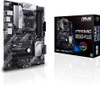
Asus PRIME B550-PLUS, AMD B550, AM4, ATX, 4 DDR4, HDMI, DP, XFire, PCIe4, M.2
- SKU:
- 90MB14U0-M0EAY0
- UPC:
- 4718017782340
- MPN:
- 90MB14U0-M0EAY0
- Availability:
- Free Click & Collect in Peterborough. UK delivery also available



Description
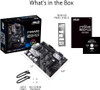
ASUS PRIME B550-PLUS AMD B550 AM4 ATX Motherboard – PCIe 4.0, Dual M.2, DDR4, HDMI & USB-C
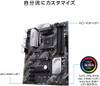
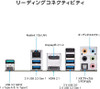
The ASUS PRIME B550-PLUS is a full-size ATX AMD AM4 motherboard designed for Ryzen-based gaming PCs, home computers, productivity systems and workstation builds. Based on the AMD B550 chipset, it combines PCIe 4.0 graphics and NVMe storage support with four DDR4 memory slots, dual M.2 sockets, six SATA 6Gb/s ports, Gigabit Ethernet, HDMI, DisplayPort and USB 3.2 Gen 2 Type-A and Type-C connectivity.
The board supports a broad range of compatible AMD Ryzen 5000 Series, Ryzen 5000 G-Series, Ryzen 4000 G-Series and Ryzen 3000 Series desktop processors, although exact compatibility and the required BIOS revision should always be checked against ASUS's CPU Support List before installing a particular processor.
With a compatible Ryzen 5000 or Ryzen 3000 desktop processor, the primary graphics-card slot can operate at PCIe 4.0 x16 and the first M.2 socket can provide PCIe 4.0 x4 NVMe connectivity at up to a theoretical 64Gbps interface bandwidth. Ryzen G-Series processors use different PCIe lane capabilities, so PCIe generation can vary according to the CPU installed.
The PRIME B550-PLUS also provides up to 128GB of dual-channel DDR4 memory, ASUS OptiMem II memory trace optimisation, comprehensive fan and water-pump control, VRM and chipset heatsinks, Aura Sync RGB headers and ASUS 5X Protection III technologies.
The exact motherboard sold here is ASUS PRIME B550-PLUS 90MB14U0-M0EAY0, EAN 4718017782340. It is a practical foundation for customers looking for an AM4 B550 ATX motherboard for Ryzen 5000, a PCIe 4.0 motherboard with dual M.2, or an affordable full-size ASUS motherboard with strong expansion and storage flexibility.
Key Features of the ASUS PRIME B550-PLUS
- AMD AM4 CPU socket
- AMD B550 chipset
- ATX motherboard – 30.5 × 24.4cm
- Supports compatible Ryzen 5000 Series processors
- Supports compatible Ryzen 5000 G-Series processors
- Supports compatible Ryzen 4000 G-Series processors
- Supports compatible Ryzen 3000 Series processors
- 4 × DDR4 DIMM slots
- Up to 128GB DDR4 memory
- Dual-channel memory architecture
- ASUS OptiMem II
- PCIe 4.0 x16 graphics support with compatible CPUs
- 1 × additional PCIe 3.0 x16-length slot operating up to x4
- 3 × PCIe 3.0 x1 expansion slots
- AMD 2-Way CrossFireX support
- 2 × M.2 storage sockets
- PCIe 4.0 x4 NVMe support on M.2_1 with compatible Ryzen CPUs
- PCIe 3.0 x4 support on M.2_2
- SATA-mode M.2 SSD support
- M.2 2242 / 2260 / 2280 / 22110 compatibility
- 6 × SATA 6Gb/s ports
- RAID 0, RAID 1 and RAID 10 support
- Realtek RTL8111H 1Gb Ethernet
- ASUS LANGuard
- HDMI 2.1 output – up to 4K at 60Hz with compatible processor graphics
- DisplayPort 1.2
- USB 3.2 Gen 2 Type-C
- USB 3.2 Gen 2 Type-A
- Realtek ALC887/897 7.1-channel HD Audio
- Optical S/PDIF audio output
- Premium Japanese audio capacitors
- VRM heatsinks and chipset heatsink
- Dedicated AIO pump header
- PWM/DC chassis fan support
- ASUS Fan Xpert cooling control
- ASUS Digi+ VRM
- ASUS UEFI BIOS
- Aura Sync RGB and Addressable Gen 2 lighting support
- ThunderboltEX 3-TR expansion-card header
- ASUS SafeSlot reinforced primary PCIe slot
- ASUS 5X Protection III
- 3-year ASUS UK motherboard warranty
AMD AM4 Motherboard for Ryzen 5000, 4000 G-Series and 3000 Series
The PRIME B550-PLUS uses AMD's established AM4 socket and B550 chipset.
ASUS's current compatibility information covers compatible processors from several AM4 Ryzen families, including:
- AMD Ryzen 5000 Series desktop processors
- AMD Ryzen 5000 G-Series desktop processors
- AMD Ryzen 4000 G-Series desktop processors
- AMD Ryzen 3000 Series desktop processors
Check the Exact CPU Support List Before Installation
AM4 compatibility should never be determined by socket type alone.
The exact processor model and BIOS revision must be supported by the motherboard. ASUS maintains a CPU Support List showing the minimum BIOS version required for validated processors.
If you are upgrading an existing motherboard to a later Ryzen processor, check the CPU support page before removing the currently installed CPU.
BIOS Version Can Affect CPU Compatibility
A motherboard manufactured earlier may contain an older BIOS than a newly manufactured board.
This means two PRIME B550-PLUS motherboards of the same model can potentially arrive with different BIOS revisions depending on manufacturing date and previous updates.
Before purchasing a CPU and motherboard combination, verify:
- Exact CPU model
- Required ASUS BIOS version
- Current motherboard BIOS where known
- Whether a supported processor is needed to perform an update
PCIe 4.0 for Modern Graphics Cards
With a compatible Ryzen 5000 Series or Ryzen 3000 Series desktop processor, the primary reinforced PCIe x16 slot supports PCI Express 4.0 x16.
This provides a high-bandwidth connection for compatible dedicated graphics cards.
PCIe 4.0 Is Backward Compatible
PCI Express is designed with backward compatibility in mind, so many PCIe 3.0 graphics cards can also operate in a PCIe 4.0-capable slot.
The connection will negotiate according to the capabilities of the motherboard, CPU and installed expansion device.
Ryzen G-Series PCIe Operation Is Different
Ryzen processors with integrated graphics can provide different PCIe capabilities from standard desktop Ryzen CPUs.
With supported Ryzen 5000 G-Series or Ryzen 4000 G-Series processors, CPU-connected PCIe interfaces operate according to the PCIe generation supported by that processor.
Therefore, installing a G-Series APU should not automatically be assumed to provide PCIe 4.0 graphics or PCIe 4.0 M.2 operation.
ASUS SafeSlot Reinforced Graphics Slot
The main PCIe graphics slot uses ASUS SafeSlot reinforcement.
The strengthened construction is designed to provide improved retention and resistance to mechanical stress from large and heavy graphics cards.
This can be particularly useful for modern GPUs fitted with substantial multi-slot cooling systems.
Additional PCIe Expansion
In addition to the primary graphics-card slot, the motherboard includes:
- 1 × PCIe 3.0 x16-length slot operating at up to x4
- 3 × PCIe 3.0 x1 slots
These can be used for compatible expansion hardware such as:
- Sound cards
- Network adapters
- WiFi and Bluetooth cards
- USB expansion cards
- Capture cards
- Storage controller cards
- Other compatible PCIe devices
Expansion Slots Can Share Bandwidth
Some chipset-connected PCIe slots share available lanes.
On the PRIME B550-PLUS, use of certain PCIe x1 slots can reduce the operating bandwidth available to the secondary x16-length slot.
Users installing several expansion cards should consult the ASUS motherboard manual to plan the optimal slot configuration.
AMD 2-Way CrossFireX Support
ASUS lists support for AMD 2-Way CrossFireX technology.
However, multi-GPU gaming support has become increasingly application-dependent, and modern graphics cards and games may not support traditional CrossFire configurations.
For most new gaming PCs, a single powerful graphics card is generally the more practical configuration.
Dual M.2 SSD Slots
The ASUS PRIME B550-PLUS provides two M.2 Key-M storage sockets, giving builders flexible options for high-speed NVMe and compatible SATA M.2 storage.
M.2_1 – CPU-Connected High-Speed Slot
With a compatible Ryzen 5000 or Ryzen 3000 desktop processor, the first M.2 socket supports:
- PCIe 4.0 x4 NVMe SSDs
- SATA-mode M.2 SSDs
- M.2 2242
- M.2 2260
- M.2 2280
- M.2 22110
PCIe 4.0 x4 provides a theoretical interface bandwidth of up to approximately 64Gbps.
M.2_1 with Ryzen G-Series Processors
With supported Ryzen 5000 G-Series or Ryzen 4000 G-Series processors, the first M.2 socket operates according to the lower PCIe generation available from the processor, rather than PCIe 4.0.
M.2_2 – Chipset-Connected Slot
The second M.2 socket is connected through the AMD B550 chipset and supports:
- PCIe 3.0 x4 NVMe SSDs
- SATA-mode M.2 SSDs
- M.2 2242
- M.2 2260
- M.2 2280
- M.2 22110
Important M.2 and SATA Port Sharing
The M.2_2 socket shares bandwidth with SATA6G_5 and SATA6G_6.
When an M.2 storage device is installed in M.2_2, SATA ports 5 and 6 are disabled.
This is an important consideration for systems using several SATA hard drives or SSDs.
Example Storage Configuration
A system could use:
- 1 × PCIe 4.0 NVMe SSD in M.2_1
- 1 × PCIe 3.0 NVMe SSD in M.2_2
- Up to 4 active SATA drives
Alternatively, if M.2_2 is unused, all six SATA ports can remain available.
Six SATA 6Gb/s Ports
The AMD B550 chipset provides six SATA 6Gb/s connections for compatible storage devices.
These can be used for:
- 2.5-inch SATA SSDs
- 3.5-inch desktop hard drives
- SATA optical drives
- Other compatible SATA devices
Remember that SATA5 and SATA6 become unavailable when the second M.2 slot is populated.
RAID 0, RAID 1 and RAID 10 Support
The PRIME B550-PLUS supports RAID 0, RAID 1 and RAID 10 configurations through supported AMD storage functionality.
RAID 0
RAID 0 stripes data across multiple drives to increase performance but provides no redundancy. Failure of one drive can result in loss of the entire array.
RAID 1
RAID 1 mirrors data between drives, providing redundancy if one drive fails.
RAID 10
RAID 10 combines striping and mirroring across multiple drives and requires an appropriate number of compatible storage devices.
RAID should never be considered a substitute for an independent backup.
Four DDR4 DIMM Slots – Up to 128GB RAM
The ASUS PRIME B550-PLUS provides four DDR4 DIMM slots supporting up to 128GB of system memory.
The board uses a dual-channel memory architecture.
Memory Speed Depends on the CPU
Supported DDR4 frequency depends on:
- Installed Ryzen processor
- Memory kit
- Number of DIMMs installed
- Memory-controller capability
- BIOS version
- Memory overclocking settings
ASUS lists both standard JEDEC memory speeds and higher overclocked DDR4 frequencies for suitable CPU and memory combinations.
Check ASUS Memory QVL
For the best compatibility, especially with high-speed DDR4 or four-DIMM configurations, check ASUS's current Qualified Vendor List for tested memory kits.
A memory kit being rated for a particular speed does not guarantee that every processor and motherboard combination will achieve that frequency.
ASUS OptiMem II
ASUS OptiMem II optimises motherboard memory trace routing to reduce interference and improve signal integrity.
The design is intended to provide:
- Improved memory stability
- Better memory compatibility
- Improved frequency headroom
- Potentially lower latency at equivalent operating voltage
HDMI 2.1 and DisplayPort 1.2
The rear I/O includes:
- 1 × HDMI 2.1
- 1 × DisplayPort 1.2
ASUS specifies HDMI output at up to 4K / 60Hz, subject to the capabilities of the installed processor and display.
Important Integrated Graphics Requirement
The motherboard's HDMI and DisplayPort sockets do not generate graphics themselves.
They require an AM4 processor with a compatible integrated GPU.
Many Ryzen CPUs such as numerous standard Ryzen 5, Ryzen 7 and Ryzen 9 desktop processors do not contain integrated graphics.
When using a CPU without integrated graphics, a dedicated graphics card is required and the monitor must normally be connected to the graphics card rather than the motherboard's HDMI or DisplayPort output.
Realtek 1Gb Gigabit Ethernet
The PRIME B550-PLUS includes Realtek RTL8111H Gigabit Ethernet.
The wired LAN connection supports network speeds up to 1Gbps when connected to compatible networking equipment and suitable cabling.
ASUS LANGuard
ASUS LANGuard adds hardware-level protection to the Ethernet interface using signal-coupling technology and anti-EMI components designed to improve reliability and surge tolerance.
No Built-In WiFi or Bluetooth
The standard PRIME B550-PLUS 90MB14U0-M0EAY0 does not include onboard WiFi or Bluetooth.
Users requiring wireless networking can install a compatible:
- PCIe WiFi card
- PCIe WiFi + Bluetooth combination card
- USB WiFi adapter
- USB Bluetooth adapter
Do not confuse this standard model with separate PRIME B550 variants that may include wireless connectivity.
USB 3.2 Gen 2 Type-C and Type-A
The rear panel provides fast USB 3.2 Gen 2 connections including:
- 1 × USB 3.2 Gen 2 Type-C
- 1 × USB 3.2 Gen 2 Type-A
USB 3.2 Gen 2 provides up to a theoretical 10Gbps interface rate with compatible USB devices.
Additional Rear USB Connectivity
The motherboard also provides additional USB 3.2 Gen 1 and USB 2.0 Type-A connections for devices such as:
- Keyboard
- Mouse
- External SSD
- External HDD
- USB headset
- Printer
- USB flash drive
Front-Panel USB Headers
Internal motherboard headers can provide additional front-panel connectivity through a compatible PC case, including:
- Up to 2 × front USB 3.2 Gen 1 ports
- Up to 4 × front USB 2.0 ports
Realtek 7.1-Channel HD Audio
The PRIME B550-PLUS uses a Realtek ALC887/ALC897 7.1-channel High Definition Audio codec, depending on production configuration.
ASUS lists support for audio playback up to 24-bit / 192kHz.
Audio Features
- Audio Shielding
- Premium Japanese audio capacitors
- Dedicated audio PCB layers
- Jack detection
- Multi-streaming
- Front-panel jack retasking
- Unique de-pop circuit
Optical S/PDIF Output
The rear I/O includes an optical S/PDIF output for connection to compatible AV receivers, DACs, sound systems and other digital audio equipment.
Comprehensive Cooling Support
The PRIME B550-PLUS is designed for both air-cooled and liquid-cooled PC builds.
Cooling connections include:
- CPU fan header
- Dedicated AIO pump header
- Multiple chassis fan headers
Supported chassis fan headers can operate compatible PWM or DC fans.
VRM and Chipset Heatsinks
ASUS fits heatsinks to the voltage-regulation and B550 chipset areas to help dissipate heat during sustained processor and system workloads.
Fan Xpert and UEFI Fan Control
Cooling behaviour can be adjusted through ASUS fan-control functionality and the motherboard's UEFI BIOS.
This allows users to balance:
- Cooling performance
- Fan speed
- Acoustic noise
- System temperature
ASUS Digi+ VRM Digital Power Control
ASUS Digi+ VRM provides digital control over CPU power-delivery parameters.
The system allows voltage and power settings to be adjusted through ASUS firmware controls for users who need more detailed performance tuning.
ASUS UEFI BIOS
The graphical ASUS UEFI BIOS provides both simplified and advanced configuration interfaces.
EZ Mode
EZ Mode provides quick access to important system information and basic configuration options.
Advanced Mode
Advanced Mode provides detailed access to CPU, memory, storage, boot, fan and system configuration options for experienced users.
Memory Profile Configuration
Supported DDR4 memory profiles can be configured through ASUS BIOS options where compatible with the installed CPU and memory kit.
Aura Sync RGB Lighting Support
The PRIME B550-PLUS includes ASUS Aura lighting headers for compatible RGB components and addressable lighting.
Compatible devices can include:
- RGB LED strips
- ARGB fans
- CPU coolers
- PC cases
- Other Aura Sync-compatible hardware
5V Addressable RGB and 12V RGB Are Different
Always connect RGB equipment to the correct voltage header.
A 5V addressable RGB device must not be connected to an incompatible 12V RGB header, as incorrect connection can damage the lighting hardware.
Thunderbolt 3 Expansion Support
The PRIME B550-PLUS includes a motherboard header designed to support the compatible ASUS ThunderboltEX 3-TR add-in card.
With the separately purchased compatible expansion card and correct installation, Thunderbolt 3 can provide high-speed connectivity for suitable devices.
Thunderbolt Is Not Built In
The motherboard itself does not provide a native rear Thunderbolt port.
The ASUS ThunderboltEX expansion card is a separate accessory and must be purchased independently.
ASUS 5X Protection III
ASUS incorporates several motherboard protection technologies intended to improve reliability and component protection.
Overvoltage Protection
Voltage-regulation circuitry is designed to help protect motherboard components from unexpected excessive voltage conditions.
DRAM Overcurrent Protection
Resettable fuses help protect memory-related circuitry from overcurrent and short-circuit conditions.
Stainless-Steel Rear I/O
The corrosion-resistant rear I/O panel is designed for improved long-term durability.
ASUS SafeSlot
The reinforced primary PCIe slot helps support large graphics cards.
ASUS LANGuard
Additional components around the Ethernet interface are designed to improve network-port reliability and electrical protection.
Full-Size ATX Form Factor
The PRIME B550-PLUS measures approximately:
- 30.5cm × 24.4cm
- 12 × 9.6 inches
It uses the standard ATX motherboard form factor.
Check PC Case Compatibility
The PC case must support ATX motherboards.
Many mid-tower and full-tower cases support ATX, but smaller micro-ATX and Mini-ITX-only cases do not.
24-Pin ATX and 8-Pin CPU Power
The motherboard requires:
- 1 × 24-pin ATX motherboard power connection
- 1 × 8-pin +12V CPU power connection
A suitable ATX power supply with the required motherboard and CPU connectors is therefore necessary.
Suitable for Gaming PCs
The combination of Ryzen 5000 compatibility, PCIe 4.0 graphics support, high-speed M.2 storage and four DDR4 DIMM slots makes the PRIME B550-PLUS suitable for many gaming PC configurations.
A typical gaming system could include:
- AMD Ryzen 5 or Ryzen 7 processor
- Dedicated PCIe graphics card
- 16GB, 32GB or more DDR4 memory
- PCIe NVMe SSD
- Additional SATA storage
Suitable for Productivity and Workstation Builds
The board can also be used for productivity-oriented systems requiring:
- High-core-count compatible Ryzen processors
- Up to 128GB DDR4 memory
- Multiple NVMe and SATA drives
- Dedicated graphics
- Gigabit wired networking
- Multiple PCIe expansion cards
This makes it suitable for workloads such as office productivity, content creation, programming, photo editing and general workstation use where the selected components meet the application's requirements.
Is the ASUS PRIME B550-PLUS Good for Ryzen 5000?
Yes, ASUS currently lists compatible Ryzen 5000 Series processors for the PRIME B550-PLUS.
However, the exact CPU should still be checked against ASUS's CPU Support List because individual processors can require specific BIOS revisions.
Does the ASUS PRIME B550-PLUS Support Ryzen 7 5800X?
ASUS's CPU Support List includes a wide range of Ryzen 5000 processors. Check the exact processor model and minimum BIOS version before installation.
This is particularly important when using older motherboard stock that may have been manufactured before later Ryzen processors were released.
Does It Support PCIe 4.0?
Yes. With a compatible Ryzen 5000 or Ryzen 3000 desktop CPU, the main PCIe x16 graphics slot and M.2_1 storage socket can use PCIe 4.0.
Ryzen G-Series processors have different PCIe capabilities, so the effective PCIe generation depends on the installed CPU.
Does It Support PCIe 4.0 NVMe SSDs?
Yes. A compatible PCIe 4.0 NVMe SSD can be installed in the M.2_1 socket when used with a CPU that provides PCIe 4.0 connectivity.
The second M.2 socket is connected through the B550 chipset and operates at PCIe 3.0 x4.
Does It Support SATA M.2 SSDs?
Yes. ASUS lists SATA-mode support for the board's M.2 storage sockets.
Remember that populating M.2_2 disables SATA6G_5 and SATA6G_6.
Does It Have WiFi?
No. The standard ASUS PRIME B550-PLUS does not have integrated WiFi.
A compatible PCIe or USB wireless network adapter can be installed separately if required.
Does It Have Bluetooth?
No onboard Bluetooth is provided.
Bluetooth can be added with a compatible PCIe wireless card or USB Bluetooth adapter.
Does It Have USB-C?
Yes. The rear I/O includes a USB 3.2 Gen 2 Type-C port.
The board also provides a USB 3.2 Gen 2 Type-A port and additional USB connections.
Can You Use the Motherboard HDMI Without a Graphics Card?
Only when the installed AM4 processor has compatible integrated graphics.
If the CPU does not contain an integrated GPU, the motherboard's HDMI and DisplayPort outputs cannot provide a display signal and a dedicated graphics card is required.
Can the ASUS PRIME B550-PLUS Use Two Graphics Cards?
ASUS lists AMD 2-Way CrossFireX support, but the two long PCIe slots do not provide identical bandwidth.
The main slot connects directly to the processor and can operate at x16, while the secondary long slot is chipset-connected and operates at a lower maximum lane width.
Modern multi-GPU application support should also be checked before planning a CrossFire system.
How to Check Compatibility Before Ordering
- Confirm that your processor uses the AMD AM4 socket.
- Check the exact CPU against ASUS's PRIME B550-PLUS CPU Support List.
- Check the required BIOS version for that CPU.
- Confirm that your PC case supports ATX motherboards.
- Choose compatible DDR4 memory and check the ASUS QVL where possible.
- Confirm whether you need integrated WiFi or Bluetooth, as this board has neither.
- Check whether your CPU contains integrated graphics if you intend to use the motherboard HDMI or DisplayPort.
- Plan M.2 and SATA storage carefully because M.2_2 disables SATA ports 5 and 6.
- Confirm that your power supply provides 24-pin ATX and 8-pin CPU power connectors.
- Check graphics-card size against your PC case.
ASUS PRIME B550-PLUS Technical Specifications
- Brand: ASUS
- Series: PRIME
- Model: PRIME B550-PLUS
- Manufacturer Part Number: 90MB14U0-M0EAY0
- Memox SKU: 90MB14U0-M0EAY0
- EAN: 4718017782340
- CPU Socket: AMD AM4
- Chipset: AMD B550
- Form Factor: ATX
- Dimensions: 30.5 × 24.4cm
- Supported Processor Families: Compatible Ryzen 5000 Series, 5000 G-Series, 4000 G-Series and 3000 Series desktop processors; check ASUS CPU Support List
- Memory Type: DDR4
- Memory Slots: 4
- Maximum Memory: 128GB
- Memory Architecture: Dual channel
- Memory Technology: ASUS OptiMem II
- Primary PCIe Slot: PCIe 4.0 x16 with compatible Ryzen 5000/3000 desktop CPUs
- Secondary PCIe x16-Length Slot: PCIe 3.0, up to x4
- PCIe x1 Slots: 3 × PCIe 3.0 x1
- Multi-GPU: AMD 2-Way CrossFireX
- M.2 Slots: 2
- M.2_1: Up to PCIe 4.0 x4 + SATA with compatible CPU
- M.2_2: PCIe 3.0 x4 + SATA
- M.2 Sizes: 2242 / 2260 / 2280 / 22110
- SATA Ports: 6 × SATA 6Gb/s
- Storage Sharing: M.2_2 disables SATA6G_5 and SATA6G_6 when populated
- RAID: RAID 0 / 1 / 10
- Ethernet: Realtek RTL8111H 1Gb Ethernet
- LAN Protection: ASUS LANGuard
- WiFi: No onboard WiFi
- Bluetooth: No onboard Bluetooth
- HDMI: HDMI 2.1, up to 4K 60Hz with compatible processor graphics
- DisplayPort: DisplayPort 1.2
- Audio Codec: Realtek ALC887/897 7.1-channel HD Audio
- Audio Playback: Up to 24-bit / 192kHz
- Optical Audio: S/PDIF output
- Rear USB 3.2 Gen 2: Type-A and Type-C
- Front USB Support: Up to 2 × USB 3.2 Gen 1 and 4 × USB 2.0 through internal headers
- CPU Fan Header: Yes
- AIO Pump Header: Yes
- Chassis Fan Headers: 2
- RGB: Aura Sync RGB and Addressable Gen 2 support
- Thunderbolt Header: Compatible with optional ASUS ThunderboltEX 3-TR expansion card
- UEFI BIOS: Yes
- Motherboard Power: 24-pin ATX
- CPU Power: 8-pin +12V
- Manufacturer Warranty: 3 years under current ASUS UK motherboard warranty policy
What Is Included?
- 1 × ASUS PRIME B550-PLUS motherboard
- 2 × SATA 6Gb/s cables
- 1 × rear I/O shield
- 1 × M.2 SSD screw package
- Support media where supplied with the production package
- User documentation
CPU, CPU cooler, DDR4 memory, graphics card, M.2 SSD, SATA drives, WiFi adapter and operating system are not included unless specifically stated elsewhere in the offer.
Important Ryzen CPU Compatibility Information
Although the PRIME B550-PLUS uses the AM4 socket, not every AM4 processor is automatically compatible.
Always check the exact CPU model against ASUS's current CPU Support List and verify the required BIOS revision before installation.
Important PCIe 4.0 Information
PCIe 4.0 availability depends on the processor installed.
Compatible Ryzen 5000 and Ryzen 3000 desktop processors can provide PCIe 4.0 connectivity to the primary graphics slot and first M.2 socket. Supported Ryzen G-Series processors use different PCIe capabilities.
Important Display Output Information
The motherboard's HDMI and DisplayPort outputs require a processor with compatible integrated graphics.
A standard Ryzen CPU without an integrated GPU will require a dedicated graphics card for display output.
Important M.2 and SATA Sharing Information
Installing an SSD in the second M.2 socket disables SATA6G_5 and SATA6G_6.
Users planning a system with many SATA drives should take this into account before deciding which M.2 sockets to populate.
Important WiFi and Bluetooth Information
The standard ASUS PRIME B550-PLUS does not include built-in WiFi or Bluetooth.
Wireless connectivity requires a separately purchased compatible PCIe or USB adapter.
Important Thunderbolt Information
The motherboard contains a Thunderbolt header and supports the compatible ASUS ThunderboltEX 3-TR expansion card.
Thunderbolt ports are not built directly into the motherboard and the ThunderboltEX add-in card is sold separately.
Important Memory Compatibility Information
Maximum DDR4 frequency depends on the installed processor, memory controller, number of DIMMs, memory kit and BIOS configuration.
For high-speed memory or four-DIMM configurations, check ASUS's current memory QVL before purchasing RAM.
Important Motherboard Installation Information
The PRIME B550-PLUS is a full-size ATX motherboard measuring approximately 30.5 × 24.4cm.
Check that the PC case supports ATX motherboards and that the correct motherboard standoffs are installed before mounting the board.
3-Year ASUS UK Motherboard Warranty
ASUS UK's current motherboard warranty policy lists a 3-year standard warranty for ASUS motherboards, subject to ASUS warranty conditions, serial-number requirements and proof of purchase.
Why Choose the ASUS PRIME B550-PLUS?
The ASUS PRIME B550-PLUS remains a highly flexible AM4 platform for users building or upgrading a Ryzen-based PC.
Support for compatible Ryzen 5000 processors allows the board to be paired with some of AMD's most capable AM4 CPUs, while four DDR4 slots with up to 128GB capacity provide substantial memory flexibility for gaming, productivity and workstation workloads.
PCIe 4.0 support on the main graphics slot and first M.2 socket gives suitable Ryzen systems access to high-bandwidth graphics and NVMe storage, while the second M.2 slot and six SATA connections provide extensive storage expansion.
Rear USB 3.2 Gen 2 Type-A and Type-C connectivity, HDMI 2.1, DisplayPort 1.2, Realtek Gigabit Ethernet and 7.1-channel audio provide a strong selection of everyday connectivity without forcing the cost of integrated WiFi onto users who prefer wired networking.
ASUS OptiMem II, Digi+ VRM controls, VRM and chipset heatsinks, fan and AIO pump controls, SafeSlot reinforcement, LANGuard and 5X Protection III add useful reliability and tuning features for long-term PC builds.
Choose the ASUS PRIME B550-PLUS when you need a full-size B550 ATX motherboard for compatible Ryzen 5000/4000G/3000 processors with DDR4, PCIe 4.0, dual M.2 storage, six SATA ports, USB-C and Gigabit Ethernet without paying for integrated WiFi features you may not need.
Specification
ASUS PRIME B550-PLUS AMD B550 AM4 ATX Motherboard Specifications
The ASUS PRIME B550-PLUS is a full-size ATX motherboard based on the AMD B550 chipset and AM4 socket. It supports compatible AMD Ryzen 5000 Series, Ryzen 4000 G-Series and Ryzen 3000 Series desktop processors and provides four DDR4 DIMM slots, PCIe 4.0 capability with suitable CPUs, dual M.2 storage, six SATA ports, Gigabit Ethernet, HDMI, DisplayPort and rear USB 3.2 Gen 2 Type-A and Type-C connectivity.
The exact UK product supplied by Memox is ASUS PRIME B550-PLUS 90MB14U0-M0EAY0, EAN 4718017782340.
General Information
| Brand | ASUS |
|---|---|
| Product Series | PRIME |
| Product Name | ASUS PRIME B550-PLUS |
| Manufacturer Part Number | 90MB14U0-M0EAY0 |
| Memox SKU | 90MB14U0-M0EAY0 |
| EAN / GTIN | 4718017782340 |
| Product Type | Desktop PC motherboard |
| Form Factor | ATX |
| Chipset | AMD B550 |
| CPU Socket | AMD AM4 |
Processor Compatibility
| CPU Socket | AMD AM4 |
|---|---|
| Ryzen 5000 Series | Supported – exact CPU model and required BIOS version should be checked against the ASUS CPU Support List |
| Ryzen 4000 G-Series | Supported – exact CPU model and required BIOS version should be checked |
| Ryzen 3000 Series | Supported – exact CPU model and required BIOS version should be checked |
| CPU Compatibility Determined by Socket Alone | No – processor model and BIOS revision must also be compatible |
| Integrated Graphics Required for Motherboard Video Outputs | Yes – HDMI and DisplayPort require a processor with compatible integrated Radeon graphics |
Memory Specifications
| Memory Type | DDR4 |
|---|---|
| DIMM Slots | 4 |
| Maximum Memory Capacity | 128GB |
| Memory Architecture | Dual channel |
| Memory Type Supported | Unbuffered DDR4 |
| ECC Support | ECC capability varies according to the installed processor |
| Standard DDR4 Speeds | 3200 / 3000 / 2800 / 2666 / 2400 / 2133MHz, depending on CPU and memory |
| Memory Overclocking | Supported; ASUS lists higher OC frequencies depending on CPU type, DIMM configuration, BIOS and memory kit |
| Ryzen 4000 G-Series Maximum ASUS-Listed OC Speed | Up to DDR4-4800 (OC) in ASUS's published specification |
| Memory QVL Recommended | Yes – especially for high-frequency or four-DIMM configurations |
| ASUS Memory Technology | OptiMem II |
Primary PCIe Graphics Slot
| Primary Slot | 1 × PCIe x16 |
|---|---|
| Ryzen 5000 / 3000 Series Operation | PCIe 4.0 x16 |
| Ryzen 4000 G-Series Operation | PCIe 3.0 x16 |
| Slot Reinforcement | ASUS SafeSlot |
| PCIe 3.0 Graphics Card Compatibility | Yes, subject to normal PCIe backward compatibility and device compatibility |
Additional PCIe Expansion Slots
| Secondary x16-Length Slot | 1 × PCIe 3.0 x16 physical slot operating up to x4 |
|---|---|
| Secondary Slot Lane Source | AMD B550 chipset |
| PCIe x1 Slots | 3 × PCIe 3.0 x1 |
| Secondary x16 Slot with PCIEX1_2 or PCIEX1_3 Occupied | Operates at PCIe 3.0 x2 |
| PCIe Bifurcation | Supported for applicable RAID-on-CPU configurations |
| Multi-GPU Support | AMD 2-Way CrossFireX |
M.2 Storage
| Total M.2 Slots | 2 |
|---|---|
| M.2 Key | M-Key |
| Supported M.2 Lengths | 2242 / 2260 / 2280 / 22110 |
| NVMe SSD Support | Yes |
| SATA M.2 SSD Support | Yes |
M.2_1 – CPU-Connected Slot
| Connection | CPU-connected |
|---|---|
| Ryzen 5000 / 3000 Series | PCIe 4.0 x4 and SATA mode |
| Ryzen 4000 G-Series | PCIe 3.0 x4 and SATA mode |
| Maximum PCIe 4.0 Interface Bandwidth | Up to approximately 64Gbps theoretical interface bandwidth |
| Supported Sizes | 2242 / 2260 / 2280 / 22110 |
M.2_2 – B550 Chipset Slot
| Connection | AMD B550 chipset |
|---|---|
| PCIe Mode | PCIe 3.0 x4 |
| SATA Mode | Supported |
| Supported Sizes | 2242 / 2260 / 2280 / 22110 |
| Bandwidth Sharing | Shares bandwidth with SATA6G_5 and SATA6G_6 |
| Effect When M.2_2 Is Populated | SATA6G_5 and SATA6G_6 are disabled |
SATA Storage
| SATA Ports | 6 × SATA 6Gb/s |
|---|---|
| SATA Interface Speed | Up to 6Gb/s theoretical interface rate |
| 2.5-inch SATA SSD Support | Yes |
| 3.5-inch SATA HDD Support | Yes |
| SATA Optical Drive Support | Yes |
| SATA Ports 5 and 6 with M.2_2 Installed | Disabled |
RAID Support
| RAID 0 | Supported |
|---|---|
| RAID 1 | Supported |
| RAID 10 | Supported |
| RAID Is a Replacement for Backup | No |
Integrated Graphics Outputs
| HDMI | 1 × HDMI 2.1 |
|---|---|
| Maximum HDMI Resolution | Up to 4096 × 2160 at 60Hz / 4K 60Hz, subject to processor graphics and display support |
| DisplayPort | 1 × DisplayPort 1.2 |
| Video Output Requires Integrated GPU | Yes |
| Dedicated GPU Required with Non-G Ryzen CPU | Generally yes where the installed processor has no integrated graphics |
Ethernet Networking
| Ethernet Controller | Realtek RTL8111H |
|---|---|
| Maximum Ethernet Speed | 1Gbps / Gigabit Ethernet |
| LAN Port | 1 × RJ45 |
| ASUS LANGuard | Yes |
| Wake-on-LAN | WOL by PME supported |
| PXE Network Boot | Supported |
Wireless Connectivity
| Built-In WiFi | No |
|---|---|
| Built-In Bluetooth | No |
| WiFi Upgrade Possible | Yes – through a compatible PCIe or USB wireless adapter |
| Bluetooth Upgrade Possible | Yes – through compatible PCIe or USB hardware |
Onboard Audio
| Audio Codec | Realtek ALC887 / ALC897 production-dependent 7.1-channel High Definition Audio codec |
|---|---|
| Audio Channels | Up to 7.1-channel surround sound |
| Maximum Playback Resolution | Up to 24-bit / 192kHz |
| Rear Analogue Audio Jacks | 5 |
| Optical S/PDIF Output | Yes |
| Jack Detection | Supported |
| Multi-Streaming | Supported |
| Front Panel Jack Retasking | Supported |
| Audio Shielding | Yes |
| Premium Japanese Audio Capacitors | Yes |
| Dedicated Audio PCB Layers | Yes |
| De-Pop Circuit | Yes |
Rear USB Connectivity
| Total Rear USB Ports | 8 |
|---|---|
| USB 3.2 Gen 2 Type-A | 1 |
| USB 3.2 Gen 2 Type-C | 1 |
| USB 3.2 Gen 2 Maximum Interface Rate | Up to 10Gbps |
| USB 3.2 Gen 1 Type-A | 4 |
| USB 3.2 Gen 1 Maximum Interface Rate | Up to 5Gbps |
| USB 2.0 Type-A | 2 |
Rear I/O Ports
| USB 3.2 Gen 2 | 2 total – 1 × Type-A and 1 × Type-C |
|---|---|
| USB 3.2 Gen 1 | 4 × Type-A |
| USB 2.0 | 2 × Type-A |
| Ethernet | 1 × RJ45 Gigabit LAN |
| HDMI | 1 |
| DisplayPort | 1 |
| Optical S/PDIF | 1 |
| Analogue Audio Jacks | 5 |
| Integrated Rear I/O Shield | No – separate I/O shield is supplied |
Front USB Headers
| USB 3.2 Gen 1 Internal Header | 1 header supporting up to 2 front USB 3.2 Gen 1 ports |
|---|---|
| USB 2.0 Internal Headers | 2 headers supporting up to 4 front USB 2.0 ports |
| Front USB-C Header | No dedicated front-panel USB-C header is listed on the standard PRIME B550-PLUS |
Cooling and Fan Headers
| CPU Fan Header | 1 × 4-pin CPU_FAN |
|---|---|
| CPU Optional Fan Header | 1 × 4-pin CPU_OPT |
| Chassis Fan Headers | 3 × 4-pin |
| AIO Pump Header | 1 × 4-pin AIO_PUMP |
| Maximum Current per Listed Fan Header | 1A |
| Maximum Power per Listed Fan Header | 12W |
| Fan Control | ASUS Q-Fan / Fan Xpert 4 functionality |
| Thermal Sensor Header | 1 |
Motherboard Cooling
| VRM Heatsink | Yes |
|---|---|
| VRM Thermal Pad | Yes |
| B550 / PCH Heatsink | Yes |
| M.2 Heatsink Included | Not listed as an included motherboard heatsink |
RGB and Aura Sync
| ASUS Aura Sync | Supported |
|---|---|
| Addressable Gen 2 Header | 1 |
| Addressable RGB Voltage | 5V |
| Addressable RGB Maximum Current | 3A |
| Addressable RGB Maximum Power | 15W |
| Maximum Addressable LEDs | Up to 500 LEDs combined according to ASUS documentation |
| Standard Aura RGB Headers | 2 |
| Standard RGB Voltage | 12V |
| Standard RGB Maximum Current | 3A per ASUS-listed header specification |
| Supported Standard RGB Strip Type | 5050 RGB |
Internal I/O and Expansion Headers
| 24-Pin ATX Power | 1 |
|---|---|
| 8-Pin CPU / EATX12V Power | 1 |
| M.2 Slots | 2 |
| SATA 6Gb/s Ports | 6 |
| CPU Fan Header | 1 |
| CPU Optional Fan Header | 1 |
| Chassis Fan Headers | 3 |
| AIO Pump Header | 1 |
| Addressable Gen 2 RGB Header | 1 |
| 12V Aura RGB Headers | 2 |
| Thermal Sensor Header | 1 |
| Thunderbolt Header | 1 |
| SPI TPM Header | 1 |
| Serial / COM Header | 1 |
| Front Panel Audio Header | 1 × AAFP |
| Clear CMOS Jumper | 1 |
| System Panel Header | 1 |
Thunderbolt Expansion
| Thunderbolt Header | Yes |
|---|---|
| Built-In Thunderbolt Rear Port | No |
| Optional Thunderbolt Expansion | Supported through a compatible ASUS Thunderbolt add-in card and appropriate installation |
| Thunderbolt Expansion Card Included | No |
TPM and Security
| SPI TPM Header | Yes |
|---|---|
| Firmware TPM Support | Available with supported AMD CPUs / BIOS configurations |
| Physical TPM Module Included | No |
ASUS Q-LED Diagnostics
| Q-LED | Yes |
|---|---|
| CPU Diagnostic LED | Yes |
| DRAM Diagnostic LED | Yes |
| VGA Diagnostic LED | Yes |
| Boot Device Diagnostic LED | Yes |
| POST Code Display | No dedicated numeric Q-Code display is listed |
ASUS Protection and Build Features
| ASUS 5X Protection III | Yes |
|---|---|
| Digi+ VRM | Yes |
| Enhanced DRAM Overcurrent Protection | Yes |
| ESD Guards | Yes |
| ASUS LANGuard | Yes |
| Overvoltage Protection | Yes |
| SafeSlot | Yes, primary PCIe slot |
| SafeSlot Core | Yes |
| Stainless-Steel Back I/O | Yes |
| Q-DIMM | Yes |
| Q-Slot | Yes |
BIOS
| BIOS Type | UEFI AMI BIOS |
|---|---|
| BIOS ROM | 256Mb Flash ROM |
| ASUS EZ Flash 3 | Yes |
| ASUS CrashFree BIOS 3 | Yes |
| UEFI EZ Mode | Yes |
| Rear BIOS FlashBack Button | No dedicated BIOS FlashBack button is listed for this model |
| BIOS Update May Be Required for Some CPUs | Yes |
ASUS Software Features
| Armoury Crate | Supported |
|---|---|
| Aura Sync | Supported |
| Aura Creator | Supported |
| AI Suite 3 | Supported |
| Digi+ VRM Software Controls | Supported |
| EPU | Supported |
| Fan Xpert 4 | Supported |
| ASUS CPU-Z | Supported |
Power Connections
| Main Motherboard Power | 1 × 24-pin ATX |
|---|---|
| CPU Power | 1 × 8-pin EATX12V |
| 4-Pin Additional CPU Power Required | No separate additional 4-pin CPU connector is fitted |
| Minimum PSU Recommendation in ASUS Manual | At least 350W for a fully configured basic system; actual PSU requirement depends on installed CPU, GPU and other hardware |
Physical Specifications
| Form Factor | ATX |
|---|---|
| Width | 24.4cm / 9.6in |
| Height / Length | 30.5cm / 12in |
| Overall Size | 30.5 × 24.4cm / 12 × 9.6in |
| ATX Case Required | PC case must support ATX motherboards or larger compatible form factors |
Operating System
| ASUS Published Operating System | Windows 10 64-bit |
|---|---|
| Windows 11 | Supported with suitable hardware and current BIOS configuration; ASUS BIOS updates include Windows 11 support |
Package Contents
| Motherboard | 1 × ASUS PRIME B550-PLUS |
|---|---|
| SATA Cables | 2 × SATA 6Gb/s cables |
| Rear I/O Shield | 1 |
| M.2 SSD Screw Package | 1 |
| Support DVD | 1, where supplied in the standard production package |
| User Manual | 1 |
| CPU | Not included |
| CPU Cooler | Not included |
| DDR4 Memory | Not included |
| Graphics Card | Not included |
| M.2 SSD | Not included |
| WiFi / Bluetooth Adapter | Not included |
Warranty
| ASUS Motherboard Warranty | 3 years |
|---|---|
| Warranty Provider | ASUS, subject to applicable UK warranty terms and purchase channel |
| Serial Number | ASUS warranty service is based on the motherboard serial number |
| Proof of Purchase | May be required |
| UK Statutory Rights | Manufacturer warranty is additional to applicable UK consumer statutory rights |
Important CPU Compatibility Note
The PRIME B550-PLUS uses the AMD AM4 socket, but AM4 socket compatibility alone does not guarantee that every AM4 processor will work.
Before ordering or upgrading, check the exact processor model against ASUS's current PRIME B550-PLUS CPU Support List and verify the minimum BIOS revision required for that CPU.
Important PCIe 4.0 Note
PCIe 4.0 functionality is processor dependent.
With a compatible Ryzen 5000 Series or Ryzen 3000 Series desktop processor, the primary PCIEX16_1 slot can operate at PCIe 4.0 x16 and M.2_1 can operate at PCIe 4.0 x4.
With supported Ryzen 4000 G-Series processors, the CPU-connected graphics and storage interfaces operate at PCIe 3.0 rather than PCIe 4.0.
Important Secondary PCIe Slot Sharing Note
The secondary PCIEX16_2 slot is physically x16 but electrically operates at up to PCIe 3.0 x4.
If PCIEX1_2 or PCIEX1_3 is populated, PCIEX16_2 operates at x2.
Important M.2 and SATA Sharing Note
The second M.2 socket, M.2_2, shares bandwidth with SATA6G_5 and SATA6G_6.
When an SSD is installed in M.2_2, SATA ports 5 and 6 are disabled. Users planning to install several SATA drives should take this into account when designing the storage configuration.
Important Display Output Note
The motherboard's HDMI and DisplayPort sockets only function when the installed processor provides compatible integrated graphics.
Many standard Ryzen desktop processors do not contain integrated graphics. In that situation, a dedicated graphics card is required and the monitor should be connected to the graphics card.
Important Memory Speed Note
Maximum DDR4 speed is not determined by the motherboard alone. It depends on the installed Ryzen processor, integrated memory controller, DIMM count, memory kit, BIOS version and overclocking settings.
ASUS's Memory QVL should be consulted when using high-frequency DDR4, large-capacity DIMMs or four-module configurations.
Important USB-C Note
The PRIME B550-PLUS provides a rear USB 3.2 Gen 2 Type-C port.
It does not provide a dedicated internal front-panel USB-C header, so a PC case front USB-C socket cannot be connected directly to a native Type-C front-panel motherboard header on this model.
Important WiFi and Bluetooth Note
The standard PRIME B550-PLUS does not include integrated WiFi or Bluetooth.
Wireless networking can be added with a compatible PCIe or USB adapter.
Important RGB Header Voltage Note
The motherboard includes both 5V addressable RGB and 12V conventional RGB headers.
These are electrically different. Do not connect a 5V ARGB device to a 12V RGB header, as incorrect connection can damage the lighting device.
Important BIOS Update Note
Some processors require a newer BIOS than the version originally installed on older motherboard stock.
The PRIME B550-PLUS supports ASUS EZ Flash 3 for BIOS updating, but the standard board does not list a dedicated rear BIOS FlashBack button. Check CPU/BIOS compatibility before assembly where possible.
Important Cooling Header Note
The board provides three chassis-fan headers in addition to CPU_FAN, CPU_OPT and AIO_PUMP.
This corrects some retailer specifications that list only two chassis-fan connections.
Important Audio Codec Note
ASUS documentation for the PRIME B550-PLUS references the Realtek ALC887 / ALC897 codec family depending on production specification. It is safest to describe the motherboard as using Realtek ALC887/897 7.1-channel HD Audio rather than guaranteeing only one codec revision.
Important Package Contents Note
ASUS's standard package documentation lists two SATA 6Gb/s cables, a separate rear I/O shield, M.2 screw package, user documentation and support media.
CPU, CPU cooler, RAM, SSDs, graphics card and wireless adapters are not part of the standard motherboard package unless specifically stated elsewhere in the Memox offer.
Return
FAQ: Frequenlty Asked Questions
ASUS PRIME B550-PLUS Motherboard FAQ
The ASUS PRIME B550-PLUS (90MB14U0-M0EAY0) is a full-size AMD B550 ATX motherboard for AM4 Ryzen systems. It supports compatible Ryzen 5000, 4000 G-Series and 3000 processors, four DDR4 DIMM slots up to 128GB, dual M.2 storage, six SATA 6Gb/s ports, PCIe 4.0 from compatible CPUs, Realtek 1Gb Ethernet, HDMI, DisplayPort, rear USB 3.2 Gen 2 Type-A and Type-C, Fan Xpert 4 and Aura Sync RGB headers.
Below are the most common questions buyers ask before choosing the PRIME B550-PLUS, including Ryzen 5000 and X3D BIOS compatibility, DDR4/D.O.C.P. memory setup, M.2 and SATA lane sharing, PCIe slot bandwidth, graphics outputs, USB-C, storage, RGB, fan headers, Windows 11, troubleshooting and comparisons with other B550, B450 and X570 motherboards.
1. What is the ASUS PRIME B550-PLUS?
The ASUS PRIME B550-PLUS is a full-size ATX motherboard for AMD AM4 processors. It uses the AMD B550 chipset and supports PCIe 4.0 with compatible CPUs, dual M.2 storage, six SATA ports, four DDR4 slots, 1Gb Ethernet, HDMI, DisplayPort, USB 3.2 Gen 2 and Aura Sync RGB headers.
2. What is the exact ASUS part number?
The Memox listing uses ASUS part number 90MB14U0-M0EAY0 for the PRIME B550-PLUS.
3. What is the EAN/UPC?
The Memox product page lists UPC/EAN 4718017782340.
4. What form factor is the PRIME B550-PLUS?
It is a standard ATX motherboard measuring approximately 30.5 x 24.4cm.
5. What chipset does it use?
It uses the AMD B550 chipset.
6. What CPU socket does it use?
It uses the AMD AM4 socket.
7. Which Ryzen processor families are supported?
ASUS currently lists support for compatible AMD Ryzen 5000 Series, Ryzen 4000 G-Series and Ryzen 3000 Series desktop processors. Exact CPU support depends on BIOS version.
8. Does it support Ryzen 5000 processors?
Yes. ASUS currently lists supported Ryzen 5000 desktop CPUs for this board.
9. Does it support Ryzen 5000 G-Series APUs?
Yes. Supported Ryzen 5000 G-Series models are included in the current ASUS CPU support list, subject to the required BIOS version.
10. Does it support Ryzen 4000 G-Series processors?
Yes. Ryzen 4000 G-Series desktop processors are part of ASUS's supported platform list.
11. Does it support Ryzen 3000 processors?
Yes. Ryzen 3000 desktop processors are officially supported.
12. Does it support Ryzen 2000 processors?
Do not assume so. Check ASUS's exact CPU support list before buying an older AM4 CPU because B550 support is focused on later Ryzen generations.
13. Does it support Ryzen 7 5800X3D?
Yes. ASUS lists Ryzen 7 5800X3D support from BIOS version 2423, with later BIOS releases adding further compatibility and performance updates.
14. Does it support Ryzen 7 5700X3D?
Yes. ASUS currently lists the Ryzen 7 5700X3D as supported from BIOS version 2803.
15. Does it support Ryzen 5 5600X?
Yes. ASUS lists the Ryzen 5 5600X as supported from BIOS version 1004.
16. Does it support Ryzen 5 5600?
Yes. ASUS lists the Ryzen 5 5600 as supported from BIOS version 2423.
17. Does it support Ryzen 5 5500?
Yes. ASUS lists the Ryzen 5 5500 as supported from BIOS version 2423.
18. Does it support Ryzen 5 5600G?
Yes. ASUS lists the Ryzen 5 5600G as supported from BIOS version 1401.
19. Does it support Ryzen 7 5700G?
Yes. ASUS lists the Ryzen 7 5700G as supported from BIOS version 1401.
20. Does it support Ryzen 7 5800X?
Yes. ASUS lists the Ryzen 7 5800X as supported from BIOS version 1004.
21. Does it support Ryzen 9 5900X?
Yes. ASUS lists the Ryzen 9 5900X as supported from BIOS version 1004.
22. Does it support Ryzen 9 5950X?
Yes. ASUS lists the Ryzen 9 5950X as supported from BIOS version 1004.
23. Can I run a Ryzen 9 5950X at stock settings?
Yes. It is on ASUS's CPU support list. Use an appropriate cooler, current BIOS, adequate case airflow and a PSU sized for the complete system.
24. Do I need a BIOS update for Ryzen 5000?
It depends on the BIOS already installed. Older stock can require an update, while newer stock may already contain a compatible BIOS. Check the CPU support table and installed BIOS version.
25. What is the latest BIOS currently listed by ASUS?
As of August 2026, ASUS lists BIOS version 3636 dated 27 January 2026, described as improving system compatibility.
26. Should I update the BIOS before installing a new CPU?
If the new CPU requires a newer BIOS, update before swapping processors whenever possible. Follow ASUS instructions and never interrupt a BIOS update.
27. Does the PRIME B550-PLUS have USB BIOS FlashBack?
The standard PRIME B550-PLUS is not advertised with a dedicated rear USB BIOS FlashBack button. Its official manual lists ASUS EZ Flash 3 and CrashFree BIOS 3 instead.
28. How do I normally update the BIOS?
Use ASUS EZ Flash 3 from the UEFI BIOS with the correct BIOS file for PRIME B550-PLUS. Follow ASUS's model-specific procedure exactly.
29. What is ASUS EZ Flash 3?
EZ Flash 3 is ASUS's built-in UEFI utility for updating motherboard firmware from a compatible BIOS file.
30. What is CrashFree BIOS 3?
CrashFree BIOS 3 is an ASUS recovery feature intended to help restore firmware in supported recovery situations.
31. Should I save my BitLocker recovery key before updating BIOS?
Yes. Recent ASUS BIOS notes warn that fTPM or firmware changes can affect BitLocker. Back up the recovery key and follow current ASUS/Microsoft guidance.
32. Does it support Windows 11?
Yes. ASUS provides Windows 11 drivers, and earlier BIOS releases added Windows 11 support by default.
33. Does it support Windows 10?
Yes. The original specification lists Windows 10 64-bit support, although normal free Windows 10 support ended in October 2025.
34. Does it support TPM 2.0 for Windows 11?
Compatible Ryzen systems can use AMD firmware TPM, and the board also has an SPI TPM header. Windows 11 readiness still depends on CPU and BIOS configuration.
35. Does it support Secure Boot?
Yes, through UEFI when configured appropriately.
36. Does it support Resizable BAR / AMD Smart Access Memory?
Yes with compatible CPU, GPU and BIOS. ASUS added Smart Access Memory support through BIOS updates.
37. Does the PRIME B550-PLUS support PCIe 4.0?
Yes, with a compatible Ryzen CPU. The CPU-connected primary graphics slot and M.2_1 can operate at PCIe 4.0.
38. Which slot is the main PCIe 4.0 graphics slot?
The upper PCIEX16_1 slot is the primary CPU-connected graphics slot and can run PCIe 4.0 x16 with a compatible processor.
39. Does the main graphics slot run at x16?
Yes in the normal configuration with a compatible non-G Ryzen desktop CPU.
40. What is the second full-length PCIe slot?
PCIEX16_2 is connected through the B550 chipset and normally operates up to PCIe 3.0 x4.
41. Can the second full-length slot drop to x2?
Yes. ASUS states that PCIEX16_2 runs at x2 when PCIEX1_2 or PCIEX1_3 is occupied.
42. How many PCIe x1 slots are there?
There are three PCIe 3.0 x1 slots.
43. Can I install a sound card?
Yes, using a free compatible PCIe slot.
44. Can I install a capture card?
Yes. Check the capture card lane requirement and remember that the second long slot can drop from x4 to x2 if PCIEX1_2 or PCIEX1_3 is occupied.
45. Can I install a PCIe Wi-Fi card?
Yes. A compatible Wi-Fi/Bluetooth card can use a PCIe x1 slot.
46. Does the motherboard have built-in Wi-Fi?
No. The standard PRIME B550-PLUS does not include onboard Wi-Fi.
47. Does it have built-in Bluetooth?
No. Add Bluetooth with a PCIe wireless card or USB adapter if required.
48. Does it support AMD CrossFire?
ASUS lists AMD 2-Way CrossFireX support, although modern game and driver support for traditional multi-GPU rendering is very limited.
49. Does it support NVIDIA SLI?
SLI is not listed as a supported multi-GPU feature for this motherboard.
50. Can I use a PCIe 5.0 graphics card?
Yes. PCIe is backward compatible, so a PCIe 5.0 graphics card can operate in the PCIe 4.0 x16 slot at the highest mutually supported generation.
51. Can I use an RTX 5090 on this motherboard?
A modern PCIe graphics card can operate in the primary x16 slot, but check case size, PSU capacity and CPU pairing. An older AM4 CPU can become a performance limit in some workloads.
52. Can I use an RTX 4090?
Yes, provided the case, PSU and processor are suitable for the card.
53. Can I use an RTX 4070 or 4070 SUPER?
Yes. These graphics cards are compatible with the primary PCIe x16 slot, subject to PSU and case requirements.
54. Can I use an AMD Radeon RX 7800 XT or RX 7900-series card?
Yes. Check the exact graphics-card dimensions and recommended PSU.
55. Does motherboard choice determine GPU length?
No. Practical GPU length and thickness are determined mainly by the PC case and radiator/fan placement.
56. How many M.2 slots are there?
There are two M.2 M-Key storage slots.
57. What does M.2_1 support?
M.2_1 supports M-Key 2242, 2260, 2280 and 22110 drives and can use PCIe 4.0 x4 or SATA mode with a compatible CPU.
58. What does M.2_2 support?
M.2_2 is connected through the B550 chipset and supports M-Key 2242, 2260, 2280 and 22110 drives in PCIe 3.0 x4 or SATA mode.
59. Can I install two NVMe SSDs?
Yes. M.2_1 is the faster CPU-connected slot, while M.2_2 is PCIe 3.0 x4 through the chipset.
60. Can I install a PCIe 4.0 SSD in M.2_2?
Yes if the SSD is backward compatible, but M.2_2 itself is limited to PCIe 3.0 x4 speed.
61. Which M.2 slot should hold my fastest SSD?
Use M.2_1 for a high-performance PCIe 4.0 NVMe SSD when using a compatible CPU.
62. Does M.2_1 support SATA M.2 SSDs?
Yes. ASUS lists SATA and PCIe mode for M.2_1.
63. Does M.2_2 support SATA M.2 SSDs?
Yes. ASUS lists SATA and PCIe 3.0 x4 mode for M.2_2.
64. Does using M.2_2 disable SATA ports?
Yes. ASUS states that populating M.2_2 disables SATA6G_5 and SATA6G_6 because they share bandwidth.
65. Does using M.2_1 disable SATA ports?
ASUS identifies the storage-sharing conflict specifically between M.2_2 and SATA ports 5/6. M.2_1 is not listed as disabling those SATA ports.
66. Why did a SATA drive disappear after I installed a second M.2 SSD?
If the new SSD is in M.2_2 and the SATA drive is connected to SATA6G_5 or SATA6G_6, the disappearance is expected. Move the SATA cable to ports 1-4.
67. How many SATA 6Gb/s ports are there?
There are six SATA 6Gb/s ports.
68. How many SATA ports remain when M.2_2 is used?
Four SATA ports remain active because SATA5 and SATA6 are disabled when M.2_2 is occupied.
69. Can I use two M.2 SSDs and four SATA drives together?
Yes. Use SATA ports 1-4 for the SATA devices.
70. Can I use two M.2 SSDs and six SATA drives simultaneously?
No. Populating M.2_2 disables SATA ports 5 and 6.
71. Does the board support RAID?
Yes. ASUS lists RAID 0, RAID 1 and RAID 10 support for supported storage configurations.
72. Can I boot Windows from an NVMe SSD?
Yes. NVMe boot is a normal supported use case.
73. Can M.2_2 be the Windows boot drive?
Yes. M.2_2 can be a boot drive, but remember that it disables SATA ports 5/6.
74. Does it support M.2 22110 SSDs?
Yes. Both M.2 slots list support for lengths up to 22110.
75. Does it support M.2 2280 SSDs?
Yes. 2280 is supported in both M.2 slots.
76. Are M.2 screws included?
Yes. ASUS lists an M.2 screw kit in the original package contents.
77. How many SATA cables are included?
The original package contents list two SATA 6Gb/s cables.
78. Can I add more NVMe drives through PCIe?
Yes, using a suitable PCIe adapter. Check lane width and whether the adapter requires PCIe bifurcation.
79. Does the board support PCIe bifurcation?
The ASUS manual documents bifurcation support for compatible Ryzen processors in connection with Hyper M.2 configurations.
80. How much RAM does the PRIME B550-PLUS support?
Up to 128GB of DDR4 memory across four DIMM slots.
81. How many RAM slots are there?
There are four DDR4 DIMM slots.
82. Is the memory dual-channel?
Yes. The board uses dual-channel memory architecture.
83. Which slots should I use for two RAM modules?
Use DIMM_A2 and DIMM_B2, which ASUS marks as the recommended two-module configuration.
84. Which slot should I use for one RAM module?
Use DIMM_A2 for a single module.
85. Can I use four RAM sticks?
Yes, but high memory frequencies can be more difficult to stabilise with four DIMMs than with two.
86. Does it use DDR4 or DDR5?
DDR4 only. DDR5 is not compatible with this AM4 motherboard.
87. What is the maximum listed DDR4 speed?
Current ASUS regional specifications list overclocked memory support up to DDR4-4600 for some CPU configurations. Exact available speed depends on CPU, DIMMs and BIOS.
88. Does it support DDR4-3200?
Yes. DDR4-3200 is listed as a supported memory speed with compatible processors.
89. Does it support DDR4-3600?
Yes as an overclocked memory setting with a compatible CPU and memory kit.
90. Will a DDR4-3600 kit always run at 3600MHz?
No. The CPU memory controller, number of DIMMs, memory chips and BIOS settings determine stability.
91. Why is my 3200MHz or 3600MHz RAM running at 2133 or 2666MHz?
The board can boot using the DIMM default SPD speed. Enable the supported D.O.C.P. profile in BIOS to apply the rated memory profile, then test stability.
92. What is D.O.C.P.?
D.O.C.P. is ASUS's AM4 BIOS feature for applying compatible XMP-style DDR4 frequency, timing and voltage profiles.
93. Is D.O.C.P. similar to XMP?
Yes. It is the ASUS AMD-platform method of applying memory profile data commonly stored as XMP.
94. Can I use XMP-labelled DDR4 RAM?
Usually yes if the kit is compatible. Apply its profile using D.O.C.P., but the advertised overclock is not guaranteed for every CPU/DIMM combination.
95. Should I choose 2x16GB or 4x8GB for 32GB?
Two 16GB modules are normally easier on the memory controller and leave two slots free for future upgrades.
96. Can I mix two different RAM kits?
It may work, but it can also cause instability even if the labels show the same speed and timings. A matched kit is preferable.
97. Does the board support ECC memory?
ASUS states that ECC operation depends on the processor. The motherboard uses unbuffered DDR4.
98. Does it support registered RDIMM server RAM?
No. It is designed for unbuffered DDR4, not registered RDIMM memory.
99. What is the ASUS memory QVL?
The QVL is ASUS's tested memory list showing specific kits and validated configurations.
100. Does RAM have to be on the QVL?
No, but QVL-listed kits provide additional confidence because ASUS has tested those part numbers.
101. Can I install 128GB of RAM?
Yes, with a compatible four-DIMM configuration.
102. Can I use 2x32GB RAM?
Yes. A compatible 64GB two-DIMM kit is within the board's supported capacity.
103. Can I use 4x32GB RAM?
Yes, for 128GB total, although high memory speed can be harder to maintain with four high-capacity DIMMs.
104. Is DDR4-3600 a good choice for Ryzen 5000?
Yes. DDR4-3600 is a common performance target for Ryzen 5000 when the memory kit and CPU memory controller are stable.
105. Does the board support AMD EXPO memory?
EXPO is mainly a DDR5/AM5 profile standard. This board uses DDR4; choose DDR4 with a compatible XMP/D.O.C.P. profile.
106. What should I do if D.O.C.P. causes a boot failure?
Clear CMOS, boot at defaults, confirm the DIMMs are in A2/B2, update BIOS if appropriate and try a lower memory frequency.
107. Can BIOS updates improve memory compatibility?
Yes. ASUS BIOS releases have included DRAM compatibility, AGESA and system-stability changes.
108. Does the motherboard have HDMI?
Yes. It has one HDMI 2.1 output, subject to the installed processor providing integrated graphics.
109. What HDMI resolution is listed?
ASUS lists HDMI 2.1 with up to 4K at 60Hz, depending on the installed processor's graphics capabilities.
110. Does it have DisplayPort?
Yes. One DisplayPort 1.2 output is included.
111. Will the motherboard HDMI work with Ryzen 7 5800X?
No. AMD specifies the Ryzen 7 5800X as requiring a discrete graphics card. Connect the monitor to the GPU instead.
112. Will the motherboard HDMI work with Ryzen 7 5800X3D?
No. Use a discrete graphics card and connect the monitor to the graphics card.
113. Will HDMI work with Ryzen 5 5600G?
Yes. The 5600G includes integrated Radeon graphics, so the motherboard video outputs can be used.
114. Why do I get no display from the motherboard HDMI?
If your CPU has no integrated graphics, this is expected. With an APU, check BIOS, cable, monitor input and Q-LED status.
115. Can I use motherboard video and a discrete GPU together?
With a compatible APU, ASUS supports iGPU multi-monitor functionality when enabled in BIOS. A non-graphics Ryzen CPU cannot provide motherboard video.
116. How many rear USB ports are there?
The official manual lists eight rear USB ports in total.
117. How many rear USB 3.2 Gen 2 ports are there?
Two: one Type-A and one Type-C.
118. Does it have rear USB-C?
Yes. One rear USB 3.2 Gen 2 Type-C 10Gbps port is included.
119. Does it have a front-panel USB-C header?
No standard front-panel USB Type-C header is listed on the original PRIME B550-PLUS. Internal front USB consists of one USB 3.2 Gen 1 header and two USB 2.0 headers.
120. Why does the product description mention USB-C if the case front USB-C cannot connect?
The USB-C on the standard PRIME B550-PLUS is on the rear I/O. It should not be confused with an internal Type-E front USB-C header.
121. How many rear USB 3.2 Gen 1 ports are there?
Four Type-A ports.
122. How many rear USB 2.0 ports are there?
Two Type-A ports.
123. How many front USB 3.x ports can the internal header support?
The internal USB 3.2 Gen 1 header supports two front-panel USB ports.
124. How many front USB 2.0 ports can be connected?
Two internal USB 2.0 headers support up to four USB 2.0 front-panel ports.
125. Can I add front USB-C later?
Yes, with a compatible PCIe USB controller card that provides an internal Type-E header.
126. Does the motherboard have Thunderbolt?
It has an internal Thunderbolt header for compatible add-in solutions, but no built-in rear Thunderbolt port.
127. Is the rear USB-C port Thunderbolt?
No. It is USB 3.2 Gen 2 Type-C, not a built-in Thunderbolt port.
128. Does rear USB-C support monitor video output?
No DisplayPort Alt Mode video output is listed. Use the motherboard HDMI/DisplayPort with an APU or the discrete GPU outputs.
129. What Ethernet controller does it use?
Realtek RTL8111H 1Gb Ethernet.
130. Is the LAN port 2.5GbE?
No. The onboard Ethernet is 1Gbps.
131. Can I add 2.5Gb Ethernet?
Yes, with a compatible PCIe network card.
132. Does it support Wake-on-LAN?
Yes. Wake-on-LAN by PME is listed in the management features.
133. Does it support PXE network boot?
Yes. PXE is listed in the management features.
134. What onboard audio codec does it use?
The original specification lists Realtek ALC887 7.1-channel HD Audio.
135. Does it support 7.1-channel audio?
Yes.
136. Does it have optical S/PDIF?
Yes. One optical S/PDIF output is included on the rear I/O.
137. How many rear analogue audio jacks are there?
Five rear audio jacks are listed.
138. Does it support high-resolution audio?
ASUS lists support up to 24-bit/192kHz, subject to software and connection configuration.
139. How many fan headers are there?
The board includes CPU_FAN, CPU_OPT, AIO_PUMP and three chassis-fan headers.
140. Can I connect an AIO liquid cooler?
Yes. There is a dedicated AIO_PUMP header plus CPU_FAN and CPU_OPT headers.
141. How many case fans can connect directly?
Three dedicated chassis-fan headers are provided.
142. Can I use PWM fans?
Yes. The 4-pin fan headers support appropriate fan-control modes.
143. Can I use 3-pin DC fans?
Yes on compatible controllable headers through ASUS fan-control settings.
144. What is Fan Xpert 4?
Fan Xpert 4 is ASUS software for monitoring and tuning fan curves and cooling behaviour.
145. What is Q-Fan?
Q-Fan is ASUS's BIOS fan-control system.
146. What is the fan-header current limit?
The original manual lists 1A / 12W maximum per listed fan header.
147. Can I use a fan splitter?
Yes if the combined fan current stays within the selected header's limit. Use a powered hub for larger fan groups.
148. Does it have a temperature-sensor header?
Yes. A T_SENSOR thermistor header is included.
149. Does it have RGB headers?
Yes. It has two standard Aura RGB headers and one addressable Gen 2 ARGB header.
150. What voltage is the addressable RGB header?
5V for compatible addressable RGB devices.
151. What voltage are the standard RGB headers?
12V for standard four-pin RGB devices.
152. Can I plug 5V ARGB into a 12V RGB header?
No. Doing so can damage the LEDs. Match the connector type and voltage exactly.
153. Does it support Aura Sync?
Yes. Aura Sync and Aura Creator are supported.
154. What power connectors does the motherboard need?
One 24-pin ATX motherboard connector and one 8-pin CPU/EPS 12V connector.
155. Does it need an extra 4-pin CPU power plug?
No extra 4-pin CPU power connector is listed.
156. Can I use an ATX 3.0 or ATX 3.1 PSU?
Yes. Modern ATX PSUs provide the standard motherboard and EPS connections required by this board.
157. What PSU wattage should I buy?
Size the PSU for the CPU, graphics card and complete system. ASUS's old manual mentions 350W as a basic minimum, but modern gaming GPUs often require much more.
158. Can I accidentally use a PCIe GPU cable in the CPU power socket?
Do not do this. Use the PSU cable labelled CPU/EPS for the motherboard 8-pin connector.
159. Does the board have diagnostic LEDs?
Yes. ASUS Q-LED indicators are provided for CPU, DRAM, VGA and boot-device diagnostics.
160. What does the red CPU Q-LED mean?
It points to a CPU-related POST problem. Check CPU installation, 8-pin power, BIOS compatibility and socket/pin condition.
161. What does the yellow DRAM Q-LED mean?
It points to a memory problem. Reseat RAM, test one module in A2 and clear CMOS if necessary.
162. What does the white VGA Q-LED mean?
It indicates a graphics-related POST issue. Check GPU seating, PCIe power, display cable and monitor input.
163. What does the boot Q-LED mean?
It indicates a boot-device problem. Check SSD detection, boot order and operating-system installation.
164. What should I do if fans spin but there is no display?
Check Q-LED status, 24-pin and 8-pin power, RAM, GPU power and display connection. Confirm the BIOS supports the installed CPU.
165. What should I do if the system does not POST after a CPU upgrade?
Check the new CPU's minimum BIOS version. Reinstall the old supported CPU if available, update BIOS through EZ Flash 3 and then retry the upgrade.
166. Can unstable RAM stop POST?
Yes. A failed D.O.C.P. setting can cause memory-training loops or no boot.
167. How do I clear CMOS?
Power down and unplug the system, then use the CLRTC pins according to the ASUS manual. CMOS battery removal can also reset settings when done safely.
168. Will clearing CMOS delete Windows?
No. It resets UEFI settings, not files on your storage drives.
169. Will clearing CMOS remove D.O.C.P.?
Yes. Memory profiles and other custom BIOS settings return to defaults.
170. Can the first boot after changing RAM take longer?
Yes. The board may retrain memory after DIMM changes or a CMOS reset.
171. Why does 3600MHz RAM work with two sticks but not four?
Four DIMMs place more load on the CPU memory controller and may require lower frequency or looser timings.
172. Why did my SATA drives vanish after adding M.2_2?
Because M.2_2 disables SATA ports 5 and 6. Move those drives to SATA ports 1-4.
173. Why did the second PCIe x16 slot become slower?
Using PCIEX1_2 or PCIEX1_3 reduces PCIEX16_2 from x4 to x2.
174. Why is the VGA Q-LED on even though GPU fans spin?
Fan movement only shows that some power is present. The GPU can still be improperly seated, missing PCIe power, incompatible with current BIOS settings or not communicating correctly.
175. Can a BIOS update change previously stable behaviour?
Yes. AGESA, memory training and security changes can affect settings. After updating, load defaults and retest custom tuning if problems appear.
176. Is this motherboard good for Ryzen 7 5800X3D?
Yes. The 5800X3D is officially supported and remains a strong AM4 gaming upgrade when the BIOS is compatible.
177. Is it good for Ryzen 7 5700X3D?
Yes. ASUS supports the 5700X3D from BIOS 2803, making it a strong value AM4 gaming pairing.
178. Is it good for Ryzen 9 5900X or 5950X?
Yes at stock settings with adequate cooling and airflow. Both are on ASUS's support list.
179. Is it good for a budget gaming PC?
Yes. It provides PCIe 4.0, dual M.2, DDR4 and full ATX expansion without premium-board pricing.
180. Is it good for office use?
Yes, particularly with a Ryzen G-Series APU if you want to use the motherboard HDMI/DisplayPort outputs.
181. Is it suitable for content creation?
Yes. Ryzen 9 support, up to 128GB RAM and multiple storage/expansion options make it suitable for many creator systems.
182. Can I use it for a home server?
Yes. Six SATA ports, dual M.2 and Gigabit Ethernet are useful, but review M.2_2 lane sharing and whether you need faster networking or ECC.
183. Can I use all six SATA ports for a NAS?
Yes if M.2_2 is not occupied. With M.2_2 installed, only SATA ports 1-4 remain active.
184. Can I run virtual machines?
Yes. Supported Ryzen CPUs provide hardware virtualisation and the board supports up to 128GB RAM.
185. Does it support AMD SVM virtualisation?
Yes through BIOS with supported Ryzen processors.
186. Can I use it for TrueNAS or Unraid?
Yes for a DIY system, but check SATA sharing, network speed, expansion lanes and any ECC requirements first.
187. Can I add an HBA card?
Yes, using an appropriate PCIe slot. Consider the second long slot's x4/x2 bandwidth sharing.
188. Can I install a large AM4 air cooler?
Yes if the cooler supports AM4 and fits your case and RAM clearance.
189. Can I install a 240mm or 360mm AIO?
The motherboard supports AIO pump/fan connections; radiator size is determined by the case.
190. Does it include a pre-installed I/O shield?
No. The original package uses a separate I/O shield.
191. Is an I/O shield included?
Yes. ASUS lists one I/O shield in the box.
192. Does it include a support DVD?
The original package lists a support DVD, but current drivers should normally be downloaded from ASUS/AMD.
193. Should I use the support DVD drivers?
Current downloaded drivers are preferable because they are newer than the original disc.
194. Does it have a COM/serial header?
Yes.
195. Does it have a front HD Audio header?
Yes. The AAFP header connects compatible case headphone and microphone sockets.
196. Does it have a Clear CMOS jumper?
Yes. ASUS lists a CLRTC header.
197. Does it have a two-digit POST-code display?
No. Troubleshooting uses the four Q-LED indicators rather than a two-digit debug display.
198. Does the motherboard support overclocking?
Yes. B550 and compatible Ryzen processors support CPU and memory tuning through ASUS UEFI and software controls.
199. Can I enable Precision Boost Overdrive?
Supported Ryzen processors expose AMD performance-tuning options such as PBO, depending on CPU and BIOS.
200. Can I undervolt a Ryzen CPU?
Depending on CPU and BIOS, voltage-offset or Curve Optimizer-style tuning may be available. Stability testing is essential.
201. PRIME B550-PLUS vs PRIME B550M-A: what is the main difference?
The B550-PLUS is full ATX with more expansion-slot room, while the B550M-A is micro-ATX and better for smaller cases.
202. PRIME B550-PLUS vs TUF GAMING B550-PLUS: which is better?
TUF GAMING B550-PLUS is positioned higher with stronger power delivery, upgraded audio and 2.5Gb Ethernet on its current specification. PRIME B550-PLUS is a simpler value-focused ATX board with 1Gb Ethernet.
203. PRIME B550-PLUS vs an X570 motherboard: what changes?
X570 generally offers more chipset PCIe 4.0 connectivity and high-speed expansion. B550 is usually lower cost while still providing CPU-connected PCIe 4.0.
204. B550 vs B450: why choose B550?
B550 adds PCIe 4.0 capability with compatible Ryzen CPUs and offers a newer feature set for later AM4 processors.
205. Is B550 still worth buying in 2026?
Yes for an existing AM4 upgrade or value DDR4 build. For a completely new premium system, AM5 offers the newer long-term CPU upgrade path.
206. Is AM4 still good for gaming in 2026?
Yes, especially with Ryzen 5000 X3D processors. AM5 is newer, but AM4 can still deliver strong value.
207. Can I upgrade this board to an AM5 processor later?
No. AM5 uses a different socket and DDR5 platform.
208. Can I reuse DDR4 on most AM5 motherboards?
No. Mainstream AM5 boards use DDR5, so DDR4 from this system normally cannot be reused.
209. What are the main strengths of the PRIME B550-PLUS?
Strong points include Ryzen 5000 support, full ATX expansion, PCIe 4.0 with compatible CPUs, dual M.2, six SATA ports, four DDR4 slots, rear 10Gbps USB-C, Q-LED diagnostics and flexible fan/RGB control.
210. What are the main limitations?
Key limitations are no built-in Wi-Fi/Bluetooth, only 1Gb Ethernet, no front-panel USB-C header, no dedicated rear BIOS FlashBack button, a PCIe 3.0 x4 secondary long slot and M.2_2 sharing with SATA5/6.
211. Who is the PRIME B550-PLUS best for?
It is best for buyers who want a value-oriented full-size AM4 board for Ryzen 3000/5000, DDR4, PCIe 4.0 graphics/storage and several expansion cards.
212. Who is the PRIME B550-PLUS not ideal for?
It is not ideal if you need onboard Wi-Fi, 2.5GbE, front USB-C, DDR5, multiple chipset PCIe 4.0 slots or an upgrade path beyond AM4.
213. What should I check before buying?
Confirm CPU support and minimum BIOS version, make sure your case supports ATX, choose compatible DDR4, understand M.2/SATA sharing and decide whether 1Gb Ethernet and no onboard Wi-Fi are acceptable.
214. Is the PRIME B550-PLUS still a sensible motherboard in 2026?
Yes when AM4/DDR4 value is the priority, particularly for Ryzen 5000 and X3D upgrades. For a new high-budget build with future CPU upgrades in mind, AM5 is the newer platform.