
ASROCK
Asrock WRX90 WS EVO, Workstation, AMD WRX90, sTR5, EEB, 8 DDR5 ECC, Dual 10G LAN, SlimSAS, MCIO, 7x PCIe5 x16, 2x M.2
- SKU:
- WRX90WSEVO
- UPC:
- 4710483945199
- MPN:
- WRX90 WS EVO
- Availability:
- Free Click & Collect in Peterborough. UK delivery also available.


Description
ASRock WRX90 WS EVO Workstation Motherboard – AMD WRX90, Socket sTR5, EEB, 8-Channel DDR5 ECC, Dual 10GbE, USB4
ASRock WRX90 WS EVO is a high-end server/workstation motherboard built for AMD Ryzen™ Threadripper™ PRO 9000/7000 WX-Series processors on socket sTR5. Designed for creators, engineers, AI/ML workstations and heavy virtualization, it combines extreme expansion with enterprise-grade management and connectivity.
At a glance: WRX90 + sTR5 workstation board with 8 DDR5 DIMM slots for eight-channel ECC Registered memory (up to 2TB), 7× PCIe 5.0 x16 slots, dual Intel® 10GbE + dedicated IPMI LAN, USB4 Type-C, and modern storage via Gen5 M.2, MCIO and SlimSAS.
Built for extreme expansion (multi-GPU / accelerator ready)
With seven PCIe 5.0 x16-length slots (six operating at x16 and one at x8), the WRX90 WS EVO is ideal for compute cards, multi-GPU render rigs, high-speed NICs, RAID/HBA cards and other workstation add-ins.
Massive memory capacity for real workstation workloads
Support for 8 DDR5 DIMMs in eight channels enables DDR5 ECC Registered (RDIMM / RDIMM-3DS) memory up to 7600+ (OC) and a maximum system memory capacity of 2TB—great for large datasets, VMs and professional content creation.
Enterprise connectivity + remote management
- Dual 10GbE LAN using Intel® X710-AT2 for fast workstation networking and storage workflows.
- Dedicated IPMI LAN plus Aspeed® AST2600 BMC for out-of-band remote monitoring/management via IPMI—ideal for labs and IT-managed workstations.
Modern storage I/O (Gen5 M.2 + MCIO + SlimSAS)
- 1× Blazing M.2 (PCIe 5.0 x4) supporting 2260/2280/22110.
- 1× Hyper M.2 (PCIe 4.0 x4) supporting 2260/2280.
- 2× MCIO (PCIe Gen5 x4 or 4× SATA3).
- 2× SlimSAS SFF-8654 (one Gen4 x4; one Gen4 x4 or 4× SATA3) + 4× SATA3.
- RAID support for SATA and M.2 NVMe (0/1/10).
High-speed USB (including USB4)
- 2× USB4 Type-C (rear) up to 40Gb/s, plus USB-C front header (USB 3.2 Gen2x2, 20Gb/s).
- Rear USB 3.2 Gen2 Type-A ports plus additional USB 3.2 Gen1/USB 2.0 headers for front-panel expansion.
Other essentials
- Power delivery: 18+3+3 power phase design with 110A SPS for VCore (workstation-grade stability).
- Display output: DisplayPort 1.1a via BMC (up to 1920×1200 @ 60Hz; no audio).
- Audio: Realtek ALC1220 7.1CH HD Audio + Nahimic.
Build note: This is an EEB form factor workstation board—ensure your case supports EEB/SSI-EEB, and plan adequate PSU capacity for high-end CPUs and multiple PCIe cards.
Specification
- PCIe Gen5 (Graphics, M.2)
- Eight Channel DDR5
- USB4 Type-C Ports (40 Gb/s)
Rock-Solid Durability
- Ultra Low-Loss PCB
- 18+3+3 Power Phase, 110A SPS for VCore
- 20K Long-lasting Black Caps (high quality and conductive polymer capacitors)
Ultrafast Connectivity
- Dual Intel® 10G LAN
EZ Update
- ASRock Auto Driver Installer
-
CPU- Supports AMD Ryzen™ Threadripper™ PRO 9000/7000 WX-Series Processors
- Supports AMD Socket sTR5
- Supports ASRock Hyper BCLK Engine -
Chipset- AMD WRX90
-
Memory- Eight Channel DDR5 Memory Technology
- 8 x DDR5 DIMM Slots*
- Supports DDR5 ECC, buffered memory (RDIMM/ RDIMM-3DS) up to 7600+(OC)
- Max. capacity of system memory: 2TB
*S3 (Sleep) mode is supported only when 1 / 2 / 4 DIMMs memory modules are installed. -
BIOS- 256Mb AMI UEFI Legal BIOS with GUI support
-
Graphics- Aspeed AST2600 BMC Controller
- 1 x DisplayPort 1.1a with max. resolution up to 1920x1200 @ 60Hz*
*DisplayPort 1.1a does not support audio function. -
Audio- 7.1 CH HD Audio with Content Protection (Realtek ALC1220 Audio Codec)
- Impedance Sensing on Rear Out port
- Individual PCB Layers for R/L Audio Channel
- Nahimic Audio -
LAN2 x 10 Gigabit LAN 100/1000/2500/5000/10000 Mb/s (Intel® X710-AT2)
- Support PXE
1 x Dedicated IPMI (Realtek RTL8211F) -
SlotsCPU:
- 7 x PCIe 5.0 x16 Slots (PCIE1/PCIE2/PCIE3/PCIE4/PCIE5/PCIE7 at x16; PCIE6 at x8)*
- 15μ Gold Contact in VGA PCIe Slots
*Supports NVMe SSD as boot disks -
StorageCPU:
- 1 x Blazing M.2 Socket (M2_1, Key M), supports type 2260/2280/22110 PCIe Gen5x4 (128 Gb/s) mode*
- 2 x MCIO Connectors (PCIe Gen5x4 or 4 x SATA3 6.0 Gb/s)
- 1 x SlimSAS SFF-8654 Connector (SLIM1) (PCIe Gen4x4 or 4 x SATA3 6.0 Gb/s)
Chipset:
- 1 x Hyper M.2 Socket (M2_2, Key M), supports type 2260/2280 PCIe Gen4x4 (64 Gb/s) mode*
- 1 x SlimSAS SFF-8654 Connector (SLIM2) (PCIe Gen4x4)
- 4 x SATA3 6.0 Gb/s Connectors
*Supports NVMe SSD as boot disks -
RAID- Supports RAID 0, RAID 1 and RAID 10 for SATA storage devices
- Supports RAID 0, RAID 1 and RAID 10 for M.2 NVMe storage devices*
*Requires additional M.2 NVMe expansion cards to support RAID 10 -
USBCPU:
- 2 x USB4 Type-C (Rear)
- 4 x USB 3.2 Gen2 Type-A (Rear)
Chipset:
- 1 x USB 3.2 Gen2x2 Type-C (Front)
- 4 x USB 3.2 Gen1 Type-A (2 Rear, 2 Front)
- 4 x USB 2.0 (Front)
*All USB ports support ESD Protection -
Connector- 2 x Thermistor Cable Headers
- 1 x Front VGA Header
- 1 x COM Port Header
- 1 x Power LED and Speaker Header
- 1 x Intelligent Platform Management Bus Header
- 1 x PSU SMBus Header
- 1 x BMC SMBus Header
- 1 x Auxiliary Panel Header
- 2 x Addressable LED Headers*
- 1 x CPU Fan Connector (4-pin)**
- 1 x CPU/Water Pump Fan Connector (4-pin) (Smart Fan Speed Control)***
- 3 x Chassis/Water Pump Fan Connectors (4-pin) (Smart Fan Speed Control)****
- 1 x 24 pin ATX Power Connector (Hi-Density Power Connector)
- 1 x 3 pin ATX Power Connector*****
- 2 x 8 pin ATX 12V Power Connectors (Hi-Density Power Connector) (for Motherboard)******
- 2 x 6 pin PCIe 12V Power Connectors (Hi-Density Power Connector) (for Motherboard)******
- 2 x 6 pin Graphics 12V Power Connectors (Hi-Density Power Connector) (for PCIe card)*******
- 1 x Right Angle Front Panel Audio Connector
- 2 x USB 2.0 Headers (Support 4 USB 2.0 ports)
- 1 x USB 3.2 Gen1 Header (Supports 2 USB 3.2 Gen1 ports)
- 1 x Front Panel Type C USB 3.2 Gen2x2 Header (20 Gb/s)
- 2 x SGPIO Headers
- 1 x CPU HP-SMBus Connector
- 1 x Non Maskable Interrupt Button Header
- 1 x Dr. Debug with LED
- 1 x Power Button with LED
- 1 x Reset Button with LED
- 1 x Clear CMOS Button
*Support in total up to 5V/3A, 15W LED Strip
**CPU_FAN1 supports the fan power up to 1A (12W).
***CPU_FAN2/WP supports the fan power up to 2A (24W).
****CHA_FAN1~3/WP support the fan power up to 2A (24W).
*****Plug the Multi PSU Adaptor Cable that comes with the package to ATX_CON1 if you use a secondary PSU.
******It is required to connect both ATX12V1 and ATX12V2; otherwise, the system may not boot up properly.
It is required to connect all 8 pin and 6 pin 12V Power Connectors when overclocking.
*******It is required to connect 6 pin PCIE 12V Power Cables to either GFX_12V1 or GFX_12V2; otherwise, the system may not boot up properly. -
Rear Panel I/O- 1 x DisplayPort 1.1a
- 1 x Optical SPDIF Out Port
- 2 x USB4 Type-C Ports (40 Gb/s)*
- 4 x USB 3.2 Gen2 Type-A Ports (10 Gb/s)
- 2 x USB 3.2 Gen1 Type-A Ports
- 2 x RJ-45 LAN Ports
- 1 x RJ45 Dedicated IPMI LAN Port
- 1 x Line Out Jack (Gold Audio Jack)
- 1 x Microphone Input Jack (Gold Audio Jack)
*USB_TC1 supports USB PD 3.0 up to 9V@3A (27W) / 5V@3A (15W) charging; USB_TC2 supports USB PD 3.0 up to 5V@3A (15W) charging. -
Software and UEFISoftware
- ASRock Polychrome SYNC*
UEFI
- ASRock Full HD UEFI
- ASRock Auto Driver Installer
- ASRock Instant Flash
*These utilities can be downloaded from ASRock Live Update & APP Shop. -
Accessories- 1 x User Manual
- 1 x I/O Shield
- 4 x SATA Data Cables
- 2 x Thermistor Cables
- 1 x Multi PSU Adaptor Cable
- 2 x Screws for M.2 Sockets
- 2 x Standoffs for M.2 Sockets -
Form Factor- EEB Form Factor: 12.0-in x 13.0-in, 30.5 cm x 33.0cm
- 14 Layer PCB
- 2oz Copper PCB -
OS- Microsoft Windows® 11 64-bit
-
Certifications- FCC, CE
- ErP/EuP ready (ErP/EuP ready power supply is required)
- CEC Tier II ready
Return
FAQ: Frequently Asked Questions
ASRock WRX90 WS EVO Workstation Motherboard FAQ
The ASRock WRX90 WS EVO is a high-end AMD WRX90 workstation motherboard designed for professional Threadripper PRO systems, multi-GPU workstations, AI development, rendering, simulation, content creation, engineering, virtualization and heavy storage expansion. It supports AMD Ryzen Threadripper PRO 9000/7000 WX-Series processors, 8-channel DDR5 ECC Registered memory, 7 PCIe 5.0 x16 slots, dual 10GbE LAN, IPMI remote management, SlimSAS, MCIO, M.2 storage and USB4. Below are the most common questions buyers ask before choosing this ASRock WRX90 WS EVO sTR5 EEB workstation motherboard, including CPU compatibility, memory support, PCIe lanes, GPU support, ECC RAM, case compatibility, storage options, IPMI, cooling, power supply requirements, Windows/Linux support and who this motherboard is best suited for.
1. What is the ASRock WRX90 WS EVO?
The ASRock WRX90 WS EVO is a professional workstation motherboard for AMD Ryzen Threadripper PRO processors. It uses the AMD WRX90 chipset, sTR5 socket and EEB form factor, making it suitable for high-performance workstation builds with many PCIe devices, ECC memory and professional storage options.
2. What is the ASRock WRX90 WS EVO best used for?
The ASRock WRX90 WS EVO is best used for professional workstations, AI development, deep learning, 3D rendering, CAD, simulation, engineering, video production, virtualization, scientific computing, software development, multi-GPU systems and storage-heavy workstation builds.
3. What CPU socket does the ASRock WRX90 WS EVO use?
The ASRock WRX90 WS EVO uses the AMD sTR5 socket. This socket is designed for AMD Ryzen Threadripper PRO 7000 WX-Series and Ryzen Threadripper PRO 9000 WX-Series processors, depending on BIOS support.
4. Does the ASRock WRX90 WS EVO support Threadripper PRO 7000?
Yes. ASRock lists support for AMD Ryzen Threadripper PRO 7000 WX-Series processors. These CPUs are designed for professional workstation platforms with many cores, large PCIe lane counts and 8-channel memory support.
5. Does the ASRock WRX90 WS EVO support Threadripper PRO 9000?
Yes. ASRock lists support for AMD Ryzen Threadripper PRO 9000 WX-Series processors. You should still check the CPU support list and BIOS version before building, especially when using newer CPU models.
6. Does the ASRock WRX90 WS EVO support normal Ryzen CPUs?
No. This motherboard is not for standard AMD Ryzen desktop CPUs. It is designed for AMD Ryzen Threadripper PRO WX-Series processors using the sTR5 workstation platform.
7. Does the ASRock WRX90 WS EVO support non-PRO Threadripper CPUs?
The WRX90 platform is designed for Threadripper PRO processors. If you are using non-PRO Threadripper 7000 CPUs, you normally need a TRX50 motherboard instead. Always check the exact CPU model and ASRock CPU support list before buying.
8. What chipset does the ASRock WRX90 WS EVO use?
The ASRock WRX90 WS EVO uses the AMD WRX90 chipset. WRX90 is AMD’s high-end workstation chipset for Threadripper PRO, offering extensive PCIe expansion, 8-channel memory support and professional workstation features.
9. What form factor is the ASRock WRX90 WS EVO?
The ASRock WRX90 WS EVO uses the EEB form factor, measuring approximately 12 inches x 13 inches. This is larger than standard ATX, so you must use a case that supports EEB or SSI-EEB style motherboards.
10. Will the ASRock WRX90 WS EVO fit in a normal ATX case?
Usually no. Because the board is EEB size, many normal ATX mid-tower cases will not fit it properly. Choose a workstation or full-tower case that clearly supports EEB or SSI-EEB motherboards.
11. What case do I need for the ASRock WRX90 WS EVO?
You need a large case with EEB or SSI-EEB motherboard support, strong airflow, enough PCIe slot space, room for multiple GPUs and enough clearance for workstation CPU cooling. Always check motherboard tray size and standoff positions before building.
12. How many memory slots does the ASRock WRX90 WS EVO have?
The ASRock WRX90 WS EVO has 8 DDR5 DIMM slots. This allows the system to use eight-channel memory with compatible AMD Threadripper PRO processors and supported ECC Registered DDR5 memory modules.
13. Does the ASRock WRX90 WS EVO support ECC memory?
Yes. The ASRock WRX90 WS EVO supports ECC Registered DDR5 memory. ECC memory is important for professional workstations where data integrity, stability and long workloads matter.
14. Does the ASRock WRX90 WS EVO support normal desktop DDR5 RAM?
No. This workstation board is designed for DDR5 ECC Registered memory, not standard desktop UDIMM DDR5 kits. Check ASRock’s memory support list before buying RAM.
15. What is eight-channel memory?
Eight-channel memory means the CPU can access memory across eight channels at the same time, increasing memory bandwidth. This is useful for professional workloads such as rendering, simulation, scientific computing, large datasets and workstation applications.
16. Do I need to fill all 8 memory slots?
You do not always need to fill all 8 slots, but to get full eight-channel memory performance, you should populate memory according to the motherboard manual. For best workstation performance, use a matched memory kit validated for the WRX90 platform.
17. What memory speed does the ASRock WRX90 WS EVO support?
ASRock lists support for DDR5 ECC Registered memory up to 7600+ OC. Actual memory speed depends on CPU memory controller, BIOS, memory kit, capacity, number of DIMMs and stability settings.
18. Is the ASRock WRX90 WS EVO good for AI and deep learning?
Yes. The board is well suited to AI and deep learning workstations because it offers many PCIe 5.0 x16 slots, high memory bandwidth, Threadripper PRO CPU support and strong expansion options for GPUs, storage and networking.
19. Is the ASRock WRX90 WS EVO good for 3D rendering?
Yes. It is suitable for CPU and GPU rendering workstations, especially when paired with a high-core-count Threadripper PRO CPU, ECC memory and one or more professional graphics cards or high-end GPUs.
20. Is the ASRock WRX90 WS EVO good for video editing?
Yes. The board can support powerful CPUs, large ECC memory capacity, fast NVMe storage, 10GbE networking and multiple GPUs, making it suitable for demanding video editing, colour grading and post-production workflows.
21. Is the ASRock WRX90 WS EVO good for virtualization?
Yes. Threadripper PRO CPUs, ECC Registered memory, many PCIe lanes and workstation networking make this board suitable for virtualization, lab environments, local servers, development machines and multi-VM workflows.
22. How many PCIe x16 slots does the ASRock WRX90 WS EVO have?
The ASRock WRX90 WS EVO has 7 PCIe 5.0 x16 physical slots. ASRock lists six slots running at x16 and one slot running at x8, depending on the slot used and platform configuration.
23. Are all PCIe slots PCIe 5.0?
Yes, the main PCIe expansion slots are listed as PCIe 5.0 x16 physical slots. This gives very high bandwidth for graphics cards, accelerator cards, capture cards, storage cards and other professional PCIe devices.
24. Can I install multiple GPUs on the ASRock WRX90 WS EVO?
Yes. The board is designed for multi-GPU workstation builds. However, multi-GPU compatibility depends on GPU thickness, cooling style, case slot layout, PSU capacity, PCIe lane needs and airflow between cards.
25. Can I use RTX 4090 or RTX 5090 graphics cards on this board?
Yes, modern PCIe graphics cards can be used if the case, power supply, slot spacing and cooling are suitable. Large triple-slot or four-slot GPUs may block nearby PCIe slots, so plan the build carefully before buying multiple GPUs.
26. Is this board good for professional NVIDIA RTX workstation cards?
Yes. The ASRock WRX90 WS EVO is suitable for professional GPUs such as NVIDIA RTX workstation cards, provided the cards fit the case and the power supply supports them. Blower-style cards can be useful in multi-GPU workstations because they exhaust heat more predictably.
27. Does the ASRock WRX90 WS EVO support PCIe 4.0 devices?
Yes. PCIe is backward compatible, so PCIe 4.0 and PCIe 3.0 devices can work in PCIe 5.0 slots, limited to the speed of the device and slot configuration.
28. How many M.2 slots does the ASRock WRX90 WS EVO have?
The ASRock WRX90 WS EVO includes 2 onboard M.2 slots: 1 Blazing M.2 slot supporting PCIe Gen5 x4 and 1 Hyper M.2 slot supporting PCIe Gen4 x4. This is useful for fast boot drives and workstation scratch storage.
29. Does the ASRock WRX90 WS EVO support PCIe 5.0 M.2 SSDs?
Yes. The board includes one Blazing M.2 slot with PCIe Gen5 x4 support. PCIe 5.0 NVMe SSDs can run very fast, but they may need good heatsink cooling to avoid thermal throttling.
30. Does the ASRock WRX90 WS EVO support PCIe 4.0 M.2 SSDs?
Yes. The board includes one Hyper M.2 slot with PCIe Gen4 x4 support, and PCIe 4.0 SSDs can also work in compatible PCIe 5.0 M.2 slots at PCIe 4.0 speeds.
31. What are MCIO connectors on this motherboard?
MCIO connectors are high-density connectors used for PCIe or storage expansion. On the WRX90 WS EVO, ASRock lists 2 MCIO connectors that can support PCIe Gen5 x4 or 4 SATA3 channels, depending on configuration.
32. What are SlimSAS connectors on the ASRock WRX90 WS EVO?
SlimSAS connectors are compact high-speed storage connectors used for workstation and server-style storage expansion. ASRock lists SlimSAS SFF-8654 connectors with PCIe Gen4 x4 and SATA support depending on the connector and configuration.
33. How many SATA drives can I connect?
The board includes 4 SATA3 ports and additional SATA support through MCIO and SlimSAS configurations. Depending on cables and configuration, ASRock Rack information describes support for up to 16 SATA 6Gb/s devices on the platform variant.
34. Does the ASRock WRX90 WS EVO support NVMe boot drives?
Yes. ASRock notes PCIe storage support, and the PCIe slots support NVMe SSD as a boot drive. You can also use onboard M.2 NVMe SSDs for the operating system or high-speed scratch storage.
35. Does the ASRock WRX90 WS EVO have dual 10GbE LAN?
Yes. The ASRock WRX90 WS EVO includes dual 10 Gigabit LAN ports powered by Intel X710-AT2. This is useful for high-speed NAS access, workstation file transfers, production networks and professional environments.
36. Does this motherboard have IPMI?
Yes. The ASRock WRX90 WS EVO includes a dedicated IPMI LAN port. IPMI is useful for remote management, monitoring and troubleshooting, especially if the workstation is in a rack, machine room or remote location.
37. What is IPMI useful for?
IPMI allows remote access to management features such as hardware monitoring, power control and remote troubleshooting. This can be very useful for workstation systems that are not always physically accessible.
38. Does the ASRock WRX90 WS EVO have USB4?
Yes. ASRock lists 2 rear USB4 Type-C ports. USB4 can be useful for high-speed external storage, docks and professional peripherals, depending on device compatibility and cable quality.
39. Does the ASRock WRX90 WS EVO have WiFi?
The ASRock WRX90 WS EVO is not mainly listed as a built-in WiFi motherboard. For wireless networking, you may need a compatible PCIe or USB WiFi adapter, though most workstation users will use wired 10GbE networking.
40. What audio does the ASRock WRX90 WS EVO have?
ASRock lists Realtek ALC1220 7.1-channel HD audio with Nahimic Audio support. This is suitable for standard workstation audio, speakers, headphones and everyday media use.
41. What power supply do I need for the ASRock WRX90 WS EVO?
You need a high-quality power supply suitable for Threadripper PRO, workstation GPUs and storage devices. The exact wattage depends heavily on CPU choice, number of GPUs, drives and cooling, but multi-GPU workstations often require very high-capacity premium PSUs.
42. What power connectors does the ASRock WRX90 WS EVO need?
Workstation motherboards like the WRX90 WS EVO use a 24-pin ATX power connector plus additional CPU power connectors. Check the manual and PSU cable availability before building, especially with high-power Threadripper PRO CPUs and multiple GPUs.
43. What cooling should I use for Threadripper PRO on this board?
Use a cooler specifically designed for AMD sTR5 / Threadripper PRO processors with full heatspreader coverage. High-core-count Threadripper PRO CPUs generate significant heat, so choose a strong air or liquid workstation cooler and a case with excellent airflow.
44. Does the motherboard have VRM cooling?
Yes. ASRock highlights a composite VRM heatsink design with active cooling fans, XXL aluminium heatsinks and heat pipe cooling. This is important for stable operation with high-core-count workstation CPUs under long workloads.
45. Is the ASRock WRX90 WS EVO good for Linux?
Yes, many workstation users run Threadripper PRO platforms with Linux, but compatibility depends on the distribution, kernel, GPU drivers, storage controllers and networking support. For best results, use a current Linux distribution and check driver support for your GPUs and devices.
46. Is the ASRock WRX90 WS EVO good for Windows 11?
Yes. It is suitable for Windows 11 workstation builds when paired with supported Threadripper PRO hardware, compatible drivers and correct BIOS settings. Install AMD chipset drivers, LAN drivers, GPU drivers and firmware updates for best stability.
47. Is this board suitable for a normal gaming PC?
No, it is not the right choice for a normal gaming PC. The ASRock WRX90 WS EVO is a professional workstation board for expensive Threadripper PRO CPUs, ECC RDIMM memory, EEB cases and multi-GPU or high-I/O workloads. A normal AM5 gaming motherboard is better for most gaming builds.
48. What should I check before buying the ASRock WRX90 WS EVO?
Check CPU compatibility, BIOS version, ECC RDIMM memory support, EEB case compatibility, cooler support for sTR5, PSU wattage and connectors, GPU slot spacing, MCIO/SlimSAS cable needs, storage layout, operating system support and whether you need IPMI or dual 10GbE.
49. Who should NOT buy the ASRock WRX90 WS EVO?
The ASRock WRX90 WS EVO is not ideal for budget PCs, normal gaming systems, standard Ryzen builds, users with ATX-only cases, users wanting standard desktop DDR5 memory, or buyers who do not need Threadripper PRO features. It is best for professional workstation users who need high core counts, ECC memory, many PCIe lanes and heavy expansion.
50. Why buy the ASRock WRX90 WS EVO from Memox?
Buying the ASRock WRX90 WS EVO Workstation Motherboard from Memox is a practical choice if you are building a professional AMD Threadripper PRO workstation for rendering, AI, simulation, virtualization, engineering, content creation or high-speed storage. Memox offers workstation motherboards, PC components, storage, memory, networking products and computer accessories for UK customers.
Related Products
Related Products

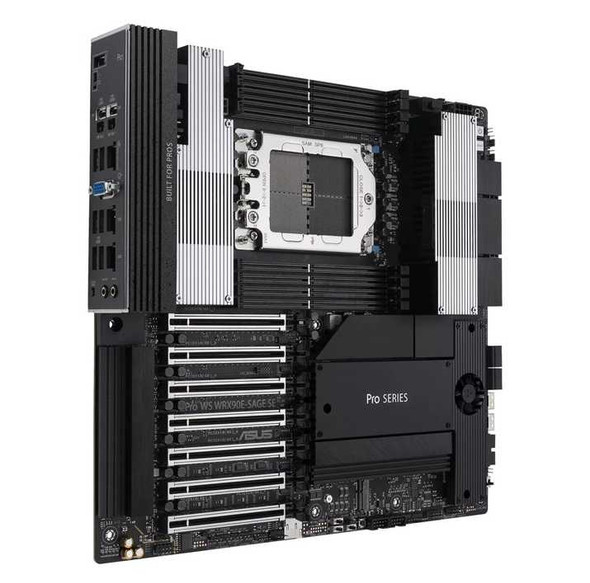
ASUS Pro WS WRX90E-SAGE SE AMD WRX90 sTR5 Workstation Motherboard with ECC DDR5
ASUS