
ARCTIC
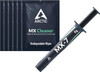
ARCTIC MX-7 - ULTIMATE Performance Thermal Paste 4g with 6x MX Cleaner
- SKU:
- ACTCP00092A
- UPC:
- 4895265000898
- MPN:
- ACTCP00092A
- Availability:
- Free Click & Collect in Peterborough. UK delivery also available.







Description
ARCTIC MX-7 4g Thermal Paste with 6x MX Cleaner – Ultimate Performance CPU & GPU Thermal Compound
The ARCTIC MX-7 4g with 6x MX Cleaner is an ultimate-performance thermal paste bundle designed to improve heat transfer between a processor or graphics chip and its cooler. It combines a 4g syringe of ARCTIC MX-7 thermal compound with six MX Cleaner wipes, giving PC builders, gamers, technicians and repair users everything needed to remove old thermal paste and prepare a clean surface before repasting.
MX-7 uses a dense, high-viscosity formulation with a high filler content designed to create an extremely thin and even thermal interface between the heat source and cooling surface. It is suitable for desktop CPUs, GPUs, gaming PCs, laptops, console processors, air coolers, AIO liquid coolers and direct-touch heat-pipe coolers.
Quick answer: If you need a premium non-conductive thermal paste for a CPU, GPU, laptop or console and also need to remove the existing thermal compound, the ARCTIC MX-7 4g with 6x MX Cleaner bundle provides both the thermal paste and cleaning wipes in one package.
Key Features of ARCTIC MX-7 4g with 6x MX Cleaner
- 4g ARCTIC MX-7 thermal paste for PC building, upgrades and repasting
- 6x ARCTIC MX Cleaner wipes included for removing old thermal compound
- Suitable for CPUs, GPUs, laptops and console processors
- Dense, performance-optimised consistency with a high filler content
- 35,000–38,000 poise viscosity
- Low adhesion helps create a fine, uniform thermal interface layer
- High cohesion for consistent long-term performance
- Designed to resist drying out during long-term use
- Resistant to pump-out during repeated heating and cooling cycles
- Electrically non-conductive for safer application around electronic components
- Non-capacitive thermal compound
- Suitable for direct-touch heat-pipe CPU coolers
- Recommended cross-pattern application
- Wide continuous-use temperature range of -50°C to 250°C
- Grey thermal compound
- ARCTIC model / SKU: ACTCP00092A
Ultimate Performance Thermal Paste for CPUs and GPUs
A thermal compound fills microscopic imperfections between a processor surface and the base of the heatsink or cooler. These microscopic gaps can otherwise contain air, which transfers heat less effectively than a properly applied thermal interface material.
ARCTIC MX-7 is engineered with a dense and highly viscous consistency created by its high filler content. When the cooler is installed, mounting pressure distributes the paste across the contact surface to create a thin thermal interface between the processor and cooler.
Performance-Optimised High-Viscosity Formula
MX-7 has an official viscosity rating of 35,000–38,000 poise and density of 2.9g/cm³. Its dense consistency is deliberately different from thinner thermal compounds and is designed to provide a stable thermal interface under cooler mounting pressure.
The low adhesion of MX-7 helps the compound distribute into a fine bond line, while its high cohesion helps maintain the integrity of that layer during use.
Designed for Long-Term Thermal Performance
Repeated processor heating and cooling causes the components around a CPU or GPU to expand and contract. Over time, this thermal cycling can cause some thermal compounds to move away from the centre of the contact area, a process commonly known as pump-out.
ARCTIC designed MX-7 with high cohesion to help prevent cracking, leakage and pump-out during repeated thermal cycles. Its stable formulation is also designed to provide long-lasting performance without drying out, making it particularly useful for systems that are expected to remain assembled for extended periods.
Useful for High Thermal-Cycle Applications
This makes MX-7 particularly relevant for gaming PCs, graphics cards, laptops and other devices that frequently change between idle and high-load temperatures.
Electrically Non-Conductive and Non-Capacitive
ARCTIC MX-7 is electrically non-conductive and non-capacitive. This makes it easier and safer to work with around CPUs, GPUs and other sensitive electronic components than electrically conductive thermal interface materials such as liquid metal.
The official specification lists a volume resistivity of 1.7 × 10¹² Ω-cm and a breakdown voltage of 4.2kV/mm.
Although accidental small amounts of MX-7 around a processor are considerably less concerning than conductive thermal compounds, excess paste should still be removed to maintain a clean installation.
6x MX Cleaner Wipes Included
This version of ARCTIC MX-7 includes six MX Cleaner wipes for preparing processor and cooler contact surfaces before new thermal paste is applied.
MX Cleaner is designed to dissolve and remove old, dried thermal paste and residue from contact surfaces. Properly removing the previous thermal compound helps prevent old material from interfering with the new thermal interface layer.
Why Clean the Old Thermal Paste First?
Applying fresh thermal paste directly over old compound is not recommended. Old paste may be dried, uneven or contaminated with dust and residue. Cleaning both contact surfaces first gives the new MX-7 compound a clean surface on which to form an even thermal interface.
Suitable for CPU Thermal Paste Replacement
ARCTIC MX-7 can be used when installing a new processor, changing a CPU cooler or replacing ageing thermal paste on an existing system.
Typical applications include:
- Intel desktop processors
- AMD Ryzen desktop processors
- Gaming PCs
- Workstations
- Home and office computers
- Air CPU coolers
- AIO liquid CPU coolers
- Direct-touch heat-pipe coolers
Suitable for Direct-Touch Heat-Pipe Coolers
ARCTIC specifically recommends the cross-pattern application method even when MX-7 is used with coolers featuring direct-touch heat pipes. The paste can then fill the small grooves between the heat pipes and cooler contact surface when mounting pressure is applied.
Suitable for GPU Thermal Paste Replacement
MX-7 can also be used as a GPU thermal compound when repasting compatible graphics cards. Replacing ageing GPU thermal paste can be useful during graphics card maintenance, particularly when the original compound has dried or the cooler has been removed.
Graphics card disassembly should only be attempted by users who are comfortable working with computer hardware. Take care not to damage cables, connectors, thermal pads or surrounding components when removing the GPU cooler.
Thermal Paste for Laptops and Gaming Consoles
ARCTIC lists MX-7 as suitable for laptops and console processors as well as conventional desktop CPUs and GPUs.
Its high cohesion and resistance to pump-out make MX-7 especially relevant to compact cooling systems that experience repeated heating and cooling cycles.
- Laptop CPU repasting
- Laptop GPU repasting
- Gaming laptop cooling maintenance
- Console processor thermal paste replacement
- Compact PC and mini-PC servicing where thermal paste is specified
Always check the service requirements for the individual device before disassembly.
How to Apply ARCTIC MX-7 Thermal Paste
Unlike some thinner thermal compounds, ARCTIC advises that MX-7's special texture is not designed to be manually spread with a spatula. ARCTIC recommends applying the paste in a cross pattern and allowing the pressure of the installed cooler to spread it across the processor.
Recommended MX-7 Application Method
- Switch off and disconnect the system.
- Remove the existing heatsink or cooler carefully.
- Remove the majority of the old thermal paste.
- Use one of the included MX Cleaner wipes to clean the processor and cooler contact surfaces.
- Allow the cleaned surfaces to become ready for installation.
- Apply MX-7 directly to the processor in a cross pattern.
- Position the cooler directly onto the processor without unnecessarily moving it around.
- Tighten the cooler evenly according to the cooler manufacturer's installation instructions.
- The mounting pressure spreads the MX-7 into a thin and uniform layer across the contact surface.
Do Not Manually Spread MX-7 with a Spatula
Because of MX-7's dense consistency and special texture, ARCTIC does not recommend spreading it manually with a spatula. Applying the recommended cross pattern and mounting the cooler allows the required pressure to distribute the compound.
MX-7 Helps Create a Thin, Even Thermal Interface
Correct thermal paste application is about creating a thin interface without unnecessary air pockets, rather than simply applying as much paste as possible.
Once the heatsink or cooler is mounted, pressure distributes MX-7 over the processor contact surface. Its low adhesion helps the material form a fine bond line while its high cohesion helps keep the thermal interface stable.
ARCTIC MX-7 vs Liquid Metal
ARCTIC MX-7 is a traditional thermal compound rather than liquid metal. It therefore does not have the electrical conductivity concerns commonly associated with liquid-metal thermal interface materials.
For most PC builders, gamers and repair users, a non-conductive thermal compound such as MX-7 offers a practical balance between thermal performance, application safety and long-term reliability.
Thermal Paste Is Not the Same as a Thermal Pad
MX-7 should not automatically be used to replace thermal pads. Thermal paste and thermal pads perform related but different jobs.
Thermal paste is normally used where two surfaces are designed to make very close contact, such as between a CPU and CPU cooler or between a GPU die and heatsink.
Thermal pads are commonly used where a larger physical gap needs to be filled, such as around GPU memory modules, VRMs and other electronic components. If the original device uses a thermal pad of a particular thickness, replace it with the correct type and thickness rather than MX-7 unless the manufacturer specifically instructs otherwise.
Who Is ARCTIC MX-7 4g with 6x MX Cleaner Best For?
- PC builders installing a new CPU or CPU cooler
- Gamers upgrading or maintaining gaming PCs
- Users replacing old or dried CPU thermal paste
- Graphics card enthusiasts carrying out GPU maintenance
- Laptop repair technicians
- Console repair and maintenance users
- PC repair shops and system builders
- Users who want thermal paste and cleaning wipes in one package
- Systems that experience frequent heating and cooling cycles
ARCTIC MX-7 4g with 6x MX Cleaner Technical Specifications
- Brand: ARCTIC
- Model: MX-7
- Product Type: Thermal paste / thermal compound
- Thermal Paste Quantity: 4g
- MX Cleaner Included: 6 wipes
- SKU / MPN: ACTCP00092A
- EAN: 4895265000898
- UPC: 840033403566
- Colour: Grey
- Viscosity: 35,000–38,000 poise
- Density: 2.9g/cm³
- Continuous Use Temperature: -50°C to 250°C
- Volume Resistivity: 1.7 × 10¹² Ω-cm
- Breakdown Voltage: 4.2kV/mm
- Electrical Properties: Electrically non-conductive
- Capacitive: No / non-capacitive
- Recommended Application: Cross pattern
- Manual Spatula Spreading: Not recommended by ARCTIC
- Suitable For: CPUs, GPUs, laptops, console processors and compatible cooling systems
- Box Dimensions: 107 × 71 × 14mm
- Gross Weight: 43.6g
Thermal Conductivity Specification Note
ARCTIC does not publish a conventional fixed W/mK thermal-conductivity figure in the current official MX-7 specification table. For product-data accuracy, unsupported W/mK figures should therefore not be used when describing MX-7.
What Is Included?
- 1x ARCTIC MX-7 4g thermal paste syringe
- 6x ARCTIC MX Cleaner wipes
Why Choose ARCTIC MX-7 4g with 6x MX Cleaner?
The ARCTIC MX-7 4g with 6x MX Cleaner provides a convenient complete solution for users who need to remove existing thermal compound and apply fresh high-performance thermal paste.
Its dense high-filler formulation, high cohesion, low adhesion, resistance to pump-out, electrically non-conductive design and wide operating-temperature range make MX-7 suitable for a wide variety of CPU, GPU, laptop, gaming PC and console thermal-management applications.
The included six MX Cleaner wipes also remove the need to purchase a separate thermal-paste cleaning product, making this version particularly useful for upgrades, repairs and multiple repasting jobs.
Choose ARCTIC MX-7 4g with 6x MX Cleaner if you want premium thermal paste, safe non-conductive application, long-term thermal stability and dedicated cleaning wipes together in one convenient package.
Specification
ARCTIC MX-7 4g with 6× MX Cleaner Specifications
The ARCTIC MX-7 4g with 6× MX Cleaner is an ultimate-performance thermal compound bundle for CPUs, GPUs, laptops, console processors and compatible cooling applications. This version contains a 4g syringe of MX-7 thermal paste together with six MX Cleaner wipes for removing old thermal compound before applying fresh paste.
General Information
| Brand | ARCTIC |
| Product Series | MX-7 |
| Product Name | ARCTIC MX-7 Ultimate Performance Thermal Paste 4g with 6× MX Cleaner |
| Product Type | Thermal Compound / Thermal Paste with Cleaner Wipes |
| Thermal Paste Content | 4g |
| MX Cleaner Included | 6× MX Cleaner Wipes |
| Colour | Grey |
Thermal Paste Specifications
| Viscosity | 35,000–38,000 Poise |
| Density | 2.9g/cm³ |
| Continuous Use Temperature | -50°C to 250°C |
| Thermal Conductivity | Not specified as a fixed W/mK value by ARCTIC |
| Consistency | Dense, viscous consistency with high filler content |
| Bond Layer | Designed to form a thin, uniform thermal interface under cooler mounting pressure |
| Pump-Out Resistance | Designed to resist pump-out during repeated thermal cycles |
Electrical Properties
| Electrical Conductivity | Electrically Non-Conductive |
| Capacitive | Non-Capacitive |
| Volume Resistivity | 1.7 × 10¹² Ω-cm |
| Breakdown Voltage | 4.2kV/mm |
Application and Compatibility
| Recommended Application Method | Cross Pattern |
| Spatula Spreading | Not Recommended by ARCTIC Due to the Special Texture of MX-7 |
| Cooler Pressure Application | Cooler mounting pressure spreads the thermal paste across the contact surface |
| CPU Compatibility | Suitable for CPU thermal interface applications |
| GPU Compatibility | Suitable for GPU thermal interface applications |
| Laptop Compatibility | Suitable for compatible laptop CPU and GPU thermal applications |
| Console Compatibility | Suitable for compatible console processor thermal applications |
| Air Cooler Compatibility | Yes |
| AIO / Liquid Cooler Compatibility | Suitable where conventional thermal paste is required between the processor and cooler |
| Direct-Touch Heat Pipe Coolers | Yes – ARCTIC recommends the cross-pattern application method |
| Liquid Metal | No – MX-7 is conventional thermal paste, not liquid metal |
Product Identifiers
| Manufacturer Part Number / SKU | ACTCP00092A |
| EAN | 4895265000898 |
| UPC | 840033403566 |
Packaging Specifications
| Box Length | 107mm |
| Box Width | 71mm |
| Box Height | 14mm |
| Box Dimensions | 107 (L) × 71 (W) × 14 (H) mm |
| Gross Weight | 43.6g |
Package Contents
| Thermal Paste | 1× ARCTIC MX-7 4g Thermal Paste Syringe |
| Cleaner Wipes | 6× ARCTIC MX Cleaner Wipes |
Compliance
| RoHS | Materials Compatible with RoHS Requirements |
Important Thermal Conductivity Note
ARCTIC does not publish a fixed thermal conductivity value in W/mK for MX-7. The official MX-7 specification therefore does not provide a W/mK figure. Any third-party thermal conductivity figure that is not supplied by ARCTIC should not be treated as an official MX-7 specification.
Important Application Note
ARCTIC recommends applying MX-7 using a cross pattern. After application, mounting pressure from the cooler spreads the thermal paste across the contact surface to create a thin and uniform layer. Because of the special texture and viscosity of MX-7, ARCTIC states that it should not be manually spread with a spatula.
MX Cleaner Information
This ACTCP00092A version includes six MX Cleaner wipes. ARCTIC states that MX Cleaner is designed to remove old thermal paste without leaving residue and to clean the contact surfaces before fresh thermal paste is applied.
Important Compatibility Note
ARCTIC MX-7 is suitable for CPUs, GPUs, laptops, console processors and other compatible thermal interface applications. Always follow the device or cooler manufacturer's service instructions when removing a heatsink or replacing thermal paste.
MX-7 is thermal paste and should not automatically be used as a replacement for thermal pads. Components such as GPU memory, VRMs and other devices may require thermal pads of a specific thickness. Where the original device uses a thermal pad, replace it with the correct thermal interface material specified for that device.
Version Identification
This specification applies specifically to the ARCTIC MX-7 4g with 6× MX Cleaner – SKU ACTCP00092A. Other MX-7 pack sizes use different manufacturer part numbers, EAN codes, UPC codes, packaging dimensions and weights.
Return
FAQ: Frequenlty Asked Questions
ARCTIC MX-7 4g Thermal Paste with 6x MX Cleaner FAQ
The ARCTIC MX-7 Ultimate Performance Thermal Paste 4g with 6x MX Cleaner is a high-performance thermal compound bundle designed for PC builders, repairers, gamers and enthusiasts who want to replace old thermal paste and prepare the surface properly before applying new paste. It is suitable for CPUs, GPUs, laptops, consoles, desktop PCs, AIO coolers and air coolers. MX-7 is designed to be electrically non-conductive, non-capacitive, durable and resistant to pump-out, while the included 6x MX Cleaner wipes help remove old thermal paste and residue from CPU, GPU and heatsink contact surfaces. Below are the most common questions buyers ask before choosing this ARCTIC MX-7 4g thermal paste and MX Cleaner bundle, including application method, cleaning old paste, CPU and GPU compatibility, laptop repasting, console use, MX-7 vs MX-6, MX-7 vs MX-4, drying out, pump-out resistance, safety, amount needed and who this bundle is best suited for.
1. What is ARCTIC MX-7 4g with 6x MX Cleaner?
ARCTIC MX-7 4g with 6x MX Cleaner is a thermal paste bundle that includes a 4g syringe of ARCTIC MX-7 thermal compound and six MX Cleaner wipes. It is designed for removing old paste, cleaning the contact surface and applying fresh thermal compound to CPUs, GPUs, laptops, consoles and coolers.
2. What is this ARCTIC MX-7 bundle best used for?
This bundle is best used for CPU cooler installation, CPU repasting, GPU repasting, laptop thermal maintenance, console servicing, gaming PC upgrades, replacing old dried paste and cleaning the heatsink or chip surface before applying new thermal compound.
3. What is included with ARCTIC MX-7 4g and 6x MX Cleaner?
This product includes a 4g syringe of ARCTIC MX-7 thermal paste and six MX Cleaner wipes. The paste is used for heat transfer, while the wipes help remove old thermal paste and residue before the new application.
4. Is ARCTIC MX-7 suitable for CPUs?
Yes. ARCTIC MX-7 is suitable for desktop and laptop CPUs. It helps transfer heat from the processor heat spreader to the cooler base, which can help maintain stable temperatures when applied correctly.
5. Is ARCTIC MX-7 suitable for GPUs?
Yes. ARCTIC MX-7 can be used for GPU repasting on compatible graphics cards. GPU repasting should only be done by users who are confident with cooler removal, because incorrect disassembly can damage the graphics card or affect warranty.
6. Can I use ARCTIC MX-7 on a laptop?
Yes. ARCTIC MX-7 can be used on laptop CPUs and GPUs. Its thicker consistency and durability make it suitable for laptop repasting, where heat cycling and pump-out resistance are important.
7. Can I use ARCTIC MX-7 on a games console?
Yes. ARCTIC MX-7 can be used on console processors where thermal paste replacement is needed. Console disassembly can be difficult, so it should be done carefully and only when you are comfortable with repair work.
8. Is ARCTIC MX-7 electrically conductive?
No. ARCTIC MX-7 is electrically non-conductive. This makes it safer for most users than liquid metal, because accidental small contact with nearby components is less likely to cause a short circuit.
9. Is ARCTIC MX-7 capacitive?
ARCTIC describes MX-7 as non-capacitive. This helps make it safer for PC, laptop, GPU and console applications compared with electrically conductive or capacitive compounds.
10. Is ARCTIC MX-7 liquid metal?
No. ARCTIC MX-7 is a traditional thermal paste, not liquid metal. It is easier and safer to apply than liquid metal and is suitable for a wider range of users and components.
11. Is ARCTIC MX-7 safe for beginners?
Yes. ARCTIC MX-7 is a good choice for beginners because it is electrically non-conductive and does not require the extra safety precautions needed with liquid metal. You should still avoid using too much paste and clean the old paste before applying it.
12. What are the MX Cleaner wipes used for?
The included MX Cleaner wipes are used to remove old thermal paste from the CPU, GPU, heatsink or cooler surface before applying new MX-7. A clean surface helps the new paste spread correctly and improves contact between the chip and cooler.
13. Do I need to clean old thermal paste before applying MX-7?
Yes. Always remove old thermal paste before applying new MX-7. Mixing old and new paste can reduce contact quality, trap residue and reduce cooling performance.
14. Can MX Cleaner remove dried thermal paste?
Yes. MX Cleaner is designed to dissolve old and heavily dried thermal paste so it can be lifted from the contact surface more easily. This is useful when repasting older CPUs, GPUs, laptops or consoles.
15. Can MX Cleaner remove thermal pad residue?
MX Cleaner can help remove stubborn traces and residues from thermal compounds and some thermal pad residue. Be gentle and avoid using it on plastics, stickers, painted areas or delicate surfaces unless the manufacturer says it is safe.
16. Should MX Cleaner be used on plastic parts?
No. MX Cleaner should mainly be used on metal contact surfaces such as the CPU heat spreader, GPU die area and heatsink base. Avoid using it on plastic parts, labels, rubber, painted surfaces or delicate finishes because strong cleaners may affect them.
17. How much ARCTIC MX-7 should I apply to a CPU?
For most desktop CPUs, a small pea-sized amount, short line or thin cross pattern is usually enough. The cooler mounting pressure spreads the paste across the heat spreader. Using too much paste can create mess and make cleaning harder.
18. What application method does ARCTIC MX-7 work best with?
For many desktop CPUs, a small dot, line or cross pattern works well. For GPUs, laptop dies and larger direct-die surfaces, a thin even spread is often preferred to make sure the full chip surface is covered.
19. Should I spread ARCTIC MX-7 manually?
You can spread MX-7 manually if you prefer, especially on GPUs, laptop dies or bare chips. On desktop CPUs, many users apply a small amount and let cooler pressure spread the paste evenly.
20. Is ARCTIC MX-7 thick?
Yes. ARCTIC MX-7 is a relatively thick thermal paste. The higher viscosity helps with contact stability and pump-out resistance, but it may feel harder to spread than thinner thermal pastes.
21. What colour is ARCTIC MX-7?
ARCTIC MX-7 is grey. This is normal for many high-performance thermal pastes and does not indicate a fault.
22. What is the operating temperature range of ARCTIC MX-7?
Published specification listings commonly show ARCTIC MX-7 with an operating temperature range of around -50°C to 250°C. This is more than enough for normal PC, laptop, GPU and console cooling use.
23. What is pump-out effect?
Pump-out effect happens when thermal paste slowly moves away from the chip contact area after repeated heating and cooling cycles. This can reduce cooling performance over time, especially on laptops, GPUs and direct-die applications.
24. Is ARCTIC MX-7 resistant to pump-out?
Yes. MX-7 is designed to resist pump-out and maintain stable contact during heat cycles. This makes it useful for CPUs, GPUs and laptops where long-term thermal stability is important.
25. Does ARCTIC MX-7 dry out quickly?
No. ARCTIC MX-7 is designed for long-term stability and durability. Like all thermal paste, it may eventually need replacing after years of use, high temperatures or cooler removal.
26. Does ARCTIC MX-7 need curing time?
No special curing time is normally required. Once the paste is applied and the cooler is installed correctly, the system can be used straight away. Temperatures may settle slightly after normal heat cycles.
27. Is 4g of ARCTIC MX-7 enough for one CPU?
Yes. A 4g syringe is enough for several normal CPU applications if used correctly. The exact number of applications depends on CPU size, application method and how much paste is used each time.
28. Is 4g enough for a CPU and GPU?
Yes. A 4g tube is usually enough for a CPU and GPU repaste, and should still leave paste for future use if applied carefully. Large GPUs, repeated attempts or heavy use may require more paste.
29. How many applications can I get from 4g of MX-7?
The number of applications depends on the chip size and how much paste is used. For normal desktop CPUs, 4g can usually cover several applications. For large GPUs or laptops, the number of uses may be lower.
30. What happens if I use too much ARCTIC MX-7?
Using too much paste can create mess around the socket or chip area and may make cleaning harder. Because MX-7 is non-conductive, it is safer than liquid metal, but you should still use only enough for a thin contact layer.
31. What happens if I use too little thermal paste?
Using too little paste can leave air gaps between the chip and cooler, increasing temperatures. The goal is a thin, even layer after the cooler is mounted.
32. Can ARCTIC MX-7 reduce CPU temperature?
Yes. Replacing old, dry or poorly applied paste with ARCTIC MX-7 can reduce CPU temperatures. The improvement depends on cooler quality, mounting pressure, case airflow, CPU heat output and the condition of the old paste.
33. Will ARCTIC MX-7 make my PC faster?
Thermal paste does not directly increase performance. However, better cooling can help reduce thermal throttling, allowing the CPU or GPU to maintain stronger performance under load.
34. Will ARCTIC MX-7 fix overheating?
It can help if overheating is caused by old paste, poor paste coverage or a cooler that has been removed. If overheating is caused by dust, weak airflow, fan failure, poor cooler mounting or an undersized cooler, those issues also need fixing.
35. Is ARCTIC MX-7 better than ARCTIC MX-4?
MX-7 is newer and positioned as a higher-performance option than MX-4. MX-4 is still popular for basic builds, but MX-7 is better suited to users wanting stronger cooling performance, higher viscosity and long-term stability.
36. Is ARCTIC MX-7 better than ARCTIC MX-6?
MX-7 is newer than MX-6 and is designed for improved performance and durability. Independent coverage has reported strong MX-7 results, although the real temperature difference depends on the cooler, mounting pressure, CPU or GPU heat output and test conditions.
37. Should I upgrade from MX-4 or MX-6 to MX-7?
If your current paste is still performing well, you do not need to replace it immediately. MX-7 is worth considering when repasting, installing a new cooler, upgrading a PC, servicing a laptop or trying to improve temperatures.
38. Is ARCTIC MX-7 good for gaming PCs?
Yes. MX-7 is a strong choice for gaming PCs because it helps transfer heat efficiently from the CPU or GPU to the cooler. This can help maintain stable temperatures during long gaming sessions.
39. Is ARCTIC MX-7 good for overclocking?
Yes. ARCTIC MX-7 can be used in overclocked systems, provided the cooler is suitable. Thermal paste is only one part of cooling; the CPU cooler, airflow, fan curve and voltage settings are also important.
40. Is ARCTIC MX-7 good for AMD Ryzen processors?
Yes. ARCTIC MX-7 is suitable for AMD Ryzen processors when used with a compatible CPU cooler. It can be used on AM4 and AM5 systems during cooler installation or repasting.
41. Is ARCTIC MX-7 good for Intel processors?
Yes. ARCTIC MX-7 is suitable for Intel desktop and laptop processors. It can be used during CPU cooler installation, system upgrades or maintenance repasting.
42. Can I use ARCTIC MX-7 with an AIO liquid cooler?
Yes. ARCTIC MX-7 works with AIO liquid coolers as well as air coolers. Apply it to the CPU heat spreader before mounting the pump block, unless the cooler already has pre-applied paste and you choose to use that instead.
43. Can I use ARCTIC MX-7 with an air cooler?
Yes. MX-7 is suitable for tower air coolers, low-profile coolers and stock-style coolers. Correct mounting pressure and even cooler contact are important for best results.
44. Should I remove pre-applied paste before using MX-7?
If your cooler already has pre-applied thermal paste, you can use it as supplied or remove it and apply MX-7 instead. Do not apply MX-7 on top of existing paste; clean the surface first.
45. Can ARCTIC MX-7 be reused after removing the cooler?
No. If you remove the cooler, clean off the old paste and apply a fresh layer. Reusing disturbed thermal paste can trap air bubbles and reduce cooling performance.
46. How should I store ARCTIC MX-7 after opening?
Close the syringe cap tightly and store it in a cool, dry place away from direct sunlight. Keeping the cap sealed helps prevent contamination and keeps the paste usable for future applications.
47. Why are my temperatures still high after applying MX-7?
High temperatures after repasting can be caused by too much or too little paste, poor cooler mounting, uneven pressure, dust, bad airflow, fan problems, high CPU voltage or an undersized cooler. Check cooler installation and airflow first.
48. What should I check before buying ARCTIC MX-7 4g with MX Cleaner?
Check whether you need a 4g tube, whether you are repasting a CPU, GPU, laptop or console, whether you need cleaning wipes, whether you are comfortable removing the cooler, and whether you need a safe non-conductive paste rather than liquid metal.
49. Who should NOT buy ARCTIC MX-7 4g with 6x MX Cleaner?
This bundle is not ideal for users who need liquid metal, users who want a very large tube for many builds, or users who are not comfortable opening laptops, consoles or graphics cards. It is best for users who want a safe, high-performance thermal paste bundle with cleaning wipes for CPU, GPU, laptop or console repasting.
50. Why buy ARCTIC MX-7 4g with 6x MX Cleaner from Memox?
Buying the ARCTIC MX-7 Ultimate Performance Thermal Paste 4g with 6x MX Cleaner from Memox is a practical choice if you want a complete repasting bundle for PC builds, CPU cooler installations, laptop maintenance, GPU repasting and console servicing. Memox offers thermal paste, CPU coolers, fans, processors, motherboards, PC cases, SSDs, RAM and computer components for UK customers.
Related Products
Related Products

Arctic MX-7 Ultimate Performance Thermal Compound - 2g
ARCTIC