
ANTEC
Antec RTX50 PCIe 5.0 Riser Cable – 90° Vertical GPU Mount Black
- SKU:
- CLANT-RTX50RISBR
- UPC:
- 0761345700030
- MPN:
- 0-761345-70003-0
- Availability:
- Free Click & Collect in Peterborough. UK delivery also available.

Description
Antec RTX50 PCIe 5.0 Riser Cable with 90° Vertical GPU Bracket – Black 200mm PCI-E 5.0 Graphics Card Mount
The Antec RTX50 PCIe 5.0 Riser Cable with 90° Vertical GPU Bracket is designed for PC builders who want to mount a graphics card vertically and showcase their GPU through a tempered glass side panel. With a PCIe 5.0 x16 riser cable, 200mm cable length, 90-degree graphics card bracket and black finish, it is a practical upgrade for compatible Antec PC cases and modern gaming builds.
This Antec RTX50 PCIe 5.0 vertical GPU mount kit is ideal for customers searching for a PCIe 5.0 riser cable, vertical GPU bracket, RTX 50 series riser cable, 200mm PCIe 5.0 riser cable, 90 degree graphics card mount, or a vertical graphics card mounting solution for compatible Antec cases.
Key Features of the Antec RTX50 PCIe 5.0 Riser Cable Kit
- PCIe 5.0 riser cable and vertical bracket kit for compatible PC cases
- Designed for vertical graphics card mounting to showcase your GPU
- 90° graphics card mount for a clean vertical GPU installation
- 200mm riser cable length designed to pair with the included bracket
- PCIe 5.0 interface for next-generation graphics card bandwidth support
- 32GT/s transfer rate and 64GB/s maximum x16 bandwidth
- Supports GPUs up to NVIDIA GeForce RTX 5090 / AMD Radeon RX 9070 XT, subject to case clearance and compatibility
- Compatible with selected Antec cases, including Flux Series, CB Series, C7 Series, Performance 1 FT and P20C Series
- Requires a chassis with fully open PCIe expansion slots
- Black finish to match black gaming PC builds
Showcase Your Graphics Card with a Vertical GPU Mount
The Antec RTX50 vertical GPU bracket lets you reposition a compatible graphics card from the standard horizontal layout to a vertical display position. This can improve the visual appearance of a gaming PC build, especially in cases with a tempered glass side panel where the graphics card cooler, shroud and lighting are more visible.
Ideal for Modern Gaming PC Builds
This kit is designed for users building or upgrading high-performance desktop PCs with modern graphics cards. It can be useful for showcase builds, RGB gaming systems, clean cable-managed PCs and users who want their GPU to become the visual centrepiece of the system.
PCIe 5.0 Riser Cable for Next-Generation GPU Bandwidth
The included PCIe 5.0 riser cable is built for high-speed graphics card connectivity. Antec lists the cable with a 32GT/s transfer rate and 64GB/s maximum bandwidth at x16, making it suitable for PCIe 5.0 capable platforms while remaining useful for compatible PCIe graphics cards when installed correctly.
Why PCIe 5.0 Matters
PCIe 5.0 offers greater bandwidth than previous PCIe generations. This helps the riser cable support the latest graphics card platforms and gives builders a more future-ready vertical GPU mounting option compared with older PCIe 3.0 or PCIe 4.0 riser cables.
200mm Cable Length for Flexible Installation
The riser cable is listed as 200mm long, which is designed to work with the included bracket and compatible Antec case layouts. The cable length helps route the GPU connection from the motherboard PCIe x16 slot to the vertical mount position while avoiding unnecessary excess cable inside the system.
Compatible Antec Case Series
Antec lists the RTX50 PCIe 5.0 riser cable and vertical bracket kit as compatible with selected Antec case families, including the Flux Series, CB Series, C7 Series, Performance 1 FT and P20C Series. Compatibility depends on the exact case model, expansion slot layout, GPU thickness, cooler design and internal clearance.
Fully Open PCIe Slot Requirement
This vertical GPU mounting kit requires a chassis with fully open PCIe expansion slots. If your case has fixed divider bars between the PCIe slot covers or does not support vertical mounting space, this kit may not fit without case modification, which is not recommended.
Important GPU Clearance Advice
Before purchasing, check your case width, side panel clearance, GPU thickness, graphics card length, power connector position and airflow space. Large modern graphics cards can be heavy and wide, so correct spacing is important for cooling and safe installation.
Cooling and Airflow Notice
Vertical GPU mounting can position the graphics card closer to the side panel in some cases. This may affect GPU temperature depending on the case airflow and available clearance. For best results, use this kit in compatible cases with enough side-panel spacing and good intake airflow.
Who Is the Antec RTX50 PCIe 5.0 Riser Cable Kit Best For?
- PC builders who want to vertically mount a graphics card
- Gaming PC users with compatible Antec cases
- Showcase builds with tempered glass side panels
- Users upgrading from older PCIe riser cable kits
- Builders using modern PCIe graphics cards
- Customers wanting a black vertical GPU bracket for a clean build
- Users building RTX 50 series or high-end GPU systems with suitable case clearance
Antec RTX50 PCIe 5.0 Riser Cable Kit Specifications
- Brand: Antec
- Product Name: Antec RTX50 PCI-E 5.0 Riser Cable Vertical Bracket Kit
- Model / MPN: AT-RCVB-BK200-PCIE5
- UPC: 0-761345-70003-0
- Product Type: PCIe riser cable and vertical GPU bracket kit
- Interface: PCIe 5.0
- Cable Length: 200mm
- Transfer Rate: 32GT/s
- Maximum Bandwidth: 64GB/s at x16
- GPU Mounting: 90° vertical graphics card mount
- GPU Support: Up to NVIDIA GeForce RTX 5090 / AMD Radeon RX 9070 XT, subject to case and clearance compatibility
- Compatible Antec Case Series: Flux Series, CB Series, C7 Series, Performance 1 FT and P20C Series
- Chassis Requirement: Fully open PCIe expansion slot design
- Colour: Black
- Warranty: 1 Year
Buying Advice
Before ordering, please confirm that your PC case supports this vertical GPU bracket and has fully open PCIe expansion slots. You should also check your graphics card length, thickness, cooler design, side-panel clearance, motherboard PCIe slot position and power cable clearance. This kit is intended for compatible Antec cases and may not fit all PC cases.
Why Buy the Antec RTX50 PCIe 5.0 Riser Cable with Vertical Bracket?
The Antec RTX50 PCIe 5.0 Riser Cable with 90° Vertical GPU Bracket is a strong choice for compatible Antec gaming PC builds where GPU presentation and modern PCIe bandwidth matter. With PCIe 5.0 support, a 200mm riser cable, 90° vertical mounting bracket, black finish and compatibility with selected Antec case series, it is a practical upgrade for showcasing modern graphics cards in a clean, high-performance desktop system.
Specification
Antec RTX50 PCIe 5.0 Riser Cable Vertical Bracket Kit Specifications
| Product Type | PCIe Riser Cable and Vertical GPU Bracket Kit |
| Brand | Antec |
| Product Name | Antec RTX50 PCI-E 5.0 Riser Cable Vertical Bracket Kit |
| Model / MPN | AT-RCVB-BK200-PCIE5 |
| UPC / Barcode | 0-761345-70003-0 |
| Interface | PCIe 5.0 |
| PCIe Slot Type | PCIe x16 Graphics Card Connection |
| Cable Length | 200mm |
| Transfer Rate | 32GT/s |
| Maximum Bandwidth | 64GB/s at x16 |
| GPU Mounting Style | 90° Vertical Graphics Card Mount |
| Purpose | Allows Compatible Graphics Cards to be Mounted Vertically |
| GPU Support | Supports up to NVIDIA GeForce RTX 5090 / AMD Radeon RX 9070 XT, subject to case clearance and compatibility |
| Compatible Antec Case Series | Flux Series, CB Series / C8 Series depending on case listing, C7 Series, Performance 1 FT and P20C Series |
| Case Requirement | Chassis with Fully Open PCIe Expansion Slots and Suitable Vertical GPU Clearance |
| Colour | Black |
| Warranty | 1 Year |
Compatibility Notice
The Antec RTX50 PCIe 5.0 riser cable vertical bracket kit is designed for selected compatible Antec cases. Before ordering, please check your exact case model, PCIe slot layout, GPU length, GPU thickness, motherboard PCIe slot position and side-panel clearance.
Case Slot Notice
This vertical GPU mounting kit requires a case with fully open PCIe expansion slots. It may not fit cases with fixed metal bars between expansion slots or cases without enough internal space for vertical GPU installation.
GPU Clearance Notice
Large graphics cards can vary in length, thickness, cooler shape and power connector position. Even if the riser cable supports modern GPUs, actual fit depends on your case clearance, side panel spacing, airflow and cable routing.
Airflow Notice
Vertical GPU mounting can place the graphics card closer to the side panel. Make sure there is enough airflow around the GPU fans to avoid higher temperatures during gaming or heavy workloads.
Return
FAQ: Frequenlty Asked Questions
Antec RTX50 PCIe 5.0 Riser Cable 90° Vertical GPU Mount FAQ
The Antec RTX50 PCIe 5.0 Riser Cable 90° Vertical GPU Mount is a premium vertical graphics card mounting kit designed for showcasing modern GPUs inside compatible PC cases. It includes a high-speed PCIe 5.0 x16 riser cable and vertical bracket, making it suitable for selected Antec cases, high-end gaming PCs, showcase builds, RTX 40/50 series GPUs and compatible AMD Radeon graphics cards. Below are the most common questions buyers ask before choosing this Antec RTX50 PCIe 5.0 vertical GPU bracket kit, including case compatibility, GPU clearance, PCIe 5.0 performance, RTX 5090 support, airflow, temperatures, installation, BIOS settings, 12VHPWR cable clearance and who this vertical GPU mount is best suited for.
1. What is the Antec RTX50 PCIe 5.0 Riser Cable Vertical GPU Mount?
The Antec RTX50 PCIe 5.0 Riser Cable Vertical GPU Mount is a vertical graphics card mounting kit that lets you install a compatible GPU vertically inside a supported PC case. It includes a PCIe 5.0 riser cable and vertical bracket so the graphics card can be displayed facing the tempered glass side panel.
2. What is this Antec RTX50 vertical GPU mount best used for?
It is best used for showcase gaming PCs, high-end GPU builds, tempered glass cases, RGB builds, custom PC builds and users who want to display the graphics card cooler, fans and lighting more clearly than with a normal horizontal GPU installation.
3. Is this a PCIe 5.0 riser cable?
Yes. This Antec RTX50 kit is designed around a PCIe 5.0 riser cable. PCIe 5.0 support helps provide high bandwidth and better future compatibility for modern and next-generation graphics cards.
4. What does PCIe 5.0 mean on a GPU riser cable?
PCIe 5.0 refers to the connection standard supported by the riser cable. A PCIe 5.0 x16 riser cable is designed to carry high-speed graphics card data between the motherboard PCIe slot and the vertically mounted GPU with high signal integrity.
5. Is the Antec RTX50 riser cable backward compatible with PCIe 4.0?
Yes. PCIe is normally backward compatible, so a PCIe 5.0 riser cable can be used with PCIe 4.0 graphics cards and motherboards. The system will run at the highest speed supported by the motherboard, GPU and BIOS configuration.
6. Is the Antec RTX50 riser cable backward compatible with PCIe 3.0?
Yes. The riser cable can normally work with PCIe 3.0 systems, but performance and link speed will be limited to PCIe 3.0. For older systems, you may need to set the PCIe slot speed manually in BIOS if automatic detection causes instability.
7. What bandwidth does this PCIe 5.0 riser cable support?
Current product listings describe the Antec RTX50 PCIe 5.0 riser cable as supporting up to 32GT/s transfer rate and up to 64GB/s maximum bandwidth on a PCIe x16 connection.
8. How long is the Antec RTX50 PCIe 5.0 riser cable?
The Antec RTX50 riser cable is commonly listed as 200mm long. This length is designed to balance flexibility, routing space and signal performance when used with the supplied vertical GPU bracket in compatible cases.
9. Does this product include the vertical GPU bracket?
Yes. This product is listed as a PCIe 5.0 riser cable and vertical bracket kit. It is not just a loose riser cable; it includes the bracket required for supported vertical GPU installation.
10. Is this the black version?
Yes. This product page is for the black version of the Antec RTX50 PCIe 5.0 riser cable vertical GPU mount kit. It is suitable for black PC cases and dark-themed gaming builds.
11. Does the Antec RTX50 vertical mount support RTX 5090?
Yes. Product listings describe the Antec RTX50 vertical bracket kit as supporting modern high-end GPUs up to NVIDIA GeForce RTX 5090, provided the case has enough space and the GPU dimensions, thickness and power cable clearance are suitable.
12. Does it support RTX 5080, RTX 5070 Ti and RTX 5070 graphics cards?
Yes, it is designed for modern PCIe graphics cards and should support many RTX 50-series models when the case and GPU dimensions are compatible. Always check card length, slot thickness and side panel clearance before buying.
13. Does it support RTX 4090 or RTX 4080 graphics cards?
It can support many RTX 4090 and RTX 4080 cards if the case has enough room. These cards are often very large and thick, so you must check GPU length, slot width, side-panel clearance and 12VHPWR cable bend space before installation.
14. Does it support RTX 4070, RTX 4070 Super or RTX 4070 Ti?
Yes. Many RTX 4070, RTX 4070 Super and RTX 4070 Ti graphics cards should work with this vertical mount when installed in a compatible case. Check your case expansion slot layout and GPU thickness before buying.
15. Does it support AMD Radeon graphics cards?
Yes. The kit can be used with compatible AMD Radeon graphics cards as long as the card fits the case and uses a standard PCIe x16 graphics connection. Product listings also mention support for modern AMD Radeon GPUs such as RX 9070 XT class cards.
16. Does this vertical GPU mount improve performance?
No, a vertical GPU mount is mainly for appearance and build layout, not for increasing FPS. If installed correctly with a quality riser cable, performance should be similar to a normal horizontal installation. Poor airflow or incorrect BIOS settings can reduce performance or stability.
17. Will a vertical GPU mount reduce gaming performance?
It should not reduce gaming performance if the riser cable is high quality, the BIOS PCIe setting is correct and the GPU has enough airflow. Performance issues are more likely if the card overheats, the side panel is too close or the PCIe link runs at an incorrect speed.
18. Can a PCIe riser cable cause crashes?
A poor-quality riser cable, damaged cable, incorrect PCIe BIOS setting or unstable mounting can cause crashes, black screens or GPU detection issues. Using a PCIe 5.0-rated riser cable such as this kit helps reduce compatibility concerns with modern GPUs, but correct installation still matters.
19. Do I need to change BIOS settings when using a PCIe riser cable?
Usually the system should work on Auto, but some motherboards may need the PCIe slot speed set manually. For example, if using a PCIe 4.0 GPU on an older riser, users often set Gen4 or Gen3 manually. With this PCIe 5.0 riser, Auto should be fine in many systems, but manual settings can help troubleshooting.
20. Should I set PCIe mode to Gen5, Gen4 or Auto?
For most modern systems, Auto is the easiest option. If you experience no display, crashes or GPU detection problems, set the motherboard PCIe slot to the generation supported by your GPU and motherboard, such as Gen4 for many RTX 30/40-series cards or Gen5 for supported future platforms.
21. Which PC cases are compatible with the Antec RTX50 vertical GPU mount?
Product listings mention compatibility with selected Antec cases such as Flux Series, C8 Series, C7 Series, Performance 1 FT and P20C Series. Case compatibility depends on the expansion slot layout, internal clearance and whether the case supports a vertical GPU bracket kit.
22. Will this fit any PC case?
No. Vertical GPU mounting kits do not fit every case. Your case must have enough expansion slot space, open slot layout, internal clearance, GPU thickness clearance and side-panel clearance. Always check your case manual and measure before buying.
23. Does my case need open PCIe expansion slots?
Many vertical GPU brackets require open PCIe expansion slots instead of fixed metal bars between slots. If your case has solid dividers between expansion slots, the bracket may not fit correctly without modification, which is not recommended.
24. Can I use this in a non-Antec case?
It may work in some non-Antec cases if the case has the right expansion slot layout and enough internal space. However, best compatibility is with supported Antec cases listed for this kit. For non-Antec cases, check measurements carefully before buying.
25. Will this fit a Micro-ATX case?
Only if the Micro-ATX case has enough space and supports this type of vertical bracket. Many compact Micro-ATX cases have limited clearance, so check GPU length, slot thickness, bracket mounting space and side-panel distance first.
26. Will this fit a Mini-ITX case?
Most Mini-ITX cases use their own specific riser cable and GPU mounting layout, so this kit may not fit. It is better suited to compatible mid-tower or larger cases that support a separate vertical GPU bracket.
27. Does vertical mounting help with GPU sag?
Vertical mounting can reduce the visual appearance of GPU sag because the card is supported differently. However, the card still needs secure mounting, proper bracket support and careful installation, especially with heavy triple-slot or four-slot graphics cards.
28. Is this vertical GPU mount good for heavy graphics cards?
Yes, it is designed for modern high-end GPUs, but heavy graphics cards still need proper support. Make sure the bracket is firmly secured, the GPU is screwed in correctly and the case is not moved roughly after installation.
29. Will vertical mounting increase GPU temperatures?
It can increase temperatures if the graphics card fans sit too close to the glass side panel or if the case airflow is weak. A vertical GPU mount works best in cases with enough side clearance and good front, bottom or side intake airflow.
30. How much space should be between the GPU and glass side panel?
More space is better for airflow. If the GPU fans are very close to the glass, the card may struggle to breathe and run hotter. For thick high-end GPUs, check clearance carefully before choosing vertical mounting.
31. Is vertical GPU mounting bad for airflow?
Not always. In a case with good airflow and enough side-panel clearance, vertical mounting can work well. In a narrow case where the GPU sits close to glass, airflow can be restricted and temperatures may rise.
32. What is the best airflow setup for a vertical GPU?
A strong front or bottom intake airflow setup is usually best. The GPU needs access to fresh air, and the case should have good exhaust airflow at the rear or top. Avoid layouts where the GPU fans are pressed close to glass with no intake path.
33. Does this kit work with water-cooled GPUs?
It can work with some water-cooled GPUs if the card, tubes, fittings and radiator layout fit inside the case. For custom water cooling, check tubing clearance and avoid sharp bends or pressure on fittings.
34. Does this kit work with 3-slot or 4-slot GPUs?
It may work with many thick graphics cards, but case clearance is the deciding factor. Large 3-slot and 4-slot GPUs need enough room between the GPU fans and side panel, as well as enough expansion slot and bracket space.
35. Does vertical mounting affect 12VHPWR or 12V-2x6 cable clearance?
Yes, it can. Modern GPUs using 12VHPWR or 12V-2x6 power connectors need enough space for the power cable to bend safely without sharp pressure near the connector. Check side-panel clearance and cable route before closing the case.
36. Can I close the side panel with a vertically mounted GPU?
You can close the side panel only if there is enough clearance for the GPU cooler, power cable and connector bend. Do not force the panel closed against the GPU or power cable, especially with high-power graphics cards.
37. Does this riser cable support full PCIe x16?
Yes. The Antec RTX50 riser cable is listed as supporting PCIe x16 bandwidth, with product listings mentioning up to 64GB/s maximum bandwidth on x16.
38. Can I use this riser cable for a capture card or other PCIe card?
It is primarily designed for graphics cards and vertical GPU mounting. While PCIe riser cables can technically carry PCIe signals for other devices, the bracket and layout are intended for GPUs, so it is not the best choice for capture cards or small expansion cards.
39. Is a PCIe 5.0 riser cable worth it for an RTX 40-series GPU?
It can be worth it if you want better future compatibility and a high-quality riser cable. RTX 40-series GPUs generally use PCIe 4.0, but a PCIe 5.0 riser can still run them and may be useful for future GPU upgrades.
40. Is a PCIe 5.0 riser cable worth it for RTX 50-series GPUs?
Yes, it is a sensible choice for RTX 50-series builds because it is designed for newer high-bandwidth GPU platforms. It helps avoid buying an older riser cable that may limit compatibility or require manual PCIe speed adjustments.
41. Can I use a PCIe 4.0 riser cable instead?
You can use a PCIe 4.0 riser cable with many current GPUs, but for RTX 50-series or future upgrades, PCIe 5.0 gives better headroom. A PCIe 5.0 riser is the more future-focused option for premium builds.
42. Will this riser cable work with older motherboards?
It can work with older motherboards that have a standard PCIe x16 slot, but the link speed will be limited by the motherboard and GPU. If the system is unstable, try setting the PCIe generation manually in BIOS.
43. Can a riser cable damage my GPU?
A properly designed and correctly installed riser cable should not damage a GPU. Problems are usually caused by poor-quality cables, incorrect installation, forcing the connector, bending the cable too sharply or using the wrong bracket in an incompatible case.
44. How do I install the Antec RTX50 vertical GPU mount?
Power off and unplug the PC, remove the existing expansion slot covers, install the vertical bracket according to the case and kit instructions, connect the riser cable to the motherboard PCIe x16 slot, mount the GPU vertically, secure it with screws and connect the GPU power cables carefully.
45. What should I check before buying this vertical GPU mount?
Check your case compatibility, expansion slot layout, GPU length, GPU thickness, side-panel clearance, power cable bend space, motherboard PCIe slot position and airflow. Also check whether your case is listed as compatible with the Antec RTX50 vertical bracket kit.
46. Why is my GPU not detected after installing a riser cable?
Check that the riser cable is fully seated in the motherboard and GPU, the GPU power cables are connected, the monitor is connected to the GPU, the PCIe slot is enabled, and the BIOS PCIe generation is set correctly. Also test the GPU directly in the motherboard slot if needed.
47. Why does my PC show a black screen with a riser cable?
A black screen can be caused by an incorrectly seated riser cable, wrong PCIe generation setting, loose GPU power cable, unsupported case fitment, a damaged cable or the monitor being connected to the motherboard instead of the graphics card. Check each connection and try a manual PCIe Gen setting in BIOS.
48. Who should NOT buy the Antec RTX50 PCIe 5.0 vertical GPU mount?
This kit is not ideal for users with cases that do not support vertical GPU brackets, small cases with poor side-panel clearance, GPUs that already run very hot, users who do not want to check case measurements, or builds where maximum airflow is more important than showcasing the graphics card.
49. Is the Antec RTX50 PCIe 5.0 vertical GPU mount worth buying?
Yes, it is worth considering if you want to display a modern graphics card vertically, use a high-speed PCIe 5.0 riser cable, build a cleaner showcase PC, or prepare for current and future high-end GPU upgrades. It is especially useful for compatible Antec cases with tempered glass panels.
50. Why buy the Antec RTX50 PCIe 5.0 Riser Cable Vertical GPU Mount from Memox?
Buying the Antec RTX50 PCIe 5.0 Riser Cable 90° Vertical GPU Mount from Memox is a practical choice if you want a high-quality vertical GPU bracket kit for a modern gaming PC, showcase build or RTX 50-series-ready upgrade. Memox offers PC cases, graphics card accessories, riser cables, storage, memory and computer components for UK customers.
Related Products
Related Products
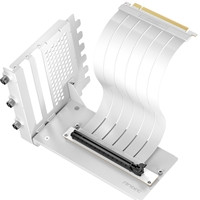
Antec RTX50 PCIe 5.0 Riser Cable with 90° Bracket Mount, White, Designed To Allow Vertical Mounting Of A Graphics Card
ANTEC

Antec Performance 1M Aventurine Mini-ITX Gaming Case with Aluminum Finish, PCIe 4.0 Riser Cable, USB 3.2 Gen2 Type-C, Tool-Free Side Panels, Solid Side Panel, SFX-L & SFX PSU Support
ANTEC