
ANTEC
Antec AX1000 ARGB Mid-Tower Gaming PC Case, Full Mesh Front, Tempered Glass, Steel/Plastic, 4 x 140mm ARGB Fans, E-ATX, ATX/Micro-ATX/ITX Compatible
- SKU:
- CAANT-AX1000ARGB
- UPC:
- 0761345102407
- MPN:
- 0-761345-10240-7
- Condition:
- New
- Availability:
- Free Click & Collect in Peterborough. UK delivery also available.






Description
Antec AX1000 ARGB Mid-Tower Gaming PC Case – Mesh Front, Tempered Glass and 4 x 140mm ARGB PWM Fans
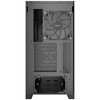
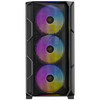
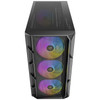
The Antec AX1000 ARGB is a high-airflow mid-tower gaming PC case designed for powerful desktop builds, RGB gaming systems and performance-focused PC setups. With a full mesh front panel, full-view tempered glass side panel, spacious internal layout and 4 pre-installed 140mm ARGB PWM fans, it gives builders strong cooling support and a premium showcase design straight out of the box.
This case is ideal for customers searching for an Antec AX1000 ARGB case, mesh front gaming PC case, E-ATX mid-tower case, tempered glass ARGB case, or a large airflow PC case with support for 360mm liquid cooling, long graphics cards and modern front USB-C connectivity.
Key Features of the Antec AX1000 ARGB
- Mid-tower gaming case with a spacious layout for high-performance PC builds
- Full mesh front panel for strong air intake and improved airflow
- Full-view tempered glass side panel to showcase your components and lighting
- 4 x 140mm ARGB PWM fans pre-installed – 3 front fans and 1 rear fan
- 6-port ARGB PWM fan controller included for easier fan and lighting management
- Supports E-ATX, ATX, Micro-ATX and ITX motherboards
- Supports graphics cards up to 420mm for long modern GPUs
- Supports CPU air coolers up to 185mm
- Supports ATX power supplies up to 240mm, including cable space
- Supports up to 360mm radiators at the front and top
- Up to 9 fan positions for flexible airflow planning
- USB-C 3.2 Gen 2 10Gbps front port for fast modern device connectivity
- Tool-free side panel design for easier access and safer glass handling
- Dust filters at the top, right-hand side and bottom
- UPC: 0-761345-10240-7
High-Airflow Mesh Front for Gaming and Performance Builds
The Antec AX1000 ARGB is built around airflow. Its high-airflow mesh front panel allows the three front 140mm fans to draw fresh air into the case, helping keep components cooler during gaming, content creation, streaming and demanding workloads.
The bottom-up ventilation design also supports stronger internal airflow, making the case suitable for systems with powerful CPUs, large graphics cards, multiple storage drives and liquid cooling setups. For users building a modern gaming PC, airflow is one of the most important factors for keeping noise and temperatures under control.
Pre-Installed 140mm ARGB PWM Fans
Unlike many budget cases that include only one or two fans, the AX1000 ARGB comes with 4 x 140mm ARGB PWM fans already installed: three at the front and one at the rear. Larger 140mm fans can move more air at lower speeds compared with many 120mm fans, helping improve airflow while reducing noise potential.
Full-View Tempered Glass and ARGB Showcase Design
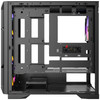
The tempered glass side panel gives the Antec AX1000 ARGB a clean showcase look, allowing your motherboard, graphics card, cooler, memory and ARGB lighting to be visible from the side. This makes it a strong choice for gaming builds where appearance matters as much as airflow.
The case also includes a built-in LED control button, making it easier to control lighting effects when using the included ARGB fan setup. The clean black design, mesh geometry and full-view side panel help create a modern gaming system with strong visual impact.
Tool-Free Side Panel Access
The side panels use a pin-style tool-free design to make assembly and maintenance easier. This helps reduce the risk of mishandling the tempered glass when opening the case for cleaning, cable management or hardware upgrades.
Excellent Cooling Support with 360mm Radiator Compatibility
The AX1000 ARGB supports flexible cooling layouts for both air-cooled and liquid-cooled systems. It supports up to 3 x 140mm or 3 x 120mm fans at the front, up to 2 x 140mm or 3 x 120mm fans at the top, up to 2 x 140mm or 2 x 120mm fans on the PSU shroud, and 1 x 140mm or 1 x 120mm fan at the rear.
For liquid cooling, the case supports radiators up to 360mm at the front and up to 360mm at the top, plus rear radiator support up to 140mm. This gives builders plenty of flexibility for AIO liquid coolers and high-performance cooling setups.
Radiator Planning Note
When installing a top radiator, Antec lists a maximum RAM height of 52mm. Always check your memory height, motherboard heatsinks and radiator thickness before choosing your final cooling layout.
Spacious Compatibility for Modern PC Components
The Antec AX1000 ARGB supports E-ATX, ATX, Micro-ATX and ITX motherboards, making it suitable for a wide range of gaming and workstation-style builds. It also supports graphics cards up to 420mm, CPU air coolers up to 185mm, and power supplies up to 240mm including cable space.
This makes it a strong option for builders using long modern graphics cards, large tower air coolers, high-capacity power supplies and clean cable routing layouts.
Good for Large Graphics Cards
With up to 420mm GPU clearance, the AX1000 ARGB can support many full-length graphics cards. Before ordering, always check the exact length and thickness of your chosen GPU, especially if you plan to install a front radiator at the same time.
Modern Front I/O with USB-C 10Gbps
The front I/O panel includes 2 x USB 3.0 ports, 1 x USB-C 3.2 Gen 2 10Gbps port, microphone / HD audio, power button, reset button and LED control button. This gives easy access to modern peripherals such as external SSDs, USB-C devices, gaming headsets, controllers, card readers and everyday USB accessories.
The inclusion of USB-C 3.2 Gen 2 is especially useful for modern motherboards and fast external storage devices, helping make the case more future-ready than older designs with only USB-A ports.
Storage and Expansion Support
The AX1000 ARGB includes 7 expansion slots and flexible drive support for SSDs and hard drives. It supports one shared 3.5-inch / 2.5-inch position, one additional 3.5-inch drive bay and two dedicated 2.5-inch drive positions, giving builders practical storage options for gaming libraries, operating systems, media files and backup drives.
Who Is the Antec AX1000 ARGB Best For?
- Gamers building a high-airflow RGB PC
- PC builders using large graphics cards
- Users who want a case with fans already included
- Builders planning a 360mm AIO liquid cooler
- Customers who want tempered glass and ARGB lighting
- Desktop users needing E-ATX, ATX, Micro-ATX or ITX compatibility
- Users wanting modern front USB-C connectivity
- Anyone upgrading from a restricted airflow case
Who Is This Case Not For?
This case is not the best choice for users who need an ultra-compact small-form-factor case, a silent closed-front office case, or a system with no lighting. It is designed for airflow, RGB presentation and gaming-style builds. If you need a smaller desk-friendly chassis, check the case dimensions before ordering.
Technical Specifications
- Brand: Antec
- Model: AX1000 ARGB
- Product Type: Mid-Tower Gaming PC Case
- Colour: Black
- Dimensions: 480 x 235 x 470mm
- Form Factor: Mid tower
- Materials: Steel + plastic
- Side Panel: Tempered glass side panel
- Motherboard Support: E-ATX, ATX, Micro-ATX, ITX
- Front I/O: Power, reset, LED control button, 2 x USB 3.0, 1 x USB-C 3.2 Gen 2 10Gbps, mic / HD audio
- Expansion Slots: 7
- Drive Bays: 1 x 3.5-inch / 2.5-inch shared, 1 x 3.5-inch, 2 x 2.5-inch
- Fan Support - Front: 3 x 140mm / 3 x 120mm
- Fan Support - Top: 2 x 140mm / 3 x 120mm
- Fan Support - PSU Shroud: 2 x 140mm / 2 x 120mm
- Fan Support - Rear: 1 x 140mm / 1 x 120mm
- Included Fans: 3 x 140mm ARGB PWM front fans + 1 x 140mm ARGB PWM rear fan
- Fan Controller: 6-port ARGB PWM fan controller included
- Radiator Support - Front: 120 / 140 / 240 / 280 / 360mm
- Radiator Support - Top: 120 / 140 / 240 / 280 / 360mm, maximum RAM height 52mm
- Radiator Support - Rear: 120 / 140mm
- Maximum GPU Length: Up to 420mm
- Maximum CPU Cooler Height: Up to 185mm
- Maximum PSU Length: Up to 240mm including cable space
- Dust Filters: Top, right-hand side and bottom
- Net Weight: 7.70kg
- Gross Weight: 8.95kg
- Warranty: 1 year
- UPC: 0-761345-10240-7
Important Build Compatibility Notes
Before ordering, check your motherboard size, graphics card length, CPU cooler height, PSU length and radiator clearance. Installing a front radiator may reduce available GPU clearance, and installing a top radiator may require memory modules under Antec’s listed 52mm RAM height guidance.
Why Buy the Antec AX1000 ARGB?
The Antec AX1000 ARGB is a strong choice for PC builders who want airflow, ARGB lighting, modern connectivity and spacious component support in one case. With its mesh front panel, four included 140mm ARGB PWM fans, tempered glass side panel, 360mm radiator support, USB-C 10Gbps front port and large GPU clearance, it is well suited to modern gaming PCs and performance desktop builds.
Choose this case if you want a high-airflow ARGB mid-tower with strong cooling support and room for powerful components without needing to buy a full fan kit separately.
Specification
Antec AX1000 ARGB Mid-Tower Gaming PC Case Specifications
The Antec AX1000 ARGB is a high-airflow mid-tower gaming PC case designed for modern gaming and performance desktop builds. It features a full mesh front panel, tempered glass side panel, support for E-ATX, ATX, Micro-ATX and ITX motherboards, and comes pre-installed with 4 x 140mm ARGB PWM fans plus a 6-port ARGB PWM fan controller.
General Information
| Brand | Antec |
| Model | AX1000 ARGB |
| Product Type | Mid-Tower Gaming PC Case |
| Form Factor | Mid Tower |
| Colour | Black |
| UPC | 0-761345-10240-7 |
| Recommended Use | Gaming PCs, airflow-focused desktop builds, ARGB showcase systems, high-performance component builds and liquid-cooled systems |
Case Design and Materials
| Front Panel Design | High-airflow full mesh front panel |
| Side Panel | Full-view tempered glass side panel |
| Side Panel Access | Tool-free pin-style side panel design |
| Main Materials | Steel and plastic |
| Dust Filters | Top, right-hand side and bottom |
Motherboard and Component Compatibility
| Motherboard Support | E-ATX, ATX, Micro-ATX and ITX |
| Maximum Graphics Card Length | Up to 420mm |
| Maximum CPU Cooler Height | Up to 185mm |
| Maximum Power Supply Length | Up to 240mm, including cable space |
| Expansion Slots | 7 |
Front I/O Ports and Controls
| Power Button | Yes |
| Reset Button | Yes |
| LED Control Button | Yes |
| USB-A Ports | 2 x USB 3.0 |
| USB-C Port | 1 x USB Type-C 3.2 Gen 2, 10Gbps |
| Audio | Mic / HD Audio |
Included Fans and Fan Controller
| Included Front Fans | 3 x 140mm ARGB PWM fans |
| Included Rear Fan | 1 x 140mm ARGB PWM fan |
| Total Included Fans | 4 x 140mm ARGB PWM fans |
| Fan Controller Included | Yes, 6-port ARGB PWM fan controller |
| Important Fan Note | The case supports 120mm and 140mm fan mounting options, but the fans supplied with the case are 140mm ARGB PWM fans. |
Fan Support
| Front Fan Support | 3 x 140mm or 3 x 120mm |
| Top Fan Support | 2 x 140mm or 3 x 120mm |
| PSU Shroud Fan Support | 2 x 140mm or 2 x 120mm |
| Rear Fan Support | 1 x 140mm or 1 x 120mm |
| Maximum Fan Positions | Up to 9 fans simultaneously, depending on fan size and layout |
Radiator and Liquid Cooling Support
| Front Radiator Support | 120mm, 140mm, 240mm, 280mm or 360mm |
| Top Radiator Support | 120mm, 140mm, 240mm, 280mm or 360mm |
| Rear Radiator Support | 120mm or 140mm |
| Top Radiator RAM Clearance Note | Maximum RAM height 52mm when using top radiator installation |
Drive Bays and Storage Support
| 3.5" / 2.5" Shared Drive Position | 1 |
| Dedicated 3.5" Drive Bay | 1 |
| Dedicated 2.5" Drive Bays | 2 |
| Total Drive Support | Up to 2 x 3.5" drives and up to 3 x 2.5" drives depending on shared bay configuration |
Dimensions and Weight
| Dimensions | 480 x 235 x 470mm |
| Depth | 480mm |
| Width | 235mm |
| Height | 470mm |
| Net Weight | 7.70kg |
| Gross Weight | 8.95kg |
Package Contents
| PC Case | 1 x Antec AX1000 ARGB Mid-Tower Case |
| Included Fans | 4 x 140mm ARGB PWM fans pre-installed |
| Included Controller | 6-port ARGB PWM fan controller |
| Accessories | Standard case accessory pack / screws, depending on retail package |
Warranty
| Manufacturer Warranty | 1 year |
Important Build Compatibility Notes
Please check your components before purchase. The Antec AX1000 ARGB supports graphics cards up to 420mm, CPU air coolers up to 185mm, and power supplies up to 240mm including cable space. Installing a front radiator may reduce available GPU clearance, and installing a top radiator may require memory modules under the listed 52mm maximum RAM height guidance.
Important Fan Size Note
This case supports both 120mm and 140mm fan mounting positions. However, the fans included with the case are 4 x 140mm ARGB PWM fans, not 120mm fans.
Return
FAQ: Frequenlty Asked Questions
Antec AX1000 ARGB Mid-Tower Gaming PC Case FAQ
The Antec AX1000 ARGB Mid-Tower Gaming PC Case is a high-airflow gaming case designed for powerful PC builds, large graphics cards, 360mm liquid coolers, E-ATX motherboards, and clean ARGB setups. Below are the most common questions buyers ask before choosing this Antec AX1000 ARGB case, including airflow, fan support, radiator compatibility, GPU clearance, motherboard support, ARGB control, cable management, and build suitability.
1. What is the Antec AX1000 ARGB?
The Antec AX1000 ARGB is a mid-tower gaming PC case with a high-airflow mesh front panel, tempered glass side panel, tool-free side panels, four pre-installed 140mm ARGB PWM fans, and support for large gaming components. It is designed for builders who want strong cooling, modern styling, and flexible hardware compatibility.
2. How many fans come with the Antec AX1000 ARGB?
The Antec AX1000 ARGB comes with 4 x 140mm ARGB PWM fans pre-installed. This includes 3 x 140mm ARGB PWM fans at the front and 1 x 140mm ARGB PWM fan at the rear.
3. Does the Antec AX1000 ARGB include a fan controller?
Yes. The case includes a 6-port ARGB PWM fan controller. This helps connect and manage the included ARGB PWM fans more easily, especially for builders who want a cleaner setup and centralised fan/RGB wiring.
4. Does this case have good airflow?
Yes. The Antec AX1000 ARGB is designed for airflow, with a full mesh front panel, bottom-up ventilation design, multiple fan positions, and four large 140mm fans included. This makes it a strong option for gaming PCs and high-performance builds that need good intake and exhaust airflow.
5. What motherboard sizes does the Antec AX1000 ARGB support?
The Antec AX1000 ARGB supports E-ATX, ATX, Micro-ATX, and ITX motherboards. This gives builders flexibility for larger gaming motherboards, standard ATX builds, compact Micro-ATX systems, or smaller ITX setups inside a spacious case.
6. Is the Antec AX1000 ARGB suitable for E-ATX motherboards?
Yes. The AX1000 ARGB supports E-ATX motherboards. However, with any E-ATX build, it is important to check the exact motherboard width and cable routing space because larger boards can cover cable grommets or reduce space for tidy wiring.
7. What graphics card length does the Antec AX1000 ARGB support?
The Antec AX1000 ARGB supports graphics cards up to 420mm long. This gives generous clearance for many large modern GPUs, including high-end triple-fan graphics cards, subject to radiator placement and front clearance.
8. Will the Antec AX1000 ARGB fit large RTX or Radeon graphics cards?
Yes, the case can fit many large NVIDIA GeForce RTX and AMD Radeon graphics cards thanks to its 420mm GPU clearance. Before buying, check the exact length and thickness of your GPU, especially if you plan to install a front radiator or extra front-mounted cooling hardware.
9. What CPU cooler height does this case support?
The Antec AX1000 ARGB supports air CPU coolers up to 185mm tall. This is enough clearance for many large tower-style CPU coolers, but always check the exact height of your cooler before ordering.
10. Can I install a 360mm AIO liquid cooler in the Antec AX1000 ARGB?
Yes. The AX1000 ARGB supports a 360mm radiator at the front and a 360mm radiator at the top. This makes it suitable for high-performance gaming and workstation builds using large all-in-one liquid coolers.
11. Does the top radiator support have a RAM height limit?
Yes. For top radiator installation, Antec lists a maximum RAM height of 52mm. If you plan to use a thick 360mm AIO at the top, check your RAM height and radiator/fan thickness to avoid clearance problems.
12. What radiator sizes does the Antec AX1000 ARGB support?
The case supports radiators up to 120mm, 140mm, 240mm, 280mm, and 360mm at the front and top, plus 120mm or 140mm at the rear. This gives builders strong flexibility for air cooling and AIO liquid cooling setups.
13. How many fans can the Antec AX1000 ARGB support?
The AX1000 ARGB can support up to 9 fans in total, depending on configuration. Fan support includes front, top, rear, and power supply shroud positions, giving builders several options for airflow tuning.
14. What fan sizes are supported at the front?
The front of the Antec AX1000 ARGB supports 3 x 140mm or 3 x 120mm fans. The case already includes 3 x 140mm ARGB PWM fans installed at the front for strong intake airflow.
15. What fan sizes are supported at the top?
The top of the case supports 2 x 140mm or 3 x 120mm fans. This area can also be used for compatible radiators, including up to a 360mm radiator depending on the full build configuration.
16. What fan sizes are supported at the rear?
The rear of the AX1000 ARGB supports 1 x 140mm or 1 x 120mm fan. A 140mm ARGB PWM fan is already included at the rear as an exhaust fan.
17. Can I install fans on the PSU shroud?
Yes. The power supply shroud supports 2 x 140mm or 2 x 120mm fans. These can help direct additional airflow towards the graphics card area, depending on your layout and cable management.
18. Does the Antec AX1000 ARGB have a tempered glass side panel?
Yes. The AX1000 ARGB has a full-view tempered glass side panel, making it ideal for showing off ARGB fans, clean cable management, graphics cards, RGB memory, liquid cooling, and themed gaming builds.
19. Are the side panels tool-free?
Yes. The side panels use a tool-free pin design for easier removal and installation. This makes building, cleaning, upgrading, and cable management more convenient while reducing the chance of mishandling the tempered glass panel.
20. What front I/O ports does the Antec AX1000 ARGB have?
The front I/O includes Power, Reset, an LED control button, 2 x USB 3.0, 1 x USB Type-C 3.2 Gen 2 10Gbps, and Mic/HD-Audio. This gives easy access to modern USB-C devices and everyday peripherals.
21. Does the USB-C front port work with every motherboard?
The front USB-C port requires a compatible internal USB-C header on your motherboard. If your motherboard does not have the correct front-panel USB-C header, the USB-C port may not work unless you use a suitable adapter or expansion solution.
22. Does the Antec AX1000 ARGB support ARGB motherboard sync?
Yes, the included ARGB setup can be used with compatible motherboard ARGB control when connected correctly. For motherboard sync, your motherboard normally needs a 5V 3-pin ARGB header. Do not connect 5V ARGB devices to a 12V 4-pin RGB header, as this can damage the lighting.
23. What is the difference between ARGB and RGB?
ARGB usually means addressable RGB, using a 5V 3-pin connection where individual LEDs can show different colours and effects. Standard RGB often uses a 12V 4-pin connection where all LEDs show the same colour. The two connector types are not interchangeable.
24. Why are the ARGB fans spinning but not lighting up?
If the fans spin but the lighting does not work, check that the ARGB cable is connected to the fan controller or a compatible 5V 3-pin ARGB header. Also check SATA/controller power, the LED button cable, motherboard sync settings, and whether the ARGB connector is fitted the correct way round.
25. Why are the ARGB lights working but the fans are not spinning?
Fan lighting and fan motor power are normally separate connections. If the lights work but the fan blades do not spin, check the PWM fan cables, fan controller power, motherboard fan header connection, BIOS fan settings, and whether the controller is connected to SATA power if required.
26. Can I control the fan lighting with the case button?
Yes, the case includes an LED control button for lighting control. Depending on how the controller is connected, you may be able to switch lighting modes from the case button or hand control over to compatible motherboard ARGB software.
27. Can I control the fan speed from the motherboard?
The included fans are PWM fans, so fan speed control should be possible when the PWM connection is correctly linked to a motherboard fan header or compatible controller setup. If fan speed is not changing, check the PWM cable, BIOS fan mode, controller connection, and whether the hub is passing PWM control correctly.
28. Which motherboard software can control the ARGB lighting?
ARGB lighting may be controlled by compatible motherboard software such as ASUS Aura Sync, MSI Mystic Light, Gigabyte RGB Fusion, or ASRock Polychrome, depending on your motherboard and connection. You need a compatible 5V 3-pin ARGB header for motherboard sync.
29. Can I use this case if my motherboard has no ARGB header?
Yes, you may still be able to use the included controller and case LED button for lighting modes. However, without a 5V 3-pin ARGB motherboard header, you may not be able to sync the lighting directly with motherboard RGB software unless you add a compatible ARGB controller.
30. Does the Antec AX1000 ARGB have dust filters?
Yes. The case includes dust filters at the top, right-hand side, and bottom. Dust filters help reduce dust build-up inside the system, but they should be cleaned regularly to maintain airflow.
31. What power supply size does the AX1000 ARGB support?
The Antec AX1000 ARGB supports power supplies up to 240mm long, including cable space. This is enough for many standard ATX power supplies, but always check the length of your PSU and allow room for modular cables.
32. Does the Antec AX1000 ARGB support ATX power supplies?
Yes. The AX1000 ARGB is designed for standard ATX desktop PC builds and supports compatible ATX power supplies within the listed PSU clearance. It is not intended for SFX-only cases or proprietary power supplies.
33. How many expansion slots does this case have?
The Antec AX1000 ARGB has 7 expansion slots. This supports standard gaming and workstation-style builds with graphics cards, capture cards, sound cards, Wi-Fi cards, or other PCIe expansion devices.
34. How many storage drives can I install?
The AX1000 ARGB supports multiple storage options, including 3.5-inch and 2.5-inch drive positions. It is suitable for builds using SSDs, hard drives, or a combination of NVMe motherboard storage plus extra SATA storage drives.
35. Is this case good for cable management?
Yes. The AX1000 ARGB is a wide mid-tower case with space behind the motherboard tray and a PSU shroud area to help hide cables. Good cable management is especially useful for airflow and for showing off the build through the tempered glass side panel.
36. Is the Antec AX1000 ARGB good for a first PC build?
Yes. The spacious interior, tool-free side panels, pre-installed fans, built-in fan controller, and flexible cooling support make the AX1000 ARGB a good option for first-time builders who want a case that is easier to work in than many compact cases.
37. Is the Antec AX1000 ARGB good for gaming PCs?
Yes. The case is well suited for gaming PCs because it supports large GPUs, strong airflow, multiple fans, 360mm radiators, tall CPU air coolers, and modern front I/O. It is a strong choice for mid-range and high-performance gaming builds.
38. Is this case good for air cooling?
Yes. The mesh front panel, four included 140mm fans, large CPU cooler clearance, and support for additional top and shroud fans make the AX1000 ARGB a strong case for air-cooled gaming systems.
39. Is this case good for liquid cooling?
Yes. The AX1000 ARGB supports up to 360mm radiators at the front and top, plus 120mm or 140mm radiator support at the rear. This makes it suitable for AIO liquid coolers and advanced cooling-focused builds.
40. Should I install a radiator at the top or front?
Top radiator mounting is popular for CPU exhaust and keeps the front fans available for fresh intake airflow. Front radiator mounting can give strong CPU cooling but may warm the air entering the case and reduce GPU clearance depending on radiator thickness. The best option depends on your CPU, GPU, radiator size, and airflow plan.
41. Does the AX1000 ARGB come with 120mm or 140mm fans?
This AX1000 ARGB model comes with 140mm ARGB PWM fans, not 120mm fans. It includes 3 x 140mm fans at the front and 1 x 140mm fan at the rear.
42. Can I replace the included 140mm fans with 120mm fans?
Yes. The case supports both 120mm and 140mm fan positions in several areas. You can replace or add fans depending on your build plan, radiator choice, noise preference, and airflow requirements.
43. Are 140mm fans better than 120mm fans?
140mm fans can often move more air at lower RPM than 120mm fans, which can help reduce noise while maintaining airflow. However, performance depends on the fan design, speed, case airflow path, and how the fans are configured.
44. Is the Antec AX1000 ARGB quiet?
The large 140mm PWM fans can help balance airflow and noise because they can move air efficiently at lower speeds. Actual noise depends on fan curves, component temperatures, GPU load, radiator setup, case placement, and how aggressively the fans are configured in BIOS or software.
45. What are the dimensions of the Antec AX1000 ARGB?
The Antec AX1000 ARGB measures approximately 480 x 235 x 470mm. It is a spacious mid-tower case, so check your desk, floor space, and setup area before buying.
46. How heavy is the Antec AX1000 ARGB?
The AX1000 ARGB has a listed net weight of approximately 7.70kg and a gross weight of approximately 8.95kg. The final build weight will be higher once the power supply, motherboard, GPU, cooler, and storage are installed.
47. Is the Antec AX1000 ARGB suitable for a workstation build?
Yes, it can be suitable for workstation-style builds that need good airflow, large GPU support, E-ATX motherboard support, and strong cooling options. For extremely heavy workstation builds, check GPU thickness, storage needs, PSU size, and radiator clearance carefully.
48. Is the Antec AX1000 ARGB suitable for compact desks?
It depends on your available space. The AX1000 ARGB is a mid-tower case with generous internal clearance, so it is larger than compact Micro-ATX or Mini-ITX cases. Check the case dimensions against your desk or floor space before ordering.
49. Who is the Antec AX1000 ARGB best for?
The AX1000 ARGB is best for PC builders who want a high-airflow gaming case with four included 140mm ARGB PWM fans, large GPU support, 360mm radiator compatibility, E-ATX motherboard support, modern USB-C front I/O, and a clean tempered glass design.
50. Who is the Antec AX1000 ARGB not for?
This case is not the best choice if you need a very small PC case, a silent-focused closed-front case, a budget case with no RGB, a case for SFX-only builds, or a system where desk space is very limited. It is also more case than necessary for very basic office PCs with no gaming hardware.
51. Antec AX1000 ARGB vs smaller budget case — which should I choose?
Choose the Antec AX1000 ARGB if you want better airflow, larger GPU clearance, 360mm radiator support, four included 140mm ARGB fans, and more room to build. Choose a smaller budget case if you are building a simple office PC, need a compact footprint, or do not need ARGB lighting and high-performance cooling support.
52. Antec AX1000 ARGB vs non-RGB airflow case — which is better?
The AX1000 ARGB is better if you want airflow plus lighting, a tempered glass showcase design, and included ARGB PWM fans. A non-RGB airflow case may be better if you prefer a simpler look, lower lighting complexity, or a more understated professional build.
53. What should I check before buying the Antec AX1000 ARGB?
Before buying, check your motherboard size, GPU length, CPU cooler height, PSU length, radiator size, RAM height for top radiator installation, motherboard ARGB header support, USB-C front-panel header support, and available desk space. This helps avoid compatibility issues during the build.
Related Products
Related Products


Antec VX320 ARGB Mid-Tower Gaming PC Case - Pre-Installed 4 x 120mm ARGB Fans, Tempered Glass Side Panel, High-Airflow Mesh Front - ATX/Micro-ATX/ITX
ANTEC
Antec C7 ARGB Mid Tower Tempered Glass PC Gaming Case - Black, 3x 120mm & 1x 140mm ARGB Fans, USB 3.2 Gen2, EATX/ATX/mATX/mITX Support
ANTEC