
ADATA
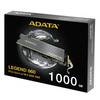
ADATA LEGEND 860 1TB NVMe SSD SLEG-860-1000GCS PCIe Gen4 M.2 2280 Heatsink
- SKU:
- HDADA-LEG8601TB
- UPC:
- 4711085949493
- MPN:
- SLEG-860-1000GCS
- Availability:
- Free Click & Collect in Peterborough. UK delivery also available.




Description
ADATA LEGEND 860 1TB NVMe SSD – PCIe Gen4 x4 M.2 2280 Storage Upgrade
The ADATA LEGEND 860 1TB is a PCIe Gen4 x4 NVMe solid state drive designed for fast desktop, laptop, gaming and creative-workstation storage. The exact SLEG-860-1000GCS model delivers sequential read speeds of up to 6,000MB/s and sequential write speeds of up to 4,000MB/s, providing a substantial performance increase over SATA SSDs and traditional hard drives.
Built in the compact M.2 2280 format, the LEGEND 860 uses 3D NAND flash and supports NVMe 2.0, Host Memory Buffer (HMB), SLC caching and advanced LDPC error-correction technology. These features are designed to support responsive everyday computing, game loading, large-file transfers and demanding creative workloads.
The 1TB version is rated for 320TB TBW and an MTBF of approximately 2,000,000 hours. A slim heatsink is supplied, while ADATA's SSD Toolbox software provides access to drive information, health monitoring, firmware updates, S.M.A.R.T. data and diagnostic tools.
Model: ADATA LEGEND 860 1TB | MPN: SLEG-860-1000GCS | EAN: 4711085949493 | Interface: PCIe Gen4 x4 NVMe | Form Factor: M.2 2280
Key Features of the ADATA LEGEND 860 1TB
- 1TB storage capacity
- PCIe Gen4 x4 interface
- NVMe 2.0 support
- M.2 2280 form factor
- Up to 6,000MB/s sequential read
- Up to 4,000MB/s sequential write on the 1TB model
- 3D NAND flash
- Host Memory Buffer (HMB) support
- SLC caching
- Advanced LDPC ECC error correction
- 320TB TBW endurance rating
- 2,000,000-hour MTBF
- 1,500G / 0.5ms shock resistance
- Supplied with a slim heat-spreader / heatsink
- Backward-compatible with supported PCIe Gen3 systems
- Supports compatible Intel and AMD platforms
- ADATA lists the drive for selected PS5 storage expansion use
- Compatible with ADATA SSD Toolbox
- 5-year limited manufacturer warranty, subject to warranty/TBW terms
PCIe Gen4 Performance up to 6,000MB/s
The ADATA LEGEND 860 uses a PCI Express Gen4 x4 interface, giving it substantially more bandwidth than older SATA storage and many PCIe Gen3 NVMe drives.
The exact 1TB version is rated by ADATA for:
- Sequential read: up to 6,000MB/s
- Sequential write: up to 4,000MB/s
Actual performance depends on SSD capacity, motherboard, PCIe generation, CPU, operating system, benchmark software, temperatures and other system conditions.
Does the 1TB LEGEND 860 Write at 5,000MB/s?
No. The 5,000MB/s headline write figure applies to the higher-capacity 2TB LEGEND 860.
The 1TB SLEG-860-1000GCS is rated at up to 4,000MB/s sequential write. Its sequential read speed remains up to 6,000MB/s.
1TB Capacity for Games, Applications and Creative Files
The 1TB capacity provides useful space for an operating system, applications, games, project files and frequently accessed data while maintaining the compact footprint of an M.2 SSD.
Typical uses include:
- Windows system drives
- Gaming libraries
- Photo and video project storage
- Creative applications
- Large document collections
- General desktop upgrades
- Compatible laptop storage upgrades
- Secondary high-speed storage
M.2 2280 Form Factor
The LEGEND 860 uses the standard M.2 2280 form factor, meaning the SSD is approximately 22mm wide and 80mm long.
This format is widely used by modern desktop motherboards and many laptops that support PCIe NVMe storage.
Will the ADATA LEGEND 860 Fit My PC?
Your motherboard must have a compatible M.2 M-key PCIe NVMe slot supporting the 2280 form factor.
For full Gen4 performance, the slot should support PCIe Gen4 x4. The drive can also operate in compatible PCIe Gen3 systems, but maximum speed will be reduced.
Is This a SATA M.2 SSD?
No. The ADATA LEGEND 860 is a PCIe NVMe SSD, not an M.2 SATA drive.
M.2 describes the physical form factor, while SATA and PCIe/NVMe describe the storage interface. A motherboard slot that supports only M.2 SATA will not provide compatibility with a PCIe NVMe SSD.
Backward Compatible with PCIe Gen3
The LEGEND 860 is designed for PCIe Gen4 x4 but is backward-compatible with suitable PCIe Gen3 systems.
ADATA states that when connected through a third-generation PCIe platform, sequential performance can be approximately 3,400MB/s read and 3,000MB/s write under supported conditions.
Do I Need a PCIe 4.0 Motherboard?
No, but PCIe 4.0 is required to achieve the SSD's highest advertised performance.
A compatible PCIe Gen3 motherboard can still use the drive, but the interface bandwidth will limit maximum transfer speeds.
3D NAND Flash Storage
The LEGEND 860 uses 3D NAND flash, where memory cells are arranged vertically in multiple layers rather than only across a flat two-dimensional surface.
3D NAND allows manufacturers to increase storage density while maintaining the compact M.2 form factor.
Host Memory Buffer (HMB)
The LEGEND 860 supports Host Memory Buffer technology. HMB allows a compatible operating system to allocate a small portion of system memory for SSD management functions.
This helps the drive improve responsiveness without relying solely on dedicated onboard cache memory.
Does HMB Work on Every Device?
No. HMB requires support from the host platform and operating environment.
For example, Sony states that PS5 consoles do not allocate host memory to HMB-supported M.2 SSDs. This does not prevent the drive from operating, but it means the HMB feature itself is not available in that environment.
SLC Caching for Responsive Write Performance
The LEGEND 860 uses an SLC caching algorithm to help improve write responsiveness during supported workloads.
A portion of NAND can temporarily operate in a faster cache mode before data is written into its normal long-term storage arrangement.
As with other consumer SSDs using dynamic caching, sustained write speed can change after the available cache has been consumed.
LDPC ECC for Data Integrity
ADATA equips the LEGEND 860 with LDPC (Low-Density Parity-Check) error-correction technology.
LDPC helps detect and correct data errors within the flash-storage process, supporting data integrity and long-term drive reliability.
320TB TBW Endurance Rating
The exact 1TB LEGEND 860 is rated for 320TB TBW.
TBW, or Terabytes Written, describes the amount of data the manufacturer specifies can be written to the SSD within its endurance rating.
Does the LEGEND 860 1TB Have 640TB TBW?
No. The 640TB figure belongs to the 2TB model.
The official endurance ratings are:
- 500GB: 160TB TBW
- 1TB: 320TB TBW
- 2TB: 640TB TBW
2,000,000-Hour MTBF Rating
ADATA specifies an MTBF of 2,000,000 hours for the LEGEND 860 series.
MTBF is a statistical reliability specification and should not be interpreted as a prediction that an individual SSD will physically operate for two million continuous hours.
Included Slim Heatsink
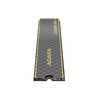
The LEGEND 860 is supplied with a slim heat-spreading solution designed to help dissipate heat from the SSD during operation.
ADATA specifies the drive dimensions as:
- With heatsink: 80 x 22 x 3.13mm
- Without heatsink: 80 x 22 x 2.15mm
Weight is approximately 9.5g with the heatsink and 6.5g without.
Will the Heatsink Fit in a Laptop?
It depends on the laptop's available M.2 clearance. Some notebooks have very limited vertical space around the SSD slot.
Before installation, check your laptop manufacturer's specifications and compare available clearance with the LEGEND 860's approximately 3.13mm total thickness with heatsink.
ADATA SSD Toolbox Support
The LEGEND 860 is supported by ADATA SSD Toolbox, which provides tools for monitoring and maintaining compatible ADATA drives.
Available functions can include:
- Drive-health information
- SSD temperature monitoring
- Remaining lifespan information
- Firmware version checking and updates
- S.M.A.R.T. information
- Quick and full drive diagnostics
- Secure Erase
- TBW and capacity information
Does the SSD Need ADATA Software to Work?
No. SSD Toolbox is an optional management utility.
The SSD operates as a standard NVMe storage device when installed in a compatible system. The software provides additional health, diagnostics and firmware-management functions.
Compatible with Intel and AMD Platforms
ADATA specifies the LEGEND 860 as compatible with the latest supported Intel and AMD platforms.
The key requirement is a motherboard or device with a compatible M.2 PCIe NVMe slot.
Actual performance depends on the PCIe generation and lane configuration provided by the motherboard and processor.
ADATA LEGEND 860 for Gaming
The combination of 1TB capacity and Gen4 NVMe performance makes the LEGEND 860 suitable for gaming PCs that require fast storage for modern game libraries.
Compared with conventional hard drives and older SATA SSDs, a high-speed NVMe drive can reduce file-access delays and improve installation, update and loading performance where the game and platform can take advantage of faster storage.
Will an NVMe SSD Increase FPS?
An SSD primarily improves storage-related performance rather than GPU rendering performance.
It can improve boot times, game loading, asset streaming and installation or update speeds, but average frame rate is generally determined more heavily by the processor, graphics card, memory and game engine.
ADATA LEGEND 860 for Content Creation
ADATA positions the LEGEND 860 as a storage upgrade for creators. Its high sequential transfer speeds can be useful when handling large project files such as:
- High-resolution photos
- Large video files
- Creative project folders
- Audio libraries
- Large archives
- Application scratch or working storage
Real-world creative application performance also depends on CPU, RAM, GPU, software configuration and project type.
PS5 Storage Expansion
ADATA lists the LEGEND 860 as suitable for PS5 M.2 storage expansion and has published compatibility material specifically for the drive.
The M.2 2280 format, PCIe Gen4 x4 interface and slim cooling structure fall within the physical specifications ADATA lists for PS5 installation.
What Speed Does the LEGEND 860 Reach on PS5?
ADATA specifies a PS5 read speed of up to approximately 5,000MB/s.
This is lower than the drive's PC/laptop sequential-read rating of up to 6,000MB/s.
Does It Meet Sony's Recommended 5,500MB/s PS5 Speed?
No. Sony currently recommends a sequential read speed of 5,500MB/s or faster for PS5 M.2 expansion drives, while ADATA specifies up to approximately 5,000MB/s for the LEGEND 860 when used with PS5.
ADATA nevertheless lists and tests the LEGEND 860 for PS5 storage expansion. Customers should therefore be aware that it falls below Sony's recommended sequential-read figure and that game performance may vary.
Can PS5 Use the LEGEND 860's HMB Feature?
No. Sony states that the PS5 does not allocate host memory to HMB-supported M.2 SSDs.
The SSD can still operate as storage, but HMB functionality is unavailable in the console environment.
Shock Resistance for Solid-State Reliability
With no moving mechanical parts, the LEGEND 860 provides greater physical shock resistance than a traditional hard disk drive.
ADATA rates the SSD at approximately 1,500G for 0.5ms.
Operating and Storage Temperatures
ADATA specifies:
- Operating temperature: 0°C to 70°C
- Storage temperature: -40°C to 85°C
Good system airflow remains important, especially during sustained high-speed transfers in compact PCs and laptops.
Who Is the ADATA LEGEND 860 1TB Best For?
- Desktop PC users upgrading to PCIe Gen4 NVMe storage
- Compatible laptop upgrades
- Gaming PCs needing fast 1TB game storage
- Content creators working with large files
- Users moving from SATA SSDs or hard drives
- Intel and AMD systems with suitable M.2 NVMe slots
- Users wanting a drive with a slim heatsink included
- Buyers wanting a 5-year manufacturer warranty
- Selected PS5 storage-expansion installations, with the performance caveat described above
Important Things to Know Before Buying
- This is a PCIe NVMe SSD, not an M.2 SATA SSD.
- The exact model is SLEG-860-1000GCS.
- The 1TB model is rated at 6,000MB/s read and 4,000MB/s write.
- The 5,000MB/s maximum write figure belongs to the higher-capacity 2TB version.
- The 1TB endurance rating is 320TB TBW.
- A compatible M.2 2280 PCIe NVMe slot is required.
- PCIe Gen4 x4 is required for maximum advertised PC performance.
- The drive is backward-compatible with supported PCIe Gen3 systems but operates at reduced speed.
- The heatsink version measures approximately 80 x 22 x 3.13mm.
- Check laptop clearance before installing the heatsink-equipped drive.
- ADATA lists the drive for PS5 use, but its stated PS5 read speed of up to 5,000MB/s is below Sony's recommended 5,500MB/s figure.
- PS5 does not support allocation of system memory to HMB-enabled SSDs.
ADATA LEGEND 860 1TB Technical Highlights
- Brand: ADATA
- Series: LEGEND 860
- Manufacturer Part Number: SLEG-860-1000GCS
- EAN: 4711085949493
- UPC: 842243034783
- Capacity: 1TB / 1000GB
- Drive Type: Internal solid state drive
- Form Factor: M.2 2280
- Interface: PCIe Gen4 x4
- Protocol: NVMe 2.0
- NAND Flash: 3D NAND
- Sequential Read: Up to 6,000MB/s
- Sequential Write: Up to 4,000MB/s for 1TB model
- PS5 Read Performance: Up to approximately 5,000MB/s as stated by ADATA
- Host Memory Buffer: Supported on compatible host platforms
- SLC Caching: Yes
- LDPC ECC: Yes
- TBW: 320TB
- MTBF: 2,000,000 hours
- Shock Resistance: 1,500G / 0.5ms
- Dimensions with Heatsink: 80 x 22 x 3.13mm
- Dimensions without Heatsink: 80 x 22 x 2.15mm
- Weight with Heatsink: Approx. 9.5g
- Weight without Heatsink: Approx. 6.5g
- Operating Temperature: 0°C to 70°C
- Storage Temperature: -40°C to 85°C
- SSD Toolbox: Supported
- Manufacturer Warranty: 5-year limited warranty, subject to TBW and ADATA warranty terms
Why Choose the ADATA LEGEND 860 1TB?
The ADATA LEGEND 860 1TB offers a useful balance of Gen4 NVMe performance, capacity, endurance and broad PC compatibility for users upgrading a desktop or compatible laptop.
Its 6,000MB/s read and 4,000MB/s write rating provides significantly more storage bandwidth than SATA-based drives, while HMB and SLC caching help support responsive everyday operation.
A 320TB TBW endurance rating, 2,000,000-hour MTBF, LDPC error correction and five-year limited warranty add reassurance for long-term everyday storage use.
The slim M.2 2280 design reduces cable clutter inside a desktop PC, while the supplied heat-spreading solution helps manage SSD temperatures under heavier workloads. ADATA SSD Toolbox also provides useful monitoring, diagnostics and firmware-management features.
For users looking for a 1TB PCIe Gen4 NVMe SSD for gaming, creative work, everyday computing or a modern PC upgrade, the ADATA LEGEND 860 SLEG-860-1000GCS provides strong mainstream Gen4 performance in a compact M.2 format.
Specification
ADATA LEGEND 860 1TB Specifications
The ADATA LEGEND 860 1TB is a compact M.2 2280 NVMe SSD designed for faster boot times, quicker file transfers, and responsive everyday performance on compatible desktops, laptops, and selected game console storage expansion setups. This PCIe Gen4 x4 SSD uses 3D NAND flash and is built for users who want a modern internal storage upgrade with strong read performance and a slim, low-profile design.
Model Identification
- Brand: ADATA
- Series: LEGEND 860
- Model: LEGEND 860 1TB
- MPN: SLEG-860-1000GCS
- Capacity: 1TB
- Drive type: Internal solid state drive
Interface and Form Factor
- Interface: PCIe Gen4 x4
- Protocol: NVMe
- NVMe version: NVMe 2.0
- Form factor: M.2 2280
- M.2 size: 22 x 80 mm
Memory and Performance
- NAND flash: 3D NAND
- Sequential read speed: Up to 6,000MB/s
- Sequential write speed: Up to 4,000MB/s
- PS5 read performance: Up to 5,000MB/s stated by ADATA
- SLC caching: Yes
- Host Memory Buffer (HMB): Supported
- LDPC ECC: Supported
- S.M.A.R.T. support: Yes
Endurance and Reliability
- TBW rating: 320TB
- MTBF: 2,000,000 hours
- Shock resistance: 1,500G / 0.5ms
Physical Specifications
- Dimensions with heatsink: 80 x 22 x 3.13 mm
- Dimensions without heatsink: 80 x 22 x 2.15 mm
- Weight with heatsink: 9.5 g
- Weight without heatsink: 6.5 g
Environmental Specifications
- Operating temperature: 0°C to 70°C
- Storage temperature: -40°C to 85°C
Compatibility and Usage
- Compatible platforms: Desktop PCs, laptops, and selected PS5 storage expansion use cases
- Platform support: Latest Intel and AMD platforms
- Backward compatibility: PCIe 3.0 compatible
Warranty
- Warranty: 5-year limited warranty
Important Notes
- The 1TB model is rated by ADATA at up to 6,000MB/s read and up to 4,000MB/s write.
- The 5,000MB/s write figure often seen on the LEGEND 860 series applies to higher-capacity variants, not this 1TB version.
- The correct TBW rating for the 1TB model is 320TB. The 640TB figure applies to the 2TB model.
- Always check your motherboard or device supports the M.2 2280 PCIe NVMe format before ordering.
Return
FAQ: Frequently Asked Questions
ADATA LEGEND 860 1TB NVMe SSD FAQ
The ADATA LEGEND 860 1TB (SLEG-860-1000GCS) is a PCIe Gen4 x4 M.2 2280 NVMe SSD designed for gaming PCs, desktop and laptop upgrades, content creation and compatible PS5 storage expansion. The exact 1TB version is rated for up to 6,000MB/s sequential read and 4,000MB/s sequential write performance, with 320TBW endurance, Host Memory Buffer (HMB), SLC caching and a low-profile heat-dissipation solution.
Below are answers to the most common questions buyers ask about ADATA LEGEND 860 compatibility, PCIe Gen4 performance, PS5 support, laptop installation, heatsink clearance, gaming, HMB, SSD endurance, cloning, temperatures, SSD Toolbox and upgrading from SATA or PCIe Gen3 storage.
1. What is the ADATA LEGEND 860 1TB?
The ADATA LEGEND 860 1TB is an internal PCIe Gen4 x4 NVMe solid-state drive in the M.2 2280 form factor. It is designed for compatible desktop PCs, laptops, gaming systems and selected PS5 storage-expansion installations. The exact 1TB model sold here is SLEG-860-1000GCS.
2. What is the model number of this ADATA LEGEND 860 1TB SSD?
The manufacturer part number is SLEG-860-1000GCS. The EAN is 4711085949493. Checking the exact model number is useful because performance and endurance figures can differ between the 500GB, 1TB and 2TB versions of the LEGEND 860.
3. What capacity is the ADATA LEGEND 860 SLEG-860-1000GCS?
This model has a manufacturer-rated capacity of 1TB / 1000GB. The usable capacity shown by an operating system will be lower because SSD manufacturers and operating systems use different methods of calculating and displaying storage capacity and because some space is used for formatting and system information.
4. What form factor is the ADATA LEGEND 860 1TB?
It uses the standard M.2 2280 form factor. This means the SSD is approximately 22mm wide and 80mm long. Your motherboard, laptop or other device must provide a compatible M.2 2280 PCIe NVMe slot.
5. What interface does the ADATA LEGEND 860 use?
The LEGEND 860 uses a PCIe Gen4 x4 NVMe interface. Four PCIe lanes are used when installed in a suitable x4-capable M.2 slot, allowing substantially greater storage bandwidth than a SATA SSD.
6. What are the read and write speeds of the ADATA LEGEND 860 1TB?
ADATA rates the exact 1TB model at up to 6,000MB/s sequential read and up to 4,000MB/s sequential write on a suitable PC or laptop platform. Actual performance depends on the motherboard, processor, PCIe generation, operating system, workload, SSD temperature and available cache.
7. Why do some LEGEND 860 specifications say 5,000MB/s write speed?
The 5,000MB/s maximum write figure applies to the higher-capacity 2TB LEGEND 860. The exact 1TB SLEG-860-1000GCS model is officially rated at up to 6,000MB/s read and 4,000MB/s write. Capacity-specific performance should therefore be checked when comparing listings.
8. Which NVMe version does the ADATA LEGEND 860 use?
ADATA's current official datasheet lists the LEGEND 860 as compliant with the NVMe 1.4 standard. It should primarily be identified by its PCIe Gen4 x4 NVMe interface and M.2 2280 form factor when checking system compatibility.
9. What does PCIe Gen4 x4 mean?
PCIe Gen4 describes the fourth generation of the PCI Express interface, while x4 means the SSD can use four PCIe lanes. To reach the LEGEND 860's maximum advertised performance, the SSD should be installed in a motherboard or device with a compatible PCIe Gen4 x4 M.2 NVMe slot.
10. Is the ADATA LEGEND 860 backward compatible with PCIe Gen3?
Yes. ADATA states that the LEGEND 860 is backward compatible with PCIe Gen3 platforms. It can therefore operate in a compatible PCIe Gen3 M.2 NVMe slot, but performance will be limited by the slower interface and will not reach the full PCIe Gen4 speed.
11. How fast is the LEGEND 860 in a PCIe Gen3 slot?
ADATA states that when the LEGEND 860 is used on a third-generation PCIe platform, sequential performance can reach approximately 3,400MB/s read and 3,000MB/s write. Actual results still depend on the particular motherboard, CPU, M.2 slot and workload.
12. Can I install the ADATA LEGEND 860 in a PCIe Gen5 M.2 slot?
Generally yes. PCIe is designed for backward compatibility, so a Gen4 NVMe SSD can normally operate in a compatible Gen5 M.2 NVMe slot. The LEGEND 860 will still operate as a PCIe Gen4 device rather than becoming a Gen5 SSD.
13. Is the ADATA LEGEND 860 compatible with an M.2 SATA slot?
No. The LEGEND 860 is a PCIe NVMe SSD, not an M.2 SATA drive. An M.2 connector can support SATA, NVMe or both depending on the device, so check the motherboard or laptop manual to confirm that the relevant M.2 slot supports PCIe NVMe SSDs.
14. How can I check whether my motherboard supports the ADATA LEGEND 860?
Check your motherboard manual or specification page for an M.2 2280 slot supporting PCIe NVMe. PCIe Gen4 x4 support is required for maximum performance, although the drive is also backward compatible with supported PCIe Gen3 NVMe slots.
15. Is the ADATA LEGEND 860 suitable for a desktop PC?
Yes. It is well suited to compatible desktop PCs and can be used as a Windows boot drive, application drive, gaming SSD or general high-speed storage drive. Check that the motherboard provides a compatible M.2 PCIe NVMe slot.
16. Is the ADATA LEGEND 860 1TB compatible with laptops?
Yes, if the laptop supports an 80mm M.2 2280 PCIe NVMe SSD. However, laptop M.2 compartments vary considerably in available height, so you should also check clearance for the heatsink or heat spreader before installation.
17. Will the heatsink-equipped LEGEND 860 fit inside my laptop?
It depends on the laptop. The LEGEND 860 measures approximately 3.13mm thick with its heatsink, compared with approximately 2.15mm without it. Some thin laptops have very limited M.2 clearance or use their own thermal pad and metal cover, so check your laptop's service manual before ordering.
18. What are the dimensions of the ADATA LEGEND 860 1TB?
ADATA lists dimensions of approximately 80 x 22 x 3.13mm with the heatsink and 80 x 22 x 2.15mm without the heatsink. It is therefore a standard 2280-length SSD with a relatively slim cooling structure.
19. How much does the ADATA LEGEND 860 weigh?
ADATA specifies approximately 9.5g with the heatsink and approximately 6.5g without it. Its compact M.2 design makes it suitable for devices where minimising internal weight and cabling is useful.
20. Does this ADATA LEGEND 860 1TB come with a heatsink?
Yes. This Memox listing is for the LEGEND 860 1TB supplied with the low-profile heat-dissipation solution shown for the product. The cooling structure helps transfer heat away from the SSD during sustained activity.
21. Do I need to add another heatsink to the ADATA LEGEND 860?
Normally you should use one suitable cooling solution rather than stacking additional heatsinks on top of an existing one. If your motherboard has its own M.2 heatsink, check its instructions and available clearance before deciding which cooling solution to use.
22. Can I use my motherboard's M.2 heatsink with the LEGEND 860?
Possibly, but you should check the motherboard instructions first. Motherboard M.2 heatsinks are often designed to contact the SSD through a thermal pad. Avoid forcing a motherboard heatsink over an SSD if the combined thickness creates excessive pressure or prevents proper installation.
23. What is the operating temperature range of the ADATA LEGEND 860?
ADATA specifies an operating temperature range of 0°C to 70°C and a storage temperature range of -40°C to 85°C. Good airflow and an appropriate heatsink are particularly useful during sustained file transfers or other intensive storage workloads.
24. Can the ADATA LEGEND 860 thermal throttle if it gets too hot?
Like other high-speed NVMe SSDs, performance can be affected if drive temperature becomes excessive. Adequate cooling, system airflow and proper installation help maintain more consistent performance. ADATA SSD Toolbox can be used on supported PCs to monitor SSD temperature.
25. Is the ADATA LEGEND 860 1TB compatible with PS5?
ADATA specifically lists the LEGEND 860 as working with PS5 storage expansion and has published PS5 compatibility material for the series. However, buyers should also understand the difference between ADATA's stated PS5 performance and Sony's recommended read-speed specification.
26. What speed does the ADATA LEGEND 860 reach in PS5?
ADATA states that the LEGEND 860 can deliver up to approximately 5,000MB/s sequential read performance on PS5. This is lower than its maximum PC/laptop sequential read rating of up to 6,000MB/s.
27. Does the ADATA LEGEND 860 meet Sony's recommended 5,500MB/s PS5 speed?
Not according to ADATA's stated PS5 figure. Sony recommends an M.2 SSD sequential read speed of 5,500MB/s or faster, while ADATA specifies up to approximately 5,000MB/s for the LEGEND 860 on PS5. ADATA nevertheless lists the LEGEND 860 as working with PS5. Buyers wanting to meet or exceed Sony's recommended speed should consider a faster PS5-oriented SSD.
28. Does the LEGEND 860 heatsink fit within the PS5 M.2 bay dimensions?
The LEGEND 860 with heatsink measures approximately 80 x 22 x 3.13mm, which is within Sony's stated maximum M.2 expansion dimensions. Sony requires effective heat dissipation for an installed M.2 SSD, so the slim cooling structure is useful for this application.
29. Does PS5 support the LEGEND 860's Host Memory Buffer feature?
No. Sony states that PS5 consoles do not support Host Memory Buffer (HMB). The LEGEND 860 can still operate as M.2 storage, but the console cannot provide system memory for its HMB functionality, which can affect performance compared with a compatible PC environment.
30. Do I need to format the ADATA LEGEND 860 when installing it in a PS5?
Yes. When a new M.2 SSD is installed in a PS5 for the first time, the console asks you to format it before use. Formatting erases data on the drive, so do not install a drive containing files you need unless those files have already been backed up.
31. Can I play PS5 games directly from the ADATA LEGEND 860?
When successfully installed and formatted as PS5 M.2 expansion storage, PS5 games can be downloaded, moved to and launched from M.2 SSD storage. ADATA lists the LEGEND 860 as working with PS5, subject to the performance considerations described above.
32. Is the ADATA LEGEND 860 1TB good for a gaming PC?
Yes. Its PCIe Gen4 x4 interface and up to 6,000MB/s read performance make it suitable for modern gaming PCs, game libraries and general system storage. Real-world game-loading improvements vary by title and by the storage drive being replaced.
33. Is 1TB enough storage for gaming?
For many gaming PCs, 1TB provides a useful balance between capacity and cost. The exact number of games you can install depends heavily on game size: smaller titles may require only a few gigabytes, while modern AAA games can consume well over 100GB each.
34. Is the ADATA LEGEND 860 suitable as a Windows boot drive?
Yes. The LEGEND 860 can be used as the primary Windows boot and application drive on a compatible system. A PCIe NVMe SSD can provide fast startup, application loading and general system responsiveness compared with traditional hard drives.
35. Is the ADATA LEGEND 860 compatible with Windows 11?
Yes, on a PC whose hardware and firmware support NVMe storage. Windows 11 includes support for modern NVMe SSDs. The motherboard BIOS or UEFI must also recognise the M.2 NVMe device if you intend to use it as the system boot drive.
36. Can I use the ADATA LEGEND 860 with Windows 10?
Yes. The LEGEND 860 can be used with Windows 10 on compatible NVMe-capable hardware. ADATA's published test platform for the series also uses Windows 10.
37. Can the ADATA LEGEND 860 be used with Linux?
Generally yes, provided the computer and Linux distribution support standard NVMe storage. Compatibility is primarily determined by the motherboard or laptop's M.2 NVMe support and the operating system's NVMe driver support.
38. Can I install the ADATA LEGEND 860 in a Mac?
Do not assume compatibility simply because the LEGEND 860 is an M.2 SSD. Many Apple computers use soldered storage, proprietary SSD formats or require model-specific adapters. Check the exact Mac model and its storage-upgrade requirements before purchasing.
39. Is the ADATA LEGEND 860 suitable for video editing and content creation?
Yes. ADATA positions the LEGEND 860 as an upgrade for creators. Its high sequential read performance can help when loading large project files, media assets and applications. Very heavy professional workloads involving sustained writes may benefit from a higher-end SSD with greater write performance and endurance.
40. Is the ADATA LEGEND 860 suitable for photo editing and everyday creative work?
Yes. It can provide fast project loading, application responsiveness and file transfers for photo editing, graphic design and general creative workloads. Actual application performance also depends on CPU, RAM, GPU and the size of the files being processed.
41. Does the ADATA LEGEND 860 support Microsoft DirectStorage?
The LEGEND 860 is a PCIe NVMe SSD and can be used in systems that meet Microsoft's DirectStorage requirements. Whether DirectStorage is actually used depends on the Windows version, system hardware and individual game or application support.
42. What is Host Memory Buffer on the ADATA LEGEND 860?
Host Memory Buffer (HMB) allows a compatible operating system and NVMe controller to use a small amount of the computer's system RAM for SSD management information. ADATA officially lists HMB support as one of the LEGEND 860's features.
43. Does the ADATA LEGEND 860 have dedicated DRAM cache?
ADATA's current LEGEND 860 specification does not list a dedicated DRAM cache buffer; instead, it specifically lists Host Memory Buffer (HMB). If dedicated onboard DRAM is essential for your workload, choose an SSD whose manufacturer explicitly specifies a DRAM cache.
44. Does the ADATA LEGEND 860 support SLC caching?
Yes. ADATA officially lists SLC caching as a feature of the LEGEND 860. SLC caching allows part of the NAND storage to operate temporarily in a faster mode to improve write responsiveness during suitable workloads.
45. Why can SSD write speed become slower during very large file transfers?
The LEGEND 860 uses SLC caching. During a long sustained write, the available high-speed cache can eventually become exhausted, after which the SSD writes directly to its underlying NAND at a lower rate. Available free space, SSD temperature and background activity can also affect sustained performance.
46. What type of NAND flash does the ADATA LEGEND 860 use?
ADATA officially specifies 3D NAND flash for the LEGEND 860. The current manufacturer datasheet does not specify a particular TLC or QLC NAND type for this model, so buyers should not rely on an unofficial NAND classification when comparing the drive.
47. What controller does the ADATA LEGEND 860 use?
ADATA's current consumer datasheet does not specify a controller model for the LEGEND 860. Because SSD manufacturers can sometimes revise internal components during a product's life, the official performance, endurance and warranty specifications are more reliable purchasing criteria than assuming a particular controller revision.
48. What is the TBW endurance rating of the ADATA LEGEND 860 1TB?
The exact 1TB LEGEND 860 is rated for 320TBW. The 500GB model is rated at 160TBW and the 2TB version at 640TBW, so the higher 640TB figure should not be used for the 1TB model.
49. What does 320TBW mean?
TBW means Terabytes Written. A 320TBW rating indicates the manufacturer's stated write-endurance level for the 1TB version. It does not mean the SSD suddenly stops working at exactly 320TB; it is an endurance specification used together with the warranty terms.
50. What is the MTBF rating of the ADATA LEGEND 860?
ADATA specifies an MTBF of 2,000,000 hours. MTBF is a statistical reliability metric used across large populations of devices and should not be interpreted as a prediction that one individual SSD will operate continuously for two million hours.
51. What warranty does the ADATA LEGEND 860 1TB have?
ADATA lists a 5-year limited manufacturer warranty. SSD warranty coverage is subject to ADATA's warranty terms and endurance limits, including the applicable TBW rating, so retaining proof of purchase is recommended.
52. Does the ADATA LEGEND 860 support S.M.A.R.T. health monitoring?
Yes. ADATA SSD Toolbox supports S.M.A.R.T. drive information, allowing compatible systems to display data such as drive health, temperature, remaining lifespan, firmware version, capacity and total bytes written.
53. What is ADATA SSD Toolbox and can I use it with the LEGEND 860?
ADATA SSD Toolbox is the manufacturer's SSD management software. It can display drive information, health, temperature and remaining lifespan and includes diagnostic and maintenance functions for supported ADATA SSDs.
54. Can I update the ADATA LEGEND 860 firmware?
ADATA SSD Toolbox provides access to firmware information and can direct users to available firmware updates for supported drives. Firmware should only be updated using ADATA's official instructions, and important files should always be backed up before storage maintenance.
55. Can I clone my existing Windows SSD to the ADATA LEGEND 860?
Yes. An existing Windows installation can normally be cloned to the LEGEND 860 using suitable disk-cloning software, provided the source data and partition layout fit on the new drive. Back up important files first and confirm that the computer can boot from NVMe storage before replacing the original drive.
56. What should I do if the ADATA LEGEND 860 is not detected in BIOS?
First confirm that the SSD is fully inserted into a PCIe NVMe-compatible M.2 slot. Check the motherboard manual because some M.2 slots share PCIe lanes or may be disabled by certain SATA or PCIe configurations. Updating motherboard BIOS/UEFI firmware and checking storage settings may also help.
57. Why is my new ADATA LEGEND 860 visible in BIOS but not in Windows File Explorer?
A new blank SSD normally needs to be initialised, partitioned and formatted before it appears as a usable Windows drive. In Windows, this can normally be done through Disk Management. Be careful to select the correct disk so that existing data on other drives is not erased.
58. Why does a 1TB ADATA SSD show less than 1TB in Windows?
This is normal. SSD manufacturers state capacity using decimal units, while operating systems may calculate or display capacity differently. Formatting and system metadata also use some storage space, so a 1TB SSD will normally show less than the advertised 1,000GB as usable space in Windows.
59. Can I use the ADATA LEGEND 860 in an external NVMe enclosure?
Yes, if the enclosure supports M.2 2280 PCIe NVMe SSDs and has sufficient physical clearance for the drive. External performance will be limited by the enclosure and connection interface, so a USB enclosure will generally not deliver the SSD's full internal PCIe Gen4 x4 speed.
60. Who should choose the ADATA LEGEND 860 1TB and who should consider a different SSD?
The LEGEND 860 1TB is well suited to users wanting a fast mainstream PCIe Gen4 SSD for gaming, Windows, everyday computing, laptop or desktop upgrades and creative workloads. Consider a higher-end SSD if you specifically require dedicated DRAM, higher sustained write performance, greater endurance, speeds above 6,000MB/s, or a PS5 SSD that meets or exceeds Sony's recommended 5,500MB/s read speed.
Related Products
Related Products


ADATA 1TB XPG GAMMIX S70 Blade M.2 NVMe SSD, M.2 2280, PCIe 4.0, 3D NAND, R/W 7400/5500 MB/s, 740K/740K IOPS, PS5 Compatible, No Heatsink
ADATA