
ADATA
ADATA 2TB HD710 Pro Rugged External Hard Drive, 2.5", USB 3.1, IP68 Water/Dust Proof, Shock Proof, Red
- SKU:
- HDADA-HD710P2TBR
- UPC:
- 4713218460431
- MPN:
- AHD710P-2TU31-CRD
- Availability:
- Free Click & Collect in Peterborough. UK delivery also available.


Description
ADATA HD710 Pro 2TB Rugged External Hard Drive – IP68 Waterproof, Shockproof Portable USB Storage, Red
The ADATA HD710 Pro 2TB Rugged External Hard Drive (AHD710P-2TU31-CRD) is a durable, portable 2.5-inch USB hard drive designed to protect important files during everyday travel, outdoor activities and demanding working environments. Featuring IP68-rated water and dust protection, MIL-STD-810G 516.6 shock resistance, triple-layer protective construction and USB 3.2 Gen 1 connectivity, it provides practical external storage for personal and professional use.
With a generous 2TB storage capacity, the HD710 Pro is suitable for backing up photographs, videos, documents, creative projects and other important digital files. Its rugged red-and-black casing, shock vibration sensing technology and protective USB port cover make it particularly useful for users who frequently transport their data between locations.
Whether you are a photographer working outdoors, a student carrying coursework, a business professional travelling between offices or a home user looking for dependable backup storage, the ADATA HD710 Pro combines portable capacity with additional physical protection.
Quick answer: The ADATA HD710 Pro 2TB Red is a rugged portable external HDD with IP68 dust and water protection, manufacturer-tested immersion resistance of up to 2 metres for 60 minutes, 1.5-metre drop resistance and USB 3.2 Gen 1 connectivity rated at up to 5Gbps. It is designed for storing and backing up files on compatible Windows, Mac and Linux computers, with important protection and formatting conditions.
Key Features of the ADATA HD710 Pro 2TB External Hard Drive
- 2TB storage capacity: Store and back up photographs, videos, documents, music, project files and other digital content.
- IP68 water and dust protection: Designed to resist dust ingress and water immersion under specified test conditions when the USB port cover is fully closed.
- 2-metre water immersion testing: Manufacturer-tested for up to 60 minutes in water at a depth of 2 metres.
- MIL-STD-810G 516.6 shock resistance: Tested against impacts and drops from heights of up to 1.5 metres under specified conditions.
- Triple-layer protective construction: Combines a durable silicone exterior, shock-absorbing buffer and rigid protective shell.
- Shock vibration sensing technology: Helps protect the mechanical drive by temporarily stopping activity when significant shocks are detected.
- USB 3.2 Gen 1 interface: Up to 5Gbps theoretical USB interface bandwidth, backwards compatible with USB 2.0.
- Portable 2.5-inch HDD design: Compact external storage powered through a suitable USB connection.
- Integrated cable management: Built-in exterior groove helps keep the detachable USB cable organised when travelling.
- Protective USB port cover: Helps seal the connection against water and dust when properly closed.
- Windows, macOS and Linux compatibility: Supports specified computer operating systems, with reformatting required for macOS use according to ADATA.
- ADATA Backup ToGo: Access to supported Windows backup software for managing scheduled file backups.
- Red and black design: Distinctive rugged enclosure with protective rubberised detailing.
- 3-year limited manufacturer warranty: As specified by ADATA.
- Manufacturer part number: AHD710P-2TU31-CRD.
IP68 Waterproof and Dustproof Protection for Outdoor Storage
Ordinary portable hard drives can be vulnerable to water, dust and accidental exposure to demanding environments. The ADATA HD710 Pro is designed with a protective enclosure that provides additional resistance to these everyday hazards.
Water Resistance Tested at 2 Metres for 60 Minutes
The HD710 Pro has been tested by ADATA for water immersion at depths of up to 2 metres for 60 minutes, exceeding the manufacturer's stated IEC IPX8 test requirements.
This protection makes the drive a practical option for photographers, field workers, travellers and outdoor enthusiasts who want greater resilience against accidental water exposure.
Important: Water resistance applies only when the USB port cover is correctly and firmly closed. The drive is not intended to operate underwater or while its USB connection is exposed to water.
Water resistance is not a guarantee against damage in every situation. Avoid intentional immersion, high-pressure water, prolonged exposure beyond specified conditions and connecting the drive while its USB port is wet.
IP6X Dust-Tight Protection
The HD710 Pro also features IP6X-rated dust protection, meaning its sealed construction is designed to prevent dust ingress under the relevant test conditions.
This makes it particularly useful when carrying files through dusty workplaces, outdoor locations, workshops or travel environments where an ordinary external HDD may be more exposed to contamination.
For the full dust protection rating to apply, the USB port cover must remain firmly closed.
MIL-STD-810G Shock Resistance for Accidental Drops and Impacts
Portable hard drives are regularly moved between desks, carried in backpacks and transported alongside other equipment. Accidental knocks and drops can damage conventional mechanical hard drives.
The ADATA HD710 Pro features a rugged enclosure tested against the MIL-STD-810G 516.6 shock standard, including drops from heights of up to 1.5 metres under manufacturer test conditions.
Triple-Layer Construction for Additional Physical Protection
ADATA uses three protective layers around the internal hard drive:
- Outer silicone layer: A tough, flexible exterior designed to help cushion impacts.
- Shock-absorbing buffer: An intermediate protective layer that helps reduce the force transmitted to the internal drive.
- Rigid inner shell: A protective housing that holds the mechanical storage unit securely in place.
Together, these layers provide additional protection against the knocks, bumps and vibrations encountered during everyday transportation.
Although the HD710 Pro is designed for improved durability, it is not indestructible. Dropping any mechanical hard drive can still result in damage or data loss.
Built-In Shock Vibration Sensing Technology
The HD710 Pro includes an intelligent shock detection system designed to reduce the risk of errors when the drive experiences significant vibration or physical impact.
When the sensor detects an excessive shock, it temporarily stops drive activity to help protect the mechanical storage components. Once the vibration has subsided, normal operation can resume.
A status indicator provides information about the drive's operating condition.
This feature is useful for portable storage because mechanical HDDs contain moving components that may be vulnerable to sudden impacts while operating.
2TB Portable Storage for Photos, Videos, Documents and Backups
The ADATA HD710 Pro provides 2TB of external hard drive capacity, making it a versatile storage solution for people who need to keep substantial collections of files in one portable device.
Whether you are organising personal photographs, backing up university coursework, storing business files or archiving video projects, the drive offers considerable capacity without needing to open your computer or install an internal storage device.
External Storage for Photographers and Videographers
Photographers and videographers often work with large quantities of image and video files, particularly when shooting RAW photographs or high-resolution video.
The HD710 Pro offers portable storage for transferring finished projects, archiving photographs, saving video footage and creating additional copies of important work.
Its rugged construction can be especially valuable for users travelling between outdoor locations, photography assignments and editing workstations.
For demanding real-time editing applications, a faster external SSD may be more suitable. The HD710 Pro is primarily designed for dependable-capacity storage and file backup rather than maximum sustained transfer performance.
Backup Storage for Home and Office Computers
The ADATA HD710 Pro is suitable for creating additional copies of important files stored on desktop PCs and laptops.
Typical uses include backing up:
- Personal photographs and family videos.
- Business documents and spreadsheets.
- University coursework and research materials.
- Creative projects and media libraries.
- Downloaded software installers and personal archives.
- Selected game files and supported game console storage.
An external drive is a useful part of a backup strategy, but important files should also be stored separately, such as on another drive or a trusted cloud backup service.
How Much Can You Store on a 2TB External Hard Drive?
A 2TB external hard drive provides approximately 2,000GB of manufacturer-rated storage before formatting and file system overhead.
The actual number of photographs, videos or documents it can hold depends on file size, quality, format and compression.
After formatting, Windows may report approximately 1.81TB when displaying capacity using binary measurements, which is normal for a manufacturer-rated 2TB hard drive.
USB 3.2 Gen 1 Connectivity for Everyday File Transfers
The HD710 Pro uses a USB 3.2 Gen 1 interface, also commonly known as USB 3.1 Gen 1 or USB 3.0. This connection provides up to 5Gbps of theoretical USB interface bandwidth with compatible equipment.
It is suitable for transferring everyday documents, photographs, video files and backup data between the drive and a computer.
USB 3.2 Gen 1 – Up to 5Gbps Interface Bandwidth
USB 3.2 Gen 1 provides higher theoretical bandwidth than older USB 2.0 connections. However, the HD710 Pro is a mechanical HDD, so actual file transfer speeds are also limited by the internal hard drive, file sizes, workload and computer configuration.
Performance note: The 5Gbps figure describes the maximum theoretical USB interface signalling rate, not a guaranteed real-world hard drive read or write speed.
USB 2.0 Backwards Compatibility
The drive is backwards compatible with USB 2.0 connections. However, ADATA specifies that a USB 2.0 connection requires adequate power from two USB ports using a suitable USB Y-cable.
USB 2.0 transfer speeds are also substantially lower than those available through compatible USB 3.x ports.
USB-Powered Portable Storage
The HD710 Pro is designed to receive power through a suitable USB connection, eliminating the need for a separate mains power adapter during normal use.
ADATA specifies a 5V, 900mA operating power requirement. Ensure that the connected computer or USB interface provides sufficient power for reliable operation.
Compatible with Windows, Mac and Linux Computers
The ADATA HD710 Pro supports a range of computer operating systems, making it useful for people who work across different desktop and laptop environments.
Windows 10 and Windows 11 Compatibility
The HD710 Pro supports Windows computers with a compatible USB connection, including Windows 10 and Windows 11 systems.
It can be used for storing personal files, transferring documents and creating local backups through supported Windows software.
Users can also take advantage of ADATA's Backup ToGo software for supported Windows backup tasks.
Mac and MacBook Compatibility
According to ADATA, the HD710 Pro supports macOS and Mac OS X 10.6 or later, but reformatting is required for Mac use.
Mac users may need to erase and format the drive with a suitable file system using Disk Utility before storing files or using compatible backup applications.
Formatting removes any existing files on the selected drive, so back up important information before proceeding.
For MacBooks with USB-C or Thunderbolt ports, a suitable USB adapter or cable may be required. Confirm that any adapter supports both data transfer and sufficient USB power.
Linux Compatibility
ADATA lists support for Linux systems using kernel version 2.6 or later, subject to the computer's USB implementation and file system support.
Some Linux configurations may require mounting or formatting the drive before use.
Can the ADATA HD710 Pro Be Used with Gaming Consoles?
The HD710 Pro can also be connected to certain gaming consoles that support USB external hard drive storage.
ADATA describes compatibility with console backup storage for games that are not currently being played, subject to console requirements.
Some consoles allow compatible games to run directly from external USB HDD storage, while others only allow external storage for archiving or transferring selected games.
Important: Game installation, playback and storage compatibility depend on the console model, software and game type. Reformatting may be required, which erases existing content on the drive.
ADATA Backup ToGo Software for Scheduled File Backups
The HD710 Pro is supported by ADATA Backup ToGo, a backup management application designed to help users create and organise copies of important files.
Schedule Automatic Backups on Supported Windows PCs
Backup ToGo offers options for planning and scheduling supported data backup tasks, helping users maintain more consistent copies of frequently updated documents and files.
This can be useful for home computers, small businesses, students and professionals who want to reduce the need to remember manual backups.
Back Up Important Files to External Storage
Depending on the configured software features, ADATA Backup ToGo supports local backup workflows and selected cloud backup options.
Software compatibility: ADATA lists Backup ToGo as Windows-only software. It is not advertised as a native macOS or Linux application. Software should be obtained from ADATA's official support resources.
Backup software does not eliminate every risk of file loss. Maintain independent backups and periodically check that important files can be restored.
Portable Red-and-Black Design with Integrated Cable Management
The HD710 Pro combines practical portability with a distinctive red-and-black rugged enclosure.
Measuring approximately 133.3 x 98.5 x 21.5mm and weighing around 270g, this 2TB version is designed to fit inside suitable laptop bags, backpacks and portable equipment cases.
Built-In USB Cable Storage Groove
An integrated groove runs around the exterior casing, providing a convenient way to wrap and store the detachable USB cable when it is not connected.
This design helps reduce loose cable clutter during transportation and makes it easier to keep the cable together with the drive.
Protective USB Port Cover
The HD710 Pro includes a specially designed USB connector cover that helps seal the drive against moisture and dust when properly closed.
Before travelling or exposing the drive to environments where water or dust may be present, disconnect the cable and carefully close the cover to maintain the intended protection.
Who Is the ADATA HD710 Pro 2TB Best For?
- Outdoor photographers: Users transferring and archiving image files while travelling between locations.
- Videographers: Creators requiring portable storage for footage, finished projects and archived media.
- Students: Users carrying coursework, presentations and personal files between university, home and other locations.
- Business professionals: People transporting work documents and creating external backups between supported computers.
- Outdoor workers: Users who may encounter dust, occasional moisture and everyday equipment handling risks.
- Travellers: People wanting additional file storage with greater physical protection than a standard portable HDD.
- Home users: Customers looking for a 2TB external drive for photographs, videos, personal documents and computer backups.
- Gaming enthusiasts: Users needing compatible external game backup or archive storage, subject to console limitations.
Who Should Consider a Different Storage Device?
Although the HD710 Pro is designed for enhanced durability, it may not be the best storage solution for every user.
- Users requiring maximum transfer performance: An external SSD may provide faster data access and transfer speeds.
- Users who require completely silent operation: The HD710 Pro is a mechanical hard drive with internal moving components.
- Users working continuously underwater: The IP68 protection rating does not mean the drive is designed to operate while submerged or connected to an exposed USB cable.
- Users needing built-in wireless storage: The HD710 Pro uses a wired USB connection and does not provide wireless file access on its own.
- Users needing hardware encryption: ADATA does not list built-in hardware encryption as a feature of this model. Sensitive files may require appropriate software encryption.
- Users requiring uninterrupted access to stored files: Consider a suitable NAS or other always-connected storage solution instead.
ADATA HD710 Pro 2TB Red Technical Specifications
- Brand: ADATA
- Product Series: HD710 Pro
- Model / MPN: AHD710P-2TU31-CRD
- EAN / GTIN: 4713218460431
- Memox SKU: HDADA-HD710P2TBR
- Product Type: Portable external hard disk drive (HDD)
- Storage Capacity: 2TB
- Internal HDD Form Factor: 2.5-inch class
- Interface: USB 3.2 Gen 1 (USB 3.1 Gen 1 / USB 3.0)
- USB Interface Rate: Up to 5Gbps theoretical
- USB 2.0 Compatibility: Yes, with sufficient power and the required Y-cable
- Water and Dust Rating: IP68
- Water Immersion Test: Up to 2 metres for 60 minutes with the USB port cover fully closed
- Drop Resistance Test: Up to 1.5 metres under MIL-STD-810G 516.6 test conditions
- Protective Construction: Triple-layer rugged enclosure
- Shock Detection: Shock vibration sensing technology
- Drive Colour: Red and black
- Dimensions: 133.3 x 98.5 x 21.5mm
- Approximate Weight: 270g
- Operating Temperature: 5°C to 50°C
- Power Requirement: DC 5V, 900mA
- Windows Compatibility: Manufacturer-listed Windows 7, 8, 8.1, 10 and 11
- Mac Compatibility: Mac OS X 10.6 or later, with reformatting required
- Linux Compatibility: Linux Kernel 2.6 or later
- Included Accessories: USB 3.2 Gen 1 cable and quick start guide
- Backup Software: ADATA Backup ToGo, available for supported Windows systems
- Manufacturer Warranty: 3-year limited warranty
How to Connect and Use the ADATA HD710 Pro 2TB
- Check your computer: Ensure your device has a compatible USB connection capable of supplying sufficient power.
- Open the protective port cover: Carefully lift the cover to access the USB connector.
- Connect the included USB cable: Attach the drive to a compatible computer USB port.
- Check drive detection: Wait for your operating system to recognise the external storage device.
- Prepare storage if required: If the drive needs formatting, select an appropriate file system for your intended operating system.
- Transfer or back up files: Copy documents, photographs, videos or other supported files to the drive.
- Safely eject the drive: Use your operating system's safe removal or eject function before disconnecting.
- Close the USB cover: Once disconnected, firmly seal the protective USB cover before transporting or storing the drive.
Important: Formatting erases files on the selected drive. Confirm that you have selected the correct storage device and backed up important information before proceeding.
Important Water, Shock and Data Protection Notes
Water and Dust Resistance Limitations
IP68 protection applies under the manufacturer's specified conditions and only when the USB cover is properly closed. Do not assume the drive is waterproof during USB operation, and do not connect the cable while the port is wet.
After accidental water exposure, ensure the exterior and connector area are completely dry before reconnecting the drive.
Shock Resistance Does Not Prevent Every Failure
The MIL-STD-810G 516.6-tested enclosure and built-in shock sensor help reduce risks associated with certain impacts and vibrations. However, mechanical hard drives can still be damaged by severe drops, crushing, incorrect handling or other physical stresses.
Maintain Multiple Copies of Important Files
No external hard drive can guarantee complete protection against physical damage, theft, accidental deletion, software errors or drive failure.
For valuable photographs, business documents and personal data, maintain at least one additional independent backup. A separate cloud backup or another storage device can provide an extra layer of protection.
Protect the Drive During Operation
Place the drive on a stable surface while files are being transferred. Avoid disconnecting the USB cable, moving the drive unnecessarily or exposing it to repeated impacts during active data transfers.
Always use the operating system's safe eject function where available before unplugging the drive.
Why Choose the ADATA HD710 Pro 2TB Rugged External Hard Drive?
The ADATA HD710 Pro 2TB Red Rugged External Hard Drive combines generous portable storage with additional protection against water, dust, shocks and everyday transportation hazards.
Its IP68-rated enclosure, 1.5-metre military-standard drop testing, triple-layer design, shock vibration sensing and USB 3.2 Gen 1 interface make it a practical choice for customers who need external file storage beyond the home or office.
With 2TB of storage capacity, convenient USB power, integrated cable management and support for major computer operating systems, the HD710 Pro is well suited to photographers, students, travellers, professionals and home users.
Choose the ADATA HD710 Pro 2TB if you need a rugged, portable external hard drive for backing up and transporting important files, and you value physical protection and storage capacity over the maximum performance of an external SSD.
Explore more external hard drives at Memox or browse the ADATA product range for other portable storage solutions.
Manufacturer information: Official ADATA HD710 Pro product specifications.
Specification
ADATA HD710 Pro 2TB Red Rugged External Hard Drive – Technical Specifications
The ADATA HD710 Pro 2TB Red (AHD710P-2TU31-CRD) is a rugged 2.5-inch portable external hard disk drive designed for backup storage and data transportation. It features USB 3.2 Gen 1 connectivity, IP68-rated water and dust resistance, MIL-STD-810G 516.6 shock protection, triple-layer construction and shock vibration sensing technology.
General Information
| Brand | ADATA |
|---|---|
| Manufacturer | ADATA Technology Co., Ltd. |
| Product Series | HD710 Pro |
| Product Name | ADATA HD710 Pro 2TB Rugged External Hard Drive – Red |
| Manufacturer Part Number (MPN) | AHD710P-2TU31-CRD |
| Memox SKU | HDADA-HD710P2TBR |
| EAN / GTIN | 4713218460431 |
| Product Type | Portable external hard disk drive (HDD) |
| Drive Form Factor | 2.5-inch class external HDD |
| Storage Capacity | 2TB (2,000GB manufacturer-rated) |
| Colour | Red and black |
| Recommended Use | Portable data storage, file backup, document archiving and transporting digital files |
Hard Drive and Storage Specifications
| Storage Technology | Mechanical hard disk drive (HDD) |
|---|---|
| Total Storage Capacity | 2TB |
| Storage Capacity in GB | 2,000GB (decimal measurement) |
| Approximate Windows Capacity Display | 1.82TiB before file system overhead |
| Internal Drive Size | 2.5-inch class |
| Drive Installation | External USB connection; no internal PC installation required |
| External Power Adapter | Not required with a suitable USB power connection |
| HDD Spindle Speed (RPM) | Not specified in ADATA's official HD710 Pro product datasheet |
| Sequential Read Speed | Not specified by ADATA; actual performance varies by workload and host system |
| Sequential Write Speed | Not specified by ADATA; actual performance varies by workload and host system |
| Storage Applications | File backup, photographs, videos, documents, personal archives and general external storage |
USB Interface and Data Transfer
| Connection Interface | USB 3.2 Gen 1 |
|---|---|
| Alternative USB Names | USB 3.1 Gen 1 / USB 3.0 |
| Maximum Theoretical Interface Rate | 5Gbps |
| Computer Connection | USB connection with sufficient power and compatible data cable |
| Drive USB Connector | USB 3.x Micro-B |
| USB Cable | USB 3.2 Gen 1 cable included |
| USB 3.2 Gen 1 Compatibility | Yes |
| USB 3.1 Gen 1 Compatibility | Yes |
| USB 3.0 Compatibility | Yes |
| USB 2.0 Backwards Compatibility | Yes, with sufficient power from two USB ports using an appropriate USB Y-cable |
| USB-C Computer Compatibility | Possible using a compatible USB-C adapter or data cable with sufficient power delivery |
| Separate Mains Power Supply | No |
| Cable Management | Integrated exterior cable storage groove |
IP68 Water and Dust Resistance
| Ingress Protection Rating | IP68 |
|---|---|
| Dust Resistance Rating | IP6X – dust-tight protection |
| Water Resistance Rating | IPX8 – water immersion protection under specified test conditions |
| Manufacturer Water Immersion Test | 2 metres for 60 minutes |
| Water Protection Test Standard | IEC IPX8 requirements, with ADATA's specified immersion test |
| Dust Protection | Designed to prevent dust ingress under applicable IP6X test conditions |
| USB Port Protection | Protective USB port cover |
| Waterproof Rating Condition | USB port cover must be fully and firmly closed |
| Operation Underwater | Not supported |
| USB Operation While Wet | Not recommended; connector and port must be dry before use |
Shock Resistance and Protective Construction
| Military Shock Test Standard | MIL-STD-810G 516.6 |
|---|---|
| Manufacturer Drop Test Height | Up to 1.5 metres under specified test conditions |
| Protective Construction | Triple-layer rugged design |
| Outer Protective Layer | Tough silicone exterior |
| Intermediate Protection | Shock-absorbing buffer |
| Inner Protective Layer | Rigid plastic shell surrounding the HDD |
| Shock Detection Technology | Shock vibration sensing technology |
| Shock Response | Drive activity is temporarily halted when excessive shock is detected |
| Protective Housing Material | Plastic construction with protective silicone outer layer |
| Port Protection | Integrated protective USB connector cover |
| Portable Cable Storage | Wrap-around cable management design |
Physical Dimensions and Weight
| Product Form Factor | Portable 2.5-inch external HDD |
|---|---|
| Product Length | 133.3mm (13.33cm) |
| Product Width | 98.5mm (9.85cm) |
| Product Thickness | 21.5mm (2.15cm) |
| Dimensions (L × W × H) | 133.3 × 98.5 × 21.5mm |
| Approximate Weight | 270g |
| Weight in Ounces | Approximately 9.5oz |
| Product Colour | Red and black |
| Exterior Texture | Plastic construction with protective silicone sections |
| Port Cover | Integrated protective cover |
Power and Operating Environment
| Power Source | USB bus-powered |
|---|---|
| Operating Voltage | DC 5V |
| Specified Current Requirement | 900mA |
| External AC Power Adapter | Not required for normal operation with a suitable USB connection |
| Operating Temperature | 5°C to 50°C |
| Operating Temperature (Fahrenheit) | 41°F to 122°F |
| USB 2.0 Power Requirement | Requires sufficient power from two USB ports using a suitable USB Y-cable, as specified by ADATA |
| Environmental Protection | IP68 water and dust resistance, with protective cover closed |
Computer and Operating System Compatibility
| Compatible Device Category | Desktop computers and laptops with supported USB connectivity |
|---|---|
| Windows Compatibility | Windows 7, 8, 8.1, 10 and 11, as listed by ADATA |
| macOS Compatibility | Mac OS X 10.6 or later, according to ADATA |
| Mac Reformatting | Required for macOS use, according to ADATA |
| Linux Compatibility | Linux kernel 2.6 or later |
| USB 3.x Computers | Supported with compatible ports and sufficient power |
| USB-C Laptops | Requires suitable data cable or adapter if no USB-A port is available |
| Gaming Console Compatibility | Depends on console model, supported USB external storage features and formatting requirements |
| Internal SATA Installation | No – intended for external USB storage |
| Wi-Fi Connectivity | Not provided |
| Bluetooth Connectivity | Not provided |
Backup Software and Data Management
| Supported Backup Software | ADATA Backup ToGo |
|---|---|
| Backup Software Availability | Available from ADATA's official support resources |
| Backup ToGo Operating System | Windows only, according to ADATA |
| Scheduled Backups | Supported through compatible backup software |
| Manual File Backups | Supported |
| File Transfer | Standard USB external storage operation on compatible systems |
| Built-In Hardware Encryption | Not specified by ADATA |
| Backup ToGo Encryption | Encryption not supported by Backup ToGo; use separate compatible encryption software if required |
Package Contents
| External Hard Drive | 1 × ADATA HD710 Pro 2TB Red Rugged External HDD |
|---|---|
| USB Cable | 1 × USB 3.2 Gen 1 data cable |
| Documentation | Quick start guide |
| External Power Adapter | Not required or listed as included |
| USB Y-Cable | Not listed as included; may be required for USB 2.0 use |
| Carrying Case | Not listed as included |
| Quantity | 1 external HDD |
Warranty and Manufacturer Information
| Manufacturer | ADATA Technology Co., Ltd. |
|---|---|
| Brand | ADATA |
| Product Warranty | 3-year limited manufacturer warranty |
| Warranty Coverage | Subject to ADATA's applicable limited warranty terms and exclusions |
| Manufacturer Model | AHD710P-2TU31-CRD |
| EAN / GTIN | 4713218460431 |
Important Compatibility and Usage Notes
USB Compatibility: This external HDD uses a USB 3.2 Gen 1 interface rated at up to 5Gbps. USB 3.0 and USB 3.1 Gen 1 are previous names for the same interface generation. The 5Gbps specification is not the actual guaranteed drive transfer speed.
USB Power: Connect the hard drive to a suitable powered USB connection. USB 2.0 operation requires additional power through a suitable USB Y-cable connected to two USB ports, as specified by ADATA.
Water and Dust Protection: The IP68 rating applies only when the USB port cover is fully and firmly closed. The drive must not be operated underwater or connected to a wet USB port.
Shock Resistance: The MIL-STD-810G 516.6 drop resistance specification refers to controlled manufacturer testing at heights up to 1.5 metres. It does not guarantee protection against every impact or prevent all forms of data loss.
Mac Compatibility: ADATA specifies that reformatting is required for macOS use. Formatting a drive erases existing data, so important files should be backed up first.
Data Backup: Although the HD710 Pro provides additional physical protection, it should not be the only location where important files are stored. Maintain a separate backup for valuable photographs, personal documents and business files.
Official ADATA Product Information
For manufacturer specifications, technical support, software downloads and warranty information, visit the ADATA HD710 Pro official product page.
Specifications are based on ADATA's published information for the HD710 Pro series and the 2TB Red model AHD710P-2TU31-CRD. Manufacturer specifications and package contents may be subject to revision.
Return
FAQ: Frequenlty Asked Questions
ADATA HD710 Pro 2TB Rugged External Hard Drive FAQ
The ADATA HD710 Pro 2TB Red (AHD710P-2TU31-CRD) is a rugged portable external hard drive designed for backups, travel, photography, video files, work and everyday storage. It combines 2TB capacity with USB 3.2 Gen 1 connectivity, IP68-rated dust and water protection, 1.5-metre military-standard drop testing, triple-layer protective construction, shock-vibration sensing and integrated cable management.
Below are answers to the most common questions about ADATA HD710 Pro 2TB compatibility, IP68 waterproofing, MIL-STD-810G shock resistance, USB 3.2 Gen 1 speed, Windows and Mac formatting, Time Machine, PS4 and PS5 storage, Xbox storage, Backup ToGo, travel use, photographers, drive health, disconnects, rugged HDD vs SSD and HD710 Pro vs HD720.
1. What is the ADATA HD710 Pro 2TB Red?
The ADATA HD710 Pro 2TB Red is a rugged portable external hard drive designed for file storage and backup in more demanding environments. It combines 2TB capacity with USB 3.2 Gen 1 connectivity, IP68-rated dust and water protection, military-standard shock testing, triple-layer construction and shock-vibration sensing.
2. What is the exact model number and EAN?
The exact red 2TB model is AHD710P-2TU31-CRD and its EAN/GTIN is 4713218460431.
3. How much storage capacity does this drive provide?
The drive is rated at 2TB. The usable capacity shown by Windows or macOS will be lower because manufacturers use decimal capacity while operating systems may display binary units, and formatting also uses a small amount of space.
4. Why does a 2TB drive show less than 2TB in Windows?
This is normal. A manufacturer-rated 2TB equals about 1.81TiB when measured in binary units, and Windows commonly labels that figure as TB. Formatting and filesystem metadata can reduce the displayed usable space slightly further.
5. Is the HD710 Pro an HDD or an SSD?
It is a mechanical external hard disk drive, not an SSD. It offers good capacity for the price and rugged physical protection, but an external SSD will normally be faster and less sensitive to movement while operating.
6. What form factor is the internal drive?
The product uses a 2.5-inch-class portable hard drive inside its rugged enclosure.
7. What interface does the HD710 Pro use?
ADATA currently specifies USB 3.2 Gen 1, also known as USB 5Gbps. Older product descriptions may call the same interface USB 3.1 Gen 1 or USB 3.0.
8. Is USB 3.2 Gen 1 the same as USB 3.1 Gen 1?
Yes for this product. USB 3.2 Gen 1, USB 3.1 Gen 1 and the older USB 3.0 naming all refer to the same 5Gbps SuperSpeed USB generation.
9. Does the 5Gbps USB rating mean the hard drive transfers files at 5Gbps?
No. The 5Gbps figure is the maximum signalling rate of the USB interface. The internal mechanical hard drive is much slower, so real file-transfer speed depends on the drive, file sizes, computer, filesystem and workload.
10. What real-world transfer speed should I expect?
ADATA does not publish one guaranteed read/write MB/s figure for the current HD710 Pro 2TB. Mechanical portable HDD performance varies with file type, drive position, fragmentation, host system and workload, so use the 5Gbps USB figure only as an interface rating.
11. What spindle speed does the HD710 Pro 2TB use?
ADATA's current official HD710 Pro specification does not publish a spindle-speed figure for the 2TB model. Avoid assuming that every production revision uses the same internal HDD or RPM based only on third-party teardowns.
12. Is the HD710 Pro faster than a normal SATA external HDD?
Its speed is broadly in the class of a portable mechanical USB hard drive. The key reason to choose the HD710 Pro is its rugged enclosure, water/dust protection and shock sensing rather than unusually high HDD performance.
13. Is the HD710 Pro faster than an external SSD?
No. A modern external SSD normally offers much higher transfer rates, lower latency and no moving parts. Choose the HD710 Pro when rugged high-capacity HDD storage and price per terabyte matter more than maximum speed.
14. Does the HD710 Pro need an external power adapter?
No. Under normal USB 3.x use it is bus-powered through the USB connection and does not require a separate mains power adapter.
15. What power does the drive require?
ADATA specifies DC 5V at up to 900mA for operation.
16. Can I use the HD710 Pro on USB 2.0?
Yes, ADATA lists backward compatibility with USB 2.0, but transfer speed will be much lower. ADATA also notes that USB 2.0 use may require connection to two USB ports to provide sufficient power.
17. Can I connect the HD710 Pro to a USB-C laptop or MacBook?
Yes, if you use a suitable USB-C adapter or compatible data cable that supports the drive's connection and provides enough power. Performance is still limited by the hard drive itself and the USB interface.
18. Is a USB cable included?
Yes. ADATA lists a USB 3.2 Gen 1 cable in the package.
19. Does the HD710 Pro have built-in cable storage?
Yes. The rugged outer design includes integrated cable-management grooves so the supplied cable can be wrapped around the drive for transport.
20. What are the dimensions of the 2TB version?
The 2TB model measures approximately 133.3 x 98.5 x 21.5mm.
21. How much does the 2TB HD710 Pro weigh?
ADATA specifies approximately 270g for the 1TB and 2TB versions.
22. What is the operating temperature range?
ADATA specifies an operating temperature range of 5°C to 50°C.
23. What does IP68 mean on the HD710 Pro?
ADATA combines IP6X dust-tight protection with water-immersion protection tested beyond the standard IPX8 requirement. For the protection to apply correctly, the USB cable must be removed and the port cover must be fully closed.
24. How waterproof is the HD710 Pro?
ADATA states that the HD710 Pro has been tested for up to 60 minutes in water at a depth of 2 metres, with the USB port cover firmly closed.
25. Can I use the HD710 Pro underwater?
No. The waterproof rating is for accidental immersion with the USB port sealed. The drive is not designed to operate underwater or while connected with the port open.
26. Is the HD710 Pro waterproof while connected to a computer?
No. The water-protection claim depends on the USB port cover being firmly closed, which is impossible while the cable is connected. Keep the drive dry while it is plugged in.
27. Can I plug the drive in immediately after it gets wet?
No. Disconnect it, make sure the outside and connector area are fully dry, and only reconnect it when there is no moisture around the USB port.
28. Is the HD710 Pro safe in rain?
The rugged enclosure provides better water resistance than an ordinary external HDD when the drive is disconnected and the USB cover is correctly closed. Do not rely on the waterproof rating while the drive is connected or use it in prolonged exposed wet conditions.
29. Is the drive protected against dust and sand?
Yes. ADATA specifies IP6X total dust-tight protection when the USB port cover is fully closed.
30. Can I use the drive at a beach or dusty work site?
It is better protected against dust and sand than a conventional portable HDD, but keep the port cover closed when disconnected and avoid contaminating the USB connector before plugging it in.
31. What military shock standard does the HD710 Pro use?
ADATA states that the HD710 Pro is tested to U.S. Army MIL-STD-810G 516.6 shock requirements.
32. How far can the HD710 Pro be dropped?
ADATA specifies drop testing from up to 1.5 metres under its stated test conditions.
33. Does the 1.5m drop rating mean the drive is indestructible?
No. The rating describes controlled manufacturer testing, not a guarantee against every impact, surface, angle or repeated drop. Important files should always exist in more than one place.
34. Should I avoid dropping the drive while it is running?
Yes. It is still a mechanical hard drive with moving internal parts. The rugged enclosure and shock sensor reduce risk, but avoiding impact during reads or writes is always safer.
35. What is the HD710 Pro shock-vibration sensor?
It is a protection feature that detects excessive shock or vibration and can temporarily stop drive activity to help reduce the risk of errors while the drive is being moved or impacted.
36. What happens when the shock sensor is triggered?
The drive can pause activity while excessive vibration is detected and then resume normal operation once the disturbance has stopped. The status indicator helps communicate drive activity or protection events.
37. What is the triple-layer protective construction?
ADATA describes three protective layers: a tough silicone outer layer, a shock-absorbing buffer and a rigid internal shell that holds and protects the hard drive.
38. Is the HD710 Pro good for travel?
Yes. Its 2TB capacity, rugged enclosure, integrated cable storage and water/dust/shock protection make it well suited to users who regularly carry backups between locations.
39. Is it good for photographers?
Yes. It is useful for carrying and backing up large photo libraries in the field, especially where dust, water or knocks are a concern. For editing directly from the drive, a faster external SSD may provide a smoother workflow.
40. Is it good for videographers and drone footage?
It is well suited to backup and archive storage for video and drone footage. For high-bitrate multicam editing or intensive 4K/8K editing directly from external storage, an SSD is normally a better performance choice.
41. Is the HD710 Pro good for students and office users?
Yes. It can store coursework, documents, presentations, media and backups while offering more physical protection than a basic portable HDD.
42. Is the HD710 Pro suitable for a normal home backup drive?
Yes. It can be used for manual copies, Windows backup tools, Time Machine after appropriate formatting, or ADATA's supported backup software.
43. Does the drive work with Windows 11?
Yes. ADATA lists Windows 11 among the supported operating systems.
44. Does the drive work with Windows 10?
Yes. ADATA lists Windows 10 support, along with older supported Windows versions.
45. Does the HD710 Pro work with macOS?
Yes. ADATA lists Mac OS X 10.6 or later, but states that reformatting is required for Mac use.
46. Does it work with Linux?
Yes. ADATA lists Linux Kernel 2.6 or later among the system requirements.
47. Can I use the same drive with both Windows and Mac?
Yes. ExFAT is commonly used when a drive needs read/write compatibility with both Windows and macOS. Formatting erases existing data, so back up files before changing the filesystem.
48. What format should I use for Windows-only use?
NTFS is the normal choice for a Windows-only external hard drive because it supports large files, Windows permissions and modern Windows backup workflows.
49. What format should I use for Windows and Mac sharing?
ExFAT is generally the simplest choice for a 2TB drive that needs to be writable by both Windows and macOS.
50. Can I use the HD710 Pro for Apple Time Machine?
Yes. Apple supports Time Machine with directly connected external USB storage. Current macOS versions prefer APFS or APFS Encrypted for a new Time Machine backup disk, and setting it up may require erasing and reformatting the drive.
51. Can I use part of the drive for Time Machine and part for normal files?
Yes. On modern macOS, you can create separate APFS volumes on the same physical disk so one is reserved for Time Machine and another is used for ordinary files. Always maintain another backup of important data.
52. Will formatting the drive erase my files?
Yes. Reformatting or changing the partition layout can erase existing data. Copy anything important to another safe location first.
53. Does ADATA provide backup software?
Yes. ADATA offers Backup ToGo for supported ADATA storage devices.
54. What can Backup ToGo do?
ADATA describes Backup ToGo as supporting features such as real-time backup, incremental backup, scheduled backup and time-based recovery functions.
55. Does Backup ToGo work on Mac?
ADATA's current HD710 Pro product page states that the free Backup ToGo software is compatible with Windows. Mac users can use built-in macOS tools such as Time Machine or other backup software.
56. Can I use the HD710 Pro with PS4?
Yes, provided the console accepts and formats it as USB extended storage. Sony requires a SuperSpeed USB drive of at least 250GB and no more than 8TB, so this 2TB USB 5Gbps model falls within those basic requirements, although operation is not guaranteed for every drive.
57. Can I play PS4 games directly from it?
Yes, when the drive is formatted by a PS4 as extended storage, supported PS4 games can be installed and played from USB extended storage.
58. Can I use the HD710 Pro with PS5?
Yes, it can be used as compatible USB extended storage if the PS5 accepts it. PS4 games can be played directly from USB extended storage, while PS5 games can be stored there but must be copied back to the internal SSD or compatible internal M.2 SSD before playing.
59. Can I use it with Xbox One?
Yes. A compatible USB external HDD can be formatted by Xbox One for game storage. Once console-formatted, the drive may need to be reformatted before normal computer file use again.
60. Can I use it with Xbox Series X or Series S?
Yes for USB storage and backward-compatible Xbox One, Xbox 360 and original Xbox games. Xbox Series X|S-optimised games generally need the internal SSD or an official expansion-storage solution for direct play, although they can be stored on a USB HDD for transfer.
61. Can I store PC games on the HD710 Pro?
Yes. It can be used as a PC game library drive, but load times and asset streaming will normally be slower than from an SSD.
62. Is the HD710 Pro good for modern AAA gaming?
It can store large games and is useful for archival or less performance-sensitive titles. For games that benefit from fast storage, an internal or external SSD is the better choice.
63. Can I connect the drive to a smart TV?
Possibly, if the TV supports USB mass-storage devices, the chosen filesystem and sufficient USB power. TV compatibility varies by model, so check the television manual.
64. Can I connect it to a router for shared storage?
Possibly, if the router's USB port supports external hard drives, the filesystem and the drive's power requirement. Router USB implementations vary widely, so compatibility is not guaranteed.
65. Can I use the HD710 Pro with a phone or tablet?
Potentially, with a device that supports USB host/OTG storage and can provide enough power. A phone or tablet may not supply the required current, so this use should not be assumed without checking the device specification.
66. Can I use the drive through a USB hub?
Yes if the hub supports USB storage and can provide sufficient power, but a direct computer connection is preferable for troubleshooting. An under-powered hub can cause disconnects or detection problems.
67. Why is my HD710 Pro not showing in Windows?
Try another USB port, connect directly rather than through an unpowered hub, check Disk Management, test another cable if available and confirm that the drive is receiving enough power. If it appears as unallocated, it may need initialisation and formatting.
68. Why does the drive keep disconnecting?
Intermittent disconnects can be caused by a loose or damaged cable, insufficient USB power, a problematic hub, power-saving settings, a failing USB port or a drive fault. Test a direct USB 3.x connection and another compatible cable or computer.
69. What should I do if the drive starts clicking?
Occasional normal seek sounds can occur with mechanical HDDs, but repeated loud clicking, grinding, frequent disconnects or inability to read files can indicate a problem. Stop unnecessary writes, back up accessible data immediately and check the drive's health.
70. Can I check the drive's SMART health?
Yes, many disk-health utilities can read SMART information from external USB hard drives when the USB bridge passes the data through. Support varies by software and enclosure firmware.
71. What should I do if the drive reports bad sectors or SMART warnings?
Back up important files immediately and avoid relying on the drive as the only copy. Repeated or increasing SMART errors, unreadable sectors or I/O errors can indicate a developing drive problem.
72. Should I safely eject the drive before unplugging it?
Yes. Use the operating system's eject or safely remove function and wait until active transfers have finished before disconnecting the USB cable.
73. Can I move the drive while files are being copied?
It is better not to. Even with shock sensing, a mechanical hard drive is safest when kept stable during active reads and writes.
74. Can the HD710 Pro be partitioned into multiple volumes?
Yes. Windows Disk Management, macOS Disk Utility and Linux partitioning tools can divide the drive into multiple partitions or volumes, but changing partition layouts can erase data if done incorrectly.
75. Does the HD710 Pro include hardware encryption?
ADATA does not list built-in hardware encryption as a feature of this model. If encryption is required, use suitable operating-system or software encryption and keep recovery keys securely backed up.
76. Can I use BitLocker with the HD710 Pro?
Yes, supported Windows editions can use BitLocker To Go with a normal external hard drive. Keep the recovery key somewhere separate from the drive.
77. Is the HD710 Pro a good ransomware backup?
It can be part of a backup strategy, especially if it is disconnected when backups are complete. A single external drive should not be your only copy of important data; use multiple independent backups.
78. What is the 3-2-1 backup rule?
The 3-2-1 rule means keeping three copies of important data, on at least two different storage types, with at least one copy stored off-site or otherwise separated from the main system.
79. How does the HD710 Pro 2TB compare with the 1TB version?
The 1TB and 2TB current versions share the same rugged design, dimensions and approximate 270g weight. The 2TB model simply provides twice the advertised storage capacity.
80. How does the HD710 Pro compare with ADATA HD720?
Both are rugged USB 5Gbps external HDD families. ADATA's current catalogue lists the HD720 with 1.8m drop protection and 2m/2-hour water testing, while HD710 Pro is listed at 1.5m and 2m/1-hour respectively. HD710 Pro is available in more capacities, including larger black models.
81. HD710 Pro or external SSD – which should I choose?
Choose the HD710 Pro when you want lower cost per terabyte, 2TB capacity and strong rugged protection for backups and transport. Choose a rugged external SSD when maximum transfer speed, lower latency, lighter weight and better resistance to movement while operating are more important.
82. Who is the ADATA HD710 Pro 2TB NOT suitable for?
It is not ideal for users who need SSD-level speed, silent operation, high-bitrate editing directly from the drive, built-in wireless access, built-in hardware encryption, or storage that must remain connected while exposed to water.
83. What warranty does the HD710 Pro 2TB have?
ADATA provides a 3-year limited warranty for the HD710 Pro, subject to the manufacturer's warranty terms.
84. What is included in the box?
ADATA lists the HD710 Pro external hard drive, a USB 3.2 Gen 1 cable and a quick-start guide.
85. Is the red version technically different from the black, blue or yellow versions?
For the 2TB models, ADATA publishes the same core interface, rugged-protection features, dimensions and weight across the colour options. The main difference is the exterior colour and corresponding model/EAN.
Related Products
Related Products

ADATA 2TB HD710 Pro Rugged External Hard Drive, 2.5", USB 3.1, IP68 Water/Dust Proof, Shock Proof, Black
ADATA
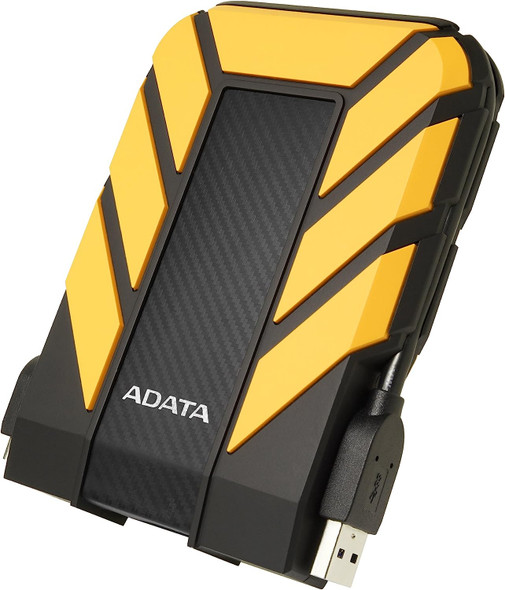

ADATA 2TB HD710 Pro Rugged External Hard Drive, 2.5", USB 3.1, IP68 Water/Dust Proof, Shock Proof, Yellow
ADATA


ADATA 2TB HD710 Pro Rugged External Hard Drive, 2.5", USB 3.1, IP68 Water/Dust Proof, Shock Proof, Blue
ADATA

ADATA 1TB HD710 Pro Rugged External Hard Drive, 2.5", USB 3.1, IP68 Water/Dust Proof, Shock Proof, Red
ADATA

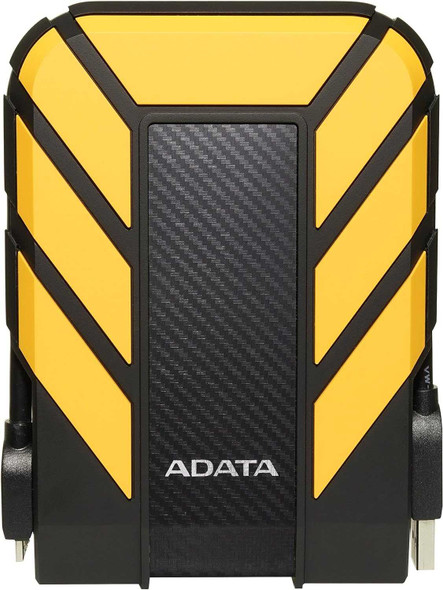
ADATA 1TB HD710 Pro Rugged External Hard Drive, 2.5", USB 3.1, IP68 Water/Dust Proof, Shock Proof, Yellow
ADATA