
BTI
00HW014 compatible 67Wh 4-cell battery for LENOVO YOGA 15
- SKU:
- 00HW014-BTI
- UPC:
- 5059902151711
- MPN:
- 00HW014-BTI
- Availability:
- Free Click & Collect in Peterborough. UK delivery also available.

Description
00HW014-BTI Compatible 67Wh Battery for Lenovo ThinkPad Yoga 15 – 15.2V 4-Cell Li-ion Replacement
The 00HW014-BTI compatible 67Wh battery is a replacement internal laptop battery designed for compatible Lenovo ThinkPad Yoga 15 systems that use the 00HW014 battery family. If your Lenovo Yoga 15 battery drains quickly, does not hold charge, shuts down unexpectedly, or shows poor battery health, replacing the internal battery can help restore portable runtime and everyday usability.
This replacement battery is commonly listed with a 67Wh capacity, 15.2V output, 4407mAh capacity, 4-cell lithium-ion technology and black finish. It is suitable for users searching for a Lenovo Yoga 15 battery replacement, 00HW014 battery, 00HW014-BTI battery, 67Wh Lenovo laptop battery, or a compatible internal battery for Lenovo ThinkPad Yoga 15 models.
Key Features of the 00HW014-BTI Lenovo Yoga 15 Battery
- Compatible replacement battery for Lenovo ThinkPad Yoga 15 systems using the 00HW014 battery family
- 67Wh battery capacity for restoring portable laptop runtime
- 15.2V battery voltage as listed for the 00HW014-BTI specification
- 4407mAh capacity for compatible Lenovo laptop models
- 4-cell lithium-ion battery technology for rechargeable laptop power
- Internal laptop battery design for replacing an ageing or faulty battery pack
- Black battery finish to match the original internal battery style
- Designed for Lenovo brand compatibility
- 1 battery included in the package
- MPN: 00HW014-BTI
- EAN / UPC: 5059902151711
Restore Battery Life to a Lenovo ThinkPad Yoga 15
Laptop batteries naturally wear down over time. Common signs of battery ageing include shorter runtime, sudden shutdowns, slow charging, battery percentage drops, warning messages in Windows or Lenovo Vantage, or the laptop only working reliably when connected to the charger.
The 00HW014-BTI 67Wh battery is designed as a replacement for compatible Lenovo ThinkPad Yoga 15 laptops, helping users continue using their existing device without replacing the whole laptop. It is a practical option for office work, study, browsing, travel, meetings and everyday mobile computing.
Ideal for Common Battery Problems
- Laptop battery no longer holds charge properly
- Battery percentage drops quickly during use
- Laptop shuts down before reaching 0%
- Battery health shows poor condition in diagnostics
- Device only works well when plugged into the charger
- Original internal battery is swollen, weak or unreliable
Important Compatibility Information
This battery is designed for compatible Lenovo ThinkPad Yoga 15 systems that use the 00HW014 battery family. Before ordering, check the label on your original battery and compare the part number, voltage, capacity, connector and shape. Searching by the battery part number is usually more accurate than searching by laptop name alone, because laptop model names can have different internal battery variants.
Commonly listed compatible references for this battery family include 00HW014, and some replacement listings also cross-reference related part numbers such as 00HW008, 00HW009, SB10F46446, SB10F46447 and SB10F46452. Always match your original battery label before purchase.
Check Before You Buy
- Your laptop is a compatible Lenovo ThinkPad Yoga 15 model
- Your original battery label shows 00HW014 or a listed compatible cross-reference
- The voltage on your original battery is in the same 15.1V to 15.2V battery family
- The physical shape, connector position and screw points match your old battery
- You are replacing the internal laptop battery, not an external removable battery
Compatible Battery References
This replacement is commonly associated with the following battery references and FRU / ASM style numbers. These references are provided to help customers compare against their original battery label:
- 00HW014
- 00HW008
- 00HW009
- ASM SB10F46446
- ASM SB10F46447
- ASM SB10F46452
- FRU 00HW008
- FRU 00HW009
- FRU 00HW014
4-Cell Lithium-Ion Battery with 67Wh Capacity
The battery uses lithium-ion technology and is listed as a 4-cell battery with 67Wh capacity. This makes it suitable for replacing an original Yoga 15 battery that has lost runtime due to age and repeated charge cycles.
Actual runtime will depend on the laptop condition, screen brightness, processor load, battery settings, Wi-Fi use, background apps and the age of other components. Light tasks such as browsing, email and document work usually use less power than video calls, gaming, heavy multitasking or creative software.
Battery Runtime Note
No replacement battery can guarantee a fixed number of hours because every laptop is used differently. For best results, reduce screen brightness, close unnecessary background apps, keep Windows updated and use battery saver settings where suitable.
Installation and Safety Guidance
This is an internal laptop battery, so installation requires opening the laptop base cover. If you are not confident working inside a laptop, professional installation is recommended. Before replacement, back up important data, shut the laptop down fully, disconnect the charger and follow the correct Lenovo service procedure for your exact model.
For many ThinkPad models with internal batteries, users are advised to disable the built-in battery in BIOS before servicing the laptop. This helps reduce the risk of accidental power-on during replacement. Community repair discussions also regularly recommend disabling the internal battery before opening ThinkPad Yoga systems.
Basic Replacement Checklist
- Back up important files before repair
- Shut down the laptop completely
- Disconnect the AC charger
- Disable the internal battery in BIOS if your model provides this option
- Remove the base cover carefully
- Disconnect the old battery before removing it
- Install the new battery without forcing the connector
- Reassemble the laptop and fully charge before normal use
After Installation: Battery Calibration Tips
After installing a replacement battery, the Windows battery percentage may take a few cycles to become accurate. A simple first-use routine can help the system estimate charge more correctly.
- Charge the battery to 100%
- Leave it connected to AC power for a short period after reaching full charge
- Use the laptop normally down to around 10–15%
- Recharge back to 100%
- Avoid fully draining the battery to 0% where possible
Who Is This Lenovo Yoga 15 Battery Best For?
- Lenovo ThinkPad Yoga 15 users with a weak or ageing internal battery
- Customers replacing a battery marked with 00HW014 or matching cross-reference numbers
- Users who need better portable runtime for work, study or travel
- Repair shops replacing internal Lenovo laptop batteries
- Owners who want to extend the useful life of an older Lenovo Yoga laptop
Who Is This Battery Not For?
This battery is not suitable for every Lenovo Yoga, ThinkPad, IdeaPad or ThinkPad Yoga model. It should not be purchased based only on the words “Lenovo Yoga” in the laptop name. It is intended for compatible systems that use the 00HW014 battery family. If your original battery has a different part number, different voltage, different connector or different physical shape, do not assume compatibility.
Technical Specifications
- Brand: BTI / Battery Technology compatible replacement
- Product Name: 00HW014 compatible 67Wh 4-cell battery for Lenovo Yoga 15
- Model / MPN: 00HW014-BTI
- EAN / UPC: 5059902151711
- Battery Type: Internal laptop battery
- Battery Technology: Lithium-Ion / Li-ion
- Battery Capacity: 67Wh
- Battery Capacity: 4407mAh
- Battery Voltage: 15.2V
- Number of Cells: 4-cell
- Colour: Black
- Brand Compatibility: Lenovo
- Compatible Laptop Family: Lenovo ThinkPad Yoga 15, subject to original battery part-number match
- Battery Included: 1 battery
- Warranty: Check Memox warranty terms on the product page
Important Buyer Advice
For the safest compatibility check, remove or inspect your existing battery and match the printed part number before ordering. The most important checks are part number, voltage, capacity family, connector type and physical shape. If your laptop reports a battery error after installation, check BIOS settings, battery connection, charger condition and Lenovo Vantage battery information.
Why Buy the 00HW014-BTI Compatible Lenovo Yoga 15 Battery?
The 00HW014-BTI compatible 67Wh battery is a practical replacement for compatible Lenovo ThinkPad Yoga 15 laptops with worn or faulty internal batteries. With a 67Wh capacity, 15.2V output, 4-cell Li-ion design and Lenovo-focused compatibility, it helps restore mobility and reduce reliance on constant charging.
Choose this battery if your original Lenovo Yoga 15 battery matches the 00HW014 family and you need a replacement internal battery for everyday work, study, browsing and travel use.
Specification
00HW014-BTI Compatible Battery for Lenovo ThinkPad Yoga 15 Specifications
The 00HW014-BTI compatible 67Wh battery is an internal replacement laptop battery designed for compatible Lenovo ThinkPad Yoga 15 systems that use the 00HW014 battery family. It is a 4-cell lithium-ion battery with 15.2V output and 4407mAh capacity, suitable for replacing a weak, ageing or faulty internal battery where the original part number matches.
General Information
| Product Type | Internal Laptop Battery |
| Product Name | 00HW014 Compatible 67Wh 4-Cell Battery for Lenovo ThinkPad Yoga 15 |
| Brand / Manufacturer | BTI / Battery Technology compatible replacement |
| Manufacturer Part Number | 00HW014-BTI |
| SKU | 00HW014-BTI |
| UPC / EAN | 5059902151711 |
| Compatible Brand | Lenovo |
| Compatible Laptop Family | Lenovo ThinkPad Yoga 15, subject to original battery part-number match |
| Product Colour | Black |
Battery Specifications
| Battery Technology | Lithium-Ion / Li-ion |
| Number of Cells | 4-cell |
| Battery Capacity | 67Wh |
| Battery Capacity in mAh | 4407mAh |
| Battery Voltage | 15.2V |
| Battery Type | Rechargeable internal laptop battery pack |
| Battery Included | Yes, 1 battery included |
Compatible Laptop Models
| Main Compatible Model | Lenovo ThinkPad Yoga 15 |
| Common Series References | ThinkPad Yoga 15 20DQ / 20DR family references |
| Example Compatible Model References | 20DQ, 20DR, 20DQ0038GE, 20DQ003RGE, 20DRS02AGE and other compatible ThinkPad Yoga 15 variants using the same battery family |
| Compatibility Requirement | Your original battery must match 00HW014 or a listed compatible cross-reference |
Replacement Part Numbers and Cross-References
| Primary Replacement Part Number | 00HW014 |
| Compatible FRU References | 00HW014, 00HW008, 00HW009 |
| Compatible ASM References | SB10F46446, SB10F46447, SB10F46452 |
| Battery Code Reference | 4ICP6/58/92, listed by some replacement battery suppliers |
Package Contents
| Battery Pack | 1 x 00HW014-BTI compatible internal laptop battery |
| Tools Included | Not listed |
| Screws Included | Not listed; reuse original screws where applicable |
Installation Type
| Installation Position | Internal laptop battery bay |
| User-Replaceable Type | Internal service replacement; laptop base cover removal required |
| Professional Installation Recommended | Yes, if you are not confident opening and servicing a laptop |
Warranty and Returns
| Warranty | 12-month warranty / check Memox product page for final warranty terms |
| Returns | 30-day return policy listed on Memox product page |
Compatibility Notes
Please check your laptop before purchase. This battery is intended for compatible Lenovo ThinkPad Yoga 15 systems using the 00HW014 battery family. Do not order based only on the laptop name. Always compare your original battery label, part number, voltage, connector position, screw points and physical shape before purchase.
Important Safety and Installation Notes
This is an internal lithium-ion laptop battery. Before installation, fully shut down the laptop, disconnect the charger and follow the correct Lenovo service procedure for your exact model. If your ThinkPad BIOS includes a built-in battery disable or service mode option, use it before opening the laptop. If the existing battery is swollen, damaged, leaking or unusually hot, stop using the laptop and seek professional repair support.
Battery Runtime Note
Battery runtime varies depending on laptop condition, screen brightness, processor load, background apps, Wi-Fi use, operating system settings and battery age. A new replacement battery can help restore portable use, but no fixed number of hours can be guaranteed for every system.
Return
FAQ: Frequently Asked Question
00HW014 Compatible 67Wh Battery for Lenovo Yoga 15 FAQ
The 00HW014 compatible 67Wh 4-cell battery for Lenovo Yoga 15 is an internal replacement laptop battery designed for compatible Lenovo Yoga 15 and ThinkPad Yoga 15 systems that use the 00HW014 battery family. Below are the most common questions buyers ask before choosing this Lenovo Yoga 15 replacement battery, including compatibility, voltage, capacity, charging problems, installation, calibration, and when battery replacement is the right solution.
1. What is the 00HW014 compatible battery for Lenovo Yoga 15?
The 00HW014 compatible battery is an internal replacement laptop battery for compatible Lenovo Yoga 15 and ThinkPad Yoga 15 systems. It is designed to replace the original internal battery when the laptop no longer holds charge properly, drains quickly, shuts down unexpectedly, or shows signs of battery ageing.
2. Is this battery compatible with Lenovo Yoga 15?
Yes, this battery is commonly listed for Lenovo Yoga 15 and ThinkPad Yoga 15 models that use the 00HW014 battery family. Before ordering, check the label on your existing battery and confirm that it shows 00HW014 or a compatible cross-reference number.
3. Is this battery suitable for ThinkPad Yoga 15?
Yes. This battery is commonly associated with Lenovo ThinkPad Yoga 15 models, including systems in the 20DQ and 20DR family. The safest way to confirm compatibility is to compare the part number, battery shape, voltage, connector position, and screw hole layout with your original battery.
4. Which Lenovo battery part numbers does this replace?
This battery is commonly cross-referenced with part numbers including 00HW014, 00HW008, 00HW009, SB10F46446, SB10F46452, and battery code references such as 4ICP6/58/92. Always match the label on your original battery before buying.
5. What capacity is this Lenovo Yoga 15 battery?
This replacement battery is listed as a 67Wh 4-cell battery. Some compatible listings may show slightly different rounded figures such as 66Wh or 4360–4407mAh, but the key checks are the correct FRU/part number, voltage, connector, and physical fit.
6. What voltage is the 00HW014 battery?
This battery is commonly listed around 15.1V to 15.2V. Small voltage label differences such as 15.1V and 15.2V are common across compatible listings for this battery family. Match the part number and physical battery design to your original unit.
7. Is this a 4-cell battery?
Yes. This 00HW014 compatible replacement battery is listed as a 4-cell lithium-ion battery. It is designed as an internal laptop battery pack for compatible Lenovo Yoga 15 systems.
8. Is this an original Lenovo battery?
This listing is for a compatible replacement battery, not necessarily an original Lenovo-branded battery. It is designed to match the required battery specification and fit compatible Lenovo Yoga 15 systems that use the 00HW014 battery type.
9. How do I check if this battery will fit my laptop?
Turn off the laptop, check the model number on the base or in system information, and compare the part number on your existing battery label. Look for 00HW014, 00HW008, 00HW009, SB10F46446, or SB10F46452. Also compare the battery shape, connector location, voltage, and screw positions before ordering.
10. Will this battery fit Lenovo Yoga 14, Yoga 900, Yoga 920, or newer Yoga models?
Usually not. Lenovo Yoga models often use different battery shapes and part numbers even if the laptop names sound similar. This battery is intended for compatible Yoga 15 / ThinkPad Yoga 15 systems using the 00HW014 battery family. Do not order only by laptop brand name; always match the battery part number.
11. When should I replace my Lenovo Yoga 15 battery?
You should consider replacing the battery if your laptop drains very quickly, shuts down suddenly, only works while plugged in, does not charge to 100%, reports poor battery health, shows incorrect battery percentage, or the battery is swollen. A swollen battery should be treated as a safety concern and replaced carefully.
12. My Lenovo Yoga 15 battery drains quickly — will this replacement help?
If the battery is old or worn, replacing it can improve runtime and make the laptop more usable away from the charger. However, battery life also depends on screen brightness, background apps, battery health settings, processor load, Wi-Fi use, and whether the laptop has any charging or motherboard faults.
13. My Lenovo Yoga only works when plugged in — is the battery faulty?
It can be a sign of a worn or failed battery, especially if the laptop powers off immediately when unplugged. However, it can also be caused by a charger issue, charging port problem, BIOS issue, battery connector issue, or motherboard charging circuit fault. Check the charger and battery detection before assuming the battery is the only problem.
14. My laptop says plugged in but not charging — will a new battery fix it?
A new battery may fix the issue if the original battery has failed, but “plugged in, not charging” can also be caused by the charger, DC jack, USB-C charging circuit, BIOS settings, battery driver, or motherboard issue. Try the original charger, another suitable charger if available, BIOS reset, and Lenovo battery diagnostics before replacing parts unnecessarily.
15. My Lenovo Yoga battery is stuck at 0% — should I replace it?
If the battery remains at 0% even after being connected to a suitable charger for several hours, the battery may be deeply discharged or faulty. However, if a replacement battery also does not charge, the problem may be with the charging circuit, charger, port, or motherboard rather than the battery itself.
16. What should I do if the charging light flashes or turns off quickly?
Try a known-good compatible charger, check the charging port, leave the laptop connected for a longer period if the battery is deeply discharged, and perform a power reset if your model supports it. If the charging light still behaves abnormally, the issue may be battery-related or charging-circuit related.
17. Do I need to disable the built-in battery before replacing it?
Yes, where the BIOS option is available, it is best practice to disable the built-in battery before opening the laptop. On many Lenovo systems this is done through BIOS/UEFI under Config > Power > Disable Built-in Battery. The laptop normally powers off after this option is selected. If you are not confident working inside a laptop, use a qualified technician.
18. Can I replace the Lenovo Yoga 15 battery myself?
Some experienced users can replace an internal laptop battery themselves, but it requires care. You normally need to power off the laptop, disconnect the charger, disable or disconnect the internal battery safely, remove the base cover, disconnect the old battery, install the new one, and reassemble the laptop. If you are unsure, professional fitting is recommended.
19. What tools do I need to replace this battery?
You may need a suitable small screwdriver, plastic pry tool, anti-static precautions, and a clean workspace. Avoid metal tools near the battery connector where possible, and never puncture, bend, crush, or force the battery during removal or installation.
20. Is a swollen laptop battery dangerous?
Yes. A swollen lithium-ion battery should be treated carefully. Do not press, puncture, bend, charge heavily, or continue using a swollen battery. Stop using the laptop if safe to do so and arrange replacement or professional inspection as soon as possible.
21. How long should this battery last per charge?
Runtime depends on the laptop condition, battery settings, screen brightness, processor load, background software, Wi-Fi, and age of the system. A new 67Wh battery should normally give noticeably better portable use than a worn battery, but heavy tasks such as video calls, gaming, editing, or high brightness will reduce runtime.
22. How do I calibrate the new battery after installation?
After installation, charge the battery to 100% and keep it connected for a little longer. Then use the laptop normally and allow it to discharge to around 10–15% before charging it back to 100%. This can help the battery gauge report more accurately. Avoid fully draining the battery regularly.
23. Why does Windows show the wrong battery percentage after replacement?
After a battery replacement, Windows may need time to learn the new battery’s charge behaviour. A full charge and gentle calibration cycle can help. You can also check battery health using Windows battery report or Lenovo diagnostics if available.
24. Should I update BIOS before or after replacing the battery?
If your laptop is stable and the current battery still works enough to complete the process safely, a BIOS update may help with battery detection or charging behaviour. Do not start a BIOS update if the laptop is unstable, not charging, or likely to shut down during the update.
25. What if the new battery is not detected?
Power the laptop off, disconnect the charger, reopen the laptop if safe, and check that the battery connector is fully seated. Then reconnect the charger and power on. If the battery is still not detected, check BIOS, Windows Device Manager battery entries, and whether the battery part number is correct for the laptop.
26. What if the new battery is detected but not charging?
If the battery is detected but does not charge, test with the correct Lenovo charger, check the charging port, restart the laptop, reset BIOS power settings if appropriate, and uninstall/reinstall Microsoft ACPI battery entries in Windows Device Manager. If the issue continues, the fault may be with the charger, charging port, or motherboard charging circuit.
27. Can I use the laptop while charging the new battery for the first time?
Yes, but for best initial charging it is better to let the battery charge fully with light use or while the laptop is idle. Heavy use during first charge can increase heat and slow the charging process.
28. Is 67Wh better than a lower Wh battery?
In general, a higher Wh rating means the battery can store more energy, but only if the battery is compatible with the laptop. You should not choose a battery by capacity alone. The correct part number, voltage, connector, and physical shape are more important.
29. What is the difference between 67Wh and 4407mAh?
Wh and mAh describe battery capacity in different ways. Wh is often more useful for comparing laptop battery energy because it includes voltage. For this battery family, listings may show around 67Wh and around 4360–4407mAh depending on rounding and supplier specification.
30. Is this battery suitable for gaming or heavy workloads?
The battery can power the laptop during normal portable use, but heavy workloads such as gaming, rendering, editing, or video calls drain laptop batteries much faster. For best performance during heavy workloads, use the correct charger and keep the laptop well ventilated.
31. Can I keep the laptop plugged in all the time after replacing the battery?
You can use the laptop plugged in, but keeping any lithium-ion battery constantly at 100% and warm may reduce long-term battery health. If your Lenovo software offers a conservation or charge limit mode, it can help preserve battery life when the laptop is used mostly on mains power.
32. How should I store the battery or laptop if I will not use it for a while?
For storage, keep the laptop or battery in a cool, dry place and avoid leaving the battery completely flat for long periods. A partial charge is normally better for long-term lithium-ion battery storage than 0% or 100%.
33. Does this battery come with installation instructions?
The product may not include full installation instructions. For installation, refer to the Lenovo maintenance manual for your exact model or ask a qualified technician. Internal laptop batteries should be handled carefully to avoid damage to the battery, connector, or motherboard.
34. Who is this Lenovo 00HW014 battery best for?
This battery is best for users with a compatible Lenovo Yoga 15 or ThinkPad Yoga 15 laptop where the original 00HW014 battery is worn, draining quickly, not holding charge, or no longer giving reliable portable use.
35. Who is this battery not for?
This battery is not suitable for Lenovo laptops that use a different battery part number, different voltage, different connector, or different physical shape. It is also not the first fix if your laptop has a known charger, charging port, or motherboard charging fault.
36. 00HW014 vs 00HW008 vs 00HW009 — which one should I choose?
These part numbers are commonly listed as cross-compatible within the same Lenovo Yoga 15 battery family. If your original battery label shows 00HW014, 00HW008, 00HW009, SB10F46446, or SB10F46452, this replacement may be suitable. Always compare the full label and physical design before ordering.
37. What should I check before buying this battery?
Before buying, check your laptop model, original battery part number, voltage, Wh rating, connector location, screw positions, and battery shape. Also check whether your current problem is actually battery-related or caused by the charger, charging port, BIOS, or motherboard charging circuit.
Related Products
Related Products

Lenovo ThinkPad X1 Carbon Gen 3 Battery 51Wh 4-Cell (00HW002 Compatible)
BTI

00UR891 compatible 32Wh 4-cell battery for THINKPAD T570
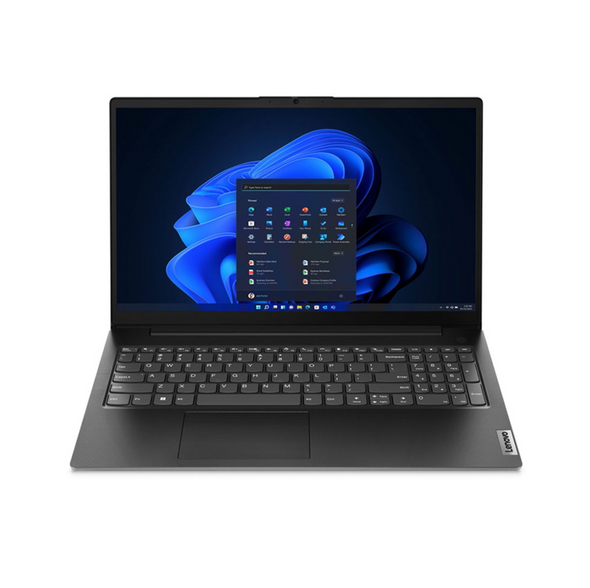
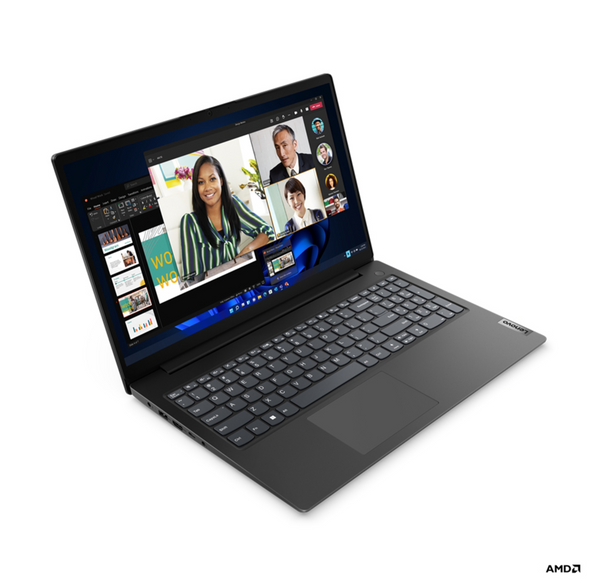
Lenovo V15 G4 AMN 82YU Laptop, 15.6" FHD, Ryzen 5 7520U, 16GB DDR5, 256GB SSD, No Optical, USB-C, Windows 11 Pro
LENOVO