
ARCTIC
Arctic MX-4 Thermal Compound, 4g Syringe, 8.5W/mK
- SKU:
- ACTCP00002B
- UPC:
- 4895213701655
- MPN:
- ACTCP00002B
- Availability:
- In Stock


Description
ARCTIC MX-4 4g Thermal Paste – Premium CPU & GPU Thermal Compound
The ARCTIC MX-4 4g thermal paste (ACTCP00002B) is a premium thermal interface compound designed to improve heat transfer between processors, graphics chips and compatible heatsinks or cooling systems.
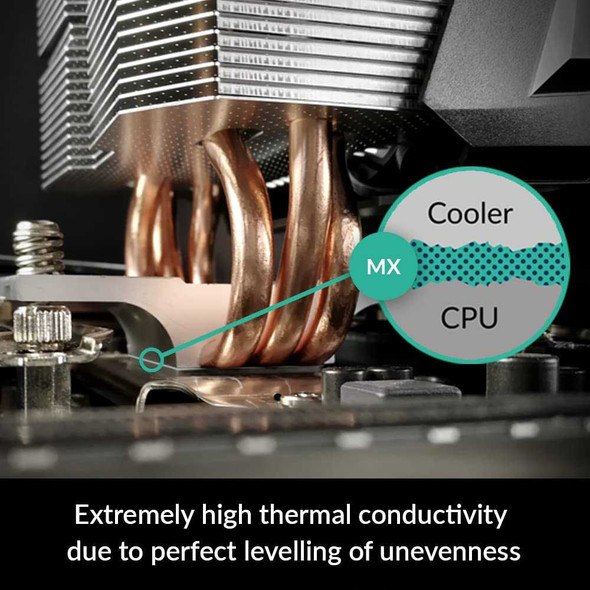
Its microparticle-based formula fills the microscopic surface imperfections that naturally exist between a CPU or GPU and the cooler base. By replacing insulating air gaps with a thin thermal interface layer, MX-4 helps heat move efficiently from the chip into the heatsink.
MX-4 is metal-free, electrically non-conductive and non-capacitive, making it considerably more forgiving to apply than electrically conductive compounds or liquid metal. ARCTIC also formulates MX-4 for long-term stability with excellent non-drying and non-bleeding characteristics.
This exact version contains 4 grams of grey ARCTIC MX-4 in a resealable syringe, providing enough material for multiple typical applications depending on processor size and the quantity applied.
MPN: ACTCP00002B | Content: 4g | Colour: Grey | EAN: 4895213701655
Key Features of ARCTIC MX-4 4g
- 4g premium thermal compound
- Designed for CPUs, GPUs and other suitable chip-to-heatsink applications
- Metal-free formula
- Not electrically conductive
- Not electrically capacitive
- Helps fill microscopic gaps between chip and cooler surfaces
- Excellent non-drying properties
- Excellent non-bleeding properties
- Easy-to-control consistency for straightforward application
- Density: 2.50g/cm³
- Viscosity: 31,600 poise
- Volume resistivity: 3.8 x 10¹³ Ω·cm
- Continuous-use temperature: -50°C to +150°C
- Grey colour
- Resealable syringe
- Unopened storage life of up to 8 years
- Safe for contact with aluminium compared with corrosive liquid-metal compounds
- Suitable for air coolers and compatible liquid-cooling cold plates
- ARCTIC Authenticity Check support
- ARCTIC 6-year manufacturer warranty, subject to warranty terms
What Does Thermal Paste Actually Do?
CPU heat spreaders and cooler bases can appear perfectly smooth to the eye, but their surfaces contain microscopic imperfections.
If two dry surfaces are pressed together, tiny air pockets remain between them. Air is a poor thermal conductor, so these gaps can reduce the efficiency with which heat passes from the processor into the cooler.
Thermal paste fills these microscopic spaces and creates a more effective thermal interface between the two surfaces.
Does Thermal Paste Cool the CPU by Itself?
No. Thermal paste does not replace the CPU cooler.
Its job is to improve thermal contact between the processor and the heatsink or water-block cold plate. The cooler itself remains responsible for moving the heat away from the processor.
Suitable for CPU Cooling
ARCTIC MX-4 can be used when installing or servicing a compatible desktop or laptop CPU cooling system.
Common situations include:
- Installing a new CPU cooler
- Changing processors
- Removing and reinstalling a heatsink
- Servicing an older PC
- Replacing aged thermal compound
- Rebuilding or upgrading a gaming PC
- Maintaining workstation systems
Can ARCTIC MX-4 Be Used on Intel CPUs?
Yes. MX-4 is not tied to a particular CPU socket or processor manufacturer.
It can be used as a thermal interface on compatible Intel processor and cooler installations where conventional thermal paste is appropriate.
Can ARCTIC MX-4 Be Used on AMD Ryzen CPUs?
Yes. MX-4 can also be used with compatible AMD processors including Ryzen platforms.
The thermal paste itself does not depend on whether the processor uses AM4, AM5 or another compatible CPU socket.
Suitable for GPU Thermal Maintenance
ARCTIC also identifies MX-4 as suitable for transferring heat from GPU chips into their cooling assemblies.
This can make it useful during graphics-card maintenance where the original thermal compound needs replacing and conventional thermal paste is specified for the GPU contact surface.
Can I Use MX-4 When Repasting a Graphics Card?
Yes, on suitable GPU-to-heatsink contact surfaces.
However, graphics cards may also use thermal pads on VRAM, VRM components and other areas. Thermal paste should not automatically be substituted for thermal pads because they perform different functions and bridge different gap sizes.
Metal-Free and Electrically Non-Conductive
One of the key advantages of ARCTIC MX-4 is its metal-free formulation.
ARCTIC confirms that MX thermal pastes are neither electrically conductive nor capacitive.
This makes MX-4 more forgiving to work with than conductive compounds, particularly for beginners installing or servicing PC cooling hardware.
Can ARCTIC MX-4 Cause an Electrical Short Circuit?
MX-4 itself is not electrically conductive, so accidental small amounts around the processor do not present the same electrical-short risk associated with conductive thermal compounds.
Good installation practice is still to keep thermal paste on the intended contact area and clean away unnecessary excess.
Is MX-4 Safer to Apply Than Liquid Metal?
For most conventional PC cooling applications, MX-4 is significantly easier and more forgiving to handle than liquid metal.
Liquid-metal compounds are electrically conductive and can also react with certain cooler materials. MX-4 does not have these same electrical and material-compatibility concerns.
Non-Capacitive Formula
ARCTIC also confirms that its thermal paste is not electrically capacitive.
This reinforces MX-4's suitability for normal CPU and GPU maintenance where users want an electrically safe conventional thermal interface material.
Safe for Aluminium Cooler Surfaces
ARCTIC specifically states that its MX thermal pastes can come into contact with cast aluminium without causing the corrosion damage associated with liquid metal.
This makes MX-4 suitable for a broad range of conventional aluminium and copper cooling designs where thermal paste is required.
Can MX-4 Damage Aluminium Like Liquid Metal?
No. ARCTIC states that its MX thermal compounds do not create the corrosion issue that can occur when incompatible liquid-metal compounds are used with aluminium.
Easy Application for Beginners and Experienced Builders
ARCTIC designed MX-4 with a consistency that is straightforward to apply.
The syringe allows the user to control the amount placed on the processor before the cooler is installed.
How Much ARCTIC MX-4 Should I Apply?
The aim is to create a thin, complete thermal interface layer between the processor and cooler rather than an excessively thick layer of paste.
ARCTIC explains that several application techniques can work, including placing compound in the centre and allowing cooler mounting pressure to spread it, manually spreading the compound, or using another appropriate pattern.
The important result is that the relevant contact surface receives sufficient coverage without creating unnecessary excess.
Is More Thermal Paste Better?
No. Thermal paste is intended to fill microscopic imperfections rather than create a thick insulating layer between the CPU and cooler.
Applying far more paste than necessary does not automatically improve cooling.
4g Syringe for Multiple Applications
This product contains 4 grams of MX-4.
A few grams of thermal paste can normally cover multiple typical processor installations, although the exact number of applications depends on the size of the chip or heat spreader and how much compound is used each time.
Is 4g of Thermal Paste Enough for One CPU?
Yes. A normal CPU installation requires only a small amount of thermal paste, so a 4g syringe contains considerably more material than is required for a single typical application.
Resealable Syringe
The MX-4 syringe can be resealed after use.
ARCTIC specifically highlights its resealable packaging as helping prevent the unused compound from drying out prematurely.
How Should I Store the Remaining MX-4?
After use, clean the syringe tip if necessary, replace the cap securely and keep the product properly closed and stored under suitable conditions.
A resealed syringe can then remain available for future cooler installations and servicing.
Up to 8 Years Unopened Shelf Life
ARCTIC states that its thermal paste can be stored for up to 8 years while unopened.
The resealable syringe is also designed to reduce premature drying after the first application.
Does ARCTIC MX-4 Expire?
Like other thermal-interface materials, MX-4 should be checked before using an old syringe.
ARCTIC specifies up to eight years of storage when unopened. Once in service, there is no single replacement interval that applies to every PC.
How Often Should Thermal Paste Be Replaced?
ARCTIC does not prescribe a universal fixed replacement interval for applied thermal paste.
Instead, it recommends considering replacement when there are noticeable changes in:
- CPU or GPU temperatures
- Cooling-fan noise
- System performance
- General cooling behaviour
Thermal paste should also be reapplied whenever a cooler is removed and the original thermal interface has been disturbed.
Long-Term Non-Drying and Non-Bleeding Performance
ARCTIC describes MX-4 as having excellent non-drying and non-bleeding properties.
This is important because thermal compound must remain correctly positioned between the chip and cooler while being exposed to repeated heating and cooling cycles over long periods of use.
Continuous-Use Temperature from -50°C to +150°C
The current ARCTIC specification gives MX-4 a continuous-use temperature range of:
-50°C to +150°C
This describes the operating range of the thermal-interface material itself rather than the safe operating temperature of a CPU or GPU.
Does the +150°C Rating Mean My CPU Can Safely Run at 150°C?
No.
The -50°C to +150°C figure is the continuous-use specification for MX-4.
Processors and graphics chips have their own thermal limits, and those manufacturer limits must always take priority.
2.50g/cm³ Density
ARCTIC specifies an MX-4 density of 2.50g/cm³.
Density is a physical property of the compound and should not be confused with thermal conductivity or cooling performance.
31,600 Poise Viscosity
The current manufacturer specification lists a viscosity of 31,600 poise.
This contributes to the consistency that allows MX-4 to remain where applied while still spreading into a thin interface layer under cooler mounting pressure.
High Electrical Volume Resistivity
ARCTIC lists a volume resistivity of:
3.8 x 10¹³ Ω·cm
This specification supports ARCTIC's description of MX-4 as an electrically non-conductive thermal compound.
What Is the Thermal Conductivity of ARCTIC MX-4?
ARCTIC currently does not publish an official W/mK thermal-conductivity number for MX-4.
The manufacturer deliberately stopped using thermal-conductivity figures as a primary marketing specification because test methods and published values across the thermal-paste market can be inconsistent or misleading.
For this reason, MX-4 should be evaluated using the manufacturer's actual product design, real cooling performance and verified physical specifications rather than an unofficial W/mK figure.
Is ARCTIC MX-4 Rated at 8.5W/mK?
8.5W/mK should not be presented as the current official ARCTIC specification.
Older reseller listings frequently quote an 8.5W/mK value for MX-4, but ARCTIC's current technical specification deliberately does not give MX-4 a W/mK figure.
For an accurate current product listing, the Memox page should therefore avoid advertising MX-4 as “8.5W/mK”.
Why W/mK Alone Does Not Determine CPU Temperature
Even where a thermal-conductivity number is available, real-world CPU temperature is influenced by much more than the thermal compound.
Important factors include:
- CPU or GPU power consumption
- Cooler design
- Cooler mounting pressure
- Thermal paste thickness
- Contact-surface flatness
- Fan speed
- Radiator or heatsink size
- PC case airflow
- Ambient room temperature
- Processor boost behaviour
Compatible with Air CPU Coolers
MX-4 can be used between a compatible CPU and the cold plate or base of a conventional air cooler.
This includes tower coolers, low-profile coolers and other conventional heatsink designs where standard thermal paste is required.
Compatible with AIO Liquid Coolers
MX-4 can also be used with compatible AIO liquid coolers.
The compound sits between the processor's heat spreader and the AIO cold plate in exactly the same basic way that it interfaces with an air cooler.
Do I Need MX-4 If My Cooler Already Has Pre-Applied Paste?
If a new CPU cooler already has untouched factory-applied thermal compound, additional paste normally should not be applied on top of it.
MX-4 becomes useful if the factory compound is removed, the cooler is reinstalled later, or fresh paste is otherwise required.
Suitable for PC Upgrades and Maintenance
A 4g syringe is useful to keep with PC-building and servicing tools because fresh thermal compound is often required when:
- Changing CPU coolers
- Replacing a motherboard
- Upgrading a processor
- Servicing a graphics card
- Cleaning an older PC
- Reinstalling a heatsink
- Diagnosing abnormal processor temperatures
How to Apply ARCTIC MX-4
- Switch off the computer and disconnect it from power.
- Remove the cooler according to the cooler and motherboard manufacturer's instructions.
- Remove the old thermal compound from the CPU and cooler contact surface.
- Ensure both contact surfaces are clean and free from old paste or debris.
- Apply an appropriate small amount of MX-4 to the processor.
- Install the cooler evenly using the correct mounting hardware.
- Tighten the cooler according to its manufacturer's recommended installation sequence.
- Reconnect the cooling fan or pump connections before powering the system back on.
- Monitor CPU or GPU temperatures after installation to confirm correct cooler contact and operation.
How to Remove Old Thermal Paste
Old thermal compound should be removed before applying a fresh layer.
ARCTIC recommends its MX Cleaner for removing dried thermal-paste residue. Whichever suitable cleaning method is used, the CPU and cooler contact surfaces should be clean before new MX-4 is applied.
Can I Put New MX-4 Directly on Top of Old Thermal Paste?
It is better to remove the old compound first.
Mixing a new layer with old or partially dried material can create an uneven thermal interface. Cleaning the surfaces allows the fresh compound to make consistent contact between the processor and cooler.
Replace Thermal Paste After Removing the Cooler
If the heatsink or cold plate has been separated from the CPU after the paste has been installed, fresh thermal compound is recommended before final reassembly.
Removing the cooler can disturb the original paste layer and create new air pockets when the cooler is reinstalled.
MX-4 vs Liquid Metal
MX-4 and liquid metal are different categories of thermal-interface material.
Liquid metal can provide very high thermal performance in specialised applications, but it is electrically conductive and requires considerably greater care regarding component and cooler materials.
MX-4 is designed as an easy-to-use conventional thermal compound that is metal-free, electrically non-conductive and safe for a much wider range of normal PC installations.
MX-4 vs Thermal Pads
Thermal paste and thermal pads should not automatically be treated as interchangeable.
MX-4 is intended to form a very thin interface between closely contacting surfaces such as a processor and cooler.
Thermal pads are generally used where a larger physical gap needs to be bridged, such as between memory chips, VRM components and heatsinks.
No Socket-Specific Compatibility Requirement
Unlike a CPU cooler mounting bracket, thermal paste itself is not tied to a particular socket.
MX-4 can therefore be used across a wide range of compatible Intel and AMD platforms, including new and older desktop systems, provided conventional thermal paste is suitable for the cooling interface.
ARCTIC Authenticity Check
Thermal compounds such as MX-4 are frequently copied, so ARCTIC provides an Authenticity Check system for supported retail packaging.
The appearance of genuine MX-4 packaging has also changed over the years. ARCTIC states that packaging revisions do not necessarily indicate a different formula.
Has the MX-4 Formula Changed?
ARCTIC states that although MX thermal-paste packaging has changed several times, the MX-4 formula has remained unchanged.
Current Technical Specifications
- Brand: ARCTIC
- Product: MX-4
- Manufacturer Part Number: ACTCP00002B
- Content: 4g
- Product Type: Thermal compound / thermal paste
- Colour: Grey
- Metal-Free: Yes
- Electrically Conductive: No
- Electrically Capacitive: No
- Density: 2.50g/cm³
- Viscosity: 31,600 poise
- Volume Resistivity: 3.8 x 10¹³ Ω·cm
- Continuous-Use Temperature: -50°C to +150°C
- Official Current Thermal-Conductivity Figure: Not published by ARCTIC
- Unopened Shelf Life: Up to 8 years
- Container: Resealable syringe
- EAN / GTIN: 4895213701655
- UPC: 872767009585
- Manufacturer Warranty: 6 years, subject to ARCTIC warranty conditions
Important Things to Know Before Buying
- This is the exact ACTCP00002B 4g MX-4 version.
- The syringe contains 4 grams of thermal compound.
- This version does not include a spatula.
- MX-4 is metal-free.
- MX-4 is not electrically conductive.
- MX-4 is not electrically capacitive.
- The colour is grey.
- Continuous-use temperature is -50°C to +150°C.
- Density is 2.50g/cm³.
- Viscosity is 31,600 poise.
- Volume resistivity is 3.8 x 10¹³ Ω·cm.
- ARCTIC currently does not publish an official W/mK rating for MX-4.
- The commonly repeated 8.5W/mK figure should not be treated as the current manufacturer specification.
- Unopened thermal paste can be stored for up to 8 years according to ARCTIC.
- The syringe is resealable.
- Old thermal paste should be cleaned away before a fresh application.
- A fresh application is recommended when a cooler has been removed and reinstalled.
- Thermal paste should not be used as a substitute for thermal pads where a physical component gap must be bridged.
What's Included?
- 1 x ARCTIC MX-4 4g thermal compound syringe – ACTCP00002B
Spatula, MX Cleaner, CPU cooler and other accessories are not included with this exact ACTCP00002B version unless specifically stated separately.
Why Choose ARCTIC MX-4 4g Thermal Paste?
The ARCTIC MX-4 has become a popular conventional thermal compound because it combines strong real-world thermal-interface performance with straightforward and electrically safe application.
Its metal-free, non-conductive and non-capacitive formulation makes it suitable for users who want to avoid the electrical risks associated with liquid metal while still improving contact between a CPU or GPU and its cooler.
The 4g resealable syringe provides enough material for multiple typical maintenance or PC-building jobs, while ARCTIC's excellent non-drying and non-bleeding characteristics are designed to maintain stable long-term performance after installation.
The broad -50°C to +150°C continuous-use range, suitability for aluminium cooling surfaces and ability to work with CPUs, GPUs, air coolers and compatible liquid-cooling cold plates make MX-4 a versatile choice for gaming PCs, office computers, workstations and general computer servicing.
For users looking for an easy-to-apply, non-electrically-conductive 4g CPU and GPU thermal paste from ARCTIC, MX-4 remains a practical and well-established thermal-interface solution.
Specification
ARCTIC MX-4 4g Thermal Paste Specifications
The ARCTIC MX-4 ACTCP00002B is a 4g premium thermal compound designed for efficient heat transfer between compatible CPUs, GPUs and cooling surfaces. MX-4 is metal-free, electrically non-conductive and non-capacitive, with a current manufacturer-specified density of 2.50g/cm³, viscosity of 31,600 poise and continuous-use temperature range of -50°C to +150°C.
General Information
| Brand | ARCTIC |
| Product | MX-4 |
| Manufacturer Part Number | ACTCP00002B |
| EAN / GTIN | 4895213701655 |
| UPC | 872767009585 |
| Product Type | Thermal paste / thermal compound |
| Net Content | 4g |
| Colour | Grey |
| Container | Resealable syringe |
| Spatula Included | No – this exact ACTCP00002B version is the 4g version without spatula |
Physical Properties
| Density | 2.50g/cm³ |
| Viscosity | 31,600 poise |
| Colour | Grey |
| Consistency | Thermal paste designed for thin thermal-interface application |
| Metal-Free | Yes |
| Non-Drying Characteristics | Yes – ARCTIC specifies excellent non-drying properties |
| Non-Bleeding Characteristics | Yes – ARCTIC specifies excellent non-bleeding properties |
Electrical Properties
| Electrically Conductive | No |
| Electrically Capacitive | No |
| Volume Resistivity | 3.8 × 10¹³ Ω·cm |
| Electrical Short-Circuit Risk from Paste | Very low compared with electrically conductive thermal compounds because MX-4 is non-conductive and non-capacitive |
Thermal Specifications
| Continuous-Use Temperature | -50°C to +150°C |
| Thermal Conductivity – W/mK | Not published by ARCTIC |
| 8.5W/mK Official Rating | No – ARCTIC does not currently specify 8.5W/mK for MX-4 |
| Thermal Interface Type | Conventional thermal paste |
Temperature Range
| Minimum Continuous-Use Temperature | -50°C |
| Maximum Continuous-Use Temperature | +150°C |
| CPU / GPU Safe Temperature | Determined by the processor or GPU manufacturer – the +150°C paste rating is not a permitted CPU operating temperature |
Storage & Shelf Life
| Unopened Shelf Life | Up to 8 years according to ARCTIC |
| Resealable Packaging | Yes |
| Fixed Repaste Interval | No universal fixed interval specified by ARCTIC |
| Repaste After Cooler Removal | Recommended because removing the cooler disturbs the existing thermal interface |
CPU Compatibility
| Intel CPU Compatibility | Suitable for compatible Intel CPU-to-cooler thermal interfaces |
| AMD CPU Compatibility | Suitable for compatible AMD CPU-to-cooler thermal interfaces |
| Socket-Specific Product | No – thermal paste itself is not tied to a CPU socket |
GPU & Other Thermal Interface Applications
| GPU Die / Heatsink Applications | Suitable where conventional thermal paste is specified |
| Air CPU Coolers | Suitable |
| AIO Liquid Cooler Cold Plates | Suitable |
| Aluminium Cooler Contact | Suitable – ARCTIC states MX pastes do not cause the aluminium corrosion issue associated with liquid metal |
| Replacement for Thermal Pads | No – thermal pads and paste are designed for different gap sizes and applications |
Application Characteristics
| Application Method | Apply an appropriate small amount to create a thin thermal interface between the chip / heat spreader and cooler |
| Pre-Spreading Required | Not mandatory – ARCTIC states multiple application methods can be used |
| Old Paste Removal Recommended | Yes |
| Suitable Cleaner | ARCTIC MX Cleaner or another suitable electronics-safe thermal-paste cleaning method |
Packaging – Exact 4g Version
| Variant | 4g without spatula |
| SKU | ACTCP00002B |
| EAN | 4895213701655 |
| UPC | 872767009585 |
| Current ARCTIC Online Package Weight | Approx. 0.011kg / 11g |
| Packaging Dimensions | Packaging design has changed over time; dimensions can vary by packaging revision |
Compliance
| RoHS | Compliant – ARCTIC publishes RoHS documentation for ACTCP00002B |
| REACH Documentation | Available from ARCTIC for ACTCP00002B |
| Material Safety Documentation | ARCTIC publishes an MX-4 Material Safety Data Sheet |
Authenticity
| ARCTIC Authenticity Check | Supported on applicable current retail packaging |
| Packaging Appearance | May vary because ARCTIC has revised MX packaging several times while stating that the MX-4 formula has remained unchanged |
Package Contents
| ARCTIC MX-4 Thermal Compound | 1 x 4g syringe |
| Spatula | Not included with ACTCP00002B |
| MX Cleaner | Not included |
Manufacturer Warranty
| ARCTIC Manufacturer Warranty | 6 years under ARCTIC's current general manufacturer warranty policy |
| 8-Year Warranty | No – 8 years refers to unopened storage life, not the current manufacturer warranty period |
| Warranty Conditions | Subject to ARCTIC warranty terms and applicable UK consumer rights |
Important Thermal Conductivity Correction
ARCTIC currently does not publish a W/mK thermal-conductivity figure for MX-4.
The commonly repeated 8.5W/mK value appears in older reseller and distributor listings but is not part of ARCTIC's current official MX-4 specification.
ARCTIC states that it deliberately does not communicate thermal-conductivity values because test methods and marketing figures in the thermal-interface market can be misleading or artificially inflated.
For the current Memox listing, the 8.5W/mK field should therefore be removed rather than presented as an official manufacturer specification.
Important Viscosity Correction
The correct current ARCTIC viscosity specification for MX-4 is:
31,600 poise
The 870 poise figure currently shown on some older reseller feeds should not be used for the current ACTCP00002B specification.
Important Warranty vs Shelf-Life Correction
ARCTIC states that unopened thermal paste can be stored for up to 8 years.
This should not be entered into the Memox warranty field. ARCTIC's current general manufacturer warranty policy provides a 6-year warranty for its product range, subject to the manufacturer's warranty conditions.
Important Temperature Note
The specified -50°C to +150°C range applies to the thermal compound's continuous-use capability.
It does not mean that a CPU or GPU can safely operate at 150°C. Always follow the processor or graphics-chip manufacturer's own temperature limits.
Important Electrical Safety Note
MX-4 is neither electrically conductive nor electrically capacitive.
This makes it more forgiving during application than conductive thermal-interface materials such as liquid metal. Excess paste should nevertheless be cleaned away as good installation practice.
Important Aluminium Compatibility Note
ARCTIC states that MX thermal pastes can be used in contact with aluminium without the corrosion issue associated with liquid-metal compounds.
Important Thermal Pad Note
MX-4 should not automatically be used as a substitute for thermal pads.
Thermal paste is designed for a very thin interface between closely mating surfaces, while thermal pads are commonly used to bridge larger physical gaps on components such as VRAM and VRMs.
Important Shelf-Life Note
ARCTIC specifies storage of up to 8 years in the unopened state. Its resealable syringe also helps prevent the unused compound from drying prematurely after opening.
ARCTIC does not publish one fixed universal interval for replacing applied MX-4 in every PC.
Important Packaging Revision Note
ARCTIC states that MX thermal-paste packaging has changed several times while the MX-4 formula itself has remained unchanged.
For this reason, retail packaging appearance and some package dimensions may differ between production revisions without indicating a different MX-4 formulation.
Return
FAQ: Frequently Asked Questions
ARCTIC MX-4 4g Thermal Compound FAQ
The ARCTIC MX-4 4g (ACTCP00002B) is a premium thermal compound designed to improve heat transfer between processors and their cooling systems. Its metal-free and electrically non-conductive formulation makes it suitable for a wide range of compatible CPU, GPU and electronics cooling applications, while the 4g resealable syringe provides enough compound for multiple typical installations.
Below are answers to the most common questions about ARCTIC MX-4 application, CPU and GPU compatibility, laptop repasting, gaming PCs, thermal-paste quantity, pea vs spread application, curing time, pump-out, electrical conductivity, shelf life, MX-4 vs MX-6, cleaning old thermal paste and thermal-paste replacement intervals.
1. What is ARCTIC MX-4 thermal compound?
ARCTIC MX-4 is a thermal-interface compound designed to fill microscopic gaps between a processor or chip and its cooler. Filling these tiny imperfections reduces insulating air gaps and improves heat transfer into the heatsink, water block or other cooling surface.
2. What is the exact part number of this 4g MX-4?
The exact ARCTIC part number is ACTCP00002B.
3. What are the EAN and UPC for ARCTIC MX-4 4g?
The EAN is 4895213701655 and the UPC is 872767009585.
4. How much thermal paste is supplied?
This version contains 4 grams of ARCTIC MX-4 in a resealable syringe.
5. What does thermal paste actually do?
CPU and cooler surfaces may look flat but contain microscopic imperfections. Thermal paste fills these tiny gaps so that heat can travel more efficiently from the processor into the cooler instead of passing through insulating pockets of air.
6. Can ARCTIC MX-4 be used on desktop CPUs?
Yes. Desktop CPU cooling is one of the main applications for MX-4. It can be used between a compatible processor heat spreader and an air cooler, AIO cold plate or water block.
7. Can ARCTIC MX-4 be used on a GPU?
Yes. ARCTIC lists MX thermal compounds for GPU applications. GPU repasting requires more care than a typical desktop CPU because the GPU die may be directly exposed and the heatsink can also use thermal pads or putty on memory and power-delivery components.
8. Is ARCTIC MX-4 suitable for laptops?
MX-4 can be used in compatible laptop cooling applications, but laptops often use direct-die CPUs and GPUs with high thermal cycling. In some laptops a more viscous compound, phase-change material or the manufacturer's original thermal solution may offer better long-term resistance to pump-out.
9. Can ARCTIC MX-4 be used in gaming consoles?
ARCTIC lists its thermal compounds for gaming-console cooling applications. Compatibility still depends on the specific console and its original thermal-interface design, so follow the correct service procedure for that device.
10. Can MX-4 replace the liquid metal inside a PlayStation 5?
MX-4 should not automatically be treated as a direct replacement for the liquid-metal thermal interface used by standard PS5 cooling assemblies. Liquid metal and conventional thermal paste have different properties. Follow an appropriate PS5 repair procedure rather than substituting MX-4 without understanding the cooling design.
11. Can MX-4 be used with an air CPU cooler?
Yes. Apply MX-4 between the CPU heat spreader and the air cooler's contact plate according to the cooler and ARCTIC application guidance.
12. Can MX-4 be used with an AIO liquid cooler?
Yes. MX-4 can be used between a compatible CPU and the cold plate of an AIO liquid cooler. Remove old paste first if the cooler has previously been installed.
13. Can MX-4 be used with a custom water-cooling block?
Yes. MX-4 can provide the thermal interface between a compatible CPU or GPU and a water block, provided the block is mounted according to its manufacturer's instructions.
14. Is thermal paste specific to an Intel or AMD socket?
No. Thermal paste itself is not socket-specific. MX-4 can be used with compatible Intel and AMD processors; the cooler and mounting hardware determine socket compatibility.
15. Can MX-4 be used on Intel LGA1700 or LGA1851 CPUs?
Yes. MX-4 can be used on compatible modern Intel desktop processors. The rectangular heat spreader should receive sufficient paste to achieve a thin, complete interface when the cooler is mounted.
16. Can MX-4 be used on AMD AM5 processors?
Yes. MX-4 can be used on AM5 Ryzen processors. Because the AM5 heat spreader has an unusual cut-out shape, avoid applying excessive paste that creates unnecessary mess around the edges.
17. Is ARCTIC MX-4 electrically conductive?
No. ARCTIC states that MX-4 is metal-free and not electrically conductive, making accidental contact with nearby components less hazardous than electrically conductive compounds such as some liquid metals.
18. Is ARCTIC MX-4 electrically capacitive?
ARCTIC states that its thermal pastes are neither electrically conductive nor capacitive, reducing the risk of electrical shorts when used correctly.
19. Does MX-4 contain metal particles?
No. ARCTIC describes MX-4 as a metal-free thermal compound.
20. Can MX-4 corrode aluminium like liquid metal?
No. ARCTIC states that its MX thermal compounds do not cause the aluminium corrosion associated with certain liquid-metal thermal compounds.
21. What colour is ARCTIC MX-4?
MX-4 is grey.
22. What is the density of ARCTIC MX-4?
ARCTIC currently specifies a density of approximately 2.50g/cm³.
23. What is the current official viscosity specification for MX-4?
ARCTIC's current product documentation lists a viscosity of approximately 31,600 poise. Older reseller specifications can contain different historical figures, so current ARCTIC documentation should take priority.
24. What is the volume resistivity of MX-4?
ARCTIC specifies approximately 3.8 × 10¹³ Ω-cm.
25. What is the continuous-use temperature range?
ARCTIC currently specifies approximately -50°C to +150°C for continuous use.
26. Is ARCTIC MX-4 really rated at 8.5W/mK?
Older distributor listings commonly quote 8.5W/mK for MX-4. However, ARCTIC's current official documentation deliberately no longer publishes a thermal-conductivity number for its thermal pastes, so 8.5W/mK should be treated as a legacy specification rather than a current ARCTIC performance claim.
27. Why does ARCTIC no longer publish a W/mK thermal-conductivity figure?
ARCTIC says thermal-conductivity figures for thermal pastes are difficult to compare reliably because testing methods differ and some advertised values can be unrealistic or exaggerated. The company therefore focuses on measured thermal performance rather than promoting a headline W/mK value.
28. Can I compare thermal pastes only by their W/mK rating?
No. Thermal-paste performance also depends on bond-line thickness, consistency, mounting pressure, surface contact and the test method. A larger advertised W/mK number does not automatically mean lower CPU temperatures.
29. ARCTIC MX-4 vs MX-6 – what is the difference?
MX-6 is ARCTIC's newer, more viscous high-performance compound. ARCTIC states that MX-6 has measurably lower thermal resistance and can deliver up to approximately 20% better paste-level performance in its laboratory testing. MX-4 remains easier to work with for many users and provides strong value for conventional CPU applications.
30. Is MX-6 better than MX-4 for direct-die GPUs and laptops?
ARCTIC specifically highlights the higher viscosity of MX-6 as useful for direct-die applications such as graphics processors. Community reports also frequently favour thicker compounds where repeated thermal cycling causes pump-out. MX-4 can still work, but MX-6 may be the more appropriate ARCTIC option for demanding direct-die installations.
31. MX-4 vs liquid metal – which should I use?
Liquid metal can provide very high thermal performance but is electrically conductive and can react with incompatible metals such as aluminium. MX-4 is much easier and safer for normal PC building because it is metal-free, non-conductive and suitable for conventional heatsink interfaces.
32. Is ARCTIC MX-4 suitable for overclocking?
Yes. ARCTIC markets MX-4 for enthusiasts as well as normal users. Final temperatures during overclocking depend far more on CPU power, cooler capability, mounting quality and system airflow than thermal paste alone.
33. Does ARCTIC MX-4 need a curing or burn-in period?
ARCTIC does not specify a special curing or burn-in procedure for MX-4. You can use the system normally after installation. Temperature readings should still be evaluated after the cooler and system have reached a stable operating temperature.
34. How should I apply ARCTIC MX-4?
ARCTIC states that several application methods can work. The important requirement is that mounting pressure produces a thin, continuous layer covering the processor's contact surface without leaving significant air gaps.
35. Is the pea-sized dot method suitable for MX-4?
Yes for many conventional desktop CPUs. A small central amount can spread under the pressure of the cooler. Larger or unusually shaped heat spreaders may benefit from another pattern or careful pre-spreading to ensure full coverage.
36. Should I use a dot, line, X pattern or spread MX-4 manually?
Any method can work if it produces a thin layer covering the required contact area. ARCTIC explicitly accepts either allowing cooler pressure to distribute the paste or spreading it beforehand. The quality of final coverage is more important than the pattern itself.
37. Does the entire CPU heat spreader need thermal paste?
The useful goal is a thin thermal interface across the area transferring heat into the cooler. Significant uncovered areas above active silicon can reduce heat transfer, while excessive paste provides no useful benefit.
38. How much MX-4 should I use on a desktop CPU?
Only a small amount is normally required. For a conventional desktop processor, use enough paste for the cooler pressure to create a thin, complete layer rather than trying to create a thick coating.
39. How many CPU applications can I get from a 4g syringe?
ARCTIC describes a few grams of thermal paste as sufficient for several applications. The exact number depends on CPU size and how much paste is used each time, so there is no fixed application count.
40. Is 4g enough for more than one CPU?
Yes. A normal desktop CPU requires only a small quantity, so a 4g syringe should provide multiple typical CPU applications when used appropriately.
41. What happens if I use too much thermal paste?
Too much paste can create unnecessary mess and squeeze out around the processor. Because MX-4 is non-conductive, accidental overflow is less hazardous electrically, but a thin interface is all that is required for effective heat transfer.
42. What happens if I use too little thermal paste?
Too little paste can leave areas without proper contact and allow microscopic air gaps to remain between the processor and cooler, potentially increasing temperatures.
43. What is the best MX-4 application method for AMD AM5 Ryzen CPUs?
Use enough paste to provide good coverage across the Ryzen heat spreader without excessive overflow into its outer cut-outs. A centre dot, multi-dot, X pattern or thin manual spread can all work when correctly applied and evenly compressed by the cooler.
44. What is the best application method for Intel LGA1700 CPUs?
LGA1700 processors have a more rectangular heat spreader than older square CPUs. A slightly elongated line, suitable X pattern or thin manual spread can help provide complete coverage, although correct cooler pressure remains the key factor.
45. Can MX-4 be used on large Threadripper processors?
Thermal paste can be used on compatible Threadripper cooling interfaces, but the much larger heat spreader requires more paste and especially careful full-surface coverage compared with mainstream desktop CPUs.
46. Should MX-4 be spread across the entire bare GPU die?
For direct-die GPU applications, complete coverage of the exposed silicon is particularly important because there is no metal heat spreader above the chip. GPU disassembly also requires careful handling of the die, thermal pads and heatsink mounting pressure.
47. Can MX-4 replace thermal pads on VRAM or VRMs?
No. Thermal paste is intended for very thin interfaces. Thermal pads or thermal putty are designed to bridge much larger physical gaps between components such as VRAM, VRMs and their heatsinks. Use the correct thickness and material specified for the device.
48. Can I replace a thermal pad with a thick layer of MX-4?
No. A thick thermal-paste layer cannot reliably replace a correctly sized thermal pad because paste does not provide the same gap-filling thickness or mechanical support.
49. Should I remove old thermal paste before applying MX-4?
Yes. Remove the existing paste from both contact surfaces before a fresh application so the new compound can form a clean, consistent interface.
50. What does ARCTIC recommend for removing old thermal paste?
ARCTIC recommends its MX Cleaner for residue-free removal of old thermal compounds. Whatever cleaning method is used, the CPU and cooler surfaces should be clean and dry before fresh paste is applied.
51. Can I clean old thermal paste with isopropyl alcohol?
High-purity isopropyl alcohol is commonly used by PC builders to clean thermal compound from suitable electronic surfaces. Apply it carefully with a lint-free material and allow the surface to dry fully before applying new paste.
52. Do I need new thermal paste every time I remove the CPU cooler?
Fresh paste is strongly recommended whenever the cooler is removed. Separating the cooler disturbs the existing thermal interface and can introduce air pockets if the old paste is simply reused.
53. How often should ARCTIC MX-4 be replaced?
ARCTIC does not specify a fixed repasting interval after installation. It recommends considering replacement when you notice unexplained increases in temperature, fan noise or reduced performance after first ruling out dust and airflow problems.
54. Does MX-4 really last eight years after application?
ARCTIC currently states that its thermal paste can be stored for up to eight years when unopened. For paste already installed in a system, ARCTIC does not give a universal eight-year replacement interval; it recommends monitoring temperatures, noise and performance and replacing the paste when needed.
55. What is the shelf life of an unopened MX-4 syringe?
ARCTIC states that its thermal paste can be stored for up to eight years while unopened.
56. Will MX-4 dry out after I open the syringe?
The syringe is resealable, and ARCTIC specifically designs the packaging to reduce premature drying. Close the syringe properly after use and store it appropriately.
57. How should I store an opened syringe of MX-4?
Replace the cap securely and store the syringe in a normal cool, dry environment away from excessive heat and direct sunlight. Keeping the syringe sealed helps prevent contamination and drying.
58. How can I check whether my ARCTIC MX-4 is genuine?
ARCTIC provides an Authenticity Check because MX thermal compounds are frequently copied. Where the product packaging includes an authenticity code, it can be checked through ARCTIC's official verification system.
59. Why does my MX-4 packaging look different from pictures online?
ARCTIC has changed its MX thermal-paste packaging several times. The company states that the MX-4 formula has remained unchanged despite packaging revisions, so appearance alone is not a reliable indication that a product is counterfeit.
60. Has the ARCTIC MX-4 formula changed?
ARCTIC states that although its packaging has changed over time, the MX-4 formula itself has remained the same.
61. What is thermal-paste pump-out?
Pump-out is the gradual movement of thermal compound away from part of the chip-to-cooler interface after repeated heating and cooling cycles. It is most often discussed with direct-die GPUs and laptops where expansion, contraction and mounting characteristics can be demanding.
62. Can MX-4 suffer from pump-out on a GPU or laptop?
Some users report excellent long-term results with MX-4, while others report temperatures gradually increasing in demanding direct-die laptop or GPU applications. If pump-out is a recurring problem, ARCTIC's more viscous MX-6 or an appropriate phase-change material may be worth considering.
63. Is MX-4 a bad thermal paste for GPUs?
No. ARCTIC explicitly lists MX-4 for CPU and GPU applications. However, different GPU cooler designs create different thermal and mechanical conditions, so a thicker compound may perform more consistently in some direct-die GPUs.
64. Will replacing old paste with MX-4 automatically lower temperatures?
Not necessarily. If the original paste is still working correctly, the difference may be small. A large improvement is more likely when the previous thermal interface was dried, poorly applied or making inadequate contact.
65. Why did my temperatures increase after repasting with MX-4?
Possible causes include insufficient or uneven paste coverage, incorrect heatsink mounting pressure, a forgotten protective film, disturbed thermal pads, incorrect fan connection, dust, blocked airflow or a cooler that was not tightened evenly.
66. How important is cooler mounting pressure when using MX-4?
Very important. Correct, even mounting pressure spreads the paste into a thin interface and helps the cooler make full contact with the processor. Always follow the cooler manufacturer's tightening sequence and mounting instructions.
67. Can poor case airflow make good thermal paste look ineffective?
Yes. Thermal paste only transfers heat from the chip into the cooler. The cooler must then transfer that heat into moving air or coolant. Poor case airflow, clogged filters or weak fans can therefore produce high temperatures even with correctly applied MX-4.
68. What happens if MX-4 accidentally gets onto the motherboard?
MX-4 is not electrically conductive or capacitive, which reduces electrical risk. Nevertheless, excess paste should be cleaned away because foreign material does not belong on motherboard connectors, sockets or components.
69. Is it safe to get MX-4 inside a CPU socket or on CPU pins?
No thermal compound should intentionally be placed inside a CPU socket or on electrical contacts. Even though MX-4 is non-conductive, contamination can interfere with proper mechanical or electrical contact and can be difficult to remove.
70. Can MX-4 be used instead of thermal adhesive to attach a heatsink?
No. MX-4 transfers heat but is not an adhesive. A heatsink must be held in place with the correct mechanical mounting hardware or a purpose-designed thermal adhesive where the application requires one.
71. Can I mix MX-4 with another thermal paste?
Mixing different thermal compounds is not recommended. Clean away the previous material and apply a fresh, consistent layer of one compound.
72. Can old MX-4 be scraped up and reused?
No. Once the cooler has been removed, clean away the disturbed compound and apply fresh MX-4 rather than trying to reuse paste that has already been compressed and potentially contaminated.
73. Is ARCTIC MX-4 RoHS and REACH compliant?
Yes. ARCTIC publishes current RoHS and REACH compliance documentation for the exact ACTCP00002B 4g product.
74. Who is ARCTIC MX-4 NOT suitable for?
MX-4 is not the right product when you specifically require liquid-metal-level thermal performance, a thermal adhesive, a thick gap-filling replacement for thermal pads, or a specialist phase-change material for a device designed around one. Very demanding direct-die laptop and GPU applications may also benefit from a more viscous compound such as MX-6.
75. What is included with this ARCTIC MX-4 4g version?
This exact ACTCP00002B version contains one 4g syringe of ARCTIC MX-4 thermal compound. ARCTIC sells a separate 4g variant with a spatula under a different part number, so a spatula should not be assumed to be included with ACTCP00002B.
Related Products
Related Products


Arctic MX-4 Thermal Compound, 45g Syringe, 8.5W/mK
ARCTIC
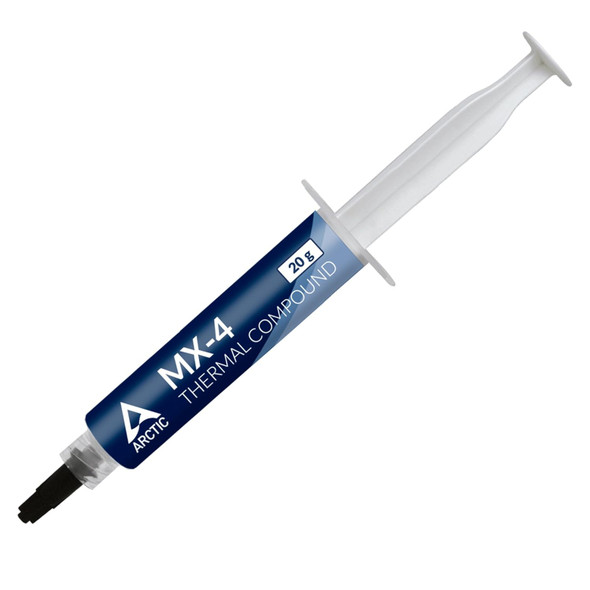
Arctic MX-4 Thermal Compound, 20g Syringe, 8.5W/mK
ARCTIC