
TP-LINK
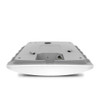
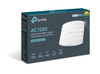
TP-LINK EAP225 Omada AC1350 (867+450) Dual Band Wireless Ceiling Mount Access Point, PoE, GB LAN, Clusterable, MU-MIMO, Free Software
- SKU:
- NPTPL-EAP225
- UPC:
- 6935364096922
- MPN:
- EAP225
- Availability:
- In Stock







Description
TP-Link EAP225 Omada AC1350 Ceiling Access Point – Dual-Band MU-MIMO, Gigabit, 802.3af/at PoE + 24V Passive PoE
Summary: The TP-Link EAP225 is a business-grade AC1350 dual-band ceiling/wall access point delivering up to 867Mbps (5GHz) + 450Mbps (2.4GHz) (total 1317Mbps). It features a Gigabit Ethernet uplink and flexible powering via 802.3af/at PoE or 24V passive PoE (PoE adapter included), with centralized cloud management via the Omada platform and app.
Designed for shops, offices, cafés, salons, warehouses and larger homes, the EAP225 focuses on stable multi-device Wi-Fi. Features like MU-MIMO, Band Steering, Beamforming, Airtime Fairness and Load Balance help keep more users connected smoothly—ideal for busy environments with phones, laptops, tablets, printers and smart devices.
Key features
- Fast dual-band AC1350 Wi-Fi: 450Mbps (2.4GHz) + 867Mbps (5GHz)
- Business Wi-Fi tools: up to 16 SSIDs (8 per band), QoS (WMM), rate limiting, schedules, auto channel assignment & transmit power control
- Better performance with many users: MU-MIMO, Airtime Fairness, Band Steering, Beamforming, Load Balance
- Secure guest Wi-Fi + Captive Portal: multiple authentication options (voucher/SMS/Facebook Wi-Fi, etc.), 802.1X support, VLAN mapping, client isolation & rogue AP detection
- Omada SDN management: cloud centralized management + Omada app (great for multi-AP sites)
- Ceiling or wall mount: mounting kits included
Power & hardware (install-friendly)
- Uplink: 1× Gigabit Ethernet (RJ-45)
- PoE: 802.3af/at PoE or 24V passive PoE (PoE adapter included)
- Max power consumption: EU 10.5W
- Antennas: 3× internal omni (2.4GHz 4dBi, 5GHz 5dBi)
- Dimensions: 205.5 × 181.5 × 37.1 mm
- Extras: physical security lock slot + hardware watchdog
Note: Features like seamless roaming / mesh are controller-based in Omada deployments and may require a compatible Omada controller setup, depending on your network design.
Specification
Primary Function: Access Point
Bands: Dual Band
Max Wireless Transfer Rate: 867 Mbps
Max Wired Transfer Rate: 10/100/1000 Mbps
Interface(s): 1 x Gigabit Ethernet (RJ-45) Port
Wireless Standards: IEEE 802.11ac/n/g/b/a
Antenna(s):
Internal Antenna:
2.4 GHz: 3x 4 dBi
5 GHz: 2x 5 dBi
Button(s): Reset
Power Supply:
802.3af/at PoE
24V Passive PoE (+4,5pins; -7,8pins. PoE Adapter Included)
Power Consumption: 10.5 W
Dimensions: 205.5 x 181.5 x 37.1 mm
Weatherproof: No
Frequency: 2.4GHz and 5GHz
Wireless Functions:
Multiple SSIDs (Up to 16 SSIDs, 8 for each band)
Enable/Disable Wireless Radio
Automatic Channel Assignment
Transmit Power Control (Adjust Transmit Power on dBm)
QoS(WMM)
Band Steering
Load Balance
MU-MIMO
Airtime Fairness
Beamforming
Multiple SSIDs (Up to 16 SSIDs, 8 for each band)
Enable/Disable Wireless Radio
Automatic Channel Assignment
Transmit Power Control (Adjust Transmit Power on dBm)
QoS(WMM)
Band Steering
Load Balance
MU-MIMO
Airtime Fairness
Beamforming
Wireless Security:
Captive Portal Authentication
Access Control
Wireless Mac Address Filtering
Wireless Isolation Between Clients
SSID to VLAN Mapping
Rogue AP Detection
802.1X Support
Management:
Omada App
Omada Hardware Controllers - OC300 & OC200
Omada Software Controller
Omada Cloud-Based Controller
EAP Controller Software
Email Alerts
LED ON/OFF Control
Management MAC Access Control
SNMP v1,v2c
Local/Remote Syslog
Telnet
SSH
HTTP/HTTPS
L3 Management
Multi-site Management
Management VLAN
Zero-Touch Provisioning
Environment:
Operating Temperature: 0C~40C (32F~104F)
Storage Temperature: -40C~70C (-40F~158F)
Operating Humidity: 10%~90% non-condensing
Storage Humidity: 5%~90% non-condensing
Package Contents:
Access Point EAP225
Passive PoE Adapter
Power Cord
Ceiling and Wall Mounting Kits
Installation Guide
Package Type: Retail
Package Weight: 0.9600 kg
Warranty: Limited Lifetime
TP-LINK EAP225 Omada AC1350 Dual Band Wireless
Return
FAQ: Frequently Asked Question
