
STARTECH
StarTech USB-C to DisplayPort 1.4 Cable 1.8m 8K 60Hz HBR3 HDR DSC
- SKU:
- CDP2DP146B
- UPC:
- 0065030880350
- MPN:
- CDP2DP146B

Description
StarTech USB-C to DisplayPort 1.4 Cable 1.8m – 8K 60Hz, HBR3, HDR, DSC
The StarTech USB-C to DisplayPort 1.4 cable is a high-performance 1.8m video adapter cable designed to connect a USB-C or Thunderbolt 3 device to a DisplayPort monitor or display. Supporting up to 8K at 60Hz, this cable is ideal for high-resolution monitors, digital signage, creative workstations, and modern desktop setups that need sharp picture quality and reliable signal performance.
With support for DisplayPort 1.4 Alt Mode, HBR3 bandwidth, HDR, and Display Stream Compression (DSC), this cable is built for users who want a dependable USB Type-C to DisplayPort cable for 4K, 5K, and 8K display output. It combines the adapter and cable into a single, convenient solution for clean and simple connectivity.
Key Features of the StarTech USB-C to DisplayPort 1.4 Cable
- Connector type: USB-C to DisplayPort 1.4
- Cable length: 1.8m / 6ft
- Maximum resolution: up to 8K at 60Hz
- Supports 4K, 5K and 8K displays
- DisplayPort Alt Mode support required
- HBR3 support
- HDR support
- DSC support
- Compatible with USB-C and Thunderbolt 3 source devices
- Adapter and cable in one design
Designed for High-Resolution USB-C to DisplayPort Video Output
This USB-C to DisplayPort 1.4 cable is designed for users who want to connect laptops, tablets, desktops, or other compatible USB-C devices to a DisplayPort monitor without needing a separate adapter. StarTech positions this cable for use with USB Type-C and Thunderbolt 3 devices, making it a useful option for modern workstations, office setups, photography and videography workflows, and high-end display environments.
Because it supports 8K UHD resolutions up to 7680 x 4320, it is also suitable for users searching for an 8K USB-C to DP cable or a premium cable for higher-resolution monitor setups. StarTech also highlights HBR3 bandwidth of up to 32.4Gbps on its DisplayPort 1.4 cable range.
Ideal for 4K, 5K and 8K Monitors
If you use a high-resolution display for editing, design, content creation, coding, finance, or productivity, this cable is a practical way to connect a compatible USB-C device directly to a DisplayPort monitor. It is also suitable for digital signage and other professional visual applications where image clarity matters.
Why Choose a USB-C to DisplayPort 1.4 Cable?
A dedicated USB-C to DisplayPort cable can be a cleaner and more reliable solution than using multiple adapters. It reduces cable clutter and helps simplify installation, especially in office, workstation, and monitor-docking environments. For buyers looking for a Thunderbolt 3 to DisplayPort cable or a USB-C monitor cable, this type of product is often the most straightforward choice.
Adapter and Cable in One
StarTech markets this product as an adapter-and-cable-in-one solution, which helps create a tidy setup and avoids the inconvenience of separate dongles or converters. That makes it especially useful for desk setups where reliability and cable management are important.
Technical Specifications
- Brand: StarTech.com
- Product type: USB-C to DisplayPort 1.4 cable / external video adapter
- Length: 1.8m / 6ft
- Input: USB-C
- Output: DisplayPort 1.4
- Video standard: DisplayPort 1.4 Alt Mode
- Maximum resolution: 7680 x 4320 (8K UHD)
- Features: HBR3, HDR, DSC
- Compatible source devices: USB-C or Thunderbolt 3 devices with DP Alt Mode video output
- Colour: Black
Who This Cable Is Best For
- Users connecting a USB-C laptop to a DisplayPort monitor
- Buyers searching for an 8K USB-C to DisplayPort cable
- Professionals using 4K or 5K high-resolution displays
- Thunderbolt 3 users needing DisplayPort monitor output
- Users who want a simple all-in-one video cable instead of a separate adapter
Important Compatibility Information
Before ordering, make sure your USB-C device supports DisplayPort Alt Mode video output. Not all USB-C ports support video, so checking your laptop, tablet, phone, or docking hardware is essential. This cable is intended for video output between compatible USB-C or Thunderbolt 3 devices and DisplayPort displays.
Buying Advice
If you want to use higher resolutions and refresh rates, your source device, operating system, graphics hardware, and monitor must all support the required display mode. Matching the cable with compatible hardware is the best way to achieve the highest supported performance.
General Information
Product TypeA/V Cable
Manufacturer Part NumberCDP2DP146B
Manufacturer Website Addresshttps://www.startech.com/uk
Packaged Quantity1 Each
ManufacturerStarTech.com
Product Name6 ft. (1.8 m) - USB-C to DisplayPort 1.4 Cable - 8K 60Hz
Brand NameStarTech.com
Specification
Technical Information
Cable Length1.80 m
Data Transfer Rate32.4 Gbit/s
Device SupportedMonitor
iPad Pro
Audio/Video Device
FeaturesActive
Plug & Play
Cable TypeDisplayPort/USB-C
Connector Type on First EndUSB Type C - Male
Connector Type on Second EndDisplayPort 1.4 Digital Audio/Video - Male
Supported Resolution7680 x 4320
Connector on First End Details1 x 24-pin USB Type C - Male
Connector on Second End Details1 x 20-pin DisplayPort 1.4 Digital Audio/Video - Male
FAQ: Frequently Asked Questions
FAQ – StarTech USB-C to DisplayPort 1.4 Cable 1.8m 8K 60Hz HBR3 HDR DSC
The StarTech USB-C to DisplayPort 1.4 cable is designed to connect a compatible USB-C or Thunderbolt source device to a DisplayPort monitor or display. It supports high-bandwidth DisplayPort 1.4 features including HBR3, HDR, DSC, and resolutions up to 8K at 60Hz when the source device, display, and port capabilities all match.
What is this StarTech USB-C to DisplayPort cable used for?
This cable is used to connect a compatible USB-C or Thunderbolt device, such as a laptop, tablet, mini PC, or dock, to a monitor with a DisplayPort input. It is useful for external displays, office setups, creative workstations, high-refresh monitors, and home office upgrades.
Does this cable support 8K at 60Hz?
Yes. This cable is sold as supporting up to 8K at 60Hz. To achieve that, the source device, monitor, and USB-C video output must all support the required DisplayPort 1.4 features and bandwidth.
Does this cable support 4K high refresh rates?
Yes. DisplayPort 1.4 HBR3 class cables are commonly used for high-refresh 4K displays. Actual supported refresh rates still depend on the USB-C host, graphics output, display specifications, and whether DSC is supported in the full signal chain.
Does my USB-C port need to support DisplayPort Alt Mode?
Yes. This is one of the most important compatibility checks. StarTech states that the USB-C source device must support DisplayPort Alt Mode for this cable to work for video output.
Will this cable work with Thunderbolt 3 or Thunderbolt 4 devices?
Yes, provided the Thunderbolt device supports video output over USB-C. StarTech markets this cable class as compatible with USB-C and Thunderbolt hosts for DisplayPort monitor connections.
Will this cable work with any USB-C port?
No. Not every USB-C port carries video. Some USB-C ports only support charging or data. Before ordering, check that your laptop, tablet, phone, or dock specifically supports DisplayPort Alt Mode or Thunderbolt video output.
Is this cable one-way or bidirectional?
This is an important point to check on your exact model listing. Many USB-C to DisplayPort cables are directional from a USB-C video source to a DisplayPort monitor, while some StarTech models in this family are marketed as bidirectional. For safe buying, follow the direction stated on your exact product page and only use it for the supported connection type.
Will this cable work from DisplayPort on a PC to USB-C on a monitor?
Only if your exact cable model specifically supports bidirectional operation. Many buyers assume all USB-C to DisplayPort cables work both ways, but that is not always true. Always check the exact model specification before ordering.
Does this cable support HDR?
Yes. StarTech lists HDR support for this DisplayPort 1.4 cable class. HDR output still depends on the source device, graphics hardware, operating system, content, and monitor also supporting HDR correctly.
Does this cable support DSC?
Yes. StarTech includes Display Stream Compression support in this cable class. DSC can help enable higher combinations of resolution and refresh rate on compatible source devices and monitors.
What does HBR3 mean?
HBR3 is the high-bandwidth mode associated with DisplayPort 1.4-class performance. It helps support demanding display modes such as higher resolutions, higher refresh rates, and advanced features like DSC and HDR on compatible devices.
Can I use this cable with a MacBook or Windows laptop?
Yes, if the device’s USB-C or Thunderbolt port supports video output. This type of cable is commonly used with both Windows laptops and MacBook models that support external displays over USB-C or Thunderbolt.
Can I use this cable with a phone or tablet?
Possibly, but only if the USB-C device supports DisplayPort Alt Mode video output. Some phones and tablets do, while others do not. It is best to confirm the exact device specification before ordering.
Can I use this cable for gaming monitors?
Yes. This cable is suitable for gaming monitors that use DisplayPort, including higher-resolution and higher-refresh setups, as long as your source device and monitor support the target display mode.
Does this cable carry audio as well as video?
Yes. DisplayPort connections can carry both video and audio, so this cable can be used for monitors that support audio over DisplayPort, subject to device and operating system settings.
What should I check before buying this cable?
Before ordering, check that your USB-C or Thunderbolt port supports video output, confirm whether you need one-way or bidirectional support, and make sure your monitor has a DisplayPort input. Also check that your source device and monitor support the resolution and refresh rate you want to run.
Related Products
Related Products
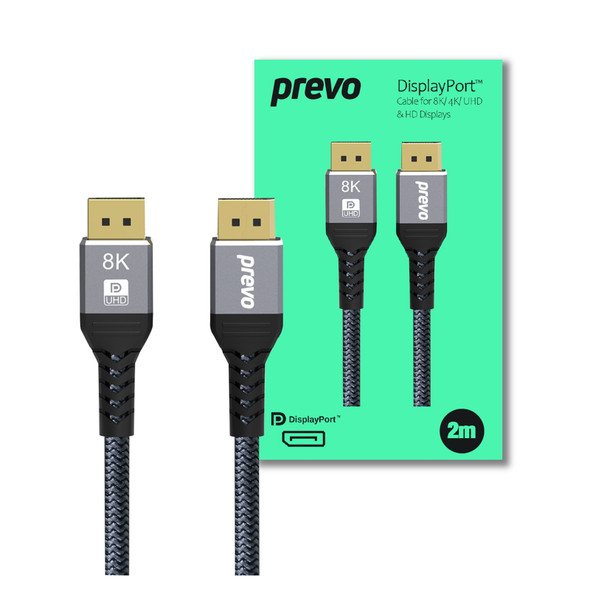
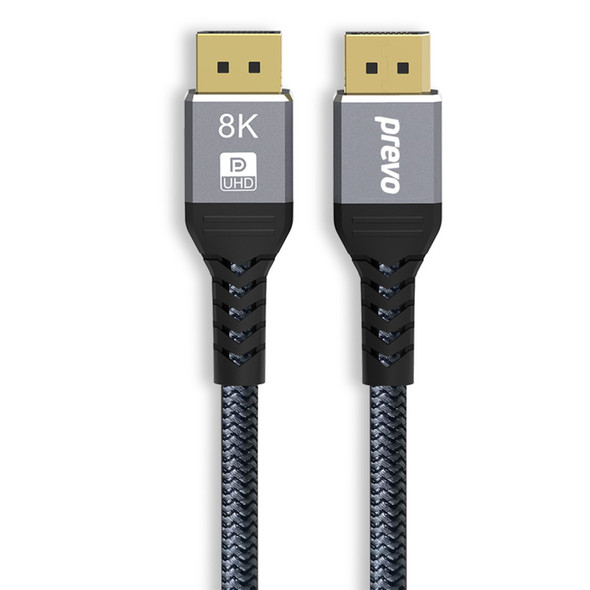
Prevo DisplayPort 1.4 Cable 2m 8K 60Hz, 4K 144Hz, Braided DP Cable
PREVO