
MARVO
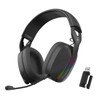
Marvo Scorpion HG9086W Bluetooth and Wired Tri-Mode Connection RGB Stereo Gaming Headphones
- SKU:
- SPMAR-HG9086W
- UPC:
- 6932391933664
- MPN:
- HG9086W





Description
Marvo Scorpion HG9086W Tri-Mode Gaming Headset – 2.4GHz Wireless + Bluetooth 5.3 + Wired, RGB Stereo Headphones
The Marvo Scorpion HG9086W is a versatile tri-mode gaming headset built for players who switch between PC, console and mobile. It supports 2.4GHz low-latency wireless, Bluetooth 5.3, and wired 3.5mm connectivity, so you can use one headset across multiple devices without hassle. With 40mm stereo drivers, an external omnidirectional microphone, and eye-catching RGB lighting, it’s ideal for gaming, voice chat, and everyday listening.
Summary
HG9086W is a tri-mode headset with 2.4G wireless (low latency ~28ms), Bluetooth 5.3 and 3.5mm wired modes. It uses 40mm drivers (20Hz–20kHz, ~110dB sensitivity, ~32Ω impedance) and includes an external omnidirectional mic. Battery is listed as 3.7V 800mAh with up to 10 hours with RGB on or up to 25 hours with RGB off. Compatibility is commonly listed as PS5/PS4 (2.4G), PC/Mac, iOS/Android (Bluetooth), and PS5/PS4/Xbox One/PC via 3.5mm.
Key Features & Benefits
- Tri-mode connection: 2.4GHz wireless + Bluetooth 5.3 + wired 3.5mm for maximum flexibility
- Low-latency 2.4G mode: listed at ~28ms for more responsive gameplay
- RGB lighting: adds style to your setup (with optional longer battery life when off)
- Clear voice chat: external omnidirectional mic (listed sensitivity -42dB ±3dB)
- Comfort for long sessions: over-ear design with adjustable headband and cushioned ear pads
Audio Performance
40mm Stereo Drivers
Enjoy detailed stereo sound for games, calls and media. The HG9086W is commonly listed with 40mm drivers, a 20Hz–20kHz frequency response, and ~110dB sensitivity for strong volume and clarity.
Microphone for Team Chat
The included external omnidirectional microphone is designed for clear voice pickup—ideal for party chat, Discord and in-game comms.
Connectivity & Device Compatibility
2.4GHz Wireless (Dongle)
2.4GHz mode is commonly listed as compatible with PS5/PS4 plus Windows and Mac, offering lower latency than Bluetooth for gaming.
Bluetooth 5.3
Bluetooth is listed as compatible with Windows/Mac as well as iOS and Android, making it easy to use on phones and tablets.
Wired 3.5mm Mode
The wired AUX input is commonly listed as compatible with PS5/PS4, Xbox One, PC and other devices using a 3.5mm jack.
Battery Life & Charging
Play Longer (RGB On/Off)
- Up to 10 hours battery life with RGB lighting enabled
- Up to 25 hours battery life with RGB lighting disabled
- Battery: 3.7V 800mAh (listed)
- Charging: USB-C
Specs at a Glance
- Model: Marvo Scorpion HG9086W
- Connectivity: 2.4G / Bluetooth 5.3 / 3.5mm wired
- Wireless range: up to 10m (listed)
- Drivers: 40mm
- Frequency response: 20Hz–20kHz
- Latency (listed): ~28ms (2.4G), ~220ms (Bluetooth)
- Cable length: 2.2m (listed)
- Weight: ~220g (listed)
Compatibility Notes
- Best for gaming: use 2.4GHz mode for lower latency versus Bluetooth.
- Xbox note: compatibility is commonly listed via wired 3.5mm (not 2.4G).
- Battery life varies: RGB lighting and volume level affect runtime.
Specification
stereo
Connectivity
2.4G, BT5.3, wired (tri-mode gaming headset)
Colour
Black
Wireless range
10m
Speaker size
40mm
Speaker Sensitivity
110dB±3dB
Rated Power
30mW
Impedance
32±10%
Frequency Response Range
20Hz~20KHz
MicType
Omnidirectional
Mic Sensitivity
-42dB±3dB
Microphone
External microphone
Battery
3.7V-800mAh
10 hours running time with lights, 25 hours without
Charging
Charger port Type-C TO USB
Audio Control
In-line
Cable Length
2.2m
Data delay
28ms(2.4G), 220ms(BT)
support
Bluetooth supports win/mac, ios and android
2.4G supports PS5/PS4,win,mac
Wired aux input supports ps5/4,xbox one, pc and other 3.5mm interface
Weight
220g
Return
FAQ: Frequently Asked Question
Marvo Scorpion HG9086W (Pulz 70W) — FAQ
What is the Marvo Scorpion HG9086W?
What does “tri-mode connection” mean?
Which mode is best for gaming (lowest latency)?
What devices is it compatible with (PC, PS5/PS4, Xbox, phone)?
Does the microphone work in wireless and wired modes?
How do I switch between 2.4G / Bluetooth / wired?
- Wired: plug in the USB-C to 3.5mm cable (the headset switches to wired mode).
- 2.4G: use the USB receiver/dongle and select 2.4G mode.
- Bluetooth: switch to BT mode, then pair in your device’s Bluetooth settings.
Bluetooth won’t pair — what should I do?
2.4G wireless has no sound — what’s the usual fix?
- Confirm the USB dongle is inserted and selected as the audio output on your PC.
- Move closer (wireless range is listed up to 10m).
- Re-seat the dongle / try another USB port.
- Restart the headset and device.
What battery life can I expect?
How long does it take to charge and what battery size is it?
What are the audio driver specs (size, frequency range)?
Can I turn off the RGB lighting?
Does it include everything I need in the box?
Related Products
Related Products
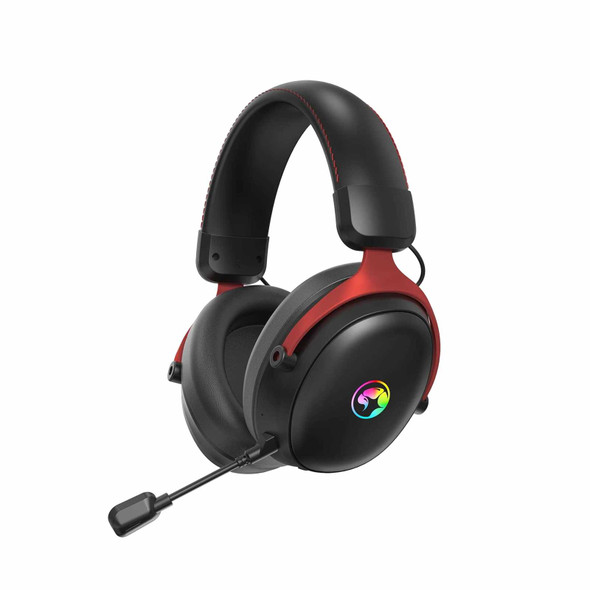

Marvo Scorpion HG9076W Tactic X Pro Wireless Bluetooth / USB-C RGB Gaming Headset (Black)
MARVO


Marvo Scorpion MIC-01 RGB USB Powered Flexible Gaming and Streaming Microphone
MARVO


Prevo A6-ANC Active Noise Cancelling (ANC) Wireless Headphones with Bluetooth 5.4, True Wireless Stereo (TWS) Sound, Automatic Pairing & Handsfree Calls, with Case & Charging Cable
PREVO